Notion AI vs ChatGPT: Which AI Platform Fits Your Workflow Best?

Table of Contents

Quick Answer: Should You Use Notion AI or ChatGPT?
The choice between Notion AI and ChatGPT depends on your workflow and the kind of goals you have. In short:
Choose Notion AI if you want to
- Keep work inside the Notion workspace
- Organize notes, documents, and databases
- Collaborate with team members on shared projects
- Generate summaries, meeting notes, and action items from existing content
And choose ChatGPT if you want to
- Brainstorm ideas and explore concepts
- Create long-form content and marketing copy
- Conduct research and analyze information
- Write or debug code
- Solve complex, multi-step problems
AI tools are quickly becoming a standard part of modern workflows, but not all of them are built for the same purpose. Two of the most commonly compared options are Notion AI and ChatGPT. While both use artificial intelligence to help users work faster, they approach productivity from entirely different angles.
Notion AI is built directly into the Notion workspace, where it helps users create, organize, summarize, and manage information across documents, databases, projects, and team knowledge. On the other hand, ChatGPT is a conversational AI designed for flexible tasks such as writing, research, brainstorming, coding, planning, and problem-solving.
This distinction drives the Notion AI vs ChatGPT comparison. One focuses on improving work that already exists inside your workspace, while the other helps generate new ideas and analyze information across any domain.
However, platforms like Sintra AI are merging as a third category. It focuses on operational execution and business automation, helping companies delegate recurring tasks, streamline workflows, and manage day-to-day operations through AI employees.
Here is a side-by-side comparison of Notion AI and ChatGPT to address their capabilities.
Understanding the Core Difference Between Notion AI and ChatGPT
To understand the differences between Notion AI and ChatGPT, we need to separate them from traditional AI tools. The debate is not around their features; it's about environment and workflow design.
Notion AI is built directly inside a structured workspace. It works where your notes, documents, databases, and team knowledge already live. That means its strength is helping you refine, organize, and extend existing work instead of starting from scratch. Since it is tightly connected to the Notion workspace, it is highly effective for managing internal information and collaborative projects.
On the other hand, ChatGPT is a standalone conversational AI. It is not tied to any workspace or system. Instead, it functions as an open-ended tool for thinking, writing, coding, researching, and problem-solving. You can use it as an individual and for your thriving business as well. It is a strong tool for flexible tasks like brainstorming ideas, building content from scratch, and problem-solving.
So, when people compare ChatGPT vs Notion AI, they are really comparing two different ways of working instead of two similar tools. Let's take a closer look:
How Notion AI Enhances Workspace Productivity?
Notion AI is most useful for people and teams who already manage their work inside the Notion workspace. It works directly within your existing documents, databases, and projects to reduce repetitive administrative work.
Its biggest strength is helping teams keep information organized and actionable. For example, Notion AI can:
- Turn lengthy meeting notes into concise summaries and highlight key decisions.
- Extract action items and assign follow-up tasks from meeting discussions.
- Rewrite project updates to make them clearer and easier to share with stakeholders.
- Summarize long documents so team members can quickly understand important information.
- Help maintain consistent documentation across projects and departments.
Notion AI acts as a search engine for personal or company workspaces, answering questions based only on internal notes. This makes it particularly valuable for teams that store large amounts of information in Notion.
Another advantage os Notion AI's ability to autofill database fields and extract action items from meeting notes. Teams can use it to update project trackers, organize information across databases, and reduce the manual effort required to keep records up to date.
Notion AI's real value comes from keeping work inside a single system. Rather than creating content in a separate tool and moving it back into Notion, users can draft, edit, summarize, organize, and retrieve information without leaving their workspace.
How ChatGPT Handles Conversational AI Tasks?
ChatGPT works best as a flexible, open-ended assistant that supports you outside a fixed workspace. It quickly adapts to whatever tasks you bring into the conversation, unlike tools that are tied to a structured system. It keeps on refining its responses through back-and-forth interaction.
Here are ChatGPT's few strengths across different fields:
- Brainstorming ideas for blogs, businesses, campaigns, or products
- Creating structured outlines and content drafts from simple prompts
- Supporting research by explaining complex topics in simpler terms
- Helping with coding tasks, debugging, and technical explanations
- Drafting customer messages, emails, and professional responses
- Generating strategy ideas for marketing, planning, or operations
ChatGPT's most prominent feature is its conversational nature. You can be talking about anything, and it will adapt to it as the conversation goes. Even if you change the direction mid-way, it will still answer your query properly. This makes it ideal for tasks where the outcome is not fixed and keeps evolving through thinking and iteration.
In the Notion AI vs ChatGPT comparison, this is where ChatGPT clearly stands out. It is built for exploration and generation rather than structured documentation or workspace management.
Why Businesses Compare Notion AI and ChatGPT?
Businesses compare Notion AI and ChatGPT because, on paper, they both promise similar things. Both tools can:
- Speed up content creation and communication
- Reduce manual work, like summarizing or drafting documents
- Support decision-making through faster information processing
- Improve overall team productivity when used correctly
However, they achieve these goals in very different ways. This is where businesses need to make a decision based on their workflow environments and goals.
- Some teams need AI that lives inside a shared system where work is already stored, documented, and structured. This is where Notion AI naturally fits, because it operates within a collaborative workspace.
- Other teams need a flexible assistant that can handle unpredictable, cross-functional tasks like brainstorming strategies, writing code, answering research questions, or drafting customer communication. That’s where ChatGPT becomes more useful.
This comparison is more about operational design than capability alone. It depends on whether AI is meant to support an existing workspace or act as a general-purpose thinking companion across multiple workflows.
Once this distinction is clear, the comparison naturally moves toward a deeper feature-by-feature breakdown. Let's dive straight in.
Notion AI vs ChatGPT: Feature Breakdown
When breaking down Notion AI vs ChatGPT, the clearest way to understand them is to see how they perform inside real daily workflows. Both tools are built to improve productivity, but they do it in completely different environments.
Here's how we break down each tool's features:
- Usability
- Writing quality
- Collaboration
- Research and understanding
- AI flexibility
- Integrations
- Productivity support
Businesses use Notion AI and ChatGPT to achieve different goals through different processes. Someone who already uses a Notion workspace will benefit more from Notion AI, while anyone who needs flexibility while using AI would prefer ChatGPT.
That is why this comparison is less about which tool is better and more about where each one fits inside a workflow.
Content Writing and Editing Capabilities
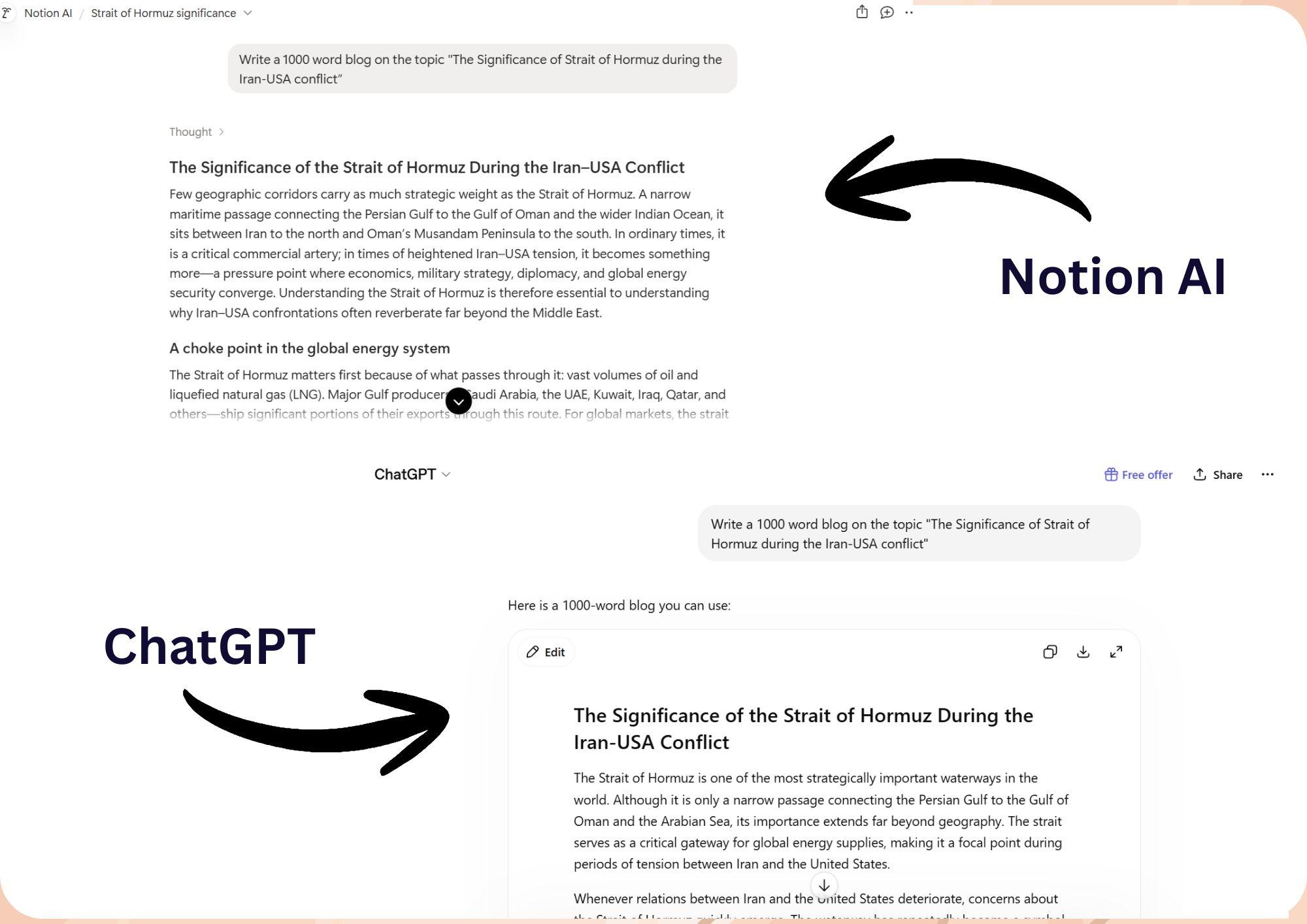
We tested the same prompts on ChatGPT and Notion AI's chatbot and asked it to write and edit pieces of text. Let's have a look at each of them one by one, and you can decide which did better.
Writing
We asked the tools to write a 1000-word blog on the topic "The Significance of Strait of Hormuz in Iran-USA conflict." Here's what they come up with.
Editing
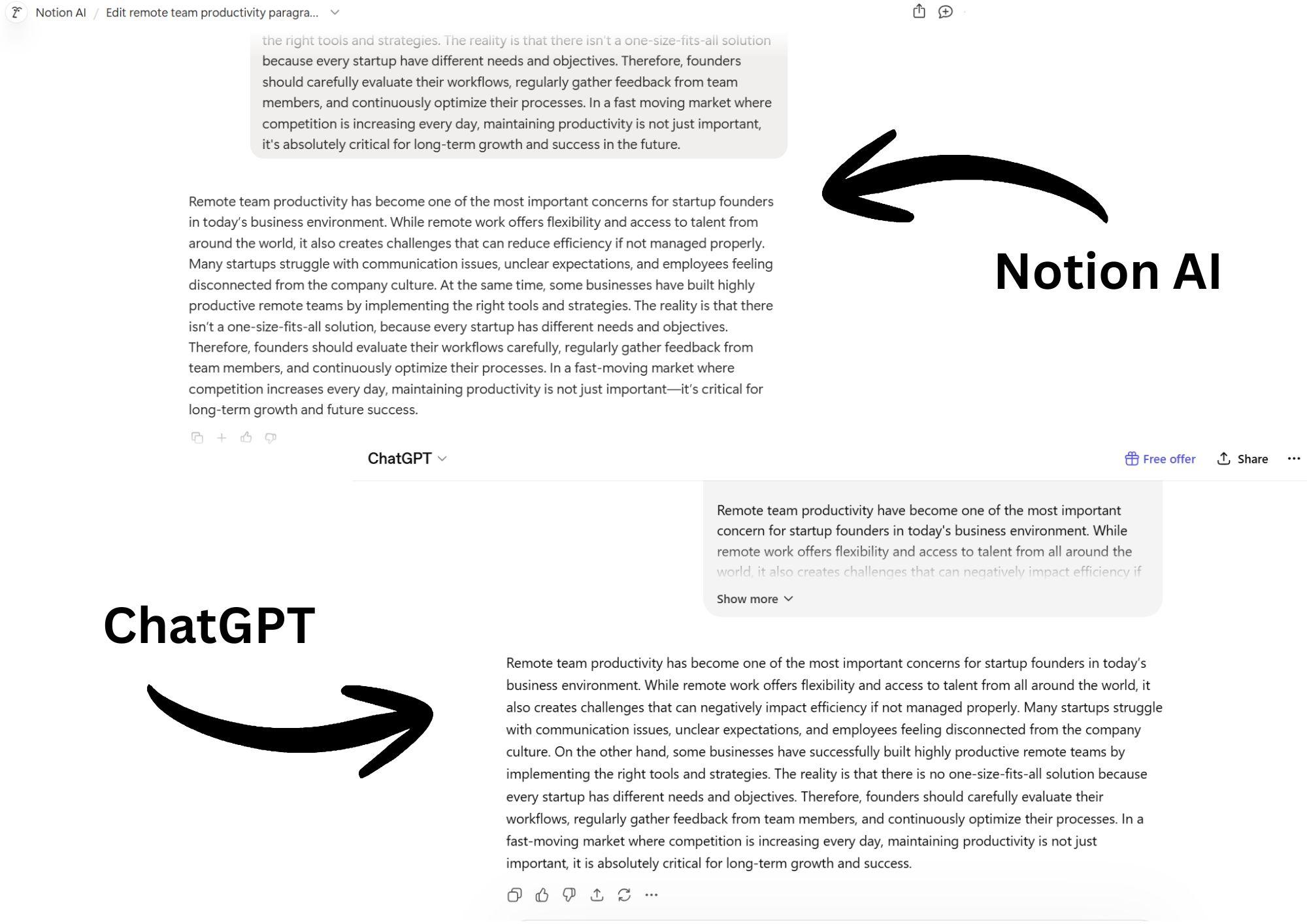
We gave an intentionally flawed paragraph to both tools and asked them to correct it in terms of grammar, clarity, readability, and flow. While Notion AI wins here for clarity, ChatGPT takes the lead because of its human-like flow. Decide for yourself by checking out the results below.
Research, Summaries, and Knowledge Retrieval
When talking about knowledge retrieval and research, the key difference is where each tool sources its understanding from and how broadly it can interpret information.
Notion AI is designed to work inside a structured workspace. Its strength lies in processing and organizing information that already exists within Notion. This makes it highly effective for internal research workflows such as summarizing meeting notes, extracting insights from project documents, or turning long reports into structured, readable summaries.
Its strength is not open research, but context-aware knowledge management inside a closed system. It understands what is already documented and helps turn it into usable, structured output.
On the other hand, ChatGPT is built for open-ended research and explanation across a much wider scope of information. It is more effective when users need contextual understanding, exploration of new topics, or help breaking down complex concepts.
Let's test each tool against our criteria and see which does best:
Research
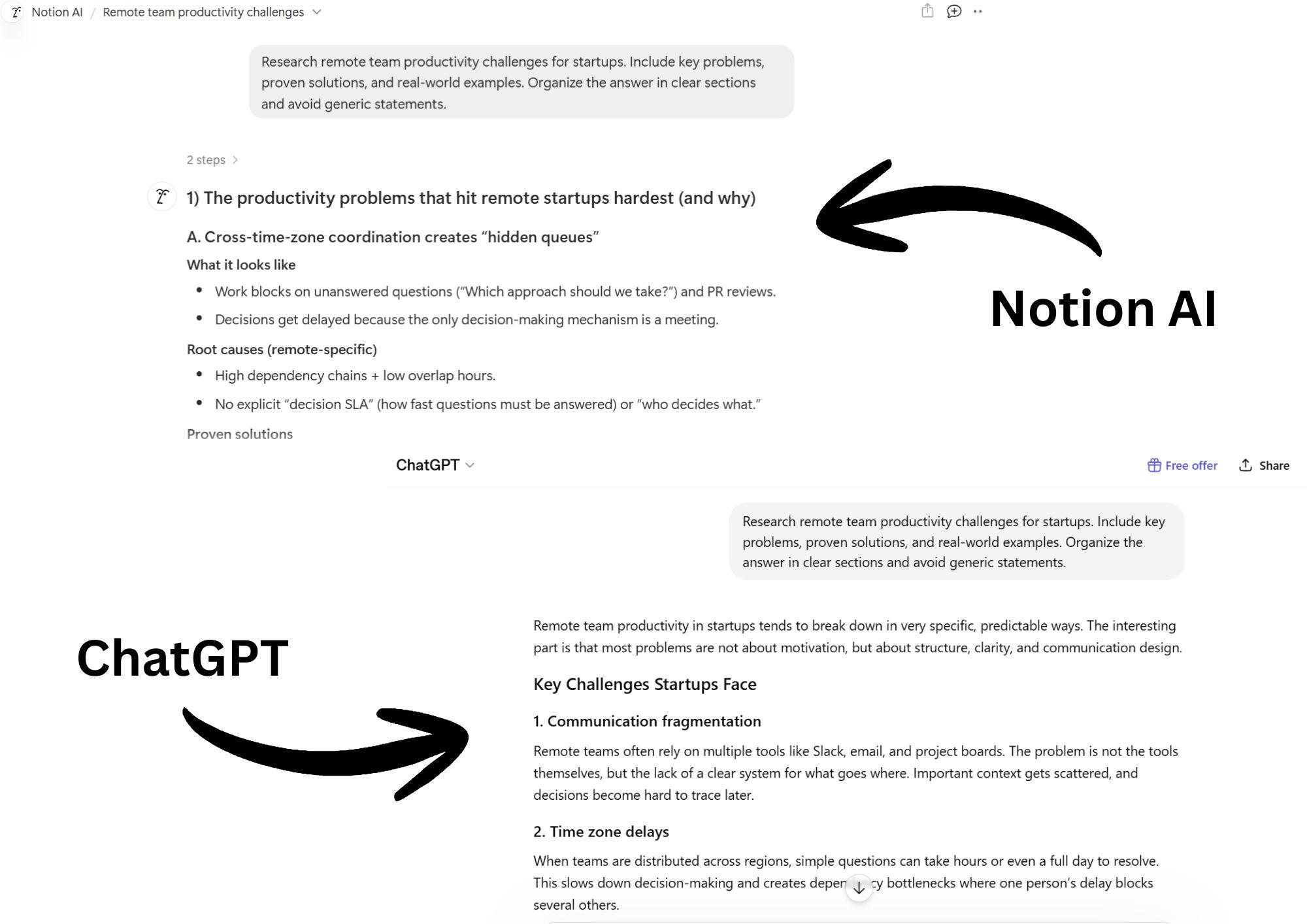
We provided the following prompt to both Notion AI and ChatGPT. Both did exceptionally well, but Notion takes the lead with a highly structured format, strong research with depth, and includes real-world examples. ChatGPT's response was solid, but it seemed too flexible for interpretation, which is quite fair for its design.
Summary
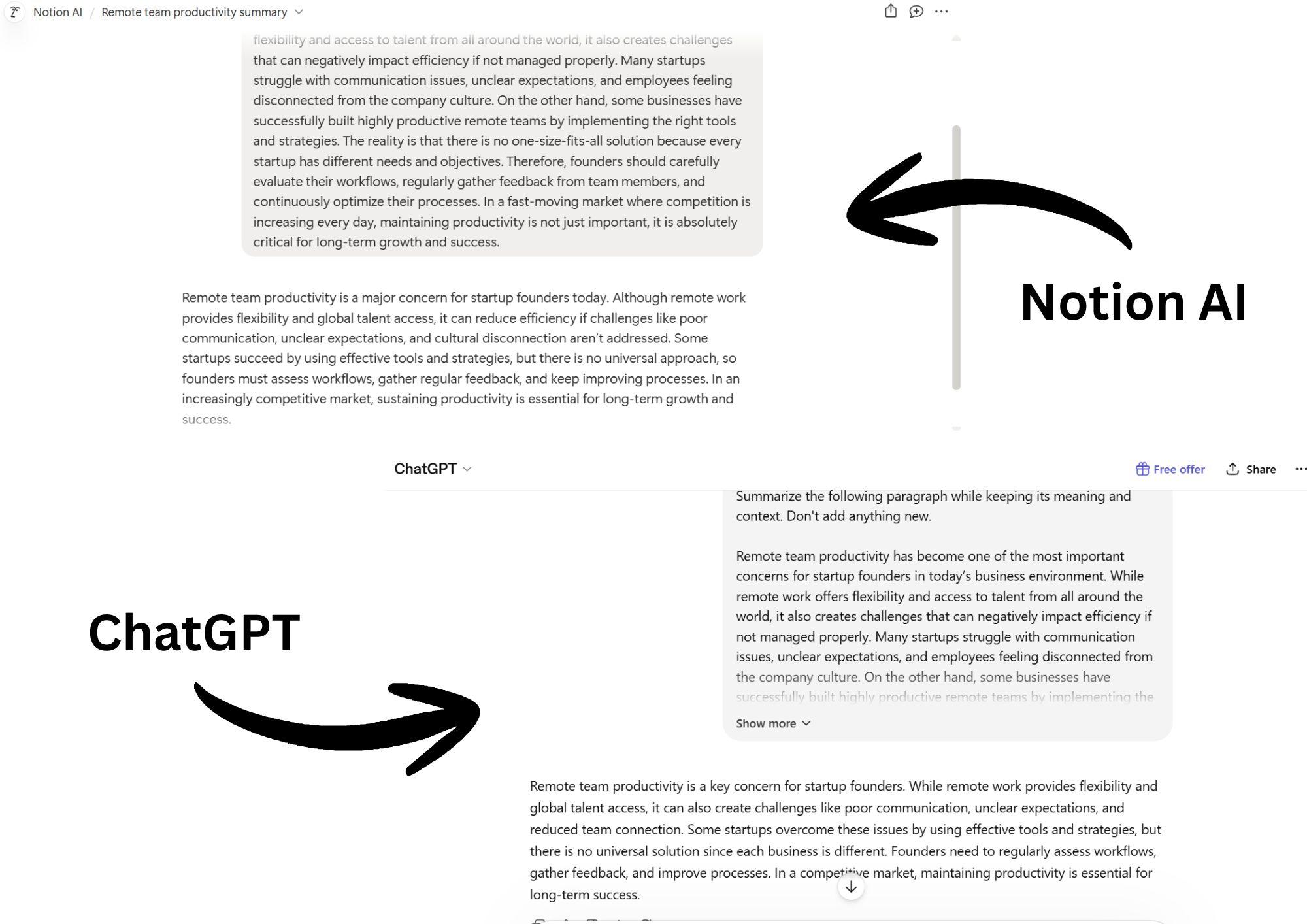
We gave the same paragraph to both AI tools. Notion AI has the advantage of fetching the documents very quickly from its parent workspace. Meanwhile, ChatGPT remains flexible and tries to imitate human writing as much as possible. So if you are looking for summaries with better flow and natural tone, ChatGPT is the clear winner here.
Knowledge Retrieval
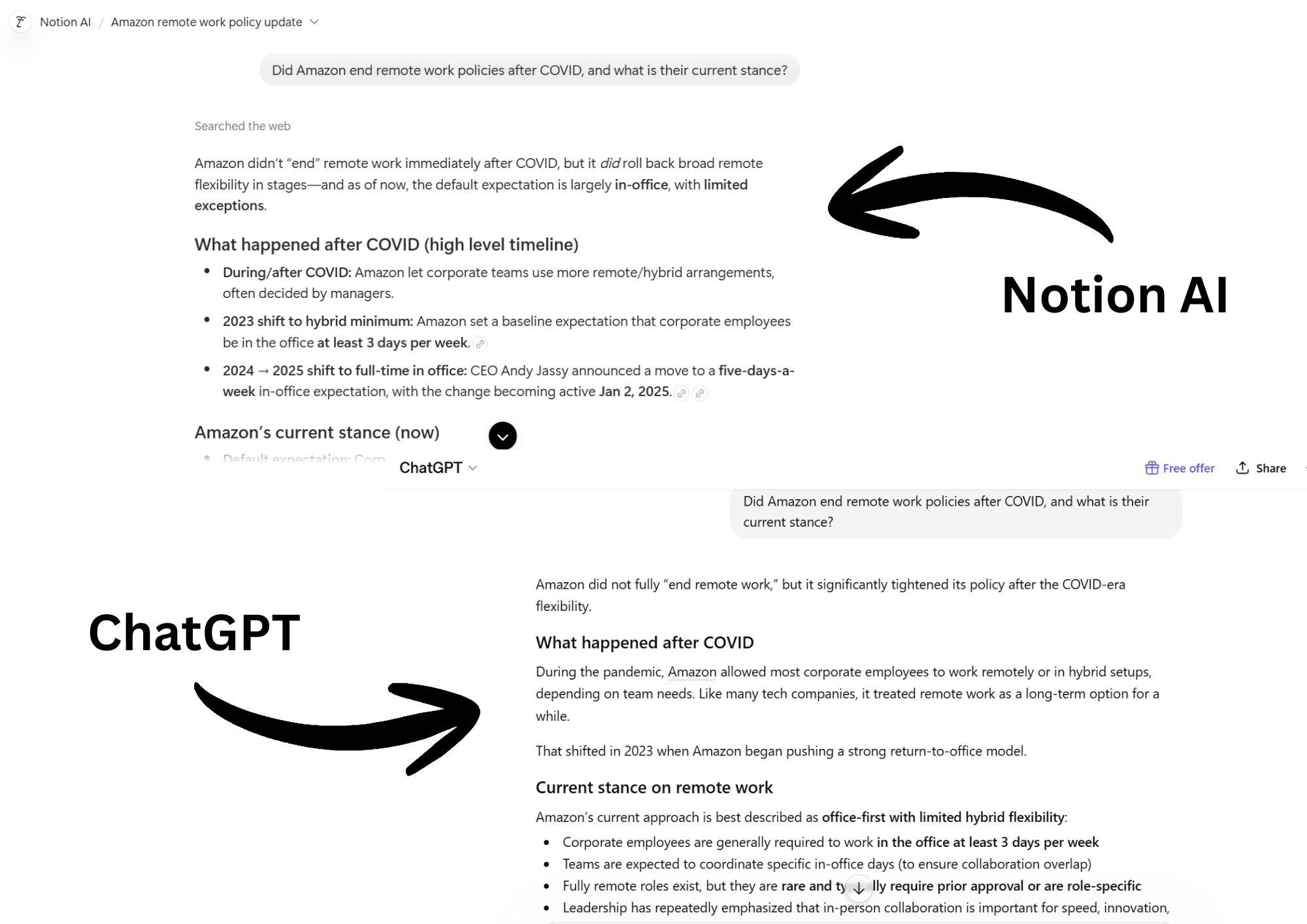
For this section, we strictly focused on whether the tools come up with facts or do they hallucinate. Again, we testes same prompts on both tools. And to be fair, this was a tight competition between the two. But if we have to pick a winner, Notion AI takes the stage. Its answer follows a clean format followed by logical progression.
Team Collaboration and Workspace Organization
One of Notion AI's major advantages is its shared workspace environment. This makes it naturally suited for teams that manage projects, documentation, and knowledge in one place. Teams can co-edit documents in real time, maintain shared project boards, and use Notion AI to support work like summarizing or organizing information across pages.
ChatGPT, in contrast, is primarily a one-to-one conversational tool, where collaboration happens indirectly through shared outputs rather than a shared workspace. You can use it for team projects, but you will have to use a third-party app or manually share every output.
For example, a marketing team might use Notion AI to maintain a shared campaign dashboard where updates, meeting notes, and task progress are all organized in one place. Meanwhile, a founder might use ChatGPT individually to generate strategy ideas or draft messaging before transferring those insights into a team system.
Notion AI's structured environment makes it a better tool for teams and collaboration, while ChatGPT supports individual thinking and output generation.
AI Flexibility and Prompting Experience
You can judge the flexibility of an AI tool by how it lets users interact with it. Both Notion AI and ChatGPT use natural language models and prompts, but since their environments are different, the results vary significantly from each other.
ChatGPT offers a highly flexible prompting experience. Users can:
- Engage in back-and-forth conversations
- Refine instructions step-by-step
- Adjust direction in real time, even mid-conversation
This makes it especially useful for tasks that require exploration, iteration, or multi-step problem solving. You can start with a broad idea, narrow it down through follow-up questions, and continuously reshape the output until it matches your intent.
Notion AI, on the other hand, is more workflow-oriented. Instead of open-ended conversations, it is designed to improve productivity within existing pages, documents, and databases inside the Notion workspace. Users typically give more direct instructions, such as summarizing a page, improving text, or extracting action items. Its focus is more on refining and transforming existing content than extending dialogues.
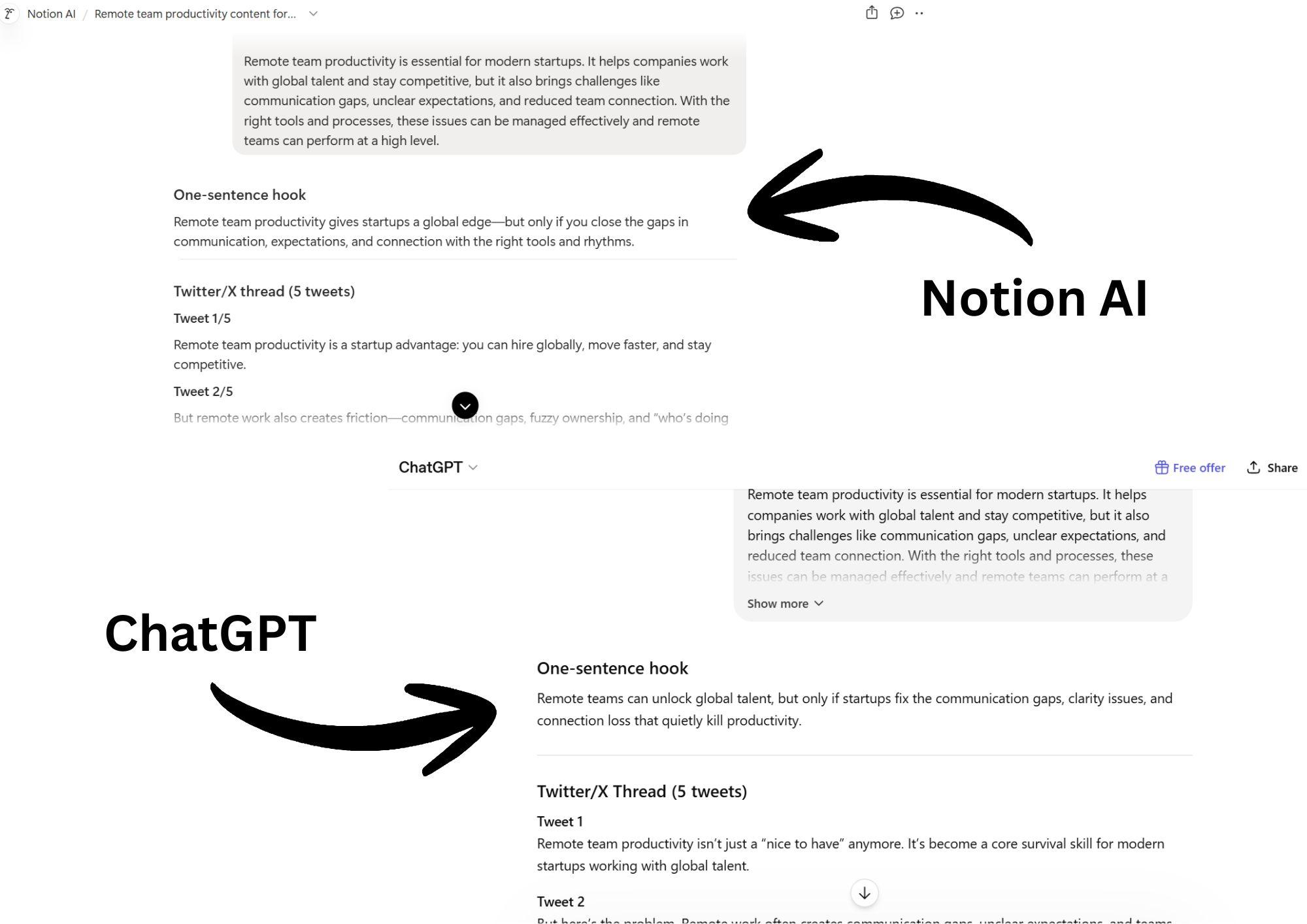
To test AI flexibility and prompting, we asked the tools to do 3 different tasks on the same paragraph simultaneously. While both tools followed instructions impeccably, Notion AI tried to play it safe with its content. ChatGPT's content was more varied and creative, owing to its conversational design.
Integrations and Workflow Support
When comparing AI tools, it is important to notice that none of them is truly an autonomous operational system. All of them extend productivity in different directions, depending on whether the work is structured inside a workspace or spread across multiple tools. Notion AI and ChatGPT aren't different either.
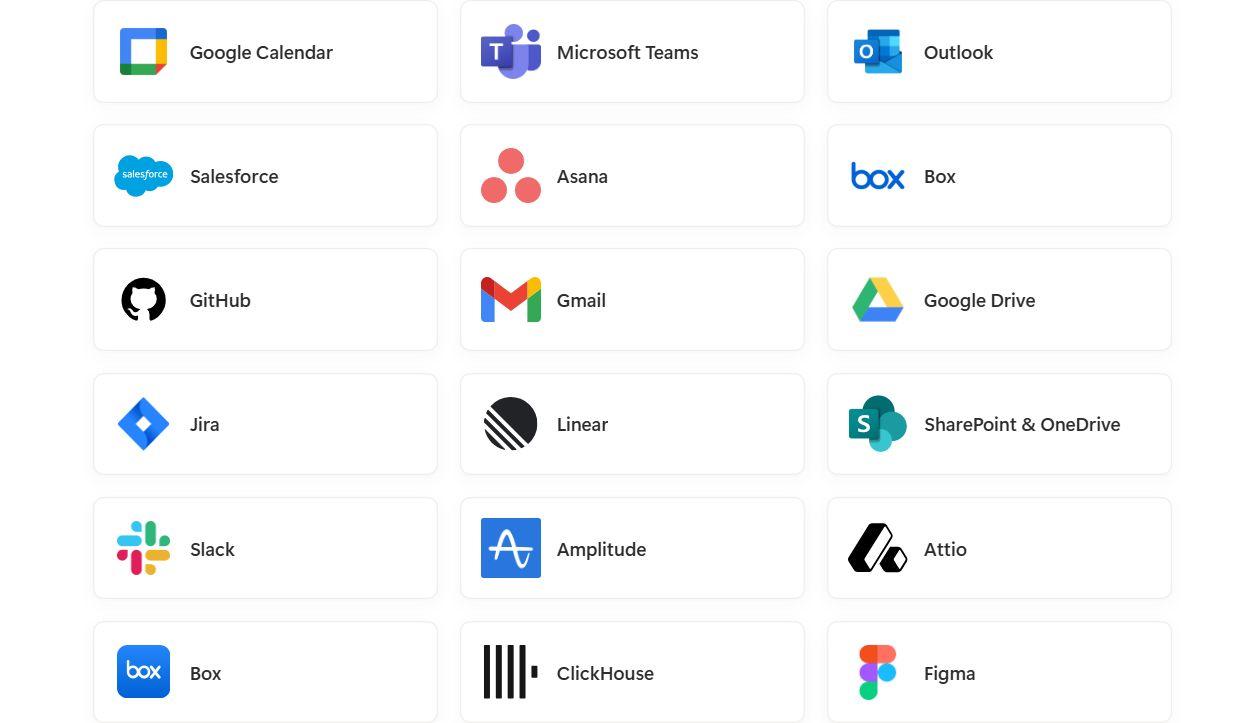
Notion AI is tightly embedded inside the Notion workspace, which means its "integration" strength comes from how naturally it works with pages, databases, and internal documentation. You don't necessarily have to install external plugins because its core value is already built into the system. This makes it especially effective for teams that centralize knowledge, project tracking, and documentation inside Notion.
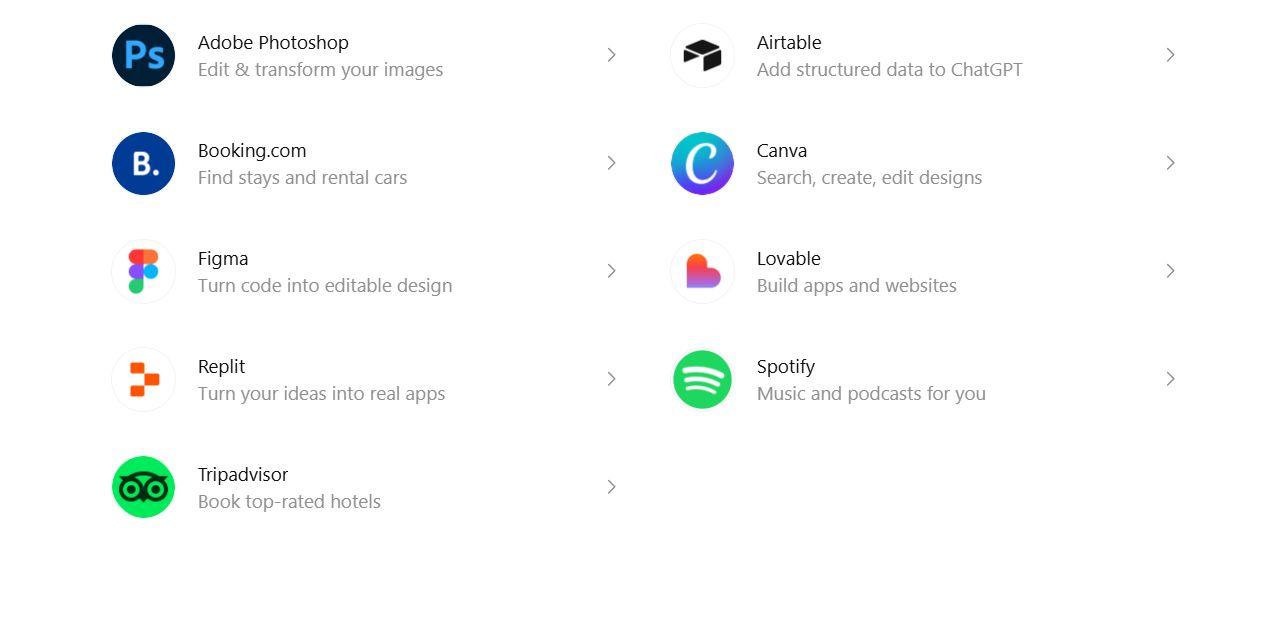
That being said, ChatGPT supports a much broader range of workflows through external integrations, APIs, and third-party tools. It can be connected to systems like Google Drive and even Notion. However, it acts as a general-purpose intelligence layer instead of native connections by default.
This enables use cases such as:
- Automated content generation through API-based workflows
- Research or writing assistance connected to external tools
- Multi-app automation using platforms like Zapier or custom integrations
At the same time, it is important to clarify that neither platform is designed as a fully autonomous execution system. Notion AI enhances productivity within a structured workspace, while ChatGPT extends capability across tools and tasks
Neither manages end-to-end business operations nor role-based workflows independently. They still need human direction or external automation layers.
Which Tool Is Best for Each Use Case?
When choosing the right AI tools for your business, you cannot just pick the most popular or most expensive ones. It all comes down to your goals and workspace environment.
Notion AI is best for structured work that revolves around documentation, knowledge management, project tracking, and team collaboration inside a shared workspace. On the other hand, ChatGPT is better suited for open-ended tasks that leave the goals flexible and creative, such as research, analysis, coding, or multi-step problem-solving.
Let's take a look at some of the most common use cases and see which tool is best for what.
Best for Documentation and Internal Knowledge Management
For teams that manage SOPs, meeting notes, project documentation, and company knowledge bases, Notion AI is the stronger choice. Because it is built directly into the Notion workspace, it can work with existing pages, databases, and internal documentation without requiring users to move information between tools.
Notion AI helps teams:
- Summarize lengthy documents and meeting notes
- Organize information across projects and databases
- Improve the clarity and consistency of internal documentation
- Retrieve information from existing workspace content
What ChatGPT lacks: It can also summarize and improve documentation, but it lacks direct access to a shared workspace. Teams typically need to copy and paste content into the chat before it can be processed, making it less efficient for ongoing knowledge management and workflows.
Best for Team Collaboration and Workspace Organization
Notion AI is a better choice for teams that rely on shared documents, project tracking, and centralized information simply because it is built around the Notion workspace. Team members can collaborate on pages, update project information, and maintain a single source of truth for ongoing work.
Here's how it supports collaboration by helping teams:
- Work from shared documents and databases
- Organize project information in one place
- Generate meeting summaries and action items
- Maintain consistent documentation across teams
What ChatGPT lacks: It is more individual-focused. You can share the outputs with your team members, but that will have to be done outside the working environment instead of a shared operational environment.
Best for Brainstorming and Idea Generation
ChatGPT is particularly designed to explore ideas and brainstorm. Its open-ended environment makes it a stronger tool for refining ideas through follow-up questions, exploring different directions, and building concepts over multiple interactions.
It is especially effective for:
- Generating campaign and marketing ideas
- Exploring content angles and topic clusters
- Developing business and growth strategies
- Solving creative and operational challenges
- Expanding rough concepts into actionable plans
What Notion AI lacks: Notion AI can generate ideas, but it is primarily designed to support productivity within a structured workspace. As a result, it is better at organizing and refining information than facilitating deep, exploratory brainstorming sessions.
Best for Long-Form Content Creation
ChatGPT supports deeper drafting workflows where users can build content step by step, refine structure, adjust tone, and expand ideas across multiple iterations. This makes it especially useful for:
- Creating detailed outlines for articles and reports
- Expanding short ideas into full-length content
- Rewriting and improving existing drafts
- Adjusting tone for different audiences and platforms
- Iterating content through continuous conversation and feedback
What Notion AI lacks: Notion AI can assist with long-form content, especially when working inside existing documents in the Notion workspace. However, it is more limited when it comes to building full content pieces from scratch or managing extended creative workflows across multiple iterations.
Best for Coding, Research, and Advanced Prompting
ChatGPT's conversational structure allows users to break down complex problems, refine logic step by step, and iterate until they reach a working solution, making it effective for developers, analysts, researchers, and professionals working with multi-layered tasks.
It is particularly useful for:
- Writing and debugging code across multiple programming languages
- Explaining technical concepts in simple, structured terms
- Supporting data analysis and logic-based problem solving
- Planning research workflows and breaking down complex topics
- Handling multi-step reasoning through iterative prompting
What Notion AI lacks: Notion AI is not designed for deep coding assistance, multi-step reasoning, or complex research workflows. Its strength remains within structured productivity tasks rather than open-ended technical problem-solving.
Is Notion AI Built on ChatGPT?
No, Notion AI is not simply ChatGPT inside Notion.
While Notion AI is powered by large language models, it is designed as a separate system built specifically for the Notion workspace. Its value comes from how it applies AI directly to documents, databases, notes, and structured team knowledge.
The key difference is focus:
- Notion AI is optimized for working inside existing workspace content
- ChatGPT is designed for open-ended conversation, reasoning, and content generation
So the question, "Is Notion AI based on ChatGPT?" is more of a rhetorical question rather than a logical one. Notion AI may use similar underlying AI technology, but both tools are significantly different when it comes to workflows and methods.
How Notion AI Uses Large Language Models
Notion AI is powered by Large Language Models (LLMs) that help it understand prompts, generate text, and work with existing content inside the Notion workspace. These models allow it to perform language-based tasks, but within a structured productivity environment rather than a standalone chat system.
In practical use, large language models enable Notion AI to:
- Generate new text based on user prompts
- Summarize long pages, documents, and meeting notes
- Rewrite or improve existing content for clarity and tone
- Answer questions based on workspace information
- Organize and structure information inside documents and databases
Notion AI uses similar technology to ChatGPT, but it applies those models specifically to improve productivity within structured workspaces as opposed to a conversational chatbot.
The Difference Between AI Infrastructure and Product Experience
It is important to notice that both Notion AI and ChatGPT use LLMs, but they create very different user experiences. They are designed with different goals in mind.
ChatGPT is built around conversation, where users interact through back-and-forth prompting and explore problems dynamically. Think of it as a general-purpose thinking and creation assistant.
Notion AI, on the other hand, is built around structured productivity inside the Notion workspace. It focuses on improving existing work, such as documents, notes, databases, and team knowledge systems. The experience is more task-driven and embedded directly into where work already happens.
In short:
- ChatGPT = conversational AI experience designed for flexible thinking and creation
- Notion AI = workspace-integrated AI designed for organizing and improving existing content
This difference explains why the same underlying infrastructure can feel completely different in practice. One prioritizes exploration and dialogue, while the other prioritizes structure and workflow efficiency.
The Biggest Limitations of Notion AI and ChatGPT
Comparing two AI tools requires acknowledging that both are powerful, but neither is perfect for fully autonomous business execution. They improve productivity, but they still rely heavily on user direction, clear prompting, and external systems to complete real workflows.
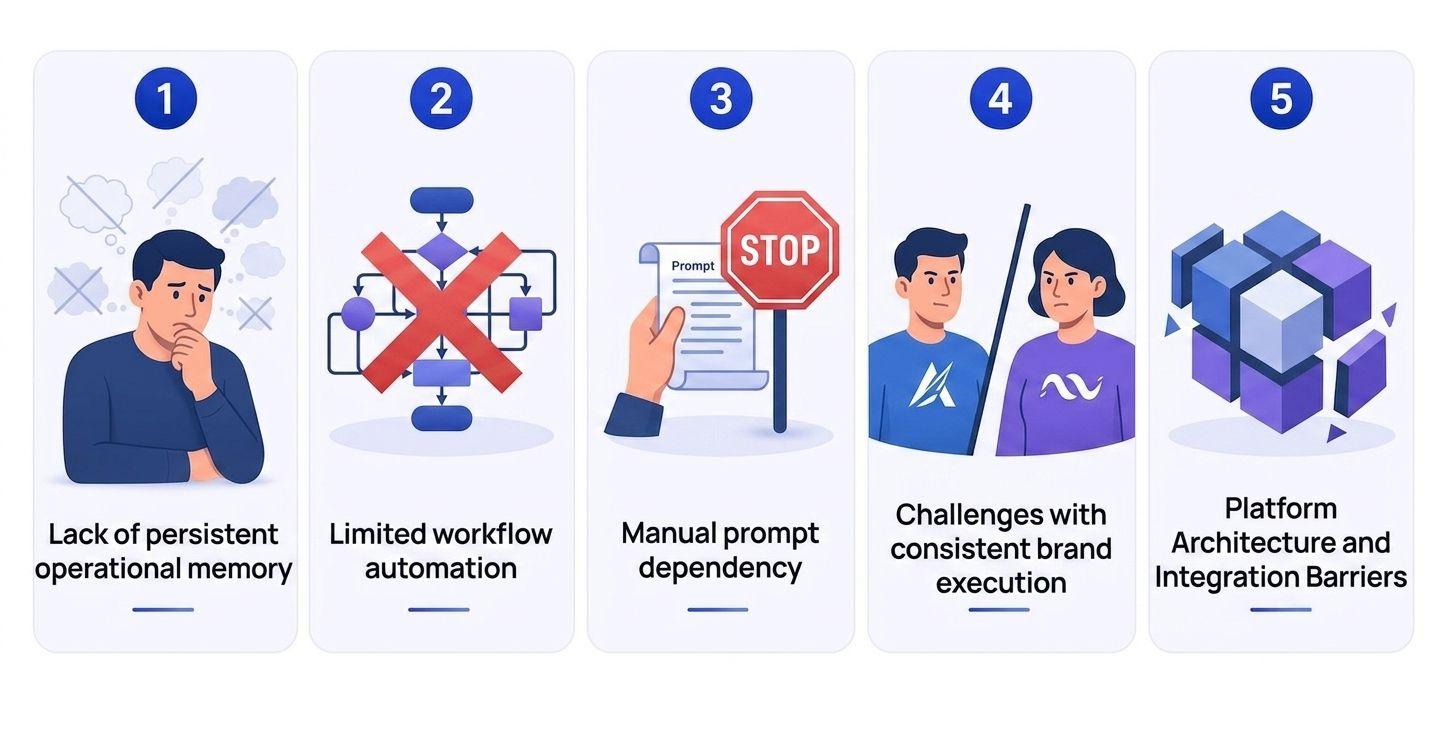
Common limitations for Notion AI and ChatGPT come down to:
- Limited long-term memory
- No true autonomous execution
- Dependence on user prompting
- Inconsistent brand or tone control
- Gaps in automation
Let's take a closer look at these limitations.
Lack of Persistent Operational Memory
Both of our concerned tools can remember context within a session or a workplace interaction, but they don't reliably retain useful knowledge. You will have to keep feeding them evolving business logic, decisions, or standards over time in a structured way.
This becomes important for companies that depend on consistency, especially in areas like customer communication, internal documentation, and standardized processes. Without persistent memory, teams often need to repeatedly explain brand voice, workflow rules, or project context to keep outputs aligned.
Limited Workflow Automation
Limited workflow automation is another drawback of Notion AI and ChatGPT. They can assist with tasks, generate content, and provide recommendations, but neither is designed to independently execute complete workflows from start to finish.
For example, they can draft reports, summarize information, or generate action items, but users still need to:
- Review and verify outputs
- Move information between systems when needed
- Approve decisions and next steps
- Manage execution across teams and tools
Manual Prompt Dependency
In the ChatGPT vs Notion AI comparison, neither tool consistently produces the best results without clear guidance and context. Roughly, this means that output quality often depends on prompt quality.
Simple or vague prompts can lead to generic responses, incomplete information, or outputs that miss the user's intent. To get more accurate and useful results, users often need to provide detailed instructions, examples, formatting requirements, and follow-up feedback.
This creates a practical loophole: if AI tools were meant to save time, writing effective prompts and refining outputs should not be time-consuming. For teams handling recurring tasks, this repeated prompt engineering can become a workflow bottleneck if clear processes and standards are not already in place.
Challenges With Consistent Brand Execution
Another major limitation is maintaining consistent brand execution across teams. Both tools can generate high-quality content, but the results often vary depending on who is using the AI, how they wrote the prompts, and what context is provided.
This can create inconsistencies in areas such as:
- Marketing content and campaign messaging
- Customer support responses
- Sales emails and outreach communication
- Internal documentation and company communications
As a result, businesses often need review processes, templates, and clear prompting standards to maintain consistency. While both tools can accelerate content creation, they still require human oversight to ensure outputs align with the company's voice, quality standards, and communication goals.
A Better Alternative for AI-Powered Business Operations
It is imperative to understand that AI tools like Notion AI and ChatGPT are designed primarily to assist users, not execute recurring business operations. This comparison is useful to understand the difference between assistance and execution offered by AI tools.
Notion AI helps teams organize information and manage work inside a structured workspace. ChatGPT helps users generate content, research ideas, solve problems, and complete creative tasks through conversation. But for businesses looking beyond productivity assistance, a different approach may be needed.
Instead of focusing on documents or conversations, Sintra AI is built around a role-based AI team that supports recurring operational tasks across marketing, customer communication, workflow management, and other business functions.
How Sintra AI Uses AI Helpers for Execution
Unlike general-purpose AI tools that rely on a single chatbot, Sintra AI uses specialized AI Helpers designed around specific business roles. Each Helper is built to support recurring responsibilities within a department, making the platform more focused on execution than standalone content generation.
Instead of asking one AI to handle every task, businesses can use dedicated Helpers for areas such as:
- Social media planning and content scheduling
- Copywriting and marketing support
- Customer communication and support workflows
- Operations and administrative tasks
- Process management and recurring business activities
This role-based approach helps teams maintain greater consistency across workflows while reducing the need to explain responsibilities, goals, or context repeatedly. The focus is on supporting ongoing work that businesses perform every day instead of generating a one-time answer.
How Brain AI Stores Business Knowledge and Brand Context
One of the biggest challenges with AI adoption is maintaining consistency across teams and workflows. Brain AI addresses this by storing business knowledge, brand guidelines, operational processes, and company-specific context in a centralized system. All the AI helpers can reference it when performing tasks.
Brain AI can help preserve:
- Brand voice, messaging, and communication standards
- Internal processes and workflow requirements
- Company knowledge and operational guidelines
- Team-specific instructions and business context
This becomes especially valuable for organizations that need consistent marketing content, customer communication, internal documentation, and cross-functional collaboration. By keeping business context accessible across AI-driven workflows, Brain AI supports more reliable workflow automation AI initiatives while helping teams maintain operational consistency at scale.
Connecting Business Workflows Through AI Integrations
If an AI tool can't effectively integrate with your existing stack, it's as good as nothing. AI tools become significantly more valuable when they can connect with the apps you already use.
AI integrations help create smoother workflows by linking communication platforms, productivity tools, and operational systems into a more connected environment. This reduces manual work and improves workflow continuity across teams by allowing information to move more smoothly between tools.
Common benefits include:
- Reducing repetitive data entry across platforms
- Keeping information synchronized between teams and systems
- Improving visibility across ongoing projects and operations
- Supporting more consistent execution of recurring tasks
- Eliminating workflow bottlenecks caused by disconnected tools
For growing businesses, Sintra AI provides this level of workflow automation to ensure important information doesn't get trapped in individual apps or departments.
Notion AI vs ChatGPT vs Sintra AI: What Changes for Businesses?
Comparing Notion AI vs ChatGPT alone won't make much sense because these tools are not competing on the exact same job. Each one solves a different layer of how businesses work with AI in daily operations.
- Notion AI is focused on improving productivity inside a structured workspace.
- ChatGPT is built for flexible conversations that explore ideation and creation.
- And Sintra AI shifts the focus from assistance to execution by using AI helpers.
In practical terms, this means businesses don’t just choose between tools for writing or notes, but for entirely different ways of working. The real difference in comparing these AI tools is how each tool fits into a workflow.
Productivity vs Conversation vs Execution
So far, we have compared Notion AI and ChatGPT in detail. The conclusion points to the two different approaches that improve everyday business productivity.
Notion AI boosts productivity inside the Notion workspace by helping users organize and refine documents, notes, and structured information. ChatGPT helps businesses by offering them a chatbot, making it better for writing, problem-solving, and idea development through flexible prompting.
However, Sintra AI takes a different approach by focusing on execution, supporting recurring business tasks through structured AI workflows.
In short, each tool sits at a different level of the workflow: organization, conversation, and execution.
Which Platform Saves the Most Time?
The only way to judge a tool for how much time it saves you is by clarifying the type of work being done through it. Each tool speeds up different parts of a workflow rather than offering universal time savings.
Notion AI saves time by reducing manual work inside documents, notes, and project systems within the Notion workspace. If you're already using a Notion workspace, you're already saving time with Notion AI.
ChatGPT saves time by accelerating writing, research, and problem-solving through fast, flexible conversation.
Sintra AI focuses on a different layer, helping automate recurring operational tasks across workflows, which reduces ongoing manual effort in business processes.
In short:
- Notion AI → Faster document and workspace management
- ChatGPT → Faster thinking, writing, and research
- Sintra AI → Reduced manual effort through AI business automation across repeatable workflows
Which AI Tool Scales Better for Teams?
Scalability in business depends on what kind of growth a team is managing. And it isn't entirely dependent on AI tools either.
As organizations expand, they usually need more than just content generation. They need consistent workflows, shared context, and systems that support repeatable operations across departments.
Notion AI scales well for businesses that already use a Notion workspace. It helps keep information organized, supports shared visibility, and improves consistency in how teams manage notes, projects, and internal knowledge.
ChatGPT scales better on an individual level. It does not provide a shared operational environment. Collaboration usually happens through exported outputs or external coordination rather than a unified workspace.
This is where Sintra AI might take the lead. It offers exactly what a growing team requires, such as reducing repetitive processes, role-based execution, and consistent operational output across multiple departments.
Ready to Move Beyond Basic AI Assistance?
Businesses comparing Notion vs ChatGPT are really solving the same early-stage problem: faster writing, quicker research, and better organization. And honestly, that's useful. But it still sits at the level of assistance rather than execution.
If your goal is to go beyond content generation and into real AI business automation, the next step is focusing on how work actually gets done day to day. That means handling recurring tasks, maintaining consistency across workflows, and supporting operations across different business functions without constant manual effort.
Get started with Sintra AI and shift your focus from isolated AI outputs to structured, repeatable execution through workflow automation.
Notion AI vs ChatGPT FAQs
What is the main difference between Notion AI and ChatGPT?
Notion AI works inside a workspace for organizing and improving documents. ChatGPT is a conversational AI for writing, research, and problem-solving.
Is Notion AI powered by ChatGPT?
No. Notion AI uses similar Large Language Models (LLMs) like ChatGPT, but it is not powered by ChatGPT.
Which tool is better for writing content?
ChatGPT is better for long-form and flexible writing owing to its flexible conversational style prompting that can be changed at any time.
Can ChatGPT replace Notion AI completely?
ChatGPT and Notion AI work in different ways. Neither can replace the other. Notion offers shared documentation and project organization, while ChatGPT offers flexible conversations and content creation.
Is Notion AI better for teams?
Yes, Notion AI is the better tool for teams since it offers shared documentation and project organization inside Notion.
Related articles