How Does Sintra AI Work? A Complete 2026 Guide


Table of Contents

AI has completely transformed how businesses operate. Tools like ChatGPT, Gemini, and Microsoft Copilot are almost a standard in workspaces.
The impact on those who go deepest with these tools is striking - 92% of AI power users say it makes their workload more manageable, 92% say it boosts creativity, and 93% say it helps them focus on their most important work. However, specialized tools like Sintra take your game to the next level.
So, whether it’s customer support, generating content to engage leads, or hiring talent for your business, everything is sorted with Sintra. Let’s find out more about this intelligent platform, its technical approach, and how you can employ it to benefit your strategic planning with this Sintra AI review.
What Is Sintra AI?
For starters, Sintra.ai is an advanced business platform, powered by intelligent AI employees. Each of these employees assumes specific roles and streamlines routine business processes, be it social media handling, task management, customer service, SEO optimization, and more.
Unlike other tools, Sintra AI goes beyond task automation. Once you set up your business on this platform, it stores all the essential information in a knowledge base. Next, the AI helpers train themselves to understand the context, objectives, and tone of your brand.
So, when you prompt them to perform a task, they make use of NLP capabilities and converse with you to better interpret the request, brainstorm new ideas, and suggest the next plan. The best part? You can set up as many as five businesses on a single dashboard - making things easier and going.
How Does Sintra AI Work Behind the Scenes?
Sintra AI tools, trained on Claude 4 Sonnet, GPT-4.1, and other varying language models, act as your personalized employees, always thinking of new ideas. When connected to its own knowledge base and external third-party platforms, the opportunities are endless. Let’s check out how it works in its entirety.
Step 1: Collecting and Processing Business Data
All AI starts with a knowledge center that stores all your data. And so does Sintra with Brain AI.
Think of it as an intelligent, centralized space that acts as your personal business repository. It has everything from text to documents, webpages, emails, customer interactions, and more to resolve your queries.
But what truly makes it a better option is adaptability. Simply put, this knowledge space never stops learning. As you enter more information, answer surveys, and give feedback, it gets smarter, understands context better, and remains relevant to your preferences.
So, how do you do it? It’s straightforward.
- Once you have purchased helpers from the official Sintra AI website, visit the dashboard and click the Brain AI tab on the left side.
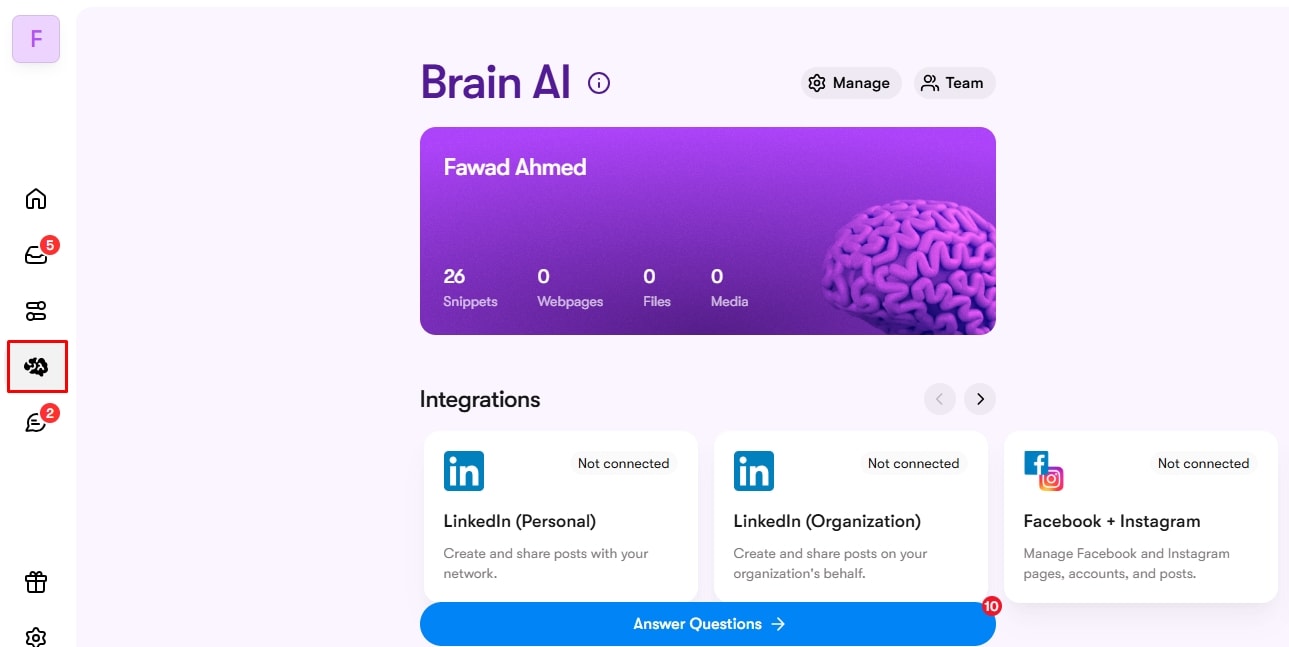
- Go to the All Knowledge section and click Add.
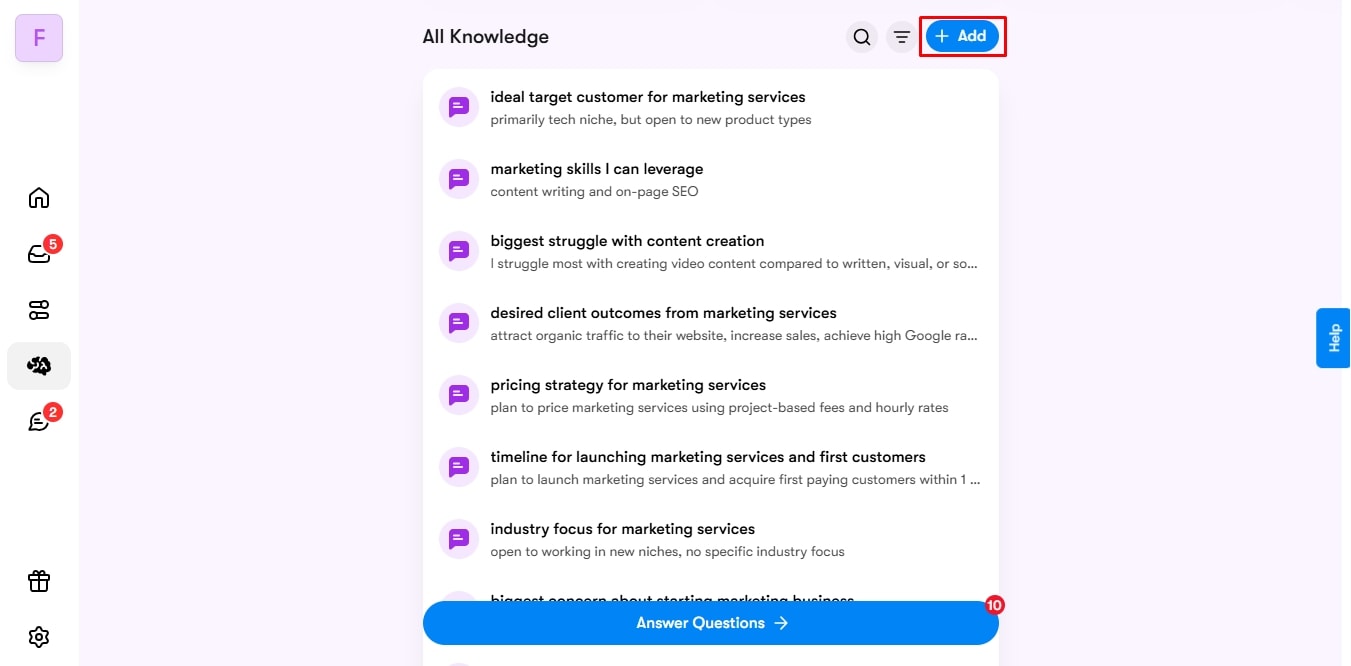
- Enter your data under the respective tab (URLs under webpages, text under memory, and documents under files and media).
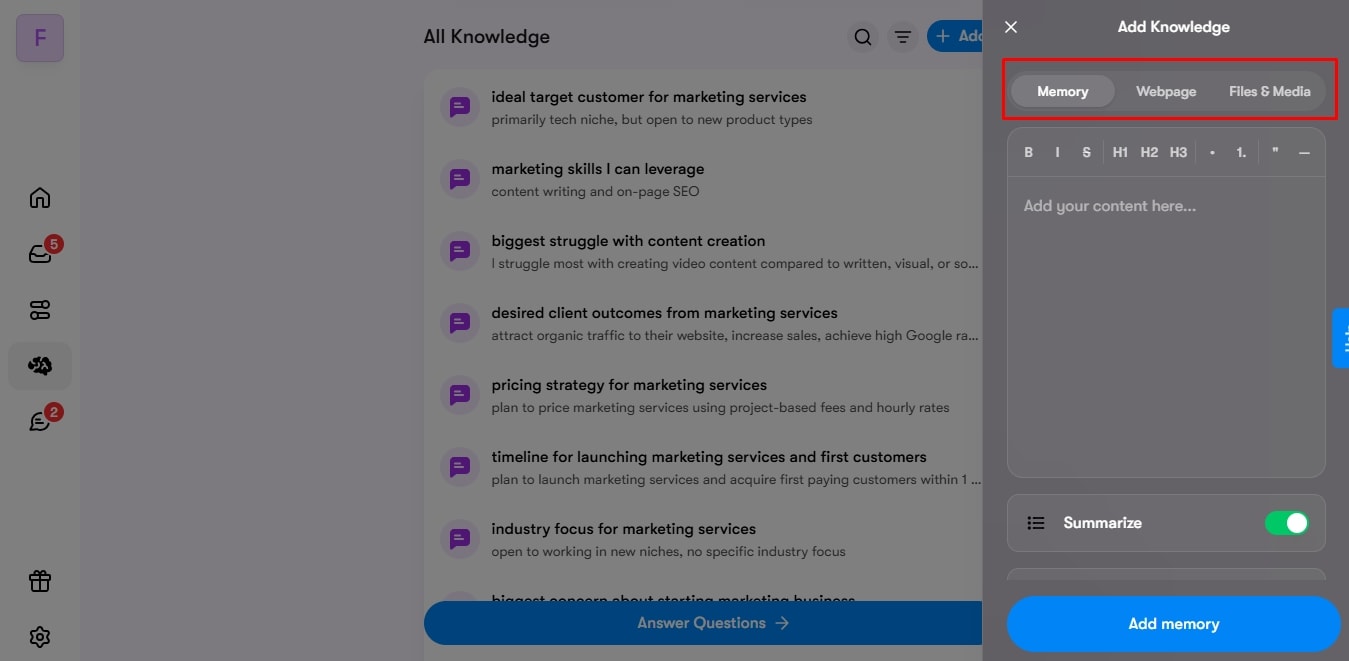
Don’t stop now. Make your Brain AI space smarter with personalized responses. For this,
- Visit the All Knowledge section and click Answer Questions.
- Give clear responses about your business objectives, customers, future goals, and more.
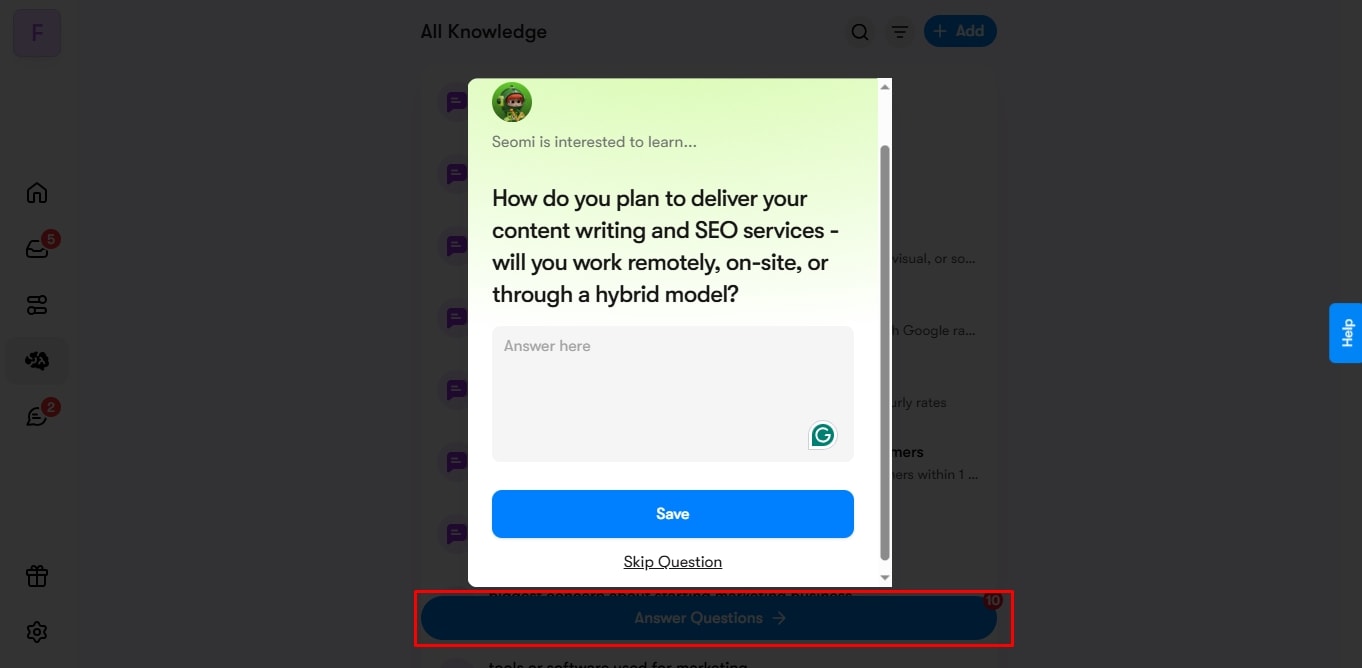
Pro Tip: You can create up to five workspaces, each with a separate Brain AI. Simply visit your profile, click Add Workspace, give it a color and name, and set up the knowledge base. That’s it.
Step 2: Training AI Employees for Specialized Roles
With this vast knowledge base, Sintra AI empowers a specialized virtual team of its own AI agents to perform their day-to-day tasks. Let’s understand the science behind these helpers and how they work.
For starters, Sintra’s toolkit includes multiple AI assistants for business development, customer engagement, task execution, and so on. Each specialized agent is trained on GPT-4.1 and Claude 4.5 Sonnet and has expert knowledge in a specific field.
These helpers learn about your business context from Brain AI and perform tasks accordingly, like humans. Here is how you can employ them for performing tasks.
- Explore the dashboard and visit the Home button. It gives you an overview of all the AI helpers.
- Select one you like to go to the new AI helper window. Let’s take Soshie, for example.

- Once on the new window, enter a prompt. For this tutorial, our prompt will be about planning a launch campaign. Give it a detailed input about your product, budget details, target audience, campaign goals, and more.
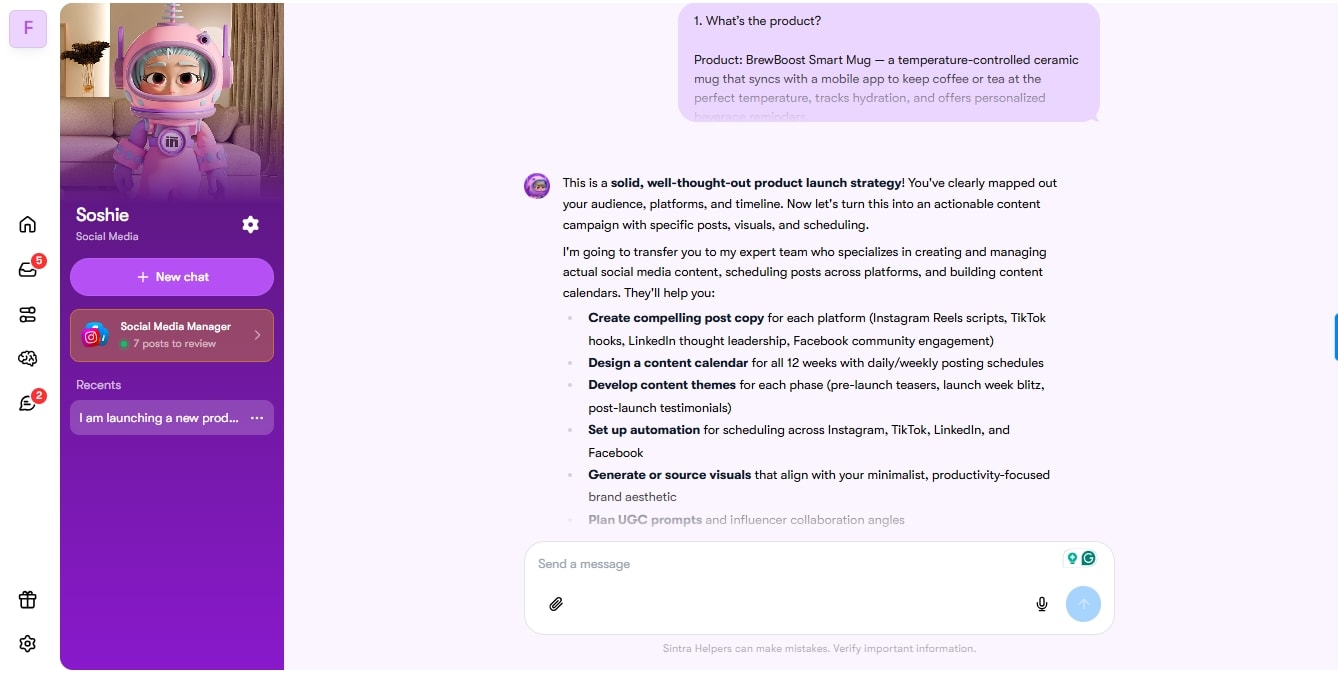
- It will draft a complete step-by-step process of launching this campaign. You can continue this conversation till satisfied, and that’s it.
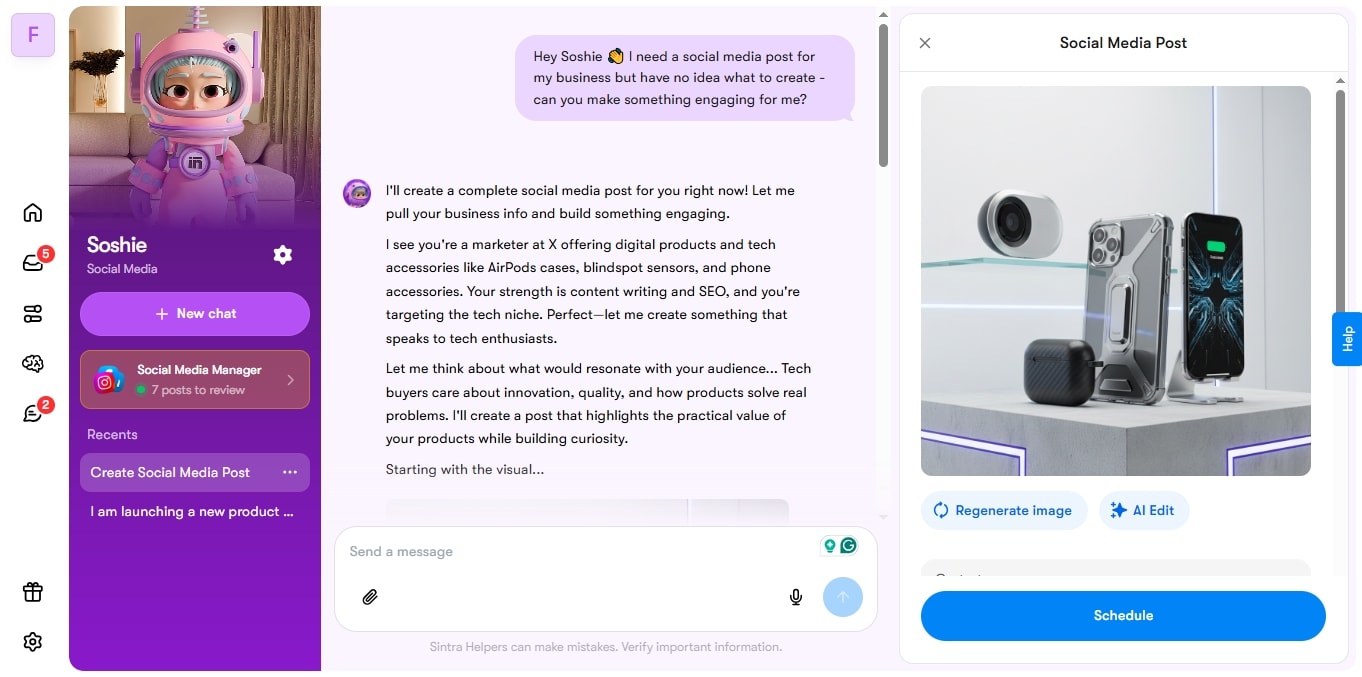
That’s not it. Beyond knowledge, they also have unique AI tools called use cases. You can use these use cases to perform common repetitive tasks in a field. For instance, the marketing team can employ Soshie to create a LinkedIn post. Let’s see how it goes.
- Click Use Cases from the Home tab.
- You will see numerous use cases from each field in a new window.
- From here, select Content Creation or Soshie and command it to perform a certain task. In this case, it would be to create a social media post for your product.

- This AI assistant will generate a post with a cover photo. Approve, decline, or modify it, however you like.
Step 3: Automating Multi-Channel Workflows
Sintra AI is always focused on automating your day-to-day tasks, so you have enough time on hand for more crucial things like strategizing. Be it customer support, data entry, or generating content, Sintra’s automations have it all taken care of.
Let’s see how you can use these automations to streamline your routine tasks.
- Go to the Automations tab from the dashboard.
- Enable the desired automation (content creation, admin tasks, customer support, etc).

- Once enabled, select one, and it will take you to the new window. For this tutorial, select Soshie, the social media manager.
- Select Create Content from the top-right corner and prompt Soshie or its use cases to craft a social media post.
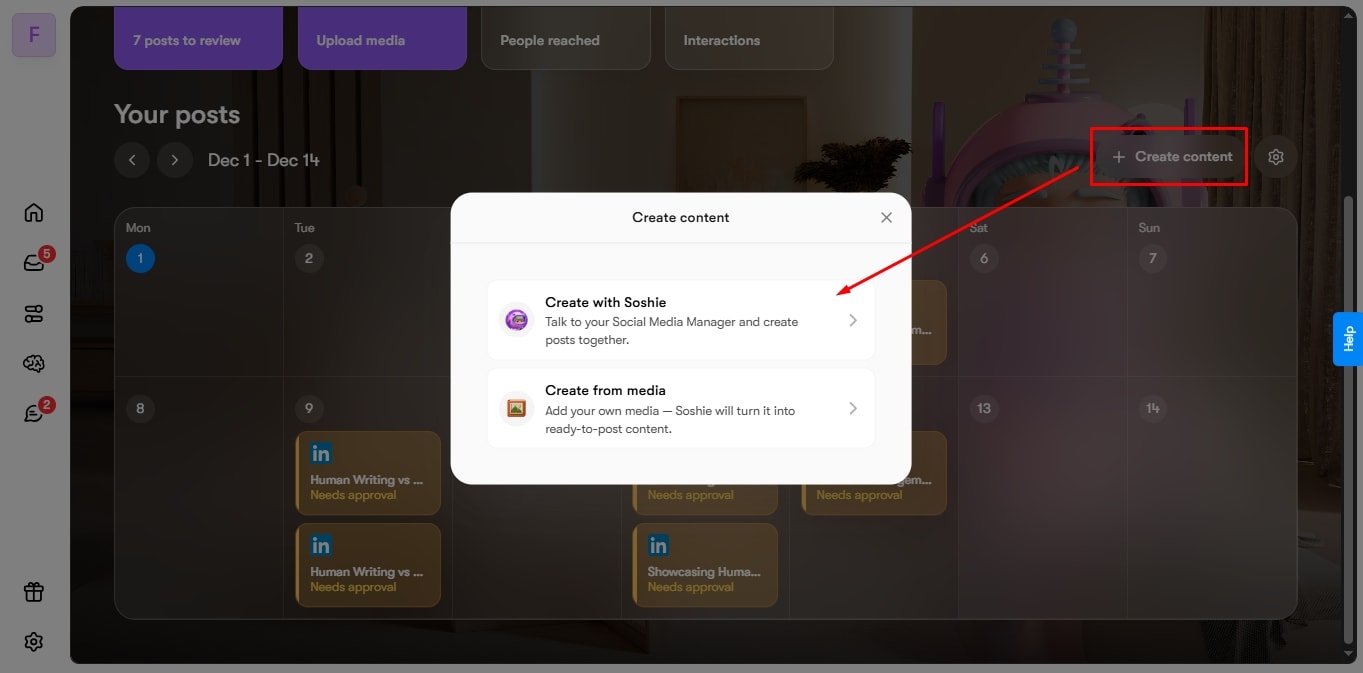
- Schedule it from the calendar.

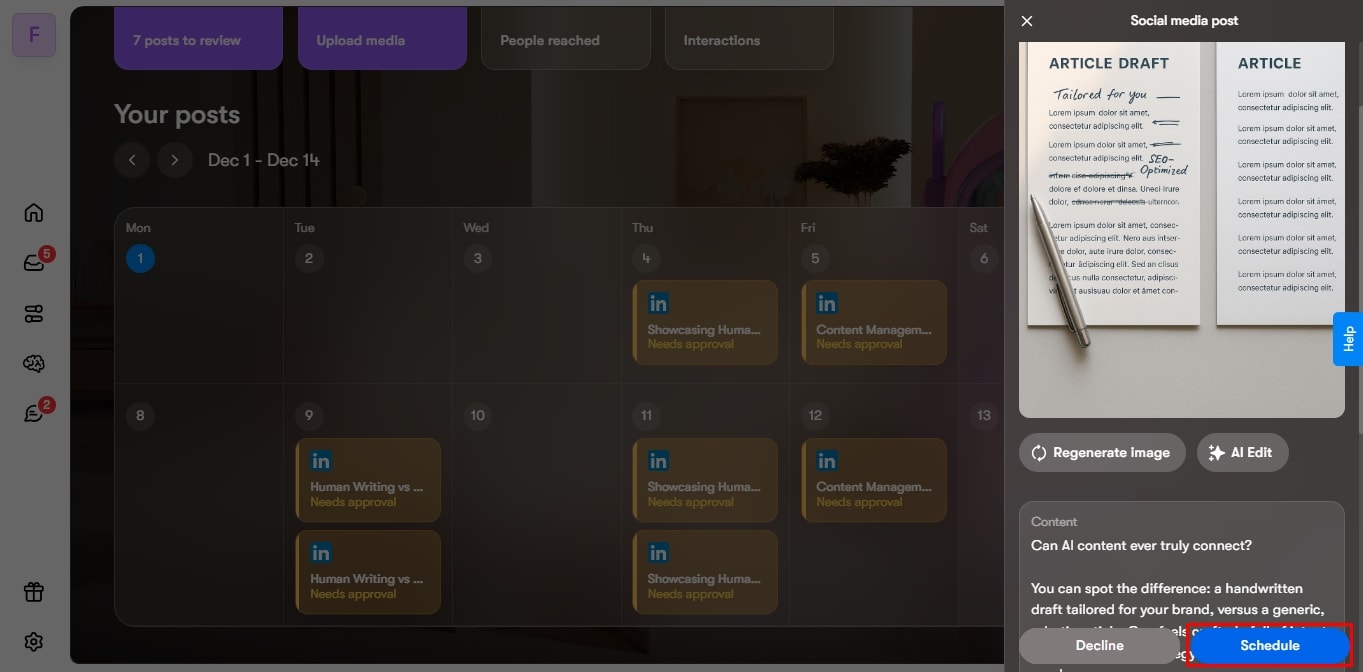
You can also evaluate the content to be posted from the calendar. For this,
- Select the created post and review it from the right-side window.
- Approve or decline it accordingly. Now, rest assured, the content will be posted timely.
Step 4: Continuous Learning and Optimization
That’s not it. Sintra AI makes sure the process of learning never ends. All AI helpers are designed to gain perspective from their interactions, data, and feedback. As you employ these helpers to perform tasks, they learns about your business and customers, and adapt accordingly.
Moreover, the agents equally pay attention to personalization. You will be asked business-oriented questions continuously. And, the more you answer, the more personalized its responses will be, and so will the suggestions. So, always remember! The focus should always be on training the system with data.
Meet Sintra AI Employees and What They Do
The collection of specialized AI assistants is inarguably Sintra’s standout feature. Each of these employees is an expert in a field and splits tasks in a way that your entire business is sorted. Let’s find out more about these specialist automation tools.
Marketing & Growth Specialists
Each helper in the Sintra AI toolkit is an expert in their specific field. This helps your business focus on growth and attracting new customers. Let’s find out how these helpers can help your company prosper with fewer resources.
Sohie
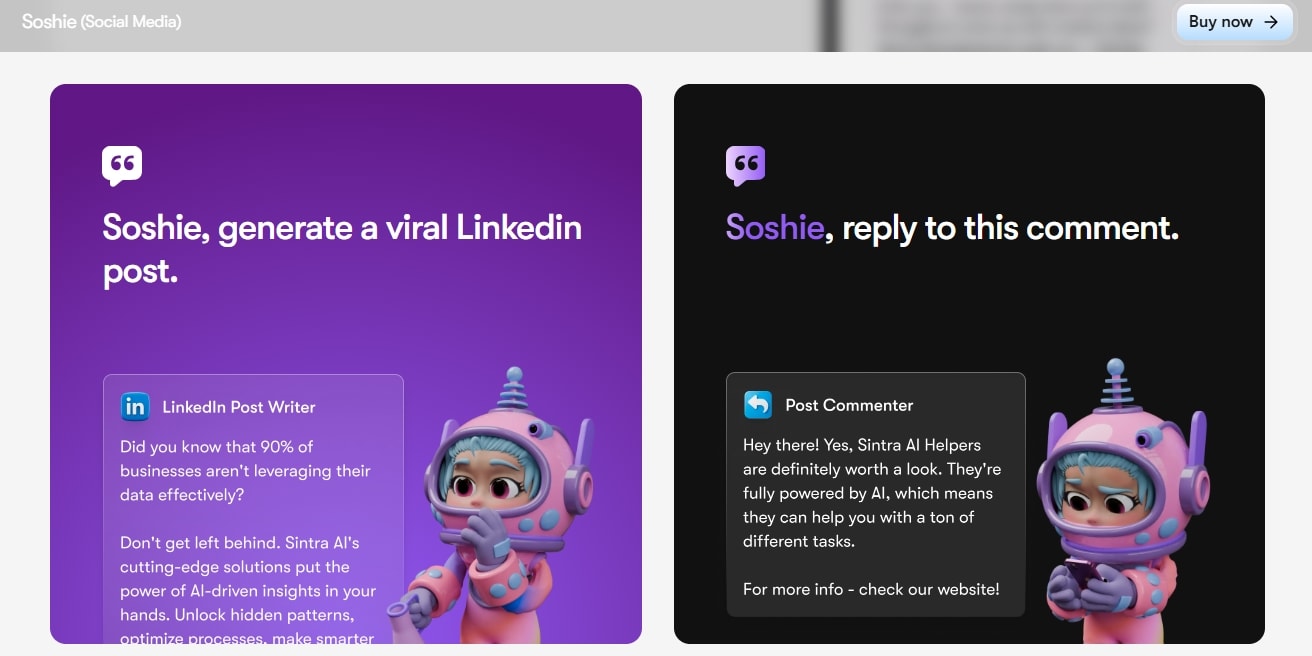
Meet Soshie - your AI social media manager. Whether it’s crafting content for customer interactions, launching marketing campaigns, or strategizing posts across social media platforms, Soshie can do it all.
Plus, Soshie is trained on hundreds of thousands of data points from popular social media platforms. So, it knows the right practices to support your marketing team, protect the brand reputation, and reflect your voice in the messaging.
Emmie
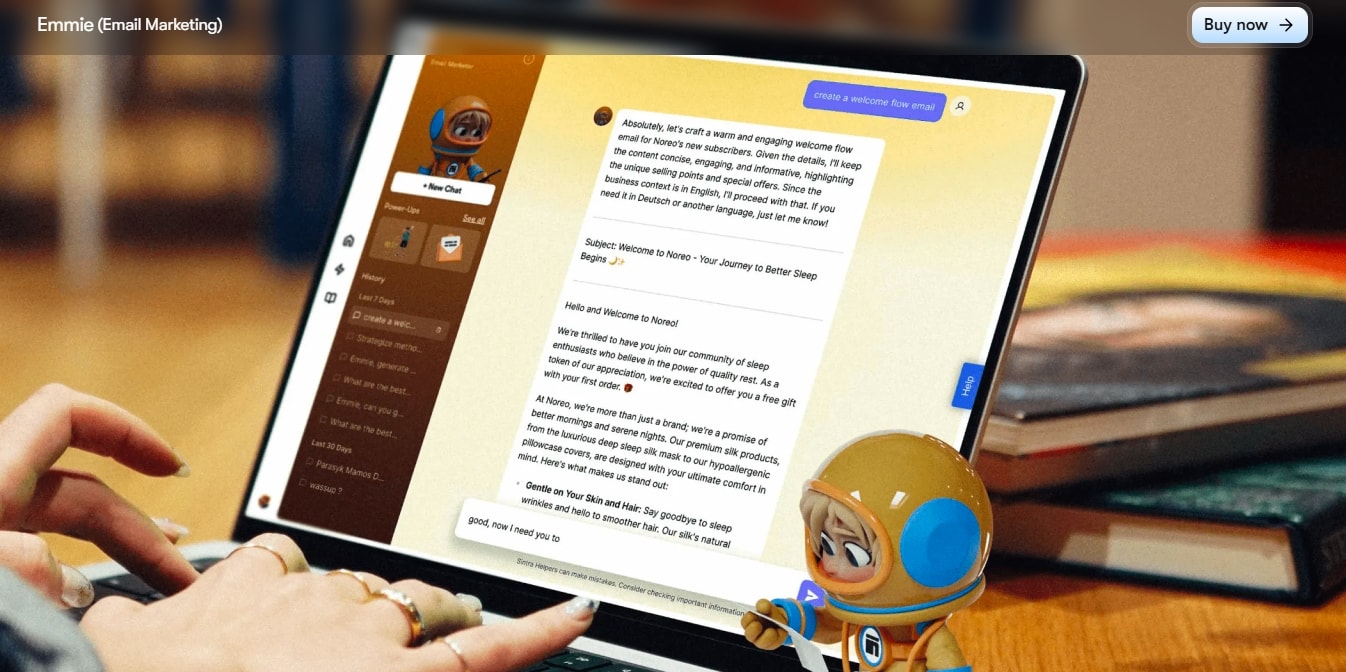
Drip marketing is the new hit in the outreach strategy. It reaches out to prospects depending on unique triggers. Thankfully, Emmie - the AI email assistant makes it possible.
This AI agent connects to Brain AI, retrieves relevant data, and crafts personalized messages for individual leads. It can also design win-back replies, automate cart reminders, send post-purchase messages, and more - all within minutes.
Penn
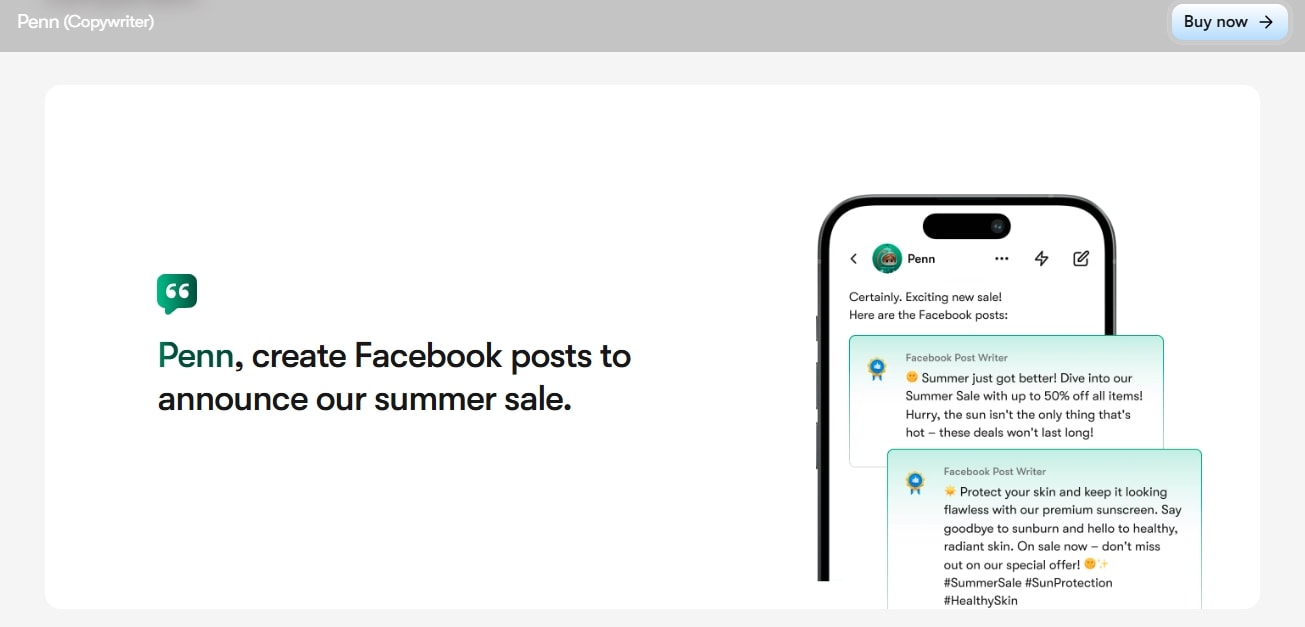
The content speaks for your product, and Sintra AI makes it possible with Penn, your AI copywriter. Powered by Claude 4 Sonnet and trained on hundreds of thousands of data points, Penn knows all the right techniques to hook the readers and convert readers into long-lasting customers.
You can use Penn to produce an engaging ad script or a compelling social media post for your brand. But my favorite feature is its response rate. Penn can generate responses three times faster than other AI apps, and with a better understanding of context.
Seomi

The next AI agent on our list is Seomi - your AI SEO agent. It possesses advanced knowledge, expertise, and authority for your search engine optimization efforts. You can employ this agent to boost your visibility and attract a larger audience.
The best part? Seomi can browse webpages and analyze competitors to help you remain relevant and at an advantage in a saturated search landscape.
Milli
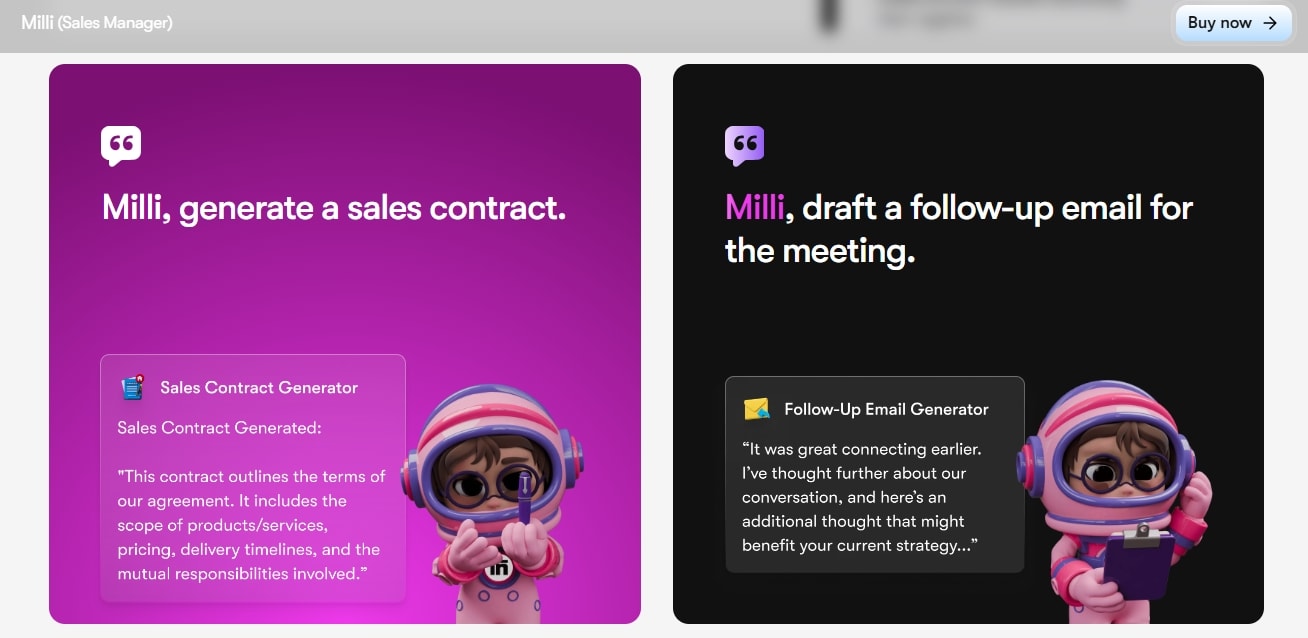
The key to good sales prospects is strategizing. Thanks to Milli - your AI sales manager, sales efforts no longer take days or weeks. Rather, it uses more than 18K data points to automate sales activities and provide predictive analysis for a holistic strategy.
You can use Milli to generate cold emails, produce personalized call scripts, draft lengthy sales prospecting proposals, and advise sales reps on negotiation strategies to close deals faster. Plus, this sales agent is available around the clock, so no more delays.
Buddy
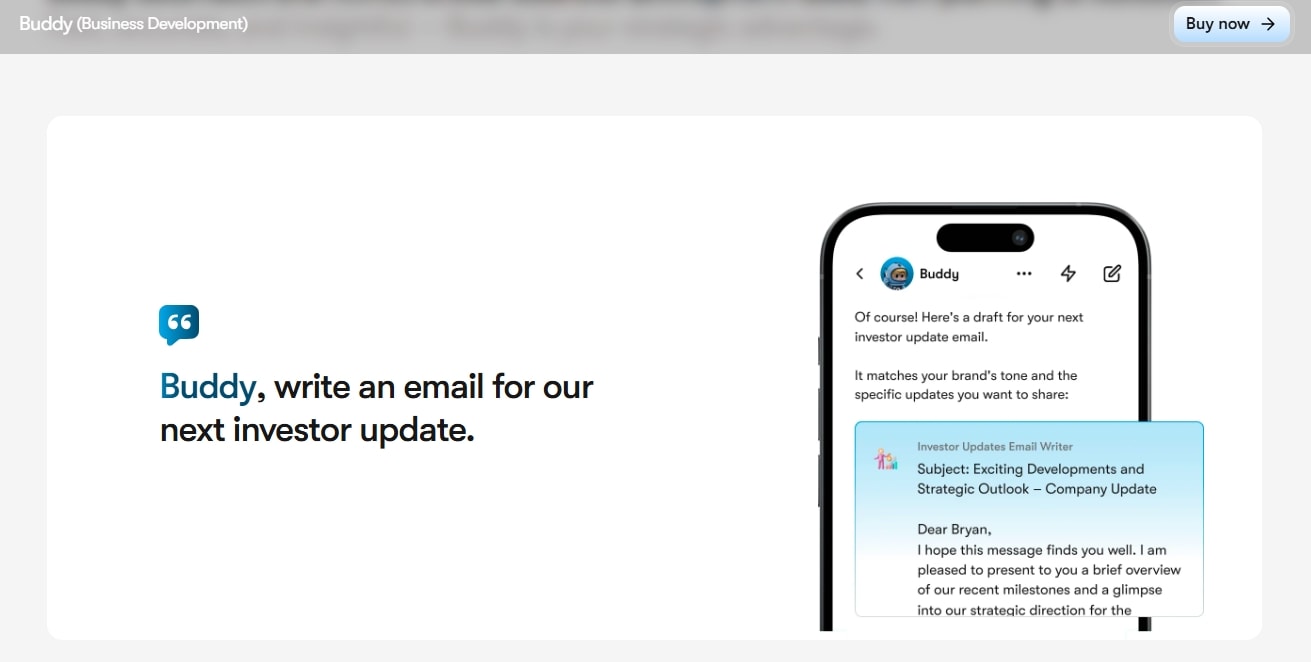
Struggling to prosper your business? No worries. Buddy - your AI business strategist is here to help you drive creativity and innovation in your business processes.
It can do everything from audience analysis to product launches, promoting collaboration between departments, and updating you on investors. With all the information a few clicks away, business owners are better equipped to make informed decisions.
Dexter
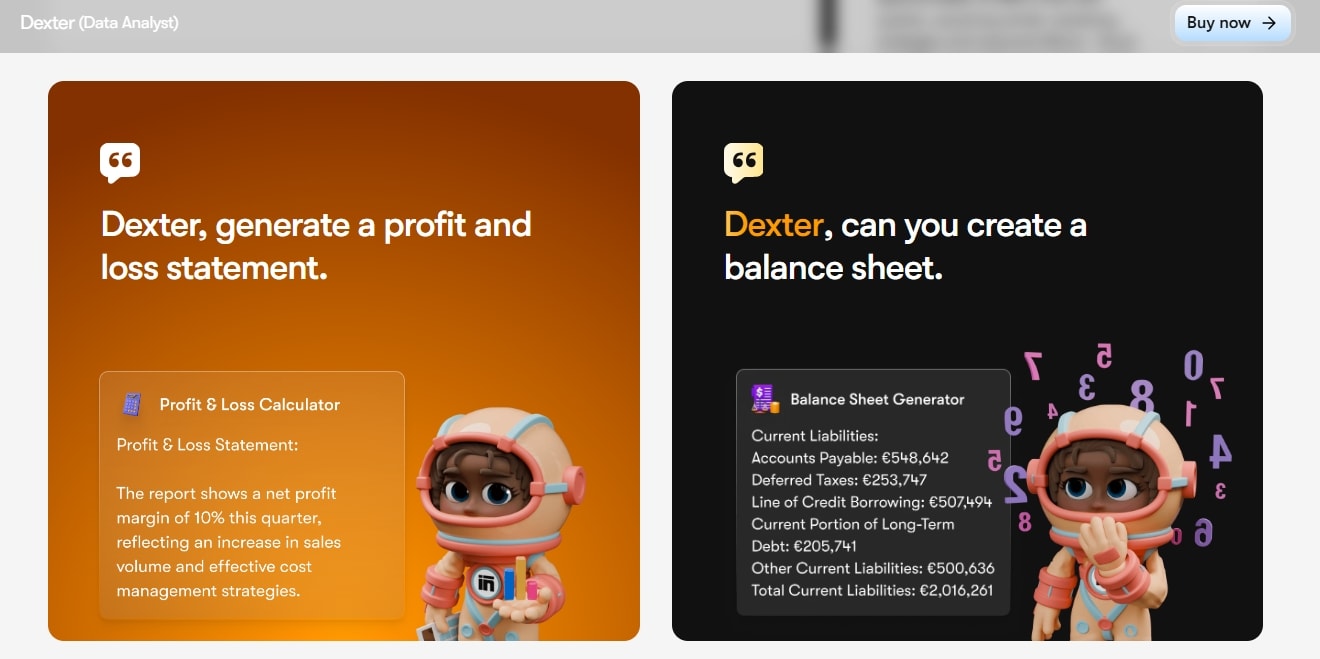
That’s not it. Sintra’s toolkit also includes Dexter, a smart AI data analyst. Being trained on advanced algorithms, it empowers you with meaningful insights from extensive, complex data. What’s better? Dexter can also interpret complex and unstructured data.
When connected to Brain AI, this data analyst better understands your business context and produces responses accordingly. This enables financial and strategic planning that significantly contributes to your business growth.
Customer & Employee Experience Specialists
Sintra AI does not stop here. It puts equal weight on the employees’ experience and their personal and professional growth. Let’s check out how leaders can use these automation tools to better their work environment in minutes.
Cassie
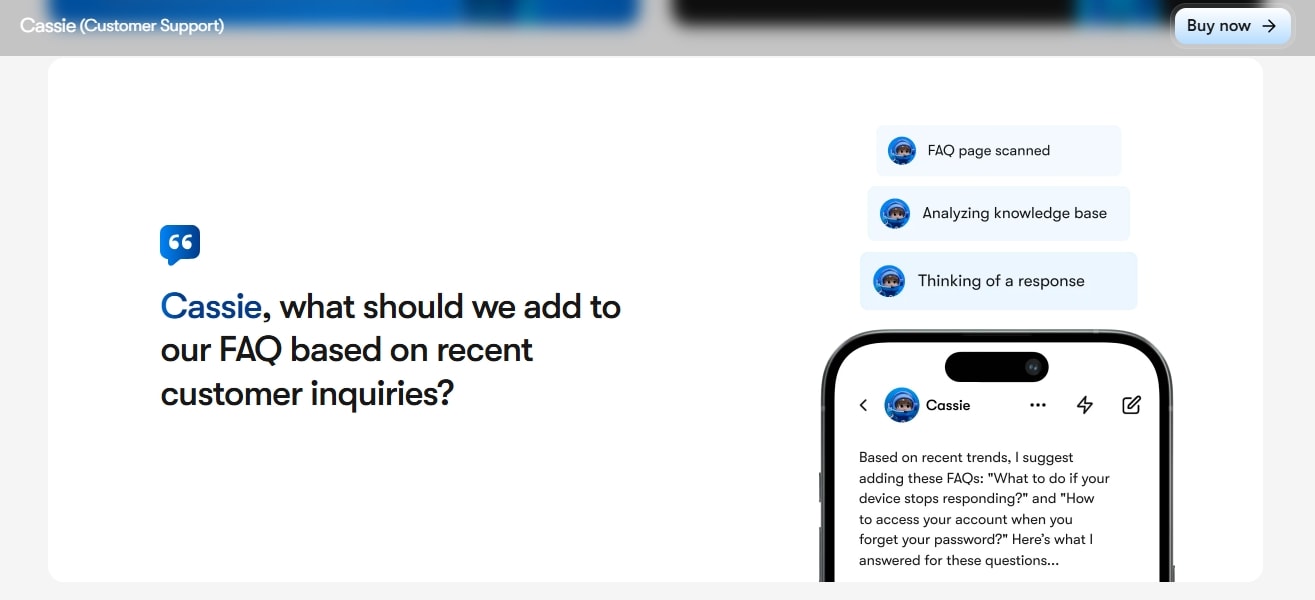
Cassie is your AI customer support specialist who never sleeps. It is trained on thousands of real-time customer interactions to make sure none of your customers leave unsatisfied.
For the most part, Cassie can respond to customer inquiries, answer chats, produce user manuals, and generate FAQs. Plus, its natural processing abilities help Cassie better understand the customers’ intent and sentiment, and offer human-like proactive support.
Vizzy
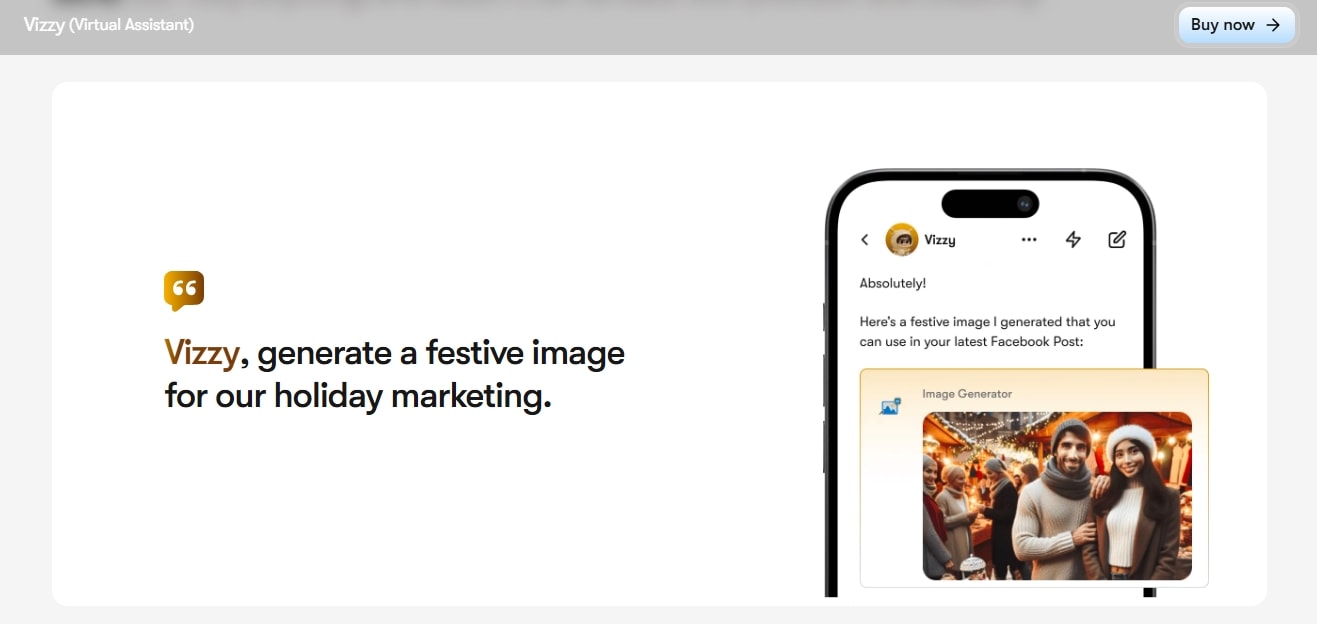
Vizzy is your virtual AI assistant available around the clock to help you with almost everything without breaking a sweat. It handles most of your repetitive everyday tasks, and lets you focus on what really matters.
Be it planning a business trip, setting up reminders, organizing an event, or compiling financial reports, simply command Vizzy and forget about the rest. At one time, it can handle 10,000 different tasks, so you no longer have to worry about completing your to-do list.
Scouty
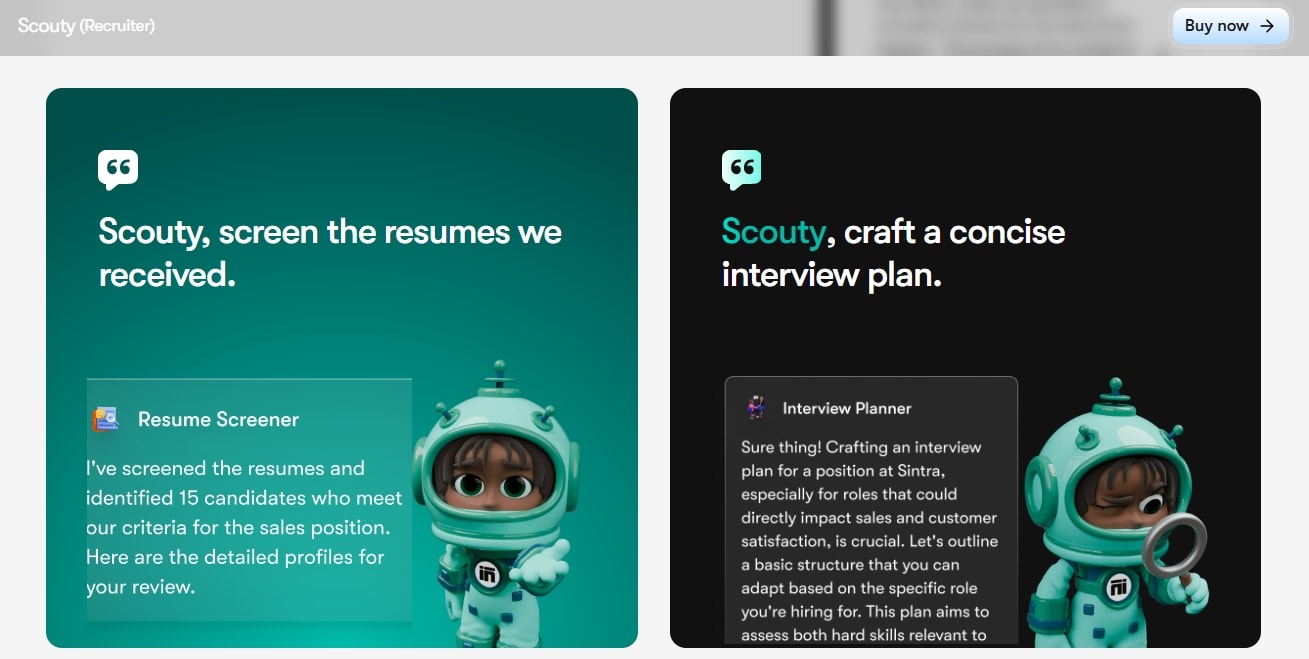
Worried about finding the right talent for your company? Struggling to narrow down job applicants for interviews? Leave it all on Scouty, your smart AI recruiter. This helper is designed to turn your hiring challenges into fruitful opportunities for your business.
You can ask it to write a job description, shortlist candidates for interviews, schedule meetings, etc. And once selected, it can also help the new employees with onboarding. With all your recruiting time saved, the HR team can put all its energy into employee engagement.
Gigi
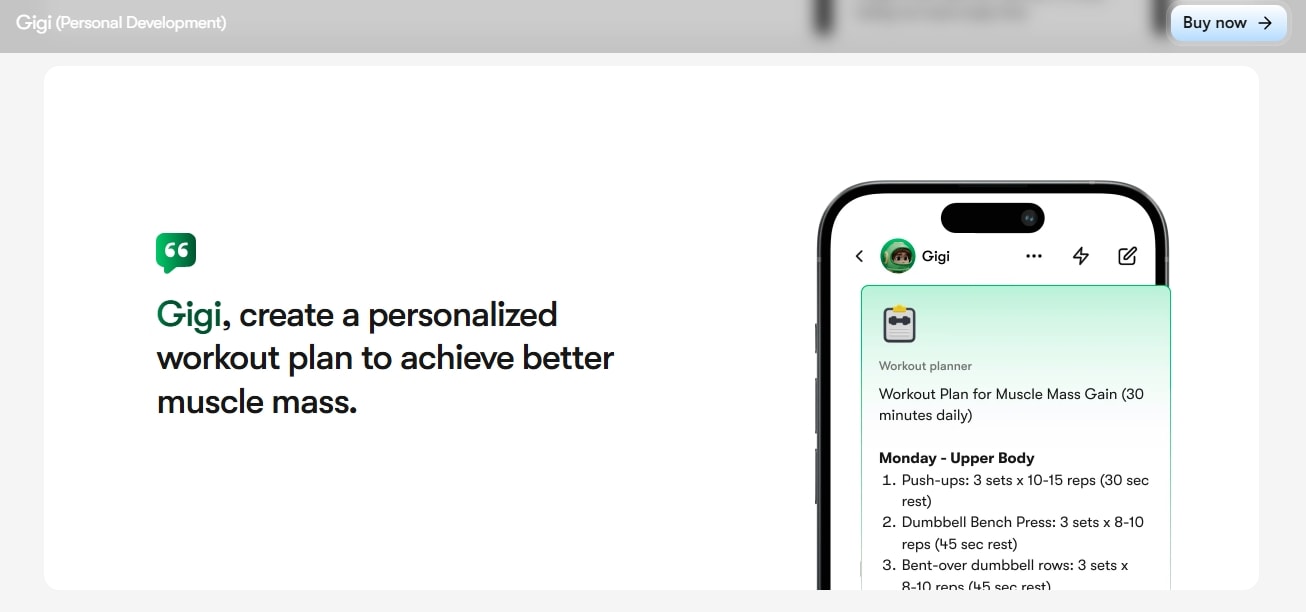
Sintra AI understands that personal development is equally important as business development. That's why it offers a solution in Gigi, your AI personal assistant. It can plan your entire day, keeping your goals and objectives in mind, to help you become a better version of yourself.
Gigi uses deep learning to understand your personal lifestyle and growth plans. And, when connected to your digital tools, it tracks all your activities and adjusts your personal plans to individual preferences.
- Unlike other AI tools, Sintra AI pricing lets you purchase individual agents. So, you don't have to commit to an overwhelming package.
Real-World Use Cases of Sintra AI
Sintra AI has helped numerous businesses streamline their repetitive tasks and focus on growth. Here are a few use cases where its AI helpers are making a difference.
Customer Support Automation
Today, businesses using AI chatbots to support their customers is almost an unsaid rule. These automation tools have NLP and sentiment capabilities that help them interpret human language and respond accordingly.
Think of them as AI sales reps. Customers can make inquiries, get product recommendations, and ease their purchasing experience with these bots. It frees up space for busy entrepreneurs, so they can focus on strategic tasks.
Simply Precious Hands, a small medical business, employed Cassie to manage its customers’ queries. The owner successfully automated its customer support, filing of medical claims, and other SOAP documentations, saving five to ten hours weekly while staying in budget.
AI-Driven Email Campaigns
AI has inarguably transformed email marketing through predictive analytics. Today, AI agents better understand the buying intent, user behavior, and preferences. Hence, they know how to reach out to the prospects, addressing individual concerns and pain points.
Not only this, but AI email marketing has taken personalization to the next level. Agents like Emmie can now launch drip email marketing campaigns. Here, it focuses on producing pre-written cold emails sent to prospects based on specific triggers, boosting engagement and conversions.
Hence, what would earlier take days or weeks today is done in hours.
Social Media Automation
Your social media game is also well taken care of with virtual assistants. These helpers can produce, modify, and schedule posts on popular social media sites to engage your customers and boost revenue.
Modern AI employees like Soshie go a step further, thanks to performance analytics. With this, it can analyze social media posts, detect content that performs best, and plan your campaign around these indicators. The best part - Soshie makes sure the brand voice remains intact.
Simply Precious Hands used Soshie to manage its social media audience. It took care of everything, from SEO to demographics, planning, and launching campaigns.
Data Analysis and Forecasting
Businesses struggling to make sense of large datasets need AI to be part of their strategy. Intelligent tools can collect, sift through, and provide insights from massive information sets in minutes. You can also filter out relevant key performance indicators to include in planning.
Dexter from Sintra AI has conversational intelligence to help you strategize better via data-driven insights. It has helped businesses like Strive 4 Savvy and Hand2Hold with this expert guidance, transforming complex data into useful opportunities.
E-commerce Management
Like any other field, AI assistants like Commet have taken the forefront in e-commerce management. It enables businesses to automate manual tasks such as listing products, locating prices, managing inventory, and forecasting demand accordingly.
With all the repetitive operations taken care of, business owners can focus on building growth strategies to boost sales. This ecommerce manager also uses predictive logistics, allowing you to set key performance indicators. Based on these KPIs, it helps the human employees make data-driven decisions.
How Sintra AI Integrates With Your Business Ecosystem?
An AI tool you employ to complete tasks is useless unless it integrates into your workflow. Hence, a prerequisite is to ensure your desired AI-powered solution works with the most popular business platforms.
Thankfully, Sintra AI gives you this liberty. Its wide range of integrations helps your AI helpers to connect with third-party tools like Gmail, HubSpot, Outlook, LinkedIn, etc, and complete tasks on your behalf.
However, instead of APIs, Sintra provides users with in-app integrations. It connects with third-party platforms, retrieves data, and completes all decided tasks on your behalf. Here are some integrations you can use to benefit your workflow.
- You can sync Sintra AI with almost all popular marketing platforms, including LinkedIn, Facebook, Instagram, Gmail, Outlook, and more.
- Businesses can connect Sintra AI with productivity and Collaboration tools to streamline routine workflow. This includes Google Drive, Shopify, Google Calendar, etc.
- Sintra AI can integrate with analytics software, such as Google Analytics and QuickBooks, to help you with actionable insights.
- Works with most CRM platforms, such as HubSpot and Salesforce, to get real-time updates on your customer data.
You can connect these integrations with Sintra AI in seconds. Here is how it goes.
- Visit the Brain AI tab from the dashboard.
- Go to the Integration tab, select one (for instance, LinkedIn), and click Connect.
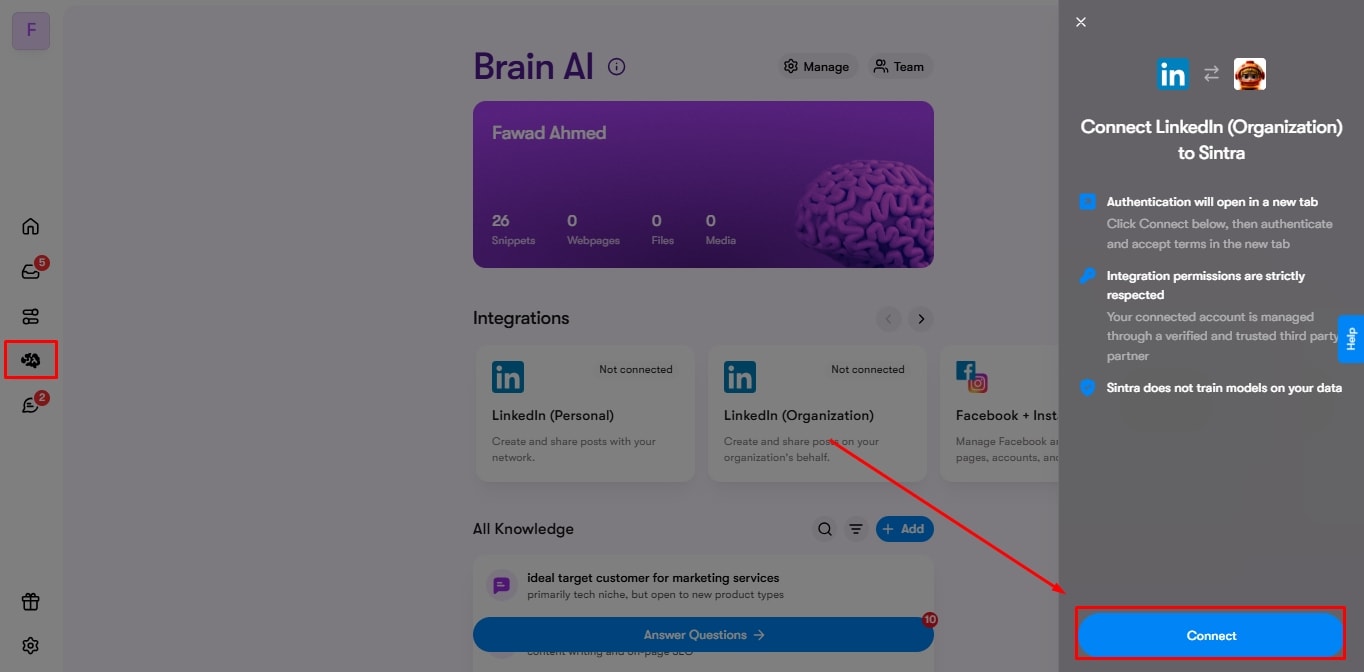
- Enter your login credentials and follow the instructions to complete the process.

To use an integration, you simply chat with a respective helper and ask it to perform a task. Let’s say you have a stakeholder meeting tomorrow. Ask Buddy to create an event in your Google Calendar for a specific time. It will automatically use the integration as per your request and the context of the conversation. Find out more about Sintra’s integrations and its privacy protocol.
Why Businesses Choose Sintra AI?
Sintra AI can help businesses keep things under control while moving forward. It helps them manage a crisis, offer around-the-clock support, and focus on business growth in a sustainable manner. Let’s see why companies today prefer Sintra over traditional AI tools.
Cut Costs by Automating Tasks: Sintra’s 90+ use cases are designed to perform 10,000 tasks simultaneously with minimal human error. So, if you are facing financial constraints, no need to worry about hiring new people for manual effort.
Convenient Setup for All: Sintra AI is a no-code, plug-and-play setup, designed with non-technical users in mind. With this arrangement, anyone from your team can control the workflow. Plus, onboarding on this tool becomes effortless.
Maximum Productivity and Desired Results: Unlike traditional software like ChatGPT, Sintra AI is proactive in its approach. It is conscious of your follow-ups and urgent queries, leaving no stone unturned. Plus, the smart automations make sure your day is all set and scheduled according to your preferences.
Scope for Scalability: Sintra’s massive network of 90+ use cases and 12+ AI helpers, in addition to a Brain AI, is capable of supporting businesses of varying sizes. So, no longer switching software as you expand your business operations.
Satisfied Users at All Times: Cassie from Sintra AI is your employees’ and customers’ all-time assistant. Think of this as a sales rep who never sleeps and offers instant replies. Be it a commonly asked FAQ, a troubleshooting guide, a documentation issue, or any other, Cassie is always focused on satisfying the user.
Conclusion: The Future of AI-Powered Business Automation
There you have it - all about Sintra AI and how it works toward your business growth with minimal resources. Different from generic AI tools, its specialized helpers are an excellent opportunity for your company to streamline tasks, save time, draft sales strategies, and enable productivity without having to hire additional staff.
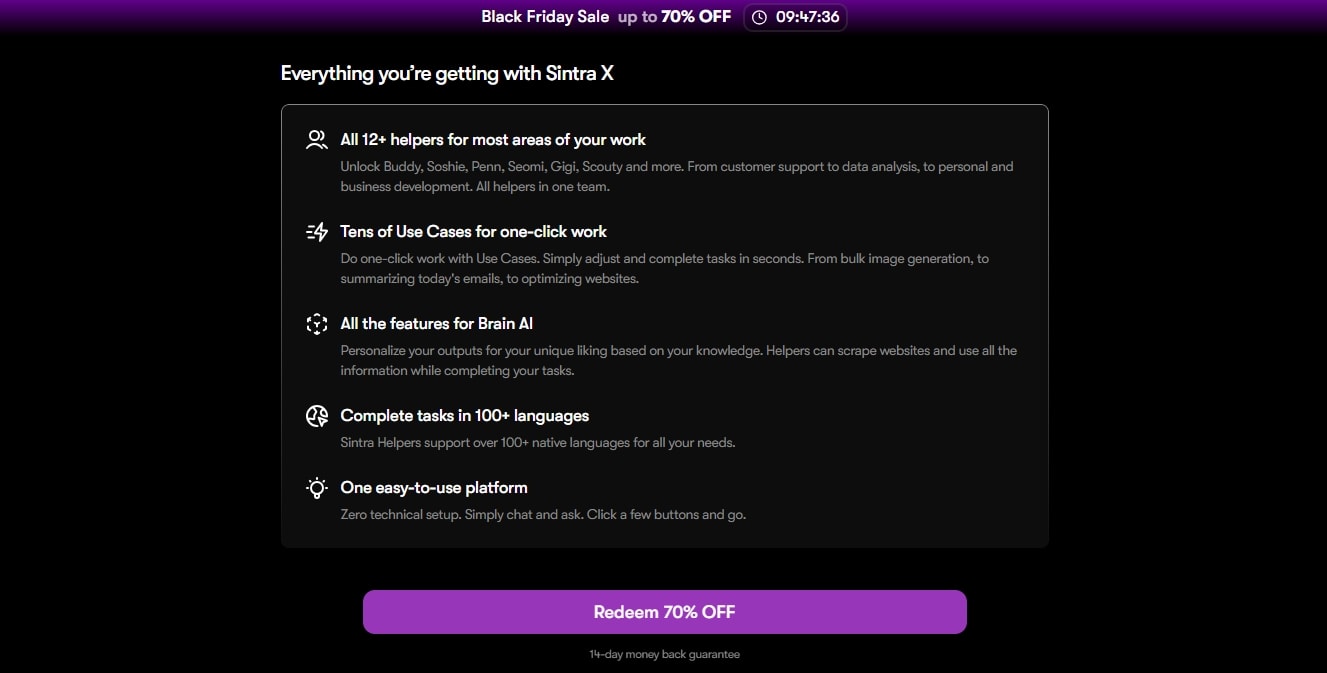
Don’t want to go all in? It gives you the option to purchase individual helpers. Find out more about the Sintra X plan and pricing and see whether it works for you.
FAQs About How Sintra AI Works
What makes Sintra AI different from other AI platforms?
Sintra AI is different from other tools in a way that it offers no-code, pre-trained AI assistants, each specializing in a field. Plus, this platform is business-focused and goes beyond traditional technology and includes features like proactive suggestions, predicting fresh ideas, and evolving personalization.
Can Sintra AI integrate with my existing tools?
Yes, of course. Sintra AI is designed to integrate with your routine business platforms, be it for marketing, customer service, data analysis, and more. Some popular available integrations Sintra offers are Gmail, Outlook, MS Calendar, Google Calendar, social media platforms, and more.
How long does it take to set up Sintra AI?
Well, it varies, depending on the data you feed to the system, the AI employees you will be using, etc. For the most part, Sintra AI is a plug-and-play platform, so anyone can get started with it in at least 10 to 15 minutes.
Do I need technical expertise to use Sintra AI?
No, you do not need technical expertise to use Sintra AI. Its no-code interface is designed with beginners, solopreneurs, and non-technical users in mind.
How does Sintra AI ensure data security and privacy?
Sintra implements a series of data security protocols to make sure you feel protected. All of its AI assistants follow consent-based and user control actions that establish transparency in conducting operations. Moreover, no external party, other than Sintra AI, can access your business data or intellectual property.
Related articles