Best AI Applications for Small Businesses to Save Time and Grow

Table of Contents
Quick Answer
The best AI tools for small businesses in 2026 are Sintra AI, ChatGPT, and HubSpot AI. Here's a brief summary:
- Sintra AI: Helps manage recurring business operations through AI-powered workflows and role-based support.
- ChatGPT: Ideal for content creation, brainstorming, research, and problem-solving.
- HubSpot AI: Supports sales, marketing, and customer relationship management.
- Grammarly: Helps teams improve writing quality, clarity, and communication.
- Zapier AI: Automates workflows by connecting apps and reducing manual work.
Each platform addresses a different business need, whether that's marketing automation, customer support, workflow management, or sales productivity. For many SMBs, using platforms that combine multiple AI functions can reduce tool overload, simplify operations, and create a more efficient technology stack.
If you feel like every small business has suddenly started using AI, you're not wrong. The shift has been fast enough that it's no longer about whether AI fits into operations, but where it plugs in first without breaking the existing workflows.
According to McKinsey's research on generative AI, the technology has the potential to significantly improve productivity across business functions like marketing, customer operations, and software development. It is especially useful in areas involving repetitive and knowledge-heavy work.
Today, AI for small businesses is quietly taking over repetitive but necessary work across different operations. This adoption is fueled by accessibility as much as necessity. AI tools are no longer complex or enterprise-only; most now come with low-cost plans, plug-and-play features, and automation options that small teams can actually implement.
Let's break down the top five applications shaping how small businesses operate in 2026 by using elaborate AI employees that are just as good as human assistants.
5 Best AI Applications for Small Businesses
You may see a variety of AI tools in the market, but not every tool is suited for your business needs. Some solve a single problem, while others support multiple functions across marketing, sales, operations, and customer communication.
For small businesses, the most effective solutions are typically the ones that save time, fit existing workflows, and scale without adding complexity. We have built this list keeping the exact goals in mind. We evaluated each platform based on ease of use, automation capabilities, integrations, affordability, scalability, and real-world usefulness for SMB teams.
The comparison table below highlights how each platform performs across common business needs, followed by a detailed breakdown of where each tool delivers the most value.
1. Sintra AI – Best All-in-One AI Workspace for Small Businesses

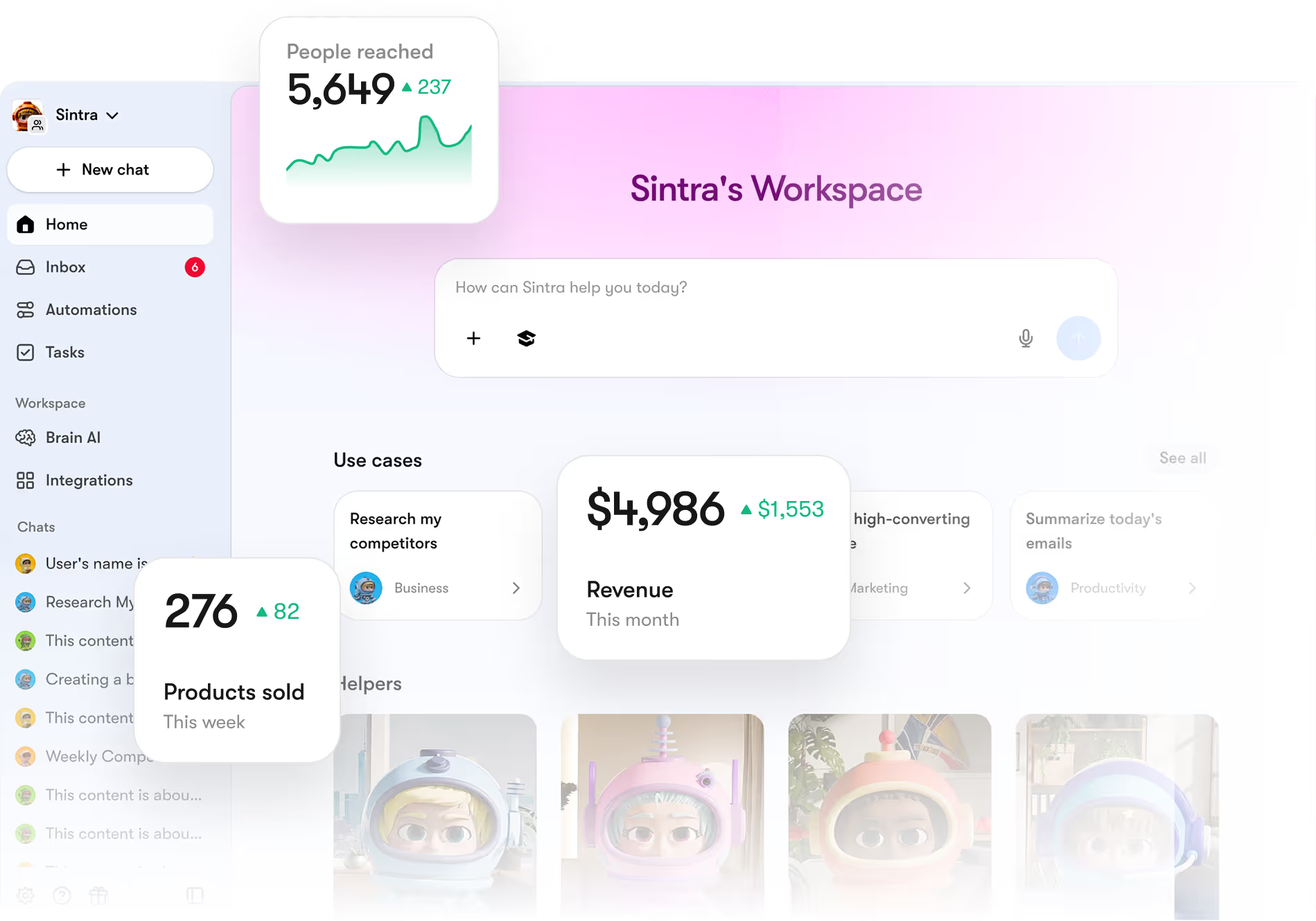
Sintra AI is designed as a centralized AI workspace for small businesses that want to manage daily operations without switching between multiple tools. Instead of using separate platforms for marketing, customer support, sales, and content, businesses can handle all of it inside one system.
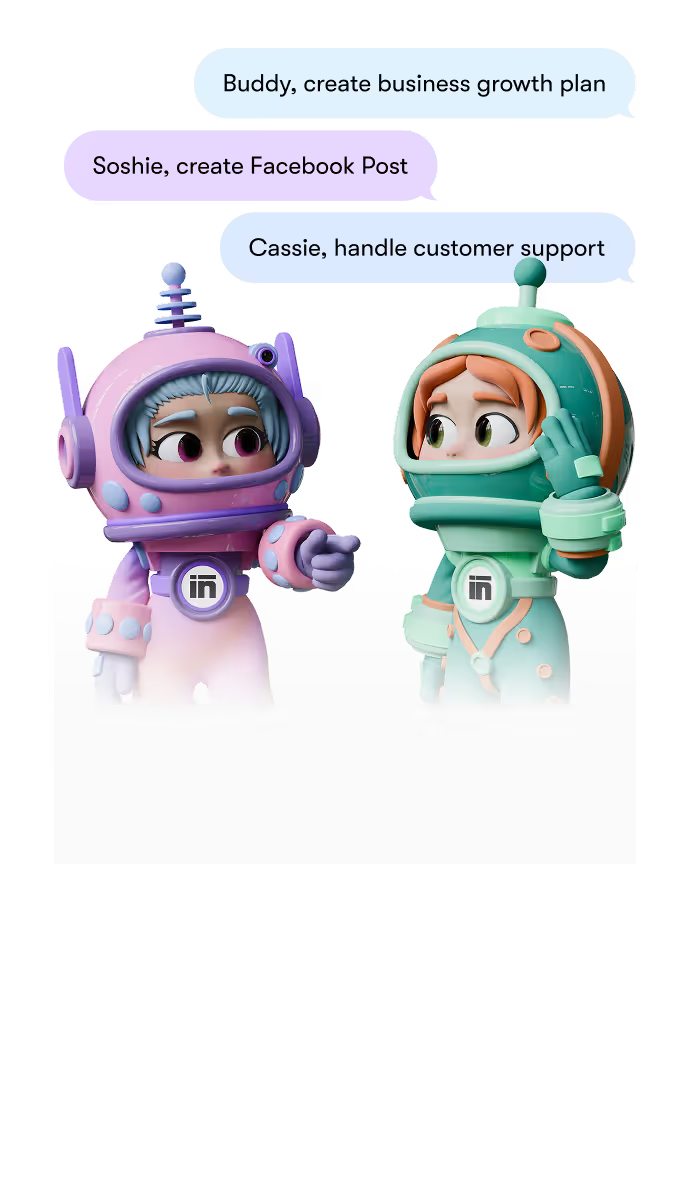
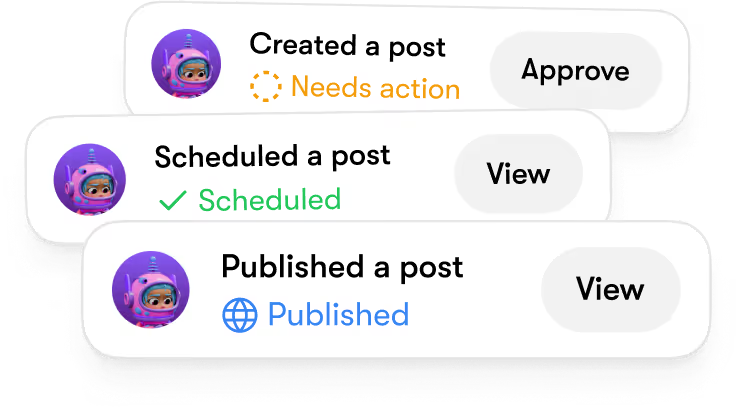
What makes Sintra AI unique is its role-based AI helpers. Each helper is built for a specific business function. You get Soshie for social media management, Penn for effective copywriting, Vizzy the virtual assistant, and many more. Combined with Brain AI, it maintains business context across tasks, which helps keep outputs consistent and aligned with how the business actually operates.
For small teams, this means less time coordinating tools and more time executing real work.
Example use cases include:
- Managing and scheduling social media content without switching platforms
- Writing conversion-focused copy for ads, emails, and landing pages
- Handling customer inquiries with structured, ready-to-use responses
- Organizing repetitive workflows like content planning or task tracking
In practice, Sintra's AI team fits naturally for small business needs. It executes where it matters, especially for teams with limited resources that still need consistency across multiple functions.
Key Features
Sintra AI is built around a system of specialized assistants like Soshie, Penn, Cassie, Buddy, and Vizzy, each focused on a different operational area such as social media, writing, customer support, or analytics.
Core features include:
- Role-based AI Helpers for different business functions
- Shared business memory through Brain AI for consistent output
- Workflow automation across repetitive tasks
- One-click execution for common business actions
- Cross-platform integrations for smoother operations
Pricing
- Entry point starts at $39/month
- Most SMBs realistically use Sintra X at $97/month with all the AI helpers
- Lower pricing only applies when billed quarterly or yearly
Who It’s Best For
Sintra AI is built for busy, lean teams that want to get more done without dealing with a tech headache. It is perfect for fast-moving startups that need to automate tasks right away without building complicated systems from scratch.
Agencies love it because they can manage content and workflows for multiple clients all in one place instead of jumping between a dozen open tabs. It is also a great fit for e-commerce shops needing to handle marketing and customer questions at the same time, and service businesses that want to follow up with clients quickly without losing that personal touch.
In short, Sintra is one of the best AI tools for small businesses that's built for teams that don't just want AI assistance, but actual operational support across daily business functions.
2. ChatGPT – Best for Everyday Business Productivity

Many startups use ChatGPT as an all-purpose assistant to handle everyday knowledge work and brainstorming. It is highly flexible and works well across different departments like marketing, operations, human resources, and customer support. Its conversational design makes it super easy to use even for non-tech people.
Instead of requiring advanced technical skills, it lets your team use plain language to speed up writing, draft documentation, generate product ideas, and summarize long meeting notes. Relying on such easy-to-use AI tools for small businesses helps lean teams save hours on repetitive office work, making daily operations much more efficient.
Key Features
- Advanced Text and Content Generation: Quickly drafts blog posts, marketing emails, social media updates, and website copy based on basic text prompts.
- Smart Document Summarization and File Analysis: Reviews long reports, spreadsheets, or meeting transcripts and instantly pulls out key takeaways, action items, or data trends.
- Interactive Brainstorming and Strategy Support: Generates campaign ideas, troubleshooting steps, or project outlines when planning new business initiatives.
- Built-in Multilingual Capabilities: Translates internal documentation and customer messages into dozens of languages to support global markets.
- Pre-Built Software Integrations: Connects directly with common workspace applications to streamline workflows across different stacks.
Pricing
ChatGPT offers:
- Free plan for individuals with limited image creation and less powerful model usage.
- Professional plans start at $20/month
- Team plans run between $20-$25/user/month
- Custom plans are available for higher enterprise-level plans.
Who It’s Best For
ChatGPT is perfect for solo founders, small marketing agencies, administrative staff, and customer service departments looking for a versatile assistant. It provides immediate value to any small business owner who wants to automate basic writing, editing, and research tasks without spending on multiple niche pieces of software.
3. HubSpot AI – Best for Marketing and CRM Automation

HubSpot brings all of your customer relationship management (CRM) data together with smart, built-in automation. Instead of forcing you to jump between separate tools for email, lead tracking, and sales pipelines, HubSpot uses its dedicated "Breeze AI" system to run everything under one roof.
The platform automatically monitors how prospects interact with your website, handles automated email campaigns, tracks deals as they move forward, and splits your audience into highly targeted lists. This unified setup makes it much easier to scale up your marketing and sales efforts without compromising on active deals.
Key Features
- AI-Powered Copy and Email Writing: Instantly drafts personalized sales emails and marketing copy directly inside your campaign manager.
- Smart CRM Automation: Automatically updates customer profile properties, cleans up duplicate records, and fills in missing contact details.
- AI Prospecting and Customer Agents: Deploys automated assistants that can proactively research target leads or answer support questions 24/7.
- Visual Sales Pipelines and Lead Scoring: Tracks every open deal stage while using smart algorithms to prioritize the prospects most likely to close.
- Proactive Reporting Dashboards: Generates visual charts that explain exactly why your sales numbers changed instead of just showing raw data.
Pricing
- Free plan: Limited tools and basic contact management
- Starter plans: $15-$20/user/month
- Professional plans: approx. $890/month
- Enterprise plans: start at $3600/month
Who It’s Best For
HubSpot is ideal for small businesses that rely heavily on inbound marketing, steady lead nurturing, and managed sales pipelines. It is an excellent match for growing sales teams, B2B companies, and digital marketers who want a central command center to handle their entire customer journey.
4. Grammarly – Best AI Tool for Business Communication

Got stuck in the forever editing loop? Grammarly is just what you need to make your day better. It serves as a real-time editing assistant that polishes your team's writing across all company communications. But that's not all that it does; it works directly inside your web browser, email apps, and office documents to improve everything from sales proposals to customer support tickets.
Grammarly provides smart rewriting options, fixes phrasing issues, and adjusts your tone so your messages always sound professional, clear, and confident. The new AI features allow you to check for plagiarism and AI content to ensure that the content is unique and human-written.
Key Features
- Real-Time Grammar and Mechanics Correction: Instantly highlights and fixes typos, misplaced punctuation, and broken sentence structures as you type.
- Smart Tone Detection and Optimization: Analyzes the mood of your writing and suggests edits to ensure your message sounds polite, confident, or appropriately formal.
- One-Click AI Rewriting Support: Generates fresh phrasing alternatives to instantly simplify dense paragraphs or make your text more persuasive.
- Full Clarity and Readability Overhauls: Pinpoints confusing, wordy sentences and suggests clear, concise replacements to keep the reader engaged.
- Central Company Style Guides: Allows managers to set custom terminology and communication rules, helping you maintain a consistent brand voice across these business workflows.
Pricing
- Free plan: Basic grammar check, limited suggestions
- Premium account: $12/month/user, advanced rewrites, clarity fixes, and tone adjustments
- Business plan: $15/month/user, includes team usage, shared guides, dashboards, etc.
Who It’s Best For
This application is a perfect fit for customer service teams, remote offices, marketing agencies, and founders who want to ensure their public messaging is completely error-free.
5. Zapier AI – Best for Workflow Automation

Zapier AI is built to connect your favorite software tools and automate repetitive tasks without forcing you to write a single line of code. Small businesses use it as a digital "glue" to pass information seamlessly between different applications, completely eliminating manual data entry.
You can set Zapier up to instantly route new marketing leads to your CRM, send your team a Slack notification when a sale happens, or automatically draft customer follow-up emails. These types of AI integrations allow small businesses to cut out hours of tedious office work.
Key Features
- No-Code Workflow Builder (Zaps): Creates simple or complex automation steps using an easy, drag-and-drop visual interface.
- AI-Powered Workflow Suggestions: Let's you type out what you want to automate in plain English, and the built-in AI automatically builds the workflow structure for you.
- Instant Triggers and Multi-Step Actions: Starts a chain reaction across multiple systems at once—like updating a spreadsheet, creating a calendar event, and emailing a client all from one initial action.
- Smart Webhook and API Support: Seamlessly connects specialized or custom tools that do not have pre-built integrations available.
- Massive App Ecosystem: Connects with thousands of common business applications, including major CRMs, email marketing tools, and communication suites, making it easier than ever to build out custom AI applications for small business networks.
Pricing
- Free plan: Lets users test out two-step automation for up to 100 tasks.
- Professional plan: starts at $19.99/month, includes multi-step logic, advanced filtering, and premium app connections.
Who It’s Best For
Zapier AI is perfect for busy founders, lean operations teams, digital agencies, and fast-growing startups that manage multiple software platforms at the same time. It is a lifesaver for any business owner who feels like their team is wasting too much time copying and pasting data between separate systems.
Why Small Businesses Are Investing in AI?

AI is no longer a futuristic concept reserved for tech giants with massive budgets. In 2026, it has almost become a practical necessity and an everyday tool for mainstream companies. Data from the U.S. Chamber of Commerce shows that small business AI adoption has reached nearly 60%, a massive jump from just 36% a few years ago.
Investing in AI for small businesses allows teams to do more than they are physically capable of and compete directly with much larger corporations across every department. These tools save time, reduce operational costs, improve customer experience and productivity, and significantly reduce repetitive tasks.
Let's take a closer look at why so many small businesses are adopting AI tools:
AI Helps Small Teams Save Time and Do More
Leading a small business means you have a low headcount. That also means your employees often have to juggle multiple roles at the same time. The same person managing your inventory might also be writing your customer newsletters and answering support tickets.
This constant context-switching drains energy and slows down your overall growth. Implementing AI tools provides a practical way to break this bottleneck by taking over repetitive tasks, allowing your existing team to do more while saving time.
It unlocks massive productivity across your daily operations:
- Instant Content Creation: Instead of spending hours drafting weekly customer emails, blog posts, or social media captions from scratch, staff can use AI to build clean first drafts in seconds.
- Automated Customer Support: AI assistants handle routine inquiries about order status, business hours, and basic troubleshooting around the clock, keeping your inbox clear for complex client needs.
- Hands-Free Admin Work: Smart applications take care of organizing messy project workflows, auto-scheduling appointments, and compiling detailed action items from long meeting transcripts.
Productivity soars because delegating administrative tasks to AI changes the day-to-day dynamic of your workspace. Instead of spending half their week trapped in monotonous manual work, your employees can spend their time on high-value initiatives.
AI Reduces Operational Costs for SMBs
When your business is small and still growing, you need to keep a check on the operational costs. Often, software inefficiencies drain your monthly cash flow without your knowledge. And since your employees are already drowning in work, you'd try to outsource basic tasks, which takes a direct hit on the profit margin.
Incorporating modern apps for small businesses allows companies to optimize their resource spending by cutting out these expensive structural leaks. Here's how:
- Lower Outsourcing Dependencies: Instead of paying high hourly contractor rates for basic content drafting, coding updates, or customer support, you can use internal AI tools to handle the heavy lifting instantly.
- Elimination of Software Bloat: Instead of subscribing to ten different expensive software platforms for single tasks, businesses are shifting to consolidated AI tools that can manage marketing, tracking, and communication all under one subscription.
- Reduced Cost of Human Error: Manual data entry inevitably leads to typos, lost lead info, and logistical mistakes. Automation moves data across your tools perfectly every time, preventing costly business errors.
Data from credible sources highlight that nearly two-thirds of small firm owners report direct savings between $500 and $2000 every single month. This may not seem much, but in the long run, it shows a massive change in the capital.
AI Improves Customer Experience and Response Times
In a competitive market, customer service is often the main reason a buyer chooses a local shop or small agency over a major corporation. However, maintaining that high standard becomes incredibly difficult when a small team is overwhelmed all the time.
Recent data shows that the average small business misses over 60% of incoming customer calls during regular business hours simply because they are busy helping other clients. AI applications help eliminate this gap, improving overall customer experience by doing the following:
- Slashed Response Times: Instead of leaving inquiries sitting in an inbox for hours, AI assistants can instantly resolve routine product or booking questions in under a minute.
- Tailored Messaging at Scale: Smart platforms connect directly to your past customer history. This allows the system to instantly generate highly personalized responses based on a buyer's exact purchase history, rather than sending a frustrating, generic automated template.
- Flawless Multi-Channel Consistency: Whether a customer reaches out via your website chat, an Instagram direct message, or a standard email, AI for small businesses ensures they receive the exact same, accurate, on-brand information across every single touchpoint.
AI Gives Small Businesses Access to Enterprise-Level Capabilities
Just because a business is small doesn't mean it can't have sophisticated capabilities. Large enterprises have the capital to hire data scientists, deploy custom predictive models, and build advanced automated workflows, while smaller firms are left relying on manual spreadsheets and basic software.
This technology gap was narrowed down by AI adoption, and it accelerated so fast that it outpaced larger corporations. Today, affordable AI tools give small businesses direct access to elaborate features that used to cost tens of thousands of dollars per month. Here's what it does:
- Advanced Predictive Analytics: Instead of guessing next quarter's inventory needs, SMBs can use built-in machine learning features to scan past sales trends, predict buyer demand, and optimize their supply chain.
- Complex Multi-Step Automations: Using visual, natural-language workflow builders, a single founder can connect their entire software ecosystem to route leads, update financials, and trigger internal alerts without writing code.
- Hyper-Personalized Marketing Engines: Small agencies can deploy data-driven segmentation models that analyze user behavior on their site, automatically serving up tailored content and product recommendations at a scale previously restricted to Fortune 500 companies.
This shifts the competitive landscape entirely; success is no longer determined by the size of your IT budget, but by how smartly you automate your workflows to outmaneuver larger competitors.
How to Choose the Best AI Application for Your Small Business
With hundreds of new software applications hitting the market, choosing the right technology can easily feel overwhelming. The key is to avoid adopting a platform simply because it is trending; instead, view AI as a long-term operational investment designed to solve specific bottlenecks in your company.
When evaluating the best AI tools for small business growth, you should look past flashy features and focus on practical pillars: how easily it connects with your existing software, data privacy standards, ease of implementation for your staff, and clear ROI potential.
Let's take a look at some of the factors that you should consider before making a decision about any AI tool for business:
Choose AI Tools That Match Your Team Size and Skill Level
A tool is only valuable if your team actually uses it. Because small businesses rarely have dedicated IT departments, ease of use is the most critical factor in software adoption. If an application requires complex coding or intensive training, staff will abandon it, creating internal friction.
To minimize the learning curve and speed up implementation, look for platforms with:
- No-Code Interfaces: Drag-and-drop systems or plain-language controls that non-technical employees can run easily.
- Pre-Built Templates: Ready-to-use email prompts, workflows, and dashboards that let you bypass the trial-and-error phase.
- Onboarding Support: Clear setup guides and fast customer service to resolve technical bottlenecks quickly.
This criterion allows teams to transition from setup to active execution within hours. This also makes simple platforms the best AI tools for small business scaling, ensuring your investment yields immediate productivity gains.
Consider Scalability and Long-Term Value
Choosing a tool that only fits your current workload leads to expensive migrations when your company grows. Reconfiguring your workflows from scratch because you outgrew a platform wastes time and resources.
When evaluating software, look for platforms that scale seamlessly alongside your expanding business:
- Flexible Tiered Pricing: Look for software with clear pricing steps that let you increase your usage limits, like API requests or contact volume, without sudden cost jumps.
- Modular Feature Expansion: Select tools that let you pay for basic automations today and unlock advanced tools, like predictive data analytics, only when needed.
- Multi-User Headcount Support: Choose platforms that make it easy to add employee seats, assign team roles, and manage permissions as your headcount grows.
Prioritize Data Privacy and Brand Consistency
You may choose a flashy tool with all its shiny features, but if it leaks sensitive information or destroys your customer relationships with off-brand messaging, it is completely useless. When sharing proprietary company data or customer details with an AI system, you must review exactly how that data is handled.
Protect your reputation and secure your operations by looking for tools with these guardrails:
- Strict Training Opt-Outs: Verify that the platform has clear settings to prevent your private inputs from being used to train public models.
- Enterprise Security Standards: Choose vendors that offer Data Processing Agreements (DPAs) and utilize standard AES-256 data encryption to safeguard client files.
- Central Voice Controls: Select applications that feature custom style guides and brand tone parameters, ensuring all AI-generated text stays consistent with your official messaging.
Compare Single-Purpose Tools vs. All-in-One Platforms
When building your software, you must decide between deploying specialized, single-purpose AI tools or consolidating operations into a unified, all-in-one AI platform. Both approaches have distinct operational trade-offs that impact your daily execution speed and software budget.
Evaluating the structure of your current workflows helps determine the right setup for your business:
- Single-Purpose Tools (Niche Specialists): Applications like Otter.ai for transcripts or Jasper for marketing copy offer deep, best-in-class functionality. However, stacking multiple specialist tools leads to software sprawl, fragmented data silos, and a higher total subscription cost.
- All-in-One Platforms (Unified Hubs): Workspaces like Notion AI, ClickUp, or Microsoft 365 Copilot centralize your docs, tasks, and AI communication in one interface. This completely eliminates tool-switching friction and maintains perfect context, though the individual AI features may lack advanced niche capabilities.
The Future of AI for Small Businesses
In 2026, artificial intelligence is officially moving past basic text prompts and standalone chatbots. The future automation lies in "AI agents" - smart digital workers capable of managing complex, multi-step workflows semi-autonomously. Instead of simply drafting a single email, modern agents can pull:
- A client's CRM history,
- Generate a personalized response using your exact brand context,
- Schedule a follow-up meeting, and
- Update your sales pipeline,
And all this happens in a single sequence.
Small businesses will experience the greatest operational leaps as these systems become more affordable, easier to deploy, and seamlessly integrated into team collaboration software.
By transitioning from basic task assistance to building full digital assembly lines, lean teams can use the best AI tools for small business scaling to execute enterprise-level operations. Ultimately, the companies that thrive will be those that adopt highly connected networks, allowing human employees to shift entirely away from routine execution and focus exclusively on high-value strategy and relationship building.
Why Sintra AI Is the Best AI Tool for Small Businesses?
Sintra AI eliminates the need to hoard software by merging marketing, customer support, sales, and operations into a single, unified workspace. Instead of forcing teams to manage multiple disconnected subscriptions, this platform delivers enterprise-level capabilities through a practical, no-code interface built specifically for small business budgets and timelines.
Sintra drives daily operational efficiency through four core capabilities:
- Sintra AI Helpers: Specialized, pre-trained digital agents handle repetitive tasks like drafting multi-channel marketing campaigns, qualifying sales leads, and answering routine support tickets out of the box.
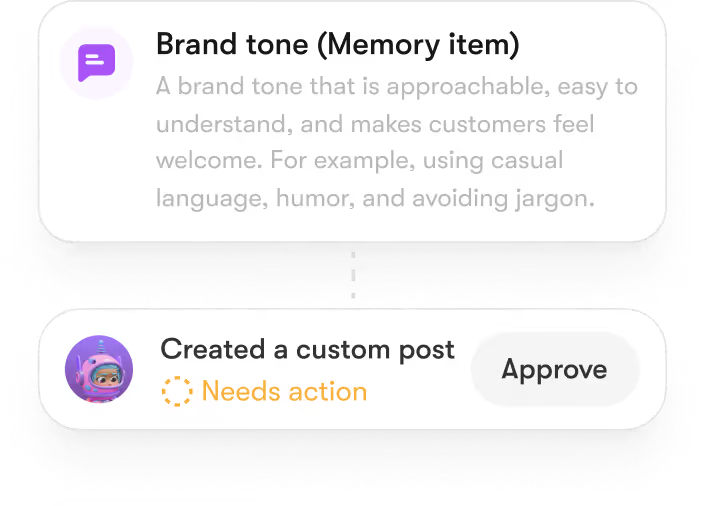
- Brain AI Memory: A centralized knowledge base securely stores your specific brand voice, internal guidelines, and product documentation, ensuring all generated outputs remain highly accurate and on-brand.
- Multi-Channel Integrations: The platform connects directly with your existing everyday software, allowing data to flow seamlessly between your website chat, email, and CRM without manual input errors.
- Automated Workflow Execution: Users can string multiple operational steps together to build automated digital assembly lines, eliminating the need for complex, third-party middleware tools.
Transitioning to a unified platform removes the friction of context-switching and reduces total software overhead. By anchoring your daily operations in a centralized hub, Sintra AI stands out among the best AI tools for small business growth.
Ready to Simplify Your Business Operations with AI?
Modern automation is no longer a luxury reserved for massive corporations. Implementing practical AI applications for business growth allows teams to reclaim valuable hours, eliminate manual software bottlenecks, and scale their operations smoothly.
If you are ready to transition away from fragmented spreadsheets and disconnected software subscriptions, a unified workspace provides the ideal foundation. Sintra AI delivers this exact operational clarity, pairing specialized, role-based AI Helpers with a shared Brain AI memory hub to keep your team aligned and your brand voice completely consistent.
Take the next step and get started with Sintra AI today to eliminate tool sprawl and build your own digital assembly line.
Top 5 AI Applications for Small Businesses FAQs
What are the best AI applications for small businesses?
The best AI applications are Sintra AI for an all-in-one workspace, ChatGPT for everyday productivity, HubSpot AI for marketing, Grammarly for communication, and Zapier AI for workflow automation.
How can AI help small businesses save time?
Utilizing AI tools optimizes efficiency by handling time-consuming, repetitive tasks automatically. Platforms instantly draft marketing copy, organize schedules, and answer routine customer inquiries. This eliminates operational bottlenecks, allowing your team to focus exclusively on high-value strategy and relationship building.
Are AI tools affordable for small businesses?
Yes, modern AI tools offer flexible, scalable pricing models designed for tight budgets. Many providers offer affordable monthly subscriptions, tiered usage brackets, and cost-effective annual plans that let startups access enterprise-level capabilities without expensive upfront software investments.
What is the easiest AI tool for small business owners to use?
The easiest app for small businesses to use is Sintra AI. Unlike standalone tools that require complex prompt engineering or custom coding, Sintra AI features an intuitive, unified workspace designed specifically for non-technical users. It uses pre-trained, role-based AI Helpers that handle marketing, sales, and support tasks out of the box, allowing business owners to launch automated workflows in minutes without any technical friction.
Can AI replace employees in a small business?
No, AI tools are built to support your staff, not replace human expertise. It acts as a digital force multiplier that handles routine execution and data processing, freeing up your team to apply critical thinking and empathy to complex client issues.