



AI Executive Assistant: We Tested The Best 9 In 2026

Table of Contents

Quick Answer: What is the Best AI Executive Assistant?
The best AI executive assistant tools for business owners, managers, and senior team leads are:
- Sintra AI for Context-Aware Operational Workflow Automations.
- Motion for Automated Calendar and Project Management.
- Reclaim AI for Protecting Habits.
- Clockwise for Team-Wide Calendar Optimization.
- Trevor AI for Smart Time Blocking
- Notion AI for Organizing Knowledge Assets.
- ChatGPT for General Assistance with Brainstorming and Writing.
- ClickUp Brain Documentation, Task Automation, and Scheduling
- Microsoft Copilot for Microsoft Users with Email Drafting and Meeting Summaries.
The right AI executive assistant specializes in administrative tasks, such as scheduling, workflow automation, inbox management, and email drafting. Hence, the choice depends on your unique requirements.
The cost of hiring an executive assistant can reach approximately $5000 per month. And, this luxury is often enjoyed by senior executives.
Everyone else, however senior they are, founders, team leads, project managers, or independent owners, work their own way through a busy day. The hustle of managing email threads, booking meetings, and watching follow-ups triggers anxiety and decision fatigue. The lines between work and personal life are blurring too - over 70% of all ChatGPT consumer messages are now non-work-related, including health, relationships, planning, and entertainment, up from 47% at launch, showing just how deeply people rely on AI to manage the full weight of their day.
Thankfully, AI executive assistants have got you covered. These AI employees use NLP and machine learning to automate routine tasks for you to focus on informed decision-making and strategic initiatives. Here are the tried-and-tested best AI assistants for executives you must consider in 2026.
The Best AI Executive Assistants at a Glance
Here is a quick glance at the best tools for AI executive assistants you must try in 2026.
| Tools | Best For | Standout Feature | Who Is It For? | Pricing | Platform Availability |
|---|---|---|---|---|---|
| Sintra AI | Context-aware agentic automations across domains. | Enhanced memory that extracts context for specialized agents to execute multi-step tasks. | Solo founders and startup owners who run multiple functions without a full support team. | No free plan; paid plans start at $15.60 per month. | Web, iOS, Android |
| Motion AI | Project management, automated time management | An AI planner for your projects and tasks that automatically matches your schedule. | High-output leaders managing multiple projects needing AI for planning. | Free plan available; paid plans start from $29 per month | Web, iOS, Android, calendar integrations |
| Reclaim AI | Scheduling meetings, work-life balance. | Smart time management for routine work activities and priority habits. | Busy team leads who are struggling with information overload and need AI to protect focus time. | Free plan available; paid plans start from $10 per month | Google Calendar and Microsoft Outlook |
| Clockwise AI | Scheduling internal meetings and optimizing team calendars. | Automated calendar optimization with protected focus time. | Team leads or managers who are handling mid-to-large businesses and struggling with their focus time and scheduling. | Free plan available; paid plans start from $6.75 per month/user. | Web application, browser extension |
| Trevor AI | Time blocking, to-do lists, structured automations. | AI-driven time blocking with interactive drag-and-drop planning. | Managers who are struggling with creative blocks and completing their to-do lists. | Free plan available; paid plan starts from $5 per month. | Web, Desktop, and mobile browsers |
| Notion AI | Database automation, knowledge management, and note-taking. | Notion-focused contextual knowledge assistance and information retrieval. | Knowledge managers and founders who work on documentation and project planners. | Free plan available; paid plans start from $10 per month | Desktop, mobile, web, Linux |
| ChatGPT | Planning, summarizing, and researching | Advanced reasoning capabilities for task completion. | Generalist executives who want all-purpose help with email drafts, scheduling, and time management. | Free plan available; paid plans start from $20 per month | Web, iOS, Android, macOS, Windows |
| ClickUp Brain | Context-aware automation, knowledge management. | Contextually driven automation across your workspace. | Project team leads or operations managers who want AI to be directly embedded in their workflow. | Free plan available; paid plans start from $9 per month/user. | Desktop, web, mobile, browser extension |
| Copilot AI | Summarization, data analysis, and email drafting | Native integrations in the Microsoft work ecosystem. | Corporate executives who are working deep in the Microsoft ecosystem. | Free plan available; paid plans start from $18 per month | Microsoft 365 ecosystem, Windows, mobile, desktop |
9 Best AI Executive Assistants in 2026
AI assistants help business owners and managers streamline labor-intensive admin tasks, freeing up time for productive activities. Below you will find detailed descriptions of some of the leading AI executive assistants.
Sintra AI for Operational Workflows

Sintra is an all-encompassing, specialized AI team of autonomous role-based AI employees. Think of these AI employees as your personal assistants that do everything, from drafting replies to scheduling events, taking notes, and summarizing key insights from meetings.
The highlight of this AI executive assistant for team leads is the AI business strategist, Buddy. This agent understands your business goals and supports your operational decisions via data-driven, actionable insights. So, no longer anxiety or cognitive load when making decisions.
Unlike traditional AI assistants, a centralized knowledge space, Brain AI, supports all of Sintra’s AI helpers. This space stores all your business data, customer feedback, project details, and more. When you give a prompt, the AI helpers refer to the Brain AI, interpret the context, and execute accordingly.
Standout Features
- 90+ unique use cases that execute tasks directly without requiring lengthy prompting.
- Multi-lingual support with over 100 languages, making it accessible for executives leading remote teams and international clients.
- No-code chat interface that works smoothly for non-technical team leads.
- Up to five customizable workspaces for managers handling multiple businesses.
- An AI personal assistant that gets into your workflow for time management, scheduling, and other routine tasks.
- Third-party integrations with work platforms, including Calendars, emails, social apps, and more.
- A business has the knowledge that includes your brand guidelines, custom instructions, and customers’ data.
What We Liked?
- Jumping between tasks has become much easier. With no context switching, we are relaxed, less anxious, and more productive.
- Not having staff for each operation is no longer a restriction. We could scale with these autonomous AI employees without adding headcount.
- Supporting projects requiring cross-department communication is easier with the Brain AI.
What Could Be Better?
The AI helpers’ performance is dependent on proper workflow setup. You will need to work on prompts and clear process automations.
Motion for Task Scheduling
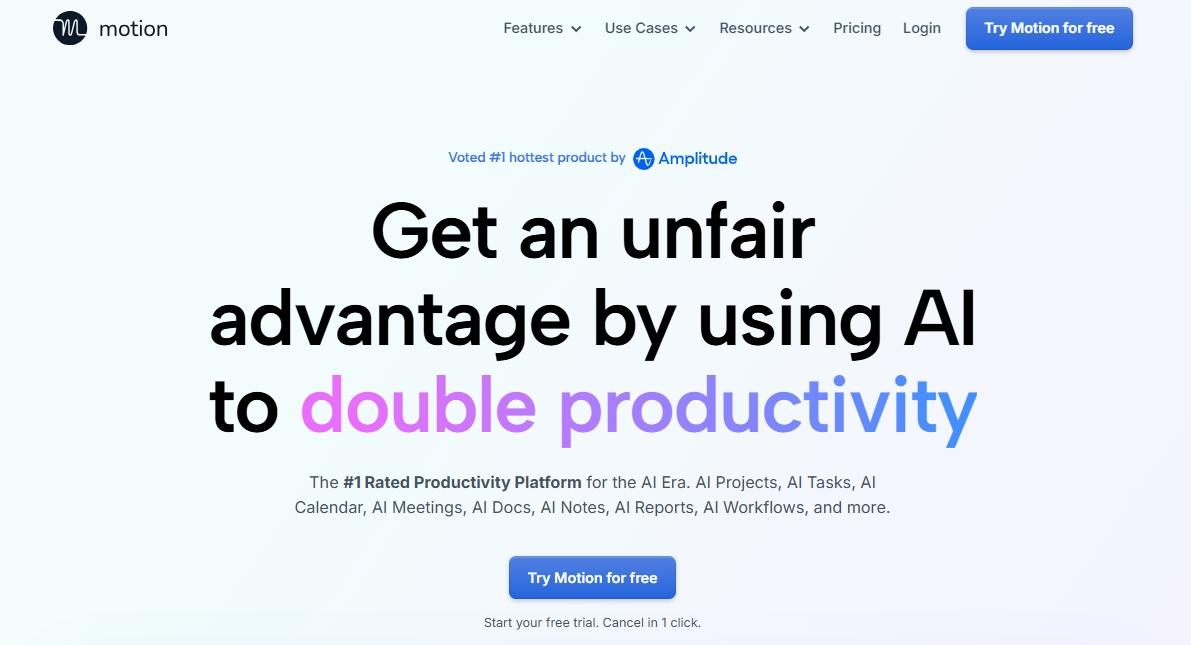
Motion is an AI calendar designed for busy project managers. It plans their entire day, from auto-scheduling meetings to figuring out focus time and assigning tasks.
Its intuitive display features task breakdown with details, including assigned activities, conversations, progress bars, and deadlines. Managers can get clarity on things at a glance.
Motion is a great help to managers. It helps with repetitive tasks like taking meeting notes, documenting processes, and drafting schedules take a simple prompt.
Standout Features
- Real-time risk alerts for tasks extending the deadline.
- Kanban templates to track progress, plan projects, and optimize resource usage.
- Calendar capabilities to schedule your day, book meetings, and prioritize tasks.
- An AI project generator that breaks down goals into smaller tasks with deadlines.
- An AI meeting assistant to take notes, summarize conversations, and draft replies.
What We Liked?
- Using Motion is like having a personal calendar that constantly adjusts your schedule with no effort.
- Once you connect the calendar, the time-blocking feature keeps you focused and productive.
- The scheduling link makes booking meetings with outside guests easy.
What Could Be Better?
- The custom project fields are helpful, but learning to navigate them takes time.
- It’s not cheap. The monthly plans start at $29, which can be limiting for some.
Reclaim AI for Calendar Optimization
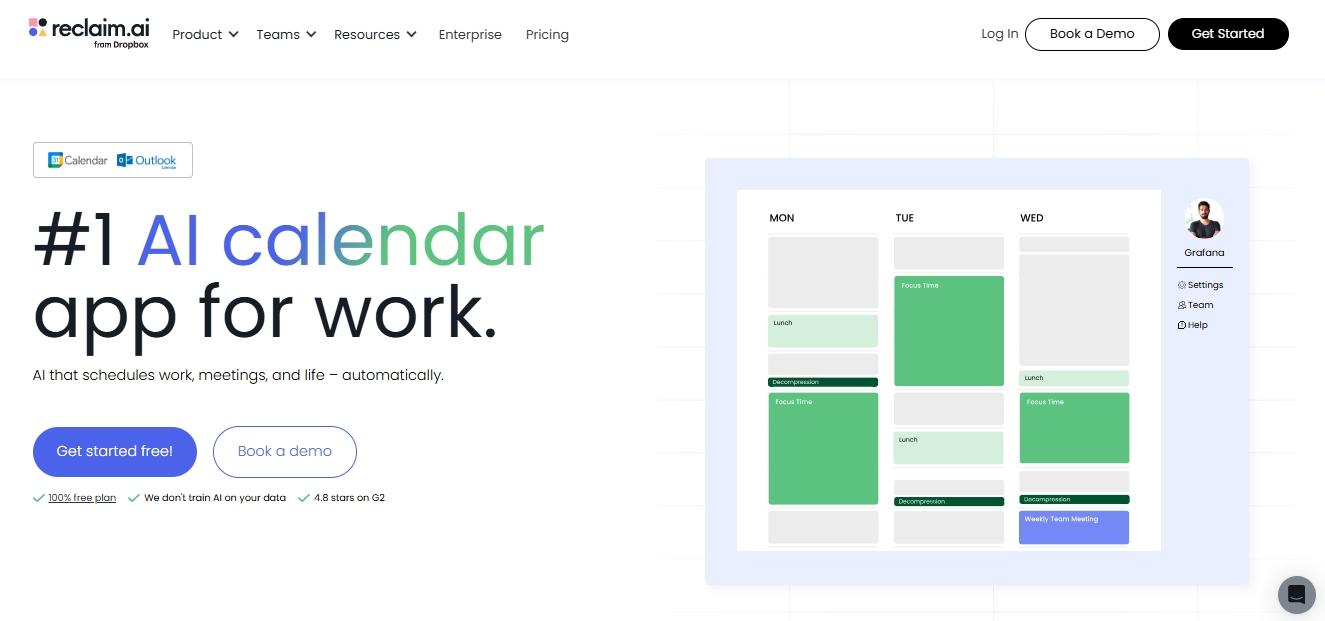
For many, being an executive means giving up their personal life to professional duties. But, not anymore with Reclaim AI. This AI executive assistant app maintains a work-life balance by blocking time for priority habits, deep work, and routine tasks.
Reclaim integrates with your Google Calendar and Outlook. Once you set up the calendar, it uses the AI Time Defense to categorize tasks. You can adjust routine activities as Most Flexible, Most Defensive, and Let Reclaim Decide.
Imagine the investor calls you unexpectedly to discuss funds for a project. This AI assistant app will readjust your calendar and find time for this meeting without interfering with priority tasks.
Standout Features
- Automated time blocking that divides your day into time for deep work, personal habits, and professional tasks.
- Smart meeting that schedules your routine meetings at the optimal time by checking everyone’s availability.
- An AI habit tracker that finds the best time for personal activities like workouts, meals, and meditations.
- Third-party integrations with Slack, Gmail, Asana, ClickUp, Zoom, and more.
What We Liked?
- Unlike traditional calendars, Reclaim’s scheduling is flexible. So, even if the routine changes, it will figure out time for priority habits.
- Managers at larger organizations find the smart meeting helpful, as it communicates with the team independently.
- The integrations with project management tools are a plus.
What Could Be Better?
It’s not built for project management. You won’t see timelines with progress tabs and dependencies.
Clockwise for Meeting Optimization
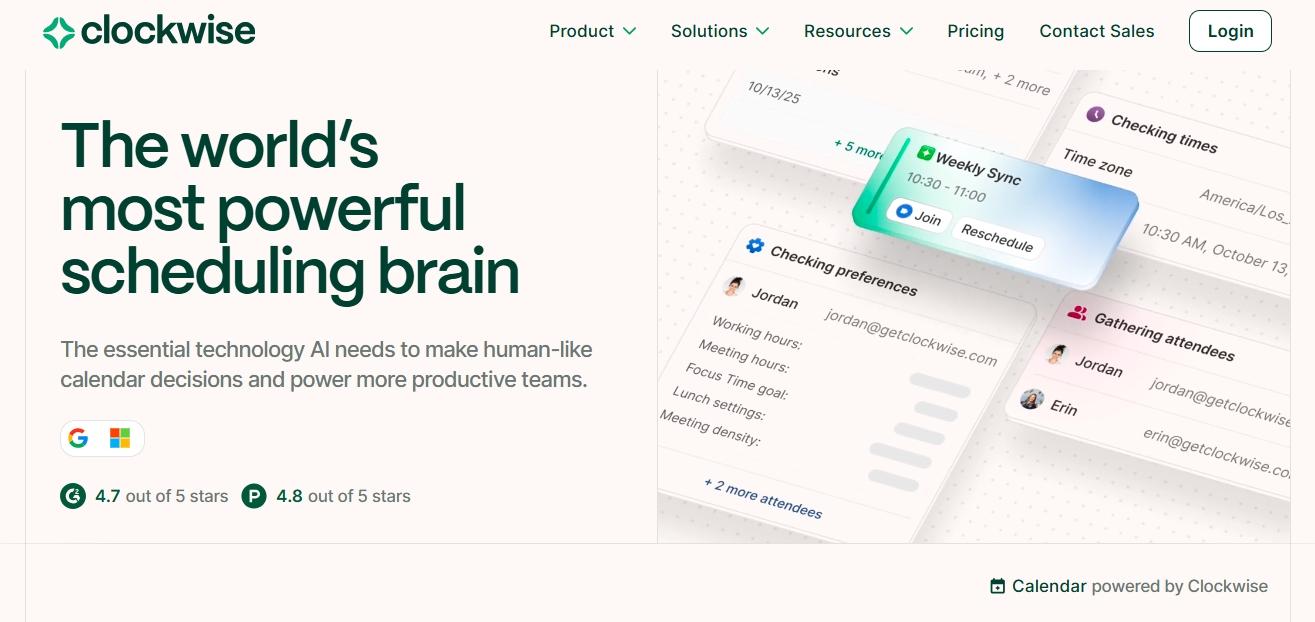
Like Reclaim AI, Clockwise, as an AI tool for executive assistants, helps professionals find focus time. It excels at optimizing an internal meeting calendar that works for everyone.
For starters, it has a chat interface. You can use it for queries, such as “I need to discuss the XYZ project with the engineer”. It will immediately check for availability and suggest an optimal time.
With Clockwise, managers can also track employees’ work hours, leaves, and assigned tasks via timesheets. All timesheets have audit trails with a person’s device ID and IP address. So, you don’t have to worry about security risks.
Standout Features
- Automated scheduling links help you find the best meeting time within your Focus Time.
- Conversational AI calendar that schedules internal meetings with a few clicks.
- Automated timesheets that report the employees’ working hours and assigned tasks to managers.
- Smart employee scheduling to allocate tasks to employees, to verify their scheduled hours, and to check if everyone has enough time for assigned tasks.
What We Liked?
- It’s nice to book meetings with a simple prompt in a chat interface.
- Managers can control everyone’s schedule in the team. For instance, they can switch around a designer’s time to prioritize a meeting with them.
- Once you flag a meeting as flexible, Clockwise automatically reschedules it by considering more important tasks.
What Could Be Better?
While Clockwise allows creating one-off events on the Clockwise calendar, you can’t edit them (change title, description, add more guests, etc).
Trevor AI for Task Planning
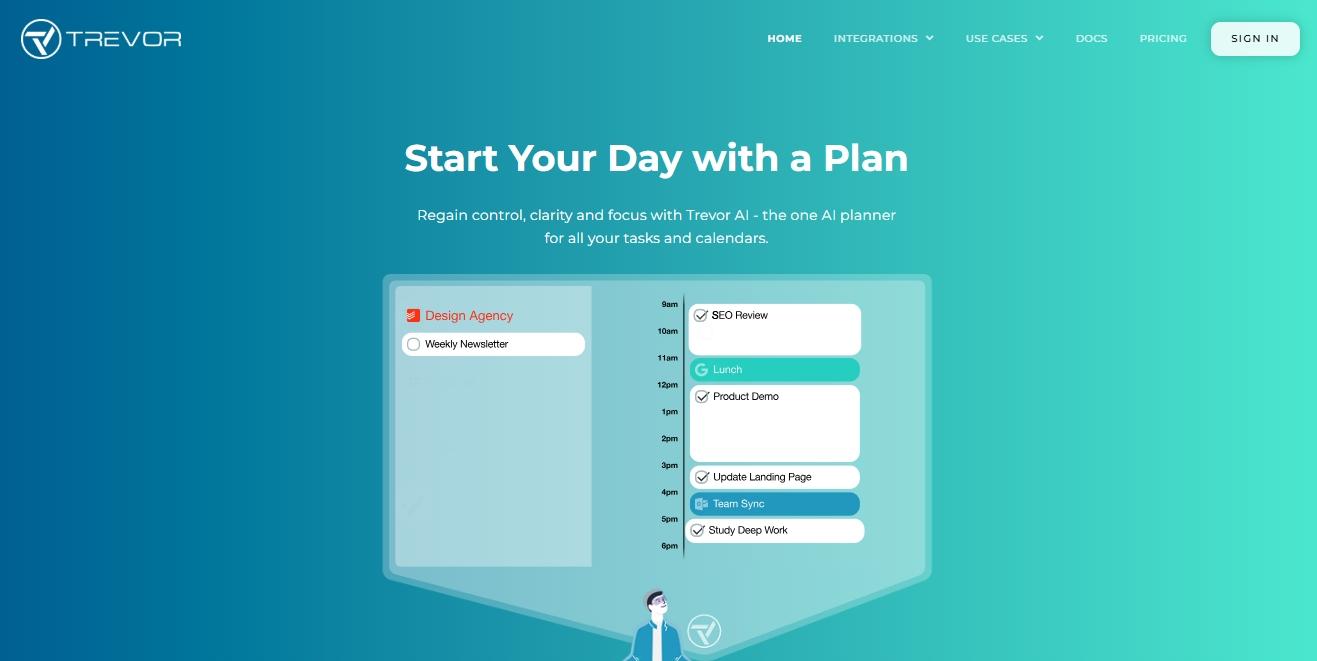
Prefer structure over fully automated scheduling? Trevor AI might be the right choice. It is an AI-driven planner developed to integrate your to-do lists into a single sorted schedule.
To get started, team leads can manually drag and drop tasks into the calendar. Alternatively, use the AI to convert tasks into time blocks, as per their availability and personal commitments.
The highlight of this executive assistant AI is its smart scheduling capabilities. It uses predictive algorithms to estimate tasks’ duration for realistic planning.
Standout Features
- A focus mode that lets you focus on one task using tools like notes, timers, and task breakdowns to get rid of distractions.
- Smart scheduling queue that ranks tasks based on priority.
- AI-powered time blocking that suggests productive time slots for priority tasks to avoid any missing windows.
- A unified calendar that combines your to-do lists with supplementary notes, color-coded categories, due dates, and realistic durations.
- A progress and reports dashboard that displays all your past projects, productivity patterns, and planning habits for the future.
What We Liked?
- The drag-and-drop editor is designed for non-technical users. So, onboarding Trevor won’t be an issue.
- Trevor is an excellent choice for managers who want control over full automation. We liked the AI-driven suggestions, but didn’t feel the need to restrict to them.
- The focus mode and time blocking significantly reduced decision fatigue.
What Could Be Better?
We find the toolkit inadequate for deeper integration and personalization in complex task management.
Notion AI for Knowledge Management
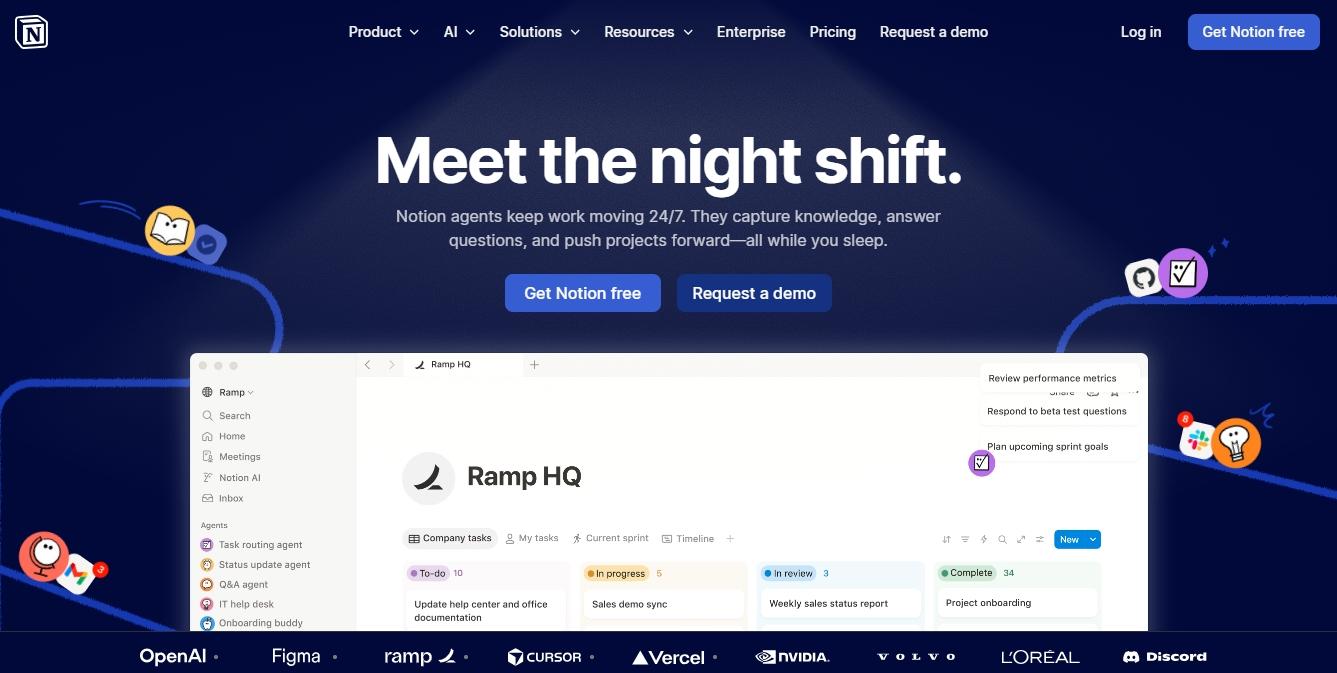
Managing a project means constantly updating documents, maintaining knowledge bases, and keeping tabs on your team. Notion AI makes this easier with its AI-driven notes management.
It handles all the knowledge tasks for you. With Notion, managers can turn rough notes into clean documents, generate answers from documents, and enter data directly into the databases. The results: You no longer have to worry about context switches.
This AI administrative assistant also features a workspace AI chat, trained on Claude and GPT-4. It answers all your queries regarding business information, project details, and meetings.
Standout Features
- Automated meeting assistance that can record, transcribe, and summarize your discussions.
- Workspace-wide AI search that answers your queries, makes edits, and updates your knowledge base.
- An AI-driven autofill that summarizes, extracts, and translates your notes using custom prompts.
- Third-party integrations with project management tools, including Jira, Google Drive, Slack, and more.
- A research mode that drafts detailed documents by reviewing your work tools and the web.
What We Liked?
- While juggling between tasks and meetings, you don’t have to worry about maintaining context and delayed handoffs with Notion.
- We liked how it went beyond generic summarizations. It scans the entire document, interprets the context, and extracts specific information.
- The ready-to-edit templates save time and effort in the planning phase.
What Could Be Better?
The research mode and enterprise search are only included in higher tiers, which can easily add extra cost.
ChatGPT for General AI Assistance
ChatGPT is a valuable AI virtual assistant for team leads who need help with repetitive routine tasks, such as writing, brainstorming, and summarization. Plus, everyone knows how to use it.
Powered by GPT-4.1, ChatGPT excels at reason-heavy tasks and structured responses. Ask it to evaluate your marketing plan or give ideas for a product launch, and it will do it in minutes.
What truly differentiates it is the enhanced memory. This memory interprets your conversations to extract preferences and business details for more personalized responses.
Standout Features
- Multimodal support that responds to queries via text, audio, visuals, and video accordingly.
- Deep search that consciously switches between models to generate answers by taking more than usual time.
- An AI voice search that can carry real-time, natural-sounding conversations with tone, style, and sentiments.
- Generative AI that drafts emails, documents reports, summarizes pages, and performs data analysis.
- Web browsing that searches for relevant and updated information from the internet.
What We Liked?
- The deep search is a savior. It extracted insights from reliable sources, while we use the free time for higher-level thinking.
- It excels at remembering your preferences, style, and context, which is more useful than we had realized.
- The versatility across domains does pay off.
What Could Be Better?
Sometimes, ChatGPT hallucinates and misses important details to maintain context.
ClickUp AI for Project Management Support
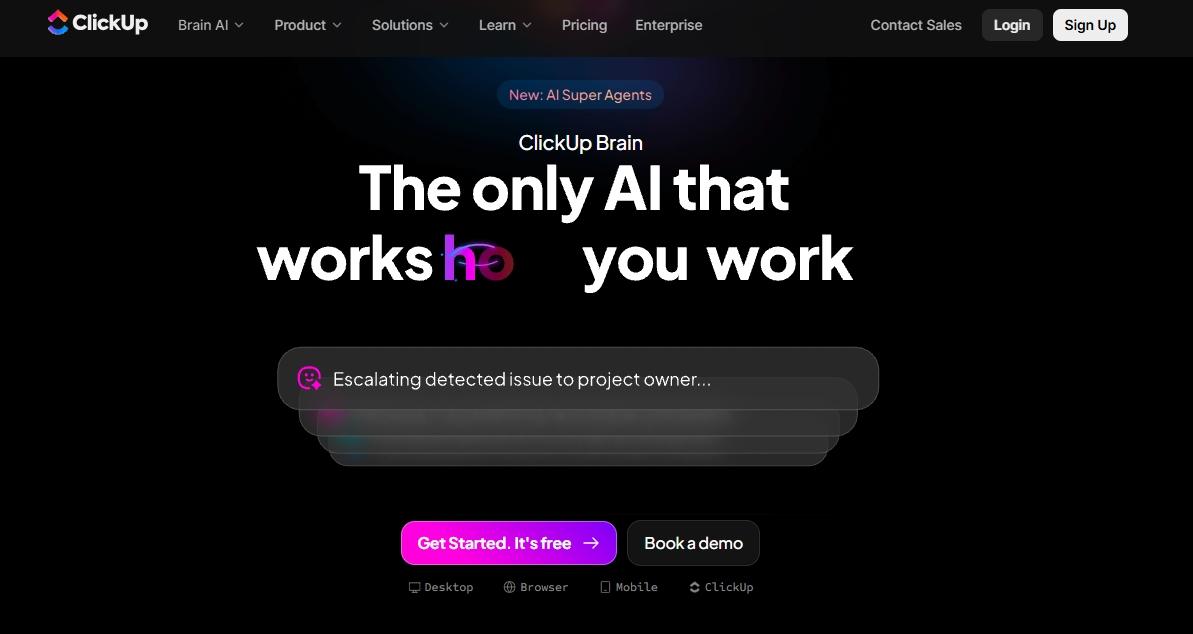
Liked ChatGPT, but want an upgrade to a deeper context-driven software for an executive assistant? Try ClickUp AI. Built directly into the ClickUp ecosystem, this AI assistant helps you automate administrative tasks, summarize complex data, and boost productivity.
When you enable the ClickUp Brain, it gathers all the data from your workspace: docs, comments, and tasks. Ask it a question, and it will extract information in seconds with context intact.
For managers, ClickUp AI can generate entire project plans. Simply describe your expectations, and the AI will break them down into tasks, dependencies, deadlines, and assigned employees. The best part: It uses past projects to inform new custom plans.
Standout Features
- An AI writer that can draft emails, write marketing copy, produce technical specifications, and repurpose existing content.
- Automated summaries of long comment threads, workspace documents, and task chains.
- An AI-powered project manager that creates timelines from a simple prompt.
- A smart knowledge manager that connects to your workspace and extracts key information with links to where it found the data.
What We Liked?
- Excellent for teams already using the ClickUp ecosystem and who require a virtual AI assistant for context-aware solutions.
- Instant information retrieval is great for brainstorming sessions.
- The AI writer truly shines with long-form content and sorting messy notes.
What Could Be Better?
The customizations are complex and take some time to get used to.
Microsoft Copilot for Office Productivity
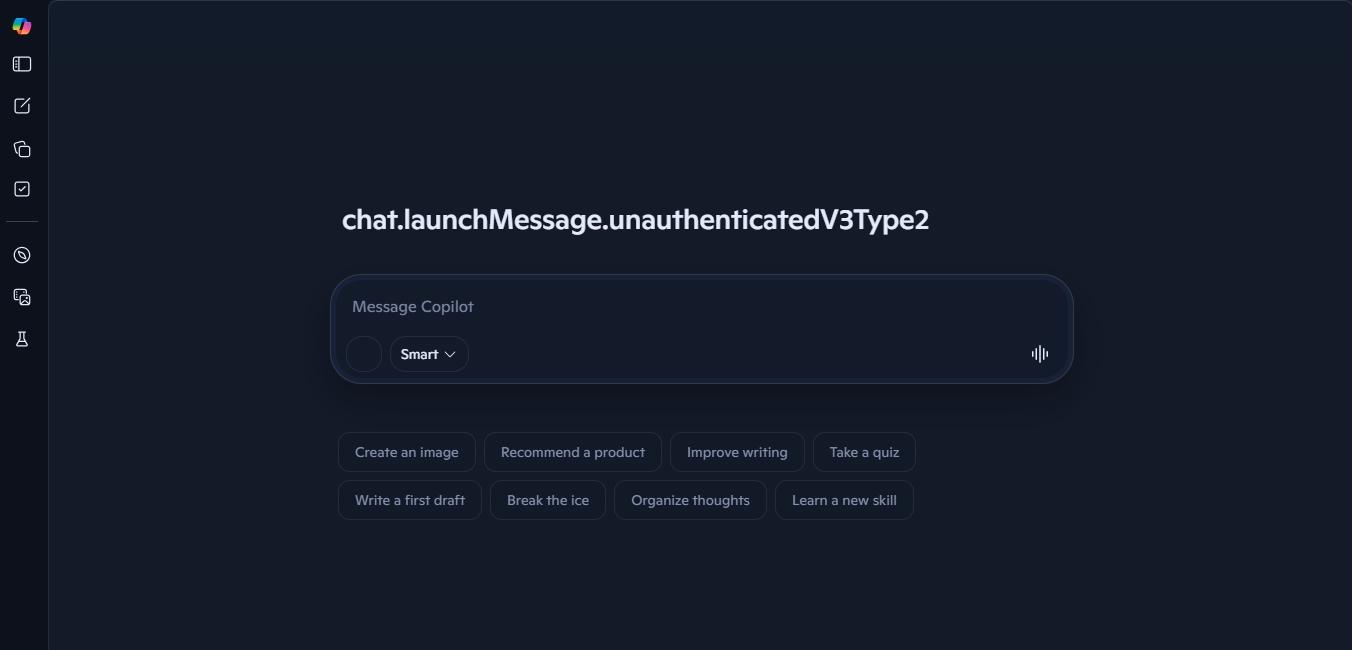
Copilot is for managers already living in the Microsoft work ecosystem. This assistant connects to your work documents and helps you do routine tasks with zero effort.
Capable of interpreting context from your Excel files and Word documents, Copilot excels at drafting emails, organizing data, and summarizing messy files.
Like other conversational AIs for executive assistants, this one has a user-focused chat interface. It learns from your interactions, understands recurring patterns, and produces personalized responses.
Standout Features
- Generative AI for writing long-form content, drafting emails, and producing marketing copy.
- AI-driven data analysis and data visualizations that help professionals find recurring patterns from large information sets.
- Teams integration for recording, transcribing, and collaborating during the meeting.
- Built-in integrations with Microsoft 365 apps, including Teams, PowerPoint, Word, and Excel.
What We Liked?
- The accuracy and relevancy of responses helped us plan projects better with half the effort.
- The LLMs retrieve context from lengthy docs. And, this shows in the conversations.
- We find it highly effective at interpreting and finding insights from large datasets.
What Could Be Better?
The performance is largely prompt-sensitive. You have to be extra careful with writing prompts, or the assistant will give you incorrect and hallucinated data.
How We Tested AI Executive Assistants?
Not all AI software for executive assistants are built equal. Here is a checklist I made to test the tools in this review guide.
- Context Handling: Check whether the executive assistant tools can handle multitasking, shifting priorities, or interruptions.
- Integrations: Test how well the AI EV integrates with your work tools, such as calendar, email, knowledge tools, and task manager.
- NLP Capabilities: Evaluate how the assistants respond to naturally sounding conversations and understand tone and context.
- Memory and Recall: Review how assistants remember your past conversations, preferences, style, and other relevant details without requiring re-prompting.
- Intelligent Scheduling: See how well the assistant understands your calendar events, check others’ availability, and find an optimal time for meetings.
- Time Management: How effective is your assistant in finding focus time and blocking time for specific activities?
What Makes a Great AI Executive Assistant?
An AI executive assistant uses artificial intelligence to automate your admin tasks. But not all AI assistants are executive assistants. For starters, a general assistant or chatbot is reactive in approach, designed to execute tasks based on your prompts. In comparison, an AI executive assistant uses a proactive and context-aware approach to tailor to specific executive needs.
Here is how you can differentiate them.
| Feature | AI Chatbots | General AI Assistants | AI Executive Assistants |
|---|---|---|---|
| Purpose | Answer questions, handle scripted queries | Executive general tasks, information retrieval | Manage, organize, and automate multi-step tasks to improve executive productivity. |
| Context and Memory | No memory | Limited memory that lasts within sessions | Memory that stays persistent across sessions, employees, and projects |
| Decision Support | Not capable of supporting decisions | Basic retrieval of information to suggest decisions | Advanced decision support with risk assessment, scenario analysis, and briefings |
| Communication Skills | Limited to scripted templates | Generic messages without context | Context-aware, relationship-aware drafts that are consistent across all channels |
| Summarization Capabilities | Limited to prompted scenarios | Basic recaps of documents and sessions | Sentimental analysis for key information extraction, actionable recommendations, and decision points |
| Userbase | General public | Knowledge workers, researchers, and freelancers | Senior leaders, project managers, and team leads |
| Adaptability | Basic learning from interactions | Intermediate learning for specific tasks | Advanced learning to deal with different independent situations |
| Workflow Automation | Not capable of automations | Simple task execution, reminders, etc. | Scheduling approvals, CRM updates, data reporting, and communication drafting |
Here are some core capabilities of an executive assistant app that may help you stay focused and productive.
Automation of Administrative and Operational Tasks
The primary reason executives use AI admin assistants is the automation. When these assistants eliminate the constant drag of repetitive tasks, leaders can focus on growth and planning. It’s as simple as entering a prompt.
Let’s say you ask the EA to enter your project's data into the workspace or find specific information from the business inventory. The AI will interpret your request using its NLP capabilities and automatically execute the task.
That’s not it. Modern AI administrative assistants have your business knowledge and context. So, in a way, they are your digital employees that you are delegating the task to, and not just generating it.
Context Awareness and Conversation Summarization
Instead of treating your conversations in isolation, AI assistants run on contextual memory. This memory has all your business details, past decisions, preferences, and stakeholders’ demands. This way, everything these assistants do, from drafting emails to scheduling meetings and writing meeting briefs, remains consistent.
But the question is, how is this memory formed? For starters, they connect to your tools, like email, calendar, messages, and workspace documents, and form a single picture about how to execute a certain task.
Let’s say tomorrow is your board meeting, and it is a follow-up on the discussion you had earlier with investors. These AI administrative assistants will check your communication channels to see conversations with specific people. They will then analyze things, like past commitments, relationship status, and action items, to craft a personal and informed meeting brief.
Workflow Integration and Productivity Support
Jumping between tasks can damage your team’s productivity. One moment, you are sending emails, and the other, juggling task lists. AI administrative assistants come to your rescue by connecting to all your work tools: emails, calendars, communication channels, and more. Once consolidated, they handle all the back-and-forth and operate inside your workflows.
For instance, they help you manage time by blocking focus time, sending meeting invites, and finding the right time for activities, all without any manual input. Similarly, these AI executive assistant apps create tasks, assign them, and monitor their progress across your project management tools.
The productivity does not end here. Managers can also train these AI admin assistants to act as their personal assistants. Ask them to make a to-do list for your workday, top priorities, internal meetings, pending actions, unread messages, and more. This way, you stay focused and don’t divert from what’s important.
Communication and Decision Support
Communications sit at the heart of executive duties. Once leaders have clarity, the decisions translate into success. And, AI assistants help you with just that.
You can draft emails using these AI admin assistants that reflect a formal tone, vocabulary, and relationship history with the recipient. Based on the content, these assistants can also analyze if the message is urgent and needs to be flagged as a priority.
Let’s say you have to detail the project expense to the investors, and this sensitive information needs a specific tone. Once the email draft is ready, the assistant will check if the message is too blunt or if it may unintentionally signal an alarm. Based on these insights, they will adjust the email accordingly.
What’s even better is that these AI administrative assistants support multi-channel communication. Depending on the context, they will draft coherent responses across email, LinkedIn, Slack, and more. This way, executives don’t send conflicting signals.
How AI Executive Assistants Are Changing Executive Work?
Today, around 65% of senior executives say that AI and predictive analysis are primary contributors to growth. AI administrative assistants have become a new norm for organizations. These tools reduce manual workload, so that you can focus on faster decision-making. Let’s see how AI executive assistants are changing how executives work.
Reducing Communication Overload
AI brings clarity to your work processes. This improves communication and improves decision-making.
Meeting Management
A problem executives face in their typical workday is information overload. Being constantly bombarded by data that is beyond one’s cognitive processing ability comes with a lot of stress, anxiety, and decision fatigue.
This is where AI executive assistants enter! For starters, these assistants are an excellent help in managing meetings. Managers can ask them to transcribe the key points and summarize them in real time.
Here, Notion AI is the top contender. Beyond transcriptions, it converts your meeting notes into actionable insights. Alternatively, Copilot works inside the Microsoft ecosystem. It pulls information from emails and documents and produces a pre-meeting brief for quick preparation.
Inbox Management
AI administrative assistants are also a great help for team leads struggling to keep up with high email volume. These tools categorize incoming messages, highlight urgent ones, and send the unnecessary emails to the spam folder.
More advanced versions can connect with your project management platforms to directly assign tasks and track progress from the incoming messages. With their NLP capabilities, managers can also draft emails with these assistants in seconds.
If your team uses Outlook, Copilot can help you summarize incoming threads or reply to messages. Similarly, with ClickUp, you can prioritize emails, categorize them, and answer them to truly experience the zero inbox.
Calendar Communication
Being an executive means spending half your day going back and forth to schedule team meetings. AI executive assistants make this easy by automating calendar management. They cross-reference multiple calendars, check availability, account for different time zones, and find the best time to have a discussion.
Assistants like Reclaim and Clockwise are a great help here. These platforms generate scheduling links that check your habits, availability, and focus time before committing to a meeting. Plus, if you are a manager and make an edit in one calendar, it will be reflected in everyone else’s calendar on the team.
Summarizing Data and Information Faster
AI tools for executive assistants help professionals across industries handle hours of recordings, a stack of messy documents, and endless content. Here is how.
Understand Trends in Real Time
Modern AI data analysts use NLP, machine learning, and agentic reasoning to derive insights from large datasets in real time. Instead of making sense of SQL or similar complex data models, these assistants understand your business goals and project objectives and translate them into your routine data-handling habits.
Smart Summarization
Information retrieval used to take hours of hard work. But AI assistants have got you covered. These tools use artificial intelligence to automatically condense extensive content into digestible, coherent summaries that capture the most important data.
You can use them to analyze source materials (documents, customer feedback surveys, sales calls) and generate concise versions. Within these summaries, you can prioritize key decisions, action items, and discussion points, as they benefit your project planning.
Automating Reports and Administrative Work
Half of your employees’ workday goes to repetitive administrative tasks. Thankfully, AI frees up this time so that you can focus on growth.
Task Automation and Work
Frequent workflow bottlenecks, be it manual data entry, lack of clarity on task assignment, or administrative activities, slow your team down. These delays restrict your potential and compromise speed. The result: delayed decisions, high stress, and missed opportunities.
This is why organizations are moving toward AI-driven automations. Today, AI administrative assistants act like your digital employees, doing routine tasks that would take eternity. So, be it document prep, data updates, task approvals, or CRM entries, almost every repetitive activity has been taken care of.
Sintra’s AI helpers work exactly like this. These helpers store your business data, interpret context from your prompts, and perform tasks. What’s even better is that you don’t have to worry about human errors, and nuanced decisions still rely on human approvals.
Project Coordination
Project managers are required to constantly juggle between projects. Manually tracking progress, sending reminders, coordinating with team members, and updating documents can be overwhelming and give headaches. AI assistants are making a difference here as well.
AI-driven solutions with project management capabilities, such as Reclaim, unify your to-do lists into a single calendar. They create project timelines with dependencies, deadlines, task durations, and milestones. Plus, managers can employ them to forecast risks, predict bottlenecks, and allocate resources optimally.
Report Generation and Note Taking
Documenting processes and updating reports is another essential aspect of project management. And, AI helps you with this as well. Your writing assistants use NLP (natural language processing) and RAG (retrieval augmented generation) to produce weekly project reports and processes in minutes.
How to Choose the Best AI Executive Assistant?
AI executive assistants have come a long way. Today, knowing how to use ChatGPT and Copilot is almost a requirement for professionals. But as a manager, you need to look beyond the general-purpose routine AI tools.
The problem: there are tons of options out there, from chatbots to AI assistants and specialized AI agents. And, not all of them are for you.
I have created a four-step process to help you decide which executive assistant tool is right for your unique requirements. So, let’s get started.
- Begin by asking yourself, what are your primary concerns? For instance, some AI assistants use your workspace data to train their model. And, if you are dealing with proprietary data, this assistant won’t be a priority.
- Once decided on the primary concern, list your goals. Are you struggling with time management, scheduling events, or project management? This will decide the core functionality of your AI. Let’s say you want to balance work life. Reclaim would be a better option. For project managers juggling between tasks, Motion AI can deliver well.
- In the third step, you check the assistant’s compatibility with your existing workflow. Ideally, you don’t have to add another layer of complexity.
- Now comes the testing step. Here, you have to check how accurate the outputs are. Sit down with your team and set a criterion. For instance, account for factors such as relevancy, context, and accuracy.
Why Teams Choose Sintra for Executive Workflows?
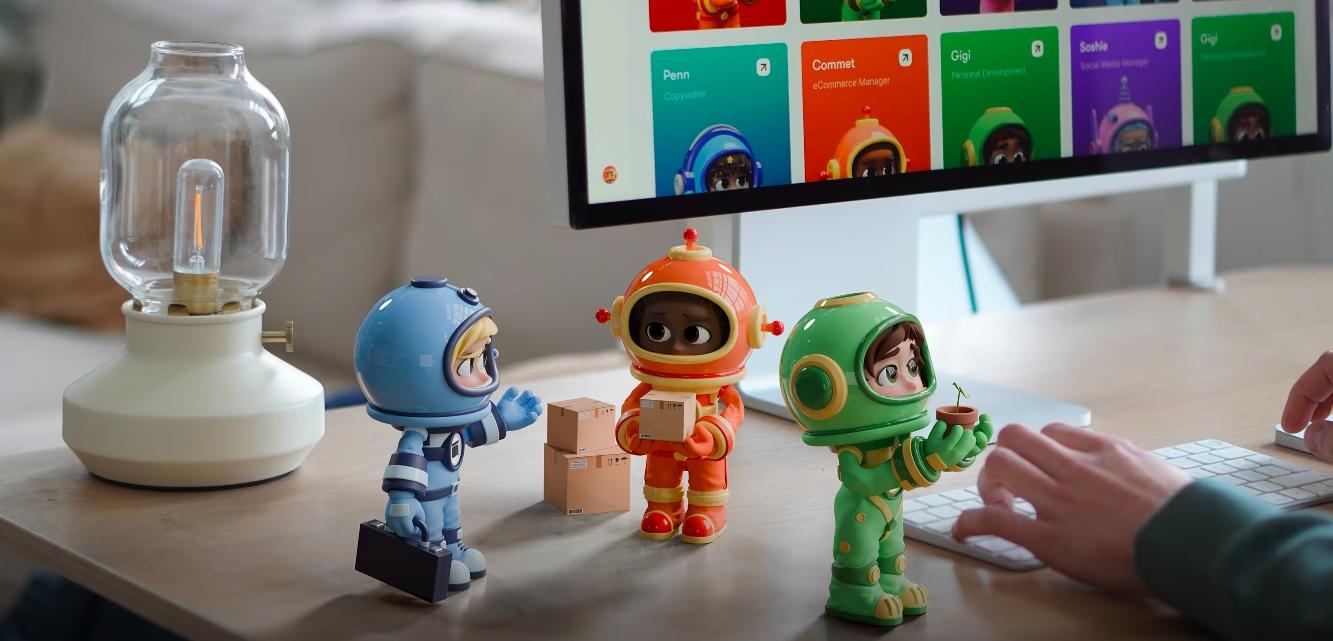
Sintra AI is an all-in-one business platform for leaders training themselves to be more proactive with AI assistance. Let’s see why teams would prefer it for automating executive workflows.
It Handles More Than Just Scheduling
Most AI executive assistants specialize in calendar management, and that’s it. They would schedule meetings, send invites, and check others’ availability. Though it’s useful, it’s only a fraction of the problems a senior professional is dealing with in a typical busy day.
Sintra is different. It goes beyond time management and becomes the operational layer that takes over the cognitive load of executives who wear many hats. For starters, its AI email assistant would draft emails, refine replies, and summarize lengthy conversations. The AI writer will document processes and prepare reports to include in your client messages.
Role-Based Assistants Support Different Business Tasks
Unlike isolated AI tools for executive assistants that specialize in a single task, Sintra has a team of autonomous role-based AI employees, each specializing in a specific function. Want to draft an email? Try Emmie. Need to plan a social media campaign? Soshie is your helper, and so on.
All these AI helpers have their own centralized memory, called Brain AI. It stores all your business details, including goals, objectives, ongoing projects, employees, and customers. From here, the AI helpers drive the context and execute tasks. This way, the result is focused, relevant, and free from errors.
It Reduces Context Switching for Executives
A day in the life of an executive is chaotic, jumping from email threads to team messages, shared documents, meetings, and more. This constant hustle drains your focus and causes decision fatigue.
These role-based AI helpers help you reduce this context switching. With these AI administrative assistants, you no longer have to put all the pieces together. What topics were discussed in the previous meeting? What’s pending in the email thread? What was the conclusion of the document? It will do everything for you: summaries, responses, or suggested actions.
So, next time you encounter an unexpected situation, you no longer have to spend hours managing information. Go ahead and act on the suggested actions.
It Supports Operational Work, Not Just Administrative Tasks
Not every manager helps with admin scheduling. Executives who already have meeting assistance need help with the operational noise: strategic planning, informed decision-making, and data analysis. Thankfully, Sintra’s AI executive assistants make sense here.
With role-based AI helpers giving data suggestions, actionable insights, and board-ready reports, leaders become proactive in dealing with unexpected situations.
Ready to Upgrade Your Executive Workflow?
There you have it - all about the best AI assistants for executives. Employing these tools is an excellent way to manage time, people, and resources. However, if you want to go a step further, autonomous role-based AI employees from Sintra might be a better help. They think independently, learn over time, and adapt to your unique business requirements.
Get started with Sintra AI today, and see if it works for you.
AI Executive Assistant FAQs
What is the best AI administrative assistant?
For administrative work, Sintra AI is the strongest all-round AI administrative assistant, because it automates repetitive admin tasks like drafting reports, organizing inboxes, and updating records across your tools. Motion and Reclaim are better if your admin load is mostly calendar and scheduling, while ChatGPT and Copilot handle ad-hoc document and email drafting. The best AI tools for executive assistants pair task automation with context awareness, so the assistant learns how you work instead of waiting for step-by-step instructions.
How do AI executive assistants help executives save time?
AI executive assistants help leaders save time by automating routine tasks, such as scheduling events, booking meetings, sending invites, managing communication, and summarizing documents. With the free time, executives can focus on growth.
What is the best AI assistant for CEOs and founders?
CEOs and founders usually need an AI assistant that goes beyond scheduling to handle operations, reporting, and decision support. Sintra AI fits that best, since its role-based assistants cover marketing, sales, support, and admin from one place, which suits a founder wearing multiple hats. For calendar-heavy executives, Motion and Clockwise are strong, and for meeting-heavy roles, an AI meeting assistant like Clockwise or Reclaim helps protect focus time.
Are AI executive assistants safe to use with business data?
Generally, using an AI executive assistant is safe. However, you need to ensure the assistant supports enterprise-grade security standards and industry-level data protection protocols.
Are AI executive assistants better than human assistants?
None is better than the other. Rather, AI executive assistants help your human assistants become more efficient and proactive in handling routine work. The AI takes over the repetitive tasks, so humans can focus on making complex judgments, approving drafts, and developing emotional intelligence.
Related articles


