How an AI Social Media Manager Works, From Brief to Published Post


Table of Contents
AI social media management means software plans, writes, designs, and schedules your posts from a brief. You set the direction, and by default each post waits for your approval before it goes live.
Plenty of guides compare tools. This one follows a single post through every stage instead, showing who does what along the way. The examples use Soshie, the AI Social Media Manager inside Sintra AI.
When owners ask me where to start, my answer is always the same. Teach it your business first, then approve every post for the first few weeks. The brief is where your direction lives.
What is an AI Employee for social media?
An AI Employee is software that runs one business role for its owner, within the owner's rules. For social media, that role covers planning, writing, designing, and publishing posts. Because it arrives pre-built for the role, the only thing you teach it is your business. Your brand and knowledge live in a memory you can see and edit, and posts go out from your own accounts once you approve them. You can ask for work when you need it, schedule it, or tie it to a trigger, and it builds context from every chat.
Sintra AI builds AI Employees for business owners.
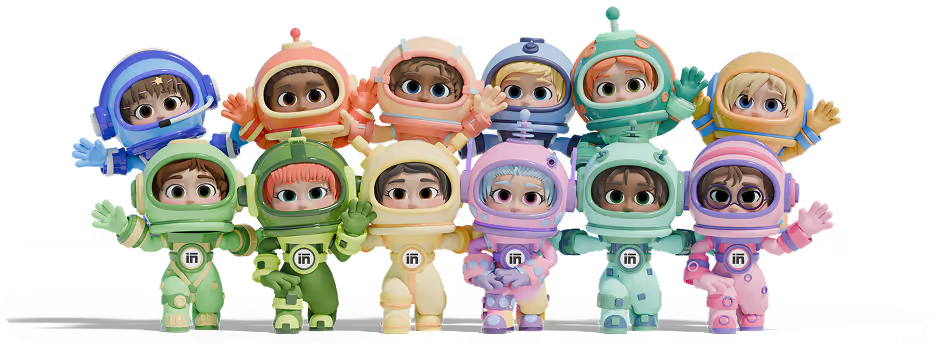
In Sintra AI, the social media role belongs to Soshie, one of 12 AI Employees.
A scheduling tool can only post what you've already written. Soshie handles the planning, writing, and design before anything reaches the schedule.
The 7 stages from brief to published post
In AI social media management, you own 3 decisions: the brief, the approval, and next steps. Soshie and her teammates handle the rest.
| Stage | What you do | What Soshie does | Teammates who help |
|---|---|---|---|
| 1. Set up | Answer questions about the business. Upload logos and photos | Builds your Brand Kit in Brain AI | None |
| 2. Brief | Name the goal, offer, dates, and platforms | Reads the brief against your Brand Kit | Buddy, the AI Business Growth Strategist, for strategy |
| 3. Plan | Approve or swap themes | Drafts a content calendar | None |
| 4. Draft | Nothing yet | Writes captions, designs images, and makes short videos | Penn, the AI Copywriter, for longer copy |
| 5. Review | Edit, approve, or reject each draft | Notes your edits for future posts | None |
| 6. Publish | Nothing | Schedules and publishes approved posts | None |
| 7. Respond and learn | Decide what to change | Turns common questions into new posts | Cassie for comments and DMs. Dexter for reports |
Stage 1: Set up Brain AI once
Setup happens once per business, not once per post: Soshie starts by asking about your business, and your answers become the Brand Kit.
Brain AI has 3 parts: the Brand Kit, the knowledge base, and Memory. The Brand Kit holds your business description, tone of voice, brand details, and images. Because the Brand Kit changes only when you ask, your voice stays consistent from one post to the next.
The knowledge base holds your uploaded documents, images, and PDFs. Memory saves notes from your past chats, so you don't have to explain things again.
Every AI Employee in Sintra AI draws on the same Brain AI. Tell it something once, and your whole AI team will remember. The edits you make on early drafts turn into notes, which is why later drafts tend to need fewer changes.
Running 2 businesses? Give each one its own workspace. Each workspace has its own plan and its own Brain AI.
Stage 2: Write the brief
A brief tells Soshie what one batch of posts must achieve, and for whom. A short, specific brief works better than a long, vague one.
A useful brief answers 6 questions:
- Goal: What should happen after someone sees the post?
- Offer: What are you promoting?
- Audience: Who should see it, and what do they already know about you?
- Dates: Is there a launch, deadline, or event?
- Platforms: Which of your accounts should carry it?
- Rules: What must every post include, and what must it avoid?
Here's an illustrative brief from a florist:
Goal: fill 20 seats at our December wreath workshops.
Offer: 2-hour wreath-making classes on Saturdays.
Audience: local adults who already follow us.
Platforms: Instagram and Facebook.
Include: last year's workshop photos and the booking link.
Avoid: discount language. Seats are limited, not on sale.
That's 6 lines, and Soshie now has a goal to write toward and rules to write within.
Stage 3: Plan the calendar
Soshie turns the brief into a content calendar: themes, post types, and dates for each platform. You can ask for a weekly plan, or for one-off posts when something comes up.
Change the plan before drafting starts, since swapping a theme at this point is far quicker than rewriting a batch of finished posts. Our content calendar guide shows a full month planned out.
Stage 4: Draft posts and visuals for each platform
Soshie writes the captions, designs the images, and makes short videos for each platform. Images come from AI generation, your own photos, or both, with design elements added. Video starts as a storyboard, then becomes a text-to-video clip.
Each platform gets its own version, because one caption rarely fits all 5.
| Platform | What Soshie publishes |
|---|---|
| Scheduled posts to your page | |
| Scheduled feed posts | |
| Posts to your personal profile or business page | |
| TikTok | Scheduled posts |
| YouTube | Scheduled posts |
For longer pieces, Penn, the AI Copywriter, can take on the writing.
Stage 5: Review and approve every draft
Social posts arrive as drafts, and by default nothing goes live until you approve it. Once you do, Soshie schedules and publishes the post.
Review is where you add what an AI can't know. Use this checklist on every batch:
| Check | Why check it |
|---|---|
| Facts and details | Drafts can repeat details that are out of date |
| Links | People who click should reach the right page |
| Offer terms | Dates, limits, and conditions must match the real offer |
| Photos and quotes | Customer photos and testimonials need permission |
| Voice | Read it aloud. Would you say it that way? |
| Timing | Check each post against news and local events that week |
Edit a draft and Soshie notes the change for next time, so each new batch arrives a little closer to ready.
Per Sintra AI site data, 46% of the drafts Soshie generates across Sintra AI get published, and your review is what decides which ones make that cut.
Stage 6: Schedule and publish
Approved posts join the schedule. Soshie publishes them to your connected accounts at the set time.
Recurring work can run as automations. Automations run daily, weekly, monthly, or yearly, or on a trigger such as a new booking. A weekly automation can draft next week's posts every Monday, ready for your review.
Stage 7: Comments, DMs, and results
Once posts go live, the replies and results help you write the next brief.
Cassie, the AI Customer Support Specialist, can auto-respond to Facebook comments and draft replies to DMs you paste in from other platforms. Complaints and sensitive comments are yours to answer.
Dexter, the AI Data Analyst, pulls numbers from shared data and connected tools, your social accounts included, and runs scheduled reports. Reporting sits with Dexter rather than with the social media role.
Questions that keep coming up in your comments often make the strongest posts of the month. Hand them to Soshie as next week's brief.
One brief, start to finish: a worked example
Here's the florist's brief from Stage 2, followed through one illustrative week.
- Monday: You send the brief. Soshie drafts a plan for 6 posts across Instagram and Facebook.
- Tuesday: You swap one theme for a behind-the-scenes post. Soshie drafts captions, plus 3 images built from last year's workshop photos.
- Wednesday: You fix one date and approve the rest. Soshie schedules all 6.
- Thursday: The first 2 posts go live. Cassie answers the Facebook comments asking where to park, using details from your knowledge base. You spot-check her replies that evening.
- Friday: Dexter's weekly report shows the behind-the-scenes post drew the most clicks. You ask Soshie for 2 more like it.
Your part was 3 decisions: the brief, the edits, and the next request.
What an AI social media manager does not do
An AI social media manager handles the repeat work, not your judgment.
- By default, nothing publishes without your approval.
- Reels and Stories still need posting by hand.
- Complaints, crises, and controversy stay with you.
- Real photos of your work still come from you.
- Early drafts need more edits while Soshie learns your voice.
Soshie by the numbers
Sintra AI site data from September 2026 puts Soshie at 3.6M published posts, spread across 253K connected social accounts. Those posts have gone on to draw 786M views and 11.1M interactions.
"I am super impressed with the platform ease, how it creates content and verbiage in my voice and how simple it is to schedule. [...] This has saved me 15 hours easily per week in my business." Sintra AI customer, on sintra.ai
Our AI for social media guide covers the wider picture, and our AI Employee guides go deeper on the rest of the team.
FAQ
What is AI social media management?
AI social media management is when software plans, writes, designs, and schedules posts from your brief. By default, you approve each post before it publishes.
Can an AI social media manager post without my approval?
Not by default. In Sintra AI, social posts arrive as drafts. Soshie publishes what you approve.
Can ChatGPT post to social media?
ChatGPT can draft a post, but publishing needs a tool connected to your social accounts. Soshie works inside your connected accounts and keeps your brand in Brain AI.
What does an AI social media manager leave to you?
An AI social media manager takes the repeat work, like drafting and scheduling. You keep the strategy, the approvals, and the judgment calls.
Which platforms does Soshie post to?
Soshie schedules and posts to Facebook, Instagram, LinkedIn, TikTok, and YouTube. She cannot post Reels or Stories directly.
How does an AI social media manager learn my brand voice?
Soshie reads your Brand Kit in Brain AI: your business description, tone of voice, brand details, and images. Edits you make on drafts become notes for future posts.
Who reports on social media results?
Dexter, the AI Data Analyst, runs scheduled reports from your connected social accounts. Reporting is Dexter's job, separate from the social media role.
Sources: Sintra AI site data (all-time totals, as of September 2026).
Meet Soshie, the AI Social Media Manager, and see the other AI Employees on her team.
Related articles