



Best AI Apps for iPhone in 2026: We Tested & Ranked the Top 6 iOS Apps

Table of Contents

TL;DR - What's the Best AI App for iPhone
The best AI app for your iPhone depends on what you want to use it for. Let's break it down.
If you're doing research, Perplexity is the way to go. But if you're looking to write or chat, you might want to consider ChatGPT or Claude, they're both great options. And if you're running a business from your phone, Sintra AI is definitely the strongest choice out there for iOS.
Here are our top choices:
- Sintra AI – Best for running business tasks from iPhone with role-based AI assistants.
- ChatGPT – Best all-round AI app for writing, research, voice, images, and productivity.
- Claude – Best for long documents, careful writing, and deep reasoning.
- Gemini – Best for iPhone users working in Gmail, Docs, Drive, and Calendar.
- Grok – Best for real-time X trends, social insights, and breaking news.
In 2025, downloads of Generative AI apps doubled over the year. It reached 3.8 billion worldwide. That shift is happening at the organizational level too - 71% of companies now regularly use gen AI in at least one business function, up from 33% just a year earlier. Your iPhone can now write emails, research competitors, draft pitches, and reply to customers; all in minutes.
Whether you want the best AI for iPhone, a solid chat AI for daily tasks, or free AI iOS apps to try before paying, there's a strong option for every use case. We tested the top options and ranked the six best AI iPhone apps for 2026.
One in the list that stands out is Sintra AI. It works like a team of AI employees rather than a single chatbot. Whether you're a business owner, a student, or just someone looking to make your life easier, these apps are definitely worth checking out.
| App | Primary Use Case | Strongest Feature | Best For | Free Version |
|---|---|---|---|---|
| Sintra AI | Business workflows & operations | Specialized AI assistants by role | Founders, operators, marketers | No |
| ChatGPT | General-purpose assistant | Versatility across all tasks | Students, professionals, creators | Yes |
| Claude | Long-form reasoning & writing | Deep document analysis | Researchers, writers | Yes |
| Gemini | Google ecosystem productivity | Multimodal + Google Workspace | Google users, professionals | Yes |
| Grok | Real-time info & conversation | Live data from X/social media | News followers, social pros | Yes |
| Perplexity | Research & fact-checking | Cited, source-backed answers | Researchers, students | Yes |
Best AI Apps for iPhone in 2026 (Ranked and Tested)
We didn't just pick these top AI apps for iPhone out of thin air, though. We actually tested each one on a real iPhone, evaluating how well they responded, how easy they were to use, how much they improved productivity, how fast, and how reliable they were. We put them through their paces on a range of tasks to see which came out on top.
So, if you're looking for the best AI apps for your iPhone right now, these are the ones to check out.
1. Sintra AI
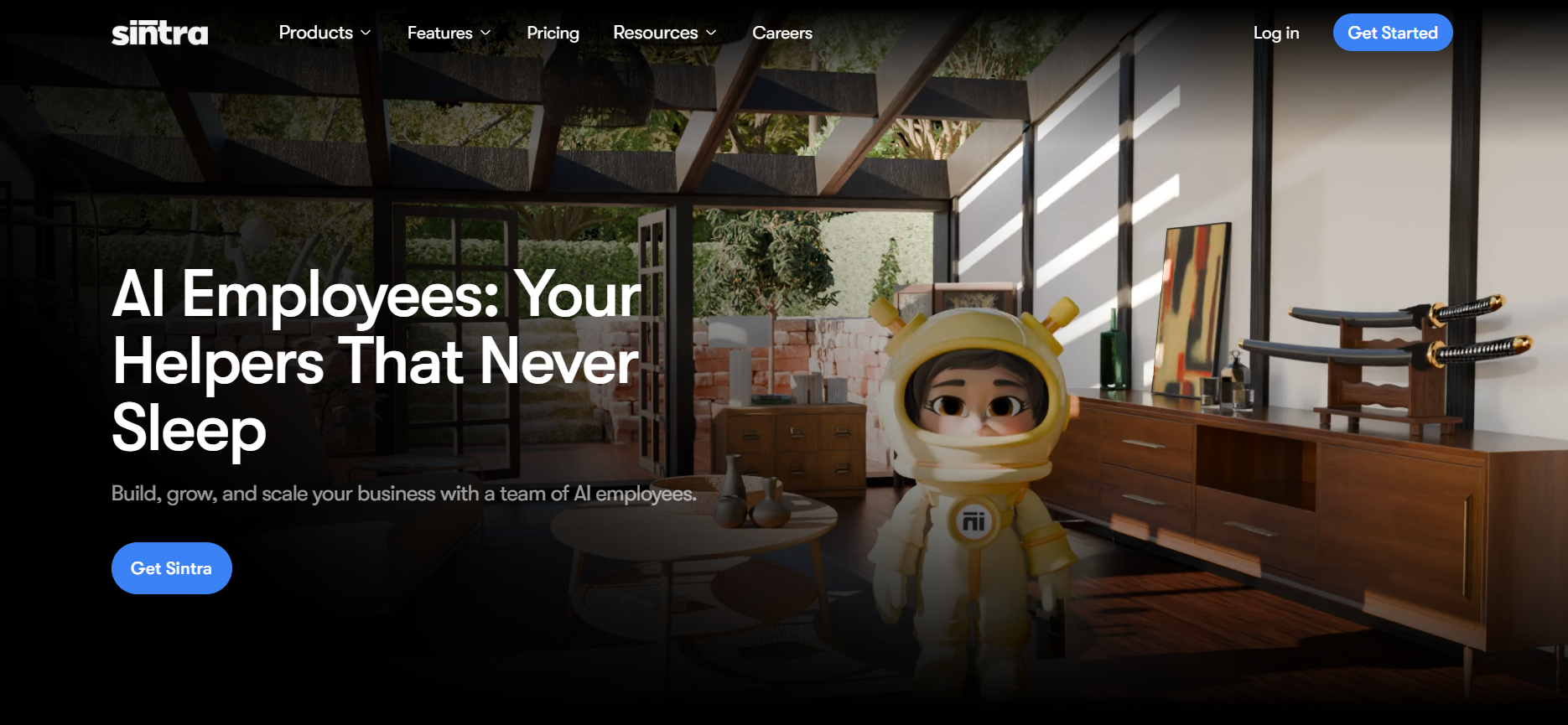
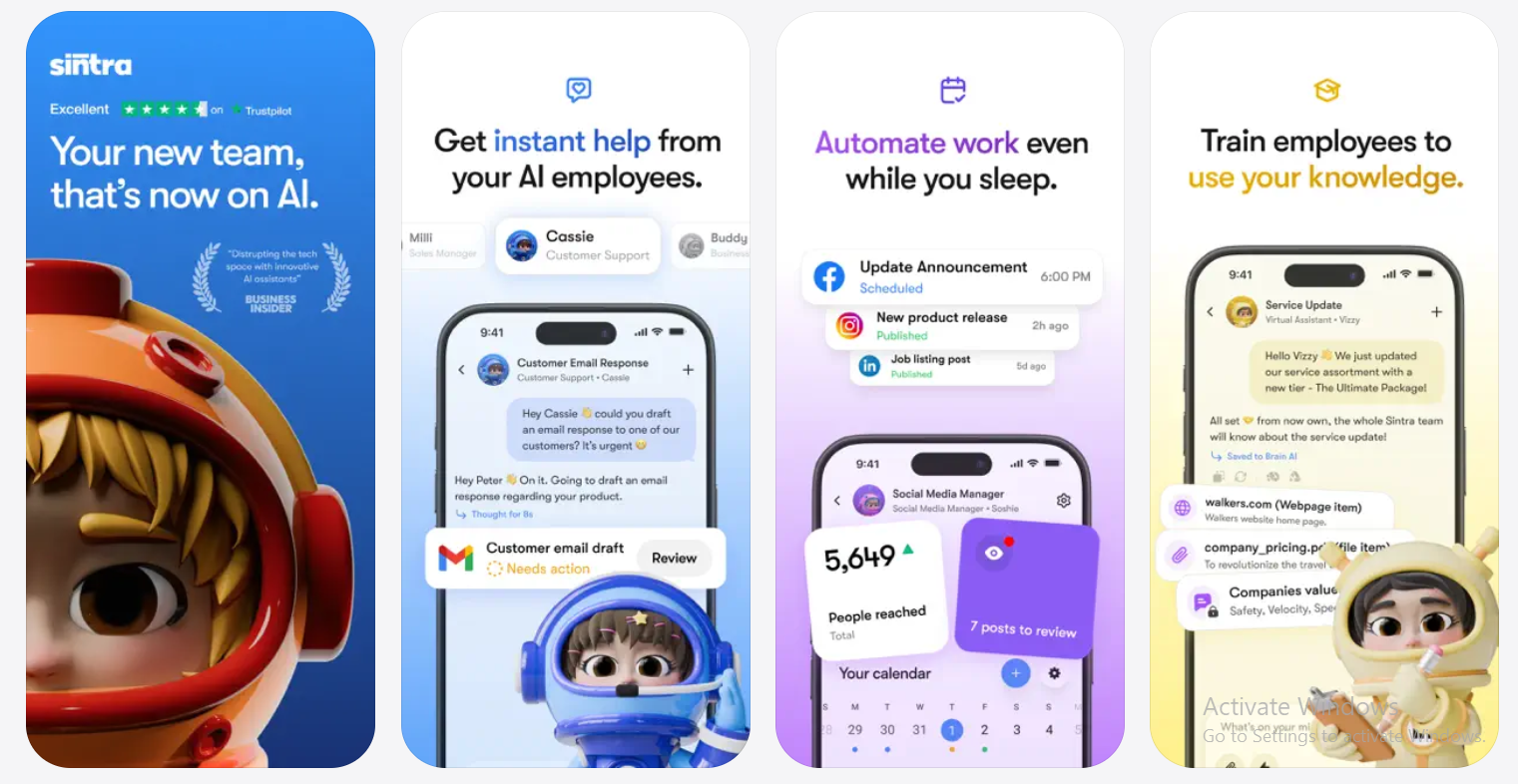
Sintra AI isn’t just a chatbot app. It’s our mobile business hub for managing AI employees from anywhere. The app gives you access to 12 specialized AI assistants for sales, marketing, support, SEO, email, content, data, recruiting, and operations, all inside a simple chat-based workspace.
The app supports an operational system where each helper owns a clear business role. You can create tasks, schedule them, review outputs, switch workspaces, and keep daily work moving from your phone. Brain AI keeps your business context, files, tone, and instructions in one place, so your employees do not start from scratch each time.
For mobile use, the value is simple: you can manage your AI team, check work, and push business tasks forward wherever you are.
Get on App Store
Get on Google Play
Key Features
- Role-based AI assistants: marketing, writing, support, and ops, each handled separately.
- Brain AI ingests your business data so every response is company-specific, not generic.
- Draft posts, copy, customer replies, and documents from one iPhone interface.
- No prompt engineering needed, assistants come pre-trained for their function.
Customer sentiment
| What They Liked | What They Disliked |
|---|---|
| Replaces multiple tools with one focused platform | Steeper learning curve than a simple chatbot |
| Outputs real business content, not just suggestions | Overkill if you only need casual AI conversations |
| Brain AI makes responses feel company-specific | Takes a few minutes to set up assistants properly |
| Built for operators who want output, not chat | Less suited for personal or non-business tasks |
Pricing
No free tier; Single Helper is $39/mo (~$16/mo billed annually) and Sintra X (all 12 helpers) is $97/mo (~$39/mo billed annually).
Who Is It Best For?
Founders, marketers, and operations leads who need to get real business work done from their iPhone, not just chat with an AI.
How to Get Started
Visit sintra.ai, create a free account, pick your assistants, and start delegating tasks immediately.
User Reviews
Founders say it significantly reduces repetitive content work. The consistent feedback: it completes tasks instead of just suggesting them.
2. ChatGPT
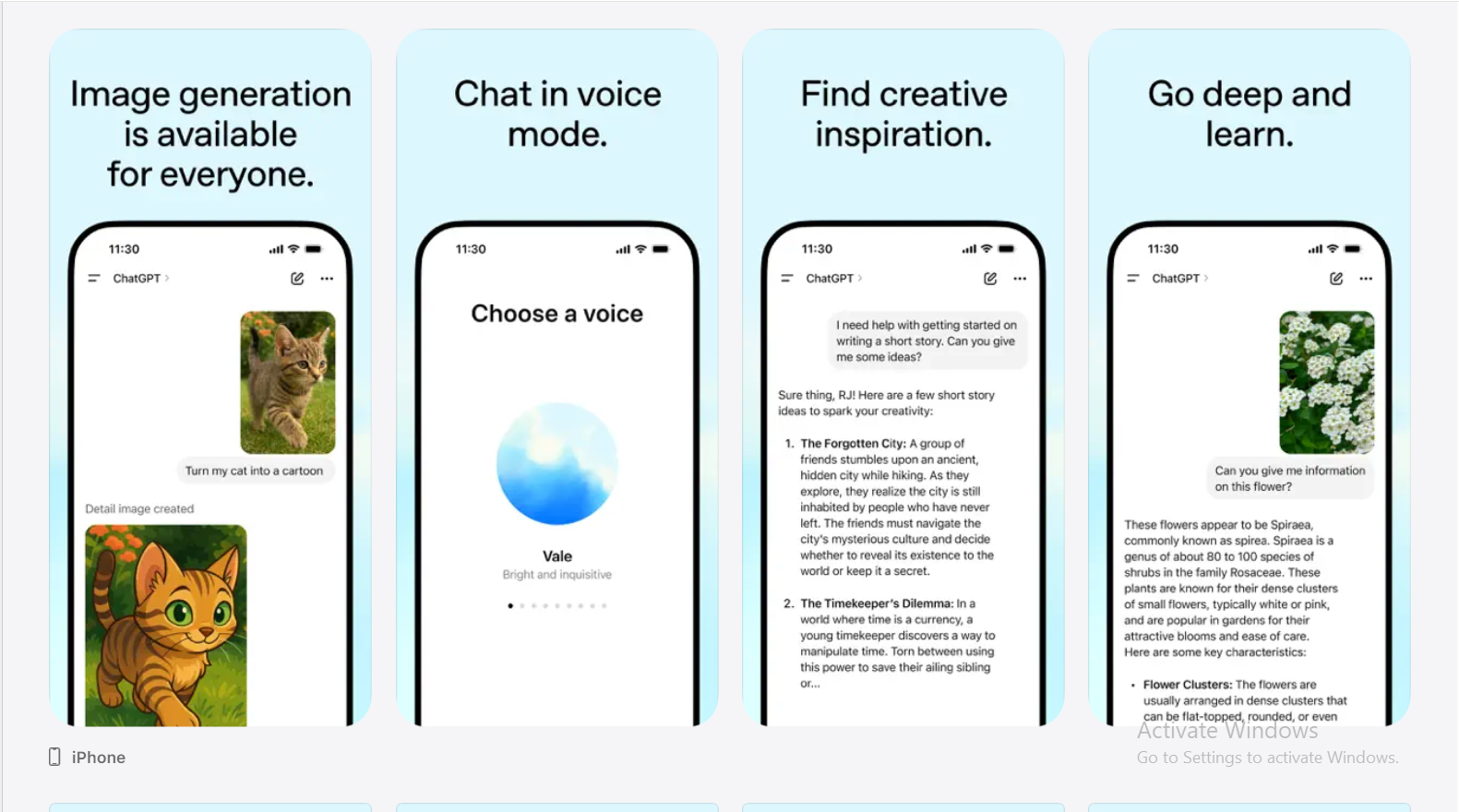
ChatGPT is OpenAI's flagship app and the most widely used AI for iPhone today. It became the fastest-growing consumer app of all time, hitting 100 million users in just two months.
Powered by GPT-5 on iOS, it handles voice, image generation, file analysis, and everyday tasks in one place. AI chatbots like ChatGPT can help users find information, create images and videos, generate research reports, and process files; all from a single mobile interface. AI chatbots can generate lifelike images and videos, and ChatGPT's built-in image tools on iPhone are among the best available.
Key Features
- GPT-5 delivers faster, sharper responses than earlier versions.
- Real-time voice conversations work completely hands-free on iPhone.
- Image generation and analysis are built directly into the mobile app.
- Chat history syncs automatically across iPhone, iPad, and web.
Customer sentiment
| What They Liked | What They Disliked |
|---|---|
| Handles almost any task from one app | Best models locked behind the $20/month plan |
| Voice mode is polished and hands-free ready | Slower responses for free users at peak times |
| Zero setup; open and start typing | Requires the internet for everything |
| Works for writing, coding, research, and planning | Feels broad for users who need specialist depth |
Pricing
Free tier available; Plus is $20/mo, Team is $25/user/mo, and high-compute Pro is $200/mo.
Who Is It Best For?
Everyone! Students, professionals, developers, and creatives. ChatGPT is much more attractive from a value standpoint if you can get by with just the integrations it supports. The best starting point if you're new to AI apps, iPhone users rely on them daily.
How to Get Started
Download from the App Store, sign in with a free OpenAI account, and start typing or talking.
User Reviews
Users call it easy for beginners, thanks to its "fast response time and great early-stage idea planning." The voice mode gets consistent praise for iPhone use.
3. Claude
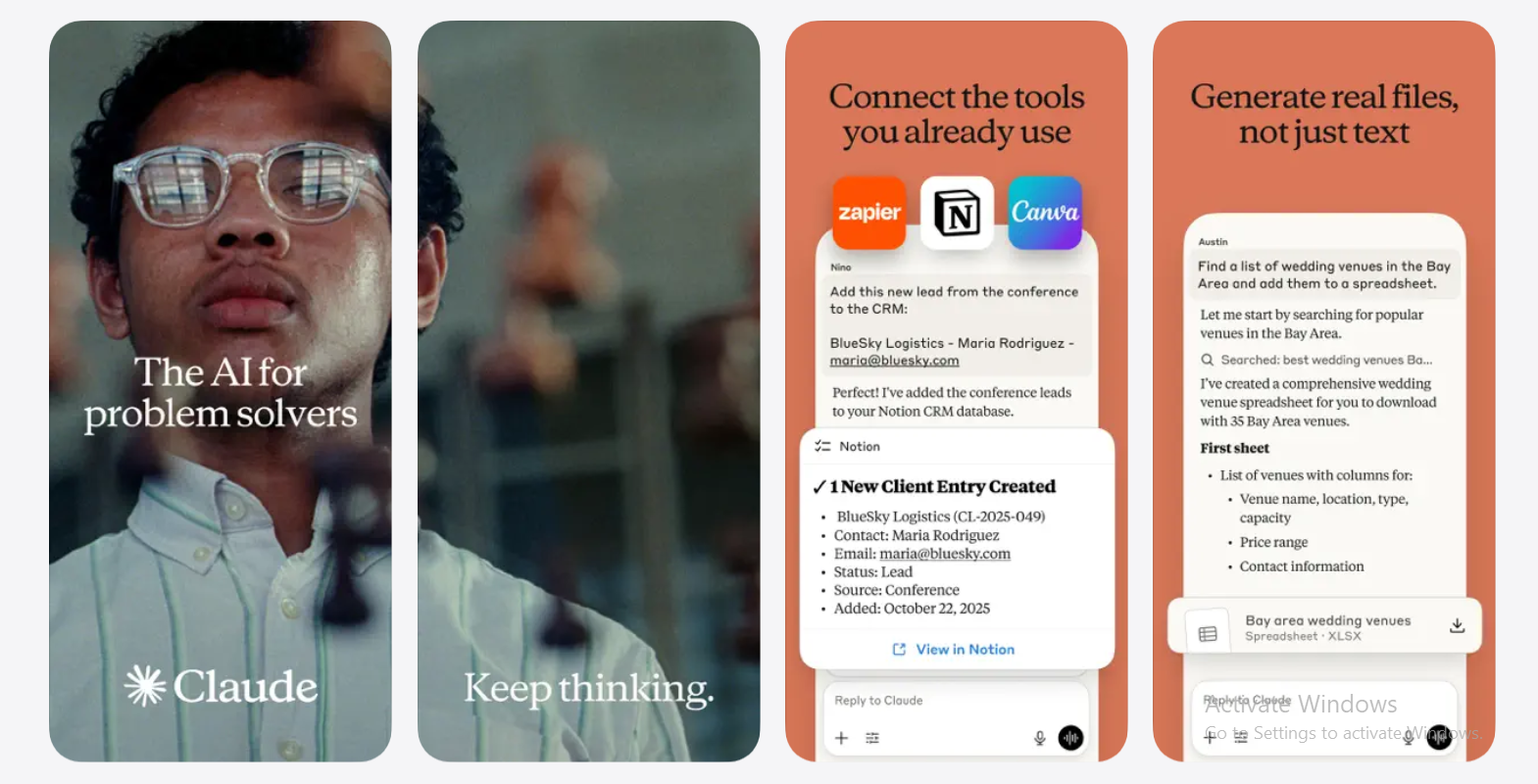
Claude is Anthropic's best AI chatbot for deep thinking over quick answers. It handles long documents, complex reasoning, and careful writing better than most apps on this list. Claude automatically deletes conversation history within a month and encrypts user data, making it the most privacy-focused AI app on iOS. Its defining attribute is how it handles your data; more carefully than any competitor.
Key Features
- The extended context window reads entire contracts, reports, and books without losing detail
- Voice input, PDF uploads, and image analysis all work natively on iPhone
- Translates across 100+ languages in the same conversation
- Connects to Google Workspace for Docs and Gmail users
Customer sentiment
| What They Liked | What They Disliked |
|---|---|
| Best-in-class for long document analysis on iPhone | No image generation; text output only |
| Responses are careful and genuinely context-aware | Free tier message limits hit fast |
| Strong privacy; auto-deletes chats every month | Daily users will quickly need the $20/month plan |
| Ideal for nuanced writing and in-depth research | Less versatile than ChatGPT for casual everyday tasks |
Pricing
Free tier available; Pro is $20/mo and heavy-usage Max tiers range between $100–$200/mo.
Who Is It Best For?
Researchers, writers, lawyers, and analysts who work with long documents or need thoughtful, nuanced responses.
How to Get Started
Download Claude from the App Store, sign in for free, then test it with a document upload or a complex question; that's where it shines.
User Reviews
App Store reviewers consistently call Claude the most stable and crash-free AI app on iPhone. Users with accessibility needs also highlight its clean iOS integration.
4. Gemini

Gemini is Google's AI assistant for iPhone and one of the strongest artificial intelligence apps for iPhone if you live in the Google ecosystem. It reached more than 450 million monthly users in 2026, largely because it connects directly to Gmail, Google Docs, and Calendar — tools millions of iPhone users already rely on every day. Gemini offers the strongest value of any AI chatbot for users already inside Google's ecosystem. Most AI chatbots integrate with apps you already use, and Gemini does this better than almost anyone inside Google Workspace.
Key Features
- Pulls directly from Gmail, Google Docs, and Calendar to answer questions about your own data.
- Live Camera mode reads text in photos and identifies objects in real time on iPhone.
- Handles text, voice, image, and audio inputs natively; fully multimodal.
- Google Search integration delivers up-to-date answers beyond the scope of training data.
Customer sentiment
| What They Liked | What They Disliked |
|---|---|
| Best Google Workspace integration of any AI app | Free tier uses Flash 2.0; noticeably weaker |
| Live Camera mode adds real mobile utility | Can produce confident-sounding wrong answers |
| Summarizes emails and drafts replies in seconds | Loses its edge significantly outside Google tools |
| Instant setup if you already have a Google account | Full capabilities need the $19.99/month plan |
Pricing
Free tier available; AI Premium (or Pro) is $19.99/mo (includes 2TB Google Drive storage).
Who Is It Best For?
iPhone users are already in the Google ecosystem; anyone working daily in Gmail, Docs, Drive, or Calendar.

How to Get Started
Download the Gemini app, sign in with your Google account, and ask it to summarize your recent emails as a first test.
User Reviews
Google Workspace users rate it highly for time savings in email and document workflows. Those outside the Google ecosystem find its advantages drop off significantly.
5. Grok
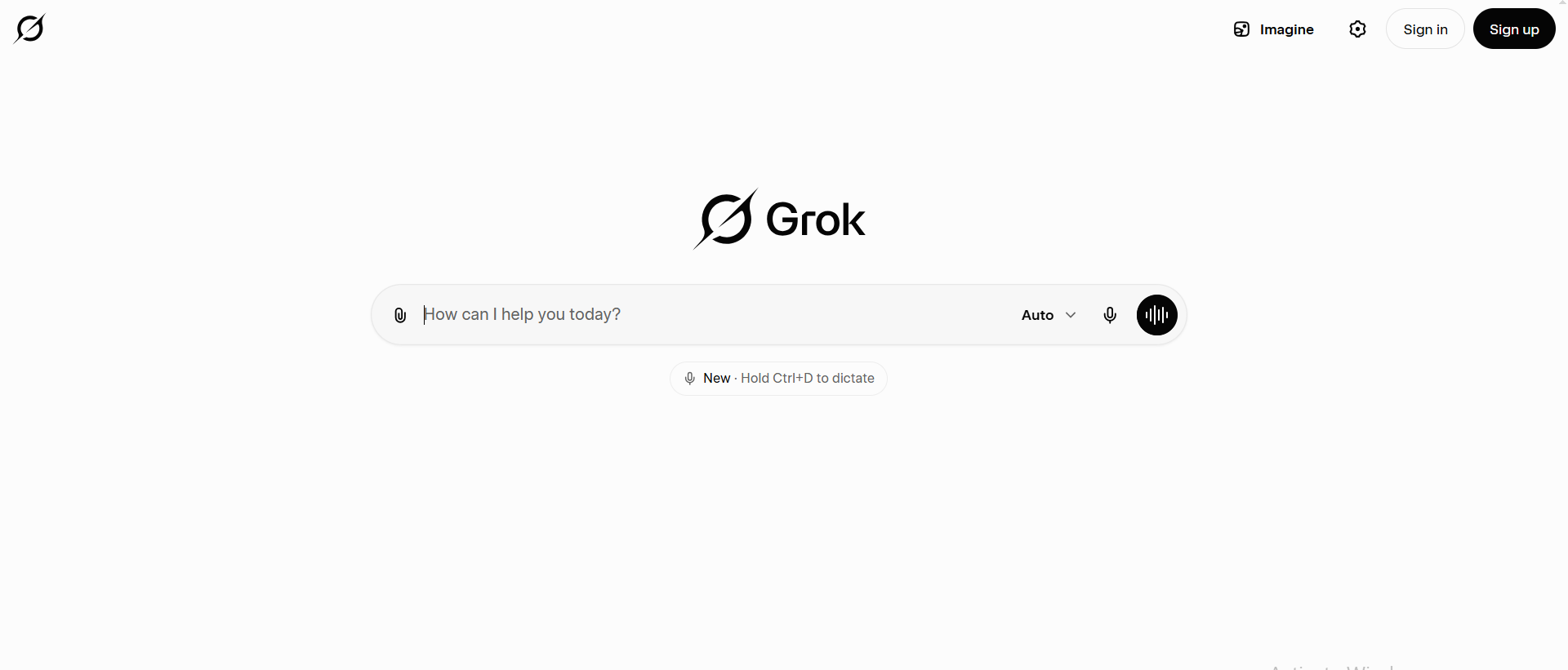
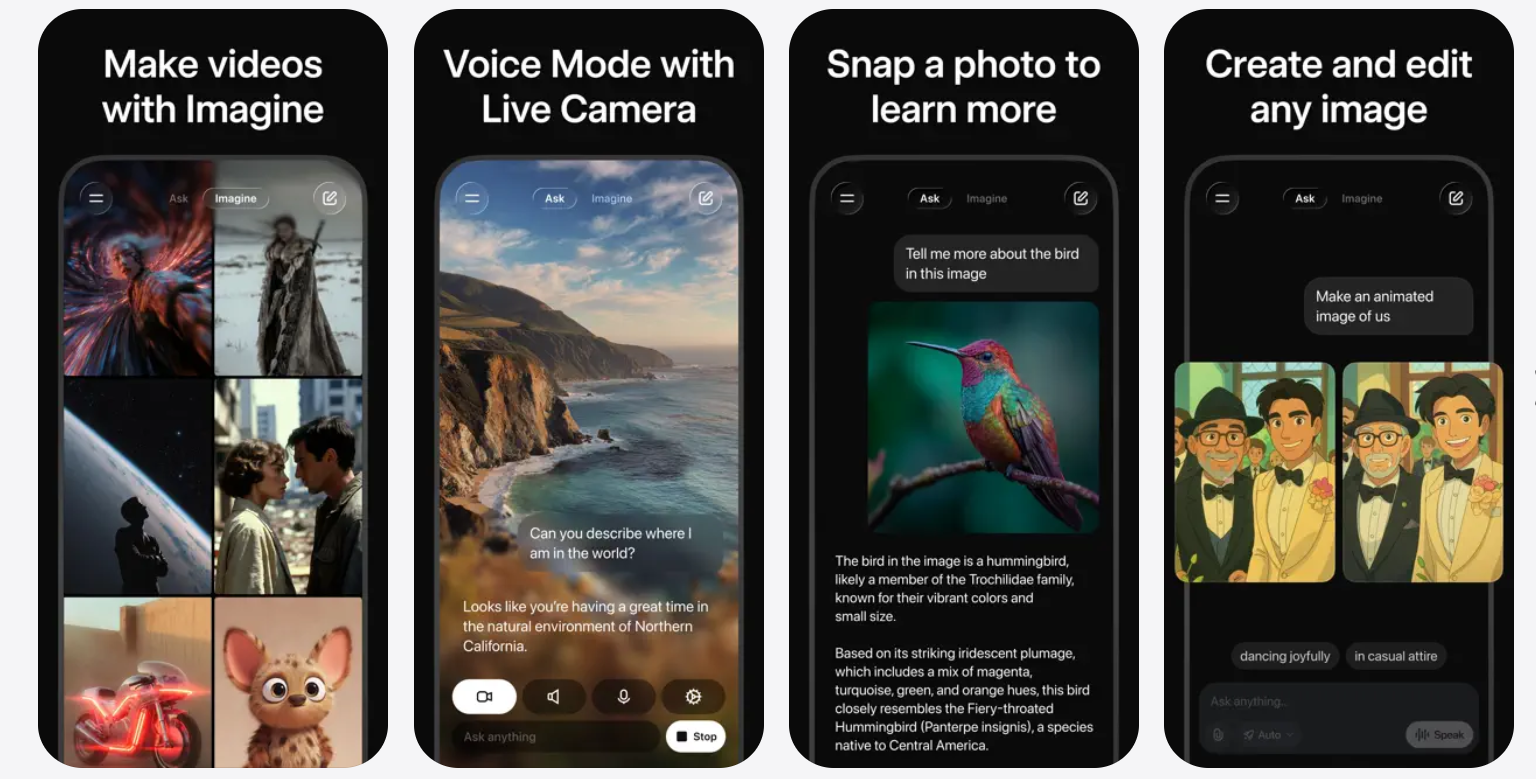
Grok is xAI's AI assistant with one clear edge over every other AI app for iPhone: it's free to start, and it automatically searches X when responding to prompts, pulling live social data rather than relying on a fixed knowledge cutoff. No other app on this list does this.
Grok performs competently in complex reasoning, file processing, and web searching, but its real-time social access is what sets it apart. It's also worth noting that Grok is the only chatbot on this list that allows explicit content, a deliberate product decision by xAI that's relevant context for users evaluating it.
Key Features
- Real-time access to X data, like trending topics, live sentiment, and breaking news.
- Web search integration for current answers beyond training data.
- Casual, direct conversational tone; less corporate than most AI assistants.
- Available as a standalone app or inside the X app on iPhone.
Customer sentiment
| What They Liked | What They Disliked |
|---|---|
| Real-time social and news data is a genuine edge | SuperGrok at $30/month is pricier than competitors |
| Conversational tone feels natural and informal | Weak at document analysis and long-form writing |
| Great for tracking brand mentions and trends | Free tier on X is quite limited |
| No knowledge cutoff for social and news topics | Narrower use case than most apps on this list |
Pricing
Free tier available via the X app; standalone SuperGrok is $30/mo.
Who Is It Best For?
Social media managers, journalists, marketers, and heavy X users who need real-time information fast.
How to Get Started
Download the Grok app from the App Store, or access it directly through the X app, and sign in with your X account.
User Reviews
Social media professionals praise it for real-time trend awareness. Users expecting deep writing or document work find it underpowered compared to Claude or ChatGPT.
6. Perplexity
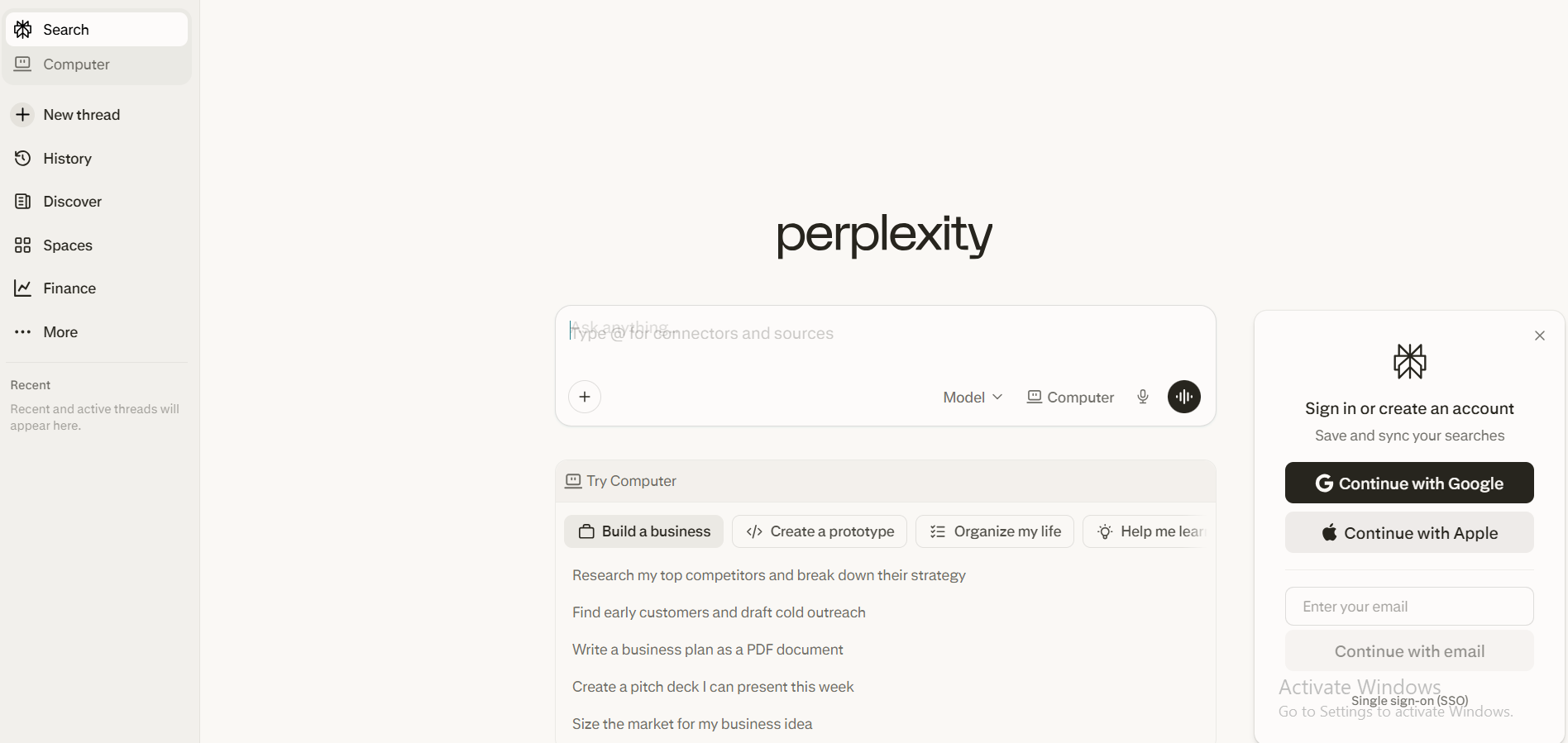
Perplexity is an answer engine, not a chatbot. It's one of the best AI apps for iPhone, free to start, and it searches the web first before giving you a cited, sourced response.
Perplexity reached a $20 billion valuation in early 2026, processing over 780 million queries monthly, because sourced answers beat guesswork for anyone doing real research. Perplexity supports models from a range of AI companies, including Google and OpenAI, making it a great place to compare models in a single app.
Key Features
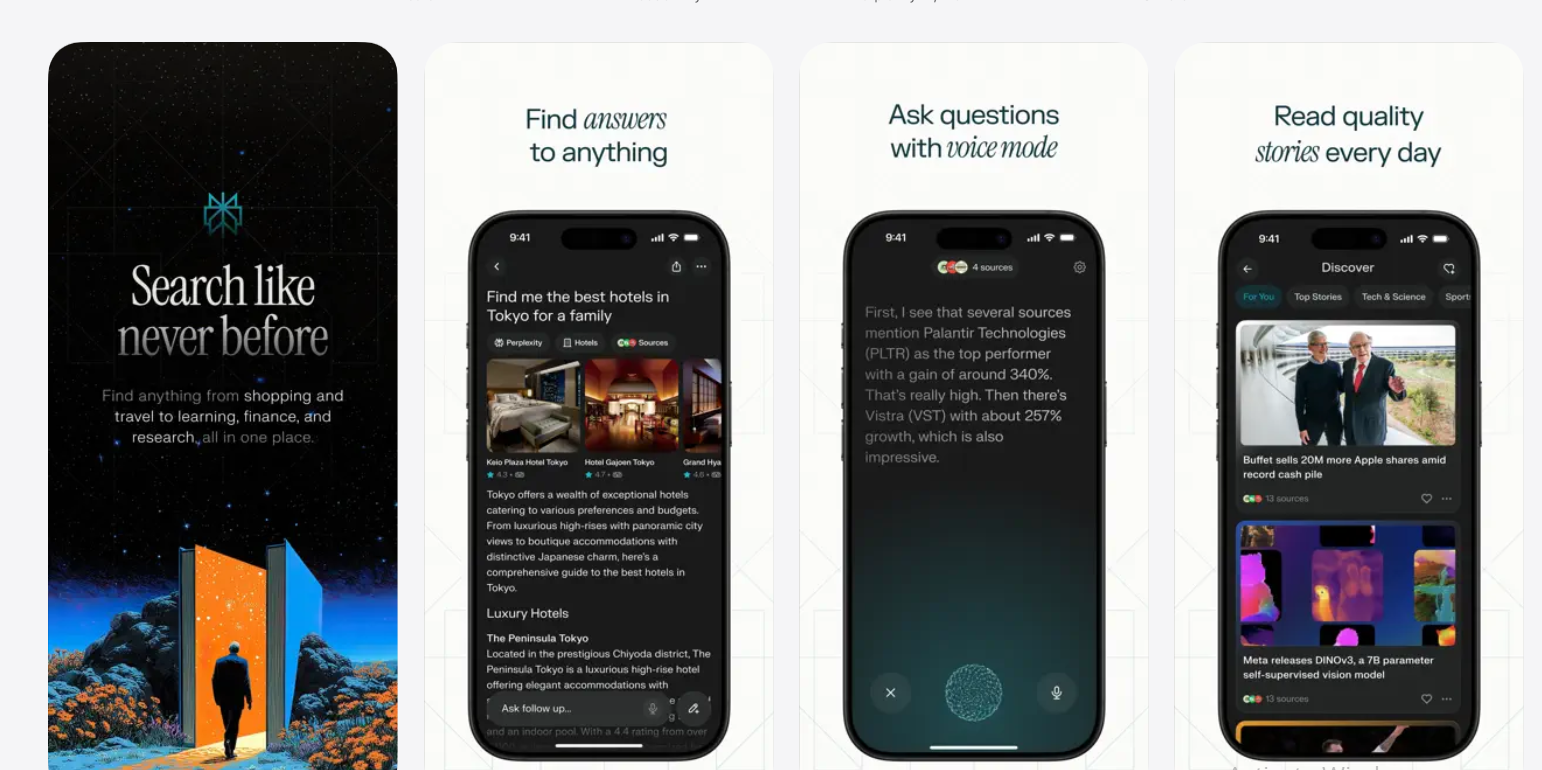
- Every answer includes numbered citations and direct source links you can verify.
- Voice mode integrates with iOS, can play music, set reminders, and add calendar events.
- Deep Research mode compiles multi-step, citation-backed reports on complex topics.
- Pro plan adds GPT-5, Claude, and other models in a single interface.
Customer sentiment
| What They Liked | What They Disliked |
|---|---|
| Every claim is cited; you can check the source | Not built for writing, drafting, or creative work |
| Voice mode is one of the best iOS integrations | Free daily Pro search cap runs out quickly |
| Deep Research produces solidly sourced reports | Weaker than ChatGPT or Claude for content creation |
| Supports multiple AI models inside one app | Interface feels utilitarian next to competitors |
Pricing
Free tier available; Pro is $20/mo, and Deep Research Max is $200/mo (or $167/mo billed annually).
Who Is It Best For?
Students, researchers, analysts, and journalists who need accurate, sourced answers quickly on iPhone.
How to Get Started
Download Perplexity from the App Store, create a free account, and ask a research question — the citation system shows up immediately.
User Reviews
Frequent users call it the best Siri replacement for practical iPhone tasks. It handles follow-up questions naturally and connects to native iOS actions through voice.
What Are AI Apps for iOS?
The apps iPhone users rely on today use large language models to help complete tasks through natural conversation; writing, researching, summarizing, and automating. They're far deeper than old chatbots. Many connect to external tools, handle file uploads, and act as genuine AI helpers for real work.
By 2026, 78% of organizations will have integrated AI into at least one business function, and mobile is increasingly where that work happens.
Core Technologies Behind AI Apps for iPhone
Three core technologies power every app on this list:
- Large Language Models (LLMs): trained on massive text data to understand context and generate useful responses
- Natural Language Processing (NLP): reads your tone and intent, not just your keywords
- Retrieval-Augmented Generation (RAG): searches the web before responding, so answers stay current
Together, these let an AI app on your iPhone read a 50-page document and pull out what actually matters; in under a minute!
What Tasks AI Apps Can Help With
Here's what iPhone users rely on AI apps for every day:
- Writing and editing emails
- Generating social posts and marketing copy
- Summarizing documents and articles
- Answering research questions with sources
- Brainstorming ideas and planning content
- Translating across languages
- Drafting client reports and meeting prep
- Automating repetitive communication
AI chatbots can also complete tasks like adding ingredients to a virtual grocery cart and serving as personal assistants; the range has grown well beyond simple question-and-answer.
AI chatbots can integrate with existing applications to provide unique functionalities, such as answering questions based on your email history, and the six apps on this list all support some version of that. Most now handle file uploads, voice input, and image analysis directly from your iPhone camera.
How Modern AI Apps Differ From Basic Chatbots
| Old Chatbots | Modern AI Apps |
|---|---|
| Rule-based, preset responses | Reason through problems dynamically |
| Couldn't handle anything off-script | Analyze documents, adapt to context |
| Single-purpose conversation only | Execute multi-step tasks independently |
| One generic bot for everything | Specialized assistants per role or function |
One thing that hasn't changed: AI chatbots are complicated prompt-response machines, not sentient in any way. They don't understand your business or care about your goals. The best apps on this list simply have better systems for turning your input into useful output.
How iOS-Optimized AI Apps Differ From Web Tools
A proper iOS app gives you things a browser tab never will:
- Natural microphone integration for voice input
- Push notifications when long tasks finish
- Home screen widgets for instant access
- Layouts built for vertical iPhone screens
- System-level integrations like the Action Button
Deep integration of AI features in newer iPhone models includes tools for proofreading and removing objects from photos; native capabilities that third-party AI apps can now build on.
Users now spend 48 billion hours in generative AI apps annually; 3.6x the 2024 total. Most of that is on mobile. Native apps win every time.
How We Evaluated These AI Apps
We didn't just try out these apps - we really used them on a real iPhone to see how they worked with everyday tasks. No fake demos or scripted tests for us. We had five main things we were looking for:
- How well does it work on a small screen? Is it really useful on a mobile device?
- Does it give good answers and understand what you're asking? Is it reliable and accurate?
- Will it actually help you get work done faster and be more productive?
- How fast is it when you're using it normally, day in and day out?
- Is it stable and consistent over time, or does it crash or produce errors?
We also thought about whether the pricing was fair - what you get for free versus what you have to pay for. And we tested out features like context memory and Brain AI to see how they worked over the long term, in daily use. We wanted to know if these apps would really make a difference in your daily life.
How to Choose the Best AI App for iPhone?
Start with your use case:
| If you need… | Use this app |
|---|---|
| Sourced research and fact-checking | Perplexity |
| A versatile everyday assistant | ChatGPT |
| Long document analysis and writing | Claude |
| Google Workspace integration | Gemini |
| Real-time social and news data | Grok |
| Running a business from your phone | Sintra AI |
So you're trying to figure out which app to use. Before you pick one, ask yourself a few questions.
- Does it need to work with other tools you already use, like Gmail or Slack?
- Do you need to get answers from real sources, or is speed more important?
- Are you mostly making new content or just gathering info?
Think about these aspects, and the right app will be pretty clear. Each AI chatbot has unique strengths and weaknesses that affect how and whether you should use it. If you're still not sure, don't worry, you can try out each app for free and only pay for it if you need more features. That way, you can see which one works best for you without spending a lot of money.
It's kind of like trying on shoes - you need to see which one fits best before you buy it. And with apps, you can usually try them out for free to find the best fit for your needs. Just remember to think about what you need the app to do, and what's most important to you, and you'll be able to pick the right one.
It's also worth knowing that every AI chatbot has some level of content filtering; what's allowed varies significantly between apps, with Grok being the most permissive and Claude the most conservative.
How AI Apps Are Changing iPhone Productivity?
The global productivity app market reached $13.15 billion in 2025 and is projected to hit $14.46 billion in 2026. AI is the main driver. Tasks that used to take an hour on a laptop now take five minutes on your phone. For anyone using their iPhone for daily work, the shift is already happening.
Faster Content Creation and Communication
Imagine being able to create a week's worth of Instagram captions, write a product email, and draft a landing page all in just 20 minutes. That's what AI can do for you. It can generate the first draft, and then you can edit and publish it. This can save you a lot of time, and that time adds up over the course of a workday.
Smarter Research and Instant Answers
With AI, you don't need to have multiple browser tabs open to find the information you need. One AI app can pull from many sources, cite each one, and give you a useful answer in seconds. You don't have to skim through lots of text, switch between tabs, or try to piece together different bits of information.
Automating Repetitive Mobile Tasks
How many times have you sent the same follow-up email or answered the same customer question? AI can help with that. You can give the app your main message, and it will write the full version in your tone. This means you can focus on the work that really needs your attention, rather than wasting time on tasks that could be automated.
Turning iPhones Into Mobile Work Hubs
AI integrations with tools like Slack, Google Workspace, and CRM systems mean that a single app can pull data from multiple platforms and act on it. For people who work remotely or run their own businesses, the iPhone has become the main work device. AI is what makes it possible to use your iPhone for all your work needs.
Why Should You Use AI Apps on Your iPhone?
In 2024, AI apps made $4.5 billion in revenue, and that number is expected to more than triple in 2025.
If you're not using AI apps, you're probably spending more time on work that could be automated.
This can add up over time, and the benefits of using AI apps can be seen in just your first week. These benefits include:
- Faster writing and editing
- More accurate research
- Less time spent on repetitive tasks
- Better-organized information
And if you're using an iPhone, you can use your commute, lunch break, and other spare moments to get work done. This flexibility is a big advantage.
Why Sintra AI Is the Best AI App for iPhone?
Most business apps only give you one helper. You have to figure out how to use it for everything.
Sintra AI is different. It gives you a team of specialized helpers, each one expert in a specific area of your business - like marketing, customer support, writing, and operations. Each helper knows exactly what to do. Imagine starting your day with a clear plan.
Here's what a founder's morning looks like on iPhone:
- Marketing assistant drafts three promotional post variations
- Support assistant clears customer emails with context-aware replies
- Operations assistant pulls a project summary before a 10 am call
All of this happens in under an hour, right from your iPhone.
That's the power of Sintra AI. It's not just a tool for chatting - it's a layer of support that helps your business run smoothly. For lean teams, it covers roles you haven't hired yet. It's the strongest answer to the question of what is the best AI app for iPhone when your goal is running a real business.
Run Your Business From Your iPhone With AI Assistants
Your iPhone is ready. The only thing missing was the right AI layer.
For founders and operators who want more than a chatbot, get started with Sintra; specialized AI assistants handle the parts of your business that don't require your personal involvement.
The teams figuring this out now are the ones scaling without growing their headcount.
Best AI Apps for iPhone FAQs
What can AI apps for iPhone actually do?
Write and edit content, answer questions with cited sources, summarize documents, draft emails and posts, generate images, organize tasks, and automate workflows. AI chatbots can also integrate with existing applications to provide unique functionality, such as answering questions based on your email history or automatically adding items to a shopping list.
What is the best AI assistant for iPhone?
For a personal AI assistant, ChatGPT and Gemini are the strongest all-round picks, and both have free versions. Apple's built-in Siri now taps ChatGPT for harder questions. For running actual business tasks from your iPhone, Sintra AI stands out, with role-based AI helpers that handle marketing, support, and admin work.
Which AI app is best for productivity on iPhone?
When it comes to productivity on your iPhone, ChatGPT is a great all-around choice. It's versatile and can help with a wide range of tasks. On the other hand, if you're looking for something more specialized, Sintra AI is a good option for business-specific output. It offers dedicated role-based assistants for tasks like writing, support, and operations, making it a great tool for managing your business on the go.
What is the top AI chatbot app for iPhone users?
If you're looking for the top AI chatbot app for your iPhone, ChatGPT is a great choice for everyday use. It's easy to use and has a strong free tier. For more complex tasks or long documents, Claude is a better option. It's designed for tasks that require more in-depth reasoning and has a polished iOS app. Both of these apps are great options, depending on your specific needs.
What is the best free AI app for iPhone?
ChatGPT, Google Gemini, Claude, and Perplexity all have capable free versions on iOS, and Grok is free with an X account. ChatGPT is the best free all-rounder, while Perplexity is the best free option for cited research. Paid plans mainly add higher limits and access to the newest models.
Related articles
.avif)


