Gumloop vs n8n: Which Workflow Automation Platform Is Right for Your Business?


Table of Contents

Quick Answer: Gumloop vs n8n
Gumloop vs n8n: here is how the two platforms stack up based on your goals:
- Choose Gumloop if: You are a non-technical user (like a marketer or freelancer) who wants to build AI-first workflows fast. It features a drag-and-drop visual builder and built-in AI tools for automation, allowing you to deploy useful AI agents in minutes.
- Choose n8n if: You are a developer or have an engineering team. It provides maximum flexibility, supports over 1,000 integrations for complex workflows, and gives you total control through custom code and self-hosting options.
You picked an automation tool, spent a weekend wiring it up, and now half your team refuses to touch it. That is the frustration behind most Gumloop vs n8n searches. One tool feels too technical for your marketers, the other feels too limited for your developers, and you are stuck paying for a workflow nobody fully owns. The deeper you dig, the more the two platforms start to blur together, even though they were built for very different people.
We put both tools side by side so you can stop guessing. This article walks through what each platform actually does, who it's best for, real pricing, integrations, AI features, hosting, and where each one breaks down as your work grows.
We also show where a role-based approach using AI employees fits in for teams that would rather have AI do the work than spend hours building the path to it.
What is Gumloop, and what is n8n?
Gumloop is an AI-native, no-code automation builder where you drag, drop, and connect blocks to create AI-powered workflows without writing code. Gumloop is designed for non-technical users like marketers, founders, and freelancers who want AI to handle tasks such as research, data enrichment, and content drafting inside a visual canvas. You describe what you want, snap a few blocks together, and the platform runs the steps for you in its own cloud.

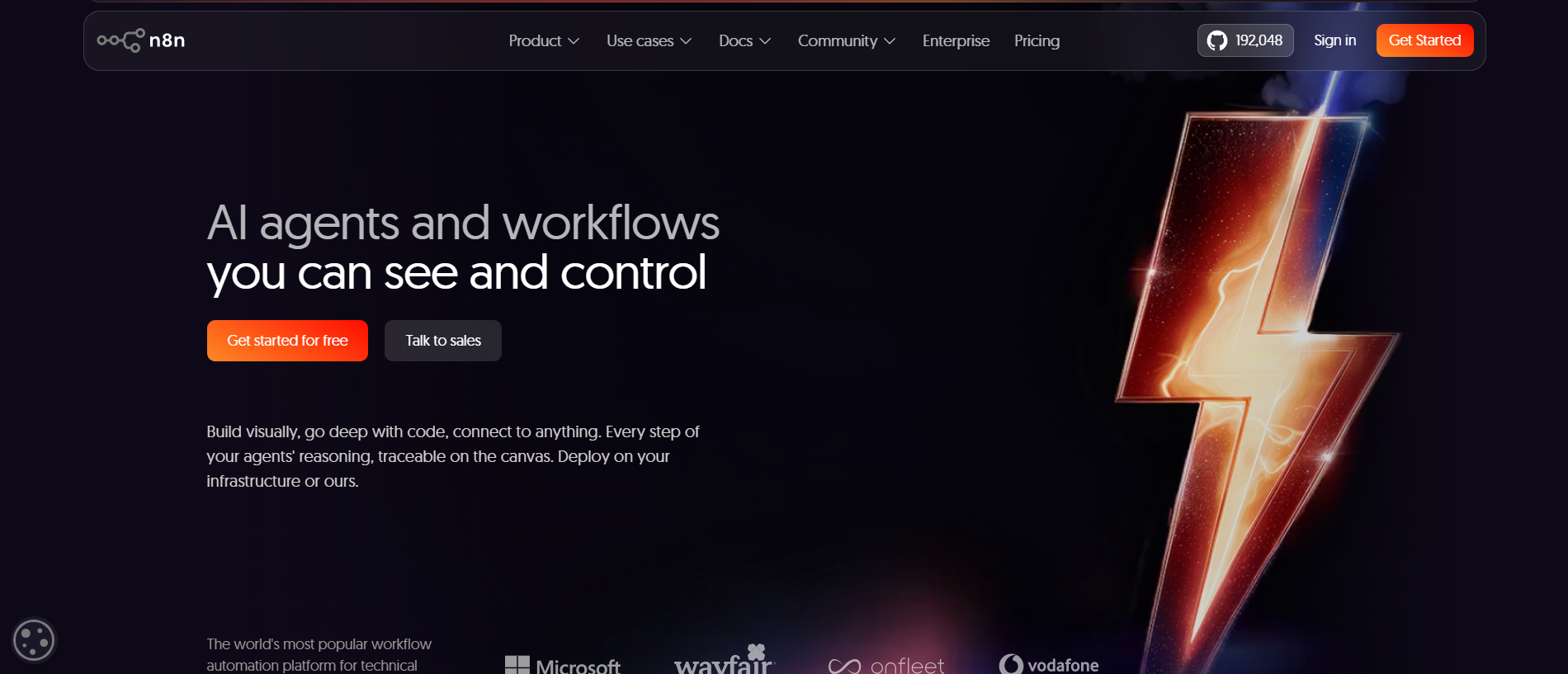
n8n is a node-based, low-code automation engine built for developers and technical teams. n8n offers maximum flexibility and control for developers who want to connect APIs, write custom logic, and run workflows either in the cloud or on their own servers. It sits closer to a developer tool than a point-and-click app, which is both its strength and the reason some teams bounce off it.
Quick Feature Comparison
- Ease of Use: Gumloop wins for beginners; n8n has a steeper learning curve.
- Flexibility: n8n wins for technical teams requiring custom JavaScript/Python logic.
- Hosting: n8n supports both cloud and fully self-hosted deployments; Gumloop is cloud-only.
- AI Features: Gumloop features native, built-in AI blocks; n8n supports AI tasks but requires manual node configuration.
- Pricing: Gumloop uses a credit-based subscription model; n8n offers a free, self-hosted Community Edition alongside paid cloud plans.
Looking for Execution Over Building? If your team doesn't want to spend hours mapping out complex workflow diagrams at all, deploying pre-trained AI employees to handle your operations directly might be a better alternative.
Gumloop vs n8n: Key Differences Explained

Gumloop is usually easier for AI-first workflows, while n8n offers more control for technical automation. The difference between Gumloop and n8n really comes down to who is building the workflow and how much they want to tinker under the hood. A solo marketer and a backend engineer will walk away from these two tools with very different opinions, and both can be right for their own situation.
Here is a full side-by-side look before we break down each area.
Ease of Use and Learning Curve
Gumloop is much easier to start with compared to n8n. A new user can open Gumloop, drag a few blocks together, and have a working AI automation running in a single sitting because there is nothing to install and no code to write.
Think about what a first workflow looks like on each platform:
- Gumloop: Zero coding needed. You connect visual blocks, pick an AI step, and the platform handles the technical parts behind the scenes. A marketer can build a "summarize new survey responses" flow without asking anyone for help.
- n8n: You will get the most out of it if you understand JSON, JavaScript, or Webhooks. n8n offers maximum flexibility but has a steep learning curve, so the first useful workflow takes longer. You often need to read the data passing between nodes to understand why a step did or did not fire.
For a marketing or operations team without a developer, Gumloop gets you results faster. For a team that already lives in code, n8n's structure feels natural instead of intimidating. The honest takeaway is that the "easier" tool depends entirely on who is sitting at the keyboard.
Onboarding Velocity and Debugging Efficiency
Gumloop onboards teams faster, while n8n gives developers richer error details. The gap shows up most clearly when something breaks at 4 pm, and you need it fixed before a deadline.
- Gumloop keeps debugging simple. When a step fails, the visual layout makes it easier for a non-technical person to spot where things went wrong and re-run from that point. The cost of that simplicity is reduced granularity in the underlying data.
- n8n provides exhaustive execution logs and detailed error data. That depth helps developers fix tricky problems, but it can overwhelm someone who just wants a report emailed every morning. You can inspect the exact payload at every node, which is exactly what technical users want.
Discussions on forums like r/automation and r/n8n repeatedly show the same split. Non-technical users praise simpler tools for quick wins and fast onboarding, while technical users defend deep logs because they trust what they can inspect line by line. A recurring complaint we noticed in those threads is that newcomers to n8n underestimate setup time, then feel stuck when a self-hosted instance throws errors they cannot read. That feedback lines up with the platform's design: it rewards people who are comfortable digging into details.
AI Workflow Capabilities
Both tools handle AI tasks, but Gumloop treats AI as the starting point while n8n treats it as one node among many.
- Gumloop offers AI node generation through its Gummy Assistant, so you can describe what you want and get a workflow scaffold. It also includes built-in AI blocks for summarizing and classifying data, plus an AI Router that can decide the next action based on the input it receives. That means a Gumloop flow can branch on its own, sending an angry support email down one path and a routine question down another.
- n8n supports AI tasks like calling language models, but you wire those nodes together in sequence yourself. n8n allows embedding JavaScript for complex logic in workflows, giving you precise control over how AI steps connect and how their output is cleaned, parsed, or passed along.
Where this matters in practice:
- For research and content workflows, Gumloop's built-in AI blocks remove most of the plumbing. You point it at a source and ask for a summary.
- For document handling, Gumloop's classification blocks sort files without custom scripts.
- For AI inside a larger custom system, n8n's manual wiring pays off because you control every transformation between the model and the next service.
If your goal is to lean heavily on AI from day one, Gumloop feels purpose-built. If AI is one piece of a larger engineering puzzle, n8n's flexibility wins out.
Workflow Flexibility and Customization
n8n gives you far more control over logic, branching, APIs, custom code, and error handling than Gumloop does. This is its strongest area, and the main reason developers reach for it.
- n8n lets you write custom JavaScript or Python nodes, build complex branching logic, manage detailed error handling, retry failed steps with custom rules, and call almost any API directly via its HTTP Request node. There is very little it cannot model if you have the skills and the patience.
- Gumloop keeps things curated and guided. Gumloop's ecosystem is smaller, limiting advanced use cases, which keeps the experience simple but can feel restrictive once your workflows grow intricate. You trade raw freedom for speed and safety.
A useful way to think about it: n8n hands you a full toolbox and an empty workbench, while Gumloop hands you a set of pre-built furniture you can rearrange. Teams that need exact, bespoke behavior usually land on n8n. Teams that want guardrails and quick results prefer Gumloop.
Integrations and Ecosystem
n8n connects to far more services than Gumloop, but Gumloop's smaller set is tuned for AI work.
- n8n offers a large catalog of native integrations and an advanced HTTP Request node that can talk to nearly any service with an API. n8n supports over 1,000 integrations for complex workflows, so it rarely hits a wall. If a tool has an API, n8n can usually reach it even without a dedicated connector.
- Gumloop offers a curated set of around 100+ integrations focused on AI and common business tools. Fewer options, but each one fits the AI-first use case the platform was built for, so you spend less time deciding which connector to use.
The practical question is volume versus focus. If you connect dozens of internal systems with odd APIs, n8n's breadth and HTTP node matter a great deal. If you mostly enrich data, run AI steps, and push results into a handful of familiar apps, Gumloop's curated list covers it without overwhelming you with choices.
Hosting, Security, and Data Control
n8n is the clear pick for teams that need full data control, because Gumloop does not offer self-hosting.
- n8n supports both cloud and fully self-hosted deployments, and n8n can be self-hosted on servers like Docker or Kubernetes. That gives privacy-focused and enterprise teams complete data sovereignty, since sensitive data never has to leave their own infrastructure.
- Gumloop offers cloud-only deployment options and handles all hosting and scaling automatically. You give up control in exchange for never having to manage infrastructure, patch servers, or worry about uptime.
For regulated industries, finance, healthcare, or any team with strict compliance rules, n8n's self-hosting is often the single deciding factor. For a small business that has no interest in running servers, Gumloop's managed model removes a headache they never wanted in the first place. Neither approach is wrong; they answer different needs.
Pricing and Total Cost of Ownership
Gumloop uses a simple credit-based subscription, while n8n can be very cheap to run if you self-host, though it adds operational work that comes with its own cost.
- Gumloop pricing:
- Gumloop offers a free plan with 2,000 credits per month, which is enough to test real workflows.
- Gumloop's Solo plan costs $37 per month for individuals and small projects.
- Gumloop's Team plan is priced at $244 per month for collaborating teams.
- n8n pricing:
- n8n's free self-hosted Community Edition has no usage caps, though you pay for server costs and maintenance time.
- n8n's Starter plan starts at $20 per month, billed annually for its managed cloud.
- n8n's Business plan costs $667 per month and is billed annually for larger needs.
Total cost of ownership is where these diverge. The hidden cost with Gumloop is credit consumption during heavy use, since busy months can push your bill up faster than expected. The hidden cost with n8n is the significant operational overhead for self-hosting, because someone has to set up, run, monitor, and patch the server.
That "free" Community Edition is only free if your team's time is free, which it never quite is. A solo founder may find Gumloop cheaper in practice, while a company with a spare engineer may find self-hosted n8n far cheaper at scale.
When to Choose Gumloop vs n8n
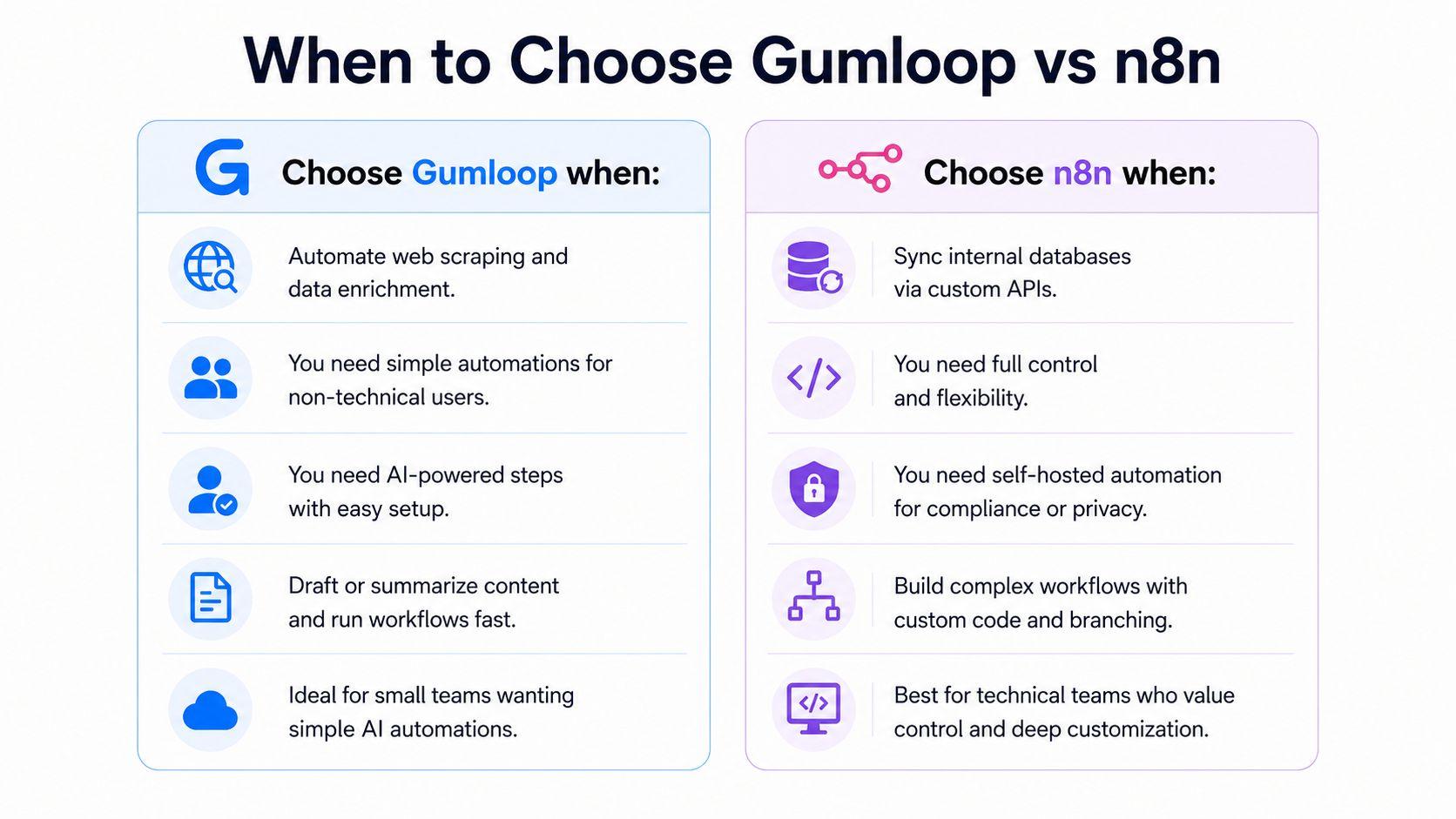
The right tool depends on your team's skills, the complexity of your workflows, how much AI you need, and how much control you want. Here are practical cases for each.
When to Choose Gumloop
- You run automated AI web-scraping and data enrichment without a developer on hand.
- Gumloop is best for non-technical users needing simple automations, like a small marketing team that wants results fast.
- You want lead handling and qualification to be handled by AI steps, since Gumloop is well-suited to straightforward tasks like these.
- You need content drafting or summarizing workflows up and running today, not next sprint.
- Gumloop is ideal for small teams needing simple AI automations and would rather not think about servers at all.
When to Choose n8n
- You need to sync internal product databases with custom APIs.
- n8n is designed for developers who need full control and flexibility at every step.
- You want self-hosted automation for compliance or data privacy reasons.
- You are building multi-step logic with custom code, branching, and detailed error handling.
- n8n appeals to technical teams comfortable with coding and self-hosting who see the learning curve as worth it.
What the Research Shows About AI Automation Adoption
The Gumloop vs n8n question matters now because AI automation has moved from experiment to daily operation. Companies are adopting these tools to reduce manual work and scale output without hiring more people, making the choice of platform a real business decision rather than a side project.
McKinsey's State of AI report found that a majority of organizations now use AI in at least one business function, a sharp rise from earlier years. That growth is why choosing the right workflow automation tool is no longer a niche IT decision and now sits on the desks of operations and marketing leaders.
AI Adoption Across Business Functions
AI automation is spreading across departments, not sitting in one corner of the company.
- Marketing teams use it for content drafts, research, and campaign data.
- Sales teams automate lead scoring and follow-ups.
- Customer support routes tickets and drafts replies.
- Operations syncs data between tools and flags exceptions.
- Internal productivity handles repetitive reporting and admin tasks.
A Deloitte survey on generative AI in the enterprise shows organizations moving past pilots into broader, function-wide use. That shift is exactly where workflow automation tools earn their keep, because scattered manual experiments turn into repeatable processes the whole team relies on.
Productivity and Efficiency Gains
AI automation removes the repetitive work that slows teams down. Instead of copying data between apps or rewriting the same reports every week, people hand those steps to a workflow and spend their hours on judgment calls instead.
Practical examples tied to real operations:
- Auto-summarizing customer feedback into a weekly report for the product team.
- Pulling new leads into a CRM and enriching each record with company details.
- Turning raw research notes into a first-draft brief, a writer can polish.
- Tagging and routing inbound support messages before a human ever opens them.
Research compiled in Stanford's AI Index Report tracks rising adoption tied to measurable productivity gains across industries, which is why teams keep investing in workflow automation even as the tools mature.
Why Businesses Are Moving From Chatbots to AI Work Execution
Businesses increasingly want AI that completes tasks, not AI that only answers questions. A chatbot that explains how to write an email is helpful once. AI that drafts the email, files it, and updates the record saves time every single day.
That shift toward execution is why many teams look beyond prompt-based tools and beyond pure workflow builders. They want AI that connects systems and handles recurring work with less hands-on setup. The appeal is straightforward: most teams care about the result, not the diagram that produced it. This sets up the role-based approach we cover next, where AI is treated less like a tool you configure and more like help you assign.
Gumloop vs n8n Limitations You Should Know
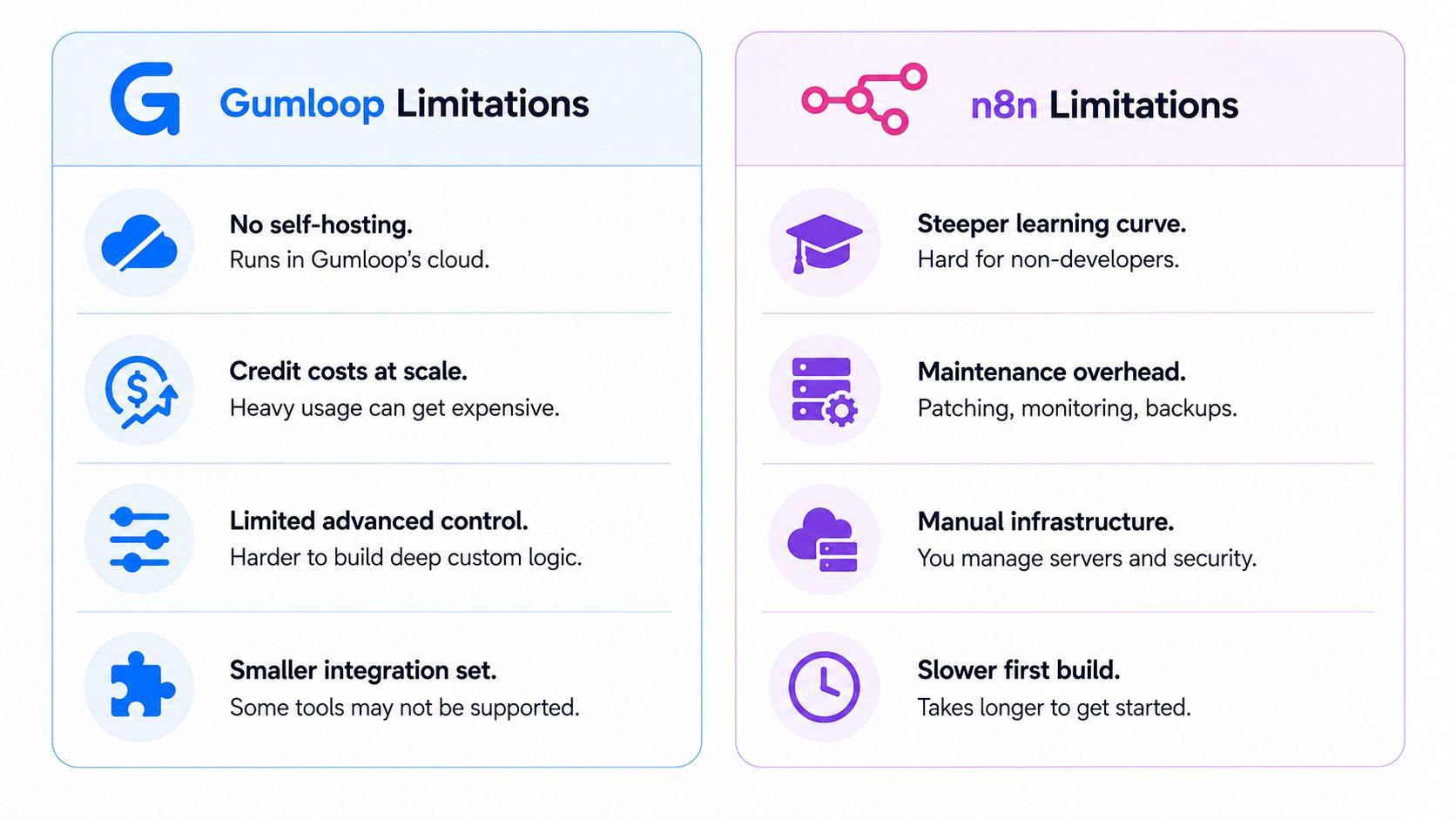
No automation tool is perfect, and the difference between Gumloop and n8n includes the trade-offs each one carries. These limitations often become clearer as your workflows grow in scale, complexity, and business importance. A flow that works fine for ten records a day can behave very differently at ten thousand.
Gumloop Limitations
Gumloop's simplicity has a ceiling. You may outgrow it in a few situations.
- No self-hosting. Everything runs in Gumloop's cloud, which may rule it out for organizations with strict compliance or data residency requirements.
- Credit costs at scale. Heavy usage can push credit bills higher than expected, so a workflow that runs constantly may cost more than a flat subscription elsewhere.
- Limited advanced control. Highly customized enterprise infrastructure and deep custom logic are harder to model inside a curated builder.
- Smaller integration set. Some niche or internal tools may not be supported yet, which forces workarounds.
n8n Limitations
n8n's flexibility comes with real effort, and that effort is the most common source of complaints.
- Steeper learning curve. Non-developers often struggle without help, and forum threads are full of people asking why a simple flow will not run.
- Maintenance overhead. Self-hosted instances require patching, monitoring, backups, and updates that someone must own.
- Manual infrastructure. You manage servers, scaling, and security yourself, which is a hidden full-time responsibility at larger volumes.
- Slower first build. Getting started takes longer than a drag-and-drop tool, and the payoff only arrives once you understand the system.
How Sintra AI Differs From Gumloop and n8n
Gumloop and n8n help you design automations. Sintra AI gives you role-based AI Helpers that do the work. That is the core difference. Instead of mapping out every step of a process, you delegate the task to a Helper built for that role, much like bringing on an AI team member for a specific job.
A few practical examples of how this changes daily work:
- Rather than building a content workflow node by node, you ask a content Helper to draft posts.
- Rather than wiring a support flow, a support Helper handles replies.
- Rather than designing a research path, a Helper gathers and summarizes findings for you.
This suits teams that want results without becoming part-time workflow engineers. The mental model shifts from "what steps do I need to build" to "who do I hand this to."
Specialized AI Helpers Instead of Workflow Builders
Sintra AI organizes its AI employees by business role, so you start with a Helper tailored to the task rather than a blank canvas.
- Soshie handles social media.
- Penn focuses on copywriting.
- Cassie supports customer service.
- Buddy assists with strategy.
- Vizzy helps with visuals.
Starting from a role makes AI easier to apply to daily work, because you skip the design step entirely. A founder who needs a week of social posts opens Soshie and asks, instead of building a posting pipeline from scratch and hoping it holds together.
Brain AI and Shared Business Context
Brain AI helps every Helper remember your brand details, business context, customer information, and tone of voice. Once you set it up, the Helpers reuse that knowledge without being re-briefed each time.
Shared context matters because it keeps work consistent across the whole business. The social media Helper, the support Helper, and the copywriting Helper all draw from the same understanding of your brand, so the voice stays steady whether the output is a tweet, a support reply, or a sales email. That consistency is hard to maintain when each workflow stores its own settings in isolation.
AI Integrations That Connect Existing Business Tools
AI integrations let Sintra connect with tools your team already uses, like Gmail and Notion, so work happens in familiar systems instead of yet another dashboard.
This is what turns AI support into daily execution. Instead of one-off prompts or disconnected workflow steps, the Helpers act inside the tools where work actually lives. A support reply drafted in Gmail or a note saved in Notion keeps the team in the apps they already trust, lowering the barrier to using AI every day.
Why Some Businesses Prefer Execution Over Workflow Building
Some teams need AI to complete recurring tasks, not help them build automation paths. The distinction shows up clearly in everyday work.
- Marketing wants posts written and scheduled, not a flowchart of how to write them.
- Sales wants follow-ups sent, not a branching logic map to maintain.
- Customer support wants tickets answered, not a routing diagram to debug.
- Operations wants reports done, not a node graph to keep alive.
When the goal is execution rather than design, role-based Helpers can be more useful than managing complex workflow logic. The team gets the outcome without owning the machinery that produced it.
Which Platform Should You Choose?
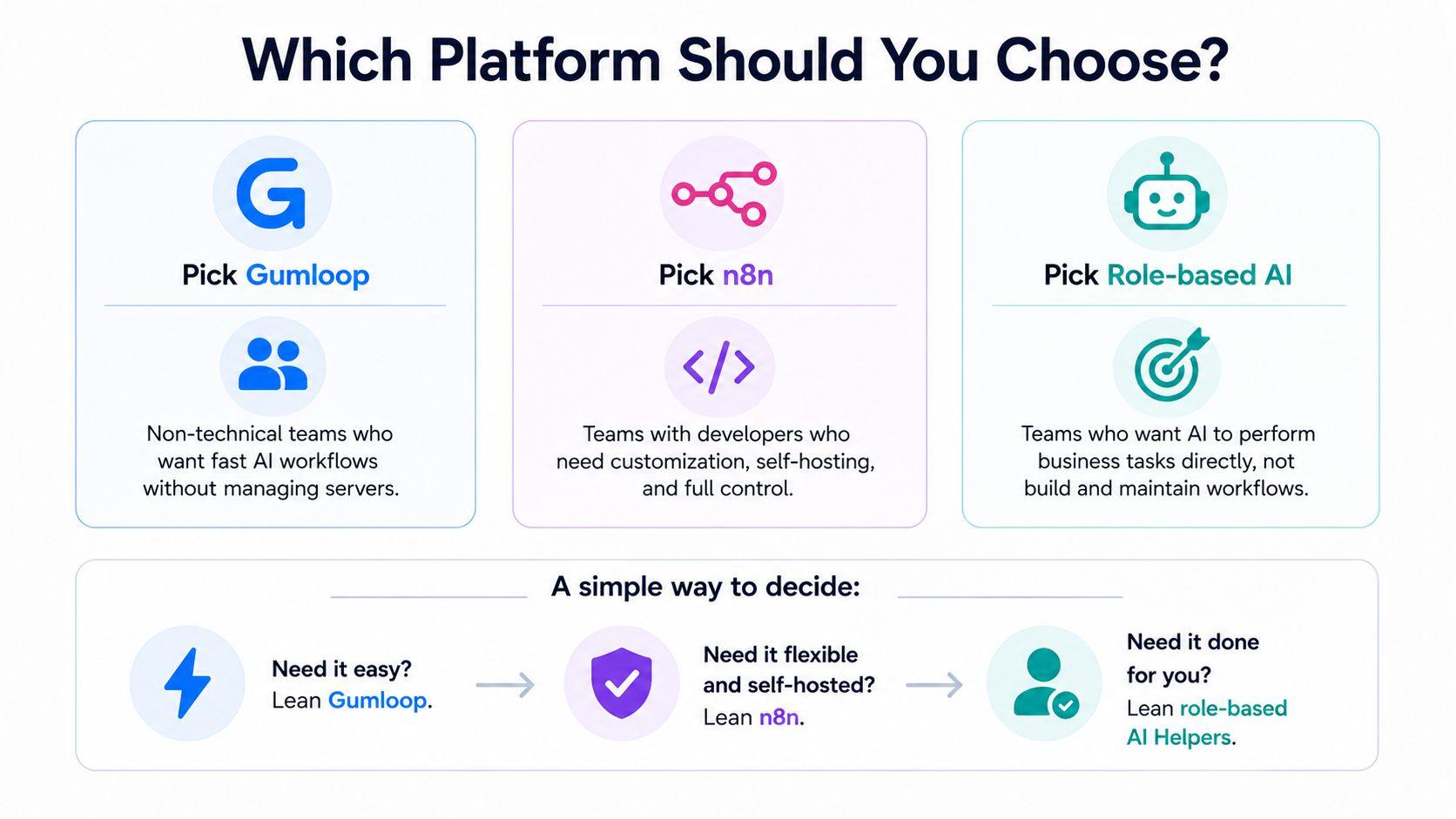
Your choice comes down to four things: ease of use, technical flexibility, AI execution, and long-term scalability.
- Pick Gumloop if your team is non-technical and you want to create AI workflows quickly without managing servers.
- Pick n8n if you have developers and need advanced customization, self-hosting, and deep control over every step.
- Consider a role-based platform like Sintra AI if you want AI to perform business tasks directly rather than building and maintaining workflows.
A simple way to decide:
- Need it easy? Lean Gumloop.
- Need it flexible and self-hosted? Lean n8n.
- Need it done for you? Lean role-based AI Helpers.
The difference between Gumloop and n8n is real and worth weighing carefully. The bigger question underneath it all is whether you want to build automation yourself or have AI run the work while you focus elsewhere.
Ready to Scale Work Without Building Complex Workflows?
You have seen where Gumloop shines for simple AI automation, where n8n wins for technical control, and where each one runs out of room as your work grows. Both ask you to build the workflow first. That setup time and ongoing upkeep is the exact friction many teams want to skip.
If your goal is to get marketing, sales, support, and operations work done without mapping every step, role-based AI employees offer a different path. Specialized Helpers, a shared Brain AI for consistent context, and integrations with the tools you already use mean AI handles recurring tasks across your AI team instead of waiting for prompts. Get started with Sintra AI to put that to work for your business.
Gumloop vs n8n FAQs
What is the difference between Gumloop and n8n?
Gumloop is an AI-native, no-code builder for non-technical users, while n8n is a node-based, low-code engine for developers who want deep control and self-hosting. Gumloop builds AI in by default, and n8n asks you to configure it yourself.
Is Gumloop easier to use than n8n?
Yes. Gumloop's drag-and-drop builder needs no coding, so beginners build workflows faster. n8n is more flexible but has a steeper learning curve and rewards users who understand JSON, JavaScript, and Webhooks.
Which platform is better for AI workflows?
Gumloop is usually better for AI-first workflows because it includes built-in AI tools, such as AI blocks and an AI Router. n8n can run AI tasks too, but you configure them manually as part of larger custom flows.
What are the main limitations of Gumloop and n8n?
Gumloop has no self-hosting, a smaller integration set, and credit costs that rise with heavy use. n8n has a steeper learning curve and requires server maintenance when self-hosted.
Can you self-host Gumloop like n8n?
No. Gumloop is a fully managed cloud platform with no self-hosting option. n8n offers a free self-hosted Community Edition, so technical teams can run it on their own servers using Docker or Kubernetes for full data control.
Related articles