



How AI Is Transforming the Workplace in 2026

Table of Contents

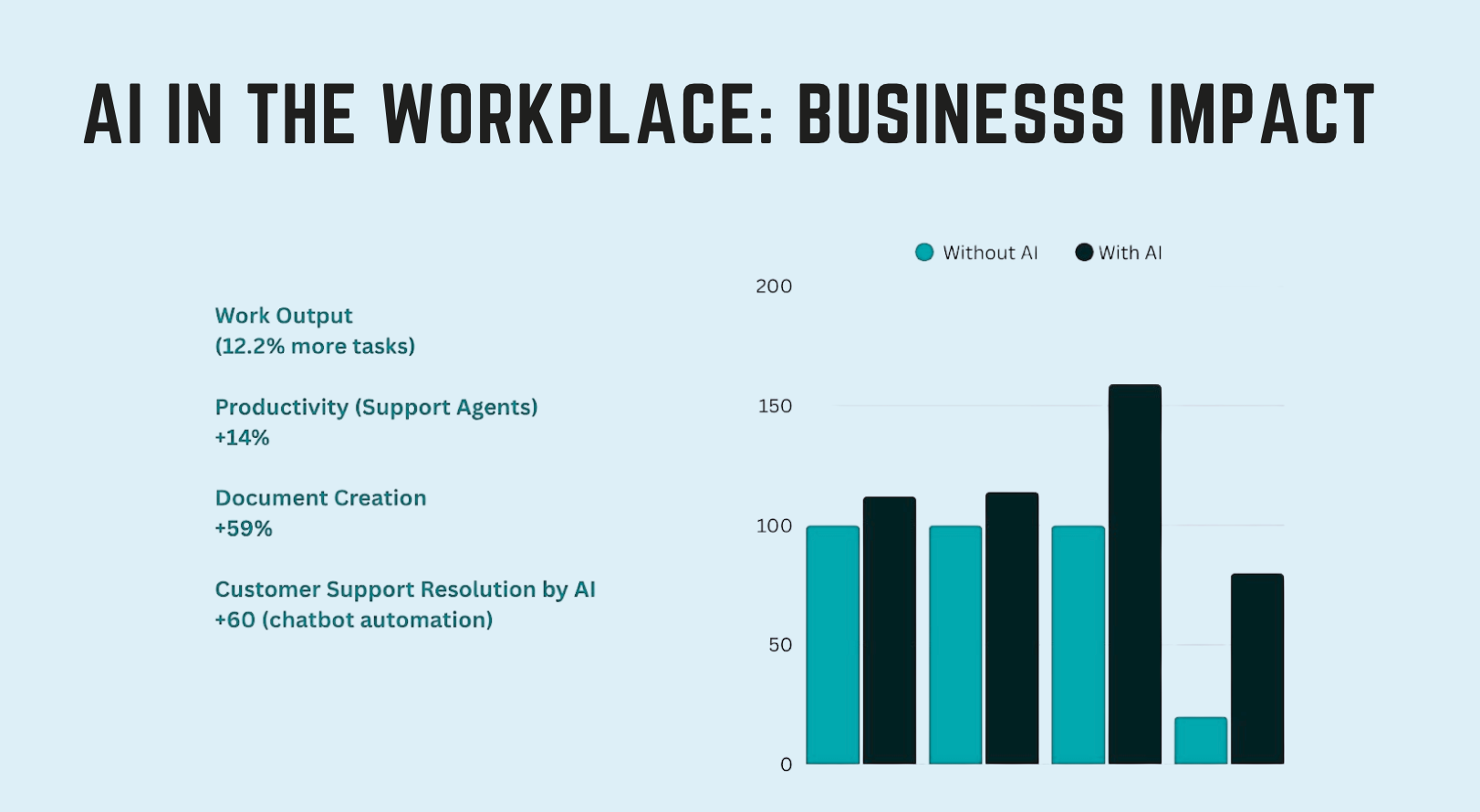
In 2026, AI is transforming the workplace by automating routine work, augmenting human judgment, and redefining how teams collaborate. As artificial intelligence moves from experiments to everyday tools, AI in the workplace is shifting from nice-to-have to core infrastructure. The evidence is measurable - in a 6-month Microsoft RCT with 3,000 workers, Copilot users read 11% fewer emails and edited 10% more documents, and 73% said Copilot helped them complete tasks faster.
Instead of adding more people to handle complexity, companies plug in new technologies that take over repetitive tasks, surface risks early, and keep projects moving - basically creating their own AI workforce.
This creates a real workplace transformation. Roles change, meetings shrink, and decisions increasingly rely on data rather than gut feeling. Employees spend less time on manual updates and more time on decision-making and customer impact.
In this guide, you’ll see 25 concrete ways AI reshapes work across productivity, collaboration, leadership, hiring, learning, and operations, plus how to prepare your team to use these systems confidently.
25 Ways AI Is Transforming the Workplace
AI in the workplace has moved from small experiments to everyday infrastructure. Teams use AI tools and AI capabilities to:
- Automate routine work
- Coordinate projects
- Support faster decision-making
Gen AI now sits inside documents, chat, and workflows, quietly handling drafts, summaries, and follow-ups in the background.
For business leaders, this is less about chasing hype and more about unlocking human potential. When machines handle predictable tasks, people can focus on judgment, problem-solving, and work that actually moves the business forward.
Below are 25 clear examples that show the transformation of AI in the workplace across productivity, collaboration, people operations, and core business functions.
1. Virtual AI Employees and Agents
Virtual AI employees sit on top of your tools and keep work moving when people are busy or offline. They watch queues, analyzing data from different systems, trigger workflows, and close the loop on tasks that usually get stuck in inboxes or spreadsheets. In mature AI in the workplace setups, they are the layer that prevents silent bottlenecks.
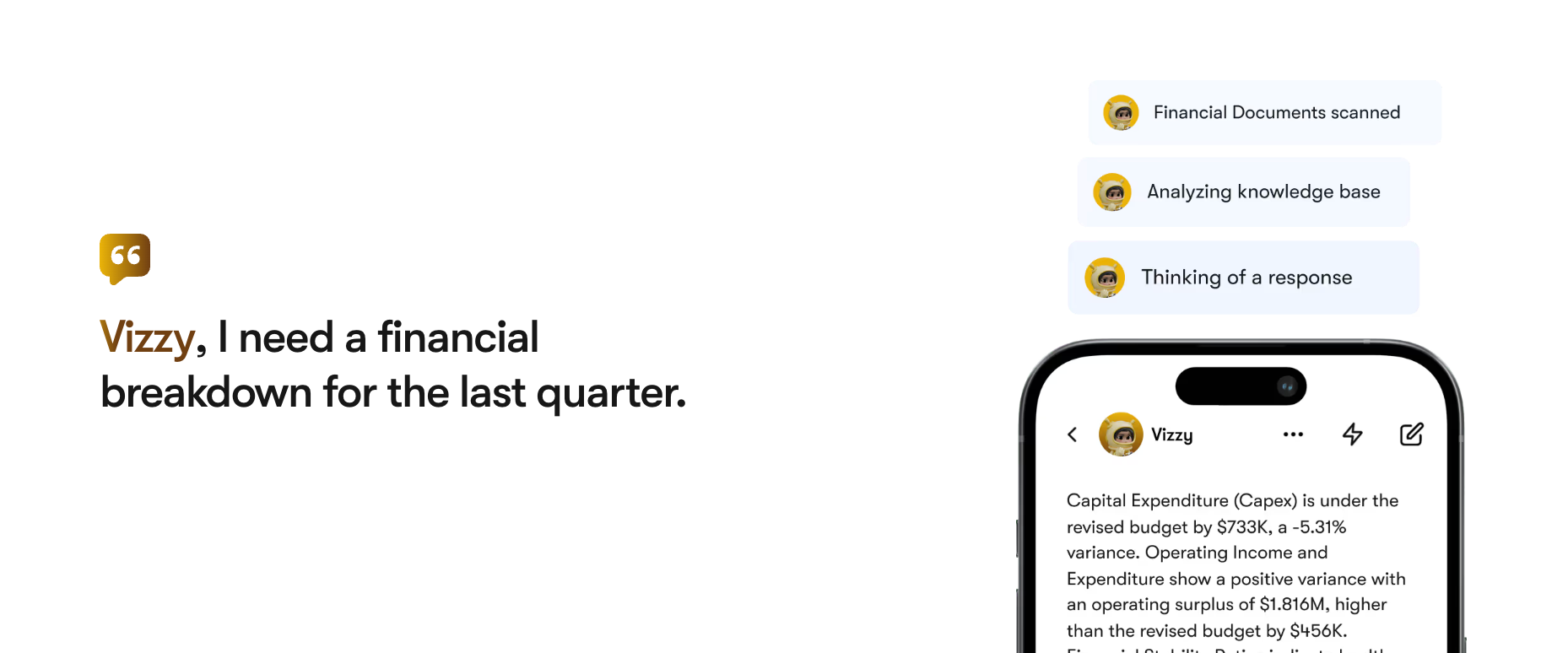
Without them, teams rely on human workers to remember every follow-up and every handoff. That creates delays, context loss, and more status meetings. With autonomous AI agents, you can let an AI virtual assistant like Vizzy handle:
- Triage of requests and tickets
- Data collection across tools
- Routing work to the right owner
2. The AI Productivity Singularity
The AI productivity singularity is the point where adding more AI tools creates more output without adding more people. Work stops being limited by headcount and starts being limited by how clearly you define goals and processes.
AI takes over routine tasks, repetitive tasks, and other time-consuming tasks like updates, summaries, and basic data entry. Human workers move toward complex tasks, problem-solving, and relationship work.
Firms that avoid this significant shift feel it as a hidden drag. Projects stall in handoffs, leaders lack real-time signals, and teams spend energy chasing status instead of progress. Firms that lean into gen AI and automation free up human potential and scale faster with the same team size.
3. Goal-Based AI Agents
Goal-based AI agents start from outcomes, not tasks. You give them clear business goals, and they break those into actions, owners, and timelines. They watch progress in real time, so business leaders see issues while there is still time to correct, not after the quarter ends.
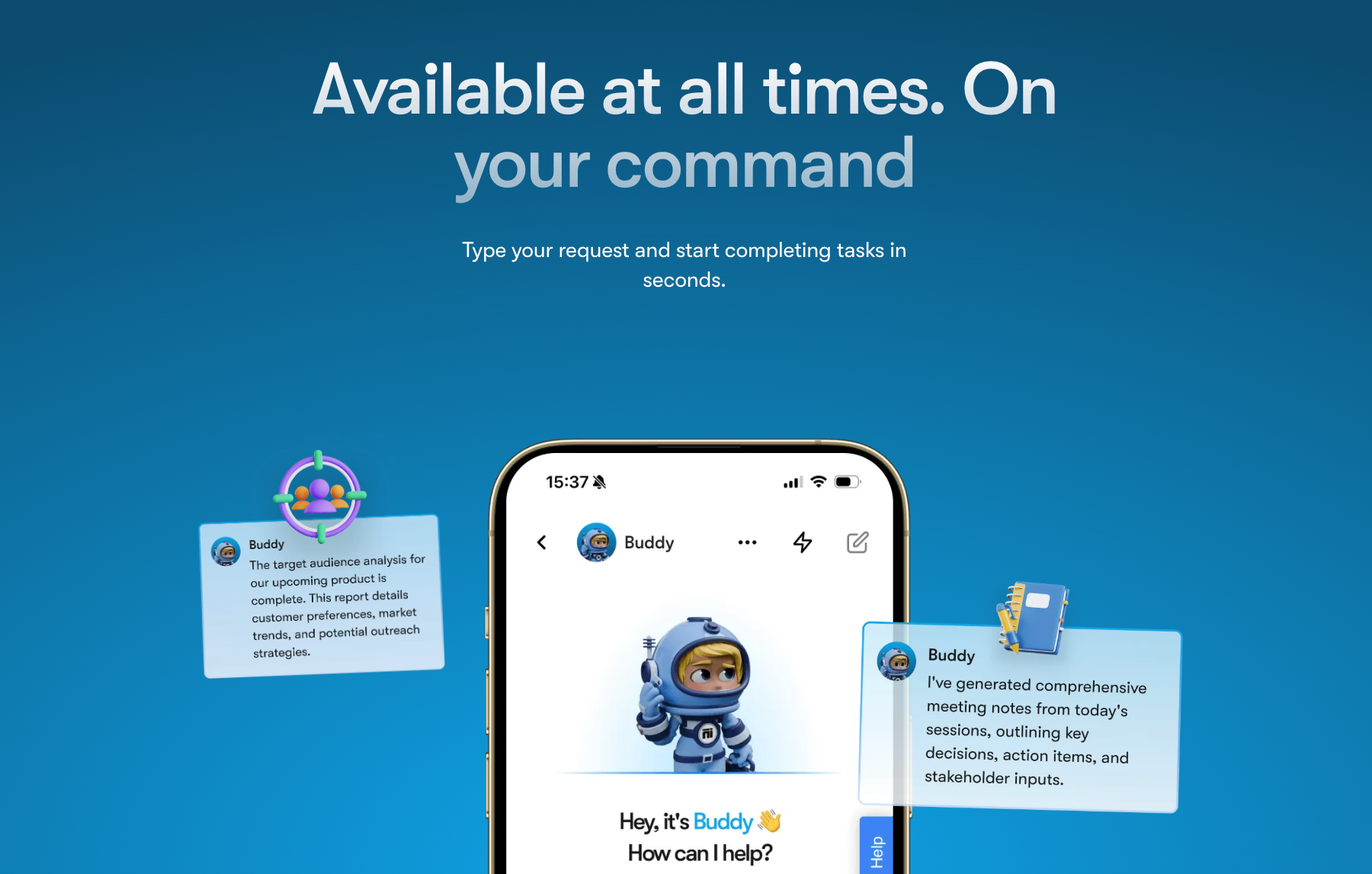
You can use a goal-based AI business strategist like Buddy to manage goals such as:
- Revenue or pipeline targets by segment
- Product delivery milestones and dependencies
- Hiring plans and skill gaps by team
- Customer health scores and expansion goals
The AI agent connects these goals to live data analysis from your tools. It then suggests next steps and trade-offs, so decisions support long-term business value, fostering innovation.
4. AI-Driven People Management
People management problems are often invisible until they explode. Managers do not see silent blockers, unspoken conflicts, or slow hiring gaps until they hurt results. AI-driven people management gives a clearer view of these hidden issues so leaders can act earlier.
Strong AI technologies here do more than score performance. They can surface:
- Teams that ship work but rely on a few quiet high performers
- Projects where decisions stall because no owner is truly accountable
- Roles where expectations are unclear, so human workers keep guessing
- Patterns where meetings replace real decision-making
AI can also flag skill gaps tied to future projects, not just current roles. That helps business leaders plan hiring and training before pressure hits. The goal is not to replace the manager. It is to give them better signals so conversations, feedback, and support land where they matter most.
5. The Ageless Advantage: AI-Powered Workforce Longevity
Many companies worry about losing senior talent as work speeds up and tools change. AI helps extend careers by supporting older human employees instead of pushing them out. It reduces the load of admin and physical labor and turns experience into an asset, not a risk.
Well-designed AI tools can:
- Guide complex processes step by step, so the memory load is lower
- Turn expert know-how into checklists and assistants that other people can use
- Move experienced staff from heavy physical roles into coaching and oversight
- Support continuous learning so skills stay fresh without full retraining
The World Economic Forum notes that aging workforces and skill gaps will grow together. AI-powered support and workforce development plans help keep human capabilities in play longer, while new hires learn faster from the people who already know how the work really gets done.
6. AI-Powered Personalized Learning and Development
Traditional training pushes the same content to everyone and wastes time. AI-powered learning flips this. It studies role, performance history, and interests to build paths that target real skill gaps, not generic topics.
Good AI tools for learning can:
- Map current strengths and missing AI skills or domain skills
- Recommend the next short lesson, project, or micro-certification
- Adapt difficulty based on progress and feedback
This supports continuous learning instead of one-off courses. It also raises AI literacy across the company, which makes every other AI initiative easier to adopt. Over time, it becomes a core part of workforce development, not just an HR perk.
7. Skill Gap Identification and Workforce Reskilling
AI does not guess skill gaps from job titles. It reads the work itself. It looks at tickets, documents, code commits, CRM notes, training logs, and outcome data to see what skills are actually used and where work slows down.
Strong AI tools for this run quiet data analysis in the background and highlight patterns such as:
- Teams that always escalate the same type of issue
- Projects that stall when one expert is absent
- Skills that appear in future plans but not in the current staff
It gives business leaders a clear list of where to reskill, who to pair for mentoring, and which roles need support before new initiatives launch.
8. AI-Driven Coaching and Career Development
AI-driven coaching turns everyday work data into clear guidance for growth. Instead of waiting for an annual review, employees get frequent, specific feedback on how they communicate, plan, and deliver. This helps unlock human potential in a steady, practical way.
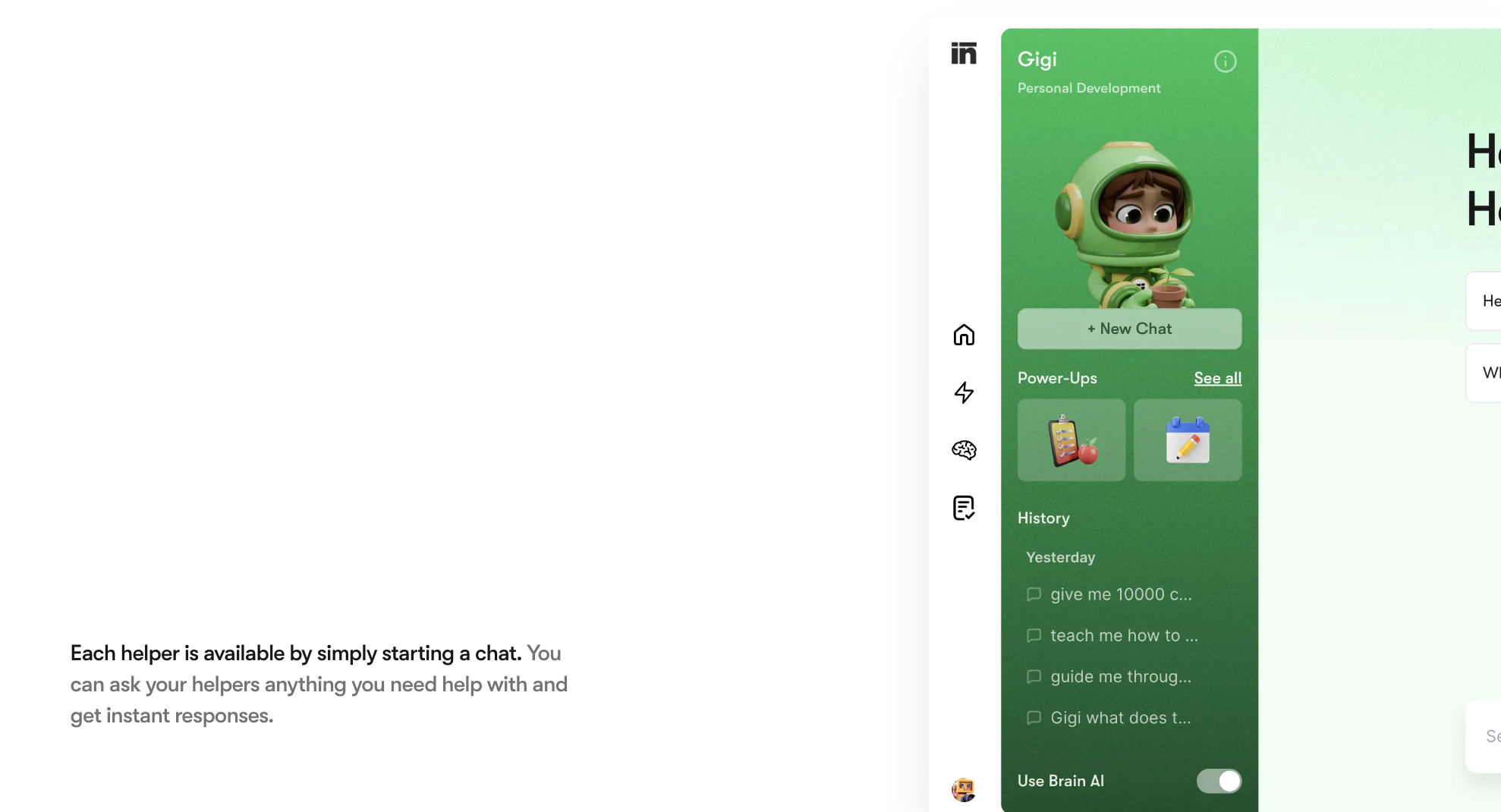
An AI personal assistant like Gigi can:
- Spot patterns in meetings, emails, and tasks
- Suggest small changes that improve impact
- Recommend projects that stretch human capabilities without burning people out
Managers then use these valuable insights to support fairer promotions and targeted development, not just reward the loudest voices.
9. Employee Experience Personalization
Employee experience personalization uses AI to tune work around people instead of forcing everyone into one pattern. It looks at role, goals, preferences, and performance signals to adjust support across the whole journey.
Good AI systems here can:
- Adapt onboarding to each person’s background
- Time nudges and check-ins based on workload and stress signals
- Suggest learning paths that match career goals and business objectives
This helps keep human workers engaged without adding more meetings. It also gives business leaders a clearer view of what different groups need to stay productive and motivated.
10. AI-Enhanced Collaboration
AI-enhanced collaboration changes how teams share context and make decisions, especially in hybrid work environments. Instead of long threads and scattered notes, AI-powered tools keep a live view of what was decided, what is blocked, and who owns what.
Strong collaboration systems use natural language processing to:
- Summarise channels and meetings into clear next steps
- Translate messages across languages in real time
- Route updates only to people who need them
This kind of human-machine collaboration cuts noise, reduces duplicate work, and leaves more time for real problems instead of status chasing.
11. Reclaiming “Soul Work”
Reclaiming “soul work” means using AI in the work environments to clear space for work that actually needs humans. When AI systems handle routine tasks, repetitive tasks, and low-context data entry, people can focus on judgment, relationships, and design.
In practice, this looks like:
- AI tools are drafting first versions of reports and updates
- Virtual assistants closing loops on follow-ups
- Agents moving tickets through standard steps without manual effort
The result is more time for human creativity, deep thinking, and customer conversations, and less time spent pushing information from one tool to another.
12. Meeting Culture Transformation
Most teams still lose hours each week to meetings that do not need to happen. Calendars fill with status calls, the wrong people join, there is no clear agenda, and no one captures decisions. This drags focus away from deep work and real problem-solving.
AI in the workplace helps by:
- Scanning calendars to flag low-value and duplicate meetings
- Preparing agendas from recent emails and documents
- Recording, transcribing, and summarising key points and decisions
Over time, this shifts meetings from default to deliberate and gives people more uninterrupted time for meaningful work.
13. AI as Your Personal Productivity Partner
Many people lose hours every week just planning work instead of doing it. Tabs stay open, tasks live in different tools, and time-consuming tasks like scheduling or follow-ups eat focus.
AI as a personal productivity partner sits between your calendar, email, and task list. With AI-powered tools like AI Helpers, you can:
- Organise tasks by impact instead of by arrival time
- Turn emails and notes into clear, dated actions
- Block focus time around meetings and deadlines
This way, human workers spend more energy on real output and less on managing their own workflow.
14. AI-Driven Recruitment and Talent Acquisition
Traditional hiring is slow and biased. Recruiters scan hundreds of CVs, miss non-obvious talent, and react only when roles are already urgent. Valuable candidates drop out because communication is late or inconsistent.

An AI-driven recruiter like Scouty, the AI Recruiter, can:
- Match candidates to roles based on skills, not just titles
- Screen large pools while keeping the criteria transparent
- Nurture talent with timely follow-ups and tailored messages
This turns hiring into a continuous, data-informed process instead of a scramble every time a role opens.
15. The Ethics of AI in the Workplace
AI adoption raises real ethical considerations that go beyond simple “efficiency gains.” If AI systems are trained on biased data, they can reinforce unfair patterns in hiring, pay, and promotion. Poorly planned AI deployment can also create quite a job displacement, where roles shrink without clear support or reskilling paths.
Teams should use AI in the workplace to:
- Make decisions explainable and auditable
- Review models regularly for bias and drift
- Involve employees early when new AI solutions are rolled out
The goal is to keep the human element and company values at the center, even as automation expands.
16. AI-Enhanced Performance Development
Most review systems are slow and blurry. Feedback arrives once or twice a year, based on memory and bias, not on real work. Important patterns in focus, collaboration, and delivery never reach the performance conversation.
AI in the workplace changes this by turning daily work into simple signals. AI tools can:
- Compare outcomes across projects, not just hours worked
- Highlight where human workers get blocked again and again
- Link specific behaviours to business objectives and results
Managers keep ownership of the conversation. AI systems give them clearer data analysis and actionable insights so coaching is timely, fair, and tied to growth, not just to ratings.
17. AI-Powered Legal Assistance
Legal teams are buried in long documents and version history. Many risks hide in small wording changes, side letters, and old templates that no one has time to review. This slows decisions and increases exposure.
AI-powered tools for legal work can:
- Read large contract sets and flag risky or non-standard clauses
- Support document processing by extracting key terms into dashboards
- Track regulatory changes and map them to existing agreements
Lawyers still decide what to do. AI systems handle the heavy reading and pattern search so they can focus on complex tasks like negotiation, strategy, and provide clear guidance to the rest of the business. Think of it as having an AI secretary that never misses a clause, works around the clock, and scales across your entire contract library.
18. The AI-Powered Content Revolution
Most teams cannot keep up with content demand across channels. Drafts pile up, approvals stall, and campaigns miss timing because writing and design take too long.

Generative AI changes this. It turns simple prompts into drafts, outlines, and even visual content creation that humans can refine. An AI copywriter like Penn can:
- Draft emails, posts, and landing pages from a brief
- Keep tone and messaging consistent across assets
- Reuse one idea in multiple formats with minimal editing
Humans still own the story and creative process. AI just removes the slow first draft phase, so teams ship faster.
19. AI-Powered Decision Intelligence
AI-powered decision intelligence turns raw data into clear choices. It reduces guesswork and helps teams use decision-making to support real business value, not just opinions.
These systems combine data collection, data analysis, and data visualization with real-time data. They show what is happening now, what is likely to happen next, and which option delivers the best outcome. Leaders gain insights faster and act on data-driven insights, not fragmented reports.
20. AI-Powered Customer Empathy
Most teams only see customers through tickets and basic metrics. AI-powered customer empathy goes deeper. It reads tone, themes, and intent across support tickets, calls, chats, and social posts.
Good AI systems can:
- Group feedback by emotion and root cause
- Connect patterns back to specific journeys and features
- Use customer data to suggest more relevant next actions
This helps teams design better experiences, not just faster replies. It also supports more personalized marketing campaigns based on what people actually feel and say.
21. AI as a Catalyst for Human Creativity
AI is most useful when it gives people more ideas, not more noise. Used well, Gen AI supports human creativity instead of replacing it. It turns rough thoughts into clearer drafts and offers options that humans would not reach on their own.
Teams can use AI to:
- Explore many directions before choosing one
- Test different narratives, visuals, or product angles
- Reduce the blank page and focus energy on the creative process
Machines explore patterns. Human agents decide what matters.
22. AI-Powered Project Harmony
Most projects fail because no one sees the full picture. Work is scattered in tools, owners change, and blockers stay hidden until deadlines slip. AI-powered project harmony brings tasks, dependencies, and risks into one view.
AI tools track who is doing what, when, and why. They compare this with your business objectives and flag gaps before they turn into crises. In practice, they can:
- Spot overloaded teams and idle capacity
- Predict where deadlines will slip
- Suggest new owners when a key person is blocked
This makes project work quieter and more predictable, so teams can focus on delivery instead of chasing updates.
23. AI for Sales and Marketing
Sales and marketing teams now use AI in the workplace to decide who to talk to, when to talk to them, and what to say. Instead of blasting the same message to everyone, AI systems focus their effort where it actually moves revenue.
An AI SEO agent like Seomi can find topics and queries that match customer intent. An AI sales manager like Milli can:
- Score leads based on behaviour and fit
- Recommend next best actions for each account
- Build simple, targeted sequences for follow-up
Together, these AI digital workers turn broad campaigns into focused motions and support more personalized marketing campaigns without extra manual work. If you're wondering what this means for the people behind these roles, read our breakdown of will AI replace sales jobs and what the future looks like for sales professionals.
24. AI for Finance and Strategic Forecasting
Finance teams still spend too much time building spreadsheets and chasing old numbers. By the time reports are ready, conditions have changed. AI for finance uses machine learning and real-time data to keep forecasts alive instead of static.
Good AI tools can:
- Model revenue, cash flow, and costs under different scenarios
- Track risk across markets and supply chains
- Link plans back to clear business objectives and economic growth targets
Leaders get faster decision-making support without rebuilding every model by hand.
25. Automation of Physical and Operational Tasks
AI now runs a growing share of physical and on-site work. Robots and AI technologies handle repeatable steps on lines, in warehouses, and across supply chains while people supervise, maintain, and solve exceptions. This reduces errors, accidents, and manual load.
AI systems can:
- Move goods and materials through fixed routes
- Scan inventory and detect issues in real time
- Support inspections so less physical labor is required at height or in risky areas
Firms that plan this shift well reduce job displacement risk by moving experienced staff into oversight, safety, and process improvement roles.
Overcoming Challenges in AI Workplace Transformation
AI adoption is a behaviour and culture shift that touches the entire organization. Many teams feel pressure to move fast, but they face unclear goals, low trust, and limited AI literacy. People worry about job displacement, leaders worry about risk, and IT teams worry about security and integration debt.
Common challenges repeat across companies:
- Employees do not know how AI systems work or how their data is used.
- HR and legal teams fear hidden bias in models that affect hiring and promotions.
- Compliance teams must track changing rules around data, automation, and workplace monitoring.
- Managers want to use AI in the workplace, but they are not sure how to train people to work with AI tools and AI systems without creating more confusion.
The good news is that these challenges have patterns. You can treat them as design problems, not as reasons to pause AI initiatives. The sections below outline practical responses that make AI integration smoother and safer:
Building Employee Trust and Transparency
Trust is the first barrier in any AI transition. Many human workers see AI as a black box that judges them or replaces them. If trust is low, even good AI solutions will not be used, or they will be quietly worked around.
Start by explaining why each AI system exists and what problem it solves. For every deployment, make it clear:
- What data does it use
- Who can see the outputs
- How decisions are reviewed by people
Give real examples. Show where AI is only giving recommendations and where humans make the final decisions. Share simple diagrams of the workflow so people understand how AI fits with human expertise.
It also helps to open feedback loops. Create channels where employees can flag wrong outputs, confusing behaviour, or unfair results. Treat this feedback as input to AI development, not as resistance. Over time, this shows that AI in the workplace is a tool that grows with the team, not a secret tool used against them.
Preventing Algorithmic Bias in Hiring and Promotions
When AI enters hiring and performance decisions, the risk from algorithmic bias increases. Models trained on historical data can favour the same backgrounds, schools, or career paths that were overrepresented in the past. That locks in bias instead of fixing it.
Treat hiring and promotion models as high-risk systems and design them that way from day one.
You can reduce bias by:
- Defining which AI use cases in HR are “high impact” and need extra review
- Testing models across gender, age, location, and other protected groups
- Comparing how the system scores two similar profiles with different backgrounds
- Limiting AI to shortlisting and pattern detection, not final hiring or promotion decisions
- Giving recruiters and managers clear rules for when to override AI outputs
- Logging decisions so audits can trace AI recommendations
You can also split the funnel. Let AI handle document processing and data collection early, then rely on structured human interviews later. Regular audits from HR, legal, and external reviewers keep models aligned with company values and local law, so hidden bias does not shape the job market inside your company.
Maintaining Compliance and Workplace Ethics
AI integration changes how data moves through your tools. Monitoring, analytics, and automation can touch sensitive employee and customer data. Without clear rules, even good intentions can create legal and reputational risk.
Start with a simple AI governance framework that covers every AI initiative. For each system, document:
- The purpose of the AI system and what decision it supports
- Data sources, retention rules, and who can access raw data and outputs
- Human review points and clear escalation paths
- Which teams own model quality, security, and compliance checks
Work closely with legal and compliance teams. Many regions now publish guidance on AI, workplace monitoring, and automated decisions. Use that guidance to set boundaries on where AI can support decisions and where it must stay advisory.
Keep the human element visible. Let employees ask if AI systems are used in monitoring or performance tracking. Be explicit about what is not being tracked or scored
Finally, link ethics to business value. Show leaders that responsible design reduces the risk of fines, disputes, and brand damage and protects long-term AI investments, not just reputation.
Training Teams for Effective AI Collaboration
Many AI projects fail because people do not know how to work with AI in the workplace. Some teams trust AI outputs without checking them. Others ignore AI tools and keep old habits. This leads to confusion, slow AI adoption, and low impact.
Build AI Literacy for Everyone
AI capabilities cannot sit with one small group. Every team member needs basic AI knowledge to use tools safely and confidently.
Focus training on simple questions:
- When should I ask AI for help
- How should I check an answer before I use it
- Which complex tasks must always stay with people
Use real examples from your own workflows. Show both good and bad outputs so human workers learn how to judge quality, not just how to click a button.
Design Workflows, Not Just Tool Demos
Tool demos fade fast. What teams need is clear workflows that show where AI fits in the process. You can:
- Map a current process step by step
- Mark which steps AI can support, and which steps need human expertise
- Write a simple playbook that shows who does what and in which tool
Run Small Pilots and Learn in Public
Start with small pilots instead of company-wide launches. Pick one team, one use case, and one AI system.
For each pilot:
- Define a clear goal and one or two success measures
- Run the new workflow for a set period
- Collect feedback on what helped and what slowed people down
Share the results, even when they are mixed. This supports a real growth mindset. Teams see that experiments are expected and that mistakes are part of learning how to work with AI.
Equip Managers to Lead the Change
Managers are often asked to lead AI initiatives without training. They need support as much as their teams.
Give managers:
- Templates for updated role descriptions that include AI use
- Suggested talking points for team meetings and 1-to-1s about AI
- Simple checklists to review whether AI tools are helping or adding friction
Encourage managers to ask three questions often. What is AI doing for you? What is getting in the way? Where do you still need a person in the loop? These questions keep AI integration aligned with team health and business objectives, not just with automation targets.
Preparing for the Future of AI-Powered Work
The future of work is not some distant “AI takeover moment.” It’s the slow, messy reality that most jobs are being rewired task by task.
So the question is no longer “Will AI change work?” It’s “How do we prepare people so they don’t get left behind as AI is transforming the workplace?”
Raise AI Literacy for Everyone
Treat AI knowledge like basic spreadsheet skills 20 years ago: not “nice-to-have,” but part of almost every role. Focus on:
- How to ask AI for help (good prompts)
- How to check AI’s answers
- When to avoid AI and rely on human judgment
Short, hands-on sessions using real internal work (emails, reports, customer tickets) are more effective than generic training slides.
Training Hybrid Teams to Work Alongside AI Assistants
Many employees already use AI tools, but only a small percentage use them in deep, high-value ways. To make collaboration with AI feel natural:
- Show people the “before and after” of a task: drafting, summarising, QA checks, follow-ups.
- Encourage a “co-pilot” mindset: AI drafts, humans edit and decide.
- Make space in rituals (standups, retros, 1:1s) to talk about where AI helped and where it got in the way.
You’re teaching people not just how to use a tool, but how to treat AI as a colleague that never gets tired of the boring parts.
Redefining Roles as Automation Expands
As AI takes over repeatable tasks, many roles will tilt toward oversight and relationship work. The World Economic Forum already points to strong job churn. Millions of roles will shrink or disappear while new, AI-heavy roles emerge.
To stay ahead of that:
- Update role descriptions to include how each role should use AI, not just generic productivity targets.
- Identify the 20–30% of each role that could be automated or assisted in the next year, and plan proactively where that freed-up time should go.
- Build visible paths for people to move into new roles (for example, “AI workflow owner,” “automation specialist,” “data-enabled manager”) instead of leaving them to guess.
This turns AI from a threat into a clear growth path.
Building Flexible, AI-augmented Workforce Models
Because AI shifts tasks so quickly, static workforce plans age fast. That’s why many leaders now talk about continuous reskilling as a core strategy. You can prepare by:
- Creating ongoing learning journeys
- Using internal “gig” or project marketplaces so people can try AI-related work
- Rewarding experimentation and learning in performance reviews
In the long run, the companies that benefit most from how AI is transforming the workplace won’t just be the ones with the best tools.
Conclusion: Scaling Smarter with AI

AI is changing how work gets done. Teams that adopt AI tools finish tasks faster, reduce routine work, and make clearer decisions. Teams that delay feel slow execution and missed opportunities.
AI does not replace people. It supports them. When AI handles repeatable steps, employees focus on strategy, problem-solving, and work that moves the business forward.
Sintra makes this shift simple. Its AI helpers support task flow, planning, growth, visibility, sales, and hiring.
- Vizzy keeps work moving.
- Buddy aligns goals.
- Gigi supports development.
- Seomi improves search visibility.
- Milli manages sales actions.
- Scouty accelerates hiring.
With Sintra, workflows stay organized, decisions stay clear, and teams stay efficient. You scale with less friction and more control. Get Started With Sintra!
FAQs About AI in the Workplace
Which jobs will AI replace in 5 years?
AI is more likely to replace tasks than entire roles. Routine tasks in support, basic reporting, and simple customer queries handled by AI chatbots will shrink first. For a deeper look at how this is playing out in practice, see how teams are using generative AI for customer support to handle queries at scale. Recent jobs report research suggests that roles combining humans' meaningful insights, stakeholder contact, and problem-solving will stay in demand, even as the job market shifts.
Will AI replace human jobs?
AI will automate data entry, document processing, and other time-consuming tasks, but it will not replace human workers wholesale. Companies still need human expertise for creative problem solving, ethical decisions, and complex negotiation. The most resilient careers are going to embrace AI along with strong people skills and business context.
What’s the best way to integrate AI into my business?
Start with one or two workflows where AI can clearly add value, such as summarising customer data or speeding internal approvals. Treat AI adoption as a change project: embrace AI, build AI literacy, set clear business objectives, and improve business value, speed, and the ability to gain valuable insights for informed decisions.
Related articles








Copyright © 2026 PlayOS, Inc. All rights reserved