



Best Claude AI Alternatives in 2026: We Tested the Top 9


Table of Contents

Quick Answer: What Are the Best Claude Alternatives in 2026?
The best AI like Claude depends on your needs. ChatGPT and Google Gemini are the most versatile picks for writing and reasoning, and both have free plans. Perplexity is best for cited, real-time research, while Sintra AI is the strongest Claude alternative for running full business workflows. If you want a free alternative to Claude, ChatGPT, Gemini, and Perplexity all have capable free tiers.
- Sintra AI for Complex, Multi-Step Business Automation.
- ChatGPT for General Productivity.
- Google Gemini for Google-Specific Executive Productivity.
- Microsoft Copilot for Organizational Task Automation.
- Perplexity AI for Well-Cited Research.
- Notion AI for Knowledge Management.
- Jasper AI for High-Volume Marketing Content Production.
- Writesonic for SEO-Optimized Content Production.
- Poe for Multi-Model AI Access.
Claude stands among the top-tier versatile AI platforms. Marketers, business owners, and executives love it for long-form writing, security, and contextual understanding. But even this powerful tool has drawbacks.
It struggles with complex AI workflows, misses out on real-time web data, has message caps, or lacks specific integrations. Productivity gains from the right AI tool are real - 70% of Microsoft Copilot pre-release users reported increased productivity, with participants completing tasks like meeting summary emails significantly faster. Or maybe, some teams just want to explore something for specialized use cases, such as digital AI employees for multi-step automation.
Whatever your reason is for switching, here are some tested Claude AI alternatives that can help you with writing, research, everyday productivity, and more. So, dive right in.
The Best Claude AI Alternatives at a Glance
Here are some top Claude AI alternatives you must try in 2026.
| Tools | Category | Best For | Standout Feature | Pricing |
|---|---|---|---|---|
| Sintra AI | Business Automation | Small businesses and project managers who want to automate their dynamic workflows. | Persistent memory space that backs specialized persona agents to execute tasks. | No free plan; paid plans start at $15.60 per month. |
| ChatGPT | General Productivity | Solopreneurs, marketers, and creative professionals who need help with brainstorming, writing, and search queries. | Deeper reasoning capabilities for simple and complex task exchanges. | Free plan available; paid plans start from $8 per month. |
| Google Gemini | Workspace-Specific Productivity | Executives whose work is deeply integrated into the Google ecosystem (Gmail, Google Calendar, Docs). | Multi-modal reasoning, research assistants, and Google apps integration. | Free plan available; paid plans start from $3.99 per month. |
| Microsoft Copilot | Workspace-Specific Productivity | Organizations that are already using 365 apps and need assistance with routine tasks (email, scheduling, writing). | Native integrations with the Microsoft 365 ecosystem. | Free plan available; paid plans start from $9.99 per month. |
| Perplexity AI | Research | Researchers, content creators, and knowledge workers need access to accurate and reliable information. | Well-cited answers with clickable source links. | Free plan available; paid plans start from $17 per month. |
| Notion AI | Knowledge Management | Teams that are already using Notion workspace for notes management. | Notion-oriented contextual notes management and information retrieval. | Free plan available; paid plans start from $12 per month. |
| Jasper AI | Content Production | Marketers and content creators who want high-quality brand-specific content at scale. | Ready-to-use content templates and brand voice implementation. | No free plan; free trial available; paid plans start from $69 per month. |
| Writesonic AI | Content Production | SEO specialists, content creators, and agencies that need high-volume optimized content. | Native SEO tools for visibility on search engines and AI engines. | Free plan available; free trial available; paid plans start from $249 per month. |
| Poe by Quora | General Productivity | Developers and executives who want access to multiple powerful AI models in one place. | Custom AI models configured to meet your unique needs. | Free plan available; paid plans start from $4.99 per month. |
The Best Claude AI Alternatives in 2026
1. Sintra AI for Business Execution
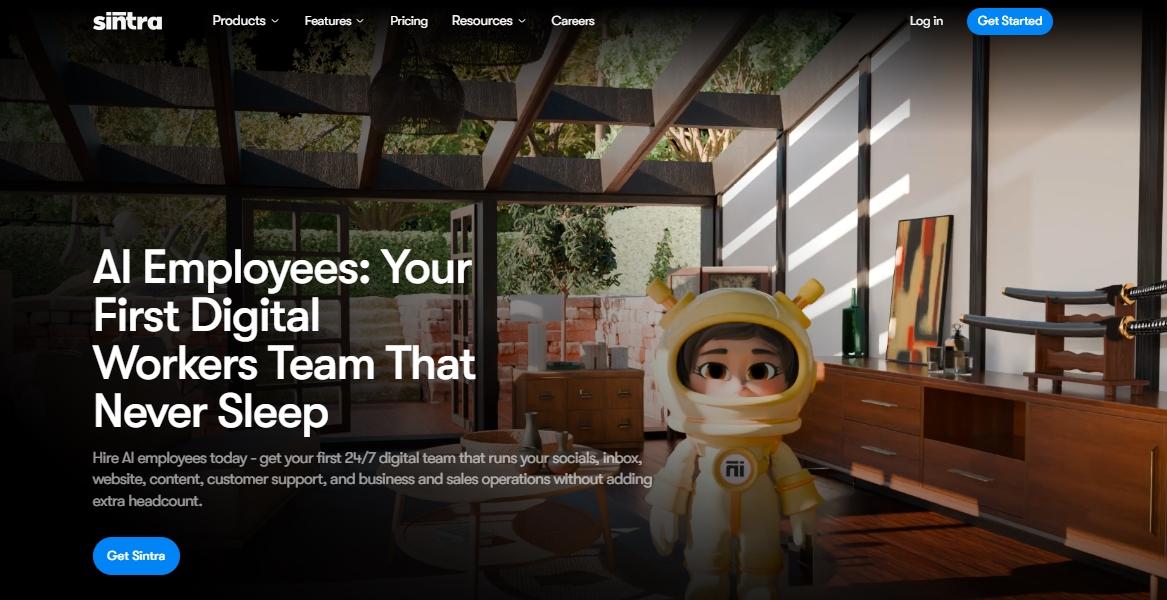
Sintra AI is an advanced business-focused Claude alternative with a team-based automation architecture. It’s persona-based AI helpers specialize in domain-specific business functions, including
- AI data analyst
- AI copywriter
- AI social media manager
- AI email assistant
All these helpers execute routine business tasks, basic one-off exchanges, and multi-step complex sequences. Plus, all these helpers share context via a centralized knowledge space called Brain AI. Brain AI has all your business details to inform outputs and help these helpers stay relevant.
To get started, businesses have to set up their digital workspace and arrange AI workflows. For instance, if you are a growing business with limited salespeople, the AI sales manager can help you automate complex multi-step sequences that look something like this.
Lead comes in – AI directs it to the sales reps – send personalized follow-up emails after approval – update entry in CRM.
Pros
- Reduced context switching.
- Excellent for scaling operations without adding headcount.
- Promote smooth integration
- Great for brand context.
Cons
- Not the best for personal productivity.
Pricing
Sintra has no free plan, and its subscription starts at $15.60 per month, which includes 12 helpers, 250 credits, and 15+ integrations.
Comparison to Claude
Sintra AI is more business-focused, while Claude helps professionals with routine productivity. Think of Sintra as a team of specialized digital employees that takes over business operations without human oversight. In comparison, Claude's reasoning applies to all use cases in a similar fashion, and the responses require manual actions.
2. ChatGPT for General Use

ChatGPT from OpenAI is inarguably the strongest contender to Claude AI. Both platforms use powerful LLMs that are capable of writing, coding, and analyzing data. ChatGPT, especially, excels at creative content production, brainstorming, and project planning.
The highlight of this Claude alternative is the custom GPTs. These personalized GPTs go beyond tone adaptation and memory recall. This way, it truly becomes a creative partner that understands your vision and comes up with consistent, refined, and relevant ideas.
The latest update - GPT-5, has significantly improved the platform’s reasoning capabilities. It enables marketers and managers to browse the web, search in-depth, and mimic agentic capabilities. This way, creative writing and idea planning become effortless.
Pros
- Great for general productivity.
- Intuitive conversational interface.
- Context-driven execution.
- Excels at multi-modal interactions.
Cons
- Potential factual inaccuracies.
Pricing
ChatGPT offers a free plan alongside paid subscriptions, including Go ($8 per month), Plus ($20 per month), and Pro ($200 per month).
Comparison to Claude
ChatGPT is a great all-purpose tool for executives and professionals. Its advanced analysis and web browsing are similar to Claude's. However, where it has native image/ video generation, Claude would compensate with nuanced reasoning and a large context window. Simply put, ChatGPT is speed-focused, whereas Claude is depth-focused.
3. Google Gemini for Productivity and Google Ecosystem
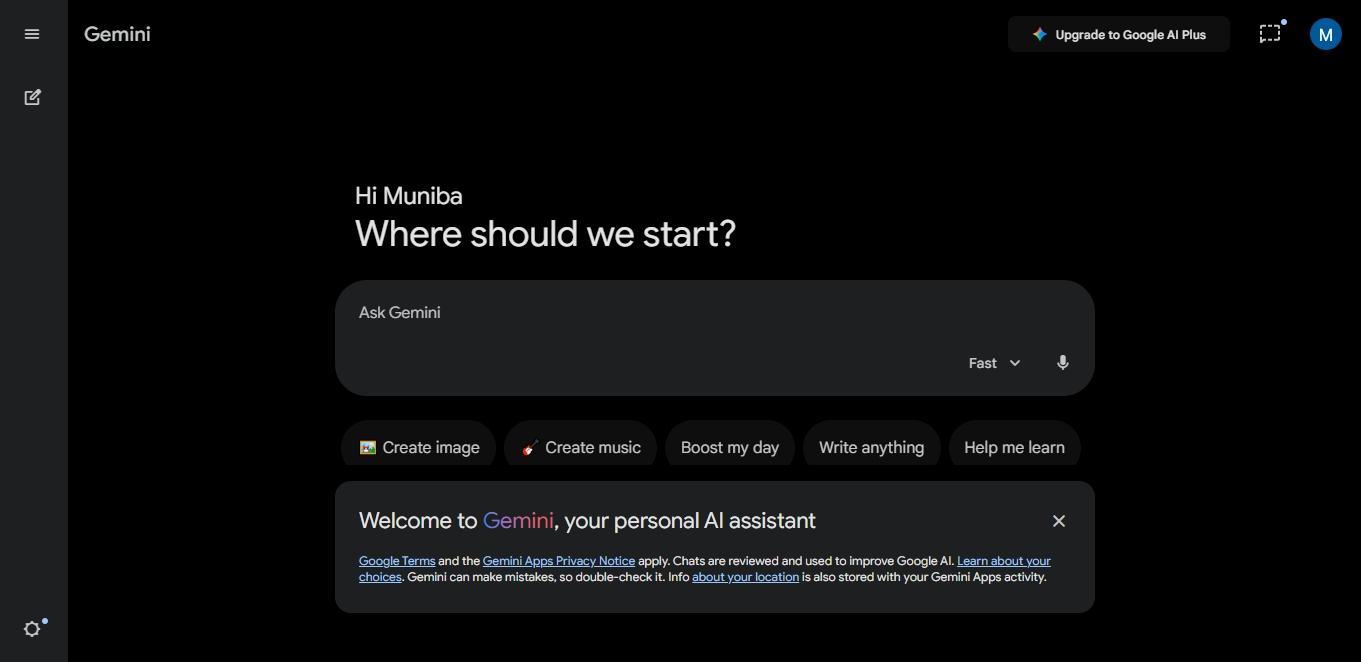
Google’s flagship assistant, Gemini, is a reasoning-oriented AI like Claude. It lives within Google Search and connects to your Google Workspace (Gmail, Sheets, etc.). So, no more juggling between tools or sifting through lengthy documents.
The most talked-about feature of this platform is its reasoning. Google Gemini has a massive 1M-2M context window. With these tokens, executives can process extensive Excel sheets, charts, codebases, and more. This, with the 2.5 deep thinking model, reasons better than other contenders in the league after Claude.
Moreover, Gemini goes beyond text. You can interact with it through images, audio, and even code. Just upload your file and ask Gemini to summarize or prompt to create an image. It even lets you choose between the intelligence models for different use cases and devices.
Pros
- Great at reasoning and debugging.
- Large context windows
- Ideal for non-technical users.
- Reduced context switching.
Cons
- Even the human-sounding outputs can feel generic.
Pricing
Gemini offers a free tier alongside paid subscriptions within Google, including AI Plus ($3.99 per month) and AI Ultra ($124.99 per month).
Comparison to Claude
The biggest advantage Gemini has over Claude is the integration with Google’s ecosystem. It integrates with your team’s work tools and automates repetitive tasks, whether drafting emails or summarizing documents. Plus, it has native multimodal capabilities. That said, Claude’s reasoning performs better.
4. Microsoft Copilot for Workplace Integration
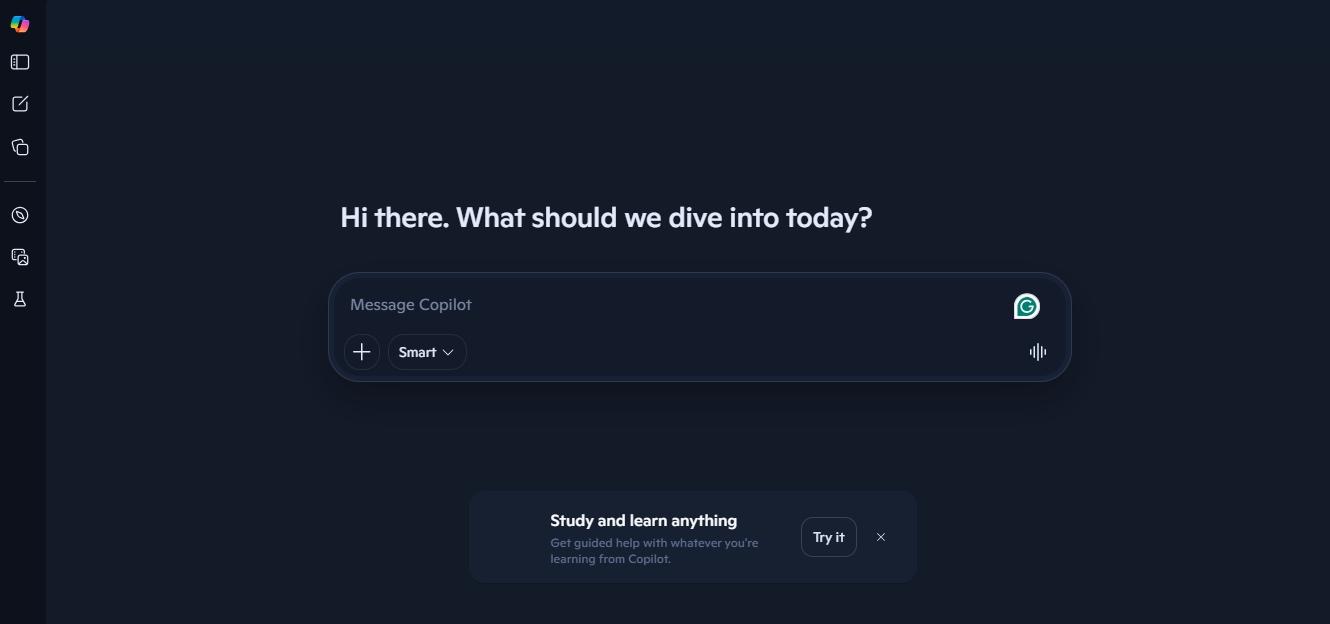
Similar to Gemini, the Copilot is a corporate AI assistant built directly into the Microsoft apps. Unlike standalone conversational chatbots, Microsoft Copilot acts as a corporate knowledge expert. It uses your organizational data to execute contextual tasks, from summarizing documents to drafting reports.
The focus of this Claude AI alternative is task automation and content retention. This enables executives to connect their apps' data, pull context from it, and complete tasks. Hence, it excels at tasks such as drafting a strategy report through multiple research documents.
If you are a project manager constantly briefing teams and clients, the presentation creation and email drafting features will be useful. However, while testing, we realized that its written content is generic and sounds robotic. We always find ourselves editing, and it takes time.
Pros
- Excels at context-driven automations.
- Builds into the Microsoft ecosystem
- Reduces friction between teams
- Native image generation capabilities.
Cons
- Require heavy editing to get a natural tone.
Pricing
Copilot has a free version and flexible paid subscriptions within Microsoft subscriptions, starting from $9.99 per month (Personal) and $19.99 per month (Premium).
Comparison to Claude
While the core functionality of these two platforms is similar (summarization, data analysis, and multi-step reasoning), their scopes are different. Claude is a standalone AI tool for executive productivity.
However, Microsoft Copilot integrates deeply with Microsoft 365 apps, allowing users to automate tasks and draft content based on internal documents. So, it’s a complete package for teams relying on the 360 ecosystem.
5. Perplexity AI for Research and Real-Time Answers
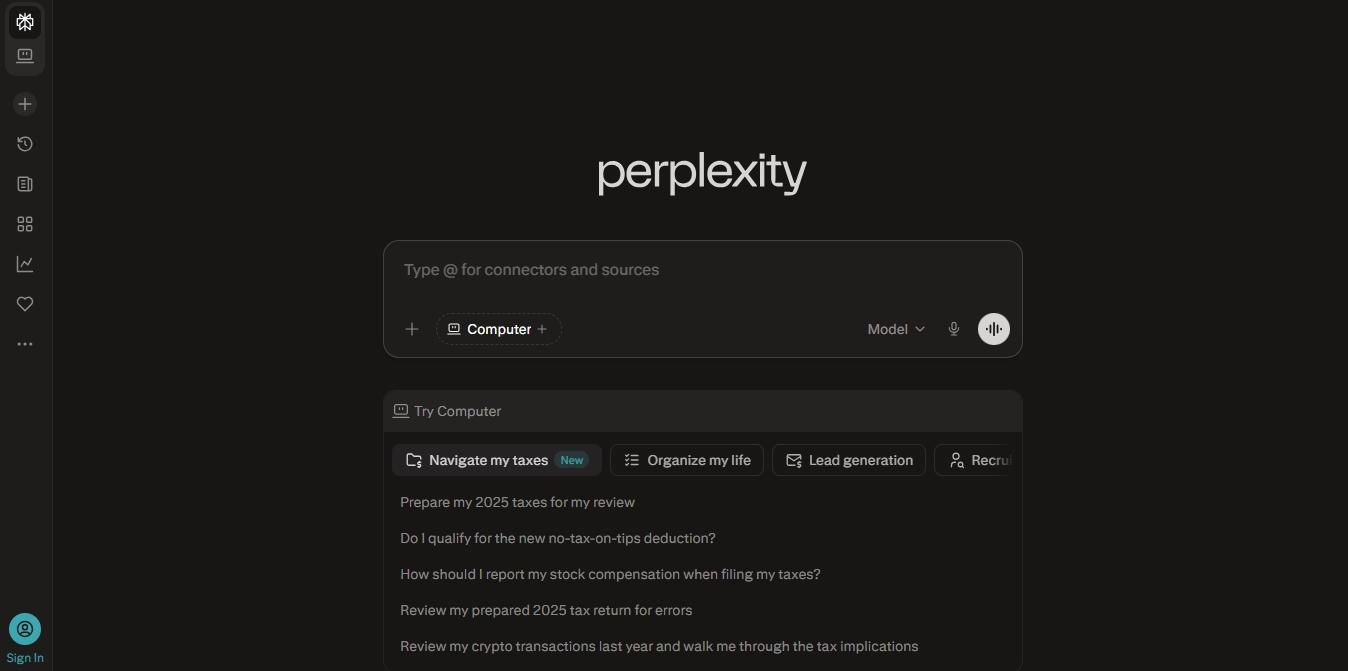
Perplexity AI is a research-focused free Claude alternative with a conversational interface. It is developed for researchers and students who are fed up with AI making things up. With this, users get evidence-backed, structured answers without investing hours and days.
Its AI model combines LLM (Large Language Model) reasoning and RAG (Retrieval Augmented Generation) to respond to queries. This way, maximum outputs are factually accurate and transparent. Moreover, researchers find the fan-out function quite useful. It breaks the initial query into multiple subqueries for in-depth data search.
But the highlight of using this answer engine is the citations. With built-in references, you can better verify claims. Simply click them to see exactly where the data comes from.
Pros
- Transparent cited sources.
- Accesses information from the web.
- Multiple high-end AI models.
- Excels at predicting follow-up queries.
Cons
- Struggles with creative tasks and deep reasoning.
Pricing
Perplexity AI has a free tier alongside paid subscriptions, including Perplexity Pro ($17 per month/ seat) and Enterprise Pro ($34 per month/ seat).
Comparison to Claude
Claude is a deep-reasoning model that helps you with complex analysis and basic web scraping. In comparison, think of Perplexity as your reliable answer engine that solves the crucial and most resource-intensive part of research. Claude’s knowledge might be relevant, but it lacks the real-time search and sourcing of Perplexity AI.
6. Notion AI for Knowledge Management

Notion AI calls itself “the AI workspace that works for you.” And, it's the most apt description for this tool. It is a specialized AI assistant that resides in the Notion workspace, accesses information (documents, databases, notes), and helps professionals with routine productivity.
The biggest edge of Notion is its deep integration with your workspace. Let’s say you ask it to draft a meeting plan directly from a Notion page, and it will do so. With the enterprise version, you can also find specific data from connected apps without juggling multiple tabs.
Among the Claude alternatives, Notion and Sintra are rare finds with agentic capabilities. Notion’s agent-like A model can handle multi-step tasks within your workflow. For instance, you can ask it to record a meeting and convert the notes into project plans with a task breakdown.
Pros
- Limited context switching.
- Builds directly into the workspace.
- Automate multi-step sequences.
Cons
- Getting used to Notion AI demands time and effort.
Pricing
Notion AI offers a free tier and paid subscriptions, including Plus ($12 per month per member) and Business ($24 per month per member).
Comparison to Claude
Since Claude is a standalone AI assistant, you will have to copy and paste the information between the AI and the actual workspace. This constant hassle can be tiring. Notion removes this by building the AI inside your knowledge, documents, and databases. But, this can also confine you if the team is not fully committed to the platform.
7. Jasper AI for Marketing Content
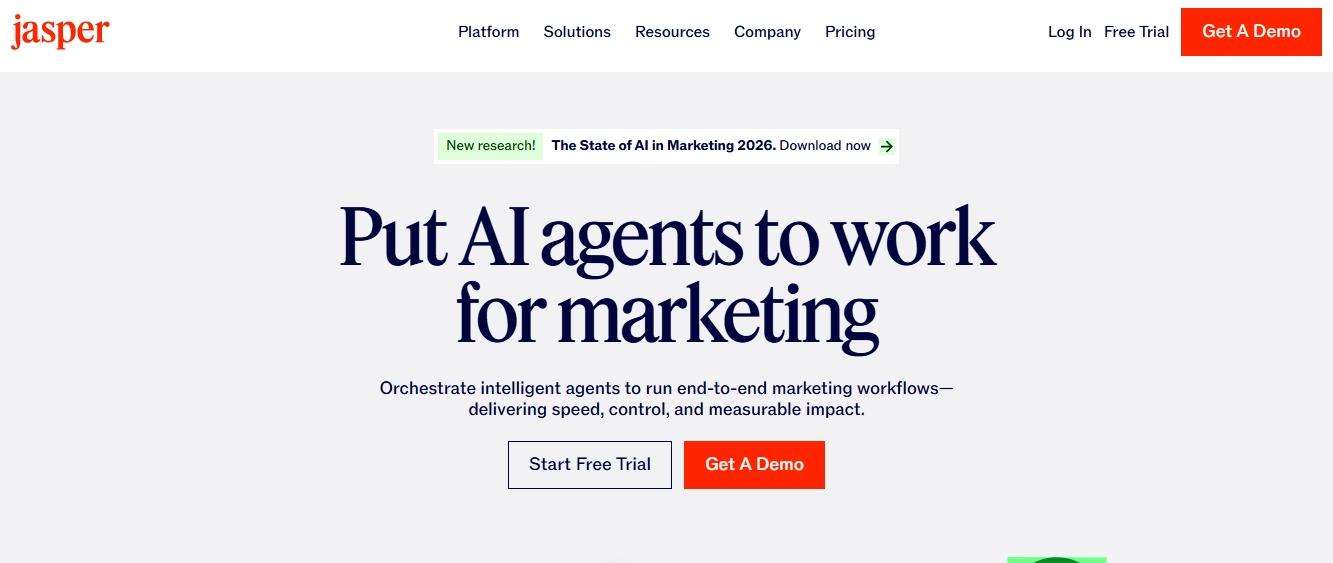
Jasper is your GPT-powered marketing writing assistant. It speeds up content production while you are already busy managing multiple projects. Unlike other open-ended contenders, AI like Claude and Gemini, Jasper offers a guided experience with templates and user resources.
With Jasper AI, you can do the following.
- Marketing Campaigns - ads, blog posts, social media content, web copy.
- Content Repurpose - polished content rewriting for better impact and engagement.
- SEO Optimization - updating content for search engine visibility.
That’s not it. Jasper’s writing also features a brand voice. With this, you can train the AI model to understand the business and adapt the tone for consistency and relevancy. Plus, you also get a native plagiarism checker to make sure nothing goes unchecked.
Pros
- Multi-model AI integration
- Specialized in marketing writing.
- Promotes consistency and context.
- Wide integration options.
Cons
- You need to keep up with the brand voice manually.
Pricing
Jasper has no permanent free plan, though you can get a 7-day free trial. Its paid subscription starts at $69 per month per seat.
Comparison to Claude
As it’s paid and niche, Jasper’s AI writing stands out. The kickstart templates and SEO tools alone make it better than Claude for rapid content production. It’s great for marketers and business owners who need an expert to build assets that resonate with the brand voice. Moreover, unlike Claude, Jasper has an image generator featuring design styles.
8. Writesonic for Budget-Friendly AI Writing
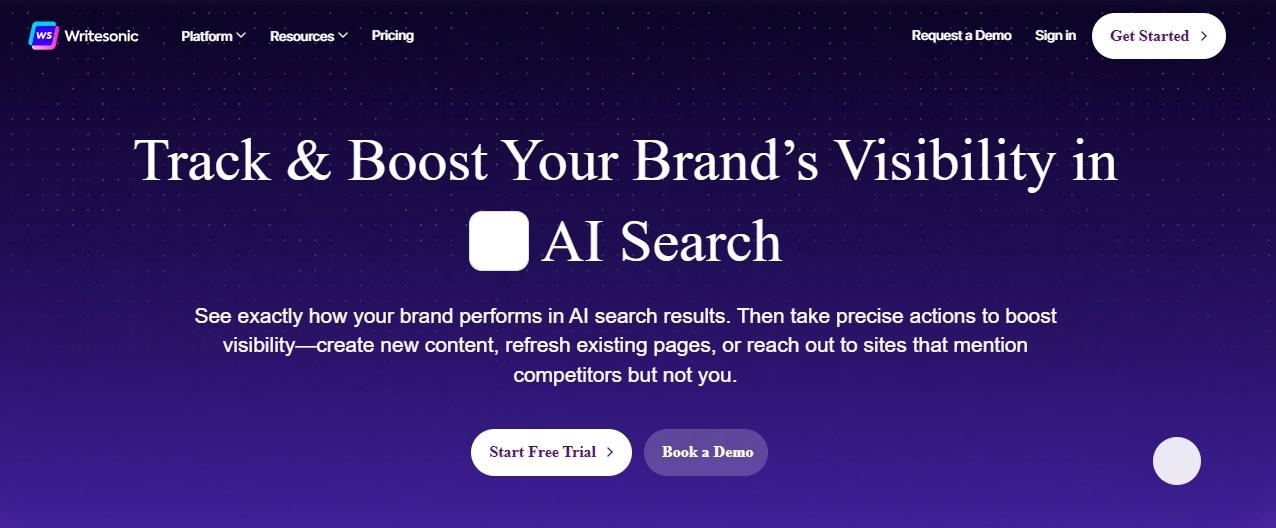
Writesonic is another assistant for marketers facing writer’s block, but at affordable rates. It’s favored among professionals for fast long-form content production and SEO integration. The package includes around 80 tools to help your content process, from research to publishing.
For starters, the AI Article Writer 6.0 uses powerful LLMs like GPT-4. The output is generally structured and grammar-free, but it lacks the natural rhythm of a human writer. With this, you just don’t type a prompt, but also add a few reference articles from the SERPs, validate outlines before writing, and enter your desired keywords.
Another selling point of this Claude alternative is the SEO and AI visibility. You will find several tools, including a native SEO checker, keyword research, and AI visibility tracking. With them at your disposal, it’s easier to get noticed in the AI search results or traditional engines.
Pros
- Great for search ranking.
- Numerous kickstart templates.
- Promotes AI visibility.
- Reasonable price point.
Cons
- Slightly difficult to navigate.
Pricing
Writesonic offers a free trial alongside paid subscriptions, including Basic ($249 per month) and Growth ($499 per month).
Comparison to Claude
Both Claude and Writesonic AI excel at long-form content, but their approaches are different. Writesonic acts as an all-in-one platform covering the entire SEO content lifecycle, from strategy and creation to optimization and tracking. But Claude focuses on nuances and reasoning. The structured approach of this alternative can sometimes feel formulaic and AI-like, lacking depth and readability.
9. Poe AI for Accessing Multiple Models
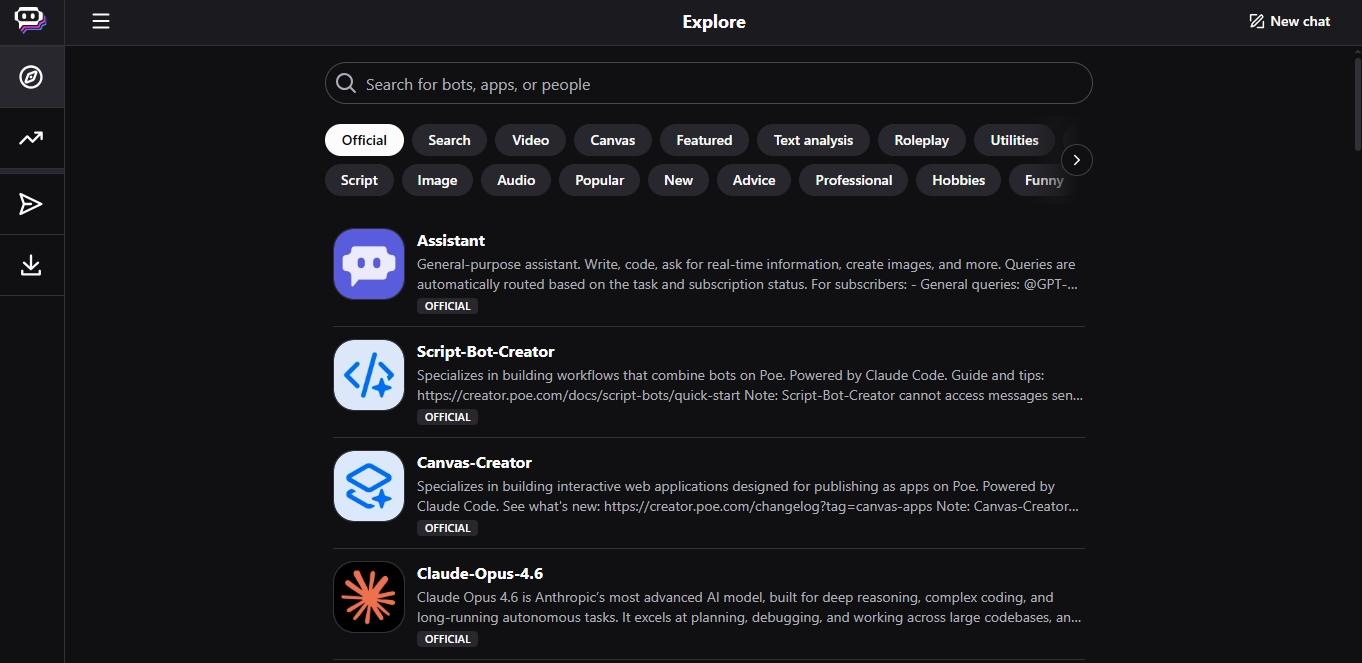
Poe stands for ‘Platform for Open Exploration’, and this Claude AI alternative is all about exploring AI models. It is a hub of dozens of chatbots, from OpenAI, Anthropic (including Claude-3.5 Sonnet), Meta, and Google, all in one interface. You can experiment with which bot is best for your required job.
To get started, you ask a question in its chat interface and pick which AI model you want to respond. Let’s say you want to brainstorm or plan a project; picking ChatGPT will be better. Plus, as it is from Quora, you can also integrate it with this community platform for detailed conversational responses.
Alternatively, you can also build a custom bot without coding expertise. For instance, a customer service assistant who is trained on your product and lives on your website.
Pros
- Unique agentic capabilities.
- No-code interface
- No VPN required
- It’s a value-for-money deal.
Cons
- Still inferior to specialized standalone assistants.
Pricing
Poe offers a free version and flexible paid subscriptions, starting at $4.99 per month for 10 thousand points per day.
Comparison to Claude
If you would like Claude for routine productivity, Poe is essentially giving you that. But it goes a step further and allows you to switch between multiple AI models within one subscription. That said, Claude AI offers the latest and most up-to-date Sonnet version with advanced features, such as Artifacts and document rendering. Plus, modern AI models prioritize accuracy and governance, integrating retrieval-augmented generation to enhance factual reliability.
What Are Claude AI Alternatives?
An average Claude AI alternative is an AI tool that offers strong reasoning, has a large context window, and promotes detailed research. However, the right choice might look different for individuals, businesses, and freelancers, depending on the key capabilities and unique requirements. So, let’s find out more about this. If you want an AI similar to Claude, you have plenty of choices. We compared AI tools like Claude for writing, coding, and automation, from free apps like Claude to business platforms similar to Claude AI.
Why Teams Choose Claude Alternatives?
Like any other generative AI tool, Claude has some limitations. These limits prompt executives and businesses to look for Claude alternatives.
- Hallucinations: Claude is prone to producing factually incorrect or outdated responses. Because it lacks a mechanism to verify facts in real time, users must fact-check sensitive data every time.
- Web Search Restrictions: Claude’s information base has data till early 2025. Paid users can tap into the latest web search capabilities, but free users have no access to web search. Plus, this feature needs to be manually adjusted.
- Usage Limits and Pricing: Claude offers a free tier. But the problem lies with its premium plans. Though predictable on paper, the cost increases as you unblock more features and raise your usage limits. For reference, Google Gemini 3.1 Pro operates faster than Claude at a lower cost.
- No Native Image Generation: Claude cannot produce images or videos, and solely relies on text search. So, if you are a marketer in search of a content production tool, this may call for investment into a separate tool.
- Limited Plug-and-Play Customization: Developers can integrate Claude through APIs. However, non-technical users have no pre-built access for niche tasks like data visualization or fitness tracking.
What Is the Difference Between Claude and Its Alternatives?
Claude, as an AI assistant, helps users with writing, data analysis, and reasoning. It acts better with single-session task exchanges. However, its alternatives go beyond basic exchanges and tap into automations, AI workflows, wider integration options, and specialized domains.
Typically, Claude AI alternatives in the list distinguish on three variables,
- Flexibility - Can a tool deliver value in situations beyond its original training? Are they adaptive and promote continuous learning?
- Use Cases - What are the specific scenarios the platform is designed for?
- Outputs - What the platform actually delivers? How much additional manual editing is required to make the output useful?
| Tool | Flexibility | Primary Use Case | Output |
|---|---|---|---|
| Claude AI | High (writing, broad reasoning, and coding). | Analysis and long-form writing. | Generates refined text responses but requires manual action. |
| Sintra AI | Moderate (specialized agents that are customizable and offer open-ended automations). | Business-focused workflow automation. | Consistent, context-driven, and role-specific responses. |
| ChatGPT | High (general-purpose use with multimodal capabilities). | Creative tasks and writing. | Multi-modal interactions with actionable suggestions. |
| Google Gemini | High (multimodal interactions, information retrieval, analysis, writing), but within the Google ecosystem. | Google Workspace productivity. | Directly embedded in Google apps. The output quality is consistent and context-driven. |
| Microsoft Copilot | High (adaptable to executive needs, expansive integration, and multimodal capabilities) but within the Microsoft ecosystem. | MS Office executive productivity. | Consistent and relevant output within Microsoft information. |
| Perplexity AI | Low (research-focused). | Research and real-time fact-checking. | Consistent, accurate, and well-cited responses. |
| Notion AI | Low (specific to knowledge tasks). | Knowledge management within the Notion workspace. | The quality is consistent but prone to hallucinations. |
| Jasper AI | Low to moderate (focuses on marketing). | High-volume marketing content. | Consistent content that reinforces brand voice. |
| Writesonic | Low to moderate (focuses on content). | Blog writing and SEO optimization. | Decent content quality, mostly optimized for volume. |
| Poe by Quora | High (multi-model AI access). | Using multiple AI models in one place. | Output quality varies, depending on the AI model. |
Are Claude Alternatives Better Than Claude?
Well, there is no simple answer. Claude AI is a versatile AI tool for writing, analysis, and coding. But if you are looking for a specific use case, the alternatives might deliver better.
For instance, Sintra AI excels at executing complex, multi-step business sequences. Whereas Gemini offers seamless integration with the Google ecosystem and produces natural, human-sounding creative writing. In comparison, Jasper and Writesonic perform better at producing content for SEO engines and marketing channels.
When Should You Use a Claude Alternative?
Today, AI assistants are increasingly embedded across enterprise workflows, supporting tasks such as documentation, coding, analytics, and operations. Some generalists, while others are specific to use cases. Here are a few signals that can help you understand if you need to switch to a Claude alternative.
- If you are running repeated tasks in a typical workday, automation-focused contenders can boost productivity.
- If your workspace has embedded AI tools (like Gemini for Google, Copilot for Microsoft, and Notion AI for Notion).
- If your team is struggling with consistency, brand voice, and context in content production.
- If you want domain-specific AI experts (AI writers, AI customer support, etc) instead of a generalist tool.
When is Claude a Better Option Than an Alternative?
That said, Claude AI still stands tall in specific scenarios, including its deep reasoning, context-driven responses, and nuanced writing. Here are some advantages of using the original tool over Claude AI alternatives.
- Handles lengthy text while staying coherent, perfect for analysis, research into detailed topics, and long-form writing.
- Recalls useful details from previous interactions. This makes conversations smooth, useful, and relevant.
- Prioritizes safety and ethical behavior with a constitutional AI mechanism.
- Offers deeper reasoning for complex tasks. It breaks down complicated queries, provides transparent thought processes, and responds accordingly.
How We Tested the Best Claude Alternatives?
When considering the best Claude alternatives, we specifically focused on
- Performance - How accurate, relevant, and consistent are the AI outputs?
- Context window - Can the AI tool support the maximum amount of data at once? Does it support a working memory?
- Creative capabilities - Is the AI software suitable for technical tasks, brainstorming, or writing?
- Integrations - Does the AI platform connect with work tools, such as emails, notes, and calendars?
- Coding Capabilities - AI coding assistants help automate documentation, speed up code generation, and streamline support. This is especially crucial for production-grade tools.
- Customization - Can you personalize the AI model: its tone, context, and reasoning logic?
- Accessibility - Is there a free Claude alternative? Are there options for non-technical employees?
What Makes a Great Claude Alternative?
Not all Claude AI alternatives are built the same. One might excel at agentic capabilities, while the other might offer affordable content generation. So, the best option comes down to your unique requirements. That said, here is a basic evaluation criterion for a platform to be considered as an AI like Claude.
Output Quality and Reasoning Ability
Claude models, especially Sonnet 3.5 and 3.7, are consistently ranked for their dual-mode reasoning ability, including
- The standard mode for everyday inquiries.
- The extended thinking mode that activates methodical analysis for complex problems.
This hybrid architecture perfectly mimics human cognition, giving you a blend of intelligence and intuition. So, whenever you ask a question, it interprets the complexity and adapts to give an instant or in-depth response. Plus, when you enable the extended thinking mode, the AI provides a transparent, step-by-step thought process, improving the output accuracy.
Hence, a good Claude AI alternative must match or exceed Claude in the following.
- Accuracy: A summary is the best way to check accuracy. Upload a document and see how well it extracts key points.
- Writing Clarity: Check whether your desired tool produces well-structured responses that adapt to the context of your asked query.
- Logical Reasoning: See how well the Claude AI alternative handles multi-step reasoning (breaking down steps, explaining complex problems, etc), especially in a long argument.
Ease of Use and User Experience
An AI assistant should be inherently easy to use, especially for non-technical users. And, Claude AI understands it. The conversational interface is intentionally kept minimal with a clean input field and a structured conversation history.
Hence, it’s only right if your chosen Claude alternative has the following, if not a better interface design. If you have to configure settings manually, understand the AI model, or decode technical aspects, it’s not worth it.
Moreover, onboarding is another clear advantage of Claude. To get started on this tool, you need no tutorial or detailed user resources. It’s as simple as asking a question. So, you should also hold the same standards for the alternative.
Simply put, you need to ask yourself the following questions before making a decision.
- Can a non-tech-savvy user complete a task using the tool in minutes?
- Is the output quality similar without prompt training?
- Does the interface overwhelm you with features?
Automation and Workflow Capabilities
A chat with AI is just the beginning. What distinguishes a useful assistant from an intelligent bot is automation. It’s all about letting your AI handle repetitive, multi-step tasks.
Claude Code does the same. It’s built for developers to automate technical jobs, such as validating commands, formatting code, and handling single-task interactions. Plus, Claude’s AI coding assistant enforces coding standards and security best practices through automated checks
Hence, AI workflow capabilities are a primary prerequisite for teams that want an all-rounder Claude AI alternative. Ideally, you should look for tools that connect to your existing tech stack, including email, project management software, CRMs, and calendars. Beyond this, a few common use cases to look for include
- Email management: drafting, summarizing, and responding to messages.
- Meeting transcription: Recording meeting minutes and turning them into action items.
- Scalable Content Production: Researching topics, drafting blog posts, and publishing across channels.
- Documentation: Report generation, information retrieval, and process documentation.
Context Awareness and Memory
For starters, Claude AI has a large context window of roughly 750,000 words. The context window refers to how much information the AI can hold in its head during a conversation. The rule of thumb says that the larger the context window, the more relevant the output is.
So, in a single session, you can upload your client’s requirements, project material, brand guidelines, sales data, and competitor analysis, and Claude will store it in the working memory. Plus, the context editing filter also removes unnecessary details to focus on what matters.
With the latest updates, Claude's memory is better and included in the free plan too. Now, it just does not keep the context store for specific projects but across your account. It learns your preferences, business knowledge, and communication style, and carries them forward.
And, Claude updates its memory every 72 hours. So, the more you use it, the less you have to describe everything from scratch.
Thus, it’s a no-brainer as a strong Claude AI alternative that offers the ability to store business details, conversation history, and custom instructions, at a minimum. Over time, this will help you reinforce your brand voice and communication style in every response.
Integrations With Other Tools
The moment your AI assistant connects with work tools, it becomes a part of your workflow. Claude works the same way. It connects to numerous platforms using the Model Context Protocol, including Google Workspace, Slack, and the list keeps growing. This means the AI can read your docs, check calendar availability, pull data from conversations, and more.
However, when choosing the right Claude alternative, you must not restrict yourself to individual integrations. Think about the compound effect of integrating entire workflows with your AI models. For instance, a sales AI agent with access to your Gmail, CRM, and product inventory is better equipped to execute multi-step sequences than one with only Gmail access.
Moreover, it’s important to check whether the platform offers native integrations or relies on third-party sources like Zapier. Typically, native integrations are faster and more reliable in handling edge cases.
Pricing and Accessibility
Claude has a free version, and its subscriptions start at $17 per month (for individuals) and $20 per month (for a seat in the Teams plan). Given the add-ons, pricing becomes a big struggle for solopreneurs and startups. Hence, you must understand what you get under different prices.
You will find numerous free Claude alternatives, but they always come with ceilings. Some common limitations with free tiers of popular tools (ChatGPT, Gemini, Copilot) include message rate caps, limited integrations, shorter context windows, and no memory. So, ask yourself if you can afford to survive without these essentials.
A free tier may still work for individuals or casual users, but growing teams have unique needs. Here, the per-seat pricing models work better, as they give predictable estimates. Whereas usage-based models suit startups better, as they pay for what they use.
Why Sintra AI Stands Out Among Claude AI Alternatives?
AI assistants have evolved from optional productivity tools into essential infrastructure for enterprises. For instance, AI-powered copilots now handle first-level support, ticket triage, and automate runbook execution. Sintra AI is among the few platforms that cater to the needs of growing businesses. Let’s see how it compares with other Claude AI alternatives that mostly focus on conversations.
Built for Execution, Not Just Conversation
Claude is basically made for conversations. You ask a query, it uses your business context to interpret the command, and responds accordingly. Sintra AI, despite having similar functionalities, is developed for automation and AI workflows.
Let’s say you want Claude to generate a blog post. The process: You type a detailed prompt, and the AI reacts. In comparison, Sintra deploys a specialized AI persona that automates multi-step task sequences for you. Here, you are not essentially writing a lengthy prompt, but rather, you are asking the AI to handle content production for this week.
Unlike Claude AI, which focuses on handling one task at a time, this platform turns tasks into repeated AI workflows. So, a content AI workflow will involve automatically researching a topic, writing a draft, including brand voice, and publishing it - all without manual inputs.
The core difference: Sintra helps businesses delegate complex tasks to AI without human supervision. Whereas, Claude empowers individuals to get assistance with their routine work.
Role-Based AI Helpers for Every Business Function
Generalist AI like Claude can perform tasks across domains: sales, marketing, HR, and content. But the issue is that it approaches every task the same way. In comparison, Sintra offers an advanced suite of 12 AI agents, each specializing in a business domain.
Think of these characters as your digital expert employees. Soshie handles social media, Emmie manages emails, Dexter handles business data, and more. When a specialized email assistant takes over drafting outreach emails, it understands the pipeline context, your campaign goals, and business voice, and then executes the task.
Shared Memory With “Brain” for Consistent Outputs
Claude AI has a memory, but such general-purpose AI tools update details at set intervals or after each conversation (e.g., Claude every 72 hours). Executives might have to re-enter their brand information, custom guidelines, and tone preferences repeatedly. And, given that output largely relies on context, memory makes a difference.
Sintra approaches memory differently. It has a dedicated centralized business knowledge space, called Brain AI. Brain AI stores everything from your company’s documents to project details, client guidelines, communication style, and customer feedback surveys. This memory is persistent and backs every AI helper in executing tasks.
Moreover, unlike session-based AI memory, it is not static. As you interact with the AI helpers and answer surveys about your business goals, the platform learns about your preferences and grows, adapting to changing company focus and market trends.
Built-In Integrations and Workflow Automation
Sintra’s third-party integrations connect to the business tools you are already using, including Google apps, Notion, Shopify, LinkedIn, and more. These AI integrations trigger workflow automations, allowing the AI employees to execute tasks from one dashboard.
Faster Time-to-Value With Pre-Built Use Cases
Modern enterprises operate in environments defined by complexity, speed, and data overload. Here, new joinees who are already struggling with prompt writing can become a liability. To avoid this, Sintra offers one-click use cases. These are ready-to-execute use cases across business functions to streamline repetitive tasks. For instance, Emmie’s use cases include writing an email, drafting bulk outreach messages, etc.
Ready to Replace Claude with a Smarter AI System?
There it is - everything about finding the top Claude AI alternative that serves your business’s unique requirements. Always remember! Whatever you choose, never compromise on consistency, context, and automation, especially if you are an executive or in a growing business.
If you can’t make up your mind, get started with Sintra AI and see how it goes. Its persona-based specialized AI helpers are driven by context and multi-model AI capabilities. Plus, its conversational interface AI, like Claude, might help you with smooth onboarding.
Claude AI Alternatives FAQs
What is the best Claude AI alternative in 2026?
The best Claude AI alternatives depend on your unique requirements. For instance, ChatGPT and Poe help executives with general productivity. While Jasper and Writesonic target marketers needing assistance in producing content at high volume.
Are there any free Claude alternatives available?
Yes, of course. There are several free Claude alternatives, including ChatGPT for routine productivity, Perplexity AI for research, Copilot for executive productivity, and Google Gemini for reasoning. However, the free tiers have limitations.
Is any AI as good as or better than Claude?
It depends on the task. For step-by-step reasoning and coding, many users find ChatGPT and Gemini as good as or better than Claude. For cited, real-time research, Perplexity is stronger. For running actual business workflows, Sintra AI goes further with a team of AI employees. Claude still leads on long-form writing and careful, nuanced responses, so the best pick comes down to what you need.
What is the difference between Claude and other AI tools?
Claude AI excels at long-form conversations, high-level coding, and complex document analysis, thanks to its large context window and deep reasoning. Moreover, unlike other AI chatbots, Claude’s constitutional AI focuses on security.
Which Claude alternative is best for business use?
It depends on your unique requirements. However, the top contenders for business Claude alternatives include Microsoft Copilot (for teams on the 365 ecosystem) and Gemini (for executives using Google apps). Moreover, Sintra AI excels at workflow automations across specific business functions.
Related articles









Copyright © 2026 PlayOS, Inc. All rights reserved