ChatGPT vs Gemini vs Copilot: Which AI Tool Is Best in 2026?

Table of Contents

Quick Answer: What's the Difference Between ChatGPT, Gemini, and Copilot?
ChatGPT is the most flexible AI for writing, coding, and creative tasks; Gemini is best for research and teams working inside Google Workspace; and Copilot is the strongest choice for anyone whose work lives inside Microsoft 365 apps like Word, Excel, and Teams.
You subscribed to one. Maybe two. You spent time learning the prompts, the quirks, the workarounds. And you still aren't sure if you're using the right tool or leaving money on the table.
That's the real frustration in 2026: too many AI tools, all sounding equally capable, none of them telling you upfront who they're actually built for. If you've been stuck choosing between ChatGPT, Gemini, and Copilot, you already know the feeling.
We spent 40+ hours running all three through real client work, including SEO audits, content production, and business research tasks, so you don't have to start from scratch. What we found: all three are genuinely useful, but they're built for completely different workflows.
Pick the wrong one, and you'll waste hours prompting around its blind spots. Pick the right one, and it fits into your work as if it had always been there. You will find here the direct ChatGPT vs Gemini vs Copilot comparison, the real test results, and a clear answer on which tool fits your situation in 2026. We also cover what's behind the latest approach via AI teams and how they are better at execution rather than picking a chat window.
| Feature | ChatGPT (GPT-5.5) | Gemini (3.1 Pro) | Copilot (Agent 365) |
|---|---|---|---|
| Primary Strength | Creative Writing & Reasoning | Research & Data Analysis | Workflow Execution |
| Best Ecosystem | Standalone / Custom GPTs | Google Workspace | Microsoft 365 |
| Max Context Window | 1,000,000 Tokens | 2,000,000+ Tokens | App-dependent (High) |
| Automation Style | Prompt-driven | Data-driven | Autonomous (Cowork) |
| Free Tier | Yes (GPT-4o mini) | Yes (Gemini 3 Flash) | Yes (Basic chat) |
| Starting Paid Price | $20/month (Plus) | $20/month (Advanced) | $20/month (Pro) |
What are ChatGPT, Gemini, and Microsoft Copilot?
These are the three most widely used general-purpose AI assistants right now, each built inside a different company's software ecosystem. They can all write, research, summarize, and handle code. The real difference lies in how deeply each one connects with the tools you already use every day.
These tools have moved from developer circles into mainstream business use. The barrier to entry dropped to zero, and now the only question that matters is which one fits your stack.
ChatGPT (OpenAI)
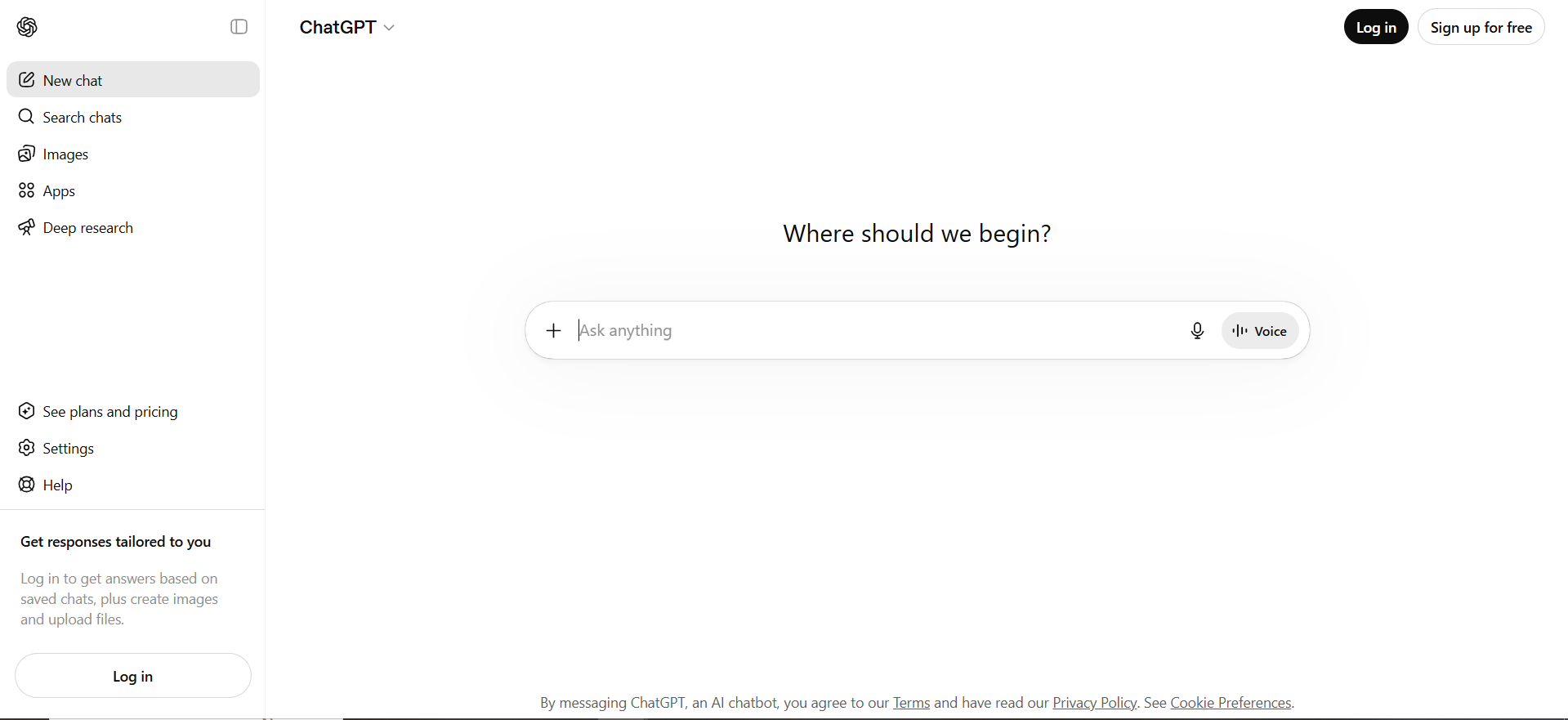
ChatGPT is OpenAI's main product and the tool that put conversational AI on the map. The current model behind it is GPT-5.5 (released April 2026), which OpenAI built around what they call "agentic autonomy." That means it can plan and run multi-step tasks with much less back-and-forth from you.
The standout feature of GPT-5.5 is "Thinking" mode. Before it writes anything, it runs an internal check on its own reasoning. This made a noticeable difference in our testing, particularly in math, technical writing, and research summaries, where earlier versions would sound confident but miss key details.
Who it's for
Freelancers, content creators, developers, and anyone who works across multiple tools and doesn't want to be locked into one company's software suite. ChatGPT is particularly effective at content generation, making it suitable for tasks such as drafting articles, creative writing, and brainstorming ideas.
Pricing
- Free: GPT-4o mini (limited reasoning depth)
- Plus: $20/month - GPT-5.5, DALL-E 3, Custom GPTs
- Pro: $200/month - Priority Thinking mode, higher usage limits, advanced data analysis
Gemini (Google)
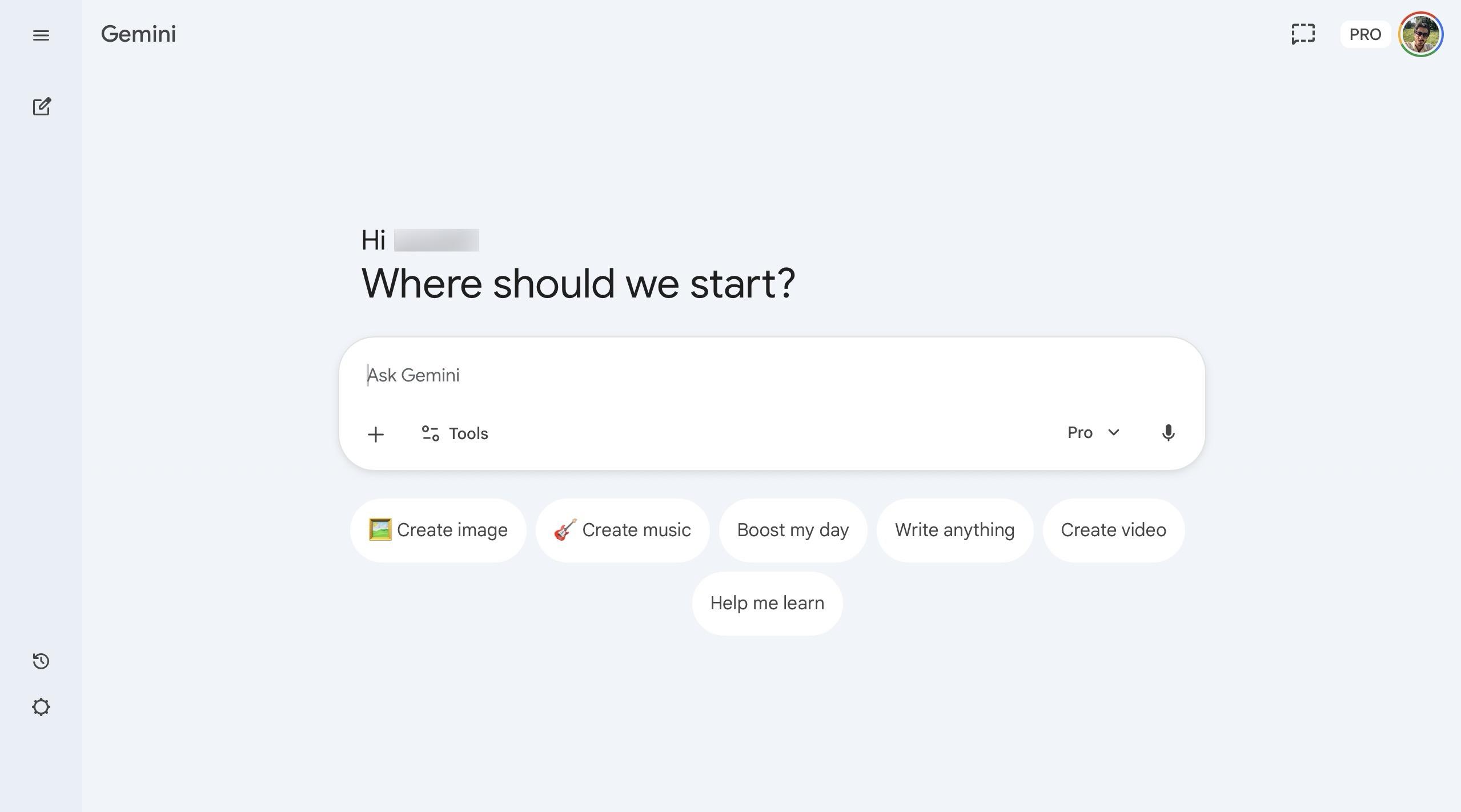
Gemini is Google's AI assistant, now running on Gemini 3.1 Pro. It sits directly within Google Workspace, so it works in Docs, Gmail, Sheets, and Slides without opening a separate tab. If you already pay for Google One storage, the AI Premium upgrade gets you full Gemini 3.1 access.
Gemini excels in research and analysis, using its multimodal capabilities to pull real-time information and insights, making it ideal for data-driven tasks.
Who it's for
Researchers, analysts, students, and teams who run their daily work inside Google's tools.
Pricing
- Free: Gemini 3 Flash
- Advanced: $20/month (Google One AI Premium) - 2TB storage plus full Workspace integration
- Business: $20/user/month - enterprise security and Gemini Agents
- Enterprise: $30/user/month - advanced compliance, dedicated support, full agent access
Microsoft Copilot
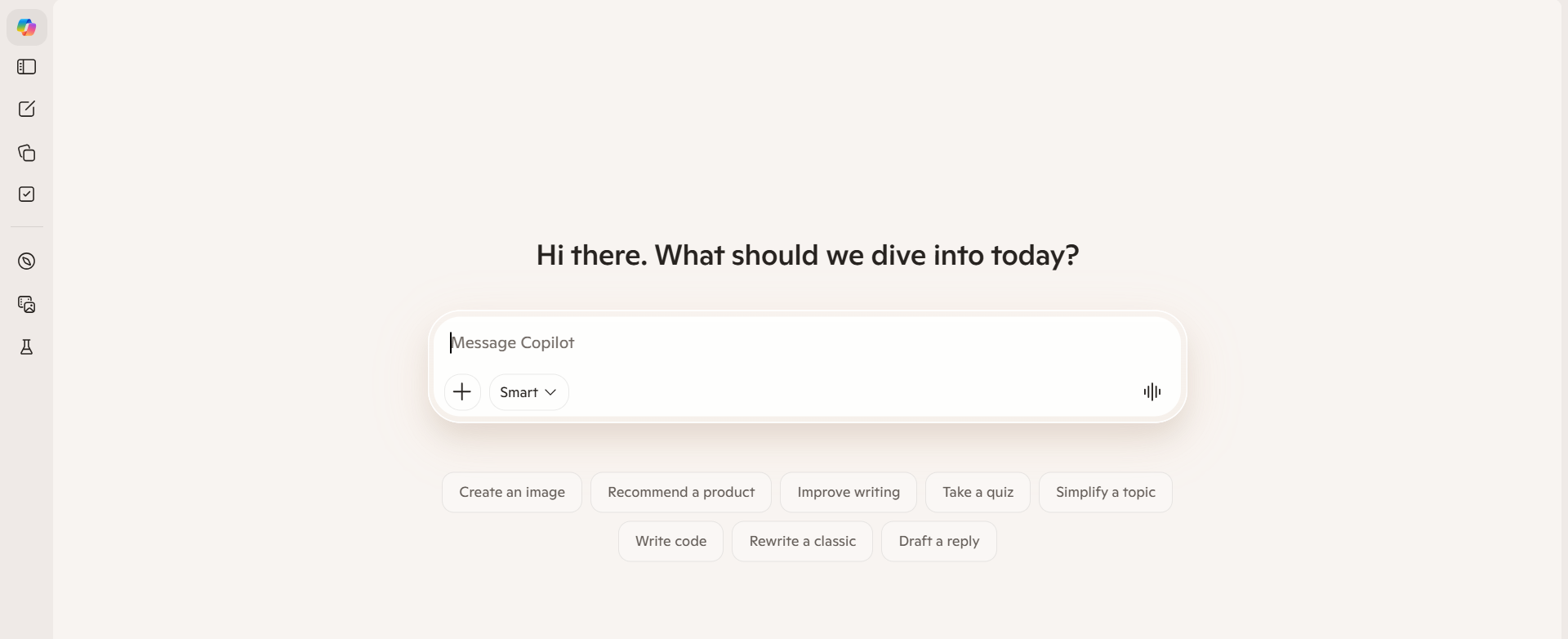
Copilot is Microsoft's AI layer, built directly into Microsoft 365. It now runs on "Wave 3" / Agent 365 architecture, which means it supports multiple models. Enterprise users can switch between GPT-5.5, Claude 4.7, and Llama 4 within the M365 interface, depending on the task.
Microsoft Copilot is designed for productivity within the Microsoft 365 ecosystem, making it particularly effective for automating tasks in applications like Word and Excel. The newest feature is Copilot Cowork, which monitors Teams channels and email threads and drafts responses or schedules meetings on its own, without waiting for you to ask.
Who it's for
Corporate teams, enterprise users, and anyone whose daily work runs through Outlook, Teams, Word, Excel, or PowerPoint.
Pricing
- Free: Basic web search and chat
- Copilot Pro: $20/month - priority model access and Office app integration for individuals
- Copilot for Microsoft 365: $30/user/month - requires a business license, includes Copilot Studio for building autonomous agents
ChatGPT vs Gemini vs Copilot: Key Feature Comparison
All three handle the basics fine. The real differences emerge when you put them into actual business workflows.
Here's what we learned from testing each one across tasks that solopreneurs, marketing teams, and small business owners run every day.
Ease of Use and Interface
ChatGPT
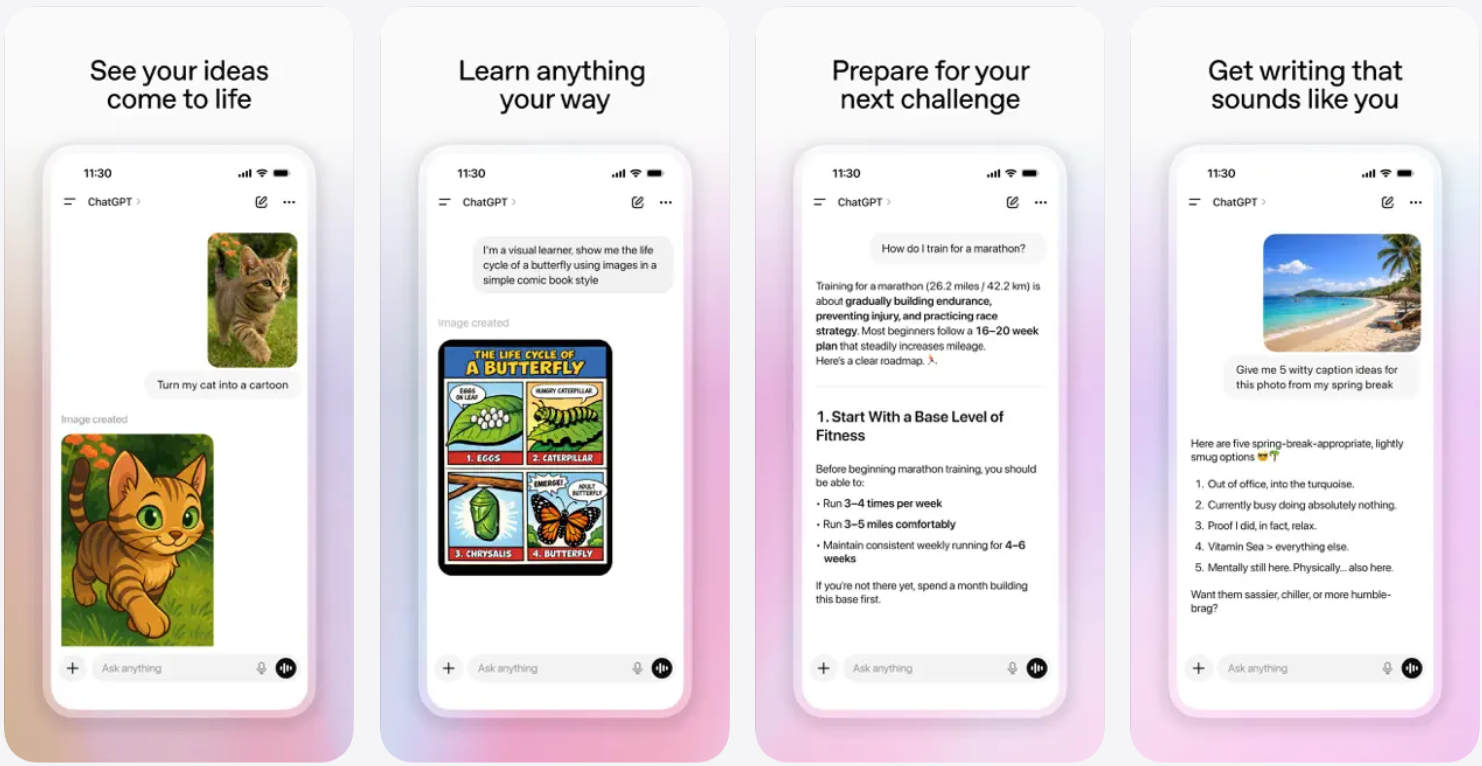
ChatGPT gives you a clean, prompt-first interface. Open it, type, and get a response. No toolbar to learn, no app to configure. The Custom GPTs feature lets you build task-specific versions of ChatGPT (a content writer, a research assistant, a support agent) without writing a single line of code.
ChatGPT is known for multi-step reasoning and complex problem-solving, and GPT-5.5's Thinking mode makes this particularly clear for anything that requires structured logic or multi-part answers.
Gemini
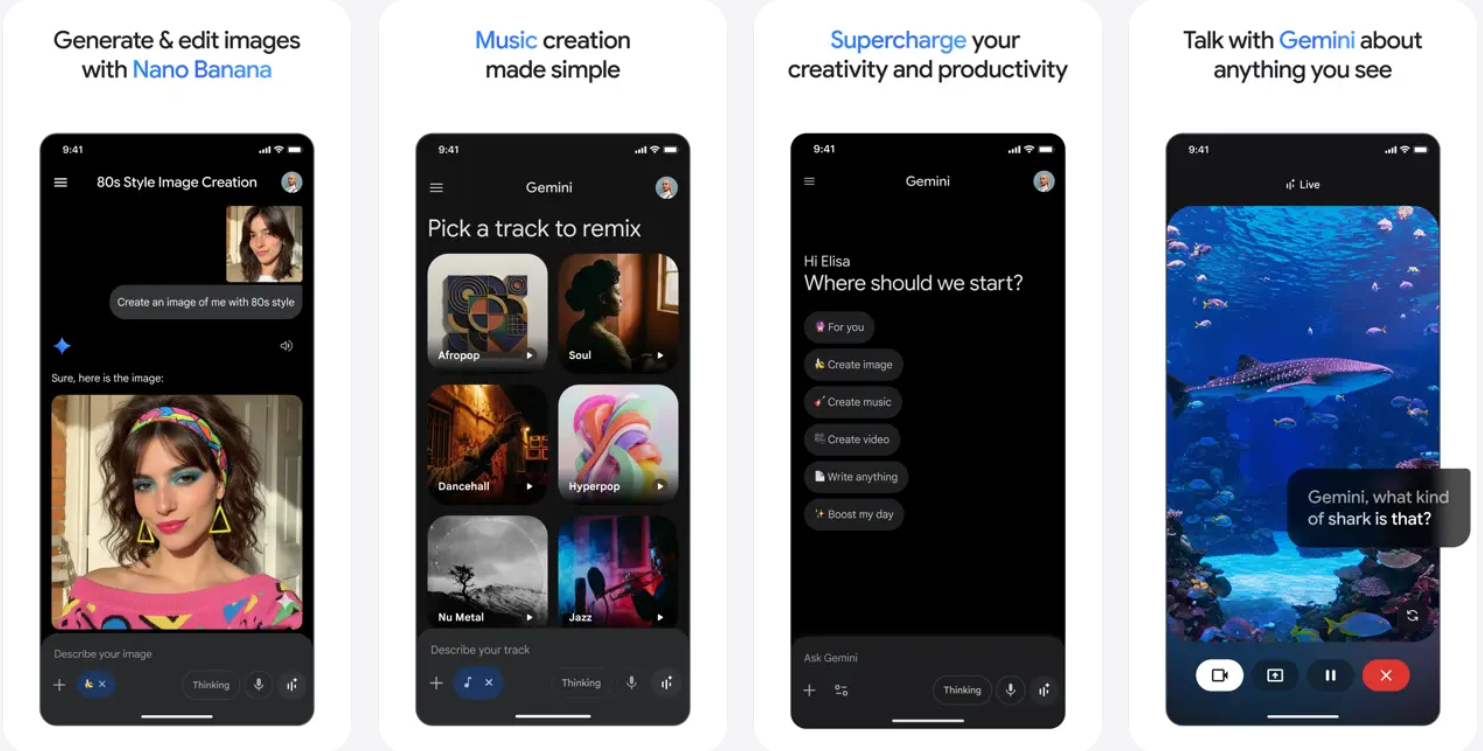
Gemini behaves differently depending on where you use it. In Docs or Gmail, it shows up as a sidebar panel where you can chat without leaving the page. You can ask it to rewrite a paragraph, summarize a 40-email thread, or flag follow-up items across your inbox, all without switching tabs. Gemini generally provides the fastest response times for research-heavy tasks, which makes it feel fluid in day-to-day Google Workspace use.
Copilot

Copilot is the most embedded of the three. It lives inside Word, Excel, PowerPoint, Outlook, and Teams. You access it through the Copilot button in each app. For corporate users, this means one click from wherever they're already working. The trade-off: outside of Microsoft's tools, Copilot loses most of its practical advantage.
Gemini wins for ease of use
With Gmail and Google, the Gemini provides more helpful features in writing emails, searching queries, and making images right in the browser.
Integrations and Ecosystem
Integration capabilities refer to AI systems' ability to connect with various tools, platforms, and services to enhance functionality and deliver more meaningful results.
ChatGPT
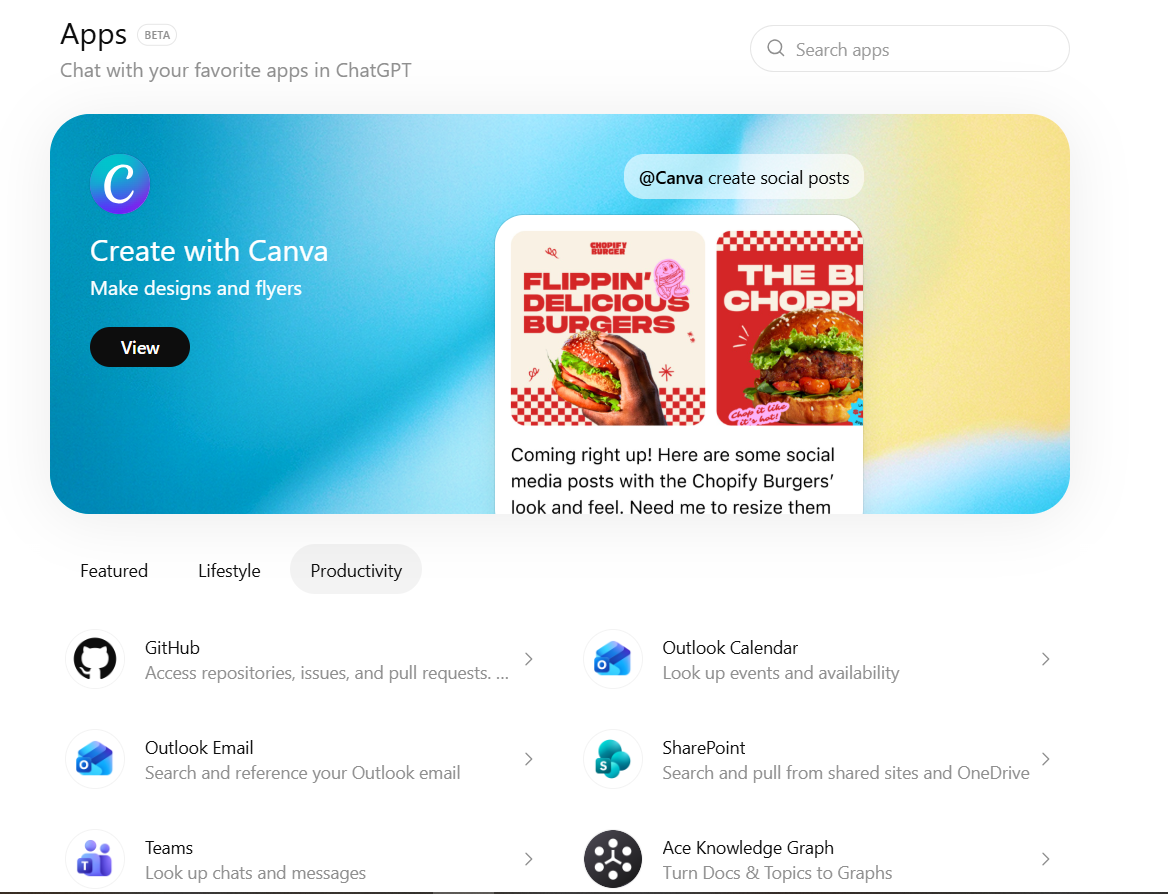
ChatGPT takes the widest approach to integrations. Through the GPT Store and API:
- Thousands of Custom GPTs connect to external tools
- Zapier, Make, and native API integrations run automation workflows
- Plugins connect ChatGPT to Slack, Notion, HubSpot, and dozens of other tools
Gemini
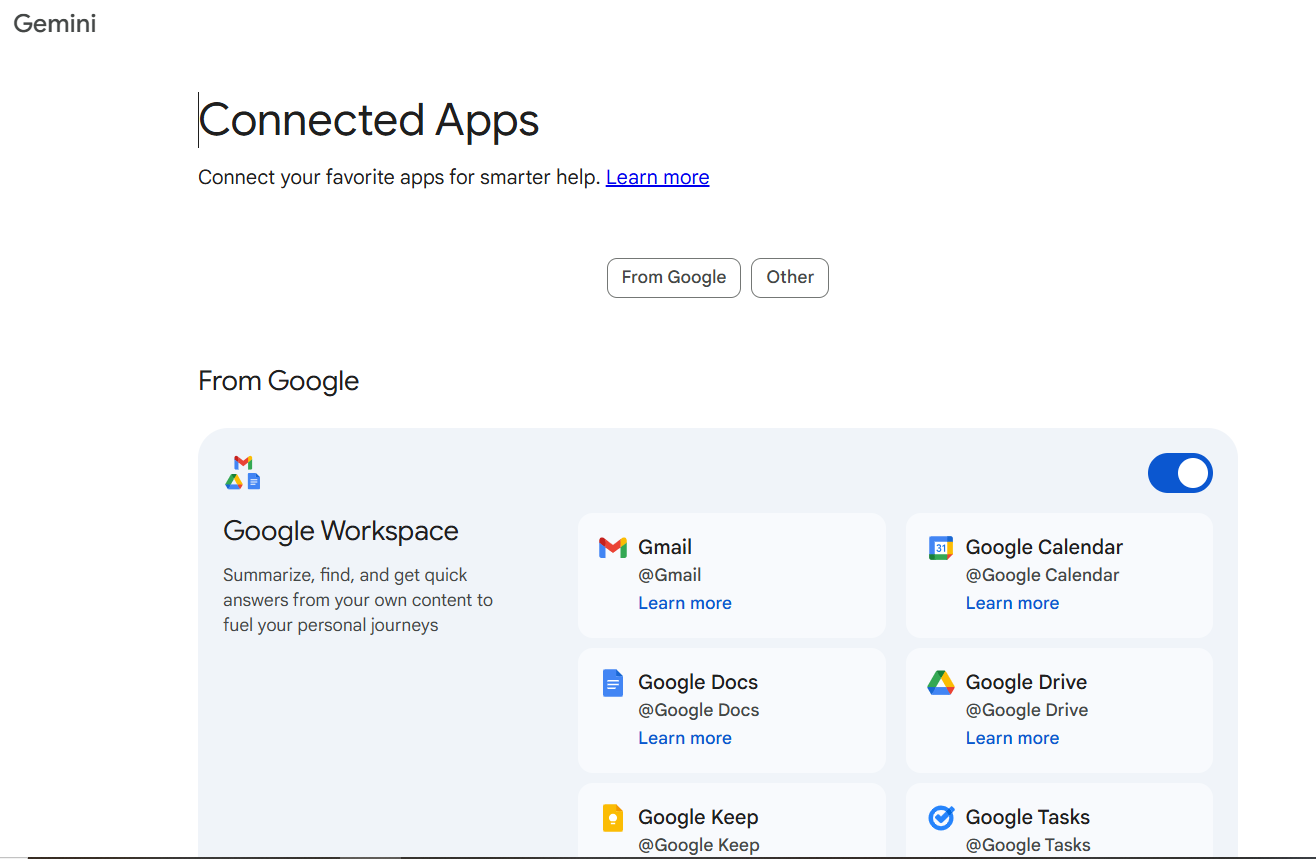
Google's Gemini AI is integrated into Google Workspace tools, allowing users to use its capabilities directly within familiar applications like Docs and Sheets, enhancing user experience and productivity. For teams already on Google Workspace, this is the integration that matters most day to day.
Copilot
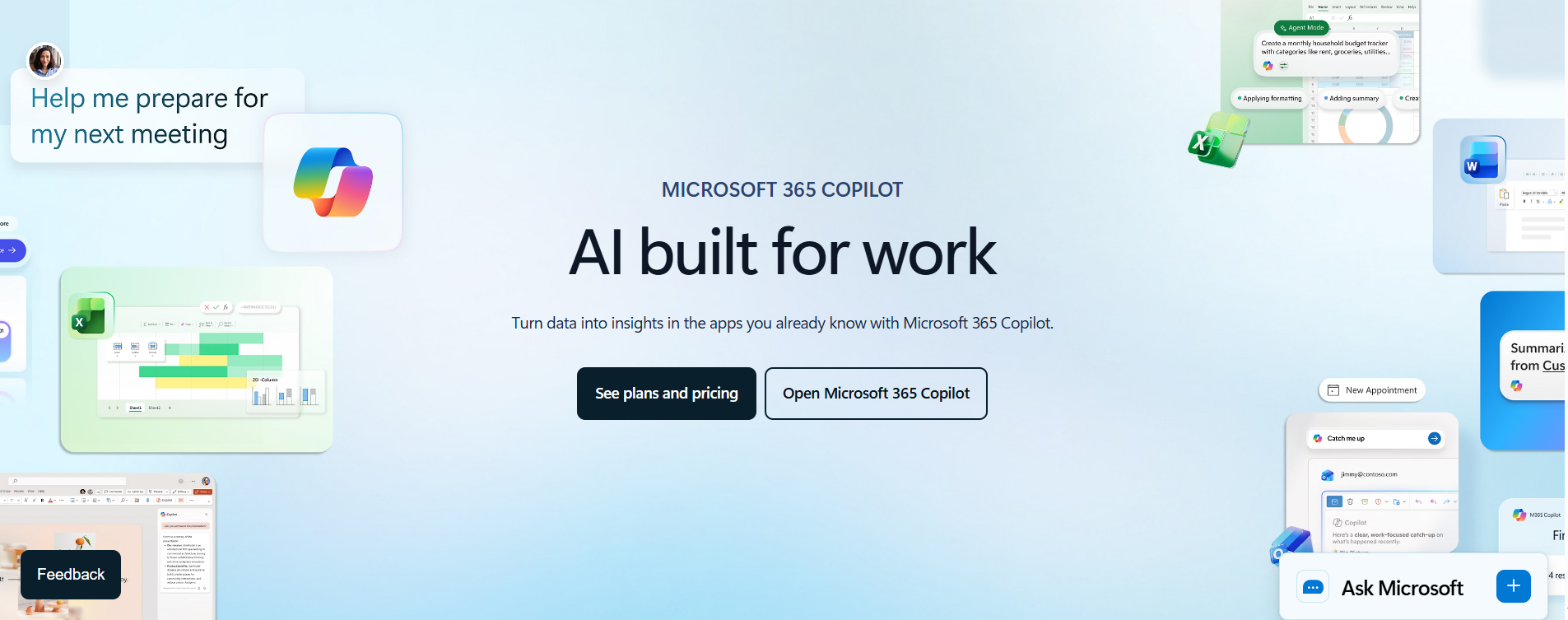
AI tools like Microsoft Copilot are designed to fit seamlessly into existing software ecosystems, particularly within Microsoft 365 applications, enhancing productivity and collaboration. Copilot also connects to enterprise tools such as Salesforce and ServiceNow via Microsoft's connector library.
ChatGPT wins on breadth
ChatGPT is the clear winner here. Gemini and Copilot win in depth within their native ecosystems.
Content Creation and Reasoning
ChatGPT excels at content generation, providing well-structured, coherent responses, while Gemini tends to offer less depth and structure in its outputs, and Copilot may exceed word limits.
In our testing across 30+ content tasks:
- ChatGPT (GPT-5.5): Strongest for long-form writing, structured arguments, and creative range. Thinking mode produces noticeably more accurate outputs on research-backed pieces.
- Gemini (3.1 Pro): Better for content that needs current data woven in. Its real-time web access makes answers more factually grounded on time-sensitive topics.
- Copilot: Best for document-specific tasks. Rewriting a proposal in Word, generating a summary slide in PowerPoint, or pulling structured insights from an Excel dataset.
Modern AI systems can understand, process, and generate information across multiple input and output modalities, such as text, images, audio, video, and speech, simultaneously, enhancing their functionality and user interaction.
All three tools support this to varying degrees, but Gemini 3.1's real-time video analysis stands out as the most advanced multimodal feature in this group right now.
Business and Productivity Use Cases
All three tools handle common business tasks. The experience differences are where it gets interesting:
| Task | Best Tool | Why |
|---|---|---|
| Writing blog posts and marketing copy | ChatGPT | Tone control, structure, creative range |
| Summarizing email threads | Copilot / Gemini | Native inbox integration |
| Analyzing spreadsheet data | Copilot | Direct Excel integration |
| Market research | Gemini | Real-time web access and deep research |
| Generating presentation slides | Copilot | PowerPoint native integration |
| Building automated workflows | ChatGPT / Copilot | Custom GPTs and Copilot Studio |
| Drafting customer support responses | ChatGPT | Flexible tone and format control |
One caveat worth stating plainly: all three tools still need manual prompting and human review for most workflows. They are powerful assistants, not autonomous operators. You still have to initiate, review, and manage output.
Gemini vs Copilot vs ChatGPT: Strengths and Weaknesses
There's no single winner here. Each tool earns its place in a specific type of workflow. Here's where each one genuinely stands out and where each one has gaps we ran into during testing.
The business case for AI tools is no longer theoretical. Satya Nadella, CEO of Microsoft, put it plainly in Microsoft's Signal Magazine:
"It's not a technology wave, it's a new way of working."
Source: LinkedIn
Where ChatGPT Excels
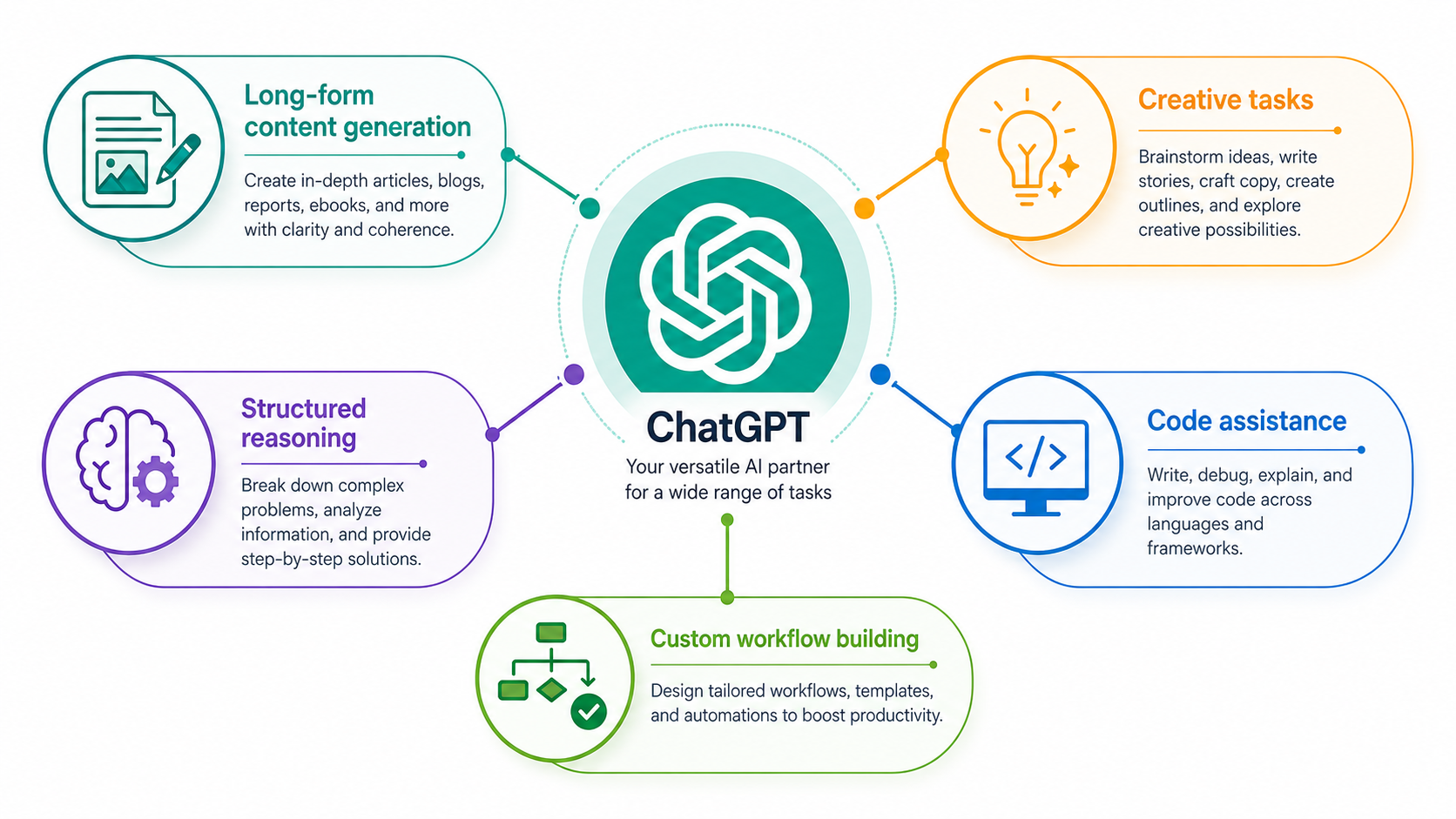
ChatGPT's biggest advantage is flexibility. You're not locked into one company's software suite. GPT-5.5 brings real improvements across:
- Long-form content generation: Blog posts, reports, scripts, proposals
- Structured reasoning: Breaking down complex problems step by step
- Creative tasks: Copywriting, brainstorming, storytelling, dialogue
- Code assistance: Debugging, refactoring, writing documentation with comments
- Custom workflow building: Using the API or Custom GPTs to automate specific tasks
ChatGPT is recognized for its comprehensive information retrieval capabilities, providing detailed insights on topics like AI adoption, while Gemini focuses more on generative AI applications, and Copilot is more suited for quick, high-level insights.
In our SEO audit testing, we ran the same 15-page technical audit request through all three tools. ChatGPT (GPT-5.5 with Thinking mode) caught 23 actionable issues. Gemini caught 18, mostly ones connected to real-time crawl data. Copilot produced a summary-style overview but missed specific technical flags. For diagnostic reasoning tasks, ChatGPT had the clearest edge.
Quick comparison across key strengths
| Strength | ChatGPT | Gemini | Copilot |
|---|---|---|---|
| Creative writing | ★★★★★ | ★★★☆☆ | ★★★☆☆ |
| Research and real-time data | ★★★☆☆ | ★★★★★ | ★★★☆☆ |
| Office productivity | ★★☆☆☆ | ★★★☆☆ | ★★★★★ |
| Custom integrations | ★★★★★ | ★★★☆☆ | ★★★★☆ |
| Reasoning and problem-solving | ★★★★★ | ★★★★☆ | ★★★★☆ |
Where Gemini Excels
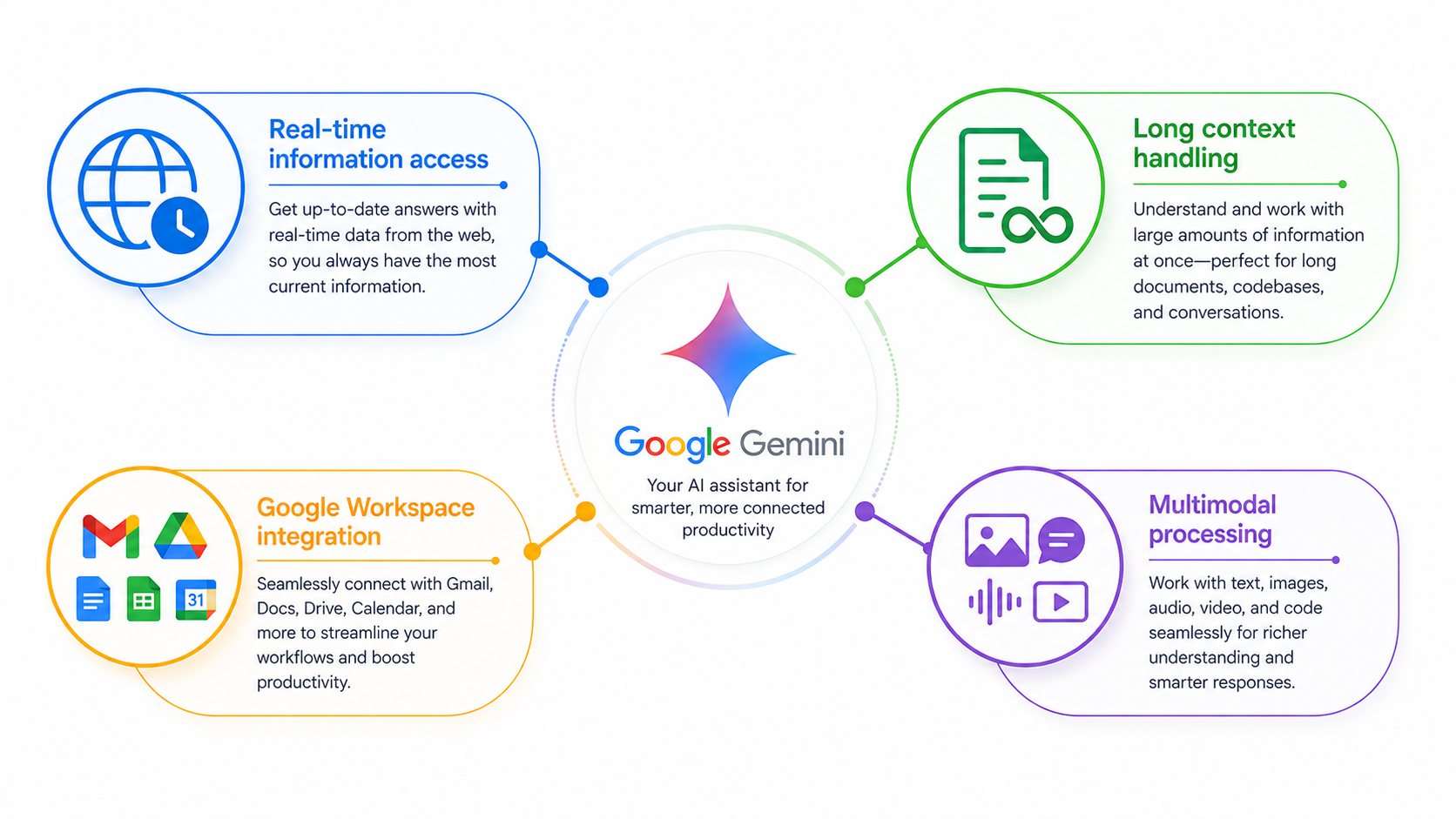
Gemini's strongest area is research. Gemini 3.1 Pro can browse hundreds of web sources simultaneously through its "Deep Research" feature, which makes it genuinely useful for competitive analysis, market research, and gathering evidence across multiple sources.
Key strengths we confirmed in testing
- Real-time information access: Gemini 3.1 pulls from current web data, not just training data from months ago
- Long context handling: With a 2M+ token context window, it can process entire codebases or hour-long video transcripts in one session
- Google Workspace integration: Summarize Gmail threads, draft Docs content, analyze Sheets data without leaving the app
- Multimodal processing: Real-time video analysis is ahead of where ChatGPT and Copilot are right now
Multimodal capabilities enable AI tools to create human-like responses by bridging different content types, such as explaining a chart in plain language or generating captions for photos, thereby enhancing the user experience and engagement. Gemini 3.1's video analysis is the clearest real-world example of this in 2026.
In coding assistance, Gemini is noted for providing detailed comments and explanations, making it particularly useful for beginners, while ChatGPT's solutions often lack detailed commentary, and Copilot offers concise explanations. If you work with junior developers or are building internal documentation alongside code, this matters.
When we ran a competitive research task (analyzing 5 SaaS tools in a specific niche), Gemini's Deep Research mode produced a structured, sourced report in under 4 minutes. Running the same task in ChatGPT without web browsing took significantly longer and required additional prompts to fill gaps. Gemini won that test clearly.
Where Copilot Excels
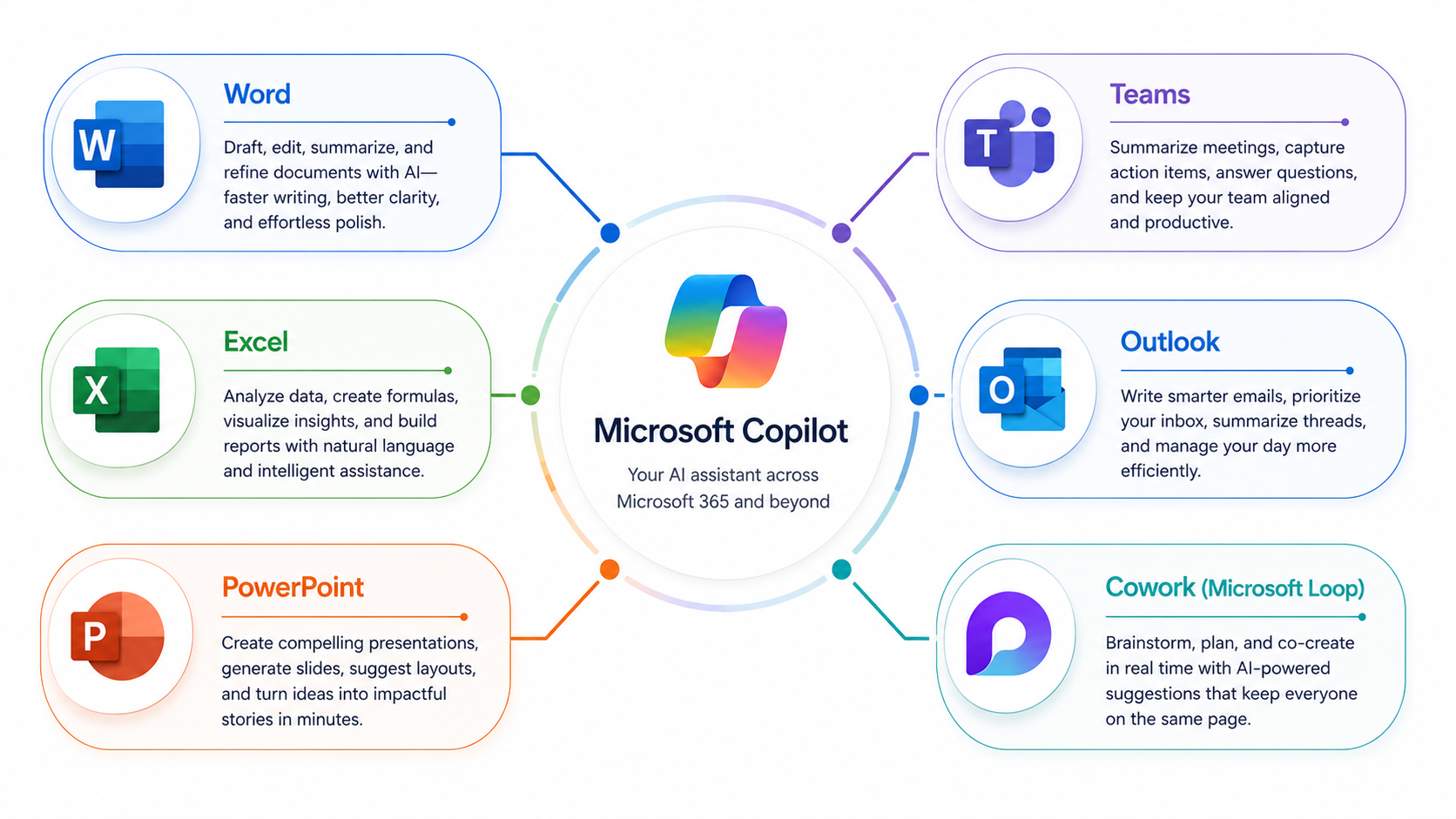
Copilot's value is concentrated inside Microsoft's ecosystem. If your team runs on M365, it's the most practical choice because it's built into every tool you use and understands their context natively.
What it does better than the other two
- Word: Drafts documents, rewrites sections, adjusts tone on command
- Excel: Analyzes data, builds formulas, creates charts from plain-language descriptions
- PowerPoint: Builds presentations from document outlines or typed briefs
- Teams: Summarizes meeting transcripts, action items, and key decisions
- Outlook: Drafts email replies, summarizes threads, flags follow-ups
- Cowork: Monitors channels and handles repetitive tasks without being prompted each time
Enterprise security measures in Copilot ensure data remains within company environments when using Microsoft 365. For regulated industries or organizations with strict data-handling policies, this is a major advantage over a standalone AI tool.
Microsoft Copilot in Microsoft 365 never trains on tenant data and enforces existing permissions, ensuring compliance with data handling policies. This is a meaningful differentiator when enterprise procurement teams are making the buying decision.
We tested Copilot on a meeting summarization task: a 90-minute Teams call was turned into a structured action-item list in under 45 seconds. Doing that manually would take 20+ minutes. That's the kind of time savings that justifies the $30/user/month price for active M365 users.
Key Limitations Across All Tools
Despite GPT-5.5, Gemini 3.1, and Copilot's Agent 365 architecture all being significant steps forward, all three share real constraints we ran into repeatedly in testing:
They're still primarily prompt-based
Even with agentic features, you need to initiate, configure, and supervise the work. None of them start executing tasks on their own without you first setting something in motion.
Memory is inconsistent
Unless you deliberately set up memory features or use system prompts, each session starts from zero. That means:
- You paste in the brand guidelines again
- You re-explain the customer persona again
- You re-specify the output format you've already asked for a dozen times
Output quality isn't guaranteed
All three produce confident-sounding but sometimes incorrect outputs. Thinking mode in GPT-5.5 reduces this noticeably, but it doesn't eliminate it. Always review before publishing or sending.
Workflow execution has a ceiling
None of these tools can run a full business process end-to-end without human checkpoints. Connecting tasks into automated pipelines still needs third-party tools, APIs, or custom code.
Privacy
OpenAI's ChatGPT may use free and Plus conversations to improve the model unless users disable chat history, while enterprise data is not used for training.
Similarly, Google's Gemini allows users to delete consumer chats that can be reviewed to improve the model, while Workspace data is siloed and not used for training. These are important privacy details when deciding which tool handles your sensitive business data.
Why Your Software Stack Matters More Than the AI Itself
The other major shift: the competition is no longer just between AI models. It's between ecosystems.
Choosing ChatGPT over Gemini isn't just a model decision. It's a decision to work outside Google's tightly integrated environment. Choosing Copilot isn't just an AI decision. It's a commitment to go deeper into Microsoft's infrastructure.
This is why the "which is best?" question doesn't have a clean answer. The right tool depends on:
- Which apps does your team use most
- Which data does the AI need to access to be useful
- Whether you're an individual user or managing a team
- Whether compliance and data residency are requirements in your industry
For people who span multiple ecosystems (Google for personal tasks, Microsoft for client work, standalone tools for creative projects), the lack of interoperability between these three tools is a real friction point.
None of them communicates natively with each other. Your Gemini work doesn't carry into Copilot. Your ChatGPT custom configuration doesn't transfer to Gemini.
That's precisely the gap that platforms like Sintra AI are designed to address: a layer that sits across ecosystems rather than inside any one of them.
How to Choose Between ChatGPT, Gemini, and Copilot
The best tool depends on what you do daily, which software you're already paying for, and how much workflow automation you actually need. Here's a practical decision framework:
Pick your situation:
- Need flexibility and work across many different tools? Go with ChatGPT
- Does your entire team use Google Workspace? Go with Gemini
- Work primarily in Microsoft 365? Go with Copilot
- Need real-time research and current data? Go with Gemini
- Need long-form content and creative writing at scale? Go with ChatGPT
- Need autonomous document and meeting workflows? Go with Copilot
Best for Content Creation
ChatGPT is the strongest choice for content creation. GPT-5.5's reasoning quality and tone flexibility make it the most reliable option for:
- Blog posts and long-form articles
- Marketing copy and ad scripts
- Email sequences and social media content
- Video scripts and podcast outlines
- Brainstorming and ideation sessions
Gemini can assist when you need factual research woven into content. Copilot can edit and restructure documents inside Word. But for raw content output across different formats and tones, ChatGPT delivers more flexible and coherent results in our testing.
Many AI tools offer a free tier with limited capabilities, while paid plans typically unlock advanced features and higher usage limits. For content creators, the ChatGPT Plus plan at $20/month is where the meaningful capability jump happens. GPT-5.5 on Plus is a noticeably different experience from the free tier.
Where ChatGPT particularly stood out in our content tests:
- Blog posts: Maintains a consistent voice across 2,000-word pieces without losing coherence mid-article
- Ad copy variations: Generates 10 versions of a Facebook ad headline in different emotional tones in one prompt
- Email sequences: Builds a 5-email nurture sequence with a clear narrative arc from a single brief
- Brand voice adaptation: Give it your style guide once, and it adapts consistently for the rest of the session
- SEO content: Outlines, drafts, and structures content with clear headers and keyword integration
The Thinking mode in GPT-5.5 also makes a difference for content that requires accuracy. It self-checks before outputting, which reduces the "confident but wrong" problem that was common in earlier model versions.
Best for Productivity and Office Work
Microsoft Copilot wins for anyone embedded in M365. The integration isn't just a chatbot in a sidebar. It understands your documents, meeting history, and email context. Real examples from our testing:
- Drafted a client proposal in Word from a three-paragraph brief in under 2 minutes
- Built a pivot table in Excel from a plain-language description with no formula knowledge needed
- Summarized a 90-minute Teams call into action items in under 45 seconds
- Wrote follow-up emails after a meeting, pre-populated with context pulled directly from the calendar event
Pricing for AI tools can vary significantly, with some offering plans starting around $20 per user per month for enhanced features and capabilities. Copilot Pro at $20/month covers individual users. Business teams need the $30/user/month M365 plan to access all enterprise features. Enterprise plans for AI tools often include additional features such as enhanced data privacy, compliance options, and dedicated support, typically priced higher than individual plans.
Best for Research and Data
Gemini is the clearest choice for research-heavy tasks. Gemini 3.1's ability to browse hundreds of sources at once and process a 2M+ token context window makes it genuinely useful for:
- Competitive landscape analysis
- Summarizing academic papers or legal documents
- Pulling insights from large datasets in Sheets
- Building multi-source research reports in a single session
AI models with multimodal capabilities can process and generate content across text, images, audio, and video, enabling more comprehensive interactions with users and applications. Gemini 3.1's video analysis adds a practical layer here: upload a recorded product demo or strategy presentation and ask it to extract key points, timestamps, or action items.
Gemini generally provides the fastest response times for research-heavy tasks, which matters when you're moving fast across multiple research questions in one sitting.
One more area where Gemini has a clear edge: large document processing. Upload a 300-page technical manual, a full earnings call transcript, or a set of quarterly reports. Gemini's 2M+ token context window holds all of that in working memory and answers specific questions without losing track of earlier sections. ChatGPT's 1M-token window remains strong, but Gemini leads in raw capacity for document-heavy workflows.
ChatGPT vs Gemini vs Copilot: Pricing Breakdown for 2026
Pricing is one of the most searched parts of this comparison, and it has shifted in the past year. Here's what you're actually paying for across each tier.
ChatGPT Pricing
Pricing for AI tools can vary significantly, with some offering plans starting around $20 per user per month for enhanced features and capabilities. The Plus plan at $20/month is where the meaningful capability jump happens. The free tier gives you GPT-4o mini, which handles basic tasks but hits clear limits on complex reasoning.
| Plan | Monthly Cost | What You Get |
|---|---|---|
| Free | $0 | GPT-4o mini, limited messages, no Thinking mode |
| Plus | $20/month | GPT-5.5, DALL-E 3, Custom GPTs, standard Thinking mode |
| Pro | $200/month | Priority Thinking mode, higher usage limits, advanced data analysis |
The Pro plan is built for developers, researchers, and data analysts who run high-volume, complex workloads. For most solopreneurs and small business owners, Plus covers 95% of what you need.
Gemini Pricing
Gemini's pricing is structured around Google One, which bundles the AI with cloud storage. If you're already on a Google One storage plan, the AI Premium upgrade at $20/month is a straightforward decision.
| Plan | Monthly Cost | What You Get |
|---|---|---|
| Free | $0 | Gemini 3 Flash, basic capabilities |
| Advanced (AI Premium) | $20/month | Gemini 3.1 Pro, 2TB storage, full Workspace integration |
| Business | $20/user/month | Enterprise security, Gemini Agents, and admin controls |
| Enterprise | $30/user/month | Advanced compliance, dedicated support, and full agent access |
Enterprise plans for AI tools often include additional features such as enhanced data privacy, compliance options, and dedicated support, typically priced higher than individual plans. Gemini's enterprise tier is where compliance and security controls come in, which regulated industries require before approving any AI tool.
Copilot Pricing
Copilot has the most layered pricing structure of the three, partly because it's tied to Microsoft's existing licensing ecosystem.
| Plan | Monthly Cost | What You Get |
|---|---|---|
| Free | $0 | Basic web search and chat |
| Copilot Pro | $20/month | Priority model access, Office integration for individuals |
| Copilot for M365 | $30/user/month | Full enterprise integration, Copilot Studio, Agent 365 |
The $30/user/month M365 plan requires an existing Microsoft 365 Business license, which adds to the total cost. For enterprise teams already on M365, this is usually a simple budget conversation. For individuals or small businesses without M365, the barrier to entry is higher than with ChatGPT or Gemini.
Which Plan Gives the Best Value?
- Individual content creator or freelancer: ChatGPT Plus ($20/month) - most flexibility per dollar
- Google Workspace team: Gemini Advanced ($20/month) - connects directly to tools you're already paying for
- Microsoft 365 business: Copilot for M365 ($30/user/month) - ROI comes from time saved in Word, Excel, and Teams
- Solopreneur running multiple functions: Costs stack up fast across all three, which is part of why consolidated platforms like Sintra AI become relevant
Data Privacy: What Each Tool Does With Your Data
This matters more in business contexts than most people think before they sign up. Here's what each tool's privacy policy actually means in practice.
OpenAI's ChatGPT
OpenAI's ChatGPT may use free and Plus conversations to improve the model unless users disable chat history, while enterprise data is not used for training. If you're on Free or Plus and haven't turned off chat history in settings, your conversations may be reviewed by OpenAI. The fix is simple: go to settings and disable chat history. Enterprise and API users are explicitly excluded from using training data.
Google's Gemini
Google's Gemini allows users to delete consumer chats that can be reviewed to improve the model, while Workspace data is siloed and not used for training. Business users on paid Workspace tiers have their data contained within the organizational environment. Personal Gemini users have the same chat history controls: you can review and delete what you've shared.
Microsoft Copilot
Microsoft Copilot in Microsoft 365 never trains on tenant data and enforces existing permissions, ensuring compliance with data handling policies. Enterprise security measures in Copilot ensure data remains within company environments when using Microsoft 365. Of the three, this is the strongest out-of-the-box privacy posture for enterprise use. No opt-out is needed because Microsoft doesn't use tenant data for training.
For businesses handling sensitive client data, financial records, or regulated information:
- Copilot's M365 enterprise plan has the clearest data boundaries
- Gemini Workspace and ChatGPT Enterprise both offer strong protections, but require confirming that the right plan is active
- Free and consumer tiers of all three tools carry privacy trade-offs worth knowing about before you paste in sensitive data
Prompt Battle: 5 Test Cases to Compare All Three Tools
We used exact prompts to test ChatGPT, Gemini, and Copilot across five different use cases. These prompts were designed to reflect real tasks solopreneurs, marketing teams, and small business owners actually run.
We have used the free tiers of these three tools, so you can too, and compare your results before deciding which tool is worth spending on. Here are our findings:
Prompt 1: Reasoning and Problem-Solving
"A SaaS startup has 3 pricing tiers: Basic at $29/month, Pro at $79/month, and Enterprise at $199/month. Last month, they had 200 Basic users, 85 Pro users, and 12 Enterprise users. Their monthly server costs are $4,200, team costs are $18,000, and marketing spend was $6,500. Calculate their net profit, identify which pricing tier drives the most revenue, and tell me exactly how many additional Pro users they need to acquire to cover a planned $3,000 increase in monthly expenses; without raising prices or cutting costs elsewhere."
Gemini response
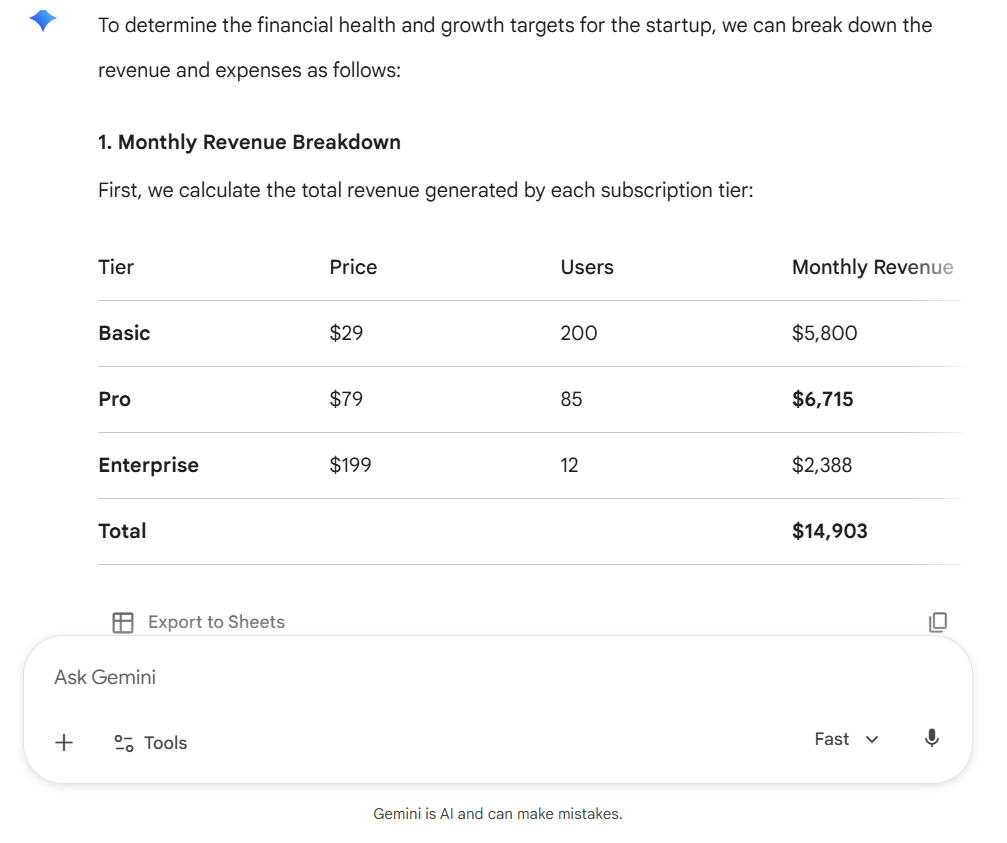
Gemini presented the math in a clean comparison table with a percentage breakdown, making the revenue analysis immediately scannable. Did not offer any follow-up insight or path to full profitability beyond what was asked.
Copilot response
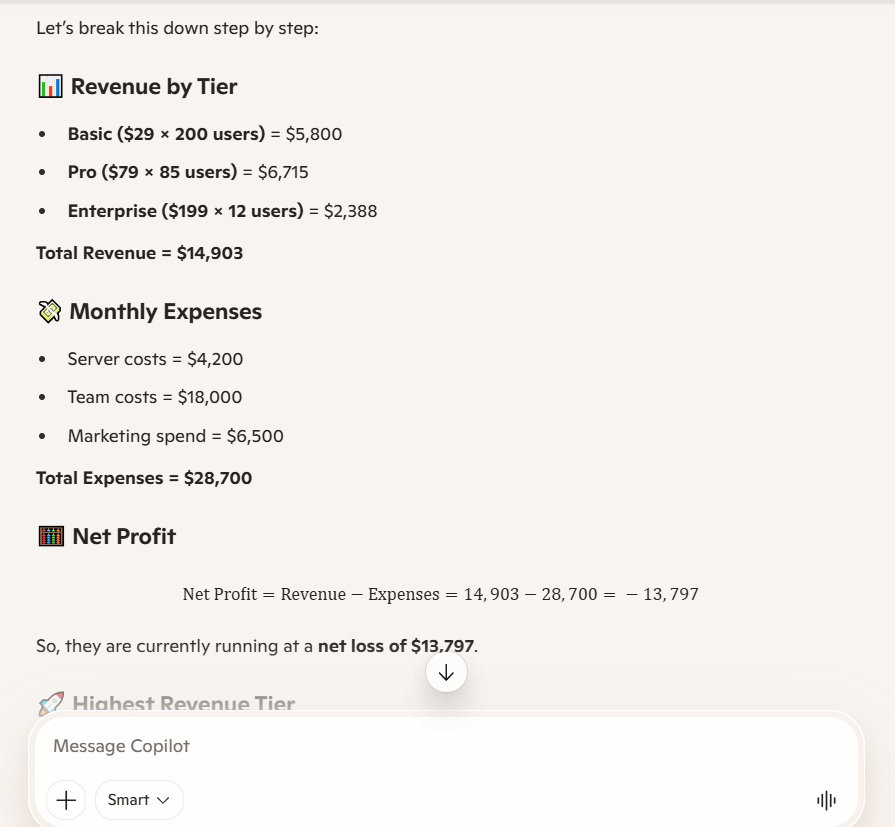
Copilot used emoji headers that made each section easy to follow and proactively offered to compare what Basic and Enterprise user growth would look like for the same $3,000 gap. The LaTeX-style formula rendering looks broken in plain text, which hurts readability.
ChatGPT response
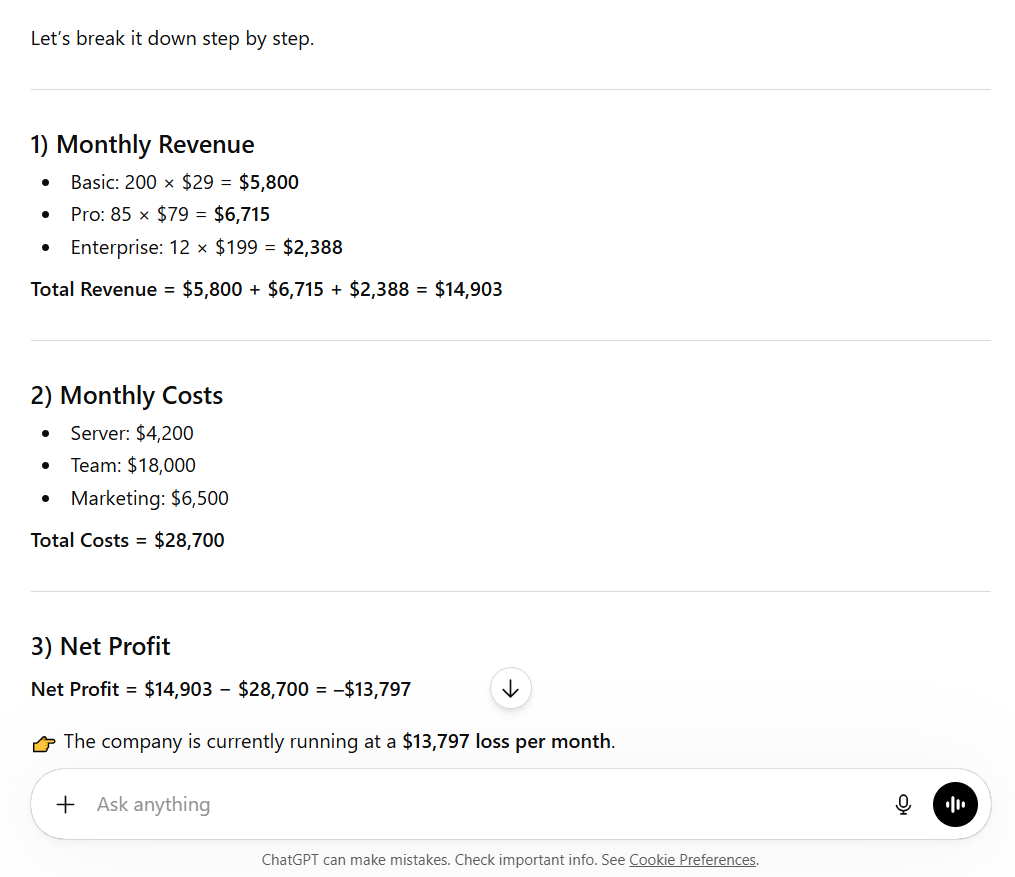
ChatGPT delivered every calculation correctly with clear numbered steps and a tight final summary box at the bottom. Almost identical output to Gemini with minimal added value, and contains a stray Arabic character mid-sentence, suggesting a rendering error.
Winner is ChatGPT
All three got the math right, but ChatGPT's numbered step structure, directional arrows on each answer, and the clean final summary box made it the fastest to read and verify. For a business owner who needs to share this with a co-founder or investor, ChatGPT's output requires zero cleanup before forwarding.
Prompt 2: Research and Real-Time Data
"What are the three most significant AI tool announcements made by Google, Microsoft, and OpenAI in the last 60 days? For each announcement, tell me the release date, what specifically changed or was launched, and how it affects small business owners who are currently using these tools. Pull from the most current sources available."
Gemini response
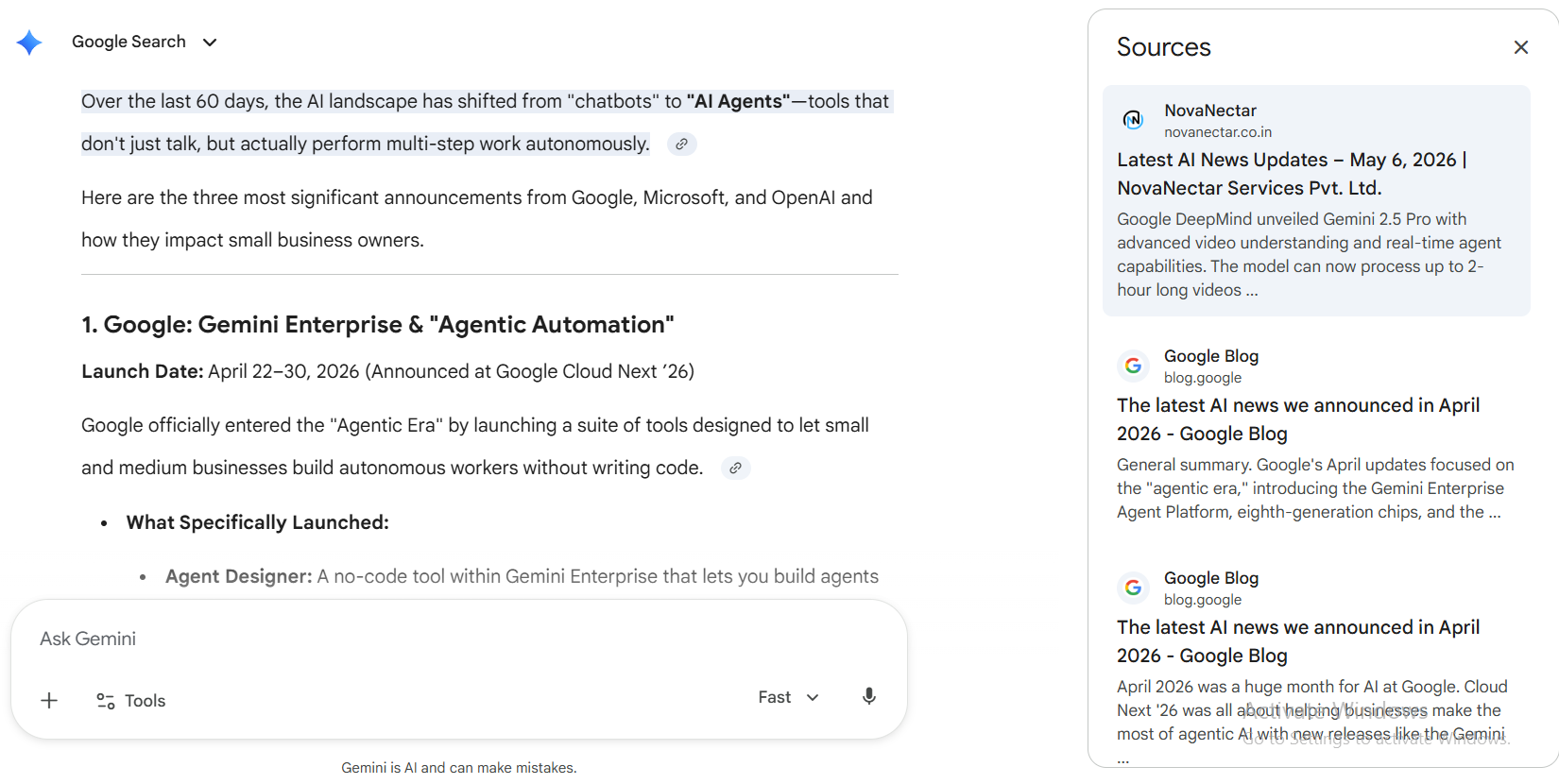
Gemini pulled specific, dated product names from April to May 2026 (Agent Designer, Gemini Vids, Workspace Skills, GPT-5.5 Instant) with concrete SMB use cases for each, and closed with a comparison table across all three companies. The SMB impact descriptions are slightly generic and read similarly across all three announcements.
Copilot response
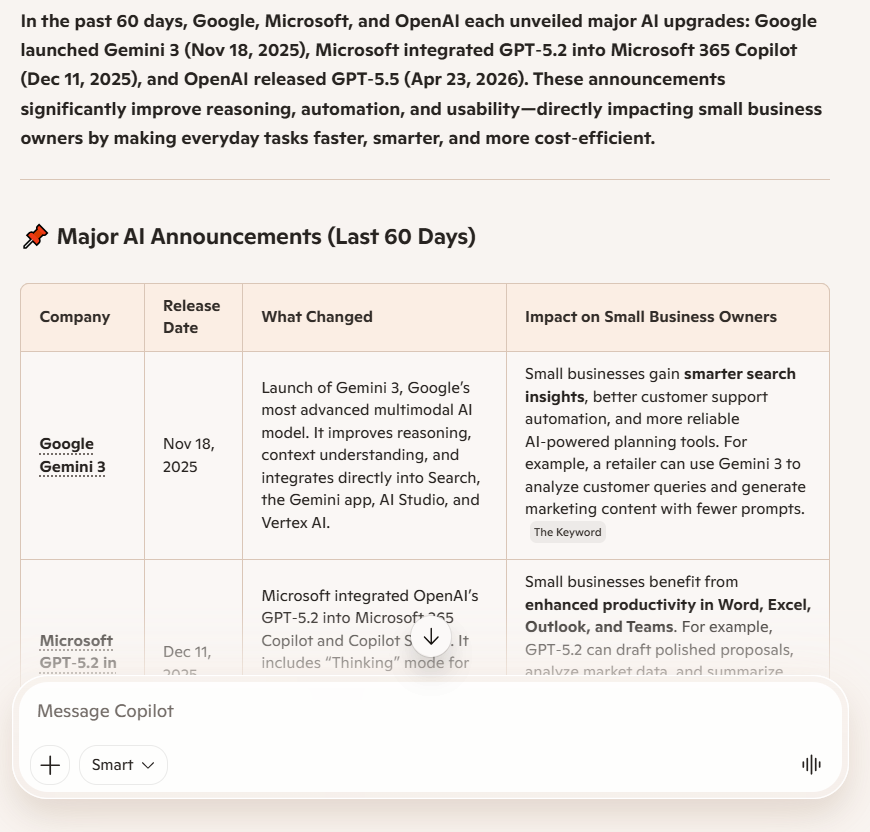
Copilot structured the response in a clean comparison table and added a useful risks and considerations section that the other two missed entirely. Cited Gemini 3 as a November 2025 announcement and GPT-5.2 as December 2025, both falling well outside the 60-day window, making the core research inaccurate.
ChatGPT response
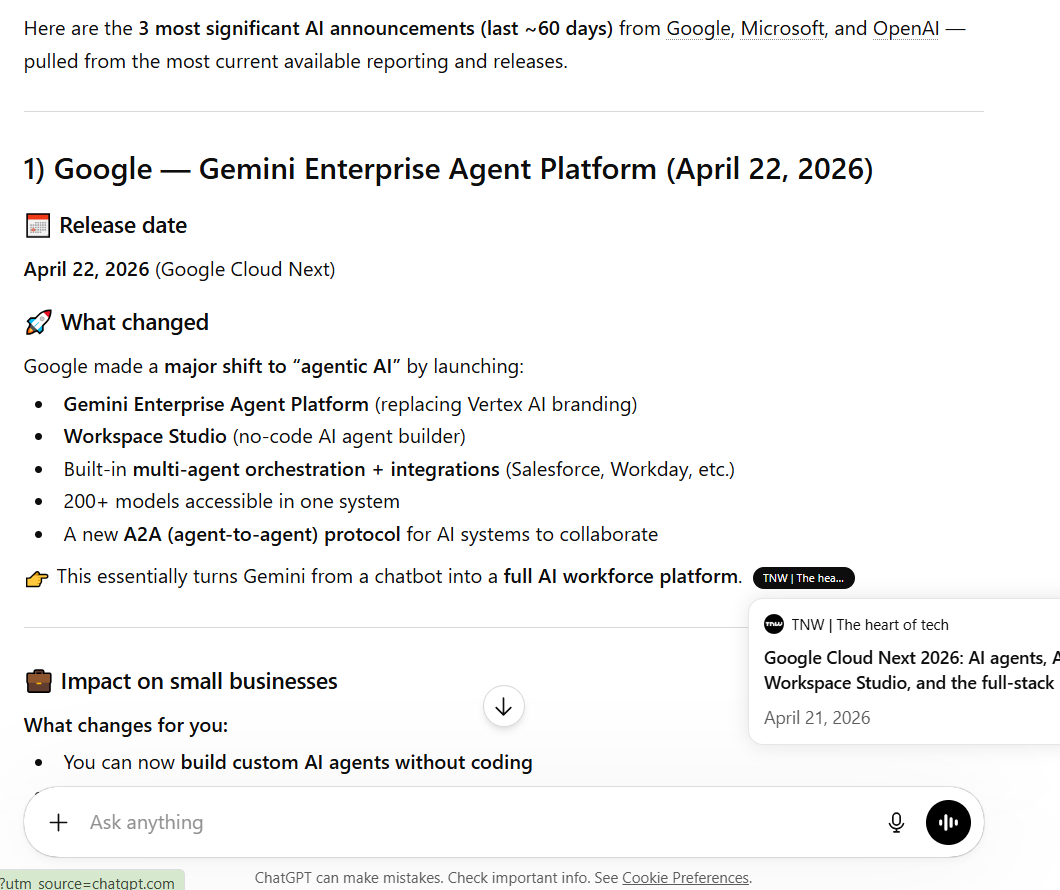
ChatGPT correctly identified the OpenAI-Microsoft exclusivity ending as the most structurally significant business story of the period, which neither Gemini nor Copilot flagged. The response is the longest of the three and buries its most valuable insight near the end rather than leading with it.
Winner is Gemini
Gemini was the only tool that pulled genuinely recent, correctly dated announcements across all three companies within the 60-day window, named specific products rather than vague capability upgrades, and delivered a comparison table that a small business owner could act on immediately. Copilot failed on date accuracy. ChatGPT had the sharpest individual insight but a weaker overall structure for this use case.
Prompt 3: Office Productivity
"I just finished a 45-minute client meeting. Here are my rough notes: discussed Q3 campaign performance; client unhappy with email open rates at 18% vs. the 27% industry average; agreed to A/B test subject lines over the next 4 weeks; next meeting scheduled for June 3rd; client wants a revised proposal by the end of next week. Turn these into: a formal meeting summary, a bullet-point action list with owners and deadlines, and a draft follow-up email I can send to the client today."
Gemini response
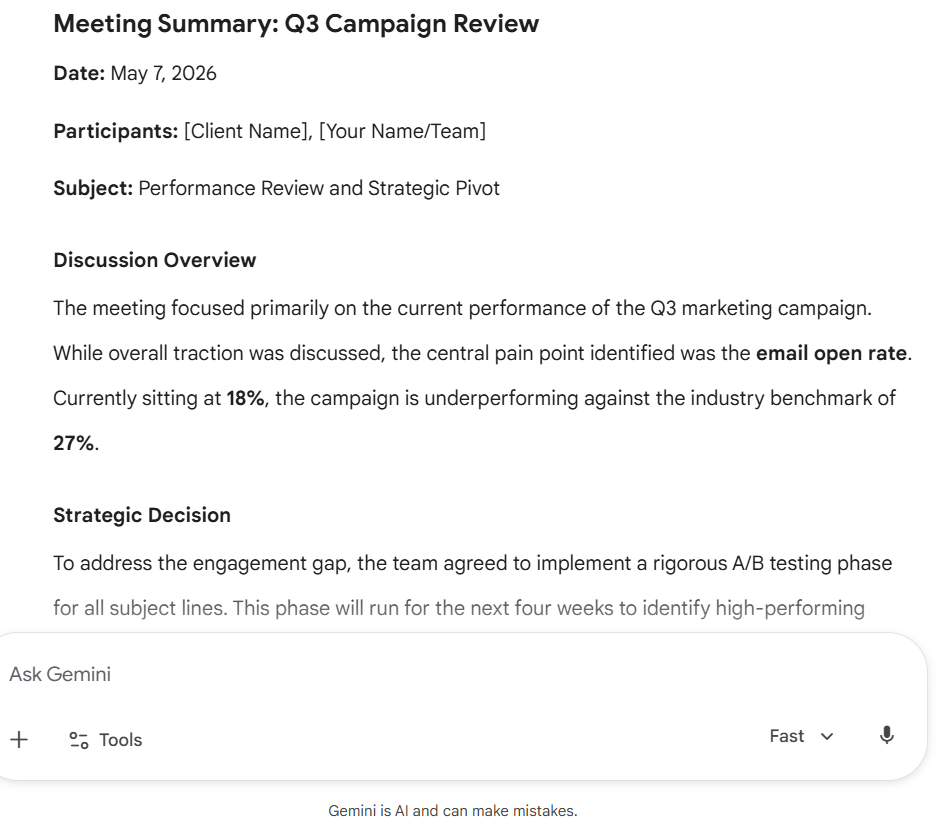
Gemini produced a fully complete package with a properly formatted action table including real filled-in dates (May 7, May 12, May 15, May 18) and a polished, professional follow-up email that required no editing. The email tone is slightly formal and reads more like a report than a warm client-facing message.
Copilot response
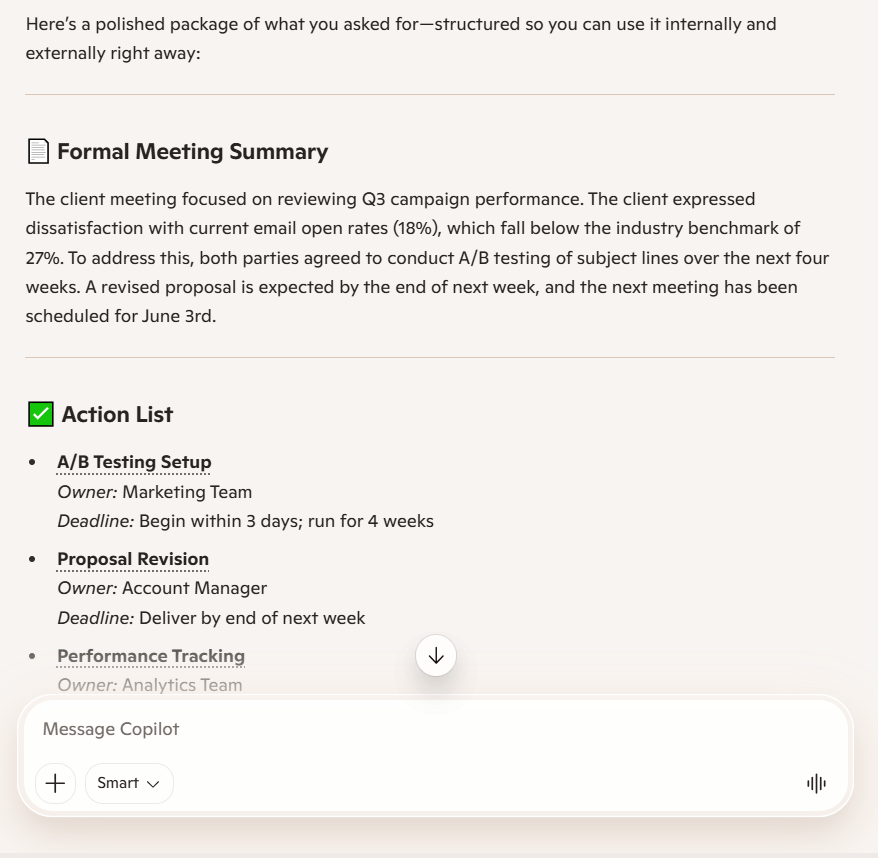
Copilot structured the action list cleanly with specific owner labels (Marketing Team, Account Manager, Analytics Team) and logical deadlines, making it the most team-ready action list of the three. The email section broke entirely mid-response with a raw function call, meaning Copilot failed to deliver one of the three requested outputs.
ChatGPT response
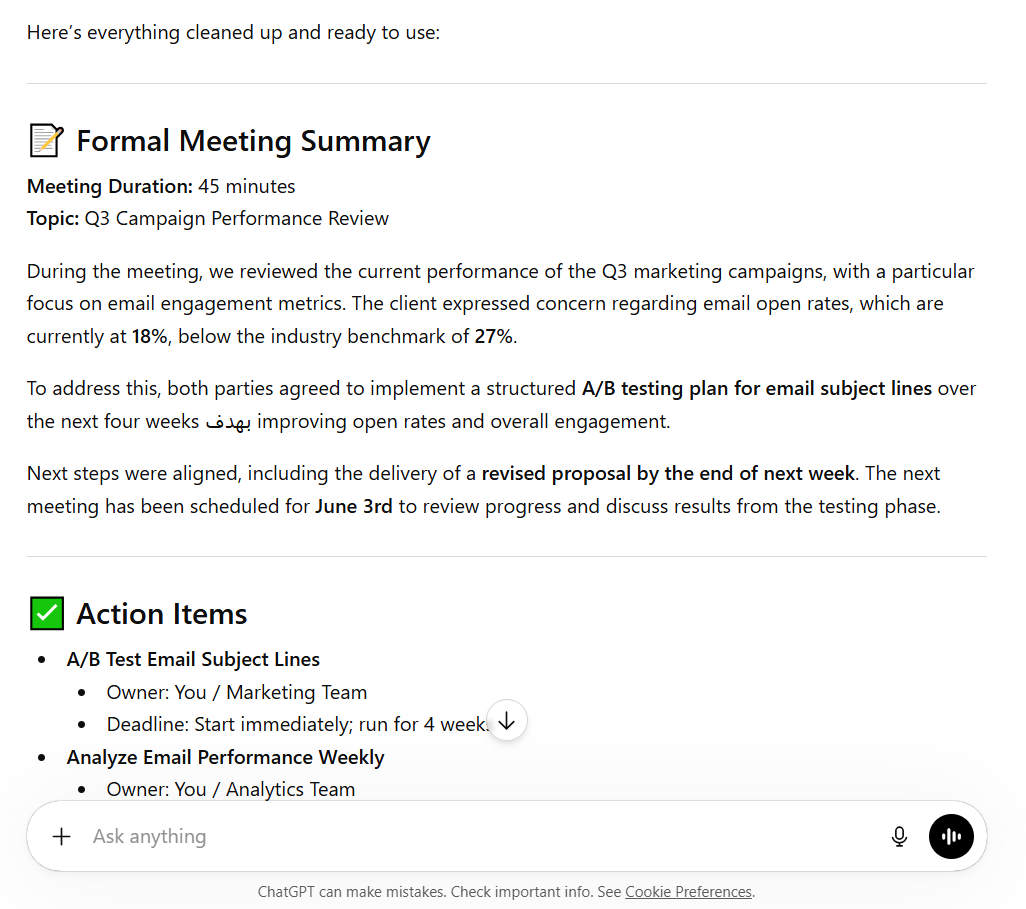
ChatGPT wrote the most natural and client-friendly follow-up email of the three, and offered to adjust the tone to casual or assertive depending on the relationship. The meeting summary lacks specific dates, and the Arabic characters in the mid-summary indicate a rendering issue that would require manual cleanup before use.
Winner is Copilot
Copilot, despite the email rendering failure, produced the most structured and immediately team-ready output of the three. Its action list had the clearest owner assignments, role-specific deadlines, and a meeting summary that needed zero editing before sharing internally.
The email failure is a technical glitch in this specific session, not a reasoning gap, and is worth noting as such in your article. For the core job of turning rough meeting notes into organized workplace documents, Copilot's structure was the strongest.
What Is the Best Alternative to ChatGPT, Gemini, and Copilot?
ChatGPT, Gemini, and Copilot are powerful tools. But they all share one core limitation: they respond to prompts. You have to show up, type, review, and manage everything. For solopreneurs and small teams, that overhead stacks up fast.
The best alternative for teams that want AI to actually run business operations, rather than just assist with them, is Sintra AI. Sintra functions as an execution layer that sits above tools like ChatGPT, Gemini, and Copilot, running what it calls AI employees that continuously handle business functions without waiting for you to prompt them each time.
Sintra AI: The Execution Layer Built on Top of AI Tools
Sintra's shift is from "using AI" to "running your business with AI." Instead of opening ChatGPT and crafting a prompt every time you need something done, Sintra's AI employees handle defined business functions continuously: marketing, customer support, content, and operations. They keep working without you having to re-engage every session.
Think about how much time you spend each week just directing AI tools:
- Opening a tab, crafting a prompt, waiting, reviewing, editing, reformatting
- Doing the same thing tomorrow for the same recurring task
- Re-explaining context at the start of every new session
- Manually moving AI-generated output into the tools where work actually happens
This is the operational overhead that stacks up when AI is an assistant rather than a workforce. Sintra is built to cut that overhead by giving each business function its own dedicated AI employee that already knows the job.
Where ChatGPT gives you a response, Sintra gives you an outcome. The difference feels small until you're running a business at scale, and that daily prompting overhead is costing you 3 to 4 hours a week.
Brain AI: The Memory That Powers Smarter Automation
One of the biggest daily frustrations with ChatGPT, Gemini, and Copilot is memory. Every new conversation starts cold. You re-explain your brand voice. You re-paste the customer persona doc. You re-specify the format you've already asked for a dozen times before.
Sintra's Brain AI solves this by centralizing your business data, preferences, tone guidelines, and context. Every AI employee in Sintra pulls from this same knowledge base, which means:
- Your content writer AI already knows your brand voice from day one
- Your customer support AI already knows your product and policies
- Your sales AI already knows your target customer profile
- Outputs stay consistent across business functions over time
Anthropic's Claude emphasizes that enterprise API data is not used for model training and supports data deletion, while public chats may be sampled for safety improvements. Sintra takes a similar privacy-first approach to data stored in Brain AI: it exists to make your AI team smarter, not to train third-party models.
AI Integrations: Connecting Your Entire Workflow
Sintra's AI integrations connect the AI employees to the tools you already use: email, calendars, CRMs, social platforms, and project management tools. This is what separates execution from assistance.
With ChatGPT, you write the email. With Sintra, the email gets drafted, queued, and sent based on triggers you define.
With Gemini, you summarize the research. With Sintra, the research summary gets routed to the right team member and logged in the right place automatically.
Integration with existing workflows is crucial for AI tools, enabling them to operate effectively within the user's environment, facilitating data exchange, and enhancing overall functionality. Sintra's integrations are built to handle this: connecting AI-generated output directly into the systems where action happens.
ChatGPT vs Gemini vs Copilot vs Sintra AI
ChatGPT, Gemini, and Copilot generate responses. Sintra AI runs workflows. Here's how they compare across the dimensions that matter most for business users:
| Dimension | ChatGPT | Gemini | Copilot | Sintra AI |
|---|---|---|---|---|
| Approach | Prompt-based | Prompt-based | Prompt + some autonomy | AI employees who execute continuously |
| Memory/Context | Session-based (setup required) | Session-based | M365 context-aware | Persistent via Brain AI |
| Automation Level | Low (prompt-driven) | Low-medium | Medium (Cowork) | High (autonomous workflows) |
| Ecosystem | Open / API-first | Google Workspace | Microsoft 365 | Works across ecosystems |
| Business Outcomes | Individual task outputs | Research outputs | Document and meeting outputs | End-to-end workflow execution |
| Setup Required | Low | Low | Medium | Medium (one-time) |
| Best For | Creative tasks, coding | Research, analysis | M365 productivity | Running business operations |
The core difference: traditional AI tools generate outputs when you ask. Sintra turns those outputs into continuous, automated workflows that run whether you're actively in the tool or not.
Quick Reference: Which Tool Should You Try First?
If you're still deciding, here's the shortest possible version of this entire approach:
Start with ChatGPT if:
- You're a freelancer, creator, or developer
- You don't have a fixed software ecosystem
- Content creation is a major part of your work
- You want the most flexible AI across many task types
Start with Gemini if:
- Your team already uses Google Workspace
- Research, analysis, and data gathering are core to your role
- You want real-time information without switching tools
- You work inside Google Docs, Sheets, and Gmail daily
Start with Copilot if:
- Your team runs on Microsoft 365
- You spend significant time in Word, Excel, Teams, or Outlook
- Enterprise-grade data compliance is a requirement
- You want AI embedded inside existing tools rather than in a separate tab
Consider Sintra AI if:
- You want AI to run workflows, not just respond to prompts
- You're spending too much time re-prompting and managing AI output
- You need consistent output across multiple business functions
- You want one system that remembers your business context and runs across it
Ready to Turn AI Into Real Business Results?
If you've been spending hours each week prompting, reviewing, and re-prompting AI tools to get basic work done, that's the ceiling you hit when you treat AI as an assistant rather than a workforce.
ChatGPT, Gemini, and Copilot are excellent for individual productivity. They'll save you time on specific tasks. But if you want to scale your operations, cut manual overhead, and have AI actually run your business functions rather than just help with them, you need a different approach.
Sintra gives you AI employees that work continuously, remember everything about your business, and connect to every tool in your stack. Get started with Sintra AI and make the move from outputs to outcomes.
ChatGPT vs Gemini vs Copilot FAQs
What is the main difference between ChatGPT, Gemini, and Copilot?
ChatGPT (powered by GPT-5.5) is the most flexible: best for content, coding, and reasoning across a wide range of tasks. Gemini (3.1 Pro) is built for research and Google Workspace, with the strongest real-time data access and the largest context window at 2M+ tokens. Copilot (Agent 365) is the most embedded in a specific ecosystem (Microsoft 365) and the most autonomous for structured office workflows. The main difference isn't capability; it's where each tool lives and what it's optimized to do.
Which AI tool is best for business use?
It depends on your stack. If your business runs on Google Workspace, Gemini Advanced, or Business, then Gemini Advanced or Business is the most practical choice. If you're in Microsoft 365, Copilot for M365 adds value immediately. If you're a solopreneur, an agency, or a small team without a fixed ecosystem, ChatGPT Plus or Pro offers the most flexibility. For teams that want AI to run business functions autonomously rather than just assist with tasks, Sintra AI is the better fit.
Is Microsoft Copilot better than ChatGPT?
For Microsoft 365 users, yes, in practical terms. Copilot's integration with Word, Excel, Teams, and Outlook makes it more immediately useful for corporate workflows. For content creation, flexible reasoning, and custom automations, ChatGPT has the advantage. Copilot is now also a multi-model platform, letting enterprise users toggle between GPT-5.5, Claude 4.7, and Llama 4, adding flexibility that didn't exist a year ago.
Which AI tool is best for automation?
Copilot's Cowork feature currently offers the most built-in autonomy for Microsoft 365 workflows. ChatGPT's Custom GPTs and API integrations allow for deep automation when paired with tools like Zapier or Make. Gemini's Agents add workflow automation inside Google Workspace. For full business-process automation that connects multiple tools, maintains state, and runs continuously, Sintra AI is specifically built for this use case in a way that the other three are not.
Do these AI tools work together?
To a limited degree. You can use ChatGPT via its API in other tools, and some platforms let you call multiple AI models based on the task. Copilot's multi-model architecture lets enterprise users switch between OpenAI and Anthropic models. But native interoperability between ChatGPT, Gemini, and Copilot doesn't exist. They each operate within their own ecosystems. Sintra AI is designed to work across these ecosystems, using whichever underlying model fits the task while maintaining a consistent layer of memory, integrations, and workflow logic on top.
Related articles