Lindy AI Alternatives: We Tested the Best 7 in 2026

Table of Contents
Quick Answer: What Are the Best Lindy AI Alternatives in 2026?
The best Lindy AI alternatives in 2026 are Sintra AI, Zapier, AutoGPT, Make, AgentGPT, Relevance AI, and Flowise; each built for different use cases, team sizes, and budgets.
Lindy AI alternatives are worth exploring if you've been using lindy.ai for a while and started hitting walls. Based on a typical lindy review, the platform works well for simple task automation, such as email replies, meeting notes, and sales follow-ups, across Gmail and Slack. But that's largely where it stops.
The gaps emerge quickly as teams grow. There's no real multi-role coordination, no cross-functional intelligence, and no way for different parts of your business to work together through one shared system. The stakes of getting automation right are enormous - hyperautomation lets healthcare professionals work 2–3 hours faster per day, in banking it is tied to $170 billion in profit gains and 20–30% cost reductions, and in legal, 22–35% of lawyer tasks are already automated. It's built to execute individual tasks, not to run a full operation. Teams that need something closer to a coordinated set of AI employees, where marketing, sales, support, and ops all work together, find that Lindy AI simply wasn't designed for that.
That's the core reason people look for alternatives. We tested the seven best options hands-on, using real business workflows, and here's how they stack up.
Here is a quick glance at all the Lindy AI alternatives:
The Best Lindy AI Alternatives in 2026
Each tool on this list was evaluated through hands-on testing across realistic business scenarios, including automation workflows, team collaboration, integration depth, and scalability. We wanted to know what actually works in practice, not just which tool has the longest feature list.
One thing became clear early: specialized AI solutions often outperform generalist agents because they are trained on industry-specific data points and workflows. That shaped how we ranked everything below.
1. Sintra AI — Best Lindy AI Alternative for Multi-Function Business Teams

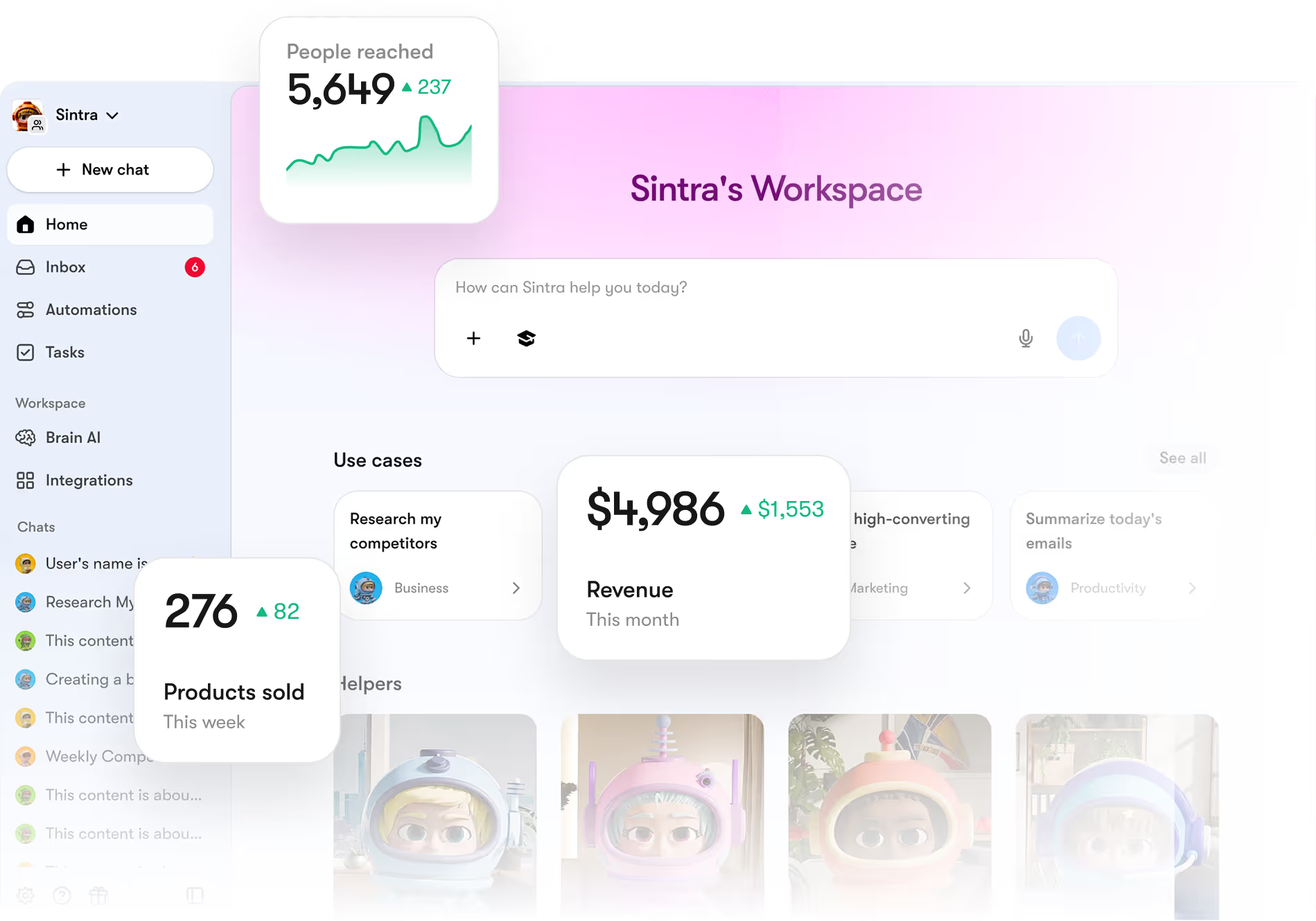
Most automation tools give you one thing: triggers and actions. Sintra AI gives you a full team of AI helpers that each own a specific function in your business.
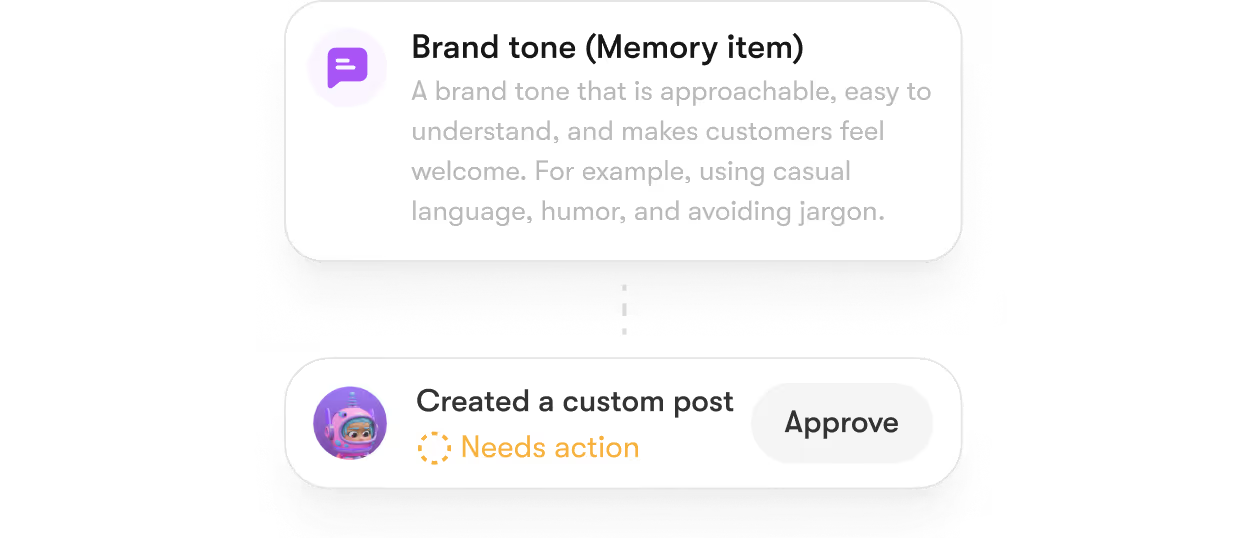
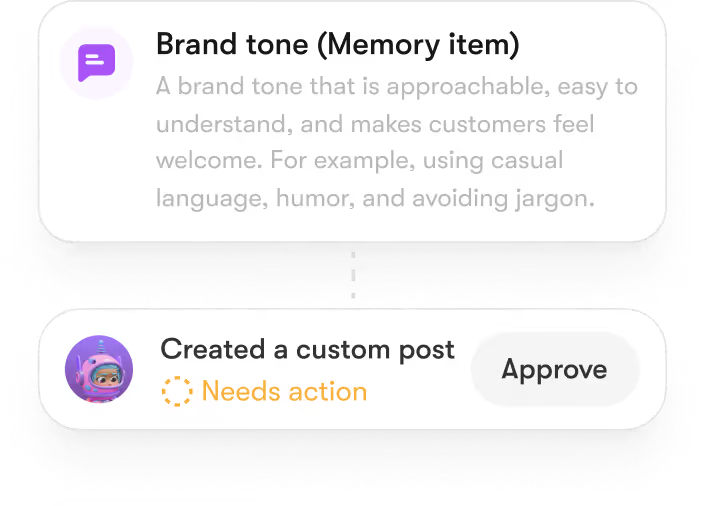
Where lindy.ai focuses on task automation. For example, “reply to this email”, “ log this meeting”, etc. Whereas Sintra AI goes further. It offers role-based AI employees designed for marketing, customer support, sales, and operations. Each helper knows its job, and they all share memory through a feature called "Brain AI", so nothing gets lost between tasks or handoffs.
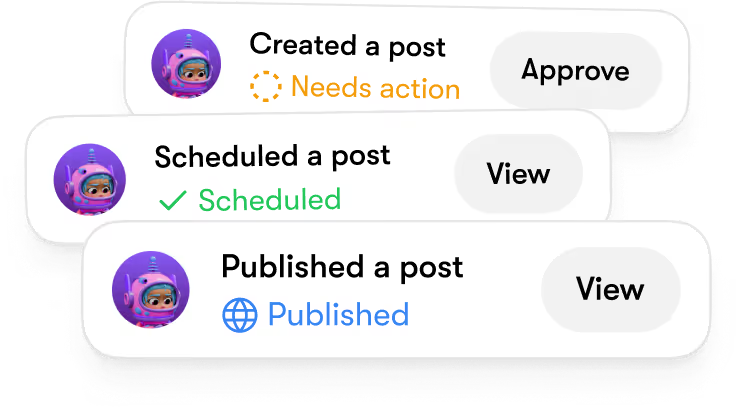
Here's how that plays out in practice. You're running a campaign. Sintra's marketing helper plans it. The sales helper follows up with leads. The support helper manages inbound questions. That's coordinated execution, not three separate automations you've stitched together yourself.
AI agents can integrate with tools like CRMs and order management systems to streamline workflows, and Sintra does exactly that, pulling everything into a single, coherent system rather than leaving you to manage the connections manually.
Pros
- Role-based AI helpers covering marketing, sales, support, ops
- Shared Brain AI keeps context consistent across teams
- Works seamlessly with Gmail, Notion, Slack, and more
- Genuinely no-code; no technical setup required
- Support helper manages complex queries and escalations
- Brain AI learns and improves over time
Cons
- Overkill for solo users with simple automation needs
- Requires onboarding time to configure for your workflows
- Pricing is less transparent than per-task tools
Pricing
Starts with $48.50/mo (monthly) or $15.60/mo (annual) for all 12 AI helpers and 250 monthly credits.
2. Zapier — Best for Workflow Automation and Integrations

If you need to connect apps and automate simple tasks, Zapier is an automation platform that connects apps via a trigger-and-action model, letting users automate tasks without writing code. With over 6,000 app integrations and a straightforward setup process, it remains one of the most reliable tools in this space.
Zapier offers a free tier and paid plans that scale with the number of tasks per month, making it a flexible option for users, which is one reason it's stayed popular even as newer tools have emerged.
Zapier and Lindy AI are more similar than different; both automate tasks, neither thinks for itself. Zapier connects more apps, but if you need AI that works across your whole team, it's not the right tool.
Pros
- Connects practically every app your team uses
- Beginner-friendly, which is why most workflows take minutes to set up
- Reliable, well-documented, with strong community support
- Many AI tools offer no-code interfaces, making them accessible to non-technical users; Zapier is one of the strongest examples of this
Cons
- No deep AI reasoning; it moves data, it doesn't think
- Task-based pricing adds up fast at scale
- Complex multi-step workflows can get messy to maintain
- Not designed for team-wide AI collaboration
Pricing
The Free tier handles 100 tasks; the Professional plan ($29.99) is required to unlock multi-step Zaps and premium app integrations.
3. AutoGPT — Best for Autonomous AI Task Execution

AutoGPT takes a different approach from a lindy AI assistant. Instead of executing defined automations, it takes a goal and breaks it down into sub-tasks on its own. It can search the web, write content, run code, and report back to you without step-by-step instructions.
AI agents that are specialized for specific tasks can handle complex workflows more effectively than generalist AI tools, and AutoGPT proves this point, for better and worse. It's impressive when it works. But it can loop, hallucinate steps, or go off-track on poorly scoped tasks. For developers and researchers, it's worth exploring. For most business teams running repeatable workflows, it's not production-ready yet.
Pros
- Genuinely autonomous, executes multi-step tasks independently
- Open-source with a growing plugin ecosystem
- Strong for complex, research-heavy tasks
- Handles grunt work well when running smoothly
Cons
- Reliability is inconsistent; gets stuck mid-task
- Requires technical setup; not beginner-friendly
- Struggles with nuanced decision-making
- API costs can spike unpredictably
Pricing
The software is Free to self-host, but managed cloud "Always-on" platforms now start at $24/mo to save you from technical setup.
4. Make (formerly Integromat) — Best for Visual Workflow Builders

Make is a visual AI automation platform that lets users design complex workflows without coding using a drag-and-drop interface. Instead of building automations linearly like lindy.ai, you place modules on a canvas and connect them however you need, including loops, filters, conditional logic, and error paths.
We've used it to build multi-branch workflows that route different types of customer inquiries to different tools, all without writing a single function. For teams that have outgrown Zapier's linear flow but don't want to touch code, Make hits the sweet spot.
AI agents can automate internal operations by handling tasks such as data logging and reporting. Make handles this kind of structured internal workflow particularly well, especially when combined with data tools like Google Sheets or Airtable.
Pros
- Visual interface makes complex logic easy to manage
- Supports error handling, data parsing, and branching
- Great value compared to Zapier at scale
- Connects with 1,000+ apps, including major CRMs
- Users often prefer AI tools that integrate well with existing systems and workflows; Make's integration depth makes this easy to achieve
Cons
- Steeper learning curve than Zapier for beginners
- Debugging complex scenarios can be frustrating
- No built-in AI reasoning; still trigger-and-action
- Operations-based pricing can confuse new users
Pricing
Offers a generous Free tier (1,000 credits); the Core plan ($10.59) provides 10,000 operations, making it the best value for high-volume users.
5. AgentGPT — Best for Browser-Based AI Agents

AgentGPT is the quickest way to spin up an AI agent with zero setup. Open a browser tab, give it a goal, and it starts working: searching the web, writing content, planning steps. No account needed on the free tier.
AI tools can automate repetitive tasks, saving users time. AgentGPT does this quite well for simple, one-off tasks. But it hits limits fast in real business use. No integrations with your existing tools, no memory between sessions, and no reliable execution on complex multi-step workflows.
For exploring what AI agents can do? Yes. For running actual business operations consistently? Not there yet.
Pros
- Zero setup; works directly in the browser
- Great for demos, experimentation, and quick research tasks
- Completely free to start
- Useful for simple customer query handling
Cons
- No meaningful integrations with business tools
- No persistent memory or context between sessions
- Output quality drops quickly on complex workflows
- Not built for team collaboration or repeatable automation
Pricing
The Free version allows 5 demo agents per day; the Pro tier ($40) gives you 30 agents and access to the more powerful GPT-4 model.
6. Relevance AI — Best for Custom AI Agents and Data Workflows

Relevance AI is built for semi-technical operations and data teams who want modular, multi-agent workflows without extensive coding. If your team deals with a lot of unstructured data, like research, customer feedback, intake forms, or complex internal reporting, this tool handles it well.
Relevance AI is an AI agent builder that helps create automations and is particularly good at handling unstructured data and research workflows. You can build custom agents that process data, query databases, chain multiple steps, and run automated research pipelines; all with a visual builder that doesn't require deep coding knowledge.
AI agents can triage support emails, suggest responses, and escalate issues when necessary. Relevance AI is one of the better tools for setting up this kind of workflow with real logic behind it.
Pros
- Strong at handling unstructured data and multi-step research tasks
- Modular agent design lets you customize deeply
- Good documentation and a growing community
- AI agents can be used for sales outreach by qualifying leads and personalizing follow-ups; one of Relevance AI's most popular use cases
Cons
- Setup complexity is higher than most no-code tools
- Not ideal for teams who want plug-and-play simplicity
- UI can feel overwhelming at first
- Some users find that this AI tool can provide too much information, making it difficult to find what they need.
Pricing
The Free tier is limited to 200 actions; the Team plan ($349) is a major step up for businesses needing 7,000+ monthly actions.
7. Flowise AI — Best Open-Source AI Workflow Builder

Flowise is for developers who want full control over their AI workflows without paying for a SaaS platform. It's open source and lets you build LLM-powered workflows with a visual node editor; think Make, but for AI pipelines built on LangChain.
Based on our lindy review across all seven tools, Flowise stands out for one specific audience: development teams who want zero vendor dependency. You self-host it for free, connect your own models, and build completely custom workflows. A real-world example: a dev team built an internal support agent using Flowise that pulls from their documentation, logs results to a database, and escalates to a human when confidence is low; entirely self-hosted, no monthly SaaS fee.
AI platforms designed for specific industries often include features that cater to the unique needs of those sectors, such as compliance and security. Flowise's self-hosted model is especially valuable here, since you control exactly where your data lives.
Pros
- Completely free and open-source; no usage limits
- Full control over models, data, and deployment
- No vendor lock-in
- Active community and frequent updates
- Flowise rewards technical teams that are already familiar with AI tools.
Cons
- Requires a developer to set up and maintain
- No managed hosting; you're responsible for uptime and security
- Not suitable for non-technical teams at all
- Debugging issues takes real time
Pricing
While Free for developers to host themselves, the official managed cloud Starter plan is $35/mo for 10,000 predictions.
What Is Lindy AI and Why Look for Alternatives?
Let's discuss it one by one:
What Is Lindy AI?
Lindy.ai is a no-code AI agent builder designed to offload work like email replies, meeting notes, and sales follow-ups across tools like Gmail and Slack.
A simple example: set up a Lindy to watch your inbox, draft replies to common support questions, and log each conversation to your CRM. For solo operators and small teams with straightforward needs, it delivers real value without any technical setup.
Key Features of Lindy AI
- No-code agent builder with a visual, template-based setup
- Connects with Gmail, Slack, HubSpot, Notion, and other popular tools
- Pre-built templates for email triage, meeting notes, and sales outreach
- Natural language task configuration: Describe what you want, and it builds the flow
- Basic memory for maintaining context within individual automations
Where Lindy AI Performs Well
Lindy.ai works best for repetitive, well-defined tasks that follow a consistent pattern:
- Email management: Triaging inboxes, drafting replies, routing messages to the right people
- Meeting follow-ups: Auto-generating summaries and sending notes after calls
- Sales sequences: Triggering follow-ups based on CRM activity or email opens
- Simple data sync: Keeping tools updated when certain conditions are met
AI agents can enhance productivity by allowing users to focus on high-value tasks while automating routine processes, and for these specific use cases, Lindy delivers exactly that.
Limitations of Lindy AI
Here's where things start breaking down, especially for growing teams:
- No multi-role AI collaboration. Lindy handles individual tasks but can't coordinate across departments the way a team of specialized agents can
- Limited contextual memory. It doesn't retain deep business context across different workflows or users
- Unpredictable pricing. Lindy's credit-based pricing model can lead to unpredictable bills as businesses scale.
- Not built for complex logic. Multi-branch workflows with conditional decisions get messy fast
- No specialized AI roles. It's a generalist automator, not a dedicated specialist for marketing, sales, or operations
Why Users Look for Lindy AI Alternatives
The most common reasons teams move on:
- They've grown beyond single-task automation and need coordinated, cross-functional workflows
- Pricing has become unpredictable as usage scales
- They want AI that can reason and adapt, not just trigger and respond
- They need deeper integrations with their existing tech stack
- Lindy AI alternatives vary based on specific needs, such as general task automation, specialized email and calendar management, or advanced voice-first customer interaction. Teams realize they need something more targeted as they grow
How We Tested the Best Lindy AI Alternatives
We didn't just read the documentation. Here's what our testing actually covered:
- Automation workflows: We built end-to-end workflows across each tool; email triage, lead follow-up, internal reporting, and tracked setup time and reliability from start to finish.
- Team collaboration scenarios: We tested multi-user support, role-based access, and shared workflow management. This is where most tools either proved themselves or didn't.
- Integration depth: We connected each tool to a standard stack (Gmail, Slack, CRM, project management) and graded not just whether it worked, but how smooth and reliable the experience was.
- Scalability: We simulated growing usage, which means more users, more automations, more data, and noted where things broke down or pricing spiked unexpectedly.
- Ease of use: Both technical and non-technical team members tested each tool and provided honest feedback on their experience.
What Makes a Great Lindy AI Alternative?
Not all tools are built the same. Here's what actually matters before you commit to one.
Automation Depth and Flexibility
Simple trigger-and-action automation is the baseline in 2026. A genuinely useful alternative should support:
- Multi-step workflows with conditional logic and branching
- Error handling and fallback paths
- Cross-tool data transformation
- Complex business rules as triggers
AI agents can automate internal operations by handling tasks such as data logging and reporting. A solid alternative should handle this without requiring five separate workflows.
Multi-Function Capabilities Across Teams
One of the biggest gaps in tools like Lindy AI is that they're built for individual workflows rather than team-wide coordination. The best alternatives support:
- Marketing teams running campaigns and tracking performance
- Sales teams qualify leads and manage follow-ups
- Support teams handling inquiries and escalations
- Operations teams managing reporting and internal processes
AI agents can handle customer support operations by managing complex queries and escalating issues to humans when necessary. The best platforms bake this kind of logic in as a first-class feature, not an afterthought.
Integrations and Ecosystem Compatibility
Your automation is only as useful as what it connects to. Look for native integrations with:
- Your CRM (HubSpot, Salesforce, Pipedrive)
- Email and calendar (Gmail, Outlook)
- Communication tools (Slack, Teams)
- Project management (Notion, Asana, ClickUp)
- Data tools (Google Sheets, Airtable)
Users often prefer AI tools that integrate well with existing systems and workflows. The deeper the integration, the more value you'll actually extract from the platform day to day.
Ease of Use and Learning Curve
Many AI tools offer no-code interfaces, making them accessible to non-technical users. But ease of use isn't just about having a visual builder. Watch for these red flags also:
- Requires developer support for basic changes
- No visual preview of how a workflow will run
- Poor documentation or no community support
- Confusing error messages when something breaks
Scalability for Growing Teams
A tool that works for one person often breaks for ten. Before committing, ask:
- Can multiple users collaborate on the same workflows?
- Does pricing scale reasonably with usage?
- Are there permissions and access controls for different roles?
- Can it handle higher data volume without hitting bottlenecks?
Pricing and Value for Money
Lindy offers a free plan with 400 credits per month, then paid tiers starting from $49.99/month for Pro and $299.99/month for Business. That's a meaningful cost jump as you scale.
Pricing models for AI tools can vary, with some using credit-based systems that may lead to unpredictable costs. When evaluating alternatives, always compare the total cost of ownership, not just the monthly sticker price.
Lindy AI vs AI Teams: What's the Difference?
This is the distinction most comparison articles miss, and it matters for how you make your decision.
Lindy AI is an automation platform. It connects your tools, listens for triggers, and fires actions. It's great at doing defined tasks repeatedly and reliably.
AI teams (like Sintra AI) are something fundamentally different. Instead of automating tasks, they give you a coordinated team of AI agents that each own a role in your business: a marketing specialist, a sales assistant, a customer support agent, and an operations coordinator, all working together under a shared memory system.
AI agents can be trained on business data to improve their performance in customer interactions. This is a core feature of AI team platforms that traditional automation tools simply don't offer.
Why Sintra AI Is the Best Lindy AI Alternative
After testing all seven tools against real business scenarios, Sintra AI came out ahead for teams that need more than automation. Here's the breakdown.
Built for Teams, Not Just Workflows
Sintra AI is designed for team-wide collaboration from the ground up. Marketing, sales, support, and operations work in a coordinated flow, not three separate automations patched together. AI agents can be used for sales outreach by qualifying leads and personalizing follow-ups, and Sintra's sales helper does this as part of a coordinated campaign, not as a standalone trigger.
Role-Based AI Helpers for Every Function
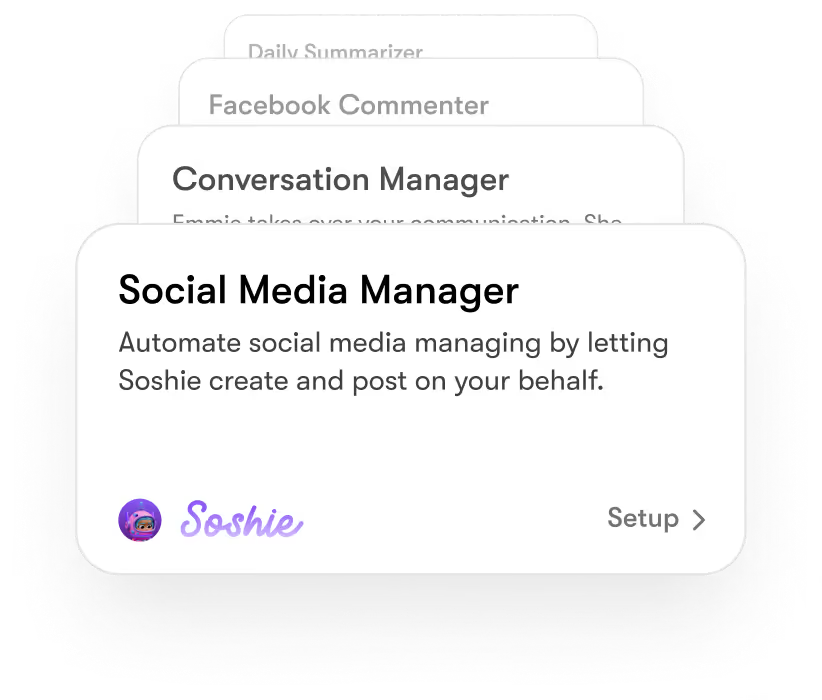
Sintra's specialized helpers, like Soshie for marketing, Penn for writing, Cassie for customer support, and Buddy for operations, are built to own their domain, not just respond to prompts. AI agents that are specialized for specific tasks can handle complex workflows more effectively than generalist AI tools. This is exactly why role-based helpers outperform a single generalist automator when your business has real complexity.
Shared Memory With "Brain" for Consistency
The Brain AI feature is what makes everything stick together. Every helper draws from a shared memory of your business: your brand voice, your processes, your customer history. That means:
- No context-switching between tools
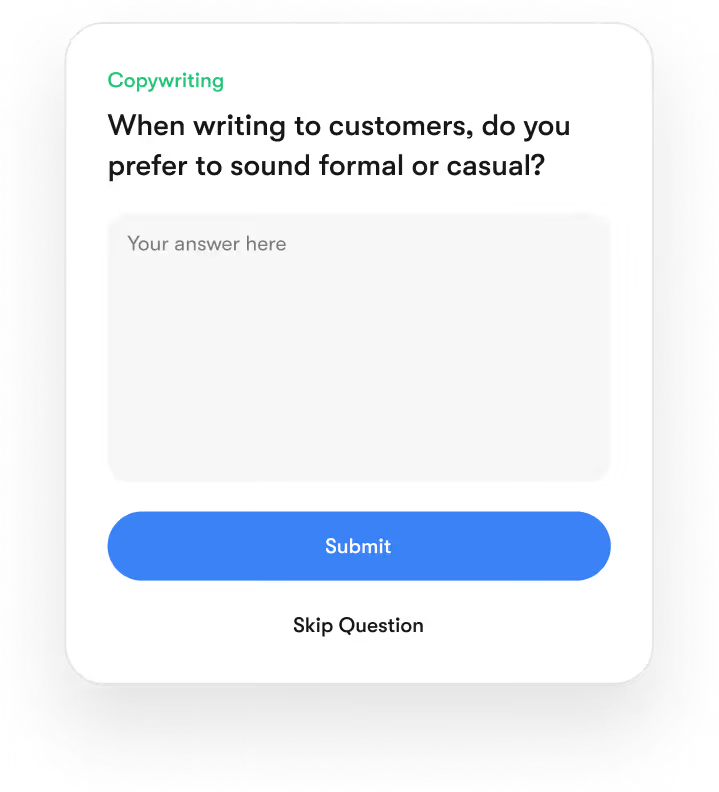
- Consistent tone and messaging across all functions
- Workflows that improve over time as Brain learns more about your business
AI agents can be trained on business data to improve their performance in customer interactions. Sintra's Brain is built precisely for this, and lindy.ai simply doesn't offer it.
More Than Automation: End-to-End Business Execution
Sintra AI goes beyond automation into strategy, execution, and iteration. Running a campaign isn't just "send emails on a schedule"; it's planning, writing, distributing, tracking, and refining. AI agents can triage support emails, suggest responses, and escalate issues when necessary. Sintra handles all of this as part of a continuous workflow, not separate one-off automations.
Seamless Integrations for Unified Workflows
Sintra connects with the tools your team already uses through its AI integrations hub, Gmail, Notion, Slack, and more. The difference from tools like Lindy AI isn't just the list of integrations; it's that Sintra's helpers use them intelligently, not just as data pipelines.
Scalable for Growing Businesses
Whether you're a three-person startup or a 50-person agency, Sintra AI scales with you. You add helpers as you need them, and the shared Brain memory means new helpers are onboarded to your business context immediately; they already know who you are and how you work. AI agents can enhance productivity by allowing users to focus on high-value tasks while automating routine processes, and compounded productivity grows as your team grows.
Ready to Upgrade from Lindy AI?
If your team has outgrown basic automation and you're spending more time managing workflows than actually running your business, it's time to make a move. Sintra AI offers what Lindy AI can't: a coordinated AI team that works across every function, shares memory, and scales with your growth. Less tool-juggling, more actual output. It's worth exploring.
Get started with Sintra AI and see what your team gets back when the busywork is no longer yours to carry.
Lindy AI Alternatives FAQs
What are the best Lindy AI alternatives in 2026?
The best options are Sintra AI, Zapier, AutoGPT, Make, AgentGPT, Relevance AI, and Flowise. Sintra AI leads for business teams needing multi-role AI coordination. Zapier and Make are best for workflow automation. AutoGPT and AgentGPT suit developers and experimenters. Relevance AI handles data-heavy workflows well, and Flowise is the best open-source pick.
Is there a better option than Lindy AI for teams?
Yes, Sintra AI is purpose-built for team-wide AI coordination. Unlike Lindy AI, which focuses on individual-task automation, Sintra provides each business function with a specialized AI helper, with shared memory across the entire operation.
How does Lindy AI compare to AI assistants?
Lindy AI is closer to an automation tool than a true AI assistant. It connects apps and automates tasks based on triggers. Role-based AI assistants, like Sintra's helpers, can reason, adapt to context, and handle complex decisions, not just fire actions when conditions are met.
Are Lindy AI alternatives suitable for small businesses?
Most of them, yes. Zapier, Make, and AgentGPT all have free or low-cost entry points. Sintra AI works well for small but growing teams that want to scale without hiring. The right pick depends on how complex your workflows are and how much cross-team coordination you need.
What features should I look for in a Lindy AI alternative?
Focus on: automation depth and flexibility, multi-function support across teams, integration quality with your existing tools, ease of use for non-technical team members, scalable and predictable pricing, and whether the tool offers real AI reasoning or just trigger-and-action logic.