Best Social Media AI Agents in 2026


Table of Contents

Quick Answer: What Is the Best Social Media AI Agent?
Sintra AI is the strongest overall choice for the best social media agent. Its AI social media manager, Soshie, plans content, writes platform-specific copy, handles scheduling, and tracks performance, while also working alongside Sintra's other AI employees for marketing, sales, and support when a task needs it.
HubSpot ranks second, best for teams already using HubSpot's CRM and marketing tools who want social tied directly to that data. Buffer comes in third, a simple, affordable option for creators and small teams that just need reliable scheduling. Sprout Social takes fourth, built for larger teams and agencies that need deep analytics and social listening. The remaining tools, Hootsuite, SocialBee, Vista Social, Metricool, Predis.ai, and Ocoya, are covered further down, each strong in a specific use case.
The AI in the social media market is set to nearly triple by 2031, from $3.42 billion this year to $11.37 billion, according to Mordor Intelligence. That growth isn't just platforms getting smarter behind the scenes. It's businesses handing over entire social workflows, planning, writing, scheduling, and reporting, to a single AI social media manager instead of a person juggling five apps to do it all.
After comparing the leading options, Sintra AI's Soshie ranks first overall. It plans content, creates it, schedules it, and tracks performance, all while staying connected to the rest of Sintra's AI employees instead of working as a standalone posting tool.
This guide walks through Soshie and nine other social media agent tools, what each does best, and where a dedicated AIai for social media management platform beats a standalone scheduler.
Here's a quick table:
The Best Social Media AI Agents in 2026
To identify the best social media AI agents, we evaluated each platform using the same criteria: ease of use, AI content quality, workflow automation, collaboration, integrations, pricing, scalability, and fit for different business sizes, from solo creators to enterprise teams.
Where possible, our recommendations are based on hands-on testing, official documentation, product demos, and publicly available feature details. Because software changes quickly, features and pricing may shift over time, so it is worth checking each vendor's website before you decide.
The reviews below focus on real business workflows, showing where each platform stands out, who it suits best, and any limitations to keep in mind before choosing an AI social media manager.
1. Sintra AI — Social Media AI Agent

Soshie is Sintra's dedicated social media agent, built to run the full cycle from a content idea to a ready-to-approve post. It plans the calendar, writes each post for the platform it's headed to, and queues everything for a quick review before it goes live.
What sets Soshie apart is Sintra Brain AI, the shared memory that stores a business's brand voice, tone, and context across every Sintra helper. Because Soshie draws from the same source as Sintra's other helpers, a caption it writes and a support reply Cassie sends carry the same voice, since both are informed by the same stored business context.
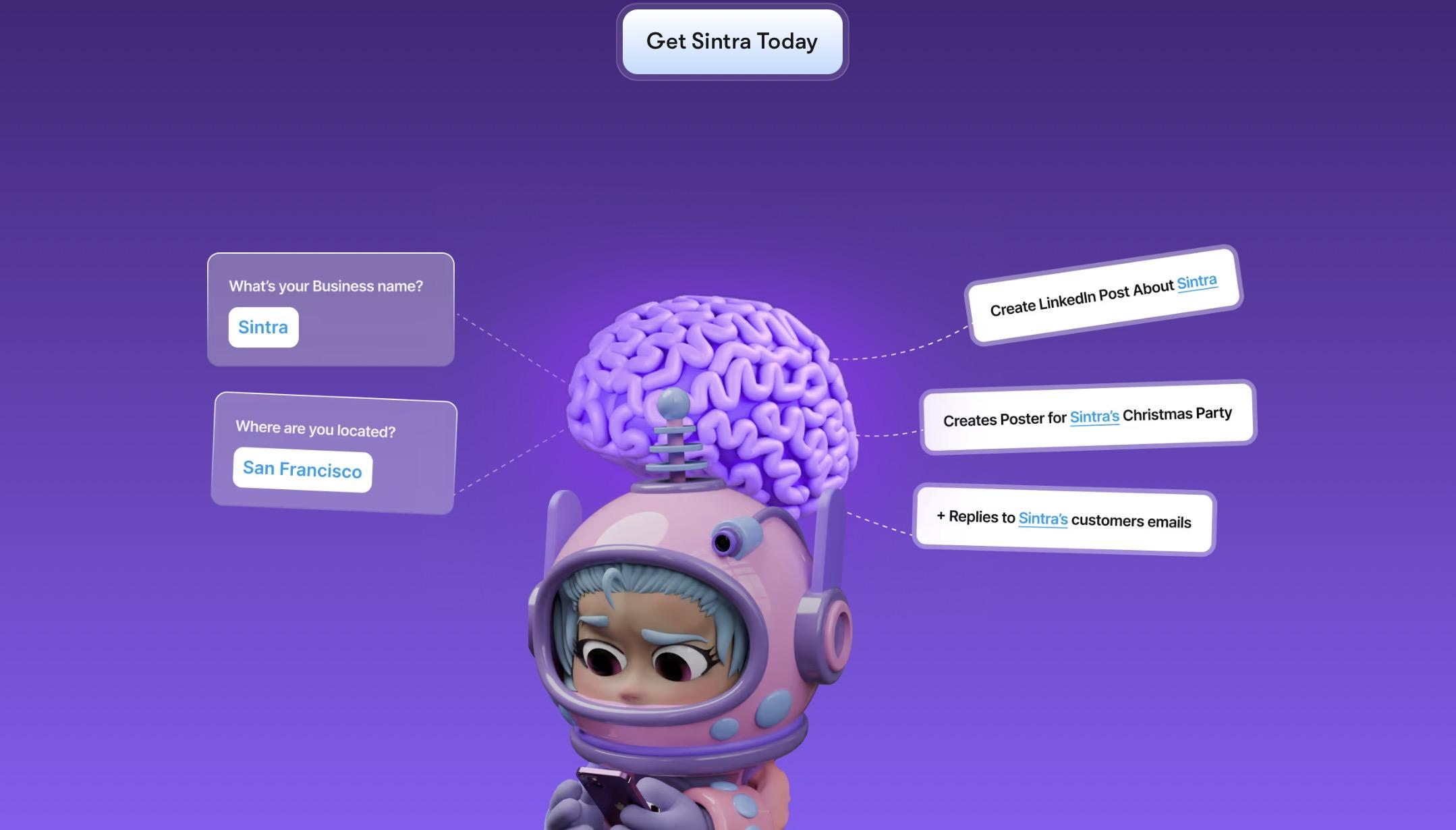
A standalone social media tool doesn't have that: it can hold a posting history, but not a business's actual context. When a task extends past social, like a product launch that also needs an email sequence or an SEO check, Soshie brings in Sintra's other helpers directly. That's what makes it an AI social media manager, not just a content generator with a calendar attached.
The measurable benefit is time. Teams using AI agents for this kind of work report saving 10 to 15 hours a week per creator, hours that previously went into writing, reformatting, and manually publishing the same content across multiple platforms.
Key Features
- Full content calendar planning, not single posts generated on request
- Platform-specific posts for Facebook, Instagram, and LinkedIn
- Scheduling with a review step before anything goes live
- Shared brand voice and business context through Sintra Brain
- Profile optimization, including bios and visuals aligned with brand identity
- One-click use cases for recurring needs, like a week of posts or a campaign calendar
- Direct handoff to Sintra's other AI employees for SEO, support, sales, and email
- Native integrations through Sintra's connected workspace
Strengths
- Reduces coordination work: Instead of briefing a social media manager, email marketer, and SEO specialist separately, one shared brief flows through Soshie and Sintra's connected AI helpers.
- Ideal for solo founders: Manage planning, content creation, and scheduling without hiring a dedicated social media manager.
- Scales with your business: Small teams can expand to new social channels and launch more campaigns without increasing headcount.
- Connected AI workflow: Social media, SEO, email marketing, customer support, and sales work together within the same ecosystem instead of relying on separate tools.
- Consistent execution: Shared business context through Sintra Brain ensures every AI helper follows the same brand voice, goals, and messaging across functions.
Pricing
Sintra offers three subscription options, all providing full access to Sintra X, including every AI helper, Sintra Brain, and the platform's complete feature set. Every subscription includes 12+ AI helpers (including Soshie), 250 monthly credits, 15+ integrations, 24/7 support, and a 14-day money-back guarantee.
- 1-Month Plan: $48.50/month (50% off the regular $97/month price)
- 3-Month Plan: $23.60/month (60% off)
- 12-Month Plan: $15.60/month (70% off, best value)
All plans provide access to the same feature set, including Sintra Brain AI, one-click Use Cases, support for 100+ languages, and the full suite of AI helpers covering social media, SEO, copywriting, email marketing, customer support, sales, recruiting, analytics, and more. The only difference is the billing period, with longer-term plans offering significantly lower monthly pricing.
2. HubSpot Social Media AI Agent
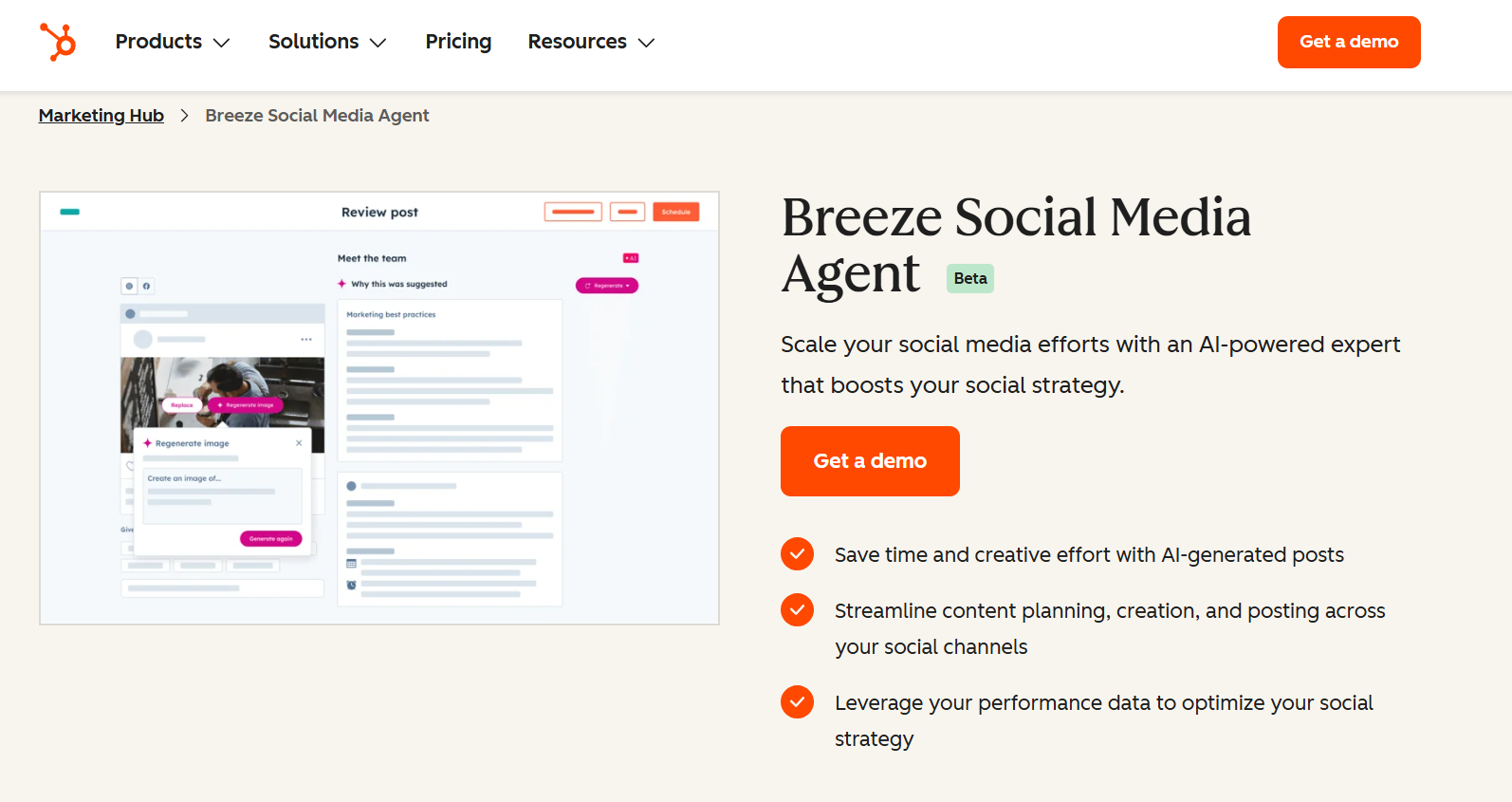
HubSpot's Breeze Social Media Agent lives inside Marketing Hub, and that placement says everything about who it's built for. It's not a standalone social tool; it's one feature of a marketing platform that already holds a business's contacts, campaigns, and lead data.
The agent studies past social performance, company details, and audience data, then suggests posts for Facebook, LinkedIn, X, and Instagram, along with the best times to publish them. For a team already living inside HubSpot, that means social content gets built from the same CRM data driving email campaigns and lead scoring, instead of guessing at what the audience wants from scratch.
That CRM connection cuts both ways. A business that just wants daily social execution, fast captions, scheduled posts, nothing else, will likely find that Breeze feels like one feature bolted onto a much bigger system rather than a tool built specifically for that job.
It's strongest for inbound marketing teams that already think in campaigns, lead nurturing, and reporting, not for a founder who mainly wants a quick, focused way to keep a few social profiles active.
Key Features
- Post suggestions generated from company details, audience data, and past social performance
- Recommended posting times based on that same performance data
- Direct connection to HubSpot's Smart CRM, so social activity ties to contacts and lead records
- Social posts and email campaigns pulling from the same underlying customer data
- Campaign-level reporting that rolls social performance into HubSpot's broader marketing dashboards
- Ability to repurpose one piece of content into social posts, emails, and blog formats
Strengths
- Seamless CRM integration: Social media activity connects directly with HubSpot's CRM, email marketing, forms, and advertising tools, giving teams a complete view of every customer interaction.
- Unified customer journey: A lead who engages with a social post, opens an email, or fills out a form is tracked within the same customer record, making follow-ups more informed.
- Best for existing HubSpot users: Businesses already using HubSpot's marketing ecosystem get the most value from the Social Media Agent because it fits naturally into their existing workflows.
- Less cost-effective as a standalone tool: If you only need AI-powered social media management, HubSpot's broader marketing platform can be difficult to justify due to its higher overall cost.
Pricing
HubSpot's Breeze Social Media Agent is available with Marketing Hub Professional and Enterprise.
- Marketing Hub Professional: Starts at $800/month, includes 3 Core Seats, 3,000 HubSpot Credits, and requires a one-time Professional onboarding fee of $3,000.
- Marketing Hub Enterprise: Starts at $3,600/month, includes 5 Core Seats, 5,000 HubSpot Credits, and requires a one-time Enterprise onboarding fee of $7,000.
Lower tiers, including the Free and Starter plans (starting at $7/seat/month), provide basic AI-assisted content creation and social publishing features but do not include the full Breeze Social Media Agent. HubSpot also uses a credit-based system for AI features, with additional HubSpot Credits available for purchase as usage grows.
3. Buffer AI Assistant
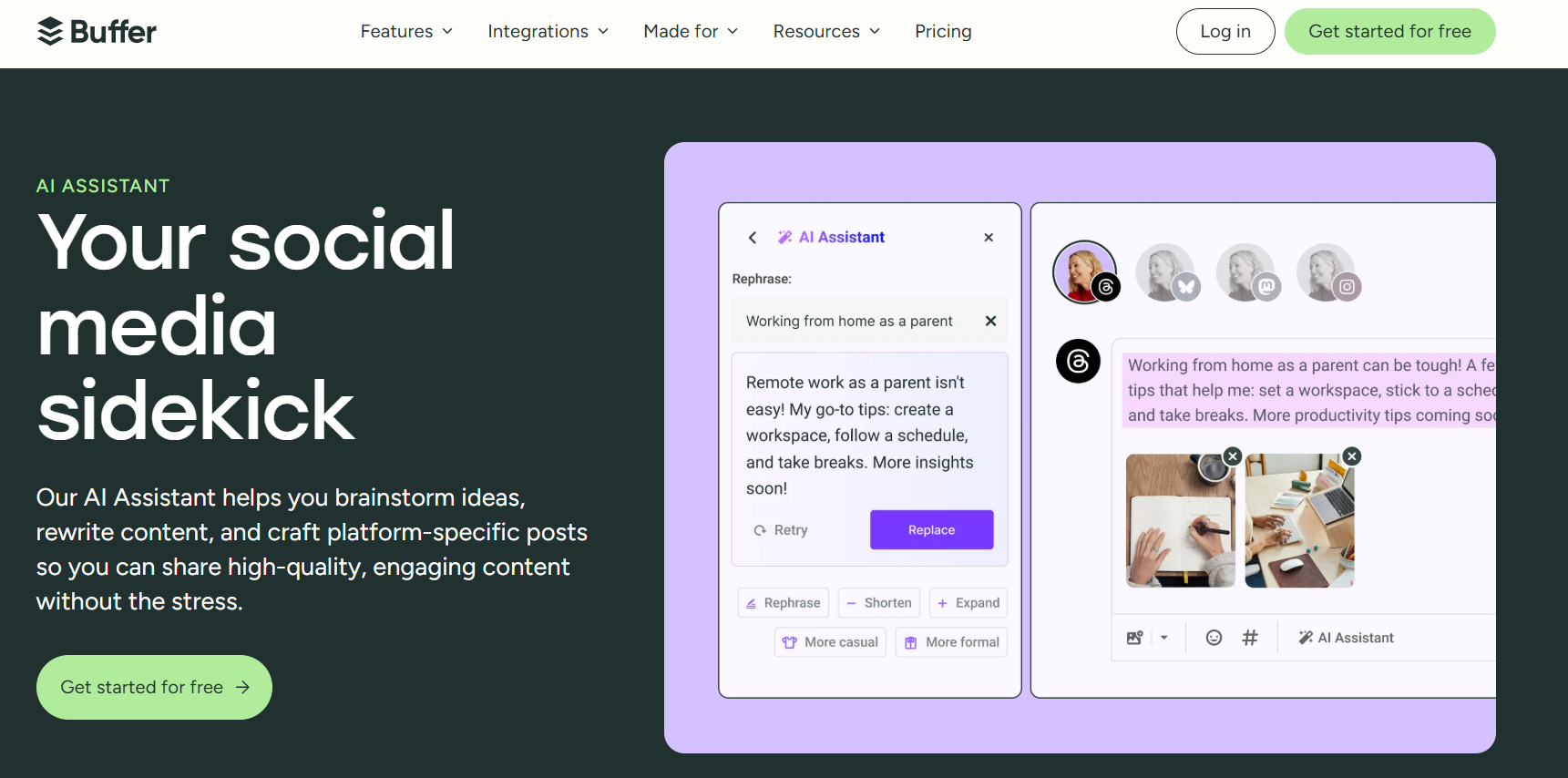
Buffer is built for a specific kind of user: a creator, startup, or small team that wants a simple way to write and schedule posts. Nothing complicated to learn. Its AI Assistant handles the part people get stuck on most, staring at a blank caption box, and the rest of the workflow stays just as easy.
It's a useful AI for social media management at a small scale. What it isn't is a full social media agent that plans strategy or connects to the rest of a business, and it doesn't pretend to be.
Key Features
- AI-generated post captions from a topic or a few keywords
- Rewriting to adjust tone, length, or wording
- Content repurposing, turning one post into versions for different platforms
- A visual scheduling calendar
- Multi-platform publishing across the major networks
- Basic analytics covering engagement, reach, and top-performing posts
Strengths
- Simple and intuitive interface: Buffer's clean, user-friendly design makes it easy for beginners to start planning and scheduling posts within minutes.
- AI included on every plan: The AI Assistant is available on all plans, including the free tier, with no additional fee required.
- Excellent for creators and small teams: Its combination of affordability and ease of use makes it a strong choice for managing a handful of social media channels.
- Minimal learning curve: Most users can get up and running quickly without extensive onboarding or training.
- Focused on core social media management: Rather than offering complex enterprise automation, Buffer prioritizes straightforward content creation and scheduling, making it an ideal solution for individuals, startups, and small businesses.
Pricing
Buffer offers a simple pricing model that scales by the number of social channels you connect, making it easy to start small and upgrade as your needs grow.
- Free: Supports up to 3 social channels, with 10 scheduled posts per channel, 100 AI ideas, AI Assistant, basic analytics, and one user.
- Essentials: Starts at $5/month per channel (billed annually) and includes unlimited scheduled posts, unlimited AI ideas, advanced analytics, hashtag management, first-comment scheduling, and a 14-day free trial.
- Team: Starts at $10/month per channel (billed annually) and adds unlimited team members, content approval workflows, access controls, expanded API limits, and collaboration features for growing teams.
Because pricing is based on the number of connected social channels rather than a flat subscription fee, costs increase as you add more accounts. All paid plans include Buffer's AI Assistant, with higher tiers unlocking more collaboration and workflow features.
4. Sprout Social AI

Sprout Social is built for a different scale of problem than Buffer solves. It's aimed at larger teams, agencies, and enterprise brands that need serious analytics, social listening, and multiple people collaborating on the same accounts.
Its AI features support content drafting, customer care, reporting, and day-to-day workflow efficiency, and the platform delivers on all of it. The tradeoff is cost and complexity. For a small business, Sprout is likely more tool than needed, and more expense than justified.
Key Features
- AI-assisted writing for drafting posts and replies
- Social listening across major platforms and mentions
- A unified Smart Inbox pulling in messages, comments, and mentions from one place
- Approval workflows for teams that need content signed off before it goes live
- Reporting dashboards built for presenting results to stakeholders
- Team collaboration tools suited to multiple users working on the same accounts
These features are built for volume. A large team managing several brands, dozens of daily interactions, and detailed reporting requirements gets real value out of Sprout's depth.
Strengths
- Industry-leading analytics: Sprout Social offers some of the most comprehensive reporting tools available, helping teams measure performance with detailed, presentation-ready dashboards.
- Powerful social listening: Monitor brand mentions, customer sentiment, and industry conversations across multiple platforms to uncover trends and engagement opportunities.
- Reduces reporting workload: A commissioned Forrester study found that Sprout customers reduced the time spent on social media reporting by 80%, thanks to its automated reporting capabilities.
- Built for team collaboration: Approval workflows and multi-user permissions make it easy for marketing teams to review, approve, and publish content while maintaining quality control.
- Ideal for larger organizations: Its combination of advanced analytics, structured collaboration, and customer engagement tools makes Sprout Social a strong choice for agencies, enterprises, and teams managing multiple brands.
Pricing
Sprout Social offers four paid plans with per-seat pricing and a 30-day free trial.
- Essentials: $79/seat/month (or $99 billed monthly) – 5 social profiles, publishing, reporting, and optimal send times.
- Standard: $199/seat/month – Adds a Smart Inbox, collaboration tools, review management, keyword monitoring, and AI-generated alt text.
- Professional: $299/seat/month – Includes unlimited social profiles, advanced analytics, competitor insights, and AI Assist.
- Advanced: $399/seat/month – Adds AI reply suggestions, sentiment analysis, API access, helpdesk integrations, and advanced reporting.
- Enterprise: Custom pricing for large organizations with tailored onboarding and priority support.
5. Hootsuite AI

Hootsuite is one of the most established names in social media management, and its AI features are built into that existing system rather than replacing it. OwlyWriter AI handles caption and post idea generation, and a separate assistant called Wisdom lets teams ask plain-language questions about performance instead of digging through dashboards.
Hootsuite supports publishing across all the major platforms from one dashboard, with campaign management built for teams that need structure and scale. It's a solid choice for that kind of team, though it doesn't feel as modern or agent-led as some of the newer AI-first platforms in this comparison.
Key Features
- OwlyWriter AI for generating captions, post ideas, and image suggestions
- A shared content calendar covering unlimited scheduled posts
- Multi-platform publishing to Facebook, Instagram, LinkedIn, X, TikTok, Pinterest, and YouTube
- A unified inbox for managing comments and messages across channels
- Analytics and benchmarking against competitors
- Team collaboration with approval workflows on higher-tier plans
- Integrations with tools like Salesforce and Canva
AI here supports the existing workflow rather than driving it. Teams get faster captions and quicker insight into performance, but the platform is still built around a person managing the calendar and approving what goes out.
Strengths
- Proven and reliable platform: Hootsuite supports nearly every major social network and has a long track record in social media management.
- Built for teams: Offers robust collaboration tools, approval workflows, and team management features for organizations of all sizes.
- Scalable reporting: Provides dependable analytics and reporting for businesses managing multiple accounts and campaigns.
- AI enhances existing workflows: AI features speed up content creation and analysis while fitting into established publishing processes.
- Great for established organizations: A strong choice for teams looking for a trusted, mature platform rather than a newer AI-first solution.
Pricing
Hootsuite offers four paid plans with per-user pricing and a free trial.
- Standard: $99/user/month – Manage up to 10 social accounts, unlimited scheduling, AI content generation, unified inbox, and brand monitoring.
- Professional: $199/user/month – Adds unlimited social accounts, workflow automation, AI-powered trend forecasting, and custom reports.
- Advanced: $399/user/month – Includes approval workflows, message routing, team collaboration, and performance reporting.
- Enterprise: Custom pricing – Adds advanced analytics, social listening, SSO, compliance tools, and enterprise governance features.
All plans include Wisdom, Hootsuite's AI assistant for content creation, recommendations, and performance insights. Prices are based on annual billing.
6. SocialBee AI
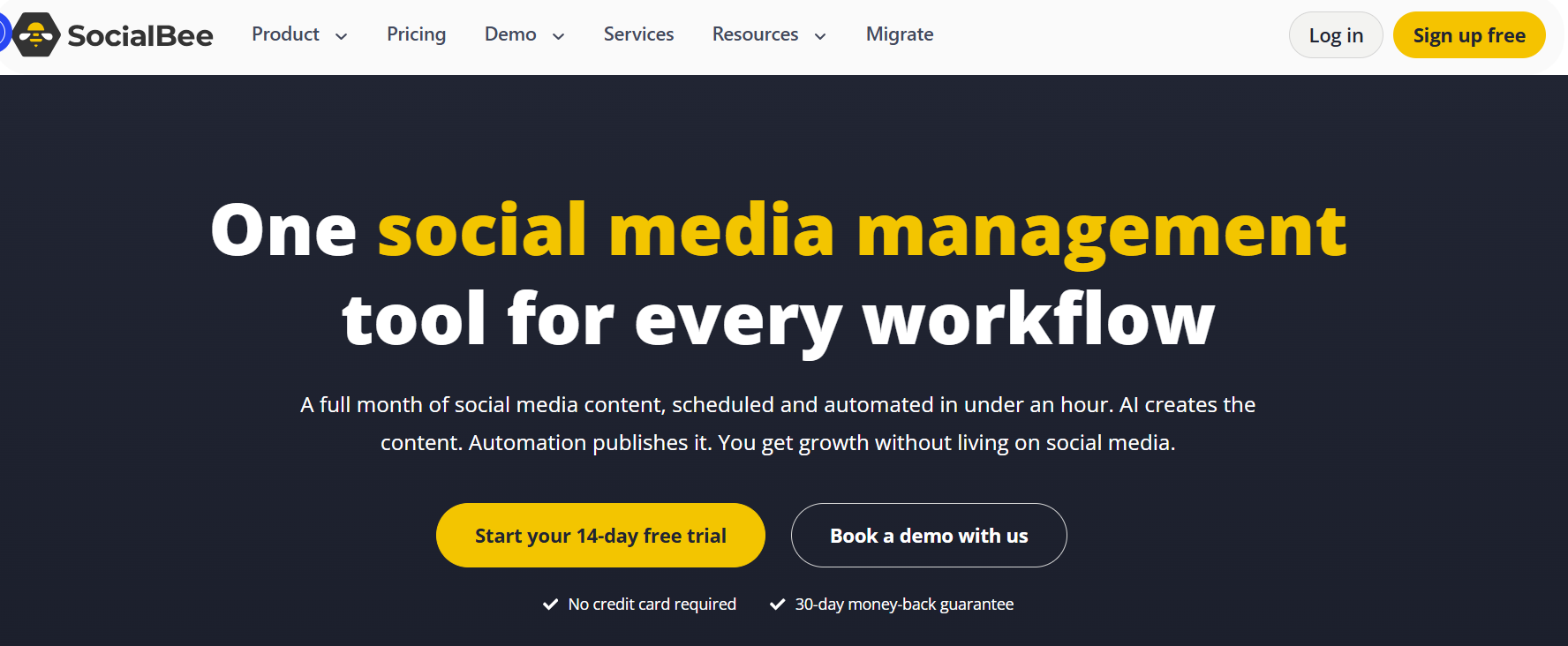
SocialBee is built for a specific problem: staying visible on social media without rebuilding the content calendar from scratch every week. Instead of scheduling posts one at a time, users organize content into categories, promotions, tips, testimonials, and behind-the-scenes, and SocialBee cycles through them automatically, keeping the feed varied without daily manual work.
It's a strong fit for small businesses, creators, and agencies that want a repeatable publishing system, especially when content naturally breaks into themes, campaigns, or evergreen posts worth reusing over time.
Key Features
- AI-assisted content generation for captions, post ideas, and variations
- Category-based scheduling that rotates through defined content types
- Content recycling for evergreen posts that stay relevant for months
- Platform-specific customization so one idea adapts across networks
- Calendar planning with a clear view of what's scheduled and when
- Workspace management for separating clients, brands, or campaigns
Together, these features mean a library of good posts keeps circulating without someone rebuilding the calendar from scratch every week.
Strengths
- Organized content planning: Category-based scheduling helps maintain a balanced mix of content instead of repeating the same post types.
- Evergreen content recycling: Automatically reuses high-performing evergreen posts to maximize their long-term value and engagement.
- Affordable for small businesses: Delivers strong scheduling and organization features at a competitive price compared to similar platforms.
- Designed for consistent publishing: Ideal for creators, small businesses, and agencies that need a reliable, well-structured content calendar.
- Focused on simplicity: Rather than offering complex business-wide AI automation, SocialBee excels at keeping social media posting organized and consistent.
Pricing
SocialBee offers three paid plans with a 14-day free trial, with pricing based on the number of social profiles, users, and workspaces.
- Bootstrap: $24.20/month (billed annually) – Connect up to 5 social profiles, 1 user, unlimited AI content generation, and analytics with 3 months of history.
- Accelerate: $40.80/month (billed annually) – Supports 10 social profiles and adds advanced analytics, hashtag management, bulk editing, CSV uploads, and post approvals.
- Pro: $82.50/month (billed annually) – Supports 25 social profiles, 3 users, 5 workspaces, unlimited content categories and sources, exportable analytics, and collaboration features for teams and agencies.
7. VistaSocial

Vista Social combines what most tools split across two products: publishing and community management. Scheduling, a unified inbox, review management across sites like Google, Yelp, and TripAdvisor, and reporting all live in one dashboard.
That combination makes it a strong all-in-one option, particularly for agencies and teams managing several client profiles at once, since there's no separate tool needed for reviews or engagement.
Key Features
- AI-assisted caption writing and post ideas
- A visual publishing calendar with bulk scheduling
- A unified social inbox for messages, comments, and mentions across platforms
- Review management across Google, Yelp, TripAdvisor, and other review sites
- Analytics and cross-channel reporting
- Team collaboration with role-based permissions
- Approval workflows for content requiring sign-off
Publishing and engagement work from the same dashboard here, so a team isn't switching tools to schedule a post and then switching again to reply to a comment on it.
Strengths
- All-in-one platform: Manage publishing, community engagement, review management, and reporting from a single dashboard.
- Excellent value: Delivers a broad feature set at a more affordable price than enterprise-focused alternatives like Sprout Social or Hootsuite.
- Agency-friendly: Well suited for agencies and teams managing multiple clients, brands, and social profiles.
- Easy to scale: Offers advanced collaboration and reporting features without the steep learning curve of enterprise platforms.
- Ideal for growing teams: A great choice for businesses that need more than basic scheduling but don't require a full enterprise social media suite.
Pricing
Vista Social offers four plans with a 14-day free trial, with pricing based on the number of users and social profiles.
- Professional: $64/month – Includes 15 social profiles, 3 users, publishing, engagement, reporting, listening tools, and AI-powered features.
- Advanced: $120/month – Supports 30 social profiles and 6 users, adding advanced workflows, reporting, integrations, and AI training.
- Scale: $304/month – Includes 70 social profiles, 10 users, white-labeling, unlimited AI credits, client management, and premium AI features.
- Enterprise: Custom pricing with tailored integrations, support, and scalable solutions for large organizations.
All paid plans include collaboration tools, analytics, AI-powered social media features, and optional add-ons such as Employee Advocacy, Listening, and X (Twitter) integration.
8. Metricool AI
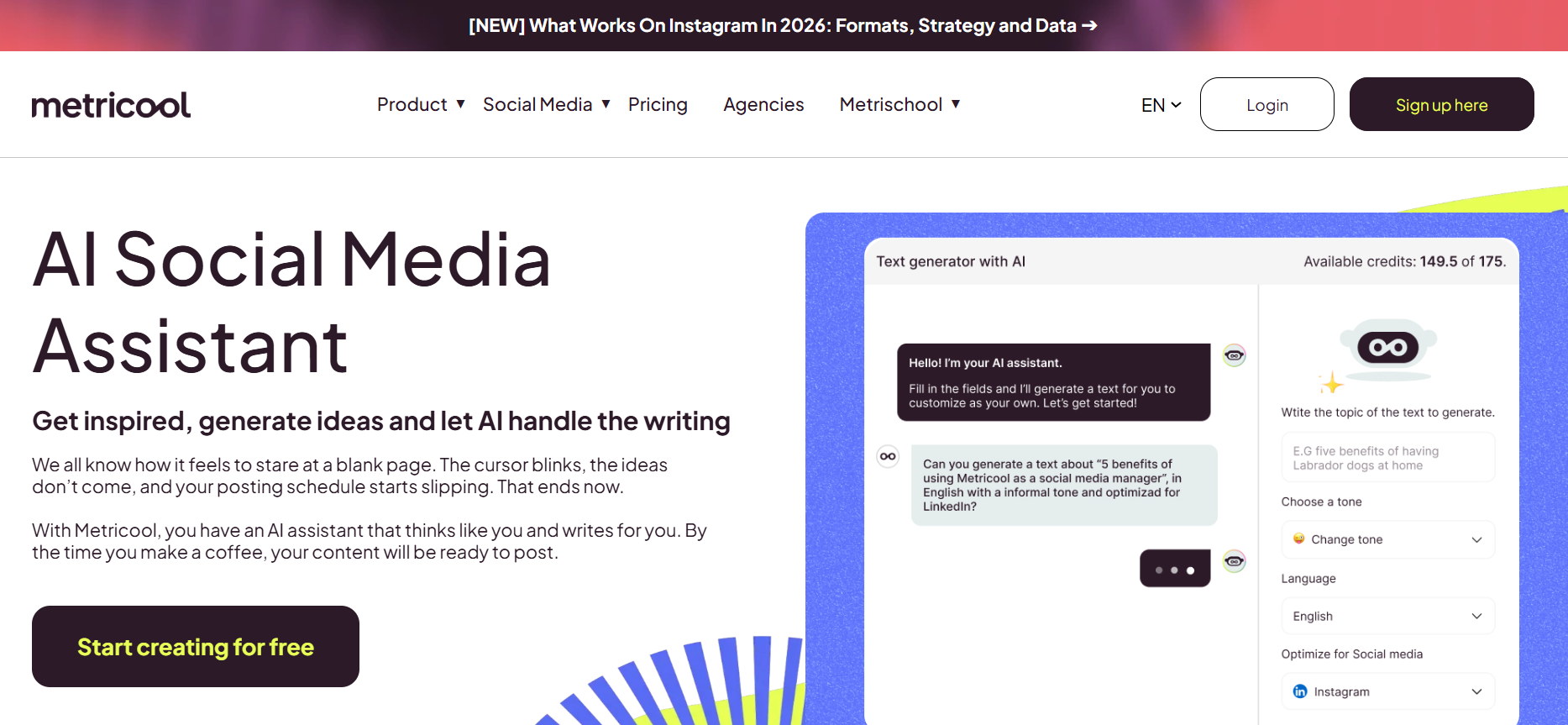
Metricool is built for marketers who treat analytics as the main event, not an afterthought bolted onto scheduling. It plans posts, tracks results across every connected profile, monitors competitor accounts, and shows which content actually performs, all from one dashboard.
For a data-driven social media team, that combination matters more than flashy content generation. Metricool's real value is telling you what worked, not just publishing what you wrote.
Key Features
- AI writing support for captions and post copy
- A scheduling calendar covering all major platforms
- Analytics dashboards tracking engagement, reach, and follower growth
- Competitor tracking, benchmarking accounts against industry peers
- Customizable, exportable reports for clients or stakeholders
- Ad reporting for Google, Meta, and TikTok campaigns
- Multi-brand management from a single account
Each feature ties back to decision-making. Competitor tracking shows where a brand stands relative to peers, and reporting turns raw engagement numbers into something a client or manager can actually act on.
Strengths
Metricool's biggest advantage is its analytics-first approach, giving marketers the insights they need to measure performance and refine their strategy with confidence.
- Advanced analytics: Provides deeper performance insights than many scheduling-focused social media tools.
- Competitor benchmarking: Compare your brand's performance against competitors, even on entry-level paid plans.
- Data-driven decision making: Helps teams optimize content and posting strategies using real performance data instead of guesswork.
- Comprehensive reporting: Generate clear, customizable reports for clients, stakeholders, or internal teams.
- Ideal for marketers: A strong choice for businesses and agencies that prioritize analytics, reporting, and continuous performance improvement.
Pricing
- Free: $0/month – 1 brand, 20 scheduled posts/month, AI assistant, 5 competitor profiles, and 30 days of analytics.
- Starter: From $20/month – Up to 10 brands, unlimited publishing, unlimited analytics history, LinkedIn support, and PDF/PPT reports.
- Advanced: From $53/month – Up to 50 brands, team collaboration, approval workflows, API access, and advanced reporting.
- Custom: Custom pricing – White-labeling, dedicated account manager, and enterprise integrations.
All paid plans include unlimited publishing, while higher tiers add more brands, collaboration features, advanced reporting, and enterprise capabilities.
9. Predis.ai
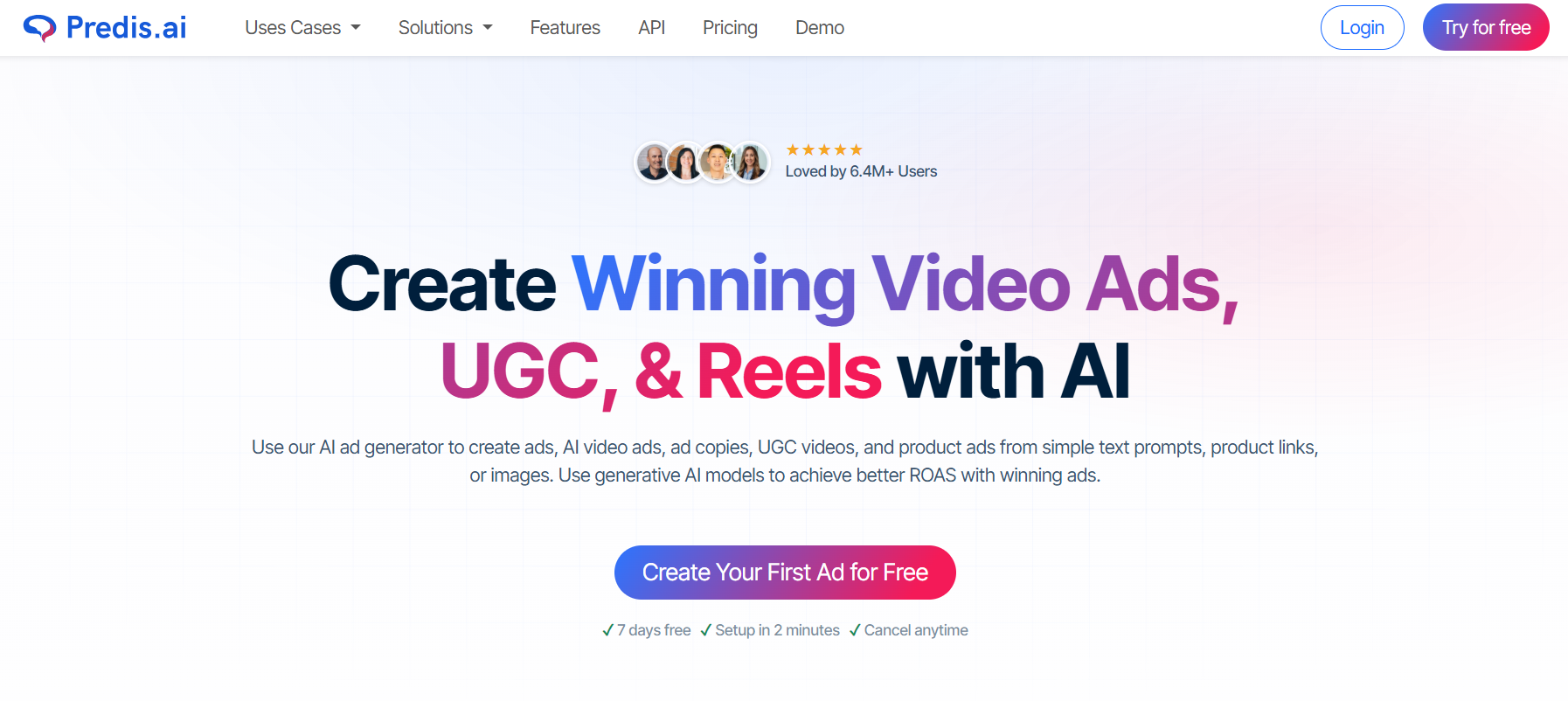
Predis.ai is built around one job: turning a short prompt, a product link, or a rough idea into a ready-to-post visual, complete with captions, carousels, or a short video, without needing a designer or copywriter involved.
That focus makes it especially useful for e-commerce brands and small teams that need to keep a feed visually active but don't have creative resources on staff. Its Shopify integration pulls product catalogs directly, turning a store listing into a finished post in minutes rather than starting from a blank canvas.
Key Features
- AI image and video generation from text prompts or product details
- Caption writing tailored to the platform and product
- Hashtag suggestions generated alongside each post
- Post templates for carousels, ads, and standard formats
- Competitor analysis by linking Instagram and Facebook accounts
- Brand kits that keep colors, logos, and tone consistent across generated content
- Built-in scheduling across major platforms
These features remove the two biggest bottlenecks in regular posting: having something visual to post and writing the copy that goes with it.
Strengths
Predis.ai excels at turning ideas into ready-to-publish visual content, making it a strong choice for e-commerce brands and content-focused teams.
- Fast content creation: Generate multiple post variations, captions, carousels, and videos from a single product or idea in minutes.
- Great for e-commerce: Ideal for online stores and small teams that need a steady stream of promotional content without a dedicated designer.
- Creative versatility: Produces engaging visual and text content across multiple social media formats.
- Boosts productivity: Reduces the time spent creating social media assets from scratch.
- Content-focused approach: Excels at AI-powered content generation but is designed as a creative tool rather than a complete social media strategy or workflow management platform.
Pricing
Predis.ai uses a credit-based pricing model, with plans varying by monthly AI credits, brands, users, and publishing limits.
- Core: $19/month – 1,300 credits/month, 1 brand, publish to 10 channels, and API access.
- Rise: $40/month – 3,200 credits/month, up to 4 brands, auto-posting, publish to 20 channels, and faster AI generation.
- Enterprise+: $212/month – 10,000 credits/month, unlimited brands, publish to 60 channels, advanced automation, and API access.
Each AI-generated post, carousel, or video consumes credits, while higher tiers provide more credits, brands, channels, and automation features.
10. Ocoya
Ocoya combines AI copywriting, scheduling, and publishing in one place, with a clear lean toward ecommerce. Its Travis AI engine generates captions, product descriptions, and marketing copy from a short prompt. Its native Shopify and WooCommerce integrations let a store's product catalog turn into promotional posts without manual data entry. That combination makes Ocoya a solid fit for product-led businesses that need frequent, fast-turnaround content paired with reliable scheduling across channels.
Key Features
- AI copywriting (Travis AI) for captions, ad copy, and product descriptions
- Post generation with templates for common formats
- A scheduling calendar for planning and publishing in advance
- Native Shopify and WooCommerce integrations for product-based content
- Visual content support through Canva and other design integrations
- Hashtag generation alongside written copy
- Team collaboration with multi-workspace support
Together, these features support the specific rhythm ecommerce brands need: frequent product promotion paired with consistent publishing, without juggling a separate writer, designer, and scheduler.
Strengths
Ocoya is designed for e-commerce businesses that need to create and publish promotional content quickly across multiple social platforms.
- Built for e-commerce: Connects directly to product catalogs, reducing manual work between online stores and social media.
- AI-powered copywriting: Generates product captions and promotional copy quickly, making it easier to market products consistently.
- Multi-platform publishing: Create and schedule content across multiple social networks from a single dashboard.
- Saves time for product marketing: Ideal for brands that regularly promote products, launches, and seasonal campaigns.
- Focused on content creation: Excels at AI-powered content generation and scheduling but is designed for social publishing rather than managing broader marketing, sales, and customer support workflows.
Pricing
Ocoya offers four paid plans with a 7-day free trial, scaling by the number of users, social profiles, workspaces, and AI credits.
- Bronze: $15/month – 1 user, 5 social profiles, and 100 AI credits.
- Silver: $39/month – 5 users, 20 social profiles, and 500 AI credits.
- Gold: $79/month – 20 users, 50 social profiles, and 1,500 AI credits.
- Diamond: $159/month – Unlimited workspaces, 50 users, 150 social profiles, and unlimited AI credits.
What Is a Social Media AI Agent and How Does It Work?
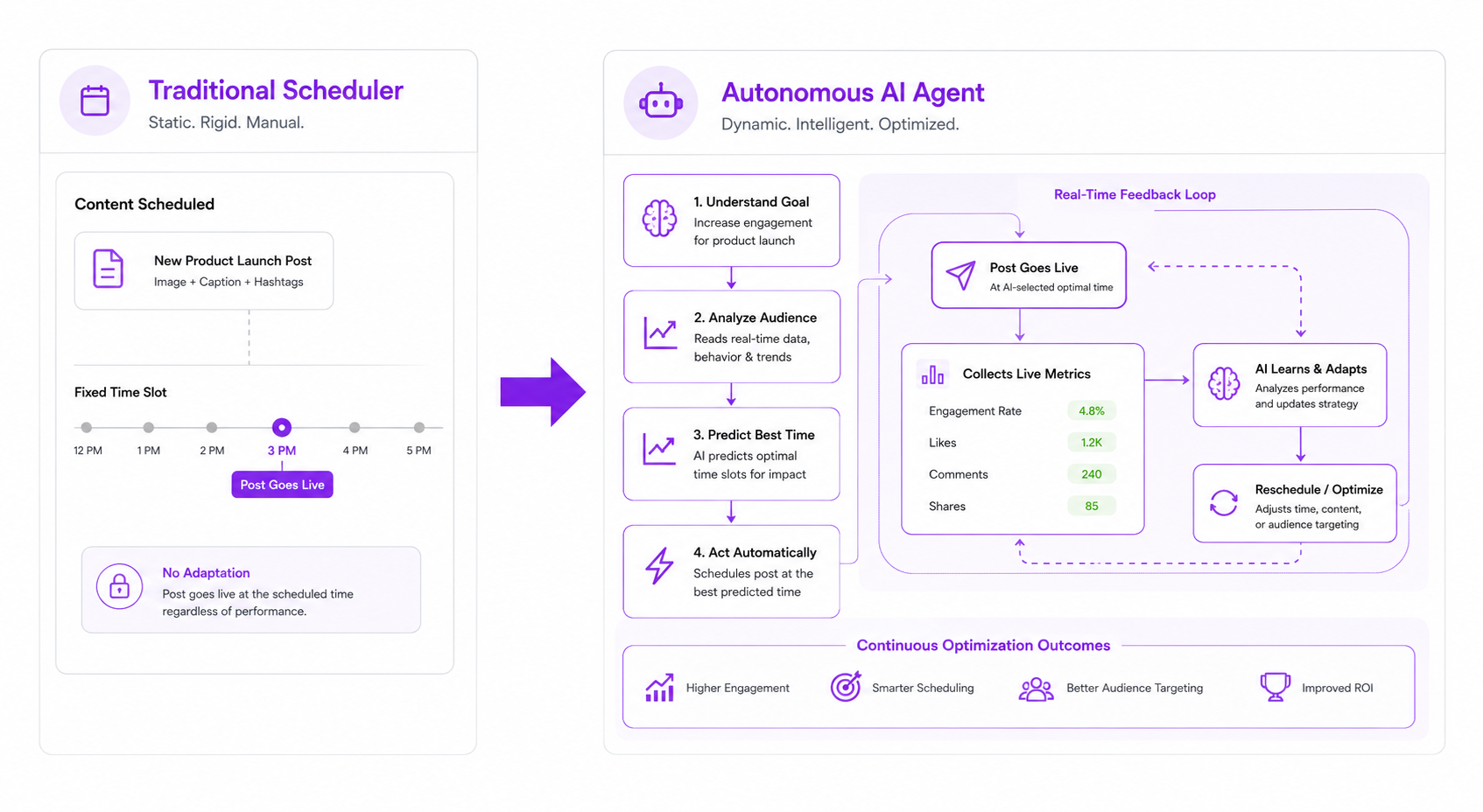
Traditional scheduling tools just publish what you give them. A social media agent does more of the actual work. It plans, writes, adjusts, and often manages a channel with limited hands-on input, which is a meaningful part of why businesses are shifting toward AI for social media management instead of a scheduler someone still has to feed content into daily.
What Is a Social Media AI Agent?
A social media agent is software that plans, creates, and manages social content with a defined level of autonomy, rather than just executing a schedule someone else built. Instead of waiting for a person to write every caption, it can generate content ideas, draft posts in a brand's voice, adjust timing based on performance, and, in more advanced cases, respond to comments or messages directly.
The core shift is decision-making. A scheduling tool follows instructions. An AI social media manager makes small judgment calls within a defined scope, then hands anything outside that scope back to a person.
How Do Social Media AI Agents Work?
Most agents work from a few consistent inputs: a prompt or goal, brand context like tone and past content, audience data, and whatever tools the agent is connected to. From there, the agent plans what to post and when, generates the actual content, and adjusts based on what's worked before.
The better platforms also learn from performance over time, favoring formats and posting times that have historically done well for that specific account rather than applying generic best practices.
Some agents stop at content generation. Others, like a full social media management AI system, extend into scheduling, publishing, and reporting without much manual handoff between steps.
AI Agents vs. Traditional Social Media Management Tools
Most teams aren't actually there yet, and the data shows it. A 2026 survey by Sociality.io found that content ideation and analytics lead AI use in social media at roughly 60% each. Automation and optimization, the part that requires actual decision-making, sits at only around 16%. That gap is the real difference between a scheduling tool and an agent.
- A scheduling tool posts at a set time. An agent can adjust that time based on when the audience is actually engaging.
- A scheduling tool needs a caption written for it. An agent can draft one from a prompt or a content theme.
- A scheduling tool treats every account the same. An agent personalizes tone and content to a specific brand's history and voice.
- A scheduling tool reports what happened. AI agents can use that same data to adjust the next batch of content automatically.
None of this makes traditional tools obsolete; plenty of teams still just need reliable publishing. But it explains why the businesses moving budget toward a social media manager AI are the ones trying to close that 16% gap, not just automate captions faster.
Benefits of Using an AI Social Media Manager
Businesses adopt an AI social media manager for one core reason: manual social work doesn't scale, and hiring more people to keep up isn't always realistic. Here's what actually changes when an agent takes over the repetitive parts.
Faster content production: Writing and reformatting one post into five platform versions is where most of the time goes, not the idea itself. An agent drafts the post and adapts it automatically, cutting 10 to 15 hours a week that used to go into rewriting the same content five times.
Stronger brand consistency: A caption written on a rushed Friday afternoon reads differently from one written fresh on Monday. An agent pulls from the same stored brand voice every time, so post one and post fifty sound as if they came from the same person.
Better planning: Building a calendar post by post leads to gaps and last-minute scrambling. An agent maps out a full month in one pass, matching content to a plan instead of reacting week to week.
Easier collaboration: Drafts, approvals, and scheduling scattered across docs and group chats slow everyone down. With everything in one place, a manager reviews a week of posts in one sitting instead of chasing them down.
More channels without more headcount: One social media manager can run two or three platforms well before quality drops. An agent handling the repetitive work, drafting, formatting, and scheduling, lets that same person cover five or six channels without adding staff.
Two examples show this in practice. A small business that used to spend a Sunday planning a month of Instagram posts can build that same calendar in under an hour, freeing up time for actual customer conversations.
A marketing team launching one campaign can turn a single idea into LinkedIn's tone, Instagram's format, TikTok's pacing, and X's brevity, without writing four separate briefs. Same strategy, every channel, a fraction of the manual work.
Why Sintra AI Is the Best Social Media AI Agent
Every other tool here does one job well and stops there. HubSpot connects social to CRM data. Sprout handles enterprise reporting. Predis.ai generates fast visual content. Sintra doesn't stop at the edge of social media.
A product launch needs more than a caption. It needs an email sequence, a landing page check, and maybe a support update for the questions that follow. A standalone social media agent means four tools and four separate briefs. With Sintra, Soshie hands that work to the AI team already connected to it, using the same context instead of starting over each time.
That shared context is the real difference. A scheduling tool remembers what it posted. It doesn't know why the business exists or how it talks to customers outside social. Soshie draws from Brain AI, the same business context every Sintra helper uses. That's why a caption and a support reply carry the same voice without two separate briefings.
This is a business decision, not just a feature comparison. A standalone social media manager AI solves social media and leaves SEO, sales follow-up, and operations as separate hires or subscriptions. Sintra solves social media and leaves a business with an AI team already in place, tied together through the same AI integrations that connect Soshie to the rest of the workspace.
That's why Sintra ranks first. Not because Soshie writes better captions than the other nine, several come close. It's that none of them scale into a full AI team, and none match the same native integrations across a business's existing workflow. A social media agent working alone hits a ceiling. One that doesn't, won't.
Ready to Upgrade Your Social Media Management?
The right choice here really does depend on what a business needs. If the priority is fast, affordable scheduling for a small team, Buffer is the easiest way in. If it's deep analytics and social listening at scale, Sprout Social is built for exactly that. If social media needs to run alongside sales, support, and marketing instead of sitting on its own, Sintra AI is the strongest fit, since Soshie hands off directly to Sintra's other AI employees when a task calls for it.
If that connected setup sounds like what the business actually needs, see Sintra AI's plans and put Soshie to work.
Best Social Media AI Agents FAQs
What is a social media AI agent?
A social media agent is an AI system that autonomously plans, creates, and manages social content, deciding what to post and when rather than simply executing a pre-built publishing schedule.
What is the best AI social media manager in 2026?
Sintra AI's Soshie, because it doesn't stop at posting. It plans the calendar, writes platform-specific content, and connects to an AI team handling SEO, sales, and support, while the other nine tools reviewed here each do one job and stop there.
Can AI agents manage multiple social media accounts?
Yes, and the better ones don't just duplicate the same post everywhere. Soshie, for example, adapts tone and format per platform while pulling from one shared brand context.
How are AI social media agents different from scheduling tools?
A scheduling tool needs a caption written and a time chosen before it can do anything. An agent drafts the caption, picks the timing based on past performance, and adjusts the next batch based on what worked; the actual decision-making a scheduler was never built to do.
Are AI social media managers suitable for small businesses?
Small businesses often see the bigger win. A solo founder or two-person team can run five or six channels at a professional standard without hiring a social media manager, which is exactly the gap agents like Soshie are built to close.
Related articles