Comparing ChatGPT vs Gemini


Table of Contents

Quick Answer: ChatGPT vs Gemini Key Differences
ChatGPT is stronger for creative writing, nuanced reasoning, agentic automation, and flexible task handling. With the arrival of GPT-5.5, it has dramatically closed the gap on multimodal tasks and now holds the top spot in coding benchmarks. Gemini remains stronger for Google Workspace users, offering real-time research, native video processing, and support for large documents and mixed media inputs.
In short, choose ChatGPT if you need strong creative writing, state-of-the-art coding help, autonomous agentic workflows, or a tool that works independently from any one platform ecosystem. Choose Gemini if you live inside Google's world, such as Gmail, Docs, Drive, Sheets, and want AI that works natively inside those tools.
If you run a business, create content, or manage a team, you have probably spent at least one afternoon wondering which AI tool is actually worth your time. The debate over ChatGPT vs Gemini comes up almost daily in Slack channels, startup forums, and marketing meetings. And honestly, both tools have grown so fast that most comparisons you read online are already outdated - ChatGPT alone had over 700 million weekly active users by July 2025, up from 100 million in its first months after launching in November 2022.
We put this guide together to make things super easy. We compare models, pricing, and real performance, including where both tools fall short and why some business teams are switching to AI employees built for real workflows. And most importantly, answering in detail, "Is ChatGPT better than Google Gemini?"
By the end, you will know which tool fits your work, which model to use, and whether paying is actually worth it. Neither tool wins on everything. The right one depends entirely on what you do every day. So, let's find out for you.
Here is the updated quick comparison table reflecting the arrival of GPT-5.5:
| Category | ChatGPT (Free) | ChatGPT Plus ($20/mo) | Gemini (Free) | Google AI Pro ($19.99/mo) |
|---|---|---|---|---|
| Primary Model | GPT-5.3 Instant Mini | GPT-5.5 (Agentic) | Gemini 3.1 Flash-Lite | Gemini 3.1 Pro |
| Reasoning Model | ❌ | ✅ GPT-5.5 Thinking | ❌ | ✅ Gemini 3.1 Deep Think |
| Fallback Model | GPT-5.3 Instant Mini | GPT-5.4 | Gemini 3.1 Flash-Lite | Gemini 3.1 Flash-Lite |
| Context Window | 128K tokens | 1M tokens | 32K tokens | 2M tokens |
| Image Generation | GPT Image 2.0 (Limited) | ✅ Full GPT Image 2.0 | Nano Banana 2 | ✅ Nano Banana Pro |
| Text In Images | ✅ Excellent | ✅ Excellent | ⚠️ Good | ✅ Excellent |
| Image Resolution | Up to 1K | 2K Native | Up to 1K | 4K (Nano Banana Pro) |
| Video Gen | ❌ Sora disc. Apr 26 | ❌ Sora disc. Apr 26 | ✅ Basic (3s) | ✅ Veo 3.1 (Active) |
| Video Input | ❌ Frame-based | ⚠️ 10 min (native) | ✅ Basic | ✅ Native (up to 2 hrs) |
| Audio Processing | ⚠️ Limited | ✅ Advanced Voice 2.0 | ✅ Basic | ✅ Native audio-to-audio |
| Computer Use | ❌ | ✅ GPT-5.5 Computer Use | ❌ | ⚠️ Experimental (Project Astra) |
| Agentic Tools | ❌ | ✅ Hosted Shell / Terminal | ❌ | ✅ Maps, Search, Workspace |
| Ecosystem | ❌ | ❌ | ✅ Basic Google | ✅ Full Google Workspace |
| Cloud Storage | ❌ | ❌ | ❌ | ✅ 2TB Google One |
| Watermarking | ❌ | ✅ C2PA / Metadata | ❌ | ✅ SynthID (Embedded) |
| Coding Tasks | Good | State-of-the-Art (82.7%) | Good | Excellent |
| Best For | Casual chat & quick UI | Autonomous agents, devs | Quick mobile search | Content creators, research |
Takeaway: At the $20/month mark, GPT-5.5 gives ChatGPT Plus a significant edge in coding and agentic automation. Gemini maintains its lead in ecosystem integration, native video, and real-time information access. The gap in overall intelligence has narrowed, with ChatGPT now scoring slightly higher on aggregate benchmarks.
What Is ChatGPT and What Is Google Gemini?
Let's start from the very beginning. No jargon.
ChatGPT
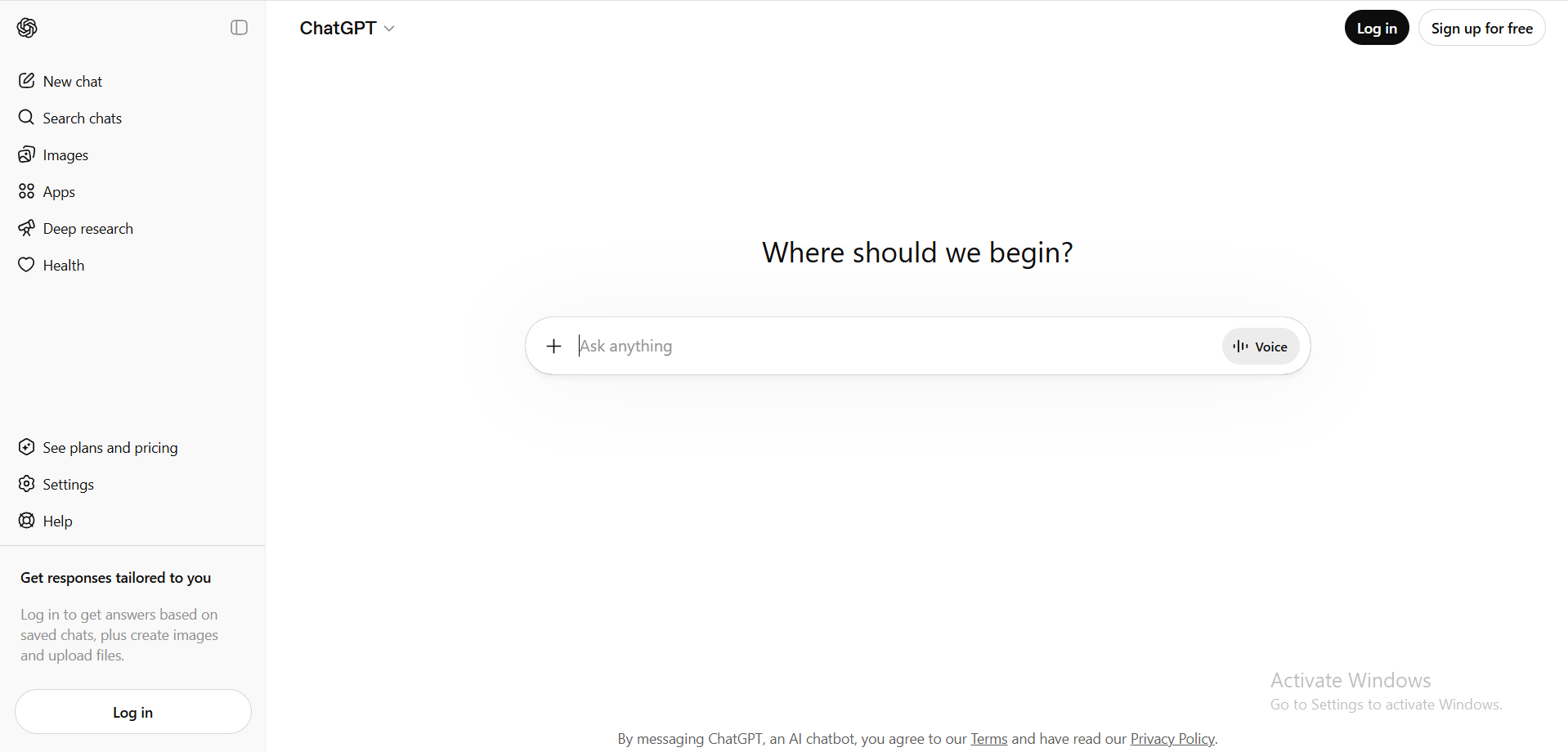
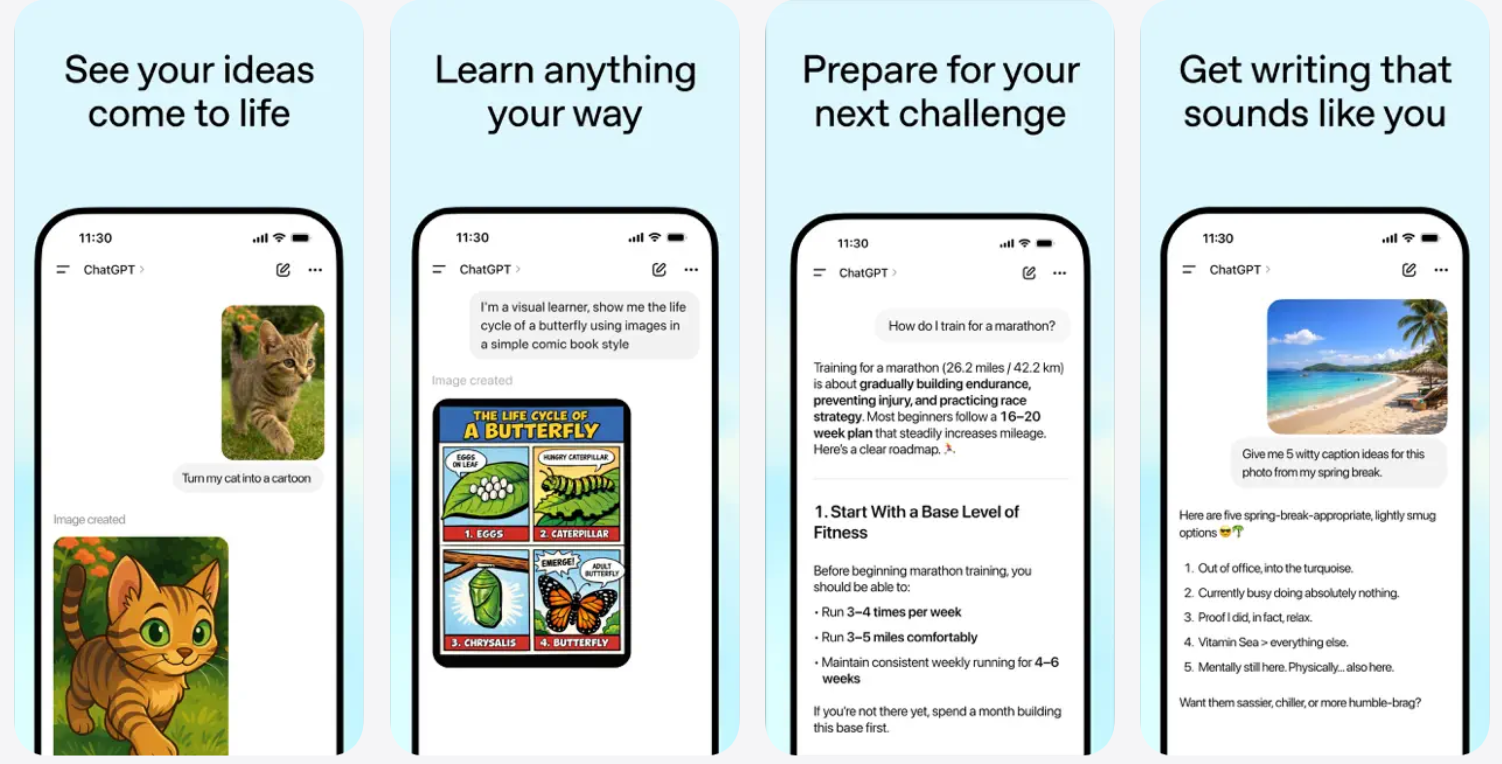
ChatGPT is an AI chatbot made by OpenAI, a company based in San Francisco. You type a question in, and it answers back. It can answer questions, write emails, help you code, summarize documents, brainstorm ideas, and much more.
Think of it like having a very smart assistant you can talk to in plain language. You don't need to know anything about coding or AI to use it. You just type.
OpenAI launched ChatGPT in late 2022, and it became the fastest-growing consumer app in history. By 2026, it commands over 5.8 billion monthly visits. Today, Google AI vs ChatGPT is one of the most searched comparisons on the internet, which shows how big both tools have become.
The OpenAI product ecosystem now includes more than just the chatbot. There's the API (for developers to build apps using the same intelligence), Custom GPTs (mini-versions of ChatGPT trained for specific tasks), and new agentic features like computer use, where the AI actually operates your desktop like a person would. It's moved well beyond being just a "chat" tool.
Who built it: OpenAI, backed by Microsoft and a range of investors
Core strength: Creative writing, coding, flexible standalone use
Where it lives: Web, mobile app, desktop, API, and inside any product built with OpenAI's API
Google Gemini
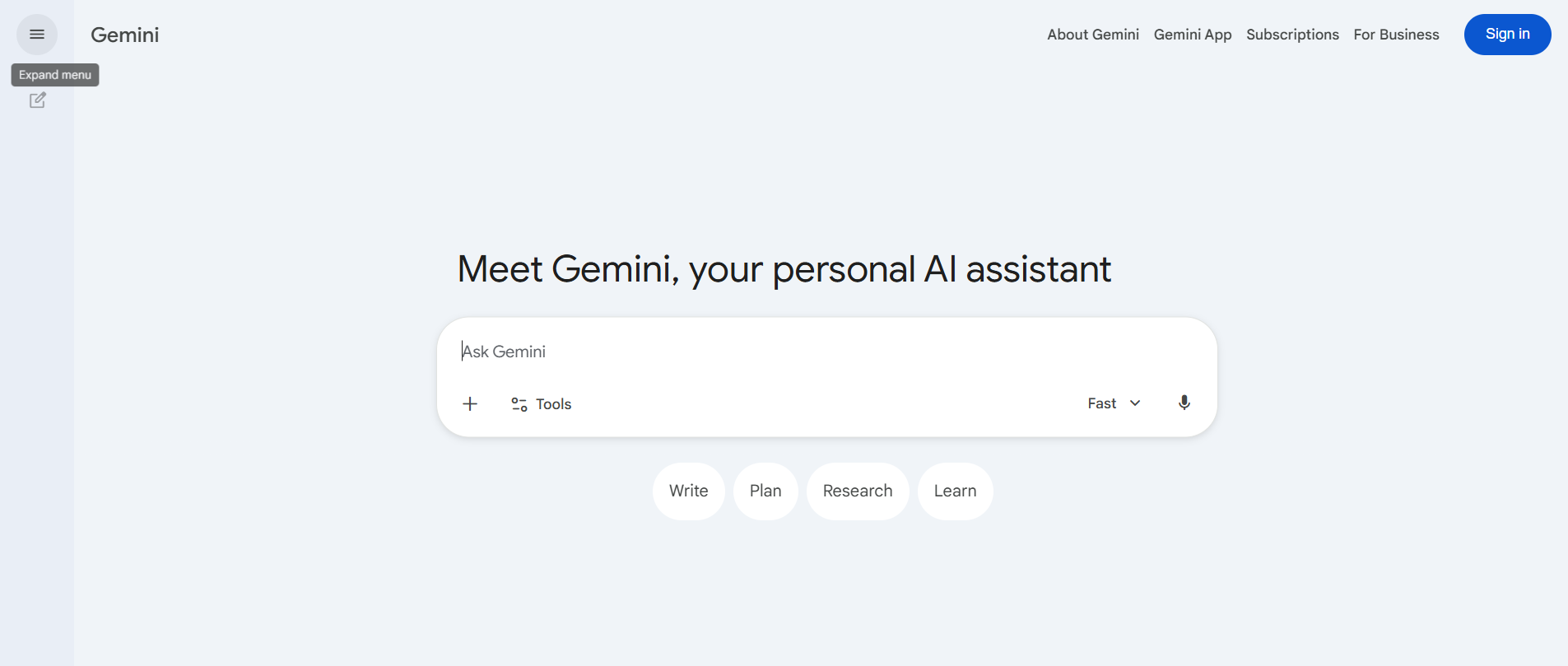
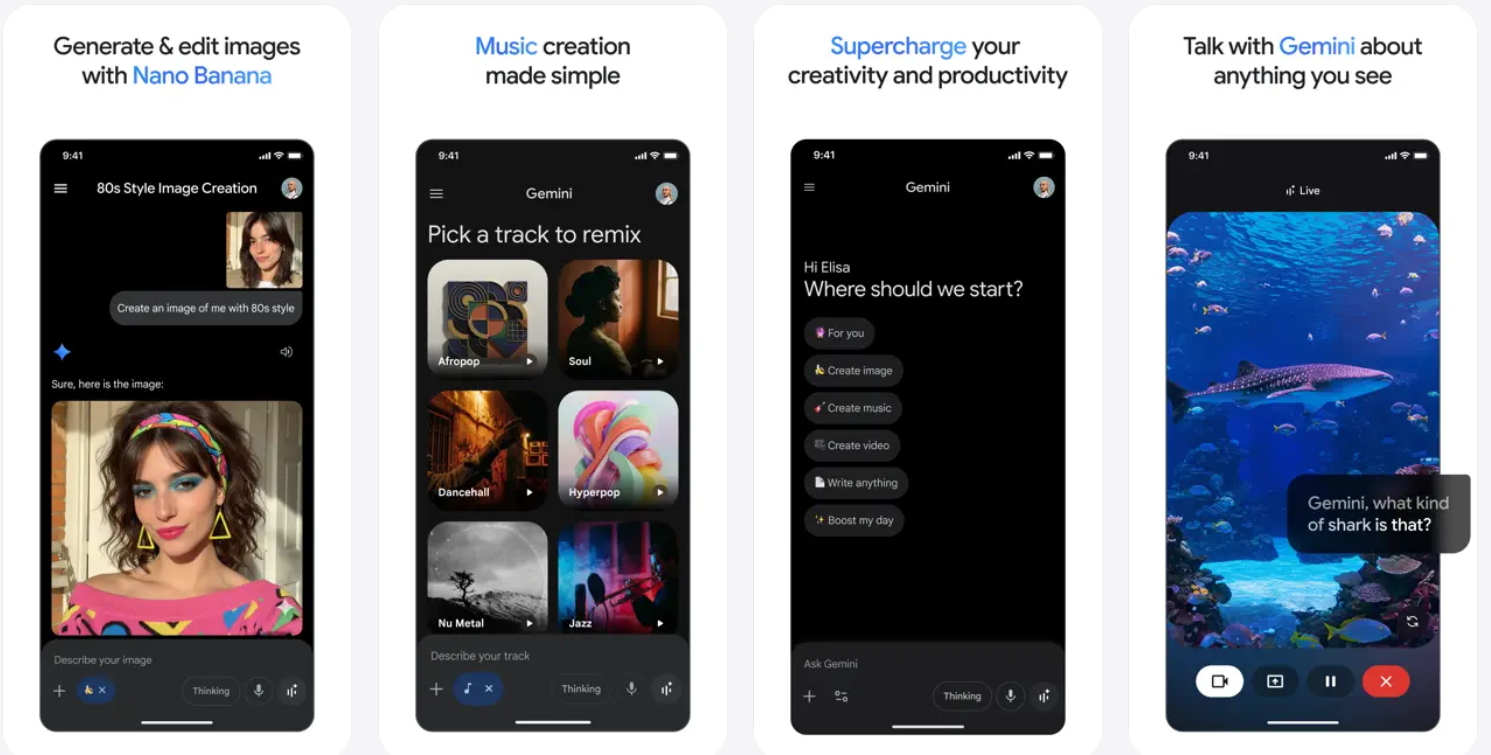
Gemini is Google's answer to ChatGPT. It's built by Google DeepMind and is deeply woven into the tools billions of people already use: Gmail, Google Docs, Google Search, Google Drive, Android phones, and more.
Where ChatGPT is mostly a standalone tool you visit separately, Gemini is designed to live inside your existing Google experience. You ask it to summarize your emails while you're in Gmail. You ask it to help write a document while you're already in Google Docs. On Android, it can replace your phone's default assistant entirely.
Google's approach differs from OpenAI's in one fundamental way: Gemini integrates deeply with Google Workspace, enabling it to interact with tools like Docs, Sheets, and Gmail. It means the AI is always where you already are, rather than a place you have to go to.
Who built it: Google DeepMind
Core strength: Multimodal tasks, real-time research, Google ecosystem integration
Where it lives: Inside Google's products: Search, Gmail, Docs, Drive, Android, Chrome
The core difference in one line:
ChatGPT is an independent AI powerhouse. Gemini is an AI layer built into a world you already live in.
Understanding that distinction makes every other comparison easier.
Quick analogy: If ChatGPT is a brilliant friend who you call when you need help thinking through something, Gemini is the smart built-in assistant that's already sitting in the same room as every tool you use at work.
Neither is wrong. They're just designed around different assumptions about how you work.
ChatGPT vs Gemini Features Compared
Now let's get into what each tool actually does well, and where each one hits a wall.
Reasoning and Accuracy
Imagine you're a small business owner trying to figure out why your sales dropped last quarter. You paste in your sales data and ask: "What's causing this drop, and what should I do?"
Prompt tested on both tools:
"I run a small e-commerce store selling handmade candles. Here is my sales data from the last two quarters:
| Metric | Q3 2024 (Good) | Q4 2024 (Bad) | Change |
|---|---|---|---|
| Total Revenue | $18,400 | $11,200 | ▼ $7,200 (−39%) |
| Units Sold | 920 | 560 | ▼ 360 (−39%) |
| Average Order Value | $20 | $20 | — No change |
| Website Visitors | 12,300 | 10,100 | ▼ 2,200 (−18%) |
| Conversion Rate | 7.5% | 5.5% | ▼ 2.0 pts |
| Top Seller (Lavender Soy) | 340 units | 190 units | ▼ 150 units (−44%) |
| Refund Rate | 1.2% | 3.8% | ▲ 2.6 pts (worse) |
| New Customers | 480 | 210 | ▼ 270 (−56%) |
| Returning Customers | 440 | 350 | ▼ 90 (−20%) |
What's causing this drop, and what should I do to recover?"
This is how ChatGPT responds
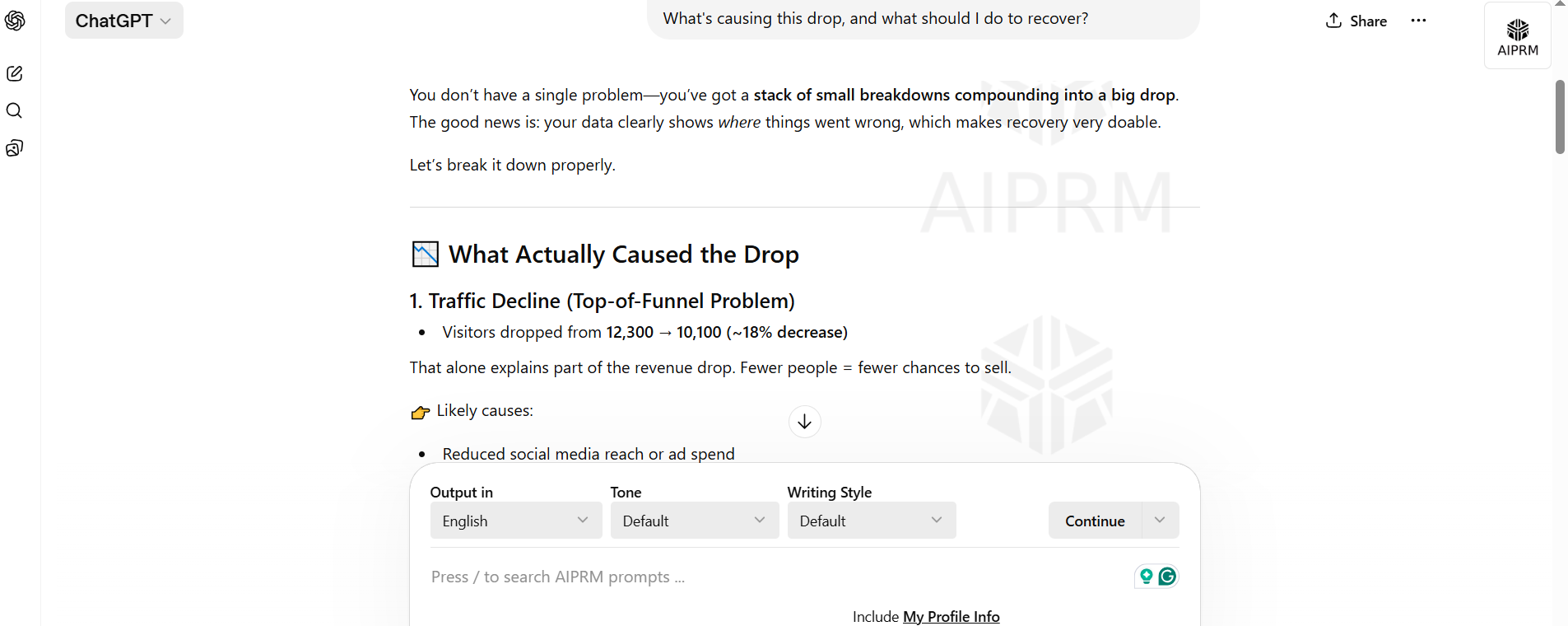
ChatGPT will walk you through a structured analysis. It breaks the problem into parts—seasonality, pricing, traffic, and conversion- and provides a layered explanation. It thinks in steps, which is especially useful when problems have multiple causes.
ChatGPT's advanced models excel at complex reasoning and creative writing. This becomes most clear when you're dealing with ambiguous problems that don't have a single right answer.
This is how Gemini responds
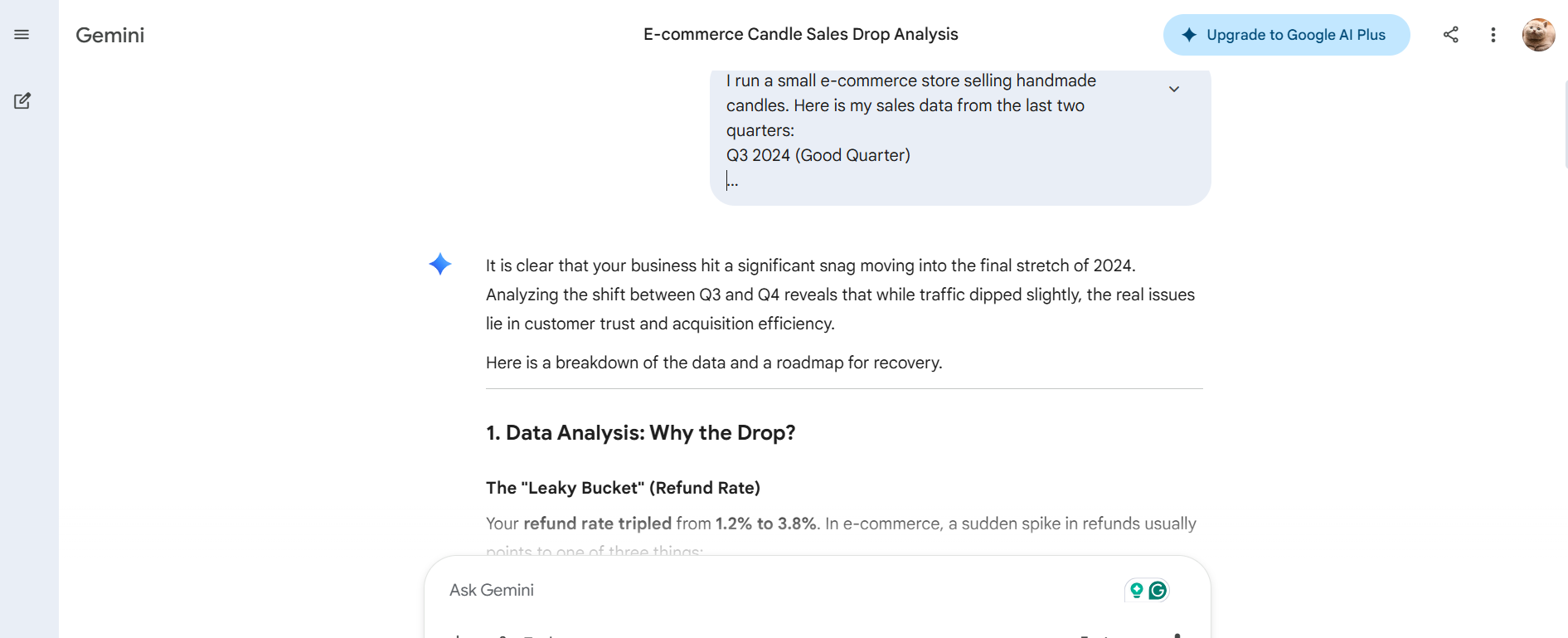
Gemini is strong here too, but its answers tend to be more factual and list-based. It will give you accurate points, but you may need to push it harder to get the kind of "connect the dots" reasoning that ChatGPT handles more naturally.
Where Gemini has a real edge is when your reasoning requires current information; Gemini can pull live data from Google Search mid-response, which ChatGPT can only do in certain configurations.
Here's another scenario where you'd feel the difference clearly:
Ask both tools to analyze whether a specific niche market is worth entering right now.
Prompt tested on both tools:
I'm a solo entrepreneur with $5,000 to invest. I'm thinking about entering the personalized pet memorial products niche—things like custom-engraved stones, paw-print kits, and framed photo gifts for people who've lost a pet.
Before I commit, I want to know:
Is this niche growing or shrinking right now?
How saturated is the market? Is there still room for a new player?
What does the customer look like (who is actually buying this)?
Are there any recent trends, news, or shifts in this space I should know about?
Based on everything, is this worth entering in 2025 — yes or no, and why?
Give me your honest assessment. Don't hedge everything — I need a real recommendation I can act on.
This is how both tools respond
ChatGPT provides a thoughtful framework and walks you through the logic. Gemini actually pulls current market data, news articles, and recent trends, and grounds its reasoning in facts from the last 24 hours if needed. Gemini's integration with Google Search provides it with access to current information, enhancing its research capabilities.
The following are the responses from ChatGPT and Google Gemini. Compare both results and see the difference.
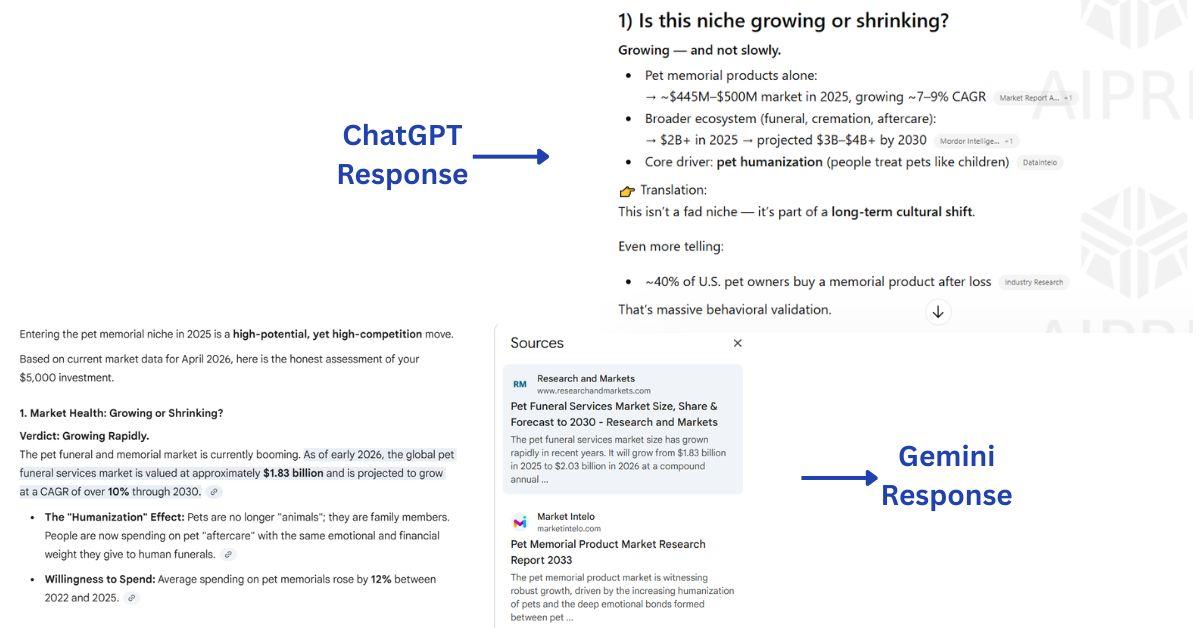
For decisions that need both good logic and fresh data, you'd ideally want both. But if you have to pick one, the right choice depends on how much current information matters.
Gemini vs. GPT for reasoning tasks
| Task | ChatGPT | Gemini |
|---|---|---|
| Multi-step problem solving | ✅ Strong | ✅ Good |
| Long-form analysis | ✅ Excellent | ✅ Good |
| Citing current sources | ⚠️ Depends on plan | ✅ Built-in via Search |
| Hallucination control | ✅ Improved in GPT-5.5 | ✅ Strong with Search grounding |
| Research with citations | ✅ Source-linked outputs | ✅ Deep research mode |
| Analyzing conflicting data | ✅ Excellent | ✅ Good |
Verdict: For complex, layered thinking tasks, ChatGPT's GPT-5.5 Thinking model has a slight edge in deep reasoning chains. But Gemini's live connection to Google Search means its responses are grounded in real, current data, which matters enormously for research tasks.
Coding Performance and Technical Tasks
Picture a freelance developer who just inherited a spaghetti codebase from a client. 400 lines of Python. No comments. Bugs everywhere.
Prompt tested on both tools:
I just inherited this Python script from a client. No documentation, no comments, and it's throwing errors I can't trace. I need you to:
- Read through the code and tell me what this script is actually supposed to do
- Identify every bug you can find and explain why each one is a problem
- Rewrite it cleanly — proper structure, comments, and fixed bugs
- Explain your changes like I'm a junior developer who needs to understand, not just copy-paste
Here's the code:
| Example Code |
|---|
|
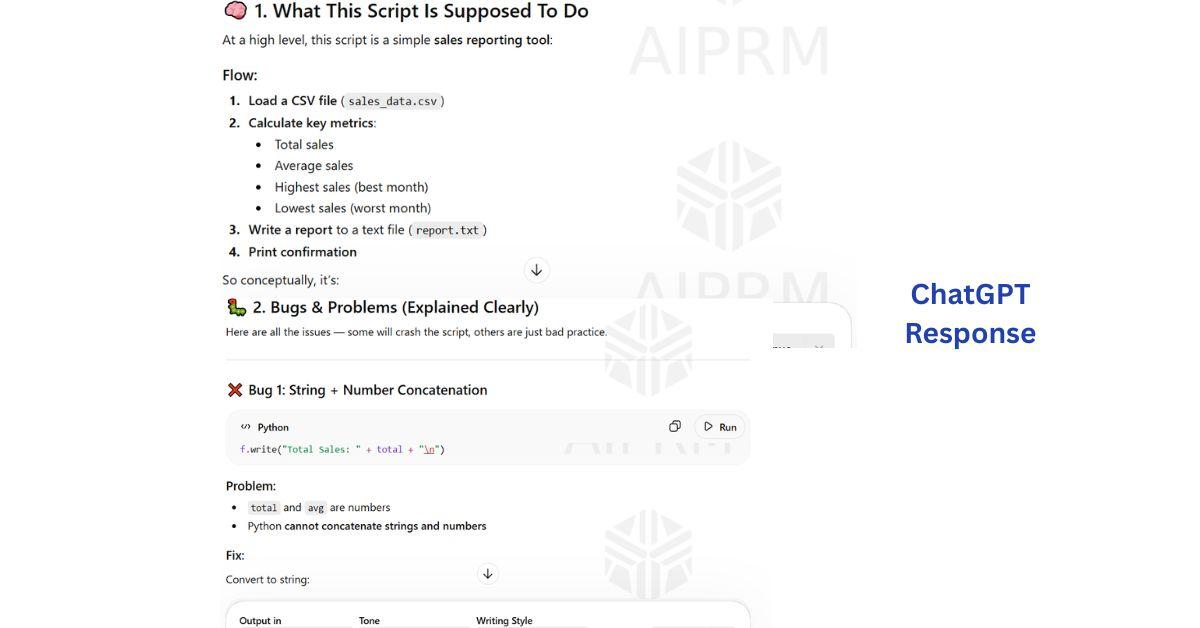
This is how ChatGPT responds
ChatGPT is the more seasoned pair programmer here. It doesn't just fix the bug; it explains why the bug exists, what pattern caused it, and what a cleaner version would look like. ChatGPT is preferred for coding tasks, providing detailed explanations and polished code examples. For longer files, it handles context well and can refactor across multiple functions at once.
It also excels at the part most AI comparisons ignore: teaching. When a junior developer says, "I don't understand why this doesn't work," ChatGPT will walk through the logic step by step, the way a senior engineer would. ChatGPT is better for interactive tutoring and simplifying complex concepts through step-by-step explanations. For teams onboarding new developers, this is genuinely valuable.
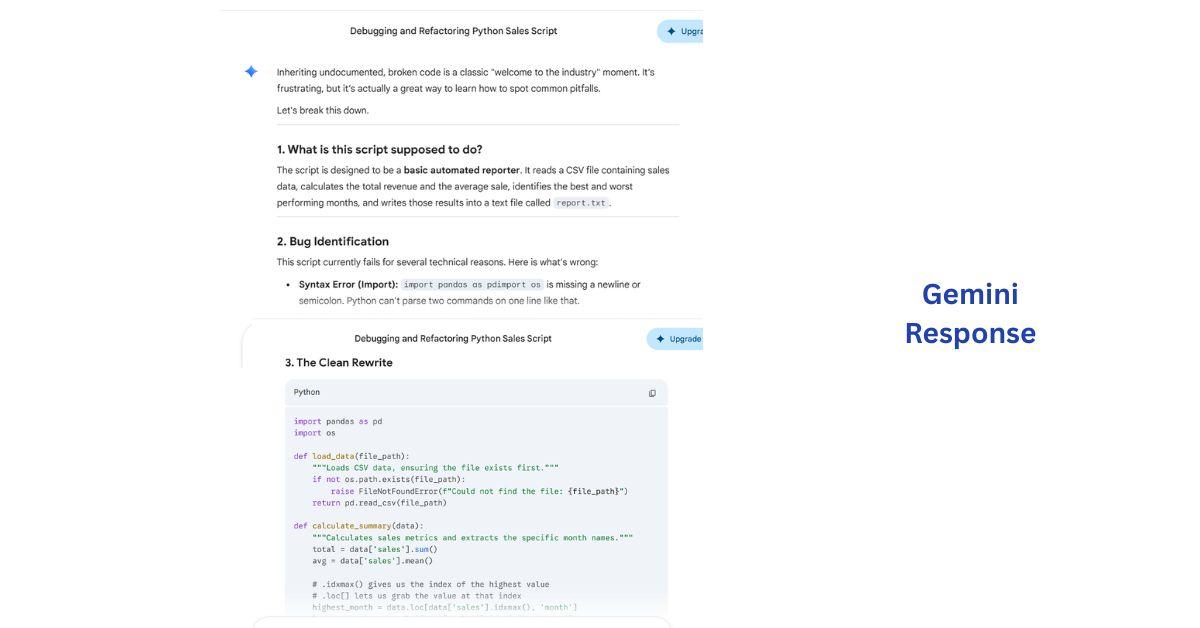
This is how Gemini responds
Gemini is genuinely solid at coding. It's fast, the suggestions are clean, and for shorter scripts or common patterns, it often matches ChatGPT. Where it starts to struggle is in larger, more interconnected codebases, where the relationships between components matter. It's also less patient as a teacher; it tends to give you the answer without explaining the reasoning.
That said, Gemini has one specific coding superpower: reading images. Gemini's ability to pull information from images and generate code from diagrams is a standout feature. If you have a wireframe of a UI or a flowchart of a system architecture, you can drop it into Gemini and ask it to write the corresponding code. ChatGPT can analyze images, too, but Gemini's native multimodal training makes this feel more natural.
ChatGPT vs Gemini for code
| Coding Scenario | ChatGPT | Gemini |
|---|---|---|
| Debugging complex logic | ✅ Excellent | ✅ Good |
| Writing short scripts fast | ✅ Excellent | ✅ Excellent |
| Explaining code to non-developers | ✅ Best in class | ⚠️ Functional |
| Generating code from diagrams/images | ✅ Good | ✅ Excellent |
| Large codebase refactoring | ✅ Strong | ⚠️ Can lose context |
| IDE integration (plugins) | ✅ Strong ecosystem | ⚠️ Growing |
| Exploring how an API/library works | ✅ Strong — ChatGPT's conversational format helps when exploring APIs or understanding how a library works | ✅ Good |
Verdict: Developers working on serious projects will generally prefer ChatGPT. Gemini is a great option for lighter tasks, visual-to-code workflows, or when you're already in the Google development environment.
Content Writing and Creativity
Here's a scenario most content marketers know well: you need five versions of the same product description; different tones, different audiences, different lengths. One for Instagram. One for email. One for a product page. One for a 60-year-old buyer. One for a 22-year-old.
Prompt tested on both tools:
I sell a premium weighted blanket called the "Calm Cloud." It weighs 15lbs, is made from organic cotton, and costs $89. The main benefit is that it reduces anxiety and helps people fall asleep faster.
Write me 5 versions of a product description for the same blanket — each one tailored to a different platform, audience, or length. Do not change the product. Only change the tone, style, and length to fit each version below:
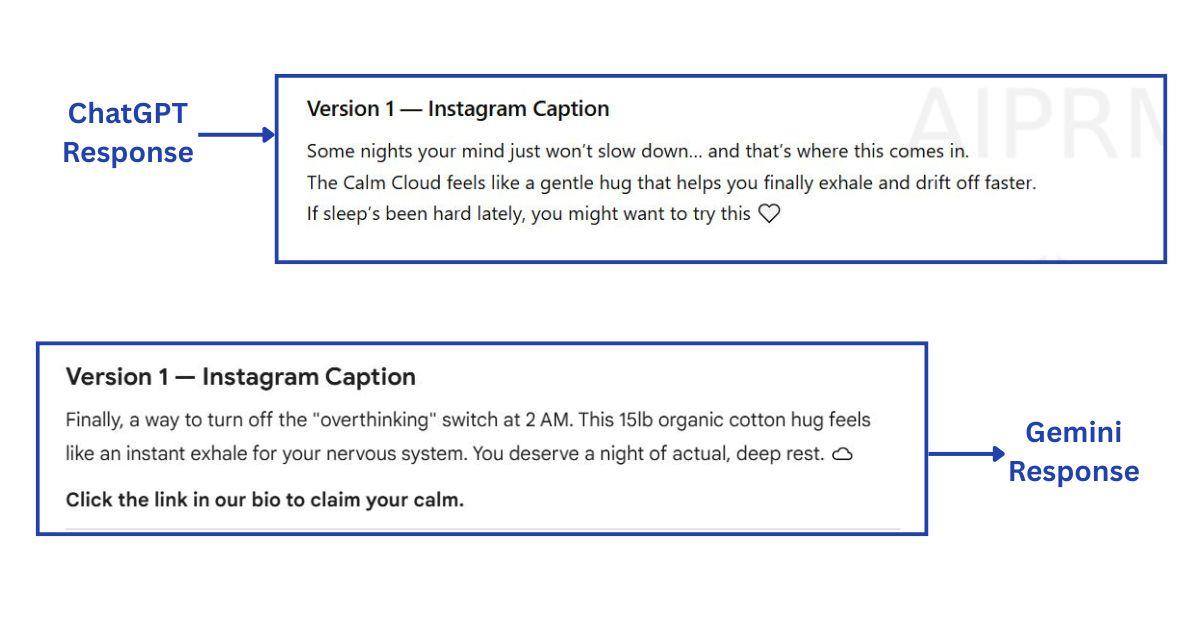
Version 1 — Instagram Caption
Short, visual, emotionally driven. Written for a general audience scrolling their feed at night. Should feel like something a real person posted, not a brand. Max 3 sentences. End with a soft call to action.
Version 2 — Email Subject Line + Preview Text + Body
Written for an existing customer who bought from us before. Warm, familiar tone — like catching up with someone. The email should feel personal, not promotional. Include a subject line, preview text, and a short 4–5 sentence body.
Version 3 — Product Page Description
Written for someone who landed on the website and is deciding whether to buy. Structured, benefit-led, persuasive. Should cover what it is, what it does, and why it's worth $89. Around 80–100 words.
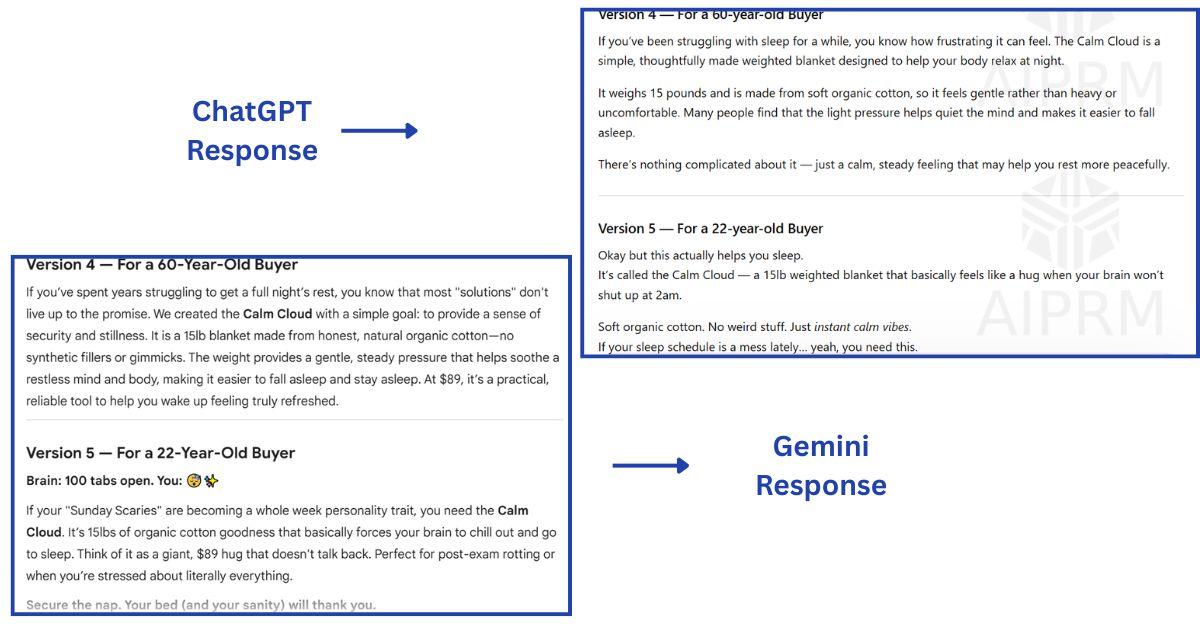
Version 4 — For a 60-year-old buyer
This person struggles with sleep and has tried everything. They are skeptical of trendy products. They want to feel understood, not marketed to. Write in plain, warm, reassuring language. No slang. No hype. Just honest and calm.
Version 5 — For a 22-year-old buyer
This person is stressed from work or university, follows wellness accounts on TikTok, and makes quick decisions. Write in a casual, punchy, slightly playful tone. Short sentences. Can use informal language. Should feel like something they'd screenshot and send to a friend.
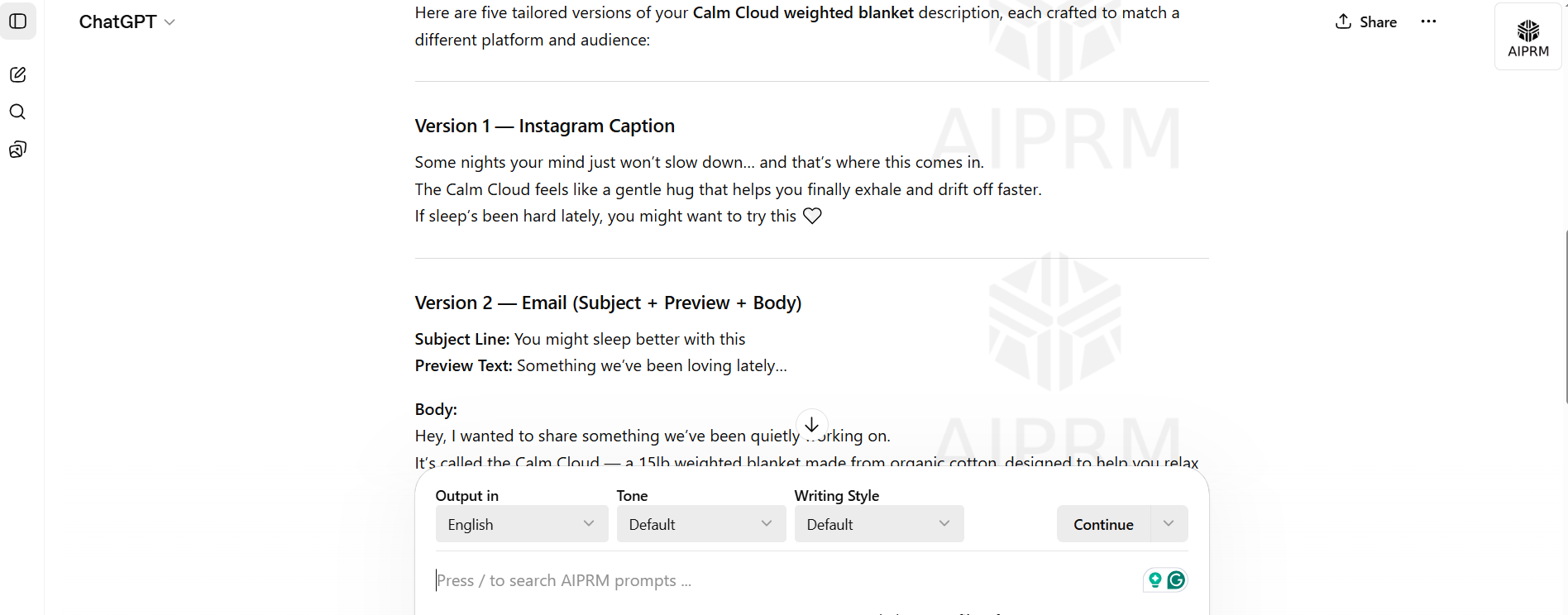
This is how ChatGPT responds
ChatGPT handles this beautifully. ChatGPT excels at contextual understanding and produces writing that feels natural and polished. Its tone control is genuinely impressive. Tell it "write this as a 28-year-old Brooklyn barista would say it," and it actually does. ChatGPT generates more engaging and varied content, making it a better choice for creative writing tasks.
What's often underestimated is how much this matters at scale. When you're writing 10 pieces of content a week, "good enough" output that still needs heavy editing isn't saving you time. ChatGPT's output requires less rework, especially for creative, personality-driven content. ChatGPT is often preferred for tasks requiring narrative creativity and detailed explanations.
This is how Gemini responds
Gemini is clean and professional. Its outputs are accurate and well-structured. But if you ask it for a witty tagline, it'll give you something... fine. Not bad. Just rarely surprising. Gemini's writing is more concise and fact-driven, suitable for professional documentation and business summaries. For regulatory documents, technical reports, or factual summaries — Gemini's straightforwardness is actually an asset.
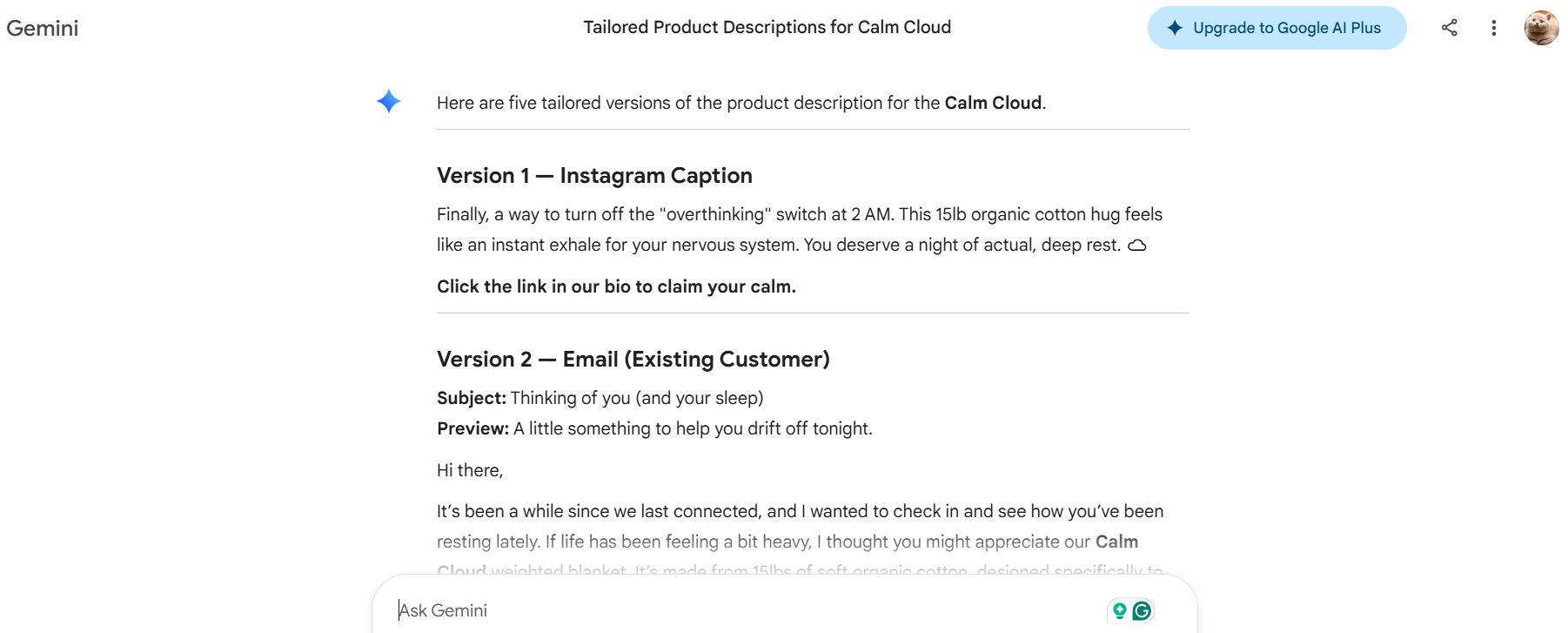
Here is the quick comparison of how ChatGPT and Gemini respond to the Instagram caption. Which of these feels more personal?
See the differences in a product description from both AI tools. Pick the one that aligns perfectly with your product:
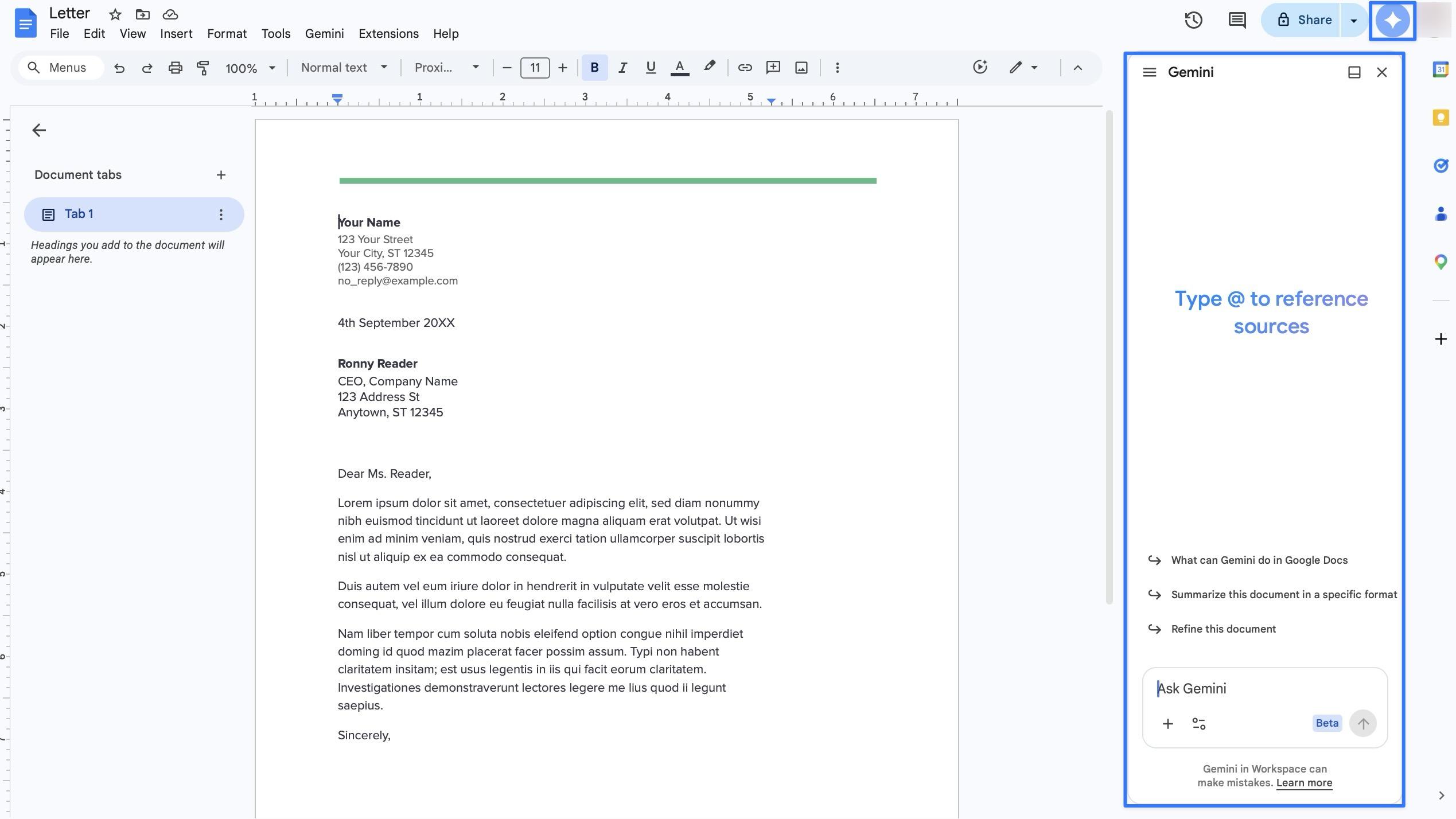
There's also the question of where you're writing. If you're in Google Docs and you want inline AI suggestions as you write, Gemini is right there. ChatGPT requires switching tabs or using a browser extension. For embedded writing assistance, Gemini wins by default.
ChatGPT vs Gemini for content
| Content Type | Better Tool | Why |
|---|---|---|
| Blog posts / long-form | ChatGPT | Better flow, more human tone |
| SEO content | Both (similar) | Similar quality at equivalent tiers |
| Email copy | ChatGPT | Better personalization and tone variation |
| Ad copy / taglines | ChatGPT | More creative range |
| Technical documentation | Gemini | Cleaner, more fact-driven |
| Business reports | Gemini | Structured, professional |
| Social media captions | ChatGPT | More personality |
| Inline Docs writing | Gemini | It's already there |
| Storytelling / brand narratives | ChatGPT | Natural, engaging prose |
Verdict: If creativity, voice, and engagement matter, ChatGPT wins. For factual, structured, professional writing, Gemini is perfectly capable and sometimes cleaner. Choosing ChatGPT is suitable when you need sophisticated, human-like, or persuasive writing. ChatGPT is preferred for marketing copy and storytelling because its tone is more natural.
Multimodal Capabilities
"Multimodal" means the AI isn't just a chatbot; it's a sensory engine. Text, images, live video, and raw code; it processes them all simultaneously.
ChatGPT
ChatGPT now includes Advanced Voice 2.0 on Plus, making its audio capabilities meaningfully stronger than before. You can upload documents for instant analysis, use Canvas for side-by-side document editing.
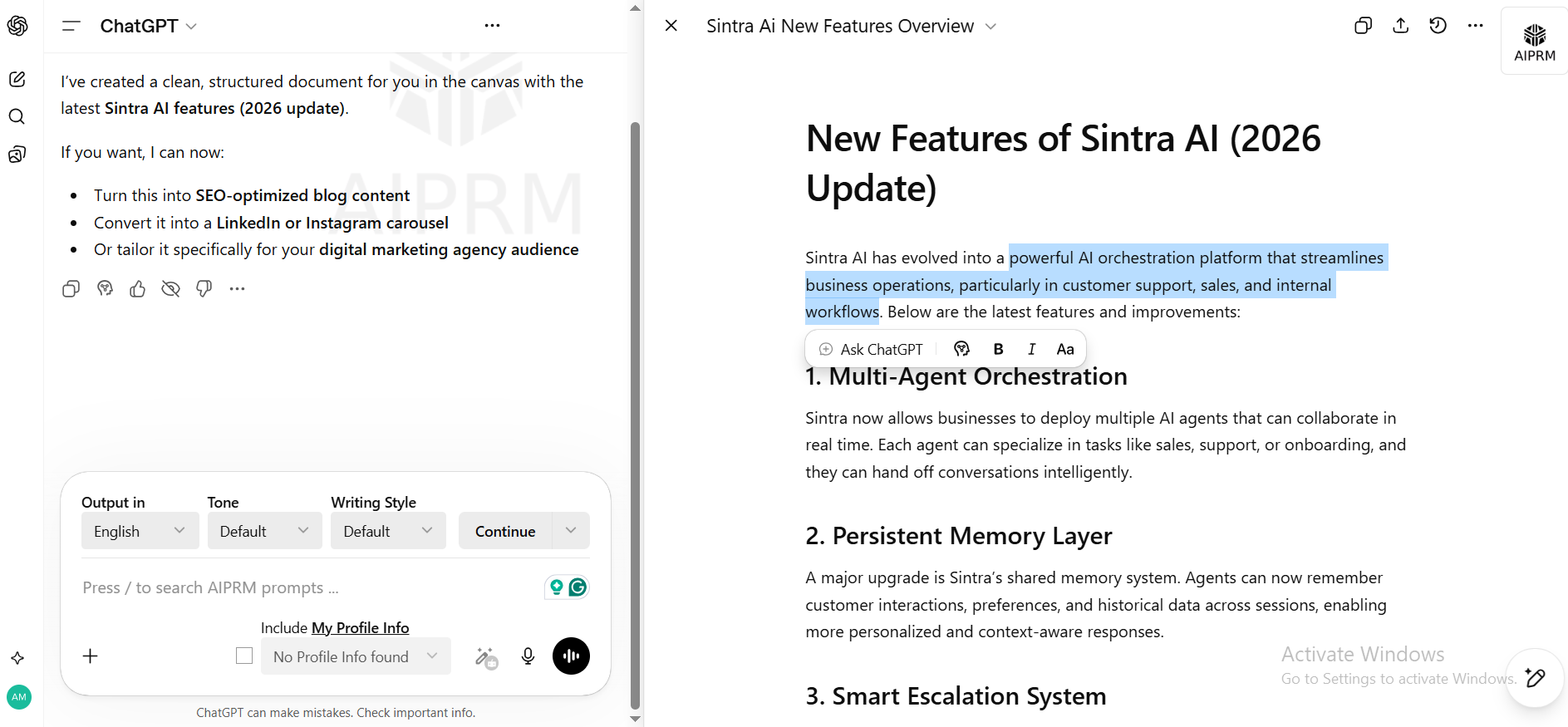
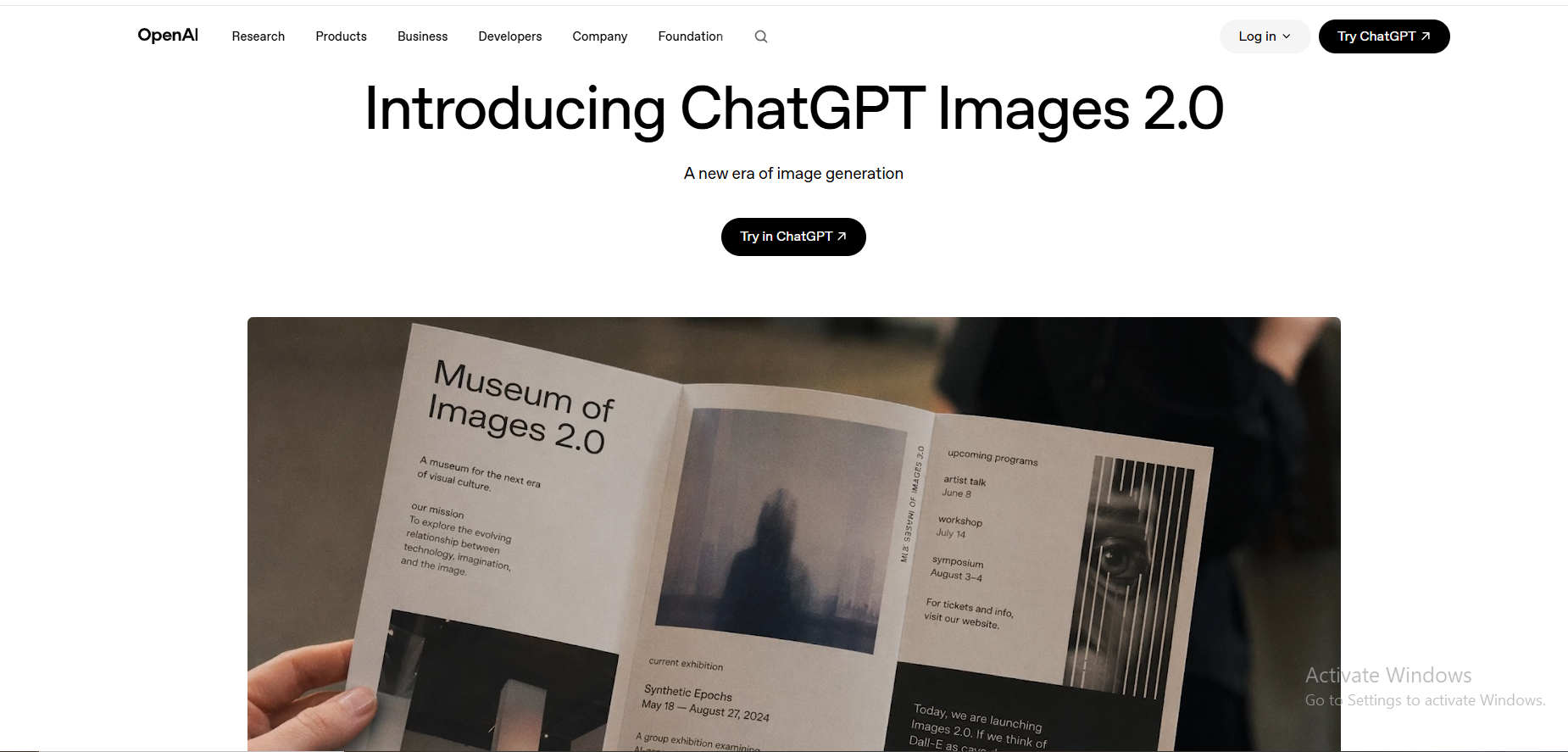
Image generation uses GPT Image 2.0, an upgrade over the previous generation.
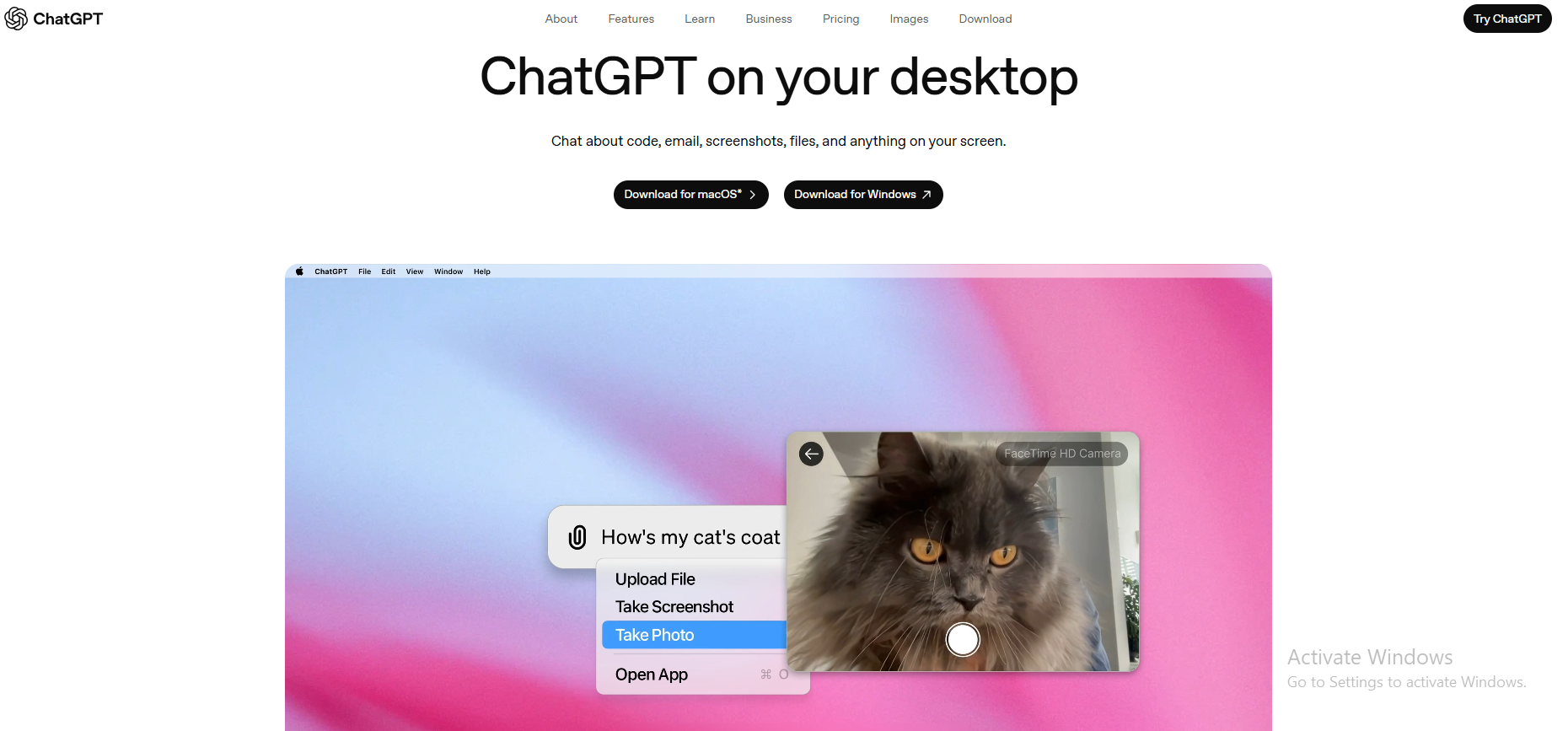
What makes ChatGPT truly unique in 2026 is Computer Use. Computer Use via GPT-5.5 is the most capable desktop automation available in any consumer AI tool. It can literally operate your desktop, moving the cursor and typing across apps to automate complex workflows end-to-end. No other consumer AI tool does this at the same level.
Gemini
Gemini goes further natively. Gemini is designed to handle text, images, and video simultaneously, making it a native multimodal system. It doesn't just "see" an image; it reasons across text, audio, and video in a single high-speed stream. You can drop a 1-hour YouTube link and ask it to summarize specific moments. You can upload a 900-page PDF and ask questions about page 347 without losing context. Gemini's architecture allows it to reason across different content types without switching components.
The Nano Banana Engine
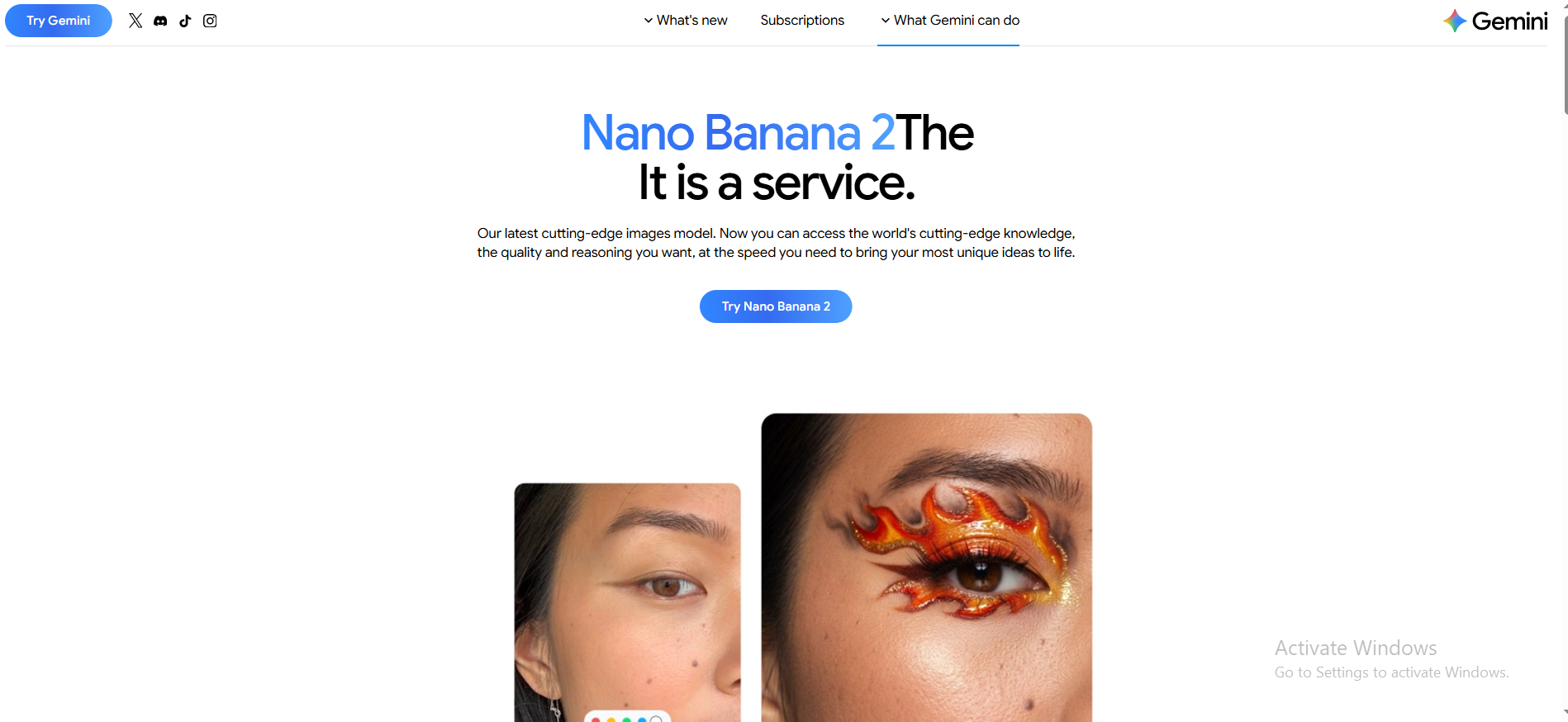
Nano Banana has evolved from a viral experiment into Gemini's permanent visual backbone. Originally released as Gemini 2.5 Flash Image in August 2025, it went viral for turning selfies into 3D toy figurines and redefined the market by making high-fidelity image editing as fast as sending a text message.
Three models now live under the Nano Banana name:
| Model | Technical Name | Best For |
|---|---|---|
| Nano Banana | Gemini 2.5 Flash Image | High-speed social edits and viral "toy figurine" selfies |
| Nano Banana Pro | Gemini 3 Pro Image | 4K output, complex infographics, precise brand visuals |
| Nano Banana 2 | Gemini 3.1 Flash Image | The 2026 standard — Pro-quality rendering at lightning speed |
Nano Banana 2 launched on February 26, 2026, and is now the default image tool inside every version of the Gemini app, whether you're on the free, thinking, or pro mode. It also powers Google Search and Google Lens in 141 countries. Right now, it ranks #1 for image accuracy on the Artificial Analysis Image Arena, which is the industry's standard leaderboard for comparing AI image tools.
What it does that matters for real work:
- Legible text inside images: renders accurate, complex text for labels, signs, mockups, and marketing assets. This is something most image models still get badly wrong
- Web-grounded generation: Pull from real-time Google Search, so specific real-world subjects (a particular car model, a landmark, a product) are rendered accurately
- SynthID watermarking: Every output carries an invisible AI signature for safety and verification, now combined with C2PA Content Credentials
- 4K output: Available via Nano Banana Pro for subscribers who need studio-quality resolution
For practical use: a Google AI Pro subscriber can generate a polished marketing mockup with correct brand text, accurate data infographics, and campaign visuals — all inside the same Gemini conversation where they're writing the copy. That combined text-and-image workflow in one place is something ChatGPT still can't replicate natively.
Google Gemini vs ChatGPT for multimodal
| Capability | ChatGPT (GPT-5.5) | Gemini (3.1 Pro / Flash) |
|---|---|---|
| Image analysis | ✅ Advanced (Spatial Reasoning) | ✅ Native & fast |
| Image generation | ✅ GPT Image 2.0 (Autoregressive) | ✅ Nano Banana 2 (standard) |
| Text inside images | ✅ Excellent (99.2% Accuracy) | ✅ Excellent — leaderboard #1 |
| 4K output | ⚠️ 2K Native (Upscaled 4K) | ✅ Nano Banana Pro (Native 4K) |
| Video processing | ⚠️ Frame-based / 10 min Native | ✅ Native (up to 1 hour) |
| Audio processing | ✅ Advanced Voice 2.0 (Low Latency) | ✅ Native audio-to-audio |
| Document analysis | ✅ 1M Token Context | ✅ 2M Token Context |
| Desktop/computer use | ✅ Industry leader | ❌ Limited API preview only |
| AI watermarking | ⚠️ Metadata & C2PA | ✅ SynthID hard-coded |
Verdict: Creative work? Gemini wins; better text rendering, web accuracy, and native video make it a production-ready studio. Need automation? ChatGPT's Computer Use is the only true agent, opening apps, managing files, and running tasks. Choose your priority: creative engine or autonomous operator.
Memory and Context Handling
Think about asking a colleague to help you with a project. The first day, you explain everything. The second day, they remember. By the third week, you're just saying "you know, the thing we discussed" — and they get it.
That's what memory does for AI.
ChatGPT has persistent memory. It learns your preferences over time, remembers your name, your writing style, and what you're working on. ChatGPT's context window is designed for conversational context, meaning it's optimized for the back-and-forth nature of real work.
Gemini has memory features too, but its standout is the context window size. Gemini can handle larger context windows, supporting up to 2 million tokens, compared to ChatGPT's 1 million tokens in lower-tier plans, though ChatGPT has matched this at the paid tier. In practical terms, Gemini's context window means you can paste in an entire book and ask questions about chapter 27 without losing context.
Gemini vs ChatGPT for memory
- Ongoing projects with a personal assistant feel: ChatGPT
- Single-session analysis of giant documents: Gemini
- Brand voice consistency across weeks: ChatGPT (memory)
- Analyzing a 200-page report in one go: Gemini
Verdict: ChatGPT wins for long-term, relationship-style memory. Gemini wins when you need to throw a massive document at it and get answers immediately.
Integrations and Ecosystem
This is where the biggest philosophical difference between the two tools lies.
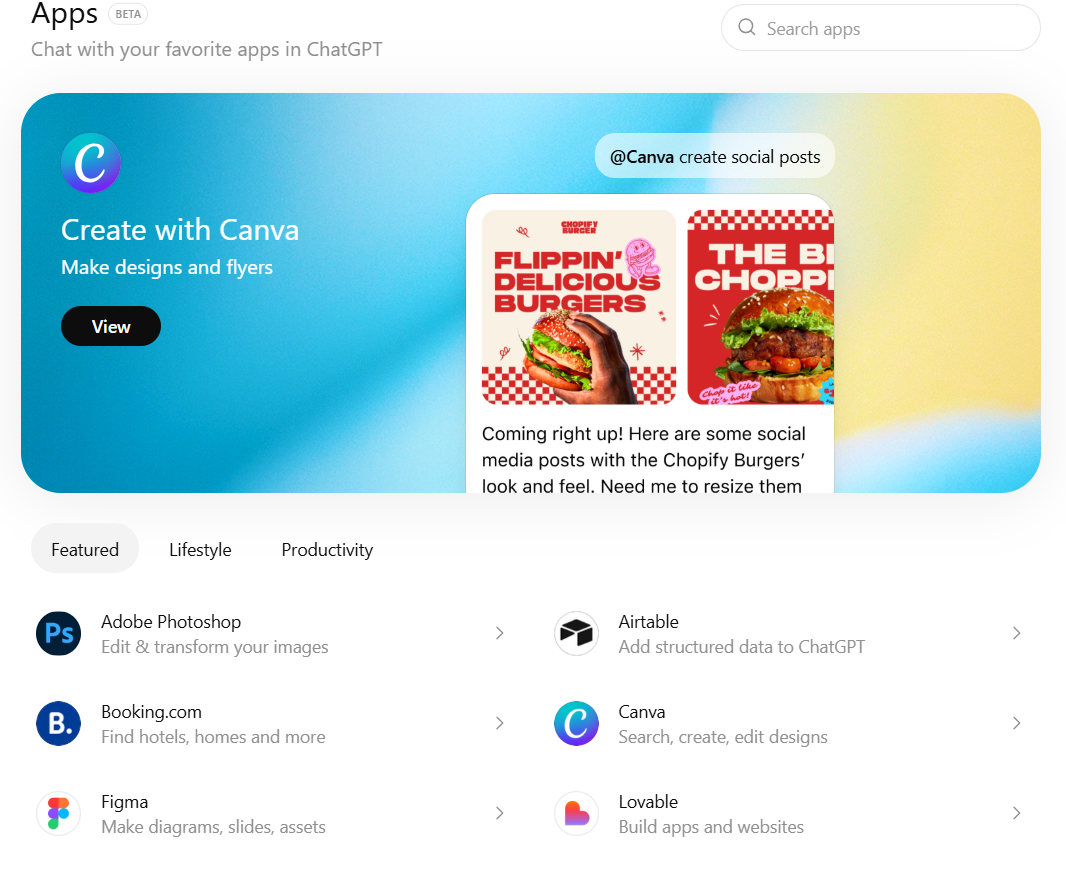
ChatGPT now includes a hosted shell and terminal access via GPT-5.5, making it a genuine agentic tool for developers and automation power users. Its Custom GPT ecosystem (3M+) and Zapier/Make integrations remain best-in-class for third-party flexibility.
Gemini's deep Google Workspace integration is unmatched. If you use Gmail, Docs, Sheets, and Drive every day, Gemini is embedded natively in all of them. Google AI Pro now also includes Project Astra in an experimental form, a step toward Gemini's own computer use capabilities.
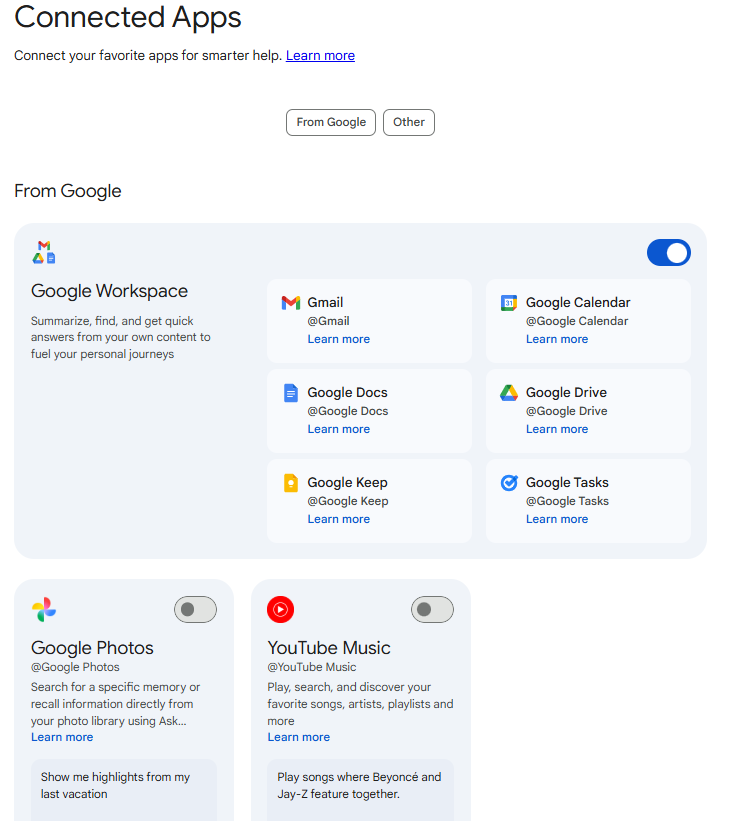
Google AI vs ChatGPT for integrations
| Integration Type | ChatGPT | Gemini |
|---|---|---|
| Google Workspace (Docs, Gmail, Sheets) | ❌ | ✅ Native |
| Third-party apps via plugins | ✅ 3M+ Custom GPTs | ⚠️ Limited |
| Zapier / Make automations | ✅ | ✅ |
| API for developers | ✅ Robust | ✅ Robust |
| Android native assistant | ❌ | ✅ |
| Microsoft Office | ⚠️ Limited | ❌ |
Verdict: If Google is your home, Gemini is unbeatable here. If you use a mixed toolkit, ChatGPT's broader plugin ecosystem offers more flexibility.
Speed and Reliability
Neither tool is slow. But speed differences show up in specific situations.
Gemini Flash (the free tier) is genuinely fast; faster than most alternatives on simple tasks. For quick lookups, short answers, or drafting an email reply while you're in Gmail, it feels almost instant.
ChatGPT with GPT-5.5 is powerful and noticeably more responsive than GPT-5.4 on agentic and multi-step tasks. Deeper reasoning via GPT-5.5 Thinking still takes longer; that's the trade-off for its highest-quality outputs, but standard GPT-5.5 feels snappier in practice.
Gemini vs ChatGPT on reliability
- Free tier speed: Gemini wins
- Consistency under heavy workloads: Both comparable
- Peak-hour availability: Both have experienced throttling
- Uptime for paying subscribers: Both are very reliable
Verdict: For quick, lightweight tasks, Gemini is still snappier on the free tier. For heavyweight thinking and agentic automation, GPT-5.5 has meaningfully closed the gap, and for complex multi-step work, it's now the faster choice end-to-end.
ChatGPT vs Gemini Models Explained
The model determines how smart, fast, and capable the tool is. Understanding the models helps you choose the right tier for your actual needs.
ChatGPT Models: Updated with GPT-5.5
The model determines how smart, fast, and capable the tool is. Here's how the current lineup looks as of May 2026.
| Model | Speed | Intelligence | Best For | Availability |
|---|---|---|---|---|
| GPT-4o | Fast | High | Everyday tasks, writing, coding | Legacy — still accessible |
| GPT-5 | Moderate | Frontier | Research, advanced workflows | Plus + Pro |
| GPT-5.3 Instant Mini | Fastest | Good | Fallback model, quick drafts | Free + Plus (released Apr 9, 2026) |
| GPT-5.4 | Moderate | Frontier+ | Writing, coding, analysis, and computer use | Plus + Pro |
| GPT-5.5 (Agentic) | Moderate | Frontier++ | Autonomous agents, multi-step agentic tasks, and real-world tool use | Plus + Pro (released May 2026) |
| GPT-5.5 Thinking | Slower | Highest reasoning | Multi-step logic, complex problem solving, and scientific tasks | Plus + Pro |
| GPT-5.4 Pro | Moderate | Highest | Maximum capability, long Codex reasoning sessions | $100 + $200 Pro tiers only |
GPT-5.5 (Agentic), released May 2026, is the biggest leap in a single ChatGPT release since GPT. GPT-5.5 can now run terminal commands, execute scripts, and interact with your operating system end-to-end without a human in the loop on every step.
GPT-5.5 Thinking is the specialist for pure reasoning; multi-step logic chains, scientific problems, and layered analysis. It takes longer to respond but works through problems more thoroughly than standard GPT-5.5.
GPT-5.4 (released March 2026) remains the current flagship for most users. It's the first model that can operate a computer better than most humans, scoring 75% on desktop automation benchmarks. It also makes 33% fewer errors than its predecessor and has a 1-million-token context window.
GPT-5.3 Instant Mini (released April 9, 2026) replaced the previous fallback model. It's notably sharper than its predecessor. Offers better writing flow, stronger contextual awareness; meaning even users who hit rate limits on Plus still get a capable model, not a dumbed-down one.
GPT-5.4 Thinking is the specialist for pure reasoning; having multi-step logic chains, scientific problems, and layered analysis. It takes longer to respond but works through problems more thoroughly than standard GPT-5.4.
For most users, GPT-5.4 on the Plus plan handles the full range of daily work. GPT-5.4 Pro on the higher tiers is for power users who need Codex-level long-form reasoning sessions or hit Plus limits daily.
Gemini Models Explained
Google has moved fully into the Gemini 3.1 era, organizing its models around a clear speed-vs-intelligence-vs-specialization spectrum:
| Model | Speed | Intelligence | Best For | Availability |
|---|---|---|---|---|
| GPT-4o | Fast | High | Everyday tasks, writing, coding | Legacy — still accessible |
| GPT-5 | Moderate | Frontier | Research, advanced workflows | Plus + Pro |
| GPT-5.3 Instant Mini | Fastest | Good | Fallback model, quick drafts | Free + Plus (released Apr 9, 2026) |
| GPT-5.4 | Moderate | Frontier+ | Writing, coding, analysis, and computer use | Plus + Pro |
| GPT-5.5 (Agentic) | Moderate | Frontier++ | Autonomous agents, multi-step agentic tasks, and real-world tool use | Plus + Pro (released May 2026) |
| GPT-5.5 Thinking | Slower | Highest reasoning | Multi-step logic, complex problem solving, and scientific tasks | Plus + Pro |
| GPT-5.4 Pro | Moderate | Highest | Maximum capability, long Codex reasoning sessions | $100 + $200 Pro tiers only |
Gemini 3.1 Pro (released February 2026) is Google's current best. It scores 77.1% on ARC-AGI-2 reasoning benchmarks, slightly ahead of GPT-5.4's 73.3% on the same test. It processes video and audio natively and supports 2 million tokens (vs ChatGPT's 1 million).
One genuinely new feature in Gemini 3.1 Pro is the Three-Tier Thinking System, which lets users manually toggle between Low, Medium, and High compute modes. Low is fast and cheap. High is slower but reasons more deeply. This gives you direct control over the trade-off between speed and quality, unlike any other AI tool currently available.
Gemini 3.1 Flash-Lite (released March 2026) is now the primary free-tier workhorse. It is designed specifically for high-speed, high-volume tasks that require quick answers without burning through compute.
Gemini 3.1 Deep Think is Google's direct competitor to GPT-5.4 Thinking; purpose-built for scientific reasoning, engineering challenges, and multi-step logic problems that need sustained deep analysis.
There's also a new Personal Intelligence layer (off by default) that can securely connect to a user's Gmail, Photos, and Drive, making Gemini act as a proactive assistant that already knows your history, preferences, and context without you having to explain it each session.
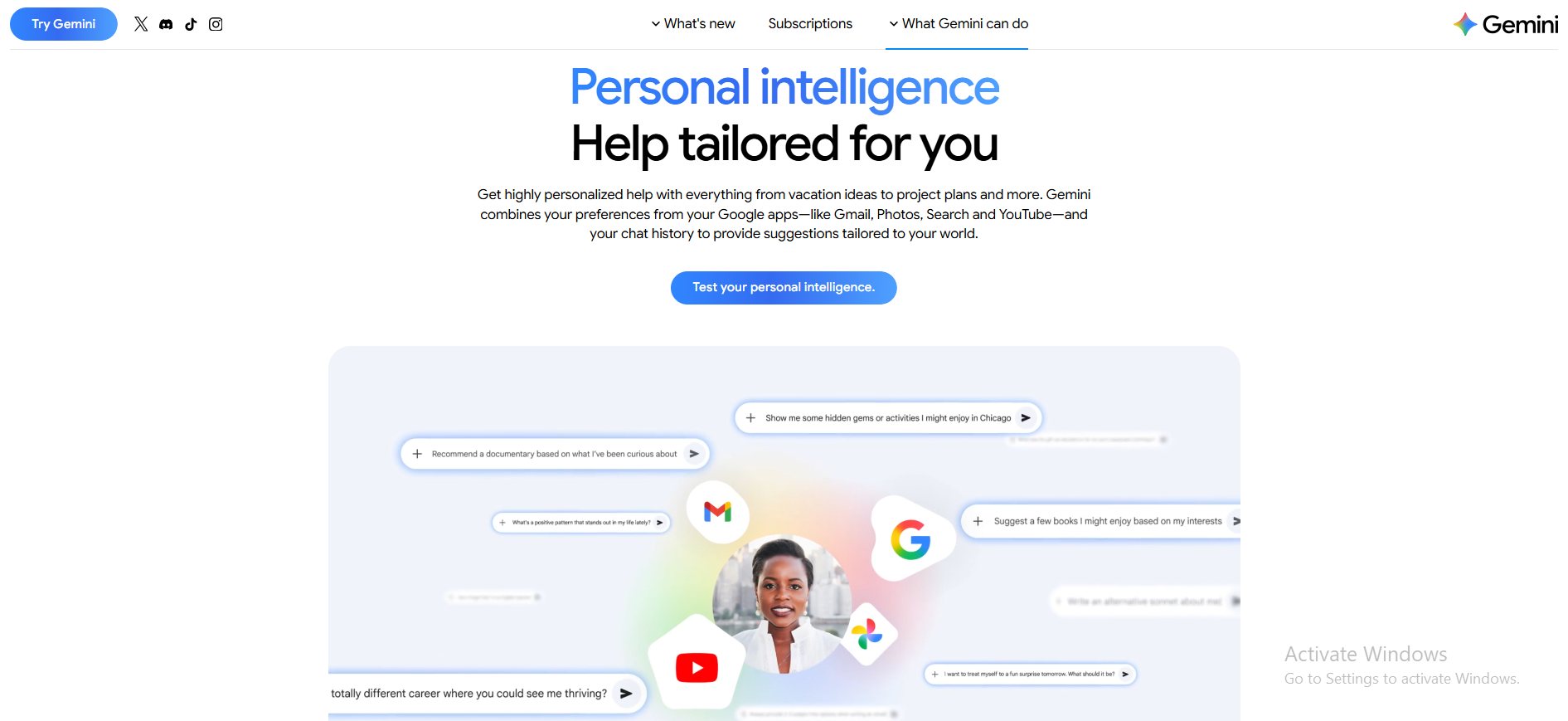
For everyday Gemini users on the free plan, Gemini 3.1 Flash-Lite is the workhorse. It's fast, capable for most tasks, and its Google Workspace integration makes it feel invisible in the best way.
Model Performance Comparison Side by Side
GPT-5.5 vs Gemini 3.1 Pro head-to-head:
| Benchmark / Task | GPT-5.5 (Agentic) | Gemini 3.1 Pro | Winner |
|---|---|---|---|
| ARC-AGI-2 (Reasoning) | 76.4% | 77.1% | Gemini (narrow) |
| GPQA Diamond (Science) | 93.5% | 94.3% | Gemini (narrow) |
| SWE-bench (Coding) | 82.7% | ~68% | ChatGPT |
| OSWorld (Desktop automation) | 78%+ | ❌ Not applicable | ChatGPT |
| Overall Intelligence Index | 59/100 | 57/100 | ChatGPT (slight edge) |
| Output tokens | 32K | 65K | Gemini |
| Specialized reasoning model | GPT-5.5 Thinking | Gemini 3.1 Deep Think | Tie |
| Video generation | ❌ Sora discontinued | ✅ Veo 3.1 active | Gemini |
| Video processing | ⚠️ 10 min native | ✅ Up to 2 hrs | Gemini |
| Computer use | ✅ GPT-5.5 Computer Use (best-in-class) | ⚠️ Experimental | ChatGPT |
| Agentic tool use | ✅ Hosted Shell / Terminal | ✅ Maps + Search + Workspace | Tie |
The most honest take: GPT-5.5's arrival in May 2026 shifts the overall intelligence balance slightly in ChatGPT's favor, primarily on the strength of its coding and agentic benchmarks. Gemini maintains its edge on native video, longer output tokens, and science reasoning. The decision still comes down to what kind of tasks you do, not which model is objectively "smarter."
Context Window and Token Limits
A "token" is roughly ¾ of a word. A "context window" is how much text the AI can hold in its memory during a single conversation.
Here's why this matters in plain terms:
- 128K tokens ≈ for a 300-page book
- 1M tokens ≈ for a 1,500-page novel, or several months of emails
Gemini Advanced subscribers get priority access to Gemini 3 Pro and a two-million token context window. This means you can literally paste in an entire legal contract, a year's worth of customer support tickets, or a full software codebase, and ask questions across all of it without losing context.
ChatGPT Plus now also supports 1M token context in its highest models. But on the free plan, you're working with 32K tokens, which is more than enough for everyday use.
Practical scenarios
| Task | Sufficient Context | Best Tool |
|---|---|---|
| Writing a blog post | 4K tokens | Either |
| Analyzing a PDF report | 32K tokens | Either |
| Reviewing an entire codebase | 200K+ tokens | Both (paid plans) |
| Summarizing a year of emails | 500K+ tokens | Gemini (optimized for docs) |
Which Model Should You Use?
Let's simplify for you:
You're a marketer or content creator: → ChatGPT Plus (GPT-5.4) for writing quality and tone control
You're a developer: → ChatGPT Plus for complex debugging, code refactoring, and SWE tasks, or ChatGPT Pro ($100) for extended Codex reasoning sessions
You need deep scientific or logical reasoning: → GPT-5.5 Thinking (ChatGPT) or Gemini 3.1 Deep Think, both are purpose-built for this; test both on your specific problem type
You live in Google Workspace: → Google AI Pro (Gemini 3.1 Pro) — the Personal Intelligence layer and native integration make it the obvious choice
You need to analyze massive documents: → Either paid plan, but Gemini's native document handling and 65K output tokens give it a slight edge for very long files
You want AI that automates your desktop: → ChatGPT Pro (GPT-5.5 computer use — still unique to OpenAI)
You're on a tight budget but want something better than free: → ChatGPT Go at $8/month is the new entry point with image generation, file uploads, and solid model access
You're on a budget and use Google products: → Gemini's free tier is the most generous and includes real-time web access and basic Workspace integration by default
Free vs Free vs Pro Pricing Comparison
Pricing is where things get surprisingly close and surprisingly tricky.
Free Plan Comparison
Both tools offer free access, but with different trade-offs:
| Feature | ChatGPT Free | Gemini Free |
|---|---|---|
| Model | Limited GPT-5 / GPT-4o | Gemini Flash |
| Web access | ✅ (limited) | ✅ Built-in via Google Search |
| Image generation | ✅ Limited | ✅ Limited |
| Google Workspace integration | ❌ | ✅ Basic |
| Memory | ✅ Basic | ✅ Basic |
| Usage limits | Moderate caps | Moderate caps |
| Mobile assistant | Standalone app only | Android default assistant |
Both ChatGPT and Gemini have dynamic usage caps based on server load, especially in their free plans. This means during busy hours, you might hit limits faster than expected.
Free plan winner: Gemini. Its free tier includes real-time web access by default, basic Google Workspace integration, and is installed as the default assistant on Android; that's no doubt a massive distribution advantage.
ChatGPT Plus vs Gemini Advanced (Google AI Pro)
With the official release of GPT-5.5 on April 23, 2026, and the shift in OpenAI's product tiers, the $20/month battle has become even more distinct. OpenAI is pivoting toward "Agentic Intelligence" (doing work on your computer), while Google is focusing on "Native Multimodality" (seeing and hearing in high-fidelity).
Here is the updated breakdown for late April 2026.
| Feature | ChatGPT Plus ($20/mo) | Google AI Pro ($19.99/mo) |
|---|---|---|
| Main Model | GPT-5.5 (Agentic) + Thinking | Gemini 3.1 Pro + Deep Think |
| Fast Fallback | GPT-5.4 | Gemini 3.1 Flash-Lite |
| Context Window | 1M tokens | 2M tokens (Standard) |
| Image Generation | ✅ Full GPT Image 2.0 | ✅ Nano Banana Pro |
| Google Workspace | ⚠️ via "Apps" (Connect Drive/Gmail) | ✅ Native Integration |
| Personal Intel | ⚠️ Connected Apps & Memory | ✅ Gmail, Photos, Drive (Deep) |
| Bonus Storage | ❌ | 2TB Google One Included |
| Custom Tools | ✅ Custom GPTs & Hosted Shell | ✅ Gems |
| Web Search | ✅ | ✅ |
| Video Understanding | ⚠️ Frame-based (up to 10 min) | ✅ Native (up to 2 hours) |
| Video Generation | ❌ Sora discontinued April 26 | ✅ Veo 3.1 (Full Access) |
| Computer Use | ✅ Native Agent Mode | ⚠️ Experimental (Project Astra) |
| Agentic Tools | ✅ Hosted Terminal / Sandbox | ✅ Maps, Search, Python combined |
Key Value Breakdown
- The "Google Discount": As you noted, the $19.99/mo price still includes the 2TB Google One plan. Since Google One 2TB costs $9.99 on its own, your "AI tax" is effectively only $10/month.
- GPT-5.5 Computer Use: The main reason to pay for Plus now is Agentic AI. ChatGPT Plus now allows the model to run complex Python scripts in a "Hosted Shell" (a virtual computer), browse the web as a user, and organize your files autonomously.
- Sora vs. Veo: With Sora officially discontinued as a consumer app (April 26), Google's Veo 3.1 is currently the only high-end video generator bundled with a $20 AI subscription.
Updated Tier Comparison (April 2026)
| Plan | Price | Best For |
|---|---|---|
| ChatGPT Go | $8/mo | Basic GPT-5.3, limited file uploads. |
| ChatGPT Plus | $20/mo | Power users, Computer Use, GPT-5.5 Thinking. |
| ChatGPT Pro | $200/mo | Unlimited 5.5, "Pro" Reasoning Mode (extra compute). |
| Google AI Pro | $19.99/mo | Google users, 4K Image Gen, 2TB Storage. |
| Google AI Ultra | $249/mo | Large-scale content teams, Veo 3.1 4K Video, 10TB Storage. |
| Gemini Teams | $14/user/mo | Small teams inside Google Workspace. |
The Bottom Line: If you need a "worker" that can handle files, code in a terminal, and act as a digital assistant, ChatGPT Plus wins. If you are a content creator needing 4K visuals, long-form video analysis, or are already paying for Google storage, Google AI Pro is the better financial and creative choice.
Pricing Note: All pricing in this article reflects the latest available information as of April 2026. AI platforms update their plans frequently. Before making any purchase decision, we recommend checking the official pages for the most current rates.
Usage Limits and Restrictions
Here's the fine print most comparison articles skip:
- ChatGPT Plus caps GPT-5 access at approximately 40–160 messages per 3 hours, depending on model load
- Google AI Pro has similar dynamic caps but tends to be less aggressive with throttling
- Both platforms reduce performance speed during peak hours on free plans
- API usage (for developers) is billed separately. OpenAI's API offers pay-per-use pricing that scales with volume and tool usage
If you're a heavy daily user, generating 50+ pieces of content or running hundreds of prompts, both free tiers will frustrate you. The paid plans are meaningfully better for consistent, high-volume work.
Which Plan Is Worth It?
Stay on free if:
- You use AI occasionally (a few times per week)
- Your tasks are simple: emails, quick questions, short drafts
- You're a student or just experimenting
Try ChatGPT Go ($8/mo) if:
- You want paid access without committing to $20
- You need image generation and file uploads, but don't need Computer Use
- You're a light professional user, testing whether paid AI is worth it for you
Upgrade to ChatGPT Plus ($20/mo) if:
- You write content daily and care about tone and quality
- You're a developer doing serious coding work
- You want access to GPT-5.4 Thinking for complex reasoning tasks
- You need Computer Use capabilities
Upgrade to ChatGPT Pro ($100/mo) if:
- You hit the Plus message limits regularly
- You run long Codex reasoning sessions or heavy agentic workflows
- You need 5x the usage of Plus without jumping to $200
Upgrade to Google AI Pro ($19.99/mo) if:
- You work in Gmail, Docs, or Drive every day
- You already pay for Google One storage (effectively ~$10/month for AI)
- You want the Personal Intelligence layer connecting your Gmail and Drive to your AI
- You need Veo 3.1 video generation or Nano Banana 2 for visual work
Consider Pro/Ultra only if:
- You're a researcher, developer, or video creator who needs maximum access daily
- You hit message limits on Plus plans regularly, and it's costing you real time
What's Best for Business Use and Productivity?
Both tools are genuinely useful for business. Let's be honest about that.
A marketing manager can use ChatGPT to draft a month's worth of social copy in an afternoon. A sales rep can use Gemini inside Gmail to respond to leads faster. An operations lead can use either to summarize meeting notes, draft SOPs, or analyze reports. A customer service manager can use either to write response templates or train their team.
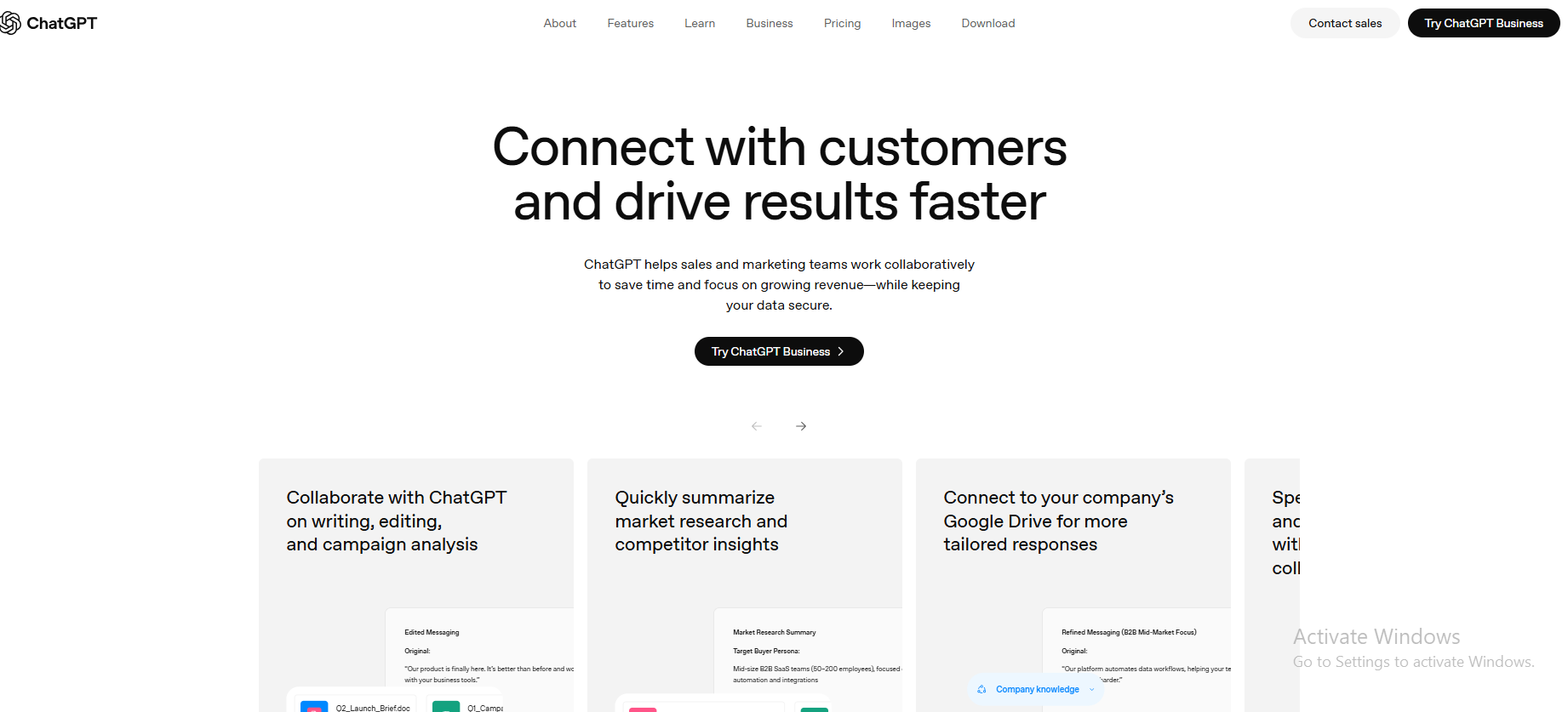
Gemini is everywhere to assist you. Not just docs and sheets, Gemini helps you write e-mails, reply, and alert you via Google Calendar for your commitments too.
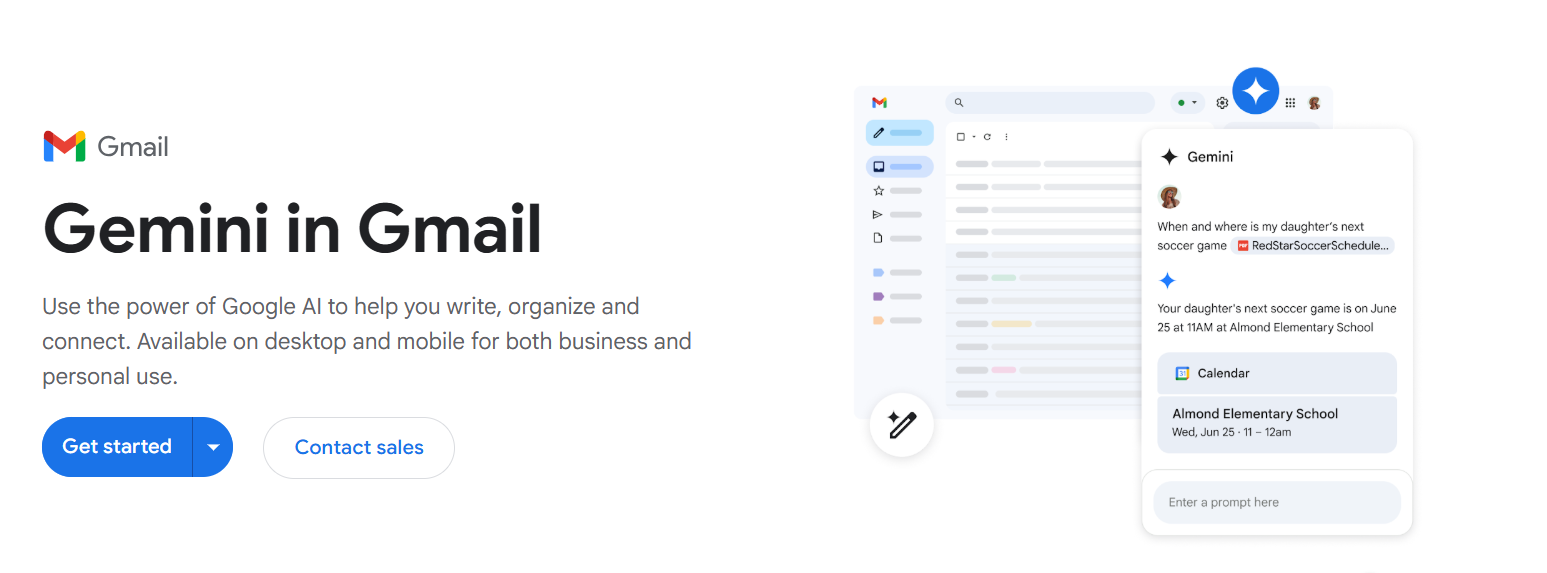
ChatGPT and Gemini both shine for:
- Individual productivity tasks
- Brainstorming and ideation
- Drafting documents and emails
- Answering one-off research questions
- Summarizing long documents or meeting notes
- Generating first drafts of anything
Where things get more nuanced is when businesses try to use these tools for consistent, repeated, team-level work.
A Day in the Life: How Real Teams Use Each Tool
A 5-person content startup using ChatGPT:
- The founder uses it to draft investor updates
- The content lead uses it to write blog outlines
- The social manager uses it to generate captions
- The SEO specialist uses it to research keywords
- No one shares a system; everyone's building their own prompt library
A 5-person startup embedded in Google Workspace using Gemini:
- Gemini drafts emails in Gmail automatically
- Gemini suggests edits in shared Google Docs
- Gemini fills in the Sheets formulas on request
- Meeting notes get AI summaries in Google Meet
- It happens quietly, in the background, without anyone switching tools
Both are valuable. The question is: are you building a system, or just using a tool?
But here's where both tools hit a ceiling for businesses that want to grow. Neither gives you repeatable, owned workflows. Neither scales across teams without manual effort. And neither replaces the systems thinking that makes operations work at scale.
Privacy and Data: What You Should Know
Most people skip this section. That's a mistake, especially for business use.
Both ChatGPT and Gemini collect significant amounts of user data, including all chats, by default, to train their AI models. However, both give you the option to turn this off.
Key facts
- Both ChatGPT and Gemini allow users to turn off data training options in their settings
- ChatGPT and Gemini promise not to sell user data or use it for ad targeting
- Google does not, by default, collect or use Gemini data for training in Workspace apps. Meaning your work documents and emails are handled differently from personal Gemini use
- Both ChatGPT and Gemini have histories of data breaches and privacy concerns, which users should consider when sharing sensitive information
For businesses handling client information, financial data, or any confidential information, this matters. Both platforms have paid tiers with stronger privacy protections. ChatGPT Team and Enterprise plans include data controls that prevent training. Google Workspace with Gemini for business similarly handles data under enterprise terms.
If you're using either tool's free version and pasting in sensitive business information, you're taking a risk worth understanding.
Compliance note
- ChatGPT does not fully meet GDPR standards due to certain data collection practices, important for European businesses
- Gemini's free version does not guarantee compliance with specific industry regulations such as HIPAA or GDPR, while paid plans offer more control over data privacy
For heavily regulated industries (healthcare, finance, legal), neither free tier is appropriate. Upgrade, or look for purpose-built enterprise solutions.
Limitations of ChatGPT and Gemini in Real Workflows
Let's be direct: both tools are excellent for occasional, individual use. They break down when you try to build a real system around them.
Heavy Reliance on Prompting
Here's a scenario every regular user knows: you ask ChatGPT to write a product description. It comes back too formal. You say, "Make it more casual." Now it's too casual. You say "somewhere in between, like a friendly expert." It gets closer. You say "shorter, and end with a CTA.” Then the draft is finally usable.
That's four rounds of back-and-forth just to get one product description. Now multiply that by 50 product descriptions a week.
Gemini AI and ChatGPT both have this problem. Neither remembers your exact preferences without careful setup. Neither has a "production mode" that consistently applies your style rules across dozens of outputs. Every new session, you're re-teaching.
Some people have developed workarounds, saving a "master prompt" document they copy-paste at the start of every session, building custom GPTs with pre-loaded instructions, or creating detailed system prompts. These work. But they're also maintenance overhead that grows as your use cases grow. You end up spending mental energy managing your AI setup rather than doing the actual work.
For a solopreneur doing five things a week, this is manageable. For a team doing 50 things a week, this becomes a real bottleneck.
Lack of Structured Workflows
Both tools are built for conversation, not for systems.
There's no built-in way to say: "Every Monday, pull my sales data from this sheet, write a summary, send it to my manager, and flag anything that dropped more than 10%."
You can describe that to ChatGPT. It'll tell you how to build it. But it won't run it for you. You can ask Gemini inside Sheets to summarize data. But it won't automatically kick off the next step.
For content pipelines, lead handling, and reporting workflows, the gap between "AI helped me think about this" and "AI does this for me automatically" is enormous. And neither ChatGPT nor Gemini closes that gap on their own.
Here is an example:
A content marketing team publishing 20 pieces a month needs: brief writing → draft generation → SEO review → editing → formatting → scheduling → social distribution. That's seven steps. Both AI tools can help at each individual step. Neither connects them into a flow that runs without constant human hand-holding between each stage.
Tool Fragmentation
Here's what a single "write and publish a blog post" workflow actually looks like with either tool:
- Open ChatGPT → generate outline
- Open ChatGPT again → generate draft
- Copy to Google Docs → format it
- Open another tool → check SEO
- Paste into CMS → publish
- Open email tool → write newsletter linking to it
- Open social scheduler → write social posts
That's six tools for one task, and the AI participates only in steps 1 and 2. Everything else is still manual.
Every copy-paste is a place where formatting breaks. Every tool switch is a place where momentum breaks. This isn't a critique of ChatGPT or Gemini specifically; it's just what individual AI chat tools are structurally limited to. They're great at output. They're not systems.
Scaling Challenges for Teams
The moment you go from one person using AI to a five-person team, new problems surface:
- No shared memory — each person's ChatGPT starts from scratch, so your head of content and your social media manager are both teaching the AI about your brand independently
- No brand voice enforcement — different team members get different tones from the same tool
- No output consistency — same prompt, different results depending on who asks, when they ask, which model is running
- No coordination — the content person doesn't know what the email person already wrote, so you get repetition or contradiction
Both ChatGPT and Gemini are top-tier AI models with distinct strengths. But they're designed as individual tools. Scaling them across a team without a system underneath creates chaos, not efficiency.
Think of it like this: giving every person on your team their own ChatGPT account is like giving every person their own separate version of your company with a different tone, different memory, and different output. There's no single source of truth. And in brand-driven businesses, that inconsistency accumulates into real damage over time.
A Better Alternative to ChatGPT and Gemini for Business
If the limitations above sound familiar, that's not a ChatGPT problem or a Gemini problem specifically. That's a category problem. Chatbots, by design, are reactive tools. You ask, they answer. The workflow starts and stops with you.
What growing businesses actually need isn't a smarter chatbot. It's an AI team with structured roles, shared memory, and consistent execution across every function.
That's where Sintra AI comes into play, taking on a much bigger role.
From Chatbots to AI Teams
Think of it this way. Right now, using ChatGPT for your business is like hiring the world's most brilliant freelancer, but one who forgets everything after every meeting, can't coordinate with your other hires, and needs you to write a detailed brief every single time.
With an actual AI team, the structure is in place. Different AI helpers handle different functions like marketing, support, and operations in the same way departments in a real company do. Tasks move through a system rather than starting from scratch in a new chat window each time.
You're not managing prompts. You're managing outcomes this time!
How AI Helpers Work Across Business Functions
Here's a simple example of how this works in practice:
Traditional workflow (ChatGPT or Gemini):
- You write a prompt → get a blog post draft → copy it → edit it → format it → publish it
Structured AI helper workflow:
- A Copywriter generates the blog draft using your saved brand guidelines and tone
- An SEO Specialist optimizes it for search — keywords, structure, meta descriptions
- A Social Media Manager creates the distribution posts for every platform
- An Email Marketing Specialist writes the newsletter, sending your audience back to the post
The same output occurs across a connected system, not in a single chat window. Each step feeds the next. You stay in the loop as the decision-maker, not the executor.
How Brain AI Maintains Consistency
One of the hardest problems in scaling any AI workflow is maintaining a consistent voice.
If you ask ChatGPT to write in your brand voice today, and your colleague asks the same thing tomorrow, you'll get two different results. Even with the same prompt.
Brain AI solves this with shared memory. It's a centralized intelligence layer that stores your brand voice, business context, audience details, and preferences. Every AI helper automatically draws from it.
Before Brain AI: "Write our Q4 newsletter in our brand voice" → results vary by person, by session, by model mood.
With Brain AI: Every output already knows your voice, your audience, your goals. You edit, you don't reconstruct.
Integrations and Workflow Automation
ChatGPT and Gemini can generate outputs. What they can't do well is take action.
AI integrations connect AI outputs directly to the tools your business already uses, such as Gmail, Notion, Slack, CRMs, and task managers. Instead of copying an AI-generated email draft and pasting it into Gmail, the integration sends it. Instead of summarizing a report and then writing a Slack message about it, the workflow does both automatically.
The gap between "AI generates content" and "AI executes work" is exactly what automation bridges. AI integrations aren't a nice-to-have for businesses at scale; they're the difference between a productivity toy and an actual business asset.
When to Choose Sintra AI Over ChatGPT or Gemini
Choose Sintra AI when:
- You've outgrown one-off prompts and need repeatable workflows
- You're managing a team and need consistent AI outputs across multiple people
- You want AI that executes, not just generates
- Your business has recurring content, support, or operational tasks that should be automated
- You're tired of re-explaining your brand to AI every single session
Stick with ChatGPT or Gemini when:
- You're an individual with occasional, creative, or exploratory needs
- You're a developer building on top of raw AI APIs
- Your use case is genuinely one-off and doesn't need to scale
Ready to Move Beyond ChatGPT and Gemini?
For personal use, curious experimentation, and individual creative work, both ChatGPT and Gemini are excellent tools. We genuinely recommend both depending on your situation.
But if you're building something like a business, a content operation, a customer support system, a sales process, then you need more than a chat window.
Get started with Sintra AI and see what it looks like when AI employees actually run your workflows, maintain your voice, and execute tasks end-to-end. Not as an assistant you manage. As a team that runs alongside you.
The businesses that win with AI in 2026 aren't the ones that use ChatGPT the most. They're the ones who build systems that don't require them to be in the loop for every output.
ChatGPT vs Gemini FAQs
Is Gemini better than ChatGPT overall?
Neither is objectively better. They're genuinely tied on intelligence benchmarks in 2026, both scoring 57 on the Artificial Analysis Intelligence Index. The question is which one is better for your use case. ChatGPT is better for creative writing, coding, and standalone use. Gemini is better for Google Workspace users, real-time research, and multimodal tasks like video analysis. ChatGPT is often better for creative tasks, while Gemini is ideal for research-heavy and Google-connected tasks.
What is the difference between Gemini and ChatGPT?
The biggest practical difference is the ecosystem. ChatGPT is an independent tool you visit separately; it's more flexible and works across platforms. Gemini is deeply built into Google's products (Gmail, Docs, Drive, Search, Android). If you're already a Google user, Gemini feels invisible in a good way. If you're not, you'll barely notice that integration at all.
Beyond the ecosystem, the models differ in focus: ChatGPT emphasizes creative depth and conversational nuance, while Gemini emphasizes real-time access to information and multimodal (text, image, video) processing. ChatGPT excels in creative writing, coding, and conversational nuance. Gemini's multimodal capabilities allow it to process text, images, and video simultaneously, making it effective for complex tasks.
Which AI is better for coding tasks?
ChatGPT, in most scenarios. It handles complex debugging, explains code in plain language, manages larger codebases, and produces more consistent, polished code. Gemini is good at coding, especially for quick scripts and when you're working from visual inputs like diagrams, but ChatGPT's SWE-bench benchmark scores and developer experience give it the edge for serious coding work.
Which tool is better for content writing and SEO?
ChatGPT for most content work. Its tone control, creative range, and ability to mimic specific voices make it the go-to for marketers, bloggers, and copywriters. For long-form factual content, research-heavy articles, or technical documentation, Gemini's structured, fact-driven style is a strong alternative. For SEO specifically, both tools handle keyword integration well, but ChatGPT's natural prose tends to require less editing.
Is there a better alternative to ChatGPT and Gemini?
For individual use, both tools are exceptional and getting better every month. But for businesses that need consistent, scalable, automated AI workflows? Yes. Tools like Sintra AI are built specifically for structured business use; with shared memory, specialized AI helpers for different functions, and integrations that turn outputs into actions. If you are feeling restricted by what chatbots can do for your operations, that's where to look next.
Related articles