


We Tested the 12 Best Superhuman Alternatives in 2026


Table of Contents

Quick Answer: What Are the Best Superhuman Alternatives in 2026?
After hands-on testing across email efficiency, automation, collaboration, and integrations, five tools stood out as the best Superhuman alternatives in 2026: Sintra AI for full workflow automation, Front for team inbox collaboration, Missive for combining email with chat, Shortwave as the top AI-powered Gmail alternative, and Canary Mail for anyone who puts privacy first.
Knowledge workers spend about 28% of their week on email, but the real problem is everything that comes after the reading. The follow-ups, the coordination, the tasks that need to get done across half a dozen tools.
When we tested Superhuman alternatives in 2026, that's exactly what we focused on. Inbox speed was secondary. Execution was the real test.
Superhuman is genuinely great at moving you through your inbox faster. The gap it leaves is everything behind those emails, since the actual work still happens somewhere else.
The best alternatives attack that gap in different ways. Some bring in team collaboration. Others add shared inboxes or smart automation. Sintra AI goes the furthest: instead of just processing emails faster, it uses role-based AI employees to turn messages into completed work, so your inbox becomes a place where things actually get done, rather than just read and filed.
What Is Superhuman? A Quick Overview
Superhuman is a premium email client built around one goal: helping you get through your inbox as fast as possible. It uses AI to draft emails from short prompts, triage incoming messages, and automate repetitive responses. The real speed comes from a combination of keyboard-first navigation, smart email categorization, and AI handling the routine stuff.
Pricing has changed since Grammarly acquired Superhuman in June 2025. It's now bundled into Grammarly's Business plan at $33/month (billed annually), which also includes Grammarly's writing AI, Coda, and CRM integrations with HubSpot, Salesforce, and Pipedrive.
Superhuman is ideal for individual power users who live in their inbox and want every second back. The limitation is simple: it helps you process email faster, but the work behind those emails still has to happen somewhere else. That's where the alternatives below come in.
12 Best Superhuman Alternatives We Tested in 2026
Each tool was tested across inbox management, automation, team collaboration, and integrations. Selection was based on how well they help you complete work, rather than just organizing it.
1. Sintra AI (Best for Full Workflow Automation)
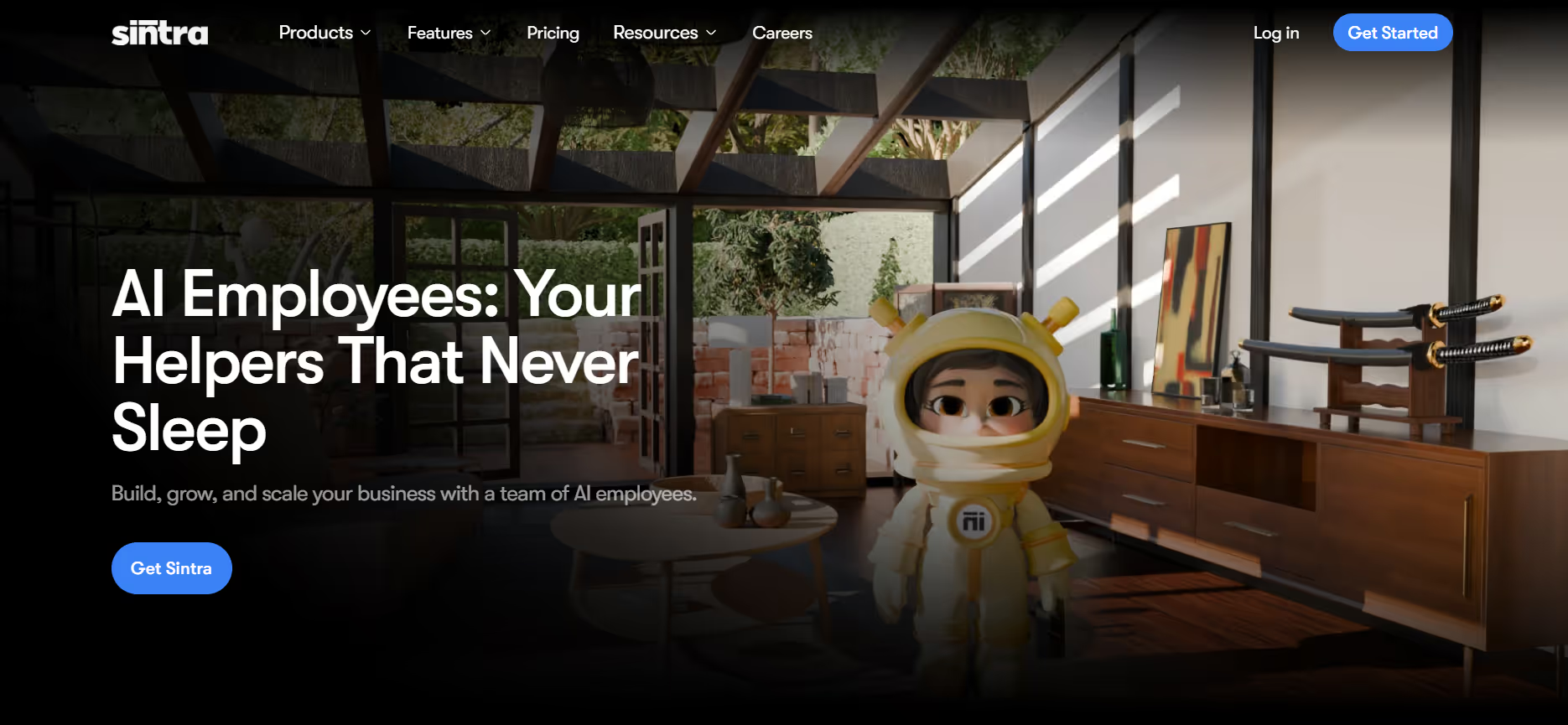
Superhuman improves email efficiency. Sintra AI addresses the work that follows.
The distinction is structural. Superhuman is an optimized inbox interface. Sintra AI operates as an execution layer, built around 12 role-specific AI helpers across functions such as customer support, sales, marketing, SEO, and operations.
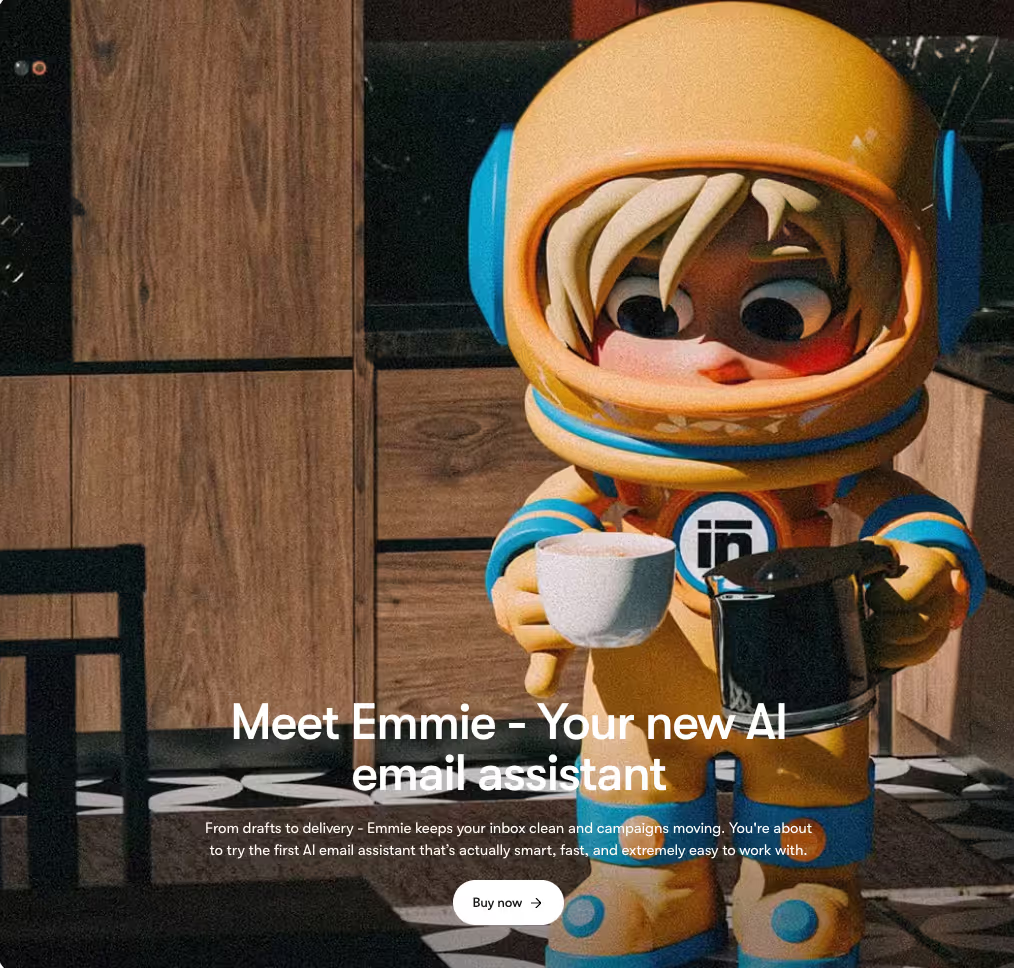
It integrates with tools like Gmail, Outlook, Google Calendar, Drive, and major social platforms, allowing teams to operate within their existing workflow. Helpers like Cassie manage inbound support and automate routine responses, Milli handles outbound sales outreach and follow-up sequences, and Emmie runs email marketing campaigns. These are tasks that sit beyond inbox management and typically require separate tools or manual effort.
At the core is Brain AI, which consolidates emails, documents, and internal content into a shared knowledge base. This enables all helpers to operate with consistent context and improves output quality over time.
Pros
- Executes full workflows beyond email handling
- 12 specialized helpers reduce reliance on multiple tools
- Shared context through Brain AI improves consistency
- Supports 100+ languages for global teams
- Entry pricing starts at $39/month
Cons
- Requires initial setup to configure helpers and context
- Not suited for complex enterprise-grade automation workflows
- No free plan
Pricing
Plans start at $39/month for a single helper and $97/month for full access to all 12 helpers and Brain AI. Compared to Superhuman’s $33–40/month for inbox optimization, Sintra AI introduces a broader operational layer focused on execution rather than email speed alone.
2. Front (Best for Team Inbox Collaboration)

Front brings all customer communication into a single workspace, including email, SMS, live chat, and social media. Instead of managing conversations in silos, teams work from one shared environment with full visibility.
Collaboration happens directly inside the inbox. Internal comments allow teammates to discuss threads without leaving the platform, while @mentions keep communication contextual. Shared drafts enable review and approval before sending, which is essential for support and sales workflows. This level of coordination is not part of Superhuman’s design, which focuses on a single user managing their own inbox.
Front is designed for teams handling shared inboxes at scale, whether that’s five people or hundreds. Superhuman remains more suited to individual users optimizing personal email throughput.
Pros
- Shared inbox with assignment, tagging, and collision detection
- Internal comments and @mentions keep collaboration within the thread
- Automation for routing, escalation, and tagging
- Integrates with tools like Salesforce, Asana, and Slack
- 14-day free trial with no credit card required
Cons
- Interface can become cluttered with multiple shared inboxes
- Lacks the speed-focused shortcuts of Superhuman
- Key features often require higher-tier plans
Pricing
Front offers Starter ($25/user/month), Professional ($65/user/month), and Enterprise ($105/user/month), billed annually. The Starter plan is limited in channels and seats, while advanced features, including AI capabilities, are tied to higher tiers.
3. Missive (Best for Collaborative Email + Chat)
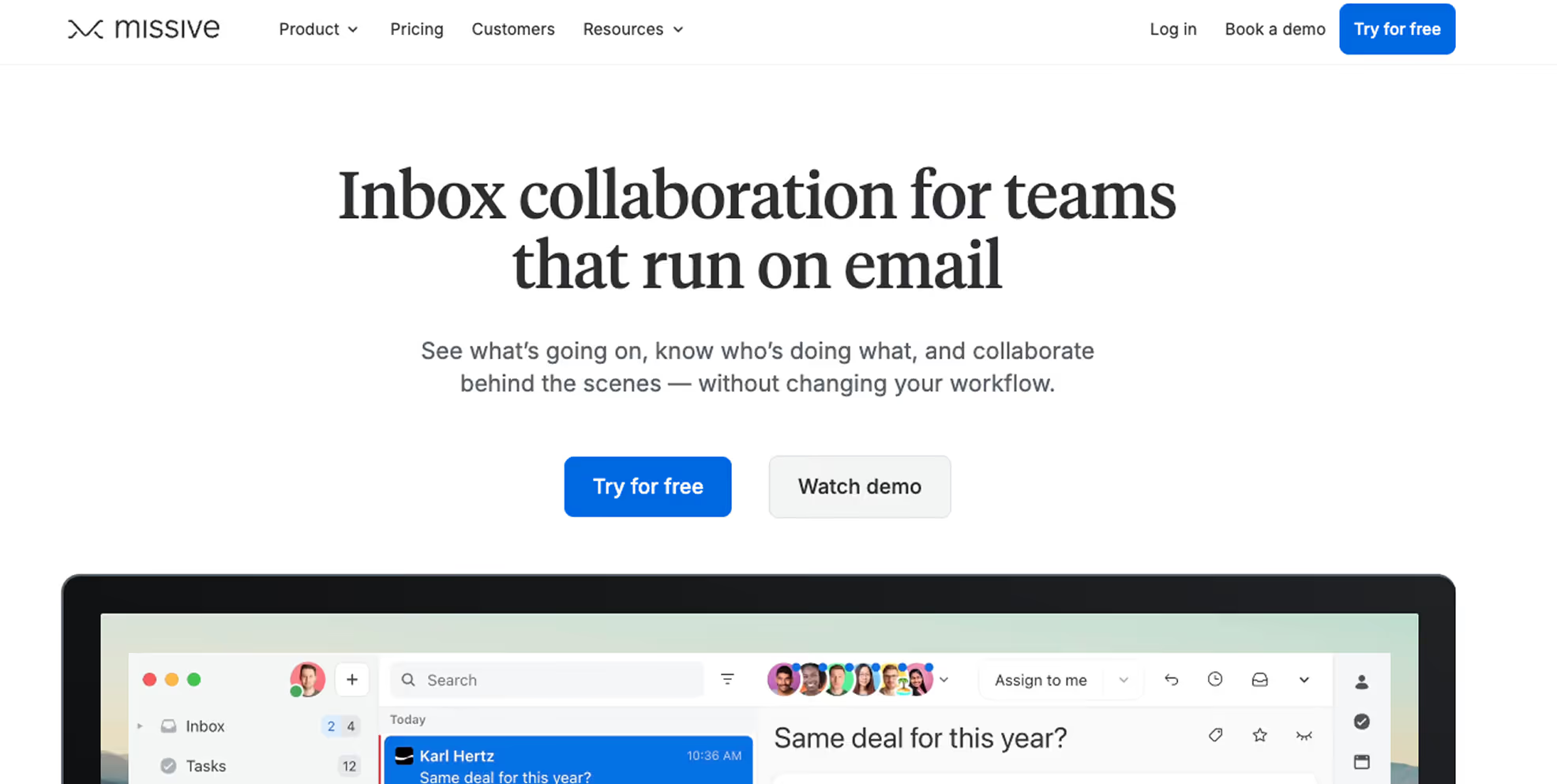
Missive sits between email and team chat by combining both into a single workspace. It is designed for teams that need to discuss, decide, and respond together, rather than individuals focused on inbox speed.
The core strength is internal conversations embedded directly within email threads. Teams can discuss replies, assign ownership, and review drafts without leaving the inbox or switching to a separate chat tool. For workflows centered around email, such as agencies, consulting, and support, this keeps communication and execution in one place.
Missive is built around shared responsibility. While tools like Superhuman optimize individual email handling, Missive focuses on how teams coordinate around conversations.
Pros
- Internal chat embedded inside email threads
- Shared inboxes with assignments and approval workflows
- Works with any email provider, not limited to Gmail or Outlook
- Strong desktop and mobile experience
- Free tier available for small teams
Cons
- Denser interface with a steeper learning curve
- AI features are less advanced compared to newer AI-first tools
- Built for team workflows, not individual inbox optimization
Pricing
Missive offers a free tier, with paid plans starting at $14/user/month (Productive) and $18/user/month (Collaboration). For teams, it often delivers more value per user compared to Superhuman’s $33–40/month individual pricing, especially where shared workflows are essential.
4. Shortwave (Best AI-Powered Gmail Alternative)

Shortwave represents a more AI-native approach to email. Built by former Google engineers, it focuses on using AI to improve how you search, organize, and navigate your inbox, not just how you write emails.
AI is embedded across the experience. Natural language search allows you to query your entire email history, while thread summaries reduce long conversations into key points. Instead of scanning threads manually, you can ask questions like “What did Alex say about the Q3 budget?” and get a direct answer from past emails.
This shifts email from a browsing experience to a query-driven one. While Superhuman’s AI supports drafting and labeling, Shortwave extends into retrieval and context understanding.
Pros
- Natural language search across full email history
- AI summaries for long threads
- Automatic labeling with high accuracy
- More affordable at a similar feature depth
- 14-day free trial on paid plans
Cons
- Limited to Gmail
- Interface may feel unfamiliar to new users
- Lacks deeper team collaboration features
Pricing
Shortwave offers a free tier, with paid plans at $7/month (Personal), $18/month (Pro), and $30/month (Business). At the lower tiers, it provides strong AI capabilities at a significantly lower cost than Superhuman for Gmail-based workflows.
5. Canary Mail (Best for Privacy-Focused Email)
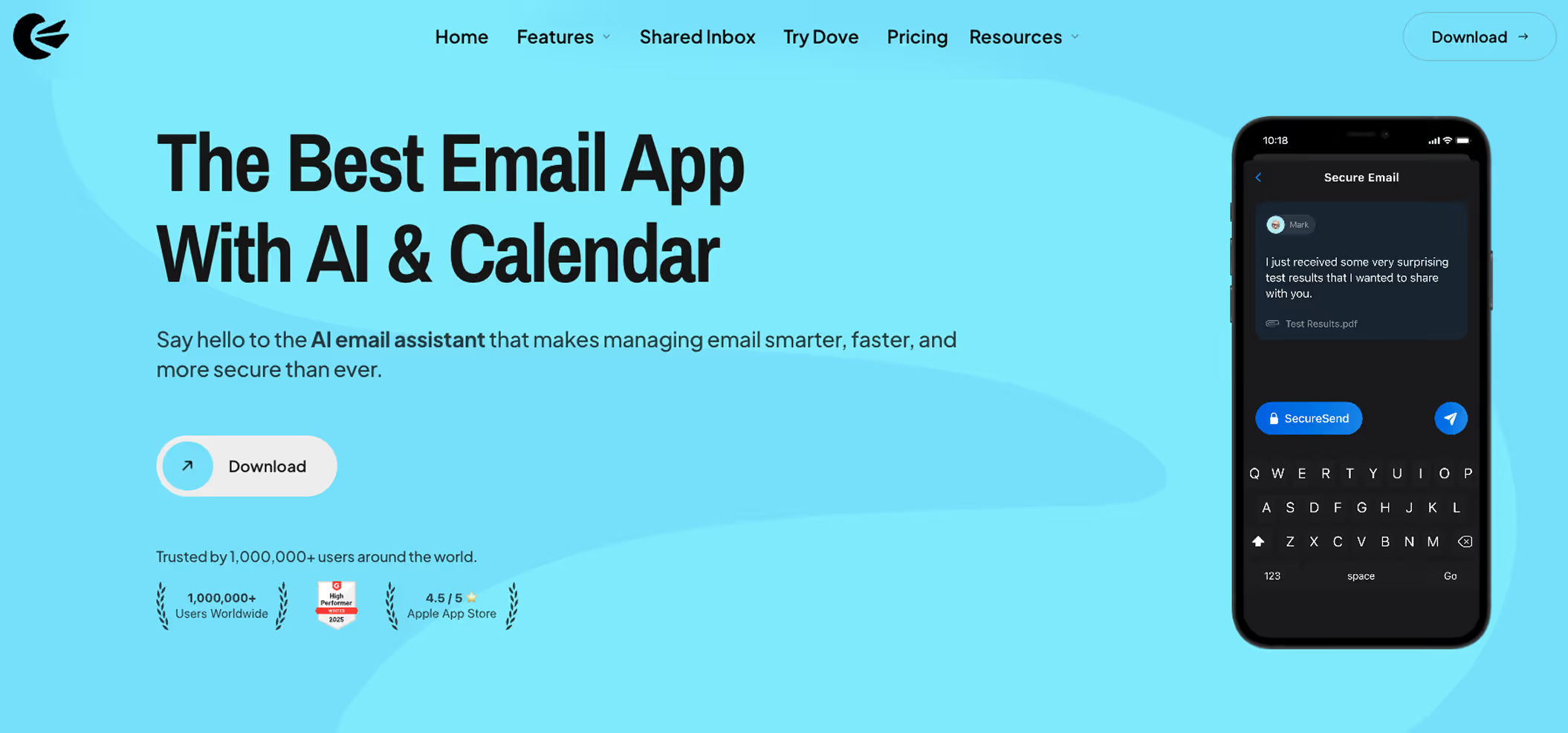
Superhuman focuses on speed. Canary Mail prioritizes security. For users handling sensitive information or working in regulated environments, that distinction becomes critical.
Canary Mail is built around privacy-first email. It supports end-to-end encryption, biometric security, and anti-phishing protections, giving users greater control over their data while maintaining a clean, minimalist interface for daily use.
A key differentiator is how AI is handled. Canary Mail runs AI features like summarization and draft generation locally, so email content does not need to be sent to external servers. For industries such as legal, healthcare, and finance, this aligns better with strict data handling requirements.
Pros
- End-to-end encryption with PGP support
- AI features run on-device, preserving privacy
- Lightweight and efficient across devices
- Available on iOS, macOS, Android, and Windows
- Free plan available for personal use
Cons
- AI capabilities are less advanced than leading AI-first email tools
- Limited collaboration features for teams
- Some features feel less polished compared to more mature platforms
Pricing
Canary Mail offers a free plan, with paid plans starting at $49 per year. Compared to Superhuman’s $33–40/month, it provides a significantly lower-cost option for individuals who prioritize security alongside everyday email productivity.
6. Spark Mail (Best for Smart Inbox Management)

Spark Mail is a practical alternative that balances functionality, usability, and cost. It delivers a well-rounded email experience with useful AI features, strong mobile apps, and a free tier that covers most individual needs.
At $59.99/year, Spark is significantly more affordable than Superhuman, while still offering advanced email management features. The Smart Inbox automatically organizes emails into categories like Personal, Notifications, and Newsletters, reducing inbox clutter without requiring manual setup.
Mobile is where Spark stands out. Its iOS and Android apps are fast, intuitive, and designed for daily use, with gesture controls, widgets, and a smooth overall experience. Collaboration features such as shared drafts, private comments, and email delegation are available on paid plans, making it suitable for small teams as well.
Pros
- Smart Inbox reduces noise through automatic categorization
- Strong mobile experience across iOS and Android
- Works with any IMAP email provider
- Free plan is functional for individual users
- Built-in calendar integration
Cons
- AI features are less advanced than AI-first email tools
- Keyboard shortcuts are less refined for desktop power users
- Shared inbox support is limited to Gmail accounts
Pricing
Spark offers a free plan, with a premium at $4.99/month billed annually. Team plans with collaboration features start around $6.99/user/month. For users moving away from Superhuman due to cost, Spark presents a practical and accessible alternative.
7. Mailbird (Best for Customizable Email Workflows)

Mailbird focuses on customization and integration. It is built for users who want control over how their email client looks, behaves, and connects with other tools.
Unlike more opinionated platforms, Mailbird allows you to shape your workspace around your workflow. It integrates with tools like Slack, WhatsApp, Google Calendar, and Dropbox, turning the inbox into a central hub for communication and productivity, particularly for Windows users.
The tradeoff is clear. Mailbird prioritizes flexibility over speed and advanced AI. It does not offer the same level of AI assistance or keyboard-driven efficiency found in tools like Superhuman.
Pros
- Extensive third-party integrations
- Highly customizable interface and workflow
- Lifetime pricing option reduces long-term cost
- Unified inbox for multiple accounts
- Strong fit for Windows users
Cons
- Limited AI capabilities compared to newer tools
- Interface can become cluttered with multiple integrations
- No built-in collaboration features for teams
Pricing
Mailbird starts at around $2.49/month or a one-time $40 lifetime plan. While it lacks the polish and speed optimization of Superhuman, it offers a significantly lower-cost option for users who value customization and integrations over AI-driven workflows.
8. Help Scout (Best for Customer Support Email)

Help Scout operates in a different category from Superhuman. It is designed for customer support teams, not individual email productivity.
While Superhuman focuses on personal inbox speed, Help Scout is built to manage customer conversations at scale. It provides a shared inbox that feels like traditional email, with features like assignments, internal notes, and collision detection to prevent duplicate replies.
The platform emphasizes simplicity. Teams can collaborate directly within email threads, while built-in tools like a knowledge base and Beacon widget support self-service. AI features assist with summaries, replies, and translations, helping teams handle conversations more efficiently without adding complexity.
Pros
- Shared inbox with minimal learning curve
- Collision detection prevents duplicate responses
- Built-in knowledge base and self-service tools
- Unlimited users on contact-based pricing
- 15-day free trial available
Cons
- Not suitable for personal email productivity
- Lacks advanced keyboard-driven workflows
- AI capabilities are less developed than AI-first platforms
Pricing
Help Scout starts at $25/user/month. While similar in price to Superhuman, it serves a different purpose. It is best suited for teams managing customer support, rather than individuals optimizing their inbox.
9. Zendesk (Best for Enterprise Support Teams)

Zendesk is designed for teams managing large volumes of customer interactions. Instead of relying on email threads, Zendesk uses a ticketing system where each request is tracked, assigned, and prioritized. Its Agent Workspace brings together conversations from email, chat, and other channels into a single interface, along with full customer context.
Automation plays a central role. Zendesk handles ticket routing, intent detection, and common request resolution, while also assisting agents with response drafting. The platform also includes SLA management, multi-brand support, and detailed analytics for tracking team performance.
Zendesk is built for scale. It supports large teams handling thousands of tickets and offers a marketplace of nearly 1,200 integrations across CRM, ecommerce, and other business tools.
Pros
- Designed for high-volume support operations
- Advanced automation, routing, and SLA management
- Large integration ecosystem
- Multi-brand support and enterprise-grade security
- Strong analytics and reporting
Cons
- Requires time and expertise to implement
- Costs increase significantly with scale
- Not suitable for individual email use
Pricing
Plans start at $25 per agent per month, with higher tiers at $69, $149, and $219 per agent per month. Additional features and AI capabilities can increase the total cost further.
10. HubSpot Inbox (Best CRM-Integrated Email)
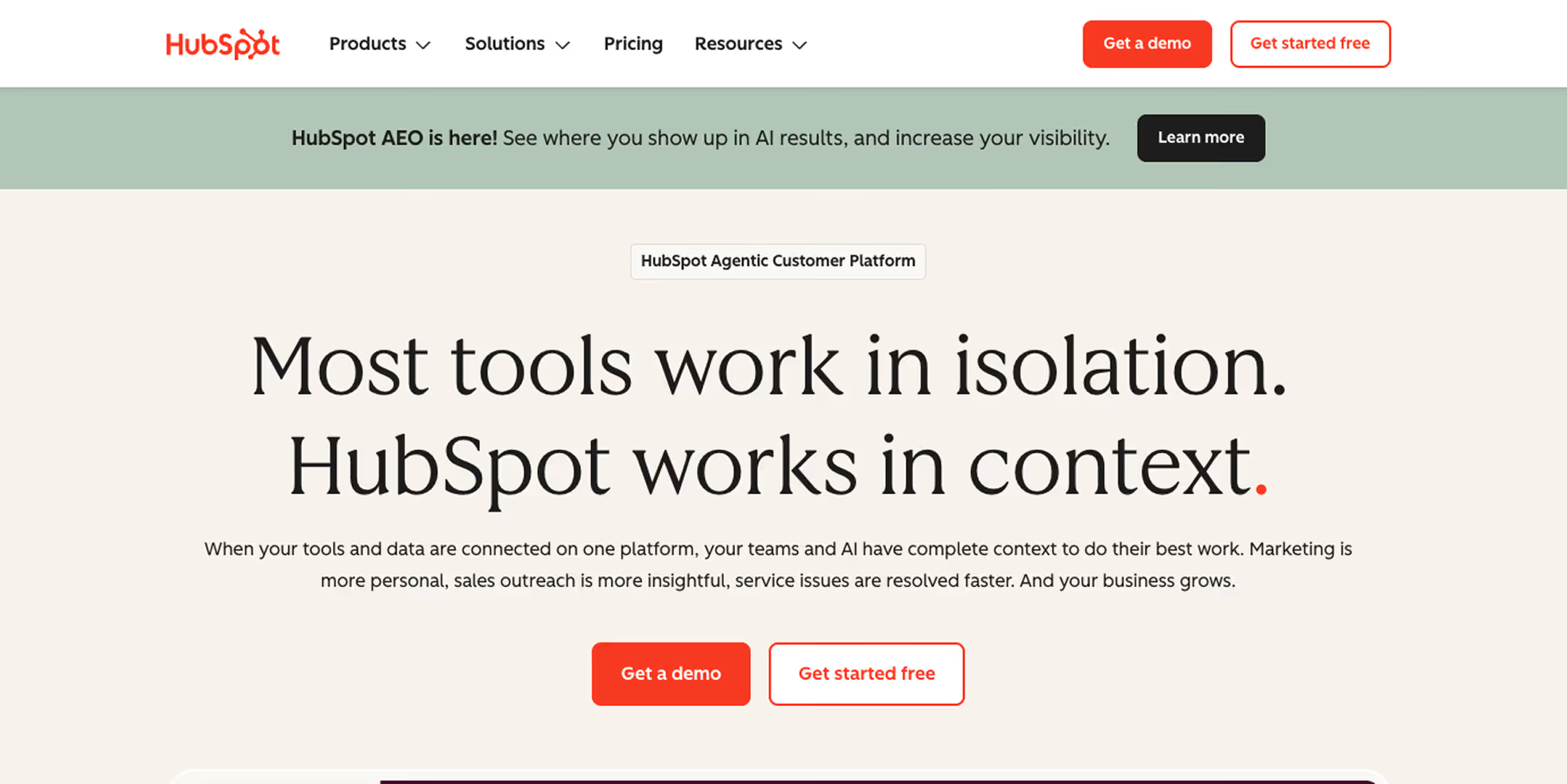
HubSpot’s shared inbox is built around its CRM. Every email is automatically logged, linked to a contact, and visible across sales, support, and marketing teams.
This changes how teams work. Instead of treating email as a separate tool, HubSpot connects conversations directly to deals, tickets, and customer records. The inbox becomes part of a broader system that includes live chat, a knowledge base, AI chatbots, workflows, and reporting.
The advantage is alignment. Sales and support teams operate with the same data, reducing missed follow-ups and improving visibility across the customer lifecycle. For teams already using HubSpot, the inbox fits naturally into existing processes.
Pros
- Native CRM integration with automatic logging of emails and activities
- Shared inbox with assignments and internal notes
- Includes chat, knowledge base, and automation features
- Strong workflows for follow-ups and customer management
- Free tier available for small teams
Cons
- Core features like automation and knowledge base require higher-tier plans
- Heavier interface compared to speed-focused email clients
- Not suitable for users who do not need CRM functionality
Pricing
HubSpot Service Hub starts at $15 per seat per month. Full functionality, including automation and knowledge base tools, begins at $90 per seat per month. It is a strong fit for teams already using HubSpot CRM, but may be unnecessary for those looking only for an email client.
11. Gmail + Gemini (Best Free AI Email Option)
.avif)
If cost is the main reason to move away from Superhuman, Gmail with Gemini is a practical alternative.
It does not offer the same speed-focused interface or keyboard-driven workflow, but it provides solid AI functionality within a tool most users already rely on. Gemini in Gmail supports thread summarization, reply drafting, smart suggestions, and basic categorization. While the experience is less polished than specialized tools, it covers the core use cases without requiring an additional subscription.
The key advantage is accessibility. Gmail is already widely adopted, and Gemini extends its capabilities without adding complexity or requiring new workflows.
Pros
- Free for personal users and included in most Google Workspace plans
- AI features for summarization, drafting, and smart replies
- Consistent experience across web and mobile
- No learning curve for existing Gmail users
- Deep integration with Google tools like Drive, Calendar, Meet, and Docs
Cons
- Lacks advanced keyboard shortcuts and speed optimization
- Interface is more cluttered compared to minimalist clients
- AI capabilities are less refined than dedicated AI-first tools
- No true shared inbox without Workspace upgrades
Pricing
Free for personal use. Google Workspace Business Starter starts at $6 per user per month and includes Gemini integration.
12. Outlook + Copilot (Best for Microsoft Ecosystem)
.avif)
For organizations already using Microsoft 365, Outlook with Copilot is the most practical alternative.
It does not match Superhuman’s speed or interface design, but it offers deeper integration across the Microsoft ecosystem. Outlook connects directly with Teams, SharePoint, OneDrive, and other M365 tools, making email part of a broader workflow rather than a standalone task.
Copilot adds AI capabilities within this environment. It can draft emails, summarize threads, translate messages, and generate meeting summaries using calendar context. More importantly, it can pull information from Teams conversations, SharePoint files, and other Microsoft tools to produce context-aware responses.
Pros
- Deep integration with Teams, SharePoint, and the wider M365 ecosystem
- Copilot uses cross-tool context for more relevant email drafting
- Included in Microsoft 365 plans already used by many organizations
- Enterprise-grade security and compliance controls
- Strong mobile apps on iOS and Android
Cons
- Heavier interface with slower email processing compared to Superhuman
- AI capabilities are less refined than specialized email tools
- Limited keyboard shortcut depth for power users
Pricing
Microsoft 365 Business Basic starts at $6 per user per month, and Business Standard at $12.50 per user per month. For organizations already on Microsoft 365, Outlook with Copilot typically adds no additional cost beyond the existing subscription.
What to Look for in a Superhuman Alternative
The best Superhuman alternatives go beyond processing email faster. They focus on getting work done. Based on our evaluation, a few factors consistently separate useful tools from superficial upgrades.
- Automation depth: The question is not whether a tool can help you write emails, but whether it can act on them. Can it handle routine replies, create CRM entries, schedule follow-ups, or assign tasks without manual input? Superhuman improves response speed. The strongest alternatives reduce the need for manual work altogether.
- Integration breadth: It determines how effective a tool is in real workflows. If it does not connect with your CRM, support platform, or project tools, it adds friction. The most capable options integrate directly into existing systems, allowing work to continue without switching between tools.
- Collaboration design: This is where the gap becomes clear. Superhuman is built for individual use. Teams managing shared inboxes or cross-functional communication require features like assignments, internal comments, and visibility across conversations. Without these, speed improvements do not translate into better outcomes.
- Scalability: This depends on the use case. Some tools are better suited for individuals, others for growing teams, and some for enterprise-level operations. The right choice depends on how your workload and team structure are expected to evolve.
At a broader level, the trade-off is between speed and functionality. Superhuman delivers a fast, polished inbox experience. However, when work involves coordination, automation, and system-level integration, the alternatives provide capabilities that extend beyond inbox optimization.
Why Email Tools Alone Are No Longer Enough
During testing, a clear pattern emerged: tools that made email faster did not make teams more productive. Backlogs remained, follow-ups were missed, and CRM records still required manual updates. Processing email faster and completing the work that the email represents are two fundamentally different problems. Marketing teams are already leaning on AI to close that gap - most have now adopted gen AI for email tasks including copywriting, personalized outreach templates, social posts, and landing pages, with B2C brands using it for hyper-personalized offers and B2B teams using it for outreach at scale.
Email Speed vs. Real Productivity
Superhuman delivers on its core promise of reducing time spent in email, but that efficiency is limited in scope. Every email typically represents a task, a decision, or an obligation, and processing it faster does not resolve the underlying requirement. It simply moves the user to the next message while the actual work remains untouched.
The Hidden Work Behind Every Email
Consider an inbound message from a sales prospect. Superhuman helps you read and reply quickly, but it does not log the contact in your CRM, create a follow-up task, update the deal stage, or notify the account executive. That work still happens manually, and that is where productivity most commonly breaks down. It is also precisely what tools like Sintra AI's Cassie and Milli are designed to handle automatically.
Tool Fragmentation Is Slowing Teams Down
The average knowledge worker uses 9 to 12 SaaS tools daily, with email sitting at the center of most workflows. Acting on any given message typically requires opening at least two or three additional tools, and Superhuman optimizes only one part of that chain without reducing the fragmentation around it. The tools that stand out are those that either integrate deeply across the stack or consolidate multiple functions into a single layer.
Why Inbox Zero Is Not the Same as Work Done
A replied-to email about a client issue is not a resolved client issue, and a read email about a missing invoice is not a paid invoice. The gap between email management and task completion is significant, and most traditional email clients, including Superhuman, leave users on the wrong side of it.
The Rise of AI-Powered Workflow Automation
The defining shift in productivity tooling in 2026 is not AI that helps compose better emails, but AI that handles emails so teams do not need to. Role-based AI workers that operate inside existing tools, follow defined workflows, and take ownership of specific business functions represent a fundamentally different category than email clients, and that distinction matters when evaluating what your team actually needs.
What Modern Teams Actually Need
The gap most teams need to close is between communication and execution, which requires tools that complete the tasks conversations represent, operate across platforms, and scale across team members without requiring workflows to be rebuilt from scratch. That is the problem Sintra AI is best positioned to solve among the tools on this list.
Why Sintra AI Is the Best Superhuman Alternative
After testing all 12 tools, Sintra AI stands out as the strongest Superhuman alternative because it addresses a fundamentally larger problem. Superhuman makes one person faster at managing their inbox. Sintra AI makes an entire business more productive by automating the work that email represents, not just the email itself. Over 6,000 businesses already rely on the platform for their daily operations.
It Handles the Work Behind the Email
Superhuman helps you draft, archive, and process messages faster. Sintra AI's role-based helpers go further by taking ownership of what comes next. Cassie handles inbound customer support emails automatically, drafting responses, organizing the inbox, and escalating where needed. Milli manages sales follow-up sequences. Emmie runs email marketing campaigns. The difference between Superhuman and Sintra AI is not one of degree but of category. Superhuman is a faster way to process email. Sintra AI is a set of capable workers handling the functions behind it.
Role-Based AI Helpers Replace Multiple Tools
Sintra AI includes 12 specialized helpers covering copywriting, SEO, customer support, recruiting, data analysis, and more. Rather than waiting for instructions, the platform's Brain AI anticipates needs and executes repetitive tasks automatically. This consolidation has a practical impact on cost and complexity. Instead of maintaining separate subscriptions for an email tool, a content tool, a support tool, and an SEO tool, Sintra AI covers all of those functions under a single subscription, with each helper trained specifically for its domain.
Built for Teams, Not Just Individual Users
Superhuman scales from one person to a team of individuals, each managing their own inbox independently. Sintra AI scales across the business, with shared workflows, shared context, and shared execution across functions. Teams can collaborate in real time, create up to five business profiles customized to specific goals, and give every team member access to the same business intelligence and operational context.
Automates Workflows Across Existing Tools
Rather than asking teams to change the tools they already use, Sintra AI works inside them. The platform's AI integrations cover Google Calendar, Notion, Facebook, Gmail, and a growing list of other tools, connecting the parts of a workflow that currently require manual handoffs and automating them end-to-end.
How to Choose the Right Superhuman Alternative for Your Needs
The right Superhuman alternative depends on what email actually represents in your workflow, rather than which tool has the longest feature list.
Individual power users who want more AI depth will find Shortwave or Canary Mail to be the most natural transition, depending on whether Gmail compatibility or privacy is the higher priority.
For those switching primarily because of cost, Spark Mail delivers most of Superhuman's value at a fraction of the price. Teams managing shared queues, client communications, or support requests will be better served by Front or Missive, both purpose-built for collaborative inbox management.
Organizations running formal support operations should look at Help Scout for smaller teams or Zendesk at the enterprise level, as both are better categorized as support infrastructure than Superhuman alternatives. Microsoft-first organizations already have a viable option in Outlook with Copilot, which costs nothing additional to deploy within an existing stack.
For teams whose goal is to reduce time spent on email and have the work behind the inbox handled without constant manual effort, Sintra AI is the only tool on this list built specifically for that outcome.
Ready to Automate More Than Just Email?
Every tool on this list improves how email gets managed. Sintra AI addresses what comes after it. Its role-based AI helpers handle the tasks your inbox generates, from support replies and follow-ups to outreach, CRM updates, and content, so your attention stays on the decisions that require human judgment.
For teams that have moved past inbox optimization and need their execution to match their communication volume, get started with Sintra AI and experience a fundamentally different model for how work gets done.
Superhuman Alternatives FAQs
What is the best Superhuman alternative in 2026?
The best Superhuman alternative in 2026 depends on your specific use case. Sintra AI goes furthest for teams that need full workflow automation beyond what Superhuman offers. Front is the strongest choice for collaborative inbox management, while Shortwave serves as the most direct AI-powered Gmail replacement. For budget-conscious individuals, Spark Mail delivers strong value at a fraction of Superhuman's cost.
Are there free Superhuman alternatives available?
Yes. Gmail + Gemini is free for personal use. Spark Mail has a genuinely functional free tier. Canary Mail offers a free forever plan. Missive has a limited free plan. Shortwave also has a free tier. None of these match Superhuman's premium UX, but they cover core AI email functionality without a monthly fee.
Which Superhuman alternative is best for teams?
Front and Missive are the strongest team-focused alternatives. Front is ideal for support, sales, and operations teams managing high-volume shared inboxes. Missive is better for smaller teams that want email and internal chat unified in one interface. Sintra AI is the best choice for teams that want AI to execute work across the entire business, not just manage messages.
Do Superhuman alternatives offer AI features?
All 12 tools on this list include some form of AI, though the depth varies considerably. Shortwave offers the most sophisticated AI for inbox navigation and natural language search, while Sintra AI provides the broadest coverage across business functions. Spark Mail and Canary Mail deliver solid AI writing assistance at lower price points, and both Gmail with Gemini and Outlook with Copilot offer AI capability at no additional cost for users already on those platforms.
What should I look for in a Superhuman competitor?
Prioritize automation that executes tasks rather than just assists with writing, integrations with the tools your team already uses, and collaboration features if multiple people share an inbox. The most common mistake is optimizing for email experience when the real bottleneck is everything that happens after a message gets sent.
Related articles


.avif)




