ChatGPT 5 vs 4o: Features, Performance, and Key Differences

Table of Contents
Quick Answer: What Is the Difference Between ChatGPT 5 and GPT-4o?
ChatGPT 5 vs 4o, both are LLMs developed by OpenAI. However, they are built to serve different needs. GPT 4o is a native multimodal model, optimized for fast and natural interactions. It can handle multi-format inputs, such as audio interactions and image analysis. Whereas GPT-5 is a flagship reasoning model with adjustable thinking efforts, making it versatile for technical work, advanced coding workflows, and everyday queries.
Since the release of GPT-1 in 2018, OpenAI’s LLMs have come a long way. As the GPT-4 series, including the everyday use model GPT-4o, officially retired from the ChatGPT interface, experts are positive about the change.
According to OpenAI, GPT-5 has set new state-of-the-art numbers across benchmarks, performing better in reasoning, coding, and technical workflows.
Does this mean you should completely abandon GPT 4o? Well, no. Both LLMs are powerful and serve different needs. Before switching your entire workflows to GPT-5, it’s important to understand how they differ and whether you need this change.
Here is a complete GPT-5 vs GPT-4o comparison based on performance benchmarks, reasoning, multimodal capabilities, and use cases. So, dive right in and learn more.
GPT-5 and GPT-4o at a Glance
Before we jump directly into the GPT 5 vs GPT 4o debate, it’s important to know what each model has to offer.
GPT 5

GPT-5 is a large language model from OpenAI, available as the latest version of ChatGPT and via API. OpenAI claims that it is the most intelligent model that leverages the reasoning mechanism from previous models, but with adjustable depth. Some of its variants, available in official ChatGPT, include
- GPT 5 Mini - a lightweight version for cost-sensitive tasks.
- GPT 5 Nano - an affordable alternative with low latency and high speed.
- GPT 5 Thinking - an advanced, specialized model for deeper reasoning and multi-step logic.
- GPT 5 Thinking Pro - an advanced version of GPT-5 thinking for more complex problems and business tasks.
GPT-5 is a flagship reasoning model that acts as a unified system, answering most of your complex and casual queries. The model has a built-in real-time router that decides which model variant to use, thinking or main, depending on the conversation type, tool call, intent, and complexity of the prompt. The router is trained on real-world signals.
OpenAI announced that the GPT-5 model outperforms all previous reasoning models on benchmarks, including coding, agentic workflows, multimodalities, and instruction following. Like GPT-4o, this model is also multimodal. However, its multimodal capabilities show significant advancements in video processing, deep chain-of-thought visual reasoning, and a massive context window.
Thanks to its large context window, lower hallucination rate, and real-time routing, GPT-5 performs across domains. Developers and researchers favor it for no-code UI development, debugging entire codebases, and automating multi-step tasks. This model also shines in everyday tasks, such as content production, client communication, and data synthesis.
GPT 4o

GPT 4o is a non-reasoning, multimodal large language model from OpenAI. OpenAI defines this model as a fast, intelligent, and flexible GPT model, with several variants. Some of its variants include
- GPT 4o Mini - lightweight and cost-effective version, optimized for everyday tasks.
- GPT 4o Nano - fastest and cheapest model for real-time classification and high-speed autocomplete.
- GPT 4o Reltime - A specialized API variant, optimized for ultra-low latency.
The “o” in 4o stands for omni, which translates into all-encompassing. Meaning, it’s a native multimodal model that accepts multiple input formats in a single prompt. Unlike other models, it uses one neural base model to interpret all the multimodalities in a prompt. This makes the model great at real-time audio interactions, visual analysis, meeting transcriptions, and so on.
GPT 4o is a non-reasoning model, and relies on generative pre-training for generating answers. Simply put, OpenAI uses billions of data points, including text, images, and audio, to build language intuition and identify patterns. Depending on these capabilities, it interprets your prompts against the training data and produces an answer. This is why it is faster.
Because of its generative pre-training and multimodal capabilities, professionals use it across tasks. This includes visual analysis, code writing, short-form content production, customer support, and data synthesis. However, it struggles to preserve context across lengthy conversations.
Pricing
GPT 5 is available in the official ChatGPT interface and via API alike. However, GPT-4o has officially retired from this interface, meaning you can access it through the API or in Playground. Here is a side-by-side price comparison of both, so you know which one matches your budget.
The GPT-5 model is also accessible via ChatGPT’s free tier, ChatGPT’s Plus plan, which starts at $20 per month, and ChatGPT’s Pro Plan, which starts at $100 per month.
GPT-5 vs GPT-4o: Feature Comparison
ChatGPT 5 vs 4o: which model is better at understanding your instructions, applying logic to problems, giving fast responses, and interpreting multi-format inputs? Here is an in-depth comparison guide for you to decide which AI suits your workflow better.
Reasoning and Problem Solving
GPT-5 is a dedicated reasoning model, optimized for deeper, multi-layered reasoning and adjustable depth. Compared to this, GPT 4o is a non-reasoning model, meaning it relies on its training data to form responses and does not really think.
Let’s understand the science behind their response mechanism in detail.
GPT-5’s reasoning is a continuation of the previous model, but with an automatically adjusted depth. Meaning, it has a native chain-of-thought reasoning. Once you prompt it, the model breaks it down into smaller sections and processes them to form responses. It also asks you follow-up questions to understand your requirements and produce accurate answers.
This dynamic reasoning makes GPT-5 understand nuances, follow instructions, and provide structured answers. It naturally shines across various tasks, including coding, research, data analysis, and planning. For instance, GPT-5, with extended thinking, can now generate an entire marketing proposal or draft legal documents with minimal prompting.
This performance is clearly shown in benchmark results. GPT-5 sets a new state of the art in AIME Math with 94.6% accuracy compared to GPT-o3’s 88.9% accuracy. With the thinking mode, GPT-5 also sets a new SOTA on GPQA with 88.4% accuracy compared to GPT-4o’s 70.1% accuracy.
Unlike older OpenAI reasoning models, GPT-5 also has adjustable reasoning depth. It acts as a unified system that automatically changes its response time and thinking efforts to answer your complex and routine queries. Let’s say you enter a prompt. The GPT-5 model has a real-time router that interprets the prompt difficulty, its intent, and conversational style. Depending on this, the router decides whether to use the quick or the thinking mode.
OpenAI has also included this fine-tuning reasoning depth in the API. Here is a quick breakdown of these reasoning efforts.
In comparison, GPT 4o creates surface-level answers for routine queries. The reason behind this is that this model relies on generative pre-training. Meaning, it acts as a general-purpose AI assistant, which is trained to build language intuition and pattern recognition.
When you ask GPT 4o a question, instead of thinking, the model interprets the intent of the prompt and matches it against the training data to form a response. This is why it is faster and excels at everyday problems.
Speed and Responsiveness
Many think that GPT 4o has a clear edge over GPT 5 when it comes to speed. But it's a half-truth. Yes, GPT 4o definitely has a faster response time, much of which is accredited to its pre-training and non-reasoning. However, GPT 5 also has adjustable depth. This means that, for everyday queries, the model offers almost-instant, shallow effort replies like GPT 4o.
Let’s get into it for a better understanding.
When you use the default GPT-5 or its extended reasoning mode, it feels slower. But OpenAI has done it intentionally to support multi-layered, complex conversations. With the thinking mode, the model pauses to process your prompt and search relevant and reliable sources to solve a complex problem. The result: lower hallucination rate and in-depth topic coverage.
But don’t forget. It also has a GPT-5 nano and turbo version to carry out routine queries. These variants use minimal or mid-level effort to answer more quickly and efficiently. You can use them to produce bulk content, do quick edits, respond to emails, and change the tone of existing content.
It’s important to note that this speed comes at the expense of detail. When compared against GPT 4o that produces 17 output tokens, GPT 5 nano produces 90 output tokens.
However, the fastest among the two is GPT 4o. OpenAI claims that GPT 4o takes 0.32 seconds to answer your text prompts and 232 milliseconds to respond to audio queries. That’s because, unlike previous models, it uses one base model to interpret separate input formats.
Imagine you upload a graph and use the voice mode to ask GPT 4o to identify the rising pattern from the graph. This model would use three steps to answer the question: a speed-to-text engine first translates your query into text, then the AI processes it and forms an answer, and then it converts the answer into audio accordingly. All within seconds.
Because of its linguistic excellence, GPT 4o feels conversational, warm, and structured. Hence, the answers are to-the-point and concise, which means the AI can struggle with complex prompts and multi-step queries.
Multimodal Capabilities
Both ChatGPT versions, GPT 4o and GPT 5, are native multimodal models. They accept audio, video, images, and text as input. Meaning, they are better equipped than previous models in handling real-world tasks, such as analyzing graphs, interpreting images, or understanding human sentiments. GPT-5 goes a step further and allows real-time screen sharing.
While both have multimodal capabilities, their approach to solving multi-format inputs is different. Let’s understand how each works with such prompts.
The “o” in GPT 4o stands for omni, which literally translates into “universal or all” and reflects its ability to process inputs having multiple elements (images, audio, text, and so on). What’s special is that this model is capable of processing all modalities via a single base model in a single prompt.
As everything is processed through one neural network, it becomes a better choice for real-time audio interactions, native video streaming, or data synthesis. Executives also use it as a conversational assistant for translating meeting notes, transcribing interviews, or interpreting documents like marketing reports, survey responses, handwritten notes, and graphs.
Moreover, GPT 4o still remains the best in class for voice-first experience. It offers a real-time audio experience and picks up on voice cues such as emotional tone, sentiments, and nuances. GPT 4o is also the only model to support live audio, which works great for storytelling and hands-free usage.
In comparison, GPT 5 is more advanced in its multimodal approach. It is especially optimized for computer vision, which includes interpreting complex images, including entire codebase repositories, data-heavy charts, and research-centered diagrams. It cannot only interpret your images but also derive meaningful inputs from them, similar to how document synthesis works.
What’s better about GPT 5 is its live screen and camera-sharing feature. Through this, you can upload a video or an image and share your camera for the AI to solve a problem. Hence, the model performs exceptionally well in interactions involving videos and images, such as repairing your fixtures, planning presentations, or getting design suggestions.
The GPT-5’s multimodal edge over 4o is also evident in benchmark performance. For instance, in the MMMU benchmark, GPT-5 scored 84.2% accuracy compared to 72.2% of GPT-4o. Beyond this, the model has improved faculties across multimodal evaluations, including spanning visuals, video-based, and scientific reasoning.
Here is a quick rundown of its performance across benchmarks.
Coding and Technical Tasks
GPT 5 vs GPT 4o: which AI is better at coding workflows? The answer: GPT 5. It is capable of a higher context window and multi-step reasoning, which contributes significantly to the developer’s experience. You can employ this newer ChatGPT model to write code, design front-end UI, explain large-scale repositories, and execute a chain of tools.
OpenAI, in its developer documentation, claims that GPT-5 shows significant improvements in the following.
- Complex front-end web design with better visual appeal.
- Debugging large-scale code repositories.
- Generating responsive apps through single and shorter prompts.
- Having aesthetic sensibility and understanding design elements like spacing, white spaces, UI components, and typography.
GPT 5 shows significant state-of-the-art performance gains across benchmarks against other reasoning models. It scored 74.9% accuracy in SWE-bench, verified against 30.8% of GPT 4o. Similarly, in Aider Polyglot multi-language code editing, GPT 5 achieved 88% accuracy compared to GPT 4o and GPT o3 with scores 25.8% and 79.6% respectively.
Moreover, the GPT-5 model also has the ability to follow your instructions in longer and more complex multi-step prompts. And, this shows in benchmark results.
Developers can also deploy GPT 5 APIs to adapt to your team’s instructions. They can include upfront explanations and detailed instructions for tool use automations. OpenAI has launched three different variants: GPT 5, GPT 5 Mini, and GPT 5 Nano APIs for business use. With these APIs, businesses can fine-tune response time, answer length, and cost accordingly.
In comparison, GPT 4o is a non-reasoning model, which means it does not have the ability to process entire codebases or debug larger repositories. That said, most developers and non-tech users treat it as a fast AI coding assistant.
GPT is great for quick and conversational, one-off coding tasks, such as making edits, interpreting UI mockups, explaining code snippets, rapid prototyping, and translating code across supported languages. Because it leans toward speed, you will frequently find it making logical errors.
Accuracy and Reliability
ChatGPT 5 features, especially its massive context window, prompt length, and adaptable speed, make it reliable for a variety of tasks against previous models, including 4o. OpenAI has optimized this model for better memory-driven assistance in the form of cross-session memory and long-conversation consistency.
GPT 5 has a context window of up to 1M tokens, compared to GPT-4o’s 128K-token window. This means you can upload extensive documents, research sources, entire codebases, and carry on lengthy conversations without the model hallucinating. It remembers your preferences and the intent of the chat to provide relevant and consistent answers.
Beyond this, the model also has a lower hallucination rate, thanks to its real-time web access, better training, and reasoning capacity. According to the GPT-5 system card, compared to GPT 4o that has 12.9% hallucination rate, GPT-5 decreased to 9.6%. The GPT-5 thinking mode has even a smaller number: 4.5%. Even when compared to GPT 4o, the GPT-5 model made 44% fewer responses containing at least one major accuracy issue.
However, be mindful that GPT-5’s hallucinations largely depend on the context. For instance, when evaluated without the real-time web access, the model’s hallucinations can go up to 47%. This means, whatever model you use, it’s ideal to have human oversight for fact-checking.
Is ChatGPT 4 Better Than GPT-5 for Any Use Cases?
Is ChatGPT 4 better than GPT-5 in most use cases? Not necessarily. Both models deliver for different workflows. While one stands for speed, the other prefers deeper reasoning. If you are confused about which one to choose for your requirements, check out these common use cases and then decide.
When GPT-4o May Be the Better Choice?
GPT 4o is a better choice if your routine workflow involves the following.
- Multimodalities are directly embedded in the workflow, such as real-time audio interactions, visual data analytics, quick edits, and so on.
- Allocated budget for the AI implementation. GPT 4o is cheaper than its competitor models, including GPT 4.5 and 5, which makes it perfectly suited for high-volume operations.
- Consistent and structured outputs are a requirement for clarity. This includes client communication, email responses, and short-form content production.
- API-focused, high-volume, speed-crucial workflows to streamline your everyday business tasks, including administrative, technical, and creative.
- Ideation and brainstorming. The massive multimodal pre-training helps marketers explore new ideas for their campaigns.
Example Use Cases
High-volume tasks - supporting customers via fast replies, summarizing email threads, taking meeting notes, and extracting key information from images.
Short-form content generation - ad copies, YouTube ad scripts, outreach messages, social media captions, and technical documentation.
Real-time multimodal interactions - interpreting data-heavy images and diagrams, translating audio meeting notes, learning foreign languages, and conducting interviews.
Ideation - exploring fresh ideas, filtering existing ones, suggesting content formats and channels, building risk lists, and recommending messaging frameworks.
When GPT-5 Is the Clear Winner?
ChatGPT 5 features are a perfect match for tasks requiring the following.
- Deeper, multi-step reasoning for complex and technical problems, such as strategic planning, complex data synthesis, and summarization.
- Factual accuracy and reliability over raw speed. GPT-5 has a lower hallucination rate and better output quality, which makes it perfect for high-stakes situations, such as legal workflows, client communication, and so on.
- Multi-step agentic workflows for tool integration, such as Copilot-style work that involves planning, calling multiple tools, and executing the next action. This model can also perform one-off tasks independently.
- Nuanced intent understanding for multi-step and complex workflows, such as audience reachout, research, content production, and more.
- Structured follow-ups for predictable operations, including email responses, formal communication, etc.
Example Use Cases
Here are a few common use cases where GPT-5 excels.
Content creation - interactive dashboards, market analysis, competitor analysis, long-form scripts, blog posts, and campaign proposals.
Developers and coding workflows - multi-file refactoring, database schema modifications, writing API routes, UI design, and automated test coverage.
Research analysts - financial document analysis, legal framework synthesis, and academic literature review.
Automating routine multi-step workflows - technical troubleshooting assistant, onboarding support, data analysis, and feedback synthesis
The Limitations of ChatGPT for Business Operations
Most companies are using ChatGPT versions in their team workflows with a fragmented approach. They have written some base prompts, tested a few versions like GPT-5 and GPT-4o, and automated one or two parts of the processes. That’s not the right approach.
Implementing ChatGPT here and there doesn't form a proactive support. The entire point of using AI for business operations is that the layers support each other. The context informs choices, the data helps with strategy, intelligence promotes clarity, and automation frees up time.
Lacks Your Company’s Context
Does ChatGPT not know how your company runs? What are its values? How does everyone communicate toward one objective? Yes, it does support customer instructions in Memory and Project. But the configurations rest with you. You decide which projects to enter, details about the roles and responsibilities, what the way forward is, and so on.
Manually entering details means you will skip details. Imagine your client wants to know the progress on Project B. You task ChatGPT to draft an email. What it can do is log into your previous conversations and integrate custom instructions to deliver the message. In doing so, it’s missing out on a lot of things: tasks accomplished, milestones achieved, timeline adjustments, and what style of communication the client appreciates.
Without the context of your company, every conversation will be one-off, starting from scratch. You will have to explain the tasks, projects, client guidelines, and so on, every time. The result: instead of evolving with your work, the AI remains in the prompting loops.
Imagine an AI system that already knows who you are, what your company does, and what your roles and responsibilities are, and so on. It will be more useful in producing tailored responses.
No Custom Integrations
Over the years, ChatGPT has come a long way with integrations. Today, it has over 500 connectors, agentic capabilities, custom GPTs, and a code interpreter that works towards your business. However, they are not truly custom or tailored for your workflows.
Imagine ChatGPT connecting to Slack, you prompting it to execute a task, and the process goes on. The chat interface remains a constant. In comparison, an AI automation solution will access your data and send up an email response in your tone with the right documents - all with no lengthy prompts or explanations.
The ChatGPT connectors are generic. They simply connect to an app, with no knowledge about your workflows, email templates, customers, target audience, and approval processes. You can save time with these connectors, too, but the difference between “ChatGPT supports a Slack integration” and “the system can execute the entire task” is stark.
Cannot Process Your Business Data
ChatGPT runs on a randomly automated memory. It picks on things randomly to store in its repository for future reference. It may remember your style preferences, job title, and communication style. But you will have to feed the business or project data every time you want ChatGPT to execute a task or give assistance.
Businesses must understand that there is an obvious difference between personal memory and structured company knowledge. Once you chat with ChatGPT and ask it to remember a few things from the conversation, it just stores them as free text, without a proper structure.
In comparison, a dedicated AI system saves details as entities, such as customer details, objectives, guidelines, project history, communication records, and so on. So, when you start a project and prompt AI to do something, it goes to the relevant entity, pulls context, and executes tasks.
Context is not just that. Another layer for building an AI setup is data.
ChatGPT lacks this as well. It cannot store entire documents in the form of customer feedback, analytics, sales results, marketing numbers, and project reports. This is where an all-rounder AI system brings practical value for businesses. Once your data is connected to AI, it does not just help with ideas, but makes work proactive and decisions count.
Cannot Execute Entire Task Sequences
Another thing ChatGPT is incapable of doing is executing entire task sequences independently. The modern versions, particularly GPT 5, have agentic capabilities. Meaning, they can connect to work, make tool calls, and take action.
However, users complain that the automation struggles because LLMs are essentially logic tools and not end-to-end execution platforms. You can ask them to draft emails, brainstorm ideas, produce content, and analyze data. But, when it comes to rules-based if-then automation scenarios, ChatGPT cannot run autonomous computer algorithms and is prone to logical errors.
The Best Alternative for Businesses That Need More Than a Chatbot

Ready to upgrade from constant context switches and never-ending prompt explanations? Try Sintra AI. It is an advanced business solution that bridges the gap between AI outputs and task execution. Let’s find out more about it.
Specialized AI Employees Instead of One General Assistant
Using a single general AI chatbot is okay for occasional tasks. You can ask it to respond to a customer or draft a campaign proposal. However, it breaks down your work processes and produces inconsistent outputs.
The issue is not with capability, but rather with the context. Having no knowledge of your work, objectives, projects, or audience means you have to re-explain everything from scratch. Once a conversation ends, the other starts fresh with a blank chat interface.
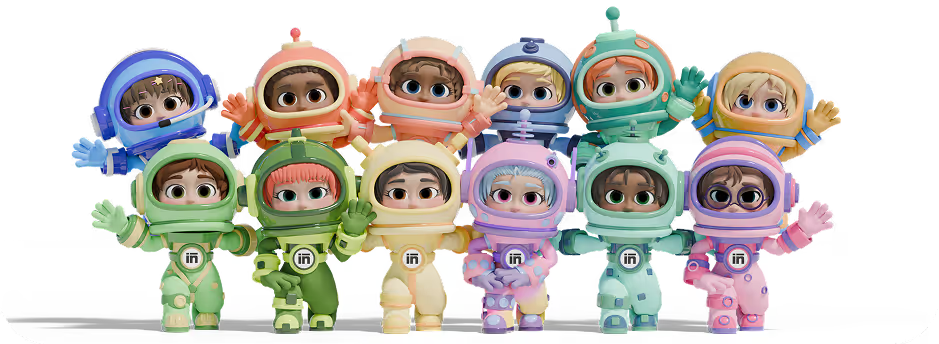
Sintra AI works differently. It is an advanced execution platform for businesses with twelve specialized role-based AI helpers, each with its own expertise. Some of the employees in this AI team are:
Imagine a startup that is planning a product launch. With a standalone ChatGPT version like GPT-5, you have to prompt the AI for every single task: brainstorming ideas, drafting an outline, or writing a rough draft. Now, let’s say for an announcement post or email campaign, you will have to do all these steps repeatedly. And, every time, you start from scratch.
With Sintra AI, the same launch looks something like this.
- Buddy helps you brainstorm ideas and build a campaign plan.
- Penn produces content, including landing page copy, ad copy, social media captions, and so on, as Buddy suggested.
- Soshie then creates visuals for the written content. It also schedules the content or publishes it directly across your social media platforms.
- In parallel, Emmie drafts outreach and promotional email sequences.
- Cassie remains present across your social media to answer customer queries regarding the product.
Each specialist is communicating with the other and executing the task in parallel with minimal human intervention. What you gain is not just speed but also quality and consistency. The specialization translates into value for your business at scale.
How Brain AI Creates Consistency Across Teams?
Another major problem with standalone ChatGPT 5 is the lack of persistent business memory. Once the team members find themselves re-explaining the prompt and uploading the documents again and again, they become frustrated. Plus, there is no guarantee that the output will be consistent across departments.
Brain AI solves this problem. It is a digital, centralized knowledge space. You feed it all your business information, from the project documents to brand tone guidelines, client preferences, URLs, mission statements, objectives, feedback surveys, and more. What’s better is that Brain AI supports multiple formats, including PDF, URLs, CSVs, and more.
Once Brain AI is active, it enables context-aware and tailored outputs from all the helpers in your AI team. How does it look in practice?
- Soshie pulls your product information and brand voice guidelines to write a blog post.
- Penn has all the audience details and product benefits to craft a compelling copy.
- Cassie has data on all your sales protocols, including the return policy, payments, and order deliveries to support customer queries.
The good thing is that you don’t have to update the helpers every time. Rather, set the Brain AI once and let the helpers handle the rest.
Moreover, with the same knowledge, the responses are consistent, coherent, and factually correct. So, regardless of whether a small team or an entire startup is using these AI helpers, the answers reflect the same brand identity.
Simultaneously, Brain AI can support over five workspaces, each supporting a different business. This is the reason marketing agencies, multi-brand businesses, and executives managing multiple teams prefer using this setup without context switches.
Connecting Business Workflows Through Integrations
Standalone AI models, whether the latest version of ChatGPT or a multimodal 4o, are a closed system with limited integration capabilities. They can help you brainstorm ideas and produce content. But until you take a manual action and copy-paste the output into a dedicated app, nothing happens. The result: instead of saving time, it adds friction in routine workflows.
SIntra AI solves this via AI integrations. With these integrations, you can connect the AI system into the existing stack of tools, including Gmail, Outlook, LinkedIn, Facebook, Instagram, Notion, and more. Each tool connects to your Brain AI, from where your AI helpers pull the context and execute tasks. Emmie accesses Gmail data to draft emails and send them directly.
While you are chatting with the helpers, the agent connects to the tool and takes the next action. For instance, instead of you updating the content calendar manually every week, Soshie checks the drafts and adds entries to the calendar automatically.
This shift from AI assistance to AI-focused execution helps businesses with great value. The data flows naturally through workflows; there are no context switches, communication becomes frictionless, and decisions become informed.
ChatGPT 5 vs GPT-4o vs Sintra AI
Before we jump into the ChatGPT 5 vs 4o vs Sintra AI comparison, it’s important to understand their design philosophies and purpose.
For starters, GPT-5 and 4o are OpenAI’s large language models for individual and business assistants. GPT 4o is a non-reasoning, highly capable multimodal model for quick and real-time interactions. Whereas GPT-5, the latest version of ChatGPT, has deeper reasoning that works great for logical and technical tasks, such as data analysis and advanced coding.
In comparison, Sintra AI has an entirely different design. Instead of one-off task assistance in a chatbot, it has an AI team with twelve helpers, each of which handles a domain of your business. One will handle customer support, the other email assistant, another marketing, and so on. All these helpers share the same context, thanks to its centralized knowledge space.
Here is a side-by-side, quick comparison of the three AIs, so you can decide what to implement in your workflows.
Ready to Build an AI Team Instead of Using a Single AI Model?
There you have it - all about ChatGPT 5 vs 4o. Both OpenAI LLMs are a great way to start with AI. While GPT-5 helps you with complex and deeper problems, GPT 4o’s native multimodalities facilitate real-time interactions. However, with ChatGPT, you have to deal with constant manual prompting and context switches. This becomes even more obvious when you work in teams.
If you have already reached this stage, it’s your call to upgrade to an AI execution tool like Sintra AI. It is a business-focused automation tool with specialized helpers that act like your employees and get work done. Find out more about it and get started with Sintra AI. See how that works for you.
ChatGPT 5 vs 4o FAQs
What is the difference between ChatGPT 5 and GPT-4o?
Both GPT 5 and 4o are large language models from OpenAI, but they serve different needs. GPT 5 is a flagship reasoning model for complex data analysis, advanced coding workflows, and complex instruction following. In comparison, GPT 4o is a non-reasoning, native multimodal model, optimized for quick everyday queries.
What are the biggest improvements in GPT-5 compared to GPT-4?
The most obvious improvement in GPT 5 over GPT 4 was native reasoning modes and agentic planning. GPT-5 uses previous reasoning logic but with adjustable depth. The model has an automatic router that optimizes effort, low, medium, or high, to entertain different prompts. Moreover, compared to GPT 4, GPT 5 has a lower hallucination rate.
Is GPT-4o still worth using after GPT-5?
Yes, GPT 4o is still worth using if your workflows require multimodal interactions, quick responses, and a natural conversational tone. Compared to GPT-5, it feels warm and fast. This is the reason GPT 4o excels at everyday tasks, including data summaries, audio interactions, short-form content production, and so on.
Which ChatGPT version is best for business use?
The right ChatGPT version for you depends on your unique requirements, such as the company’s size, workflows, security needs, and use cases. For instance, ChatGPT business and enterprise tiers are designed for small to medium-sized teams that need collaborative and integrative features. While the team tier works better for solopreneurs just starting with AI.
What is better than ChatGPT for managing business workflows?
If you want to upgrade from ChatGPT’s manual prompting and limited integrations, here are multiple options to go for. For instance, automation tools like Zapier and Sintra AI are great to integrate with your tech stack and automate workflows. Moreover, enterprise assistants like Copilot and Gemini are embedded in your workspace and offer an in-depth assistant.
Related articles