Grok vs ChatGPT vs Gemini: AI Models Compared in 2026

Table of Contents

Quick Answer: Grok vs ChatGPT vs Gemini
Grok vs ChatGPT vs Gemini comes down to fit. ChatGPT wins for writing, coding, and structured reasoning. Gemini wins for research, long-context work, and Google Workspace. Grok wins for real-time social data and live trend tracking. If you need AI that doesn’t just answer but acts, Sintra AI bridges that gap.
You’re already paying for one of these tools, or you’re about to. This Grok vs ChatGPT vs Gemini comparison skips the hype: the real question isn’t "which AI is smarter," it’s which one will actually do the work for you, in your specific workflow, without burning your budget.
The Grok vs ChatGPT vs Gemini debate in 2026 is no longer a curiosity; it's a commercial decision. Whether you're a marketing agency owner trying to justify $100/month on GPT-5.5 Pro, a founder who needs an AI that acts like an employee, or a researcher drowning in 50 PDFs, we have tested these tools unbiased.
We compare all three by features, pricing, real performance, and use cases. And we'll show you why AI teams are better than these AI tools: they not only generate but also execute.
Here is a comparison of ChatGPT vs Gemini vs Grok:
| Category | ChatGPT | Gemini | Grok |
|---|---|---|---|
| Flagship Model | GPT-5.5 Pro / o1 Pro | Gemini 3.1 Pro | Grok 4.20 |
| Efficient Model | GPT-5.5 Mini | Gemini 3.1 Flash-Lite | Grok 4.1 Fast |
| Context Window | 1M tokens (Pro) | 2.1M tokens | 2M tokens |
| Starting Free Tier | GPT-5.3, limited | Gemini 3.1 Flash-Lite | Needs X Premium ($8/mo) |
| Best Paid Entry | $20/mo (Plus) | $19.99/mo (Advanced) | $40/mo (Premium+) |
| Best For | Writing, coding, agents | Research, productivity, Google | Trends, social sentiment, live news |
| Standout 2026 Feature | Computer Use (screen control) | 2.1M context + Animated SVG | Multi-Agent Debate (4 agents) |
| Coding Benchmark | ✅ Winner | ✅ Strong | ❌ Not primary |
| Reasoning Benchmark | ✅ Very strong | ✅ Winner (77.1% ARC-AGI-2) | ✅ Good |
| Real-Time Data | ✅ Paid plans | ✅ Google Search | ✅ Native X stream |
Understanding the AI Chatbot Landscape in 2026
Three years ago, the biggest AI flex was getting a chatbot to write a passable email. Today, these tools can control your screen, read your entire document library, and debate themselves internally to reduce wrong answers.
AI assistants are increasingly being integrated into existing tools and platforms, enhancing productivity by streamlining workflows and reducing manual effort. That's not marketing language anymore; it's table stakes.
In 2026, the Grok vs ChatGPT vs Gemini conversation has shifted from "let me try this" to "I need to justify this spend." The four types of users driving this comparison right now:
- Agency owners asking: "Can this handle agentic SEO at volume?"
- Founders asking: "Can this replace a hire I can't afford?"
- Researchers and analysts ask: "Can Gemini really handle 50 PDFs at once?"
- Social and PR teams asking: "Is Grok's live X data worth $40/month over ChatGPT?"
The competition between OpenAI, Google, and xAI has pushed every platform to ship faster, go deeper, and get more specific. That's good for you, but it also means the wrong choice is more costly than ever. The main grok vs gemini vs chatgpt differences come down to their strengths: ChatGPT for content and coding, Gemini for Google-suite productivity, and Grok for real-time data.
ChatGPT Overview: Features, Models, and Strengths
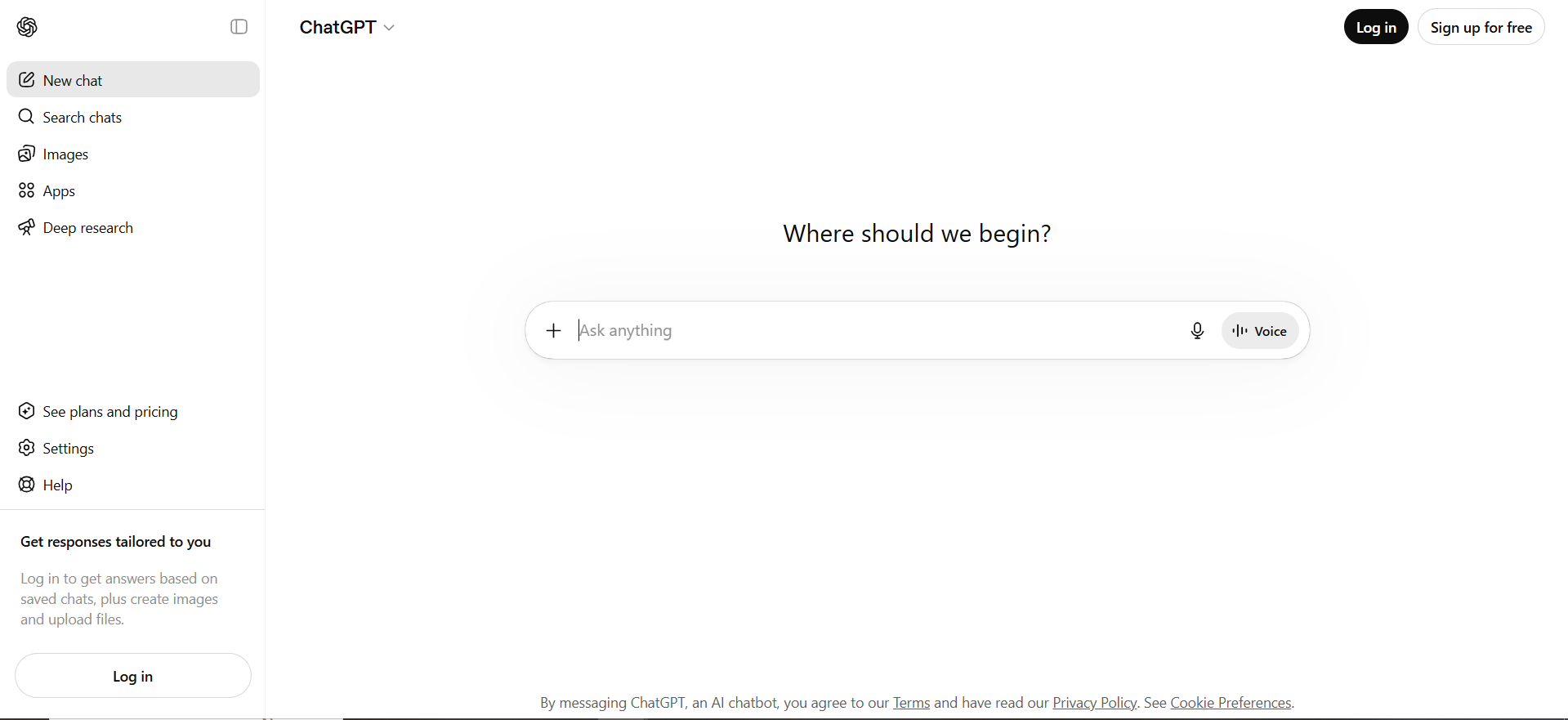
ChatGPT didn't start the AI race; it is the race. Everything else is measured against it. And in 2026, it has evolved from a chatbot into something that looks a lot more like AI employees you can actually direct.
ChatGPT is often regarded as the most well-rounded AI assistant, excelling in clarity, structured output, and step-by-step reasoning, making it a top choice for writing, learning, or debugging code.
The 2026 model lineup:
- GPT-5.5 Pro: The heavy-duty reasoner. Best for complex writing, deep analysis, and multi-step tasks.
- o1 Pro: "Infinite Reasoning" mode, exclusive to the $200/mo plan. 1M token context window. Built for the most demanding technical work.
- GPT-5.5 Mini: Fast, affordable, capable. Great for high-volume repetitive tasks.
The 2026 headline feature is Computer Use. GPT-5.5 can view your screen and take physical actions inside other software; clicking buttons, typing into fields, and dragging files. This is the feature that agency owners and founders have been waiting for.
OpenAI CEO Sam Altman observed:
"People are starting to use ChatGPT as this operating system with everything, with their whole lives in it. And integrating into as many data sources as possible is important."
(Source: Yahoo Finance / Y Combinator event, June 2025)
Other key 2026 capabilities:
- Deep Research: Multi-step web research with source synthesis (available on Plus and above, 10 runs/month)
- Sora Video: Video generation from prompts (Plus+)
- Codex Agent: Autonomous code execution, including multi-file repository tasks
- Multimodal input: Images, audio, documents, and screen capture
For the agency owner trying to run an agentic SEO workflow, ChatGPT's Computer Use paired with Codex Agent is the closest any tool has come to "set it and check it tomorrow."
ChatGPT Free vs Pro Comparison
| Plan | Price | Model | What You Actually Get |
|---|---|---|---|
| Free | $0 | GPT-5.3 (limited) | Basic chat, no reasoning mode, sidebar ads (US/EU) |
| Go | $8/mo | GPT-5.3 | Higher limits, still no Thinking mode |
| Plus | $20/mo | GPT-5.5 | Deep Research (10x/mo), Sora Video; the sweet spot |
| Pro (Standard) | $100/mo | GPT-5.5 Pro | 5x usage vs Plus, Codex Agent for automation |
| Pro (Power) | $200/mo | o1 Pro | 20x usage, Infinite Reasoning, 1M context |
Free plan reality check: The sidebar ads are a warning sign of where the free tier is heading. You get GPT-5.3, which is capable but noticeably behind GPT-5.5 in reasoning quality.
Best value: Plus at $20/mo. You get GPT-5.5, enough monthly headroom to use it daily, and access to Sora Video. The jump to $100/mo only makes sense if you're using it as a primary business execution tool.
Best Use Cases for ChatGPT
ChatGPT excels in natural language understanding and generation, making it ideal for creative writing, code generation, problem-solving, and educational support.
Where it wins in real-world use:
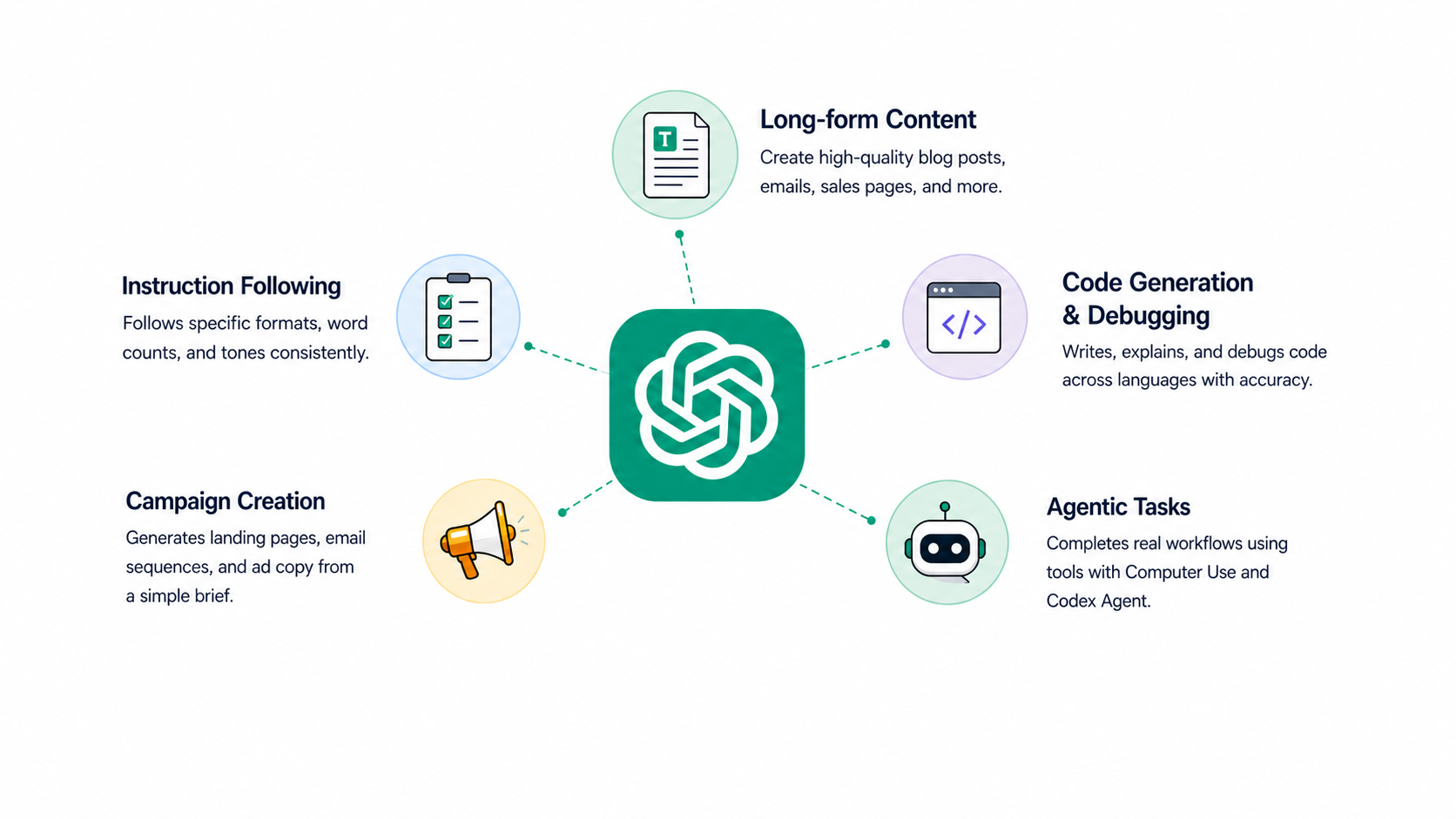
- Long-form content: Blog posts, email sequences, sales pages, white papers. It holds structure and tone across 3,000+ word outputs better than any competitor.
- Instruction following: Tell it to respond only in a specific format, word count, or voice, and it does it consistently.
- Code generation and debugging: More on this in the coding section, but GPT-5.5 Pro leads all benchmarks here.
- Campaign creation: Give it a product brief and target audience. Ask for a full landing page, email sequence, and ad copy set. Returns something 80–90% usable in one go.
- Agentic tasks: With Computer Use and Codex Agent, it can now complete workflows, not just describe them.
Practical example: You need a 5-email nurture sequence for a SaaS product. Feed ChatGPT the product positioning, ICP description, and desired tone. It writes all five emails with subject lines, preview text, and clear CTAs; with enough variation between emails that it doesn't feel robotic. That's the "why" behind ChatGPT's consistent lead in content benchmarks.
Gemini Overview: Google's AI Ecosystem Advantage
Gemini isn't just an AI; it's a research engine, a productivity layer, and a data visualization tool built on the world's most powerful search index.
Gemini is recognized for its strong performance in technical domains, particularly in coding and reasoning tasks, thanks to its integration with Google's search capabilities and large context window.
The 2026 model lineup:
- Gemini 3.1 Pro: The flagship. Currently the highest-scoring reasoning model in the industry (77.1% on ARC-AGI-2, per Intelligence Index v4.0; an industry record as of April 2026).
- Gemini 3 Flash: High-speed automation. Best for tasks that need fast turnaround at scale.
- Gemini 3.1 Flash-Lite: Cost-efficient. Available on the free tier. Strong enough for everyday research and document tasks.
While testing, we came to know the two features that separate Gemini from the others in 2026 are:
1. The 2.1 million token context window. This is the number that researchers and analysts are looking for. In practical terms, you can paste an entire year of customer support transcripts, 50 product PDFs, and a competitor analysis document, and Gemini reasons across all of it at once. No chunking, no summarizing, no losing context halfway through.
2. Animated SVG generation. Unlike any other platform, Gemini 3.1 can generate live, interactive dashboards and animated charts from code output rather than flat images. For anyone who regularly presents data, this is the killer feature.
At the Gemini at Work event, Google CEO Sundar Pichai announced:
"Gemini Enterprise is designed on the premise that true business transformation in the era of AI must go beyond simple chatbots. You need a comprehensive and integrated platform that brings all your company's data, tools, and people together in one secure place."
Source: Google Blog, October 2025
Gemini's integration with Google Search allows it to provide real-time information and fact-checking, making it particularly valuable for research and journalism. Its Deep Research agents autonomously browse the web, synthesize hundreds of sources, and produce structured reports. The research that used to take three days takes three minutes.
For teams already in Google Workspace, the AI integrations Gemini enables across Docs, Sheets, Meet, and Gmail aren't just conveniences; they fundamentally reduce the time your team spends context-switching.
Gemini Free vs Advanced Plans
| Plan | Price | Model | What You Actually Get |
|---|---|---|---|
| Free | $0 | Gemini 3.1 Flash-Lite | Basic chat, limited context, no Workspace integration |
| Gemini Advanced | $19.99/mo | Gemini 3.1 Pro | 2.1M context, Gmail/Docs/Sheets integration, Deep Research |
| Gemini Ultra | $124.99/3-mo | 3.1 Pro (priority) | Deep reasoning for extreme technical research, priority access |
Free tier verdict: Gemini's free plan is the strongest of the three in 2026. Flash-Lite is genuinely capable for day-to-day tasks; it's not a stripped-down demo.
Best value: Gemini Advanced at $19.99/mo is outstanding for any Google Workspace user. You're not just getting a better chatbot, you're upgrading every Google tool you already use.
Gemini Ultra is a niche tier. Only worth it if you're running high-volume, multi-document research and need priority access to reasoning.
Best Use Cases for Gemini
Gemini's integration with Google Search enables it to provide real-time information, ensuring responses incorporate current events and recent developments.
Where Gemini is the clear winner:
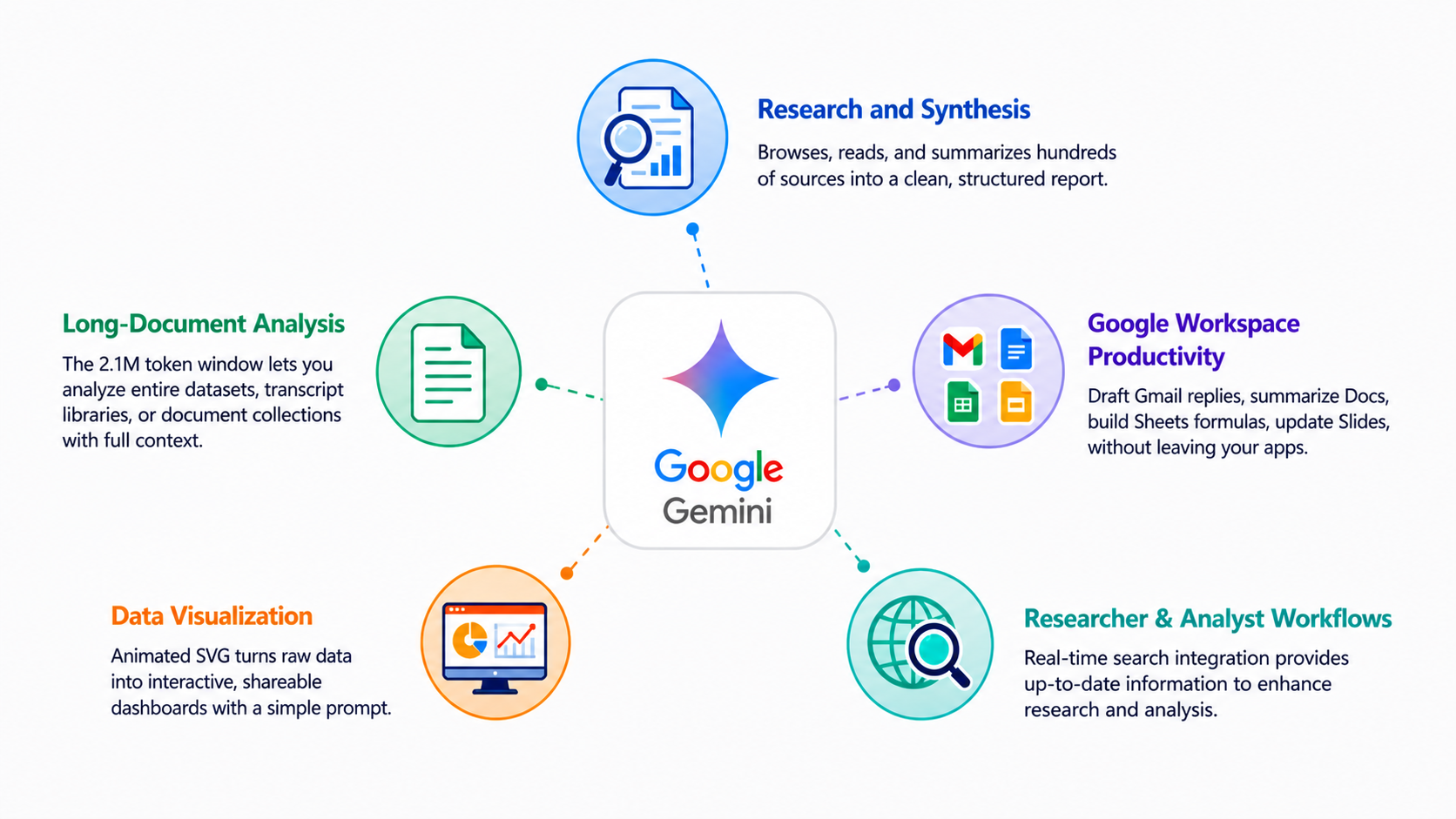
- Research and synthesis: The Deep Research agent browses, reads, and summarizes hundreds of sources into a clean, structured report. No other tool does this as reliably at scale.
- Long-document analysis: The 2.1M token window means you can feed it entire datasets, transcript libraries, or document collections without losing context.
- Google Workspace productivity: Draft Gmail replies, summarize Docs, build Sheets formulas, update Slides, without ever leaving the apps you're already in.
- Data visualization: The Animated SVG feature turns raw data into interactive, shareable dashboards with a simple prompt.
- Researcher and analyst workflows: AI models like Gemini use their integration with search engines to provide real-time information, thereby enhancing their utility for tasks that require up-to-date data.
Practical example: An analyst has 80 customer discovery call transcripts saved in Google Drive. She uploads them all to Gemini 3.1 Pro (they fit easily in the 2.1M token window), asks for: the top 5 recurring pain points, three quotes per pain point, and a comparison table by company size. Done in 90 seconds. That's not a capability claim, it's a daily use case for data-heavy teams.
Grok AI Overview: xAI's Unique Approach
Grok plays by different rules than the other two. Where ChatGPT is polished, and Gemini is thorough, Grok is fast, real-time, and built for people who need to know what's happening right now.
Grok's defining characteristic is its personality, which embraces humor, sarcasm, and direct communication, setting it apart from more formal AI assistants like ChatGPT and Gemini.
The 2026 model lineup:
- Grok 4.20: The flagship. Uses a 4-agent parallel reasoning system where four internal agents (named Grok, Harper, Benjamin, and Lucas) debate every answer before delivering it. This internal debate process has cut hallucinations by 65% compared to single-agent responses.
- Grok 4.1 Fast: Speed-optimized. The lowest latency of any model on the market for breaking news and X sentiment tracking.
Grok's defining weapon: native, real-time access to the X (Twitter) live data stream.
Grok's integration with X (formerly Twitter) allows it to access real-time conversations and trending topics, providing unique insights into current events and cultural moments.
Other tools can search the web. Grok lives inside the conversation happening right now. That's not a small difference; it's a fundamentally different capability that no amount of web browsing speed can replicate.
Grok's ability to analyze social media sentiment in real-time makes it invaluable for tracking public opinion and market trends, offering insights that other AI models cannot match.
New in 2026: Grok Voice Think Fast, a low-latency voice agent for real-time audio interaction. Still early, but already fast enough for quick-turnaround verbal queries.
Grok Free vs Paid Access
| Plan | Price | Model | What You Actually Get |
|---|---|---|---|
| X Premium | $8/mo | Grok 4.1 Fast | Standard X features, message caps, and an efficient model only |
| X Premium+ | $40/mo | Grok 4.20 | 4-agent parallel reasoning, full flagship access |
| Grok Business | $30/seat | Grok 4.20 | Team workspace, shared memory, no data training |
The pricing reality: Getting to the flagship model (Grok 4.20) costs $40/mo; significantly more than ChatGPT Plus ($20/mo) or Gemini Advanced ($19.99/mo). The $8/mo entry point gives you Grok 4.1 Fast, the efficient model, not the best one.
Who should pay $40/mo for Grok Premium+? PR teams, social media managers, viral marketers, and news-adjacent businesses where information lag of even a few hours is expensive. For everyone else, $40 is hard to justify when ChatGPT or Gemini covers more ground at a lower cost.
Best Use Cases for Grok
Grok's real-time access to social media data allows it to capture current trends and public sentiment, making it a unique tool for marketers and social media analysts.
Where Grok genuinely wins:
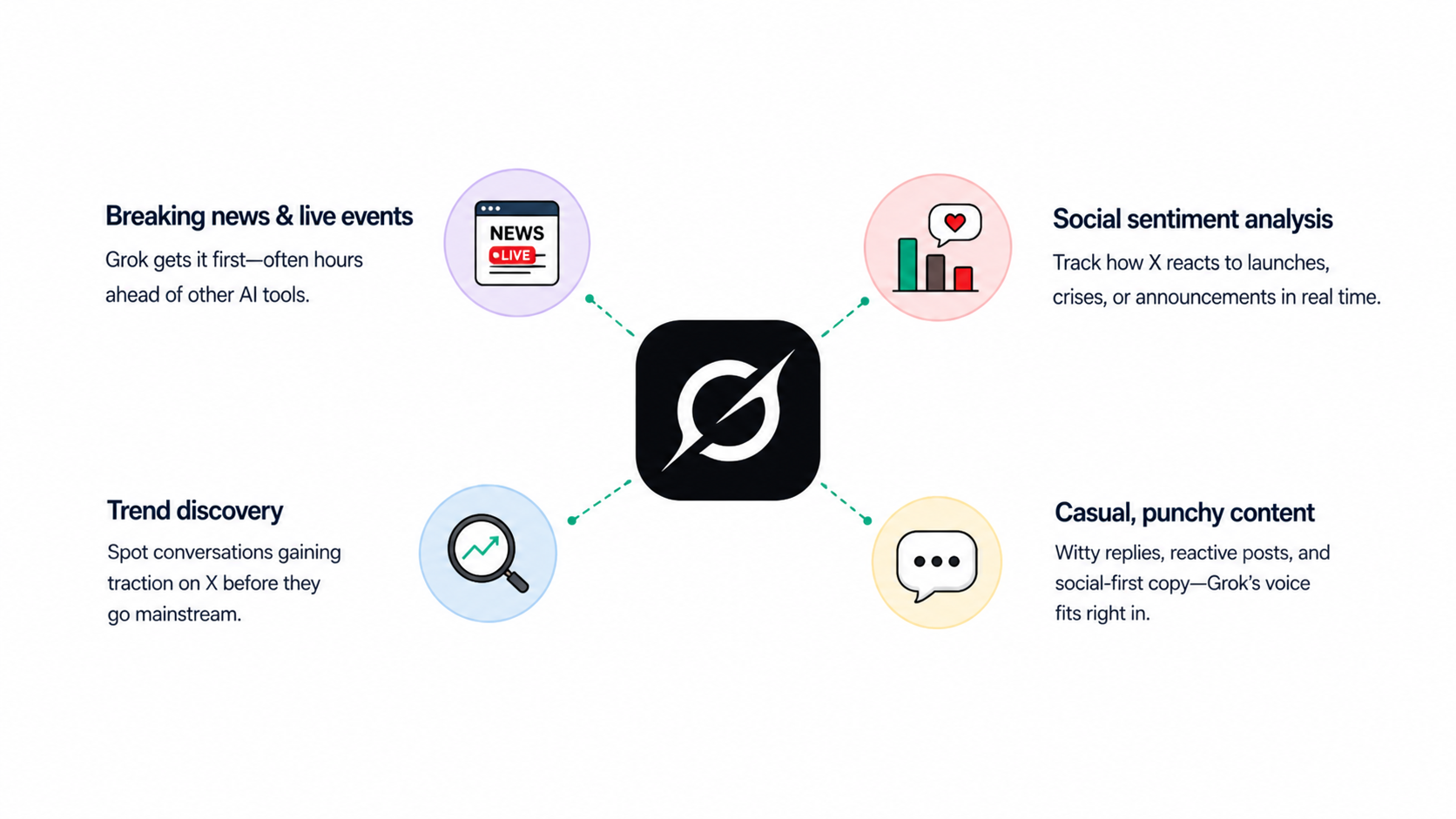
- Breaking news and live events: If something just happened, Grok knows before any other AI tool. Not by minutes, sometimes by hours, compared to web-scraped alternatives.
- Social sentiment analysis: Track how X is reacting to a product launch, a competitor's PR crisis, or a regulatory announcement in real time.
- Trend discovery: Find conversations building momentum on X before they hit mainstream media or Google Trends.
- Casual, punchy content: Grok's personality-driven approach resonates with users who prefer a more casual and engaging interaction style, contrasting with the more formal tones of ChatGPT and Gemini. Social-first copy, witty replies, reactive brand posts; Grok's voice fits naturally here.
Where Grok falls short: long-form structured writing, deep document analysis, coding, or any task requiring consistent multi-thousand-word output. It's a precision tool, not a general-purpose one.
Grok vs ChatGPT vs Gemini: Models and Benchmarks Compared (2026)
Here's the full model breakdown across all three platforms at every tier:
| Tier | ChatGPT | Gemini | Grok |
|---|---|---|---|
| Free | GPT-5.3 (limited, with ads) | Gemini 3.1 Flash-Lite | Requires X Premium ($8/mo) |
| Efficient / Mid | GPT-5.5 Mini | Gemini 3 Flash | Grok 4.1 Fast |
| Flagship | GPT-5.5 Pro | Gemini 3.1 Pro | Grok 4.20 |
| Power Tier | o1 Pro (Infinite Reasoning) | Gemini Ultra (deep reasoning) | — |
| Context Window | 1M tokens (o1 Pro) | 2.1M tokens | 2M tokens |
| Real-Time Data | ✅ Paid plans | ✅ Google Search | ✅ Native X stream |
| Multimodal | ✅ Full | ✅ Full | ✅ Partial |
| Screen Control | ✅ Computer Use | ❌ | ❌ |
| Code Execution | ✅ Codex Agent | ✅ IDE integration | ❌ Limited |
| Voice | ✅ Advanced Voice | ✅ | ✅ Voice Think Fast |
| Benchmark Leader | Coding — GPT-5.5 Pro | Reasoning — 77.1% ARC-AGI-2 | Speed — Grok 4.1 Fast |
Per the Intelligence Index v4.0 (released April 2026), the category winners are clear:
- Reasoning: Gemini 3.1 Pro (77.1% ARC-AGI-2; current industry record)
- Coding: GPT-5.5 Pro (leads in complex Python/Rust repository refactoring)
- Speed/Real-Time: Grok 4.1 Fast (lowest latency for breaking news and X sentiment)
No single model wins everything. The right choice comes down to which benchmark matters for your job.
Grok vs ChatGPT vs Gemini: Performance by Use Case
Benchmarks tell part of the story. Here's how all three actually perform when you sit down to do real work.
| Use Case | Winner | Runner-Up | Weakest |
|---|---|---|---|
| Long-form content | ChatGPT | Gemini | Grok |
| Social copy + trends | Grok | ChatGPT | Gemini |
| Research + citations | Gemini | ChatGPT | Grok |
| Code generation | ChatGPT | Gemini | Grok |
| Real-time news/trends | Grok | Gemini | ChatGPT |
| Business workflows | Gemini | ChatGPT | Grok |
| Customer support | ChatGPT | Gemini | Grok |
| Data analysis | Gemini | ChatGPT | Grok |
Content Creation and Marketing
For the agency owner running high-volume content, the Grok AI vs ChatGPT matchup isn't close when it comes to long-form work; ChatGPT wins.
ChatGPT
- Holds structure and brand voice across 2,000+ word outputs without drifting
- Instruction-following is the best in class; if you specify format, word count, tone, and structure, it delivers
- Give it a product brief and target audience, and a full landing page, email sequence, and ad copy set comes back 80–90% usable
- ChatGPT is often described as a reliable and polished assistant for exactly this kind of high-volume structured output
Gemini
- Strong for research-backed content, fact-heavy industry pieces, briefs with live data, market reports
- Gemini's integration with Google Search allows it to provide real-time information, significantly reducing the likelihood of hallucinations on current topics
- Pulls citations and live sources directly into content; useful for thought leadership or data-heavy writing
- More conservative in creative output; better for accuracy than flair
Grok
- Wins on social-first, trend-reactive content
- Grok is noted for its unique personality and real-time data access from social media, making it particularly effective for monitoring trends and public sentiment
- Punchy, casual, and current; ideal for reactive social posts tied to what's trending right now
- Falls apart above 800–1,000 words, consistency drops sharply on long-form
Smart workflow approach
Use ChatGPT for the landing page and email sequence. Use Grok for the social posts, especially when tying them to live conversations. Use Gemini if you need market research to support your claims. Need a smart approach? Get all three together on a platform like Sintra; it beats any single tool on its own.
Business Productivity and Workflows
Gemini vs ChatGPT for daily business productivity depends almost entirely on whether your team lives in Google's world.
ChatGPT
- Most flexible platform; works across virtually any stack via plugins and API
- Computer Use means it can operate other software on your behalf, not just describe what to do
- Best for building custom cross-platform workflows that aren't tied to one ecosystem
- Strongest for founders who need to automate across multiple tools
Gemini
- Native integration with Gmail, Docs, Sheets, Meet, and Calendar means no copy-pasting between apps
- Summarize a meeting transcript from Drive, update the action items in Docs, draft the follow-up email in Gmail; all without switching tools
- Integration with productivity software, such as Google Workspace or Microsoft 365, allows AI models to assist directly in document creation, data analysis, and project management
- Best for teams where Google Workspace is the operating system
Grok
- Useful for quick real-time decisions and trend checks
- Not built for structured business workflows or team collaboration at any meaningful level
- Good for: "What's the sentiment around our competitor right now?" Not good for: "Manage our editorial calendar."
Bottom line for small teams: If you're already in Google Workspace, Gemini is the obvious upgrade. If you're cross-platform, ChatGPT's flexibility wins.
Coding and Technical Tasks
GPT-5.5 Pro leads all competitors across coding benchmarks in Intelligence Index v4.0, particularly in complex Python and Rust repository refactoring. For developers, the gap is real.
Real-world comparison on a practical task
Task: Debug a broken FastAPI endpoint with a SQLAlchemy query returning wrong data on large datasets.
- ChatGPT (GPT-5.5 Pro): Identifies the likely N+1 query problem, fixes the eager-loading configuration, adds pagination, explains every change clearly, and provides an optimized version with benchmarking notes.
- Gemini (3.1 Pro): Solid performance with strong IDE integration. Gemini is recognized for its strong performance in technical domains, particularly in coding and reasoning tasks. Handles context well across long sessions thanks to the 2.1M token window.
- Grok: Can handle isolated syntax questions, but isn't designed for serious development work. Not the tool you open when a production bug needs fixing.
What technical users actually care about
- Code accuracy: ChatGPT leads
- Context across long sessions: Gemini wins (2.1M token window holds more codebase history)
- Explanation quality: ChatGPT explains its reasoning most clearly
- Speed for quick lookups: Grok 4.1 Fast for isolated questions where you just need a fast answer
Research and Fact-Finding
Gemini wins this category, and it's not close.
ChatGPT
- Strong reasoning and synthesis on known topics
- Deep Research available on Plus+ (10 runs/month)
- ChatGPT has made improvements in factual accuracy, but can still hallucinate, especially on obscure or very recent topics, leading to potential misinformation
- Less reliable than Gemini for live-data-dependent research
Gemini
- Google Search integration means responses pull from the live web, not a training snapshot
- Deep Research agents autonomously browse hundreds of sources and produce structured, cited reports
- Gemini's integration with Google Search allows it to provide real-time information, significantly reducing the likelihood of hallucinations on current topics
- Best for: fact-checking, sourced research briefs, competitive analysis with live data
Grok
- Excellent for trending topics and breaking news from X
- Not suited for deep academic-style research or sourced reports
- Best for: "What is X right now?", not "Analyze the last five years of X."
Critical warning for all three
AI models can produce confident-sounding but incorrect information, requiring users to verify critical facts. This applies to every tool in this comparison without exception. None of them is reliable enough for published research without human review.
Customer Support and Automation
Gemini vs ChatGPT for support workflows depends on your tech stack and your development capacity.
ChatGPT
- Most flexible for custom support flows via API
- Reliable tone consistency across high-volume response drafting
- Best for teams building custom support bots or integrating via API into existing helpdesk tools
- AI assistants are increasingly being integrated into existing tools and platforms, enhancing productivity by streamlining workflows and reducing manual effort
Gemini
- Clean integration into Gmail-based support workflows for teams already on Google
- Easy setup without developer resources. Good for small teams getting started with AI support
- Consistent output for FAQ drafting, template generation, and routine response handling
Grok
- Not designed for structured, repeatable customer-facing workflows
- Response consistency isn't reliable enough for production support use
- Hard pass for this use case
For a small team without a developer
Start with ChatGPT via its standard interface for support drafting, or Gemini if you're managing support through Gmail. Both are production-ready today without custom development.
Grok vs ChatGPT vs Gemini Prompt Battle: Our Tests and Findings
Our team ran 5 prompts across ChatGPT, Gemini, and Grok; same input, same conditions, zero cherry-picking. We tested all three on their free and limited versions, so every result you see below reflects what you'd get before spending a single dollar.
That matters because if a tool can't impress you on the free tier, it's harder to justify the upgrade. Go through the results, see how each one handles real work tasks, and decide for yourself which one is worth paying for.
Prompt 1: Long-Form Content
"Write a 600-word blog post intro for a SaaS product called 'TaskFlow' that helps remote teams manage projects. Target audience: startup founders. Tone: conversational but authoritative. Include a hook, a problem statement, and end with a clear teaser for the solution."
ChatGPT
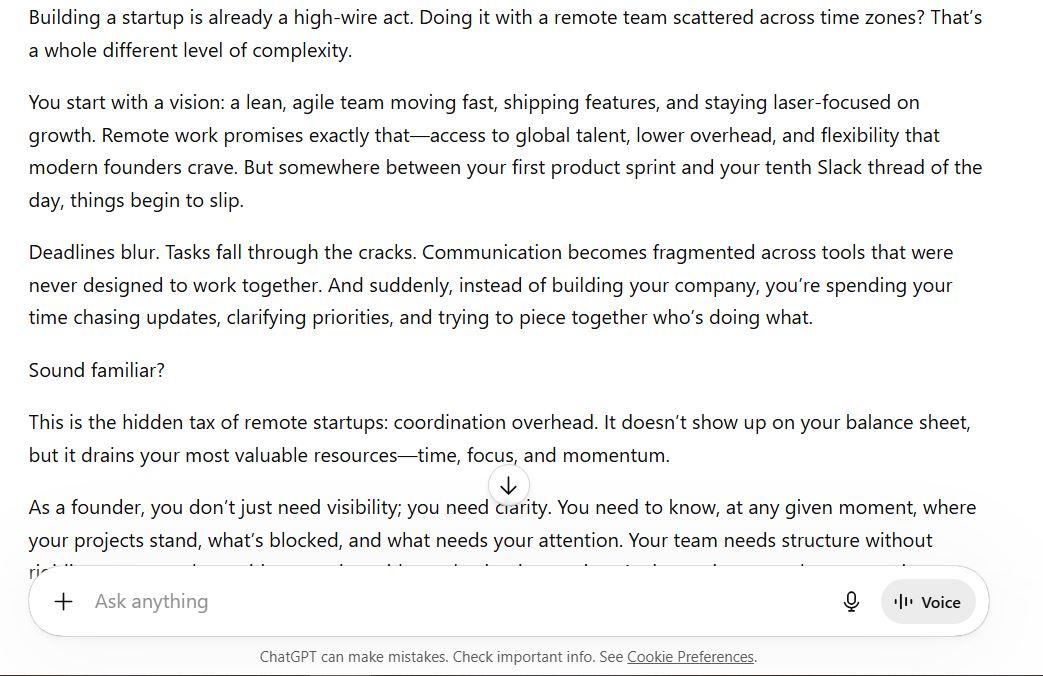
- Hits every brief requirement cleanly; hook, problem statement, and solution teaser all land in the right order without wasted words
- The tone walks the line between conversational and authoritative better than the others. It sounds like a founder who has thought deeply about the problem, not an AI filling a template
- Proves exactly why ChatGPT leads on long-form content; it holds structure, brand voice, and momentum consistently from the opening hook to the final CTA without drifting
Gemini
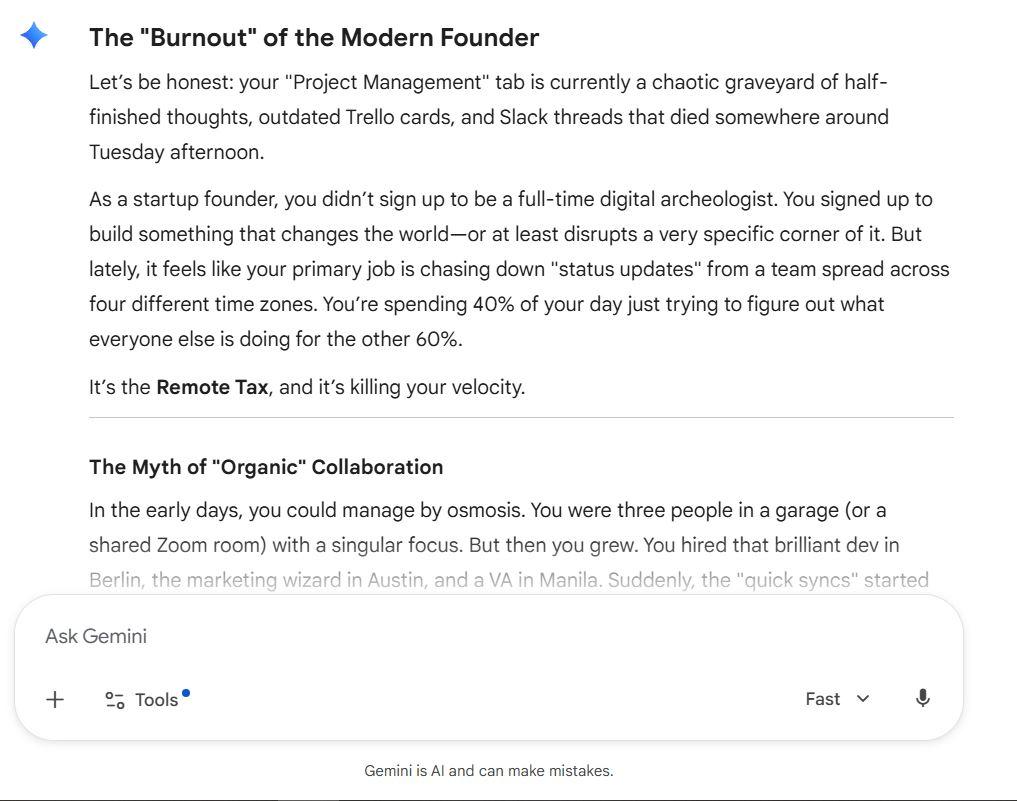
- The subheadings mid-intro break the flow; a blog intro should pull you forward, not section you off before the post has started
- Clever with coined terms like "Remote Tax" and "Visibility Gap," but leans too hard on formatting tricks instead of letting the writing do the work
- The bullet list in the middle kills momentum at exactly the point where it should be building
Grok
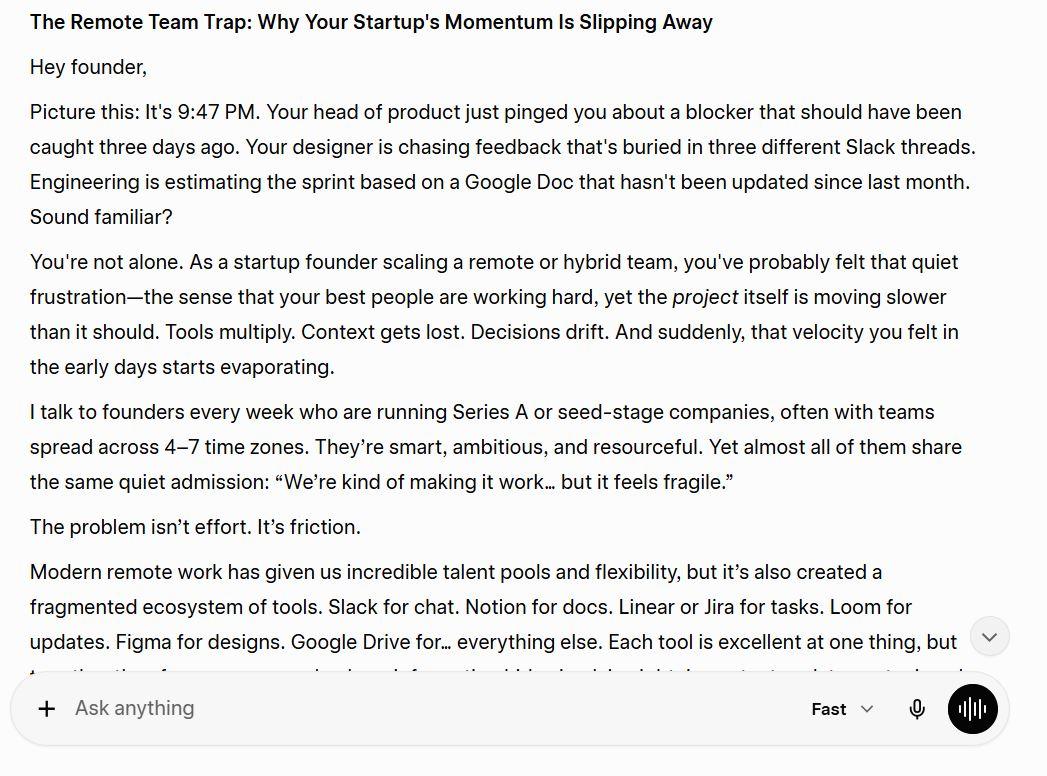
- Opens with a vivid scene that grabs attention, but the first-person "I talk to founders every week" framing feels forced for a product blog post; it reads more like a LinkedIn post than a SaaS brand intro
- Tone is engaging but slightly too casual; it crosses from conversational into informal in a way that undercuts authority
- Goes over the word count and loses structure toward the end
Winner: ChatGPT
For a branded SaaS blog post intro, ChatGPT delivered the most publish-ready result. It followed the brief precisely, maintained authority without sounding stiff, and built toward the solution in a way that makes you want to keep reading. If long-form content is a core part of your workflow, like blog posts, email sequences, and landing pages, ChatGPT is the most reliable tool on the free tier for maintaining structure, tone, and quality from the first line to the last.
Prompt 2: Coding and Debugging:
"I have a Python FastAPI endpoint that returns a list of users from a PostgreSQL database. The query slows down badly above 10,000 records. Write the optimized SQLAlchemy query with pagination and explain clearly why each change improves performance."
ChatGPT
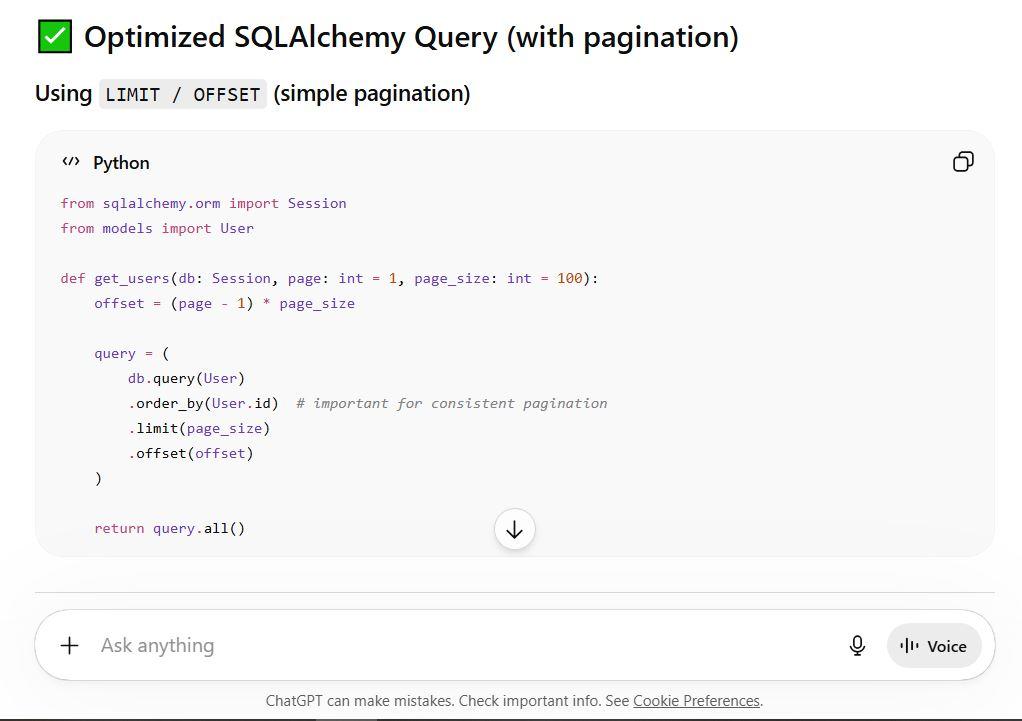
- Covers both LIMIT/OFFSET and keyset pagination with clean, copy-paste-ready code
- Explains why each change works, not just what to do, with a clear summary table at the end
- Goes the extra mile: includes async support, streaming with yield_per, and a bonus response wrapper pattern used by Stripe and GitHub
Gemini
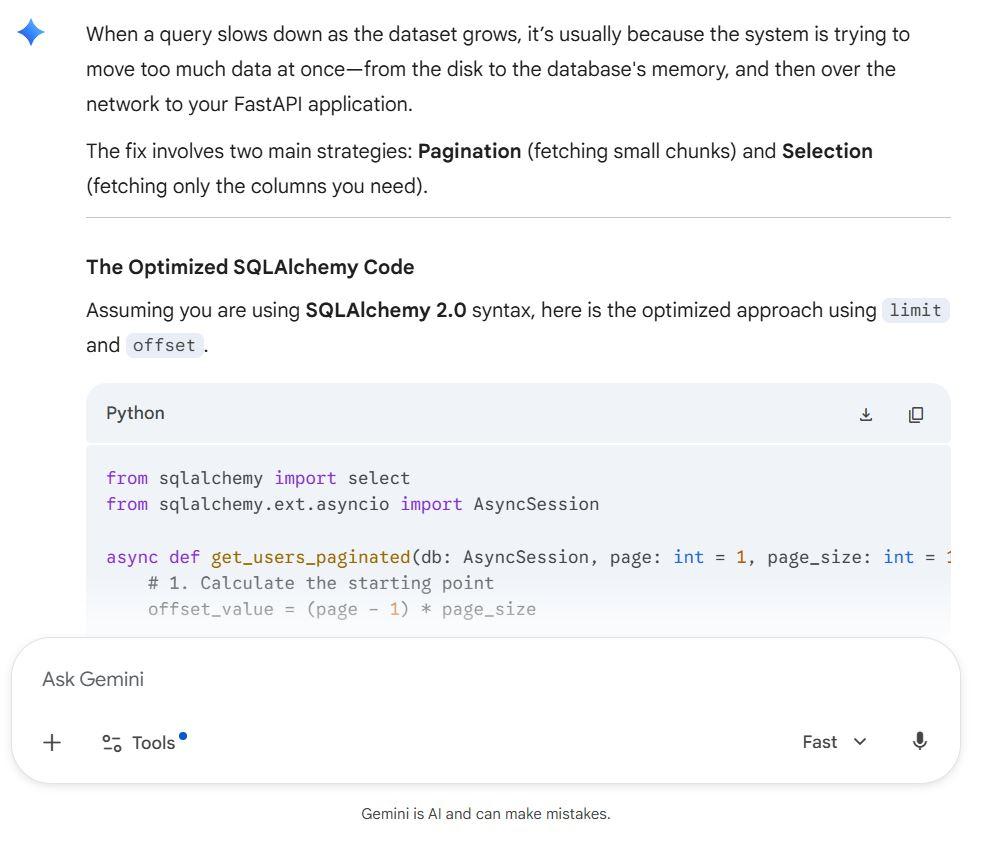
- Gets the core right, pagination, column selection, async, but the explanation is noticeably shallower
- Mentions keyset pagination only as a "pro tip" footnote rather than implementing it properly with code
- Ends with "How large do you expect this table to get?", which feels like deflection rather than a complete answer
Grok
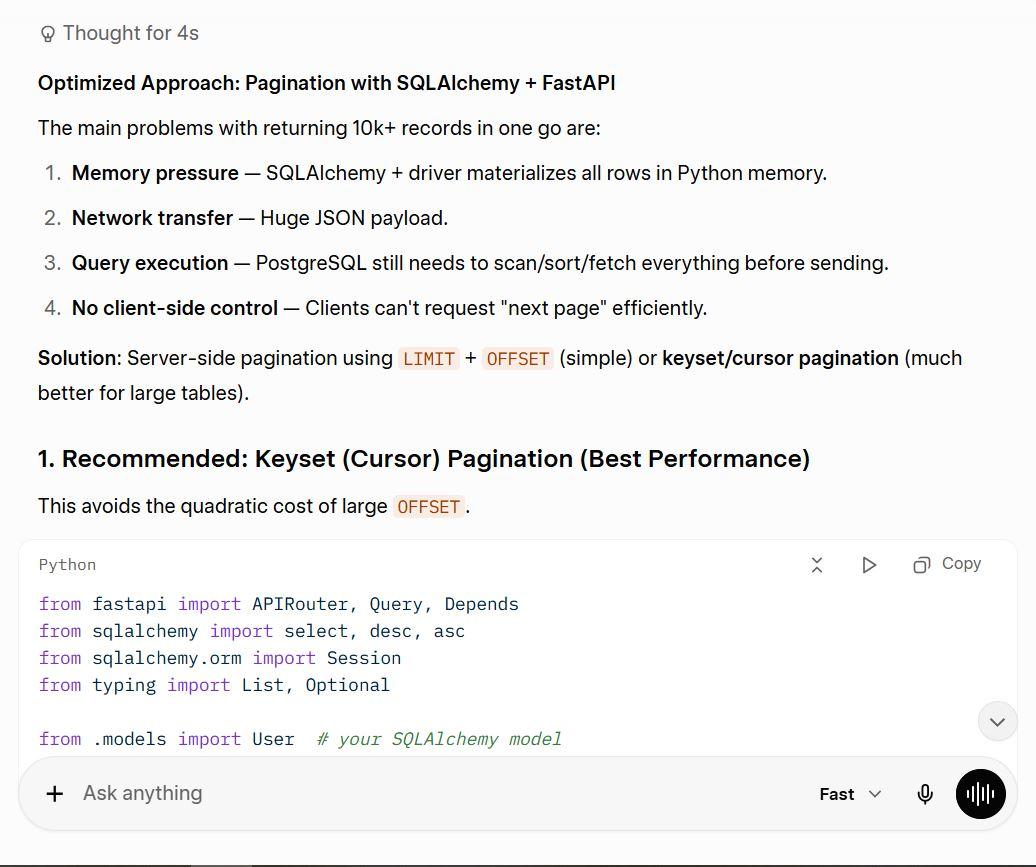
- Also covers both pagination methods with solid, working code
- Includes sort direction support and a cursor wrapper (next_cursor), more production-ready than it looks at first glance
- Explanations are good but slightly less beginner-friendly than ChatGPT's, assumes more background knowledge
Winner: ChatGPT
On the free tier, ChatGPT delivered the most complete and well-explained response. The code is production-ready, the performance reasoning is clear enough for any skill level, and the summary table makes it instantly scannable. Grok was a close second. Gemini treated the harder part of the prompt as optional.
Prompt 3: Research and Fact-Finding
"What are the top 5 trends in B2B SaaS marketing in Q1 2026? Cite at least 3 sources and explain what each trend means for a team with a $10,000/month marketing budget."
ChatGPT
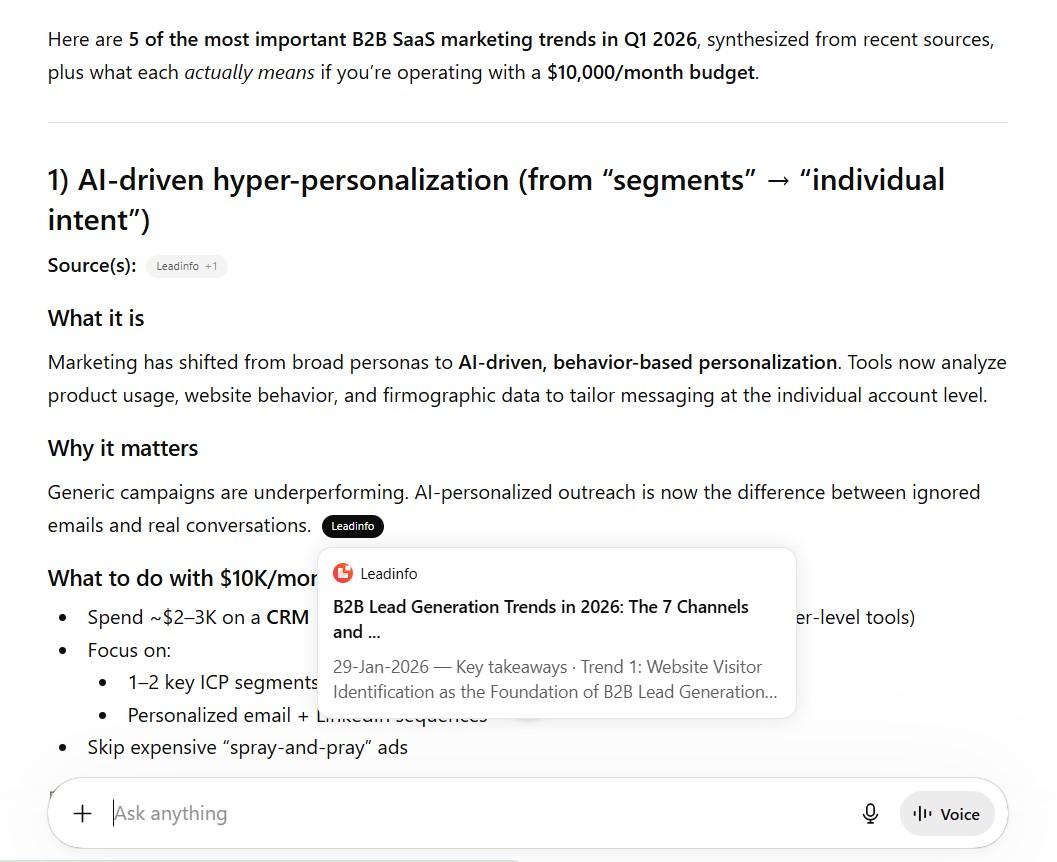
- Cited 6 real, linked sources. Every trend has a named publisher behind it, not just a claim
- The $10K budget breakdown at the end is genuinely useful, specific dollar allocations per channel, not vague advice
- Trends are solid but slightly familiar (SEO, PLG, personalization), nothing that made us stop and think "we hadn't considered that"
Gemini
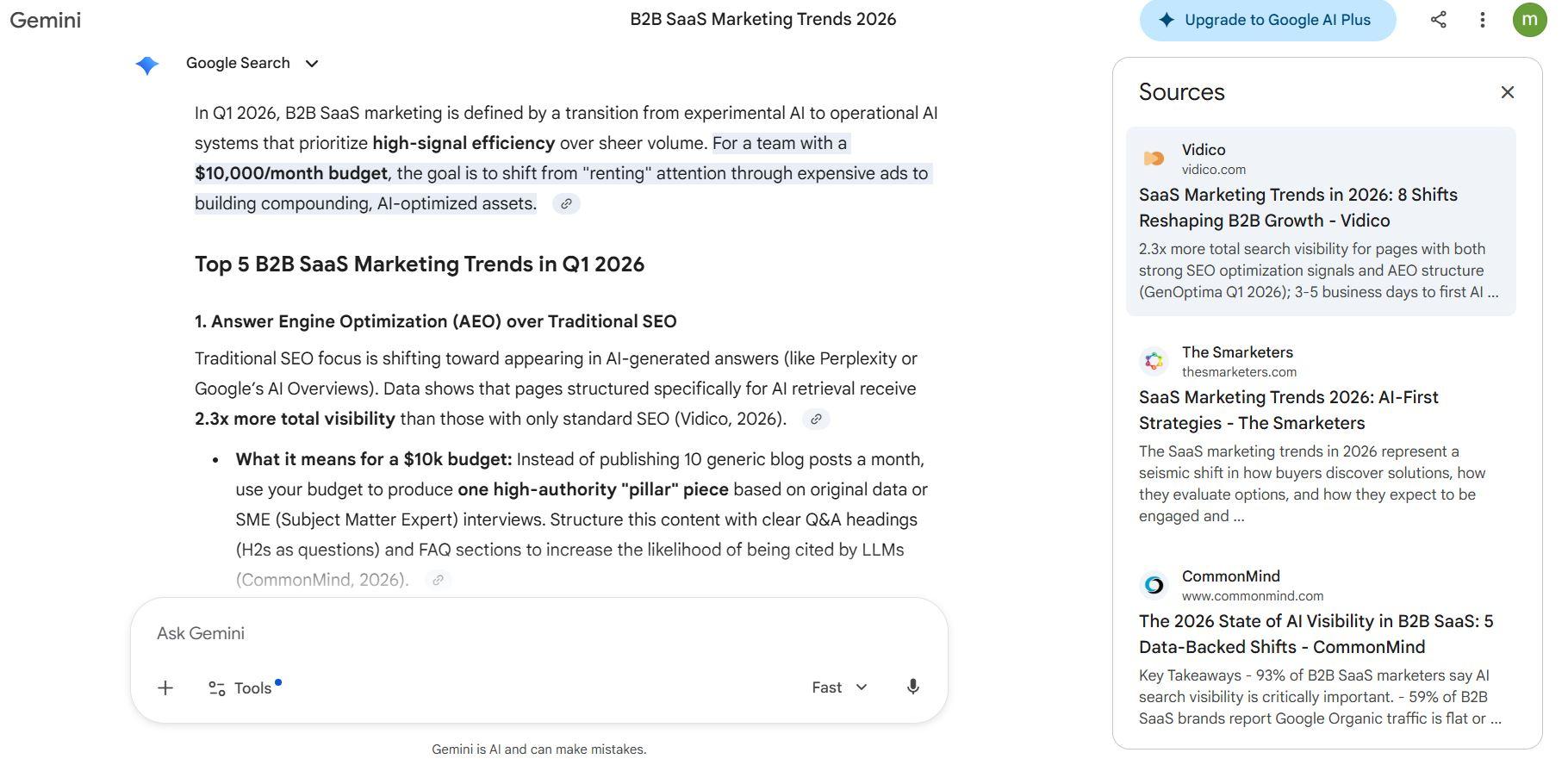
- Brought two trends the others missed entirely: Answer Engine Optimization (AEO) and Content Atomization, both genuinely relevant and forward-looking for 2026
- Every trend is backed by a named, linked source with publication year; the most consistently cited response of the three
- Specific stats (pages structured for AI get 2.3x more visibility, 57% of B2B SaaS brands still don't publish pricing) make the advice feel grounded, not generic
Grok
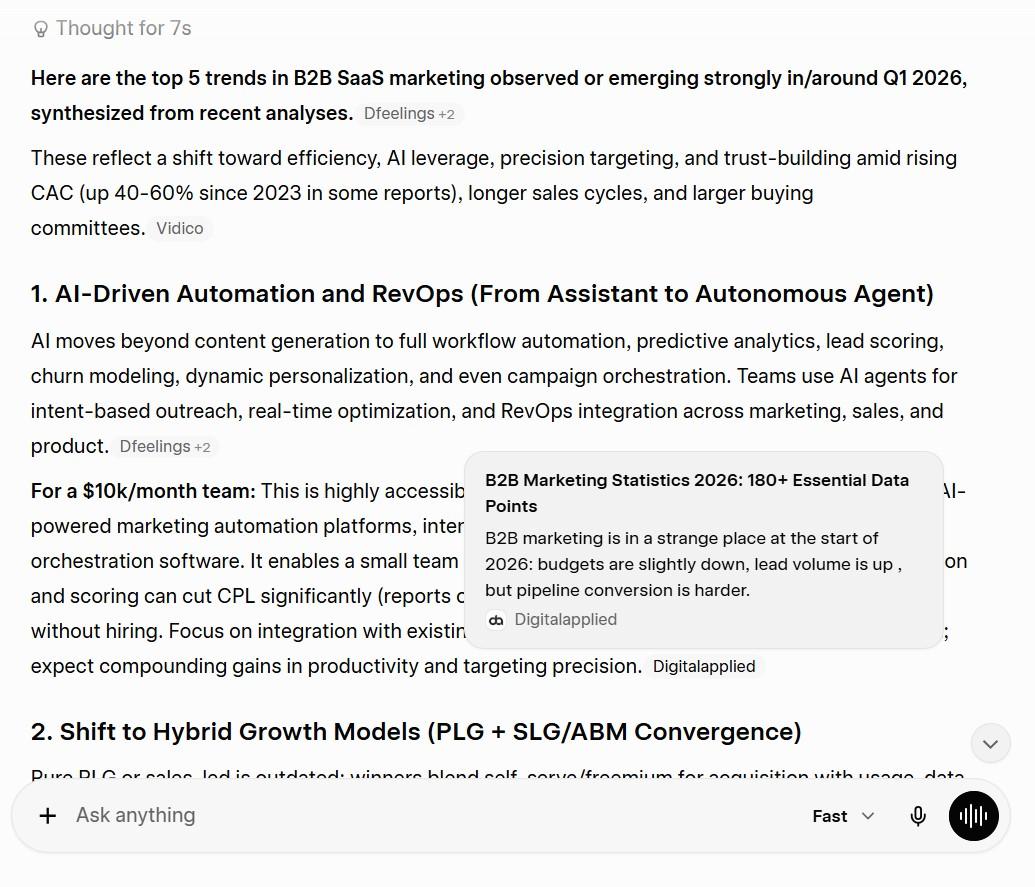
- Good depth on each trend with practical budget advice per section
- Mentions specific stats (38% CPL reduction, 2.6x ABM pipeline efficiency) but doesn't link to sources, you'd have to verify these yourself
- The framing around RevOps and hybrid growth models shows more strategic thinking than ChatGPT's list, but the lack of clickable citations is a real gap for a research prompt
Winner: Gemini
For a research prompt that explicitly asks for sources, Gemini delivered the most. It cited properly, introduced fresher trend angles that the others missed, and gave budget advice that was specific enough to act on. ChatGPT was a close second; it is reliable and well-sourced. Grok had the weakest citation discipline among prompts that required citations.
Prompt 4: Real-Time Social Sentiment
"What are people on X saying about AI tools replacing marketing jobs right now? Summarize the main sentiment, identify the top 3 recurring arguments, and suggest 3 post angles our brand could use to join this conversation."
ChatGPT
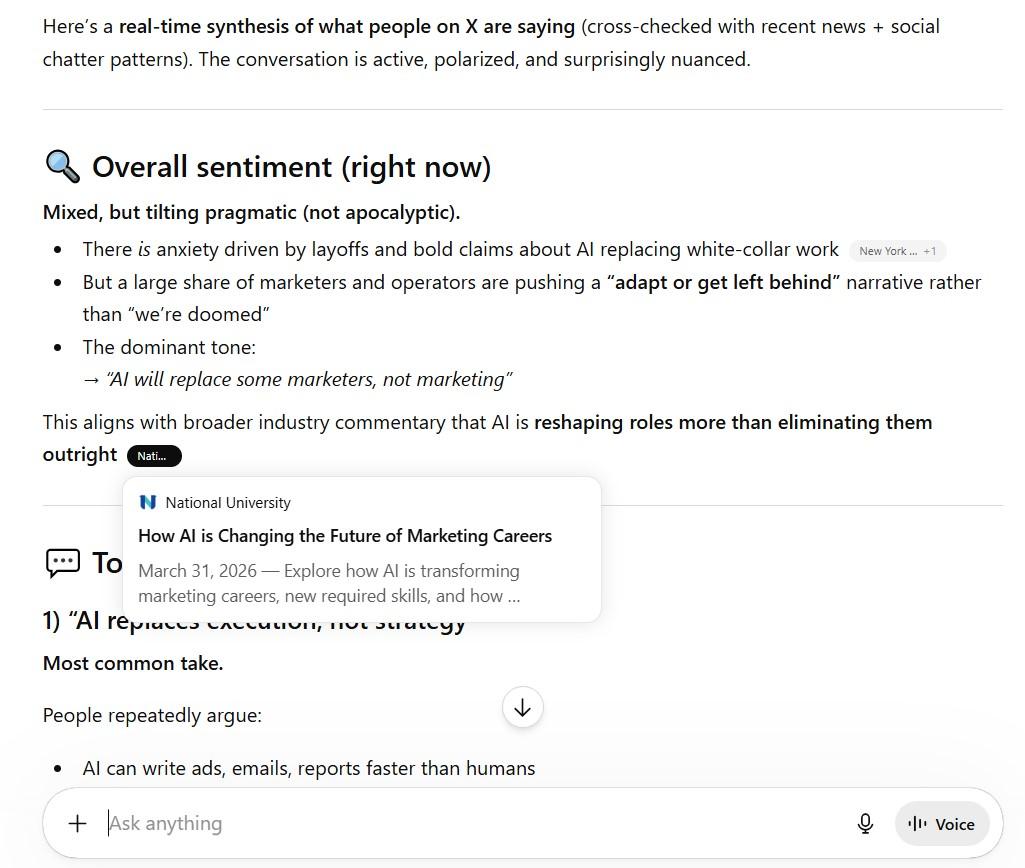
- Pulled actual cited sources with live links. The only tool that showed real evidence of accessing X and current news, rather than summarizing training data
- The 3 post angles are the sharpest of the three. Specific hooks written and ready to copy, not just concepts to develop
- Included a "hidden subtext" section (status anxiety, identity shift, skepticism of hype) that neither competitor thought to add, genuinely useful for brand positioning
Gemini
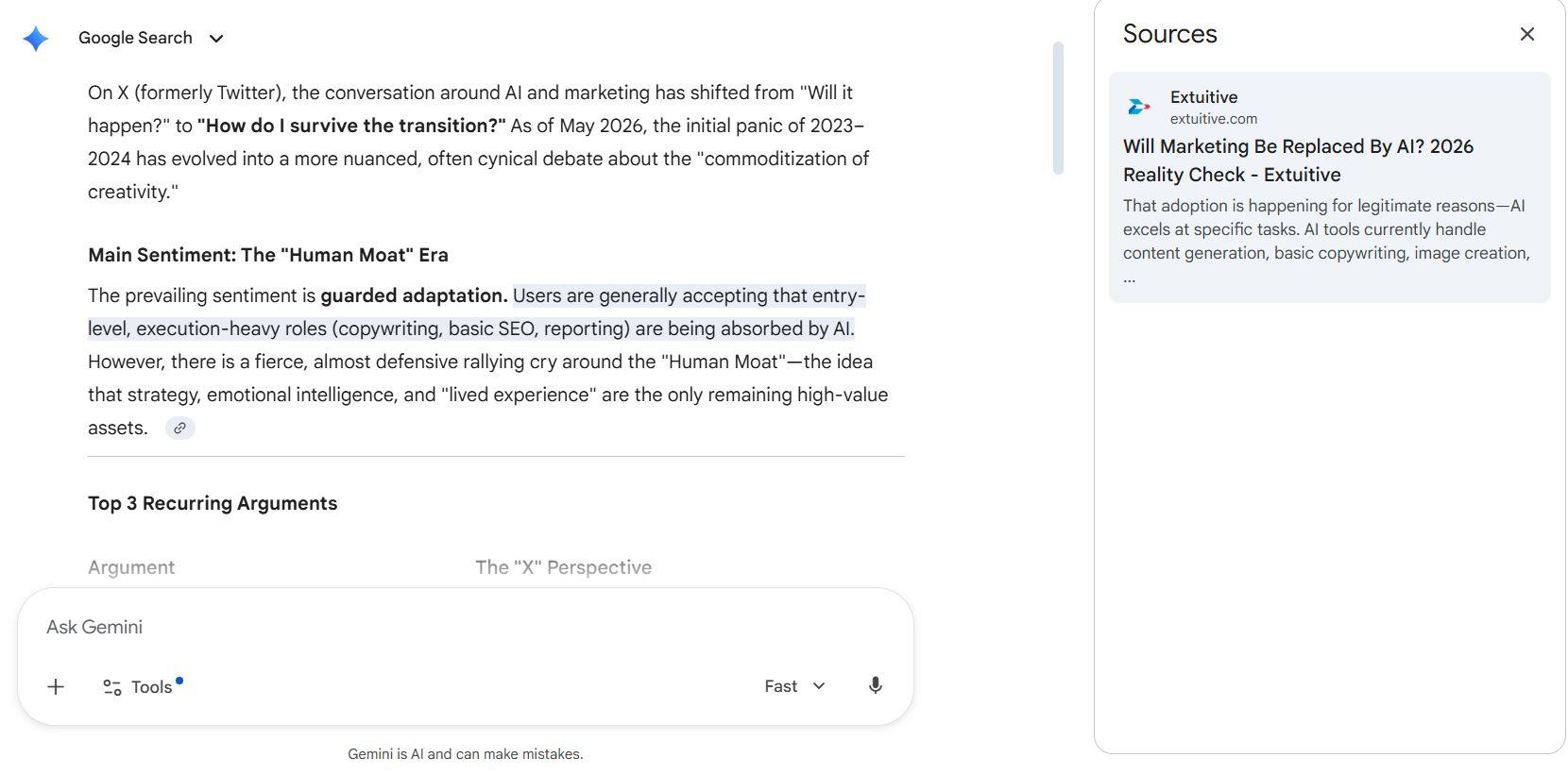
- The "Human Moat" framing and the "Sea of Sameness" argument are the most original thinking of the three angles; neither ChatGPT nor Grok surfaced
- The comparison table for the 3 arguments is clean and scannable
- No cited sources at all, for a prompt specifically about what's happening right now on X, this is a meaningful gap
Grok
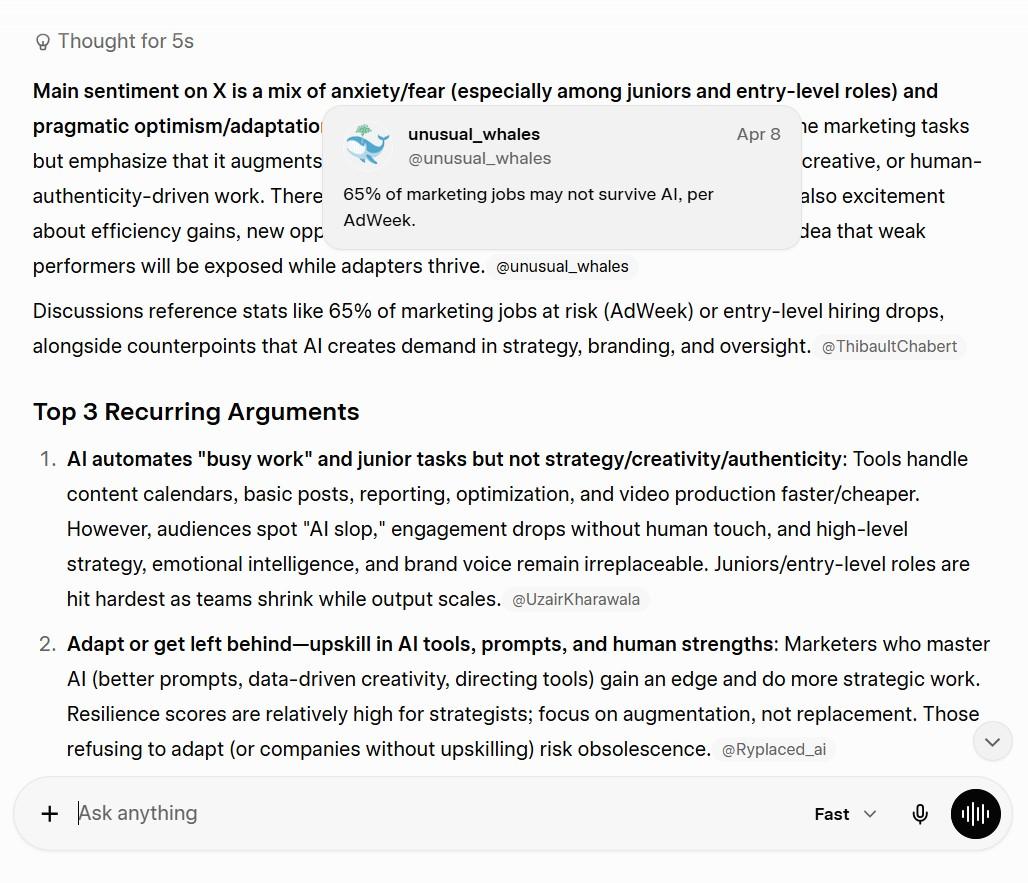
- Solid summary of sentiment, and the 3 arguments are accurate and well-framed
- The post angles are structured but feel more like content briefs than actual posts; you'd still need to do the writing yourself
- Surprising result: Grok, which has native X access, gave less real-time specificity than ChatGPT's sourced response, no live tweets, no named accounts, no specific data points from X
Winner: ChatGPT
ChatGPT won on the one thing that mattered most for this prompt: evidence. It cited real, linked sources from current news and research while also delivering the most actionable post angles. The irony is that Grok, the tool built for exactly this use case, underdelivered on live X specificity. Gemini brought the most creative framing, but without any sourcing to back it up.
Prompt 5: Business Productivity
"I have a sales call in 30 minutes with a mid-market SaaS company (50–200 employees) that has been using HubSpot for 2 years and is evaluating alternatives. Give me a pre-call prep brief: 5 smart discovery questions, 2 likely objections and how to handle them, and one angle that differentiates from competitors."
ChatGPT
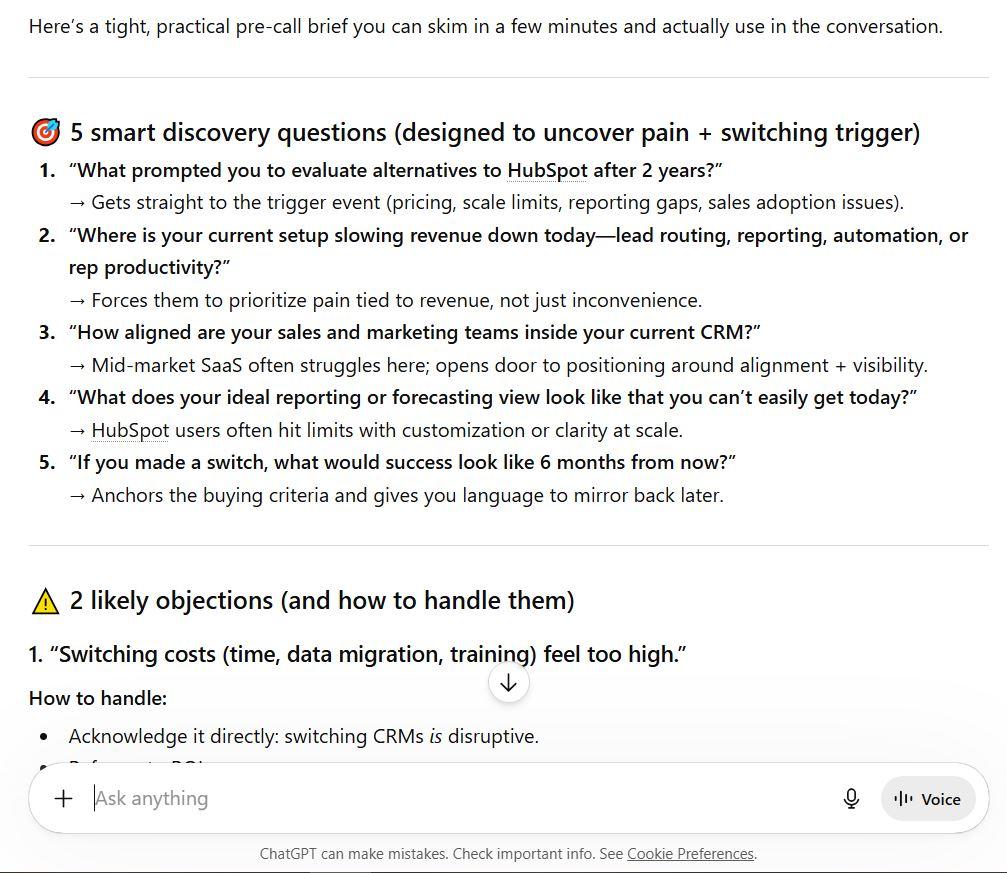
- Clean, fast to skim; exactly what you need when you have 30 minutes, not 30 seconds to spare
- The "Quick mindset" section at the end is a nice touch; it grounds you before the call without adding noise
- Discovery questions are solid but slightly generic; they'd work for almost any CRM switch, not specifically a HubSpot-to-X conversation
Gemini
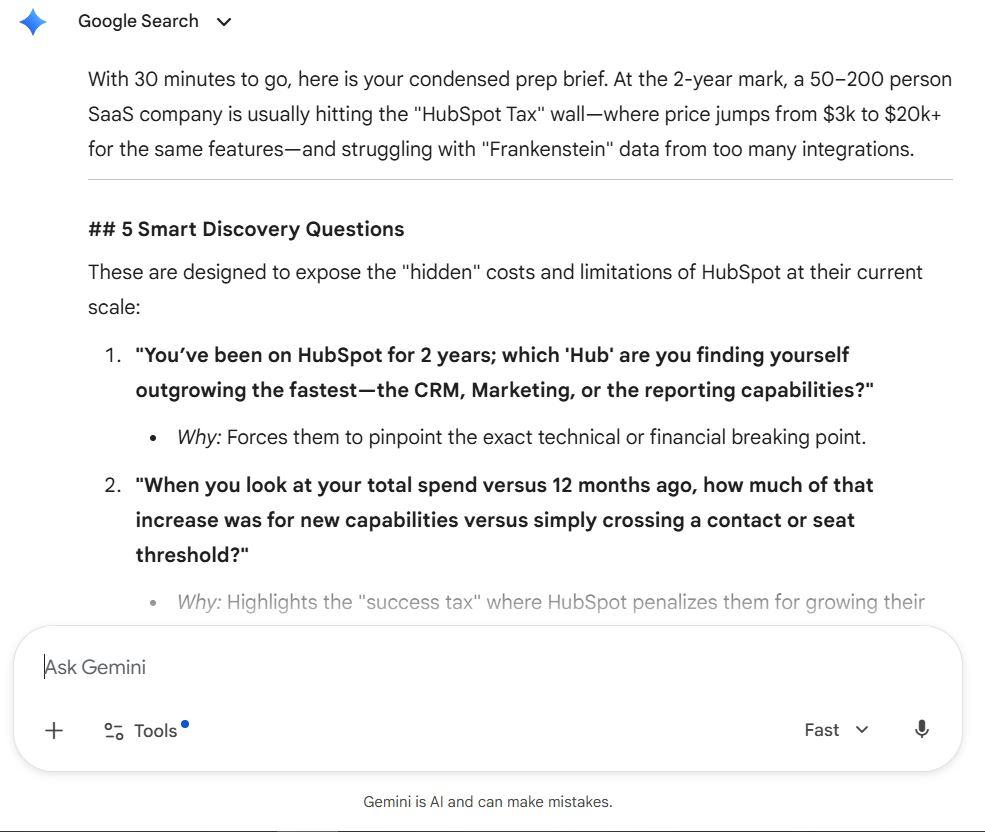
- Most HubSpot-specific of the three, names the "HubSpot Tax," "success tax," and tier jump problem ($3K to $20K+), with enough detail to actually use in conversation
- Discovery questions are sharper because they're built around HubSpot's known weak points at scale: SaaS reporting, product usage data integration, and contact threshold pricing
- The "Predictable Scaling" differentiator angle is the most concrete and memorable pitch of the three; something you can actually say out loud
Grok
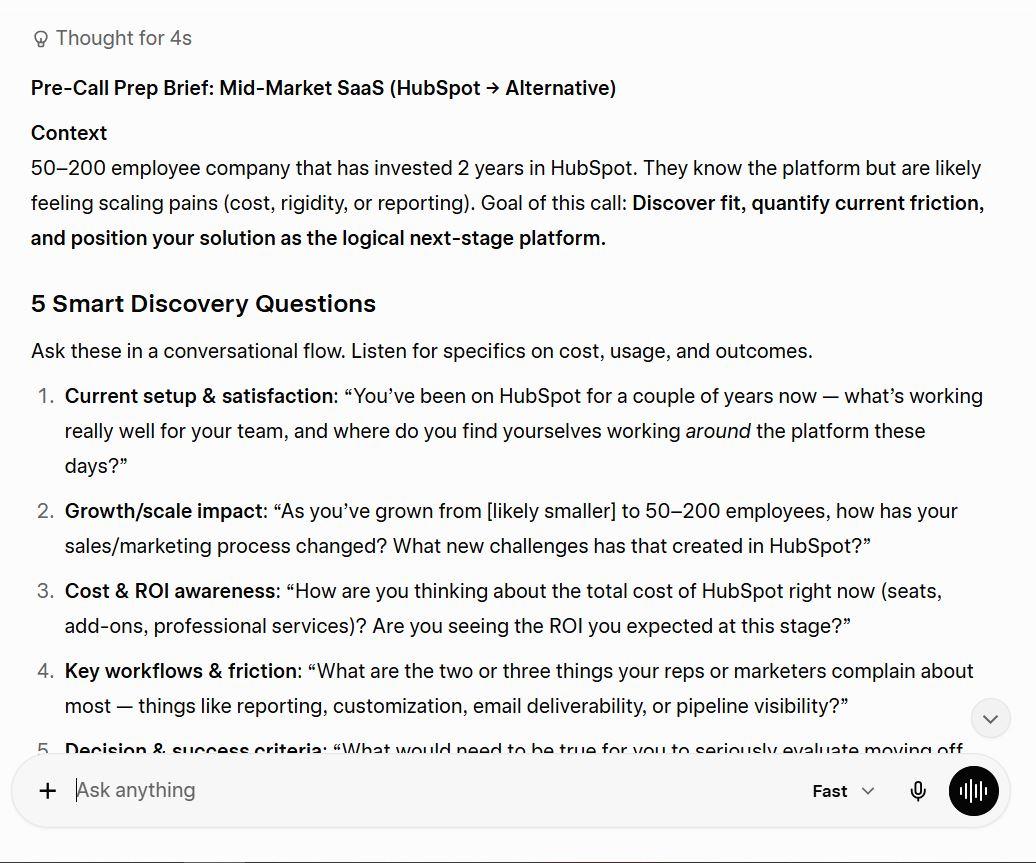
- The "Context" framing at the top is genuinely useful; it reminds you what the prospect is likely feeling before you say a word
- Objection handling includes specific numbers (20–40% lower spend), which makes your responses feel more confident and credible on the call
- Ends with tactical tips, including "get screen share access" and "agree on next call", and practical details that the others skipped
Winner: Gemini
When the prompt is time-pressured and highly specific, generic prep is almost useless. Gemini won because it knew HubSpot's actual limitations well enough to build the entire brief around them. The discovery questions, objections, and differentiators all tie back to real HubSpot pain points, which means you walk into that call sounding like you've done your homework, not like you ran a prompt 25 minutes before it started.
Prompt 6: Real-Time Trend Intelligence
"What are the top 3 most debated AI tools on X this week? For each one, tell me the main sentiment, the most common complaint, and one trending opinion that surprised you. Give me real examples of the conversation happening, not general summaries."
ChatGPT
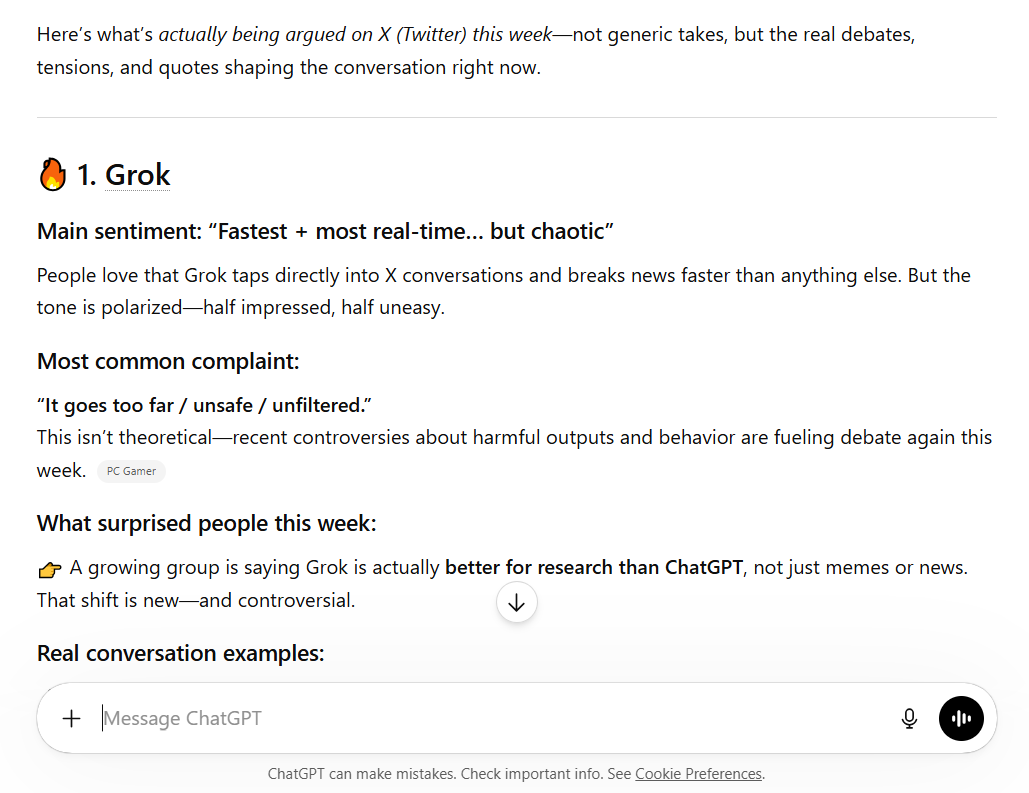
- Cited 6 live sources and the quotes feel more grounded, but lines like "Grok is the only AI that actually knows what's happening right now" still read like reconstructed sentiment rather than pulled directly from X
- The three-way breakdown (Grok = speed, ChatGPT = usability, Claude = depth) is a clean insight, but feels like editorial framing, not live data reporting
- Swapping Gemini for Claude as the third tool shows some awareness of what's actually trending, but without direct post links or usernames, it's hard to verify any of it
Gemini
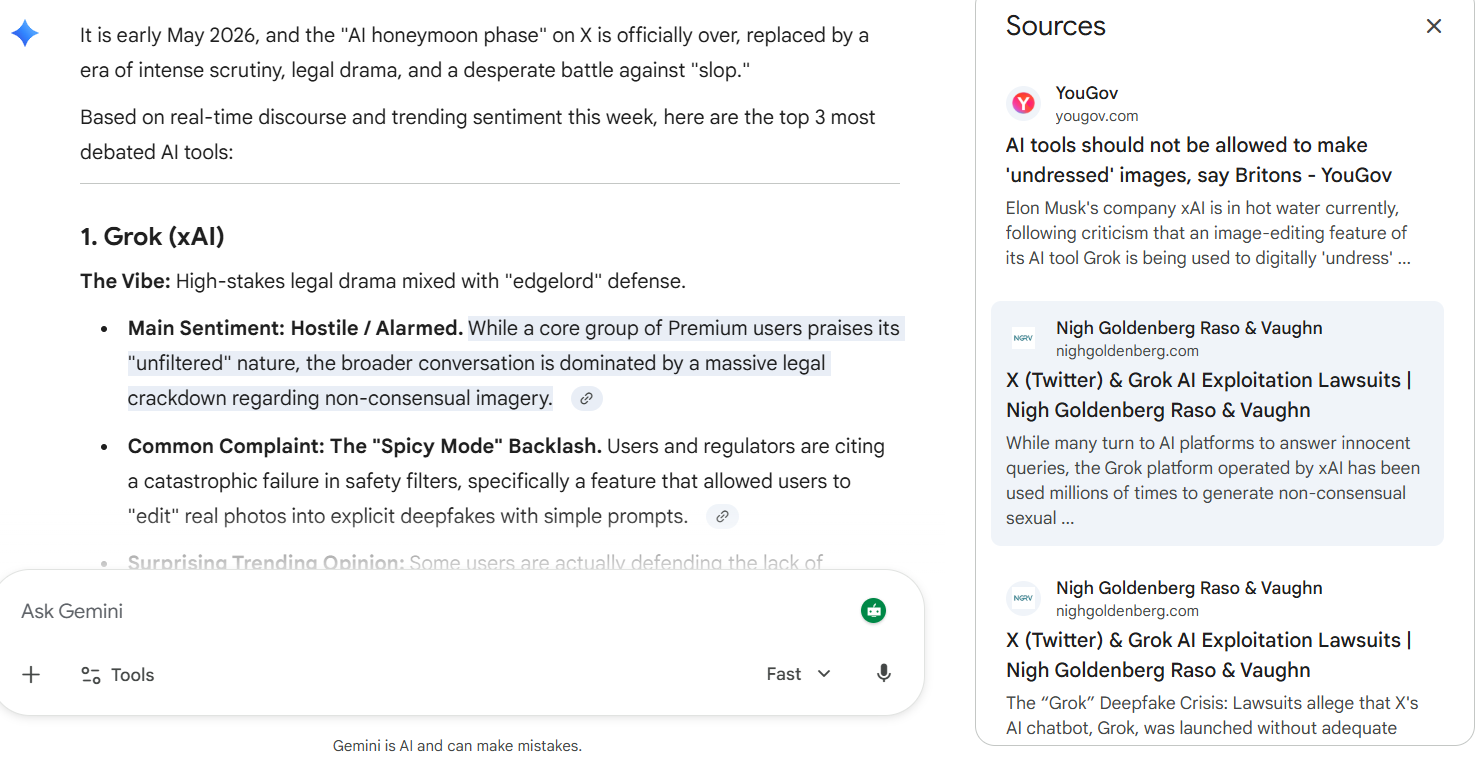
- Most dramatic response of the three: "Spicy Mode" legal crackdown, fabricated feature names like "Nano Banana," and replacing a real AI tool with "InfoFi Spam Bots" as the third entry
- The quotes and controversies it generated sound plausible but appear to be invented; none are verifiable, which is a serious problem for a prompt explicitly asking for real examples
- Ends with a discussion question instead of data, which signals it ran out of real information and shifted into content generation mode
Grok
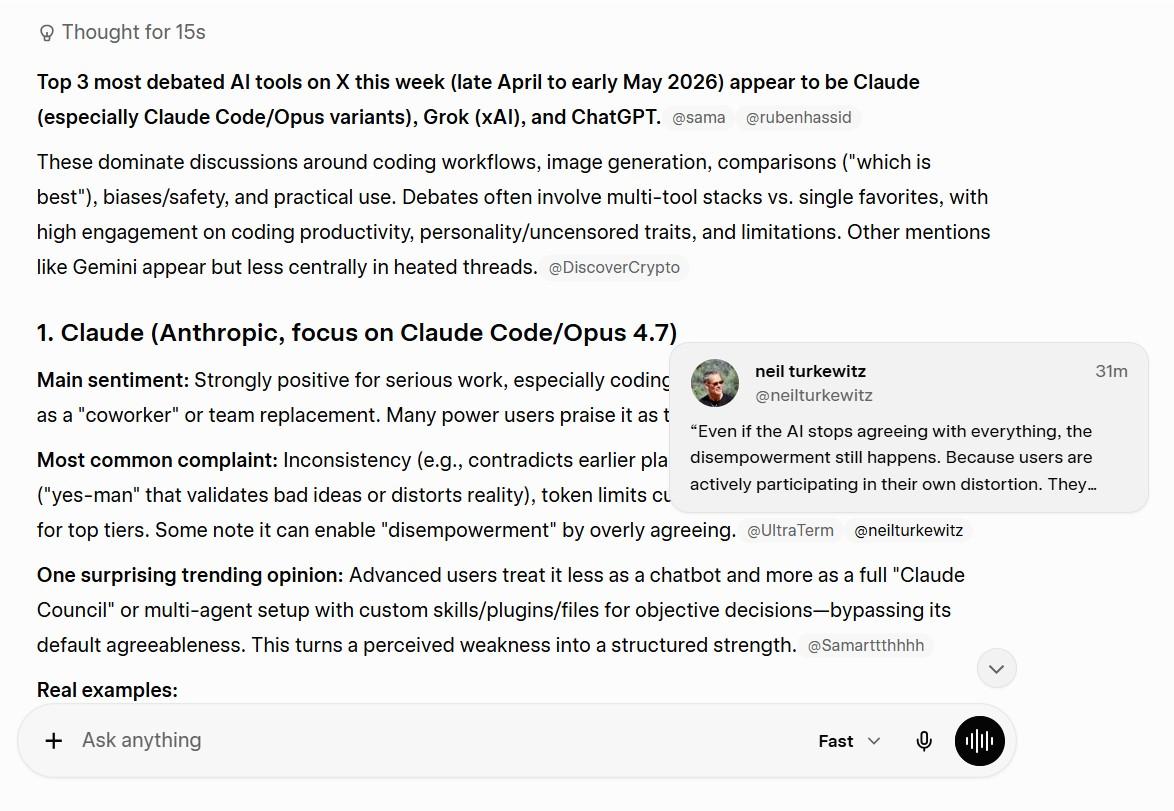
- Its response reads like it was actually pulled from X; specific post examples with engagement numbers (348+ likes), real thread contexts, and platform-native language that doesn't feel reconstructed
- Identified Claude as the most debated tool this week based on actual X activity; a finding neither ChatGPT nor Gemini surfaced independently, which points to genuine live data access
- The "Claude Council" multi-agent setup detail and the coding frustration thread examples are exactly the granular, surprising specifics the prompt asked for, and only a tool with native X access could reliably deliver them
Winner: Grok
When a prompt demands real examples from X right now, not summaries, not reconstructed quotes, not invented controversies, only one tool can actually deliver. Grok's native X integration is not a marketing claim here; it showed up in the output.
Specific posts, real engagement numbers, and a genuinely surprising finding (Claude leading the debate) separated it clearly from the other two. For anyone whose work depends on knowing what's actually happening on social media in real time, this prompt battle made the case better than any feature comparison table could.
Grok vs ChatGPT vs Gemini Pricing: Free, Pro, and Premium
Here's everything in one place, so you can make a real cost comparison:
| Platform | Free | Budget | Mid-Tier | Pro | Power/Research |
|---|---|---|---|---|---|
| ChatGPT | $0 — GPT-5.3, ads | $8/mo — Go | $20/mo — Plus | $100/mo — Pro | $200/mo — o1 Pro |
| Gemini | $0 — Flash-Lite | — | $19.99/mo — Advanced | — | $124.99/3-mo — Ultra |
| Grok | — | $8/mo — X Premium | $40/mo — X Premium+ | $30/seat — Business | — |
Free tier breakdown
- ChatGPT Free: GPT-5.3 with message limits and sidebar ads (US/EU). Functional but noticeably behind GPT-5.5 in output quality.
- Gemini Free: Gemini 3.1 Flash-Lite. The strongest free offering of the three for general daily use.
- Grok: No true free plan. You need X Premium at $8/mo minimum to access Grok at all.
The ~$20/month tier, where most decisions get made
ChatGPT Plus and Gemini Advanced are essentially tied on price and compete directly. ChatGPT gives you GPT-5.5 plus Sora Video. Gemini gives you 2.1M context plus full Workspace integration. Your ecosystem determines the winner.
Premium and power user tiers
- Grok Premium+ at $40/mo is the most expensive entry point to a flagship model across all three platforms
- ChatGPT's $100/mo Pro tier makes sense if you need Codex Agent and GPT-5.5 Pro at high volume
- ChatGPT's $200/mo o1 Pro is for power users who genuinely need Infinite Reasoning mode, not a casual purchase
- Gemini Ultra at ~$42/mo (billed as $124.99/3-months) is a narrow tier for extreme technical research
Value verdict by user type
- Best free tool: Gemini (Flash-Lite is genuinely capable)
- Best $20/mo for marketers and writers: ChatGPT Plus
- Best $20/mo for Google Workspace users: Gemini Advanced
- Best for real-time social tracking: Grok Business ($30/seat), but only if that's your primary use case
- Best for serious technical/coding work: ChatGPT Pro at $100/mo
Grok vs ChatGPT vs Gemini: Key Limitations and Weaknesses
Testing each of these tools is really worth it. We have learned that no tool earns a blind subscription. Here's where each one falls short.
ChatGPT limitations
- ChatGPT has made improvements in factual accuracy, but can still hallucinate, especially on obscure or very recent topics
- Free plan now runs ads in the sidebar (US/EU); a signal about the direction of the free tier
- Computer Use is powerful but still error-prone on complex, multi-step software tasks
- Some users feel ChatGPT has become overly cautious and lacks the creative flair that other models like Grok exhibit
Gemini limitations
- Gemini's responses are characterized by a more conservative approach, often resulting in overly cautious outputs that may frustrate users seeking creative or edgy content
- The ecosystem lock-in cuts both ways, meaning far less useful outside Google's stack
- Deep Research is excellent, but slow for anything time-sensitive
- More expensive flagship entry point ($19.99/mo) compared to Grok's $8/mo, though the feature set justifies it
Grok limitations
- Flagship model (Grok 4.20) requires $40/mo, expensive for a tool with a narrow use case
- Falls apart on anything requiring long-form consistency or structured reasoning over thousands of words
- No meaningful integration into business productivity workflows
- The personality that some love is the same thing that makes it less reliable for professional, formal output
- Grok's ability to analyze social media sentiment in real-time makes it invaluable for tracking public opinion, but that's a specific use case, not a general replacement for either of the others
What all three share as a limitation
They generate answers. They describe strategies. They produce outputs. But none of them complete workflows end-to-end without a human directing each step. That's the gap that matters most for founders and small teams who need AI to do the work, not just describe it.
The Best Alternative to Grok, ChatGPT, and Gemini
Here's what actually happens in most teams after they pick an AI tool:
They get a great answer from ChatGPT. Then they spend 45 minutes manually doing something with it; formatting it, scheduling it, loading it into a tool, sending it, tracking the result. The AI gave them an output. The work of turning that output into a business result? Still entirely human.
In the Grok vs ChatGPT vs Gemini debate, all three are "Brains": they provide information and generate content. What none of them do is act as the central nervous system that connects that output to your actual business operations.
That's what Sintra AI is built to do.
Sintra isn't a chatbot. It's an execution layer with a team of specialized AI workers that takes what these tools generate and completes the actual task, end-to-end.
Why Sintra AI Stands Out
Sintra is structured around role-based AI helpers, each one purpose-built for a specific business function:
- Penn: Content and SEO. Runs audits, generates briefs, writes copy, and pushes finished posts to WordPress automatically.
- Soshie: Social media. Plans, writes, schedules, and monitors performance across channels.
- Cassie: Customer communication. Drafts emails, manages support queues, and maintains consistent brand tone.
- Buddy: Operations. Tracks tasks, manages projects, and keeps teams aligned.
- Vizzy: Data and reporting. Pulls numbers, builds reports, and surfaces insights on schedule.
The Grok vs. ChatGPT debate asks which tool is smarter. Sintra asks which tool actually ships the work. Think of it this way: GPT-5.5 is smart enough to plan your entire content strategy. While Penn executes the SEO audit, generates the brief, writes the post, and pushes it to WordPress. Did you feel the difference?
What makes Sintra better than just using ChatGPT or Gemini? It's shared memory. Every helper knows your brand voice, your customers, your history, and your preferences across every session. No re-explaining context, no re-prompting. Consistent, reliable execution every time.
From AI Responses to Real Execution
Here's the clearest way to see the difference:
Without Sintra (using ChatGPT alone):
- Prompt ChatGPT to write a 5-email nurture sequence
- Copy the output manually
- Log in to your email platform
- Format and load each email individually
- Set up the drip campaign triggers
- Schedule
- Monitor manually
With Sintra (Cassie doing the same job):
- Tell Cassie: "Set up a 5-email nurture sequence for new trial signups, starting tomorrow."
- Done
That gap between "generated a great answer" and "the task is completed" is where most teams lose hours every week.
Similarly, in Gemini vs ChatGPT comparisons that focus only on response quality, the bigger question is missing: which tool actually closes the loop from brief to published, from insight to action, from draft to sent? You know the answer: None of them. But Sintra!
Built-In Workflows and Automation
Sintra ships with pre-built workflows across the most common business functions:
- Content scheduling: From brief to published post, including SEO optimization and platform publishing
- Lead follow-up sequences: Triggered email nurture based on behavior and stage
- Support ticket handling: Categorize, draft, route, and respond at volume
- Weekly reporting: Auto-pull data, generate summaries, send to stakeholders on schedule
In the Grok vs ChatGPT vs Gemini comparison, all three tools require you to build every workflow from scratch, often with developer help. Sintra gives you the infrastructure already wired; you fill in the specifics, and it runs.
For a small team or solopreneur, this isn't a nice-to-have. It's the difference between AI as an expensive note-taking tool and AI as an actual operating system for your business.
Ready to Move Beyond AI Chatbots?
You know which tool wins at coding (ChatGPT). You know which one handles your Google Docs best (Gemini). You know who's watching X in real time (Grok). You've done the comparison.
Now the real question: how much of your week goes into doing things with what these tools generate?
If the answer is "too much", that's the problem Sintra solves. It's not a replacement for ChatGPT, Gemini, or Grok. It's the all-around execution layer they're all missing: meaning it not just plays the role of these tools to generate the outcome, but also finishes the job.
Get started with Sintra AI and see what AI looks like when it actually does the work, not just describes it.
Grok vs ChatGPT vs Gemini FAQs
Which AI is best on benchmarks: Grok, ChatGPT, or Gemini?
No single model sweeps every benchmark. Gemini 3.1 Pro leads most reasoning benchmarks (including ARC-AGI-2), ChatGPT (GPT-5.5) leads on coding and structured tasks, and Grok 4.20 is competitive on live-data and some STEM tasks. Gemini and ChatGPT trade the top spots depending on the test, while Grok’s edge is real-time data rather than raw benchmark scores.
What is the difference between ChatGPT and Gemini?
ChatGPT is the most versatile, with the strongest coding and the most advanced agentic features (Computer Use, Codex Agent). Gemini has a larger context window (2.1M tokens), leads on reasoning benchmarks, and integrates natively with Google Workspace. Grok pulls real-time data from X and applies fewer content restrictions, but is narrower in scope. In short: ChatGPT for versatility, Gemini for research and Workspace, Grok for live social data.
ChatGPT Plus vs Gemini Advanced vs SuperGrok: which subscription is best?
At around $20/month, ChatGPT Plus offers the widest range of capabilities for the price. Gemini Advanced ($19.99/month) is the best value for Google Workspace teams because it lives inside the tools they already use. SuperGrok is the pick if real-time social data and live trend tracking from X are central to your work. For most users, ChatGPT Plus is the safest choice; Workspace-heavy teams should lean Gemini.
Are free versions of ChatGPT, Gemini, and Grok enough?
For occasional personal use, yes. For consistent business use, no. ChatGPT's free plan runs GPT-5.3 with sidebar ads and no reasoning mode; functional but clearly limited. Gemini's free tier (Flash-Lite) is the strongest of the three for free use; genuinely capable for everyday research and drafting. Grok has no true free plan; X Premium at $8/mo is the minimum. If you're using AI more than a few times per week for work, the paid tiers pay for themselves quickly in time saved.
What is the best alternative to ChatGPT, Gemini, and Grok?
If you want AI that executes tasks rather than just generating answers, Sintra AI is the strongest alternative. Its role-based AI helpers (Penn for content, Soshie for social, Cassie for communication, Buddy for operations, Vizzy for reporting) run on shared memory and pre-built workflows. Where ChatGPT, Gemini, and Grok finish off and hand over the work to you, Sintra AI completes business tasks end to end without asking you to put in your effort and time.
Related articles