NotebookLM vs ChatGPT: Which AI Tool Is Better in 2026

Table of Contents

Quick Answer: What's the Difference Between NotebookLM and ChatGPT?
NotebookLM is an AI research and note-taking tool. It works exclusively from your uploaded documents by summarizing data, extracting key information, and answering your queries. ChatGPT, however, is a productivity-focused AI built for flexibility. It carries conversations, generates content, conducts research, and handles a variety of professional tasks.
Artificial intelligence has empowered individuals and businesses like never before. Two most talked-about AIs, NotebookLM and ChatGPT, each capable, represent different philosophies in AI assistance. While ChatGPT has become a staple for everyday productivity and conversations, NotebookLM takes a different approach and taps into the research space.
The question should not be, which is better, NotebookLM vs ChatGPT?” But rather, which of these two fits your workflow? Where most people go wrong is when they pick one based on familiarity and not their unique requirements.
This article helps you avoid this mistake. Here is an in-depth ChatGPT vs NotebookLM comparison guide, based on key differences, use cases, and functionality. So, dive right in.
Here is a side-by-side NotebookLM vs ChatGPT comparison.
Use NotebookLM when your work requires high accuracy and traceability to the provided information. It excels at synthesizing business reports, studying dense data, and preparing research material. In comparison, choose ChatGPT when your work involves a range of tasks, from generating content to brainstorming a strategy and answering routine queries.
NotebookLM vs ChatGPT: How They Work and When to Use Each?
Before we dive into the ChatGPT vs NotebookLM debate, it’s important to know the basics of these two tools.
What is NotebookLM?
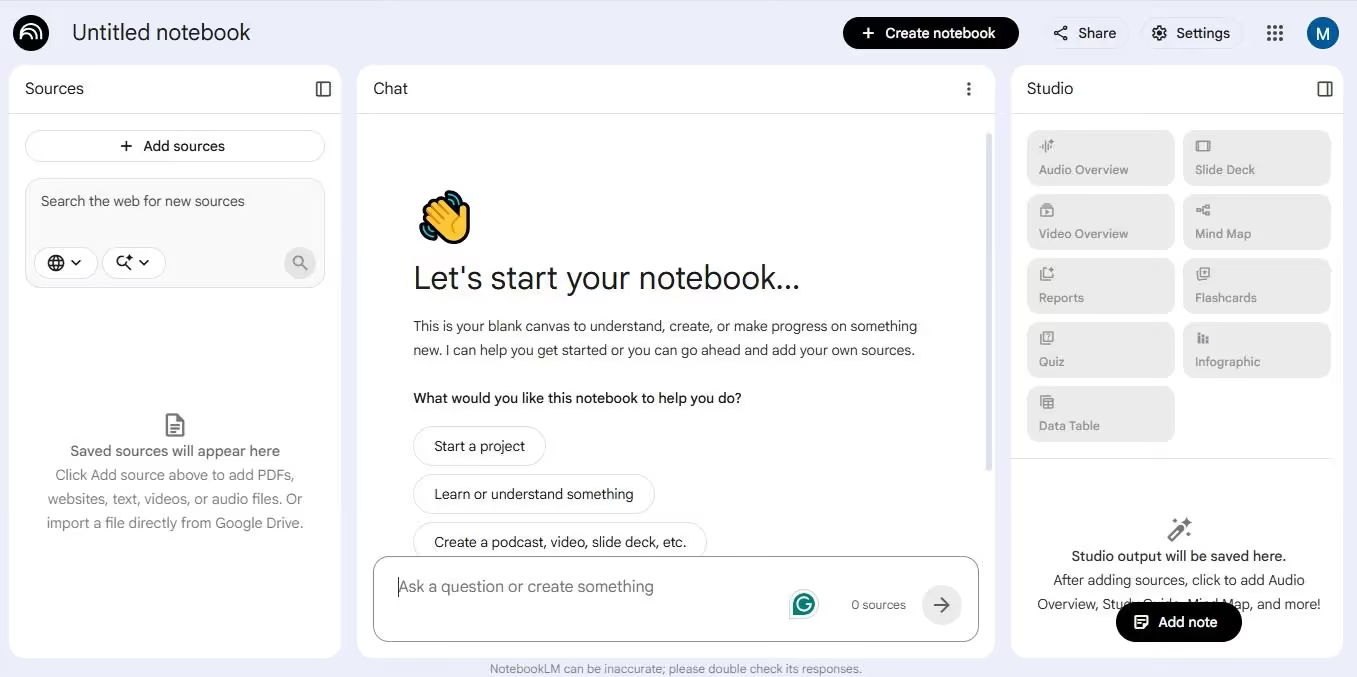
NotebookLM is an AI-powered note-taking tool developed by Google to help users research and learn new concepts faster. It works by synthesizing your uploaded sources (documents, web pages, YouTube videos, and audio) to create isolated notebooks, generate summaries, and get answers from your provided data.
This AI uses Gemini’s advanced models, which use RAG (Retrieval-Augmented Generation) to ensure that the answers trace back solely to the documents you upload. Because it is source-grounded, NotebookLM does not hallucinate, meaning all the answers are accurate and reliable for business or academic research.
As of 2026, NotebookLM also has a podcast feature. This feature can turn your uploaded documents into short audio conversations. This conversational audio helps you grasp the concepts better, even when you are busy with other activities - walking, commuting, etc.
Key Features
- Document upload that lets you import PDFs, webpages, YouTube videos, audios, and text files.
- Source-grounded responses, meaning answers come from uploaded material, reducing hallucinations or incorrect information.
- Studio outputs involve the AI’s ability to process information as audio and video overviews, mind maps, reports, flashcards, quizzes, infographics, and slide decks.
- Intelligent QnA that answers your queries with in-line citations, linking directly to relevant sections of the uploaded documents.
- Note-taking that creates, saves, and sorts your notes. It can also transform your notes into tables, outlines, study guides, and summaries.
- A collaboration feature that allows users to share their notes with others (with a Google account).
- An audio guide that can generate short and interactive podcast-style audio from your sources.
- An interactive chat interface where users upload documents, ask questions, and get responses.
What is ChatGPT?
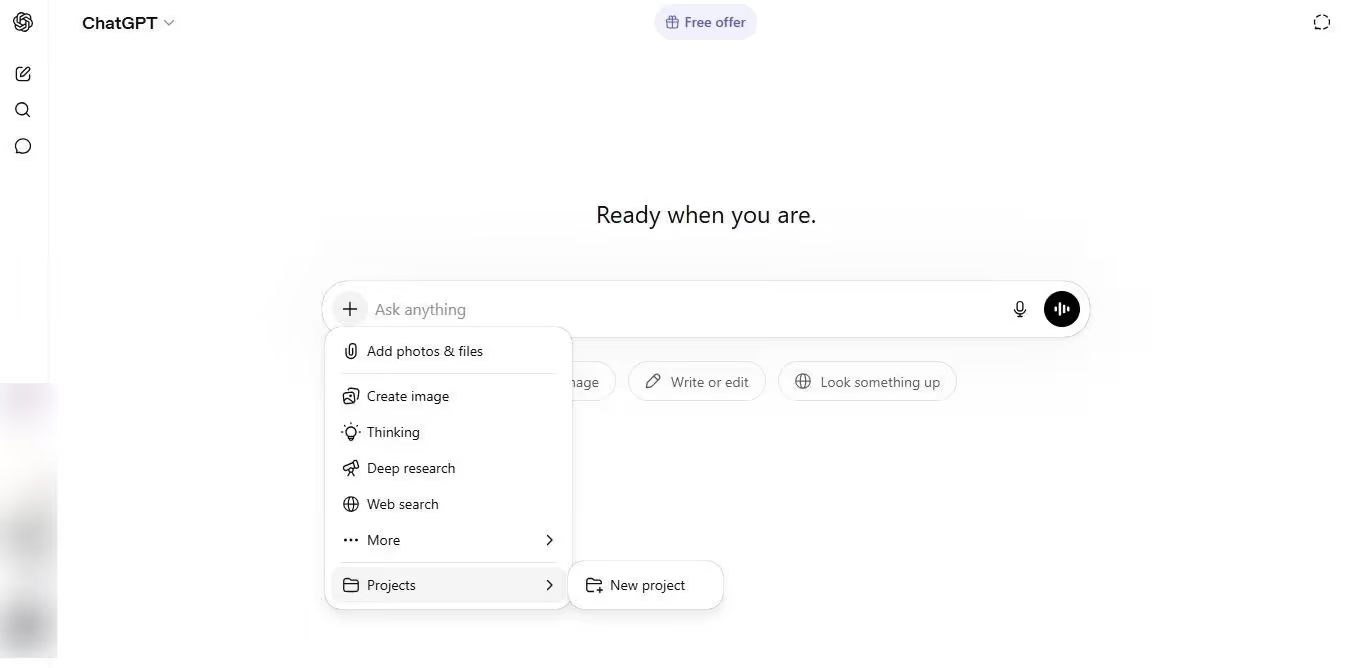
ChatGPT is a productivity-first AI chatbot developed by OpenAI, the renowned San Francisco-based research and deployment organization. Think of it as an answer generation engine. You ask a question, and it responds accordingly by mimicking human language. Beyond basic conversations, it helps you write code, summarize documents, generate content, and brainstorm ideas.
Unlike NotebookLM, ChatGPT has a mature ecosystem, including connectors, public APIs, and custom GPTs that help professionals support routine operations. The latest version, GPT-5.5 (codenamed Spud), can also execute multi-step operations independently and possesses agentic features.
Another key capability of GPT-5.5 is its improved knowledge work. It is built for advanced research and complex data analysis. Meaning, it synthesizes your uploaded information and web browsing to answer queries and execute multi-step research tasks. An improvement from previous variants, this model has reduced hallucinations and higher accuracy.
Key Features
- Content generation and editing, meaning it can draft, rewrite, and summarize content of all forms (creative writing, essays, emails, and more).
- Web browsing where ChatGPT accesses the live internet sources to provide up-to-date information.
- Data analysis that analyzes your documents, spreadsheets, CSV files, images, and videos to identify trends and create infographics.
- Vision or image analysis that processes your images, diagrams, and screenshots to synthesize information and break down complex information.
- An enhanced memory that stores your facts and preferences from previous conversations. This helps the AI to personalize future responses.
- An advanced voice mode that allows you to carry real-time voice conversations with AI.
- Deep Research for in-depth, complex, and multi-step research tasks. With these features, professionals can create extensive reports with graphs, tables, and research studies.
- ChatGPT projects that organize conversations, files, and context for long-term projects and tasks.
- Canvas, an interactive workspace that allows editing and refining documents in collaboration with AI.
- Reasoning models that automatically switch between instant tasks and deep research, depending on the complexity of the query.
NotebookLM vs ChatGPT: Feature-by-Feature Comparison
Here is a complete feature-by-feature comparison of NotebookLM vs ChatGPT with real-world examples.
Data Sources and Context Handling
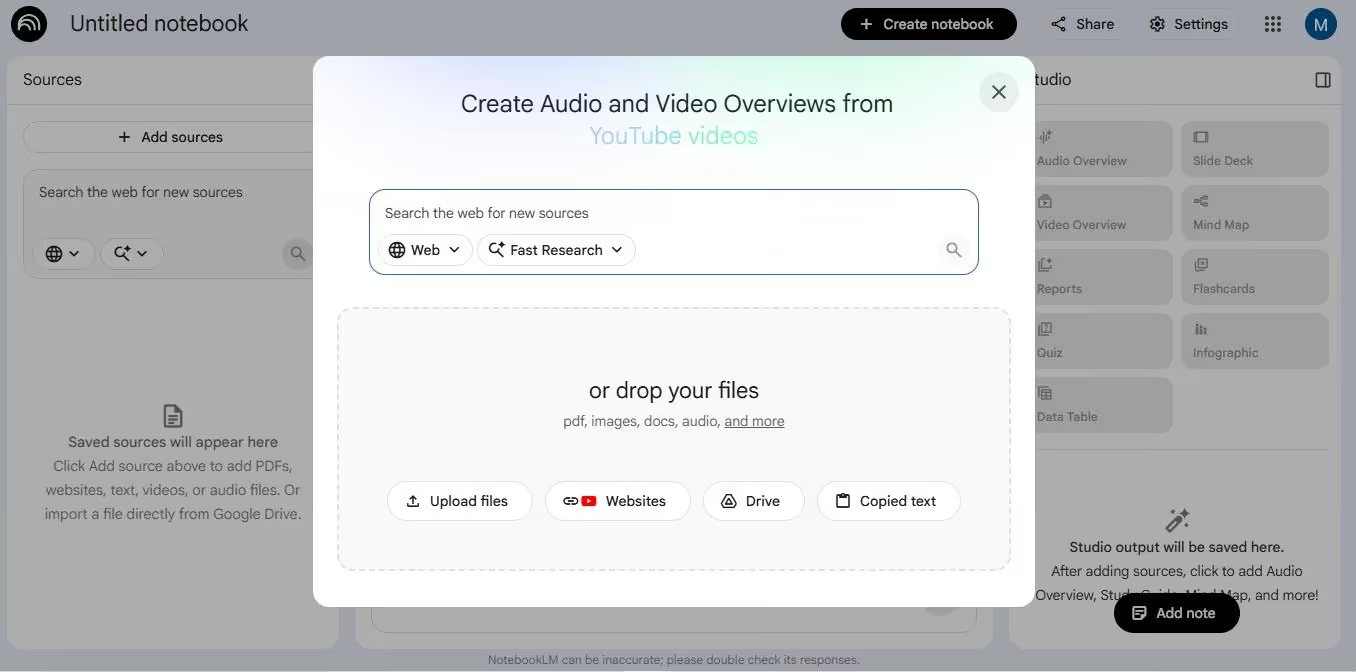
The most obvious difference between NootebookLM and ChatGPT is how these tools handle information and context across tasks.
NotebookLM acts as a second brain or an extension of your knowledge. For starters, it is a source-grounded tool that relies on your uploaded documents (PDFs, website URLs, Docs, etc) to answer questions. In 2025, Google announced that NotebookLM can now browse the web to find information. However, for this, you select and import specific sources.
As for the limit, you can include up to 50 sources or up to 500,000 words per notebook (on free tiers) and 300 sources on paid plans. So, with the AI being only familiar with your data, you get better control over the output.
Moreover, NotebookLM shows you exactly where the answers come from, thanks to its in-line citations from your uploaded sources. Meaning you can verify the responses quickly and don’t have to worry about hallucinations.
In comparison, ChatGPT is a generalist AI assistant with data analysis as one of its features, not the entire personality. To curate responses, this AI uses vast training data, web browsing capabilities, and user uploads (optionals) to generate responses. Therefore, ChatGPT stands out for blending user data with real-time, up-to-date information from different perspectives. Compared to 300 NotebookLM sources, ChatGPT supports up to 40 files.
ChatGPT does not offer in-line citations for every claim it makes. Rather, it gives you web sources at the end or within the text that do not always link back to specific lines in the answer. This can also lead to ChatGPT being prone to hallucinations.
Imagine an e-commerce setup that has received its second-quarter sales report and wants to understand the reasons behind the revenue dip.
With NotebookLM, they can upload the report, and every insight the tool generates comes directly from the document. Leaders can easily verify the claims and use them in presentations without second-guessing. Let’s say they switch to ChatGPT. Now, they can upload data and ask the tool to use industry trends and competitors to answer. This means better knowledge coverage and a broader perspective. However, you have to fact-check every claim.
Content Creation and Creativity
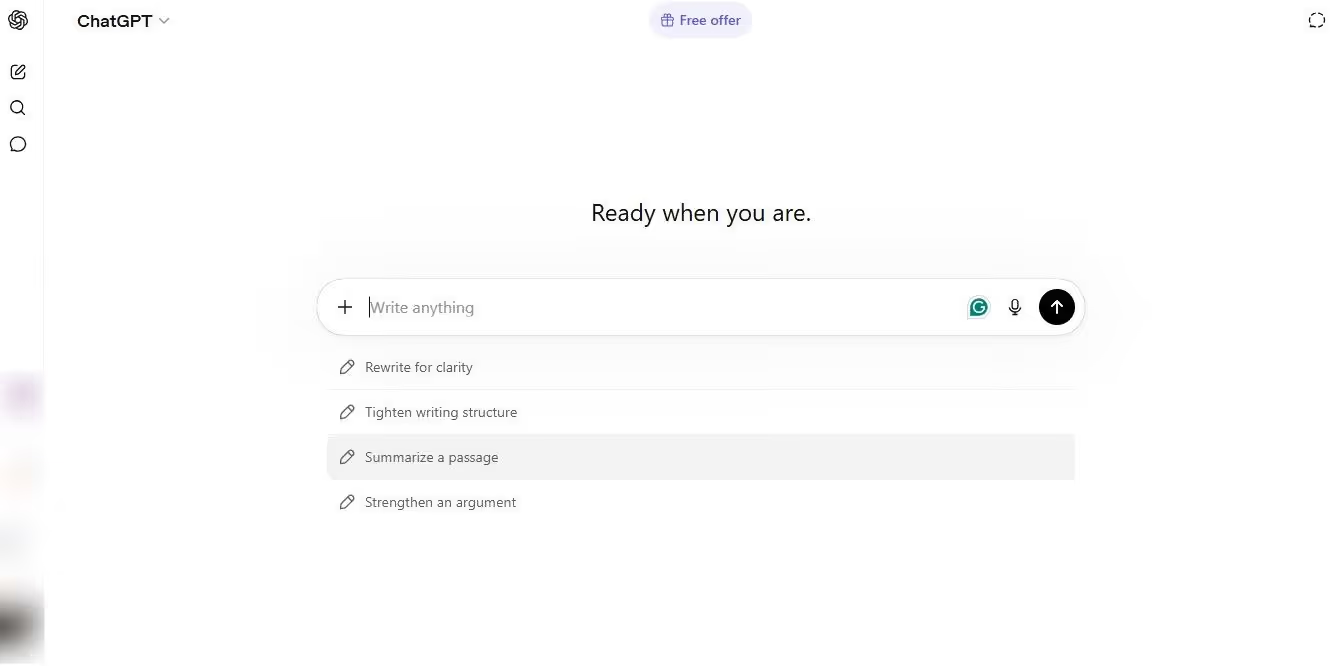
ChatGPT vs NotebookLM: which is better at creativity and content creation? The answer: ChatGPT, but NotebookLM has its own edge in brainstorming and market research.
ChatGPT was built to help users with content creation and creative brainstorming. Give it a prompt, and it will move in that direction. You can ask it to draft cold emails, write ad copy, produce product descriptions, and more.
That’s not it. Instead of only a content generator, ChatGPT acts as a thinking partner and excels at ideation. Whether it’s brainstorming for a new product launch or a marketing strategy, ChatGPT thinks with you, creates an outline, and refines it until you are satisfied. However, the key lies in prompt detailing. As long as you define your niche, brand voice, and target audience, ChatGPT will produce superior results.
On the contrary, NotebookLM was not developed for content and creativity by design, but people use it anyway. Here, too, it functions as a source-grounded creative partner, meaning the tool analyzes your uploaded documents to generate scripts, outlines, and even lengthy podcasts.
Instead of starting from scratch, it turns your raw ideas into structured content. Once you upload your research notes, customer surveys, and brand details, NotebookLM helps identify trends, explore new ideas, and find creative angles. A standout feature is its podcast-style audio summaries, which can be used as reference material for your group brainstorming sessions.
Let’s understand this difference better. Imagine you are launching a new product and need a Facebook ad copy.
You give ChatGPT all the details about your product, audience, tone, and customers. Within seconds, it will generate multiple ad copies. You have a proper conversation to refine it further, so the copy is ready to publish. However, doing the same task with NotebookLM looks different. If you don’t upload a copy template, brand guideline document, creative strategy, and other relevant documents, it will not write the copy. This is not a criticism. It’s not built for that.
Accuracy and Reliability
How accurate or reliable your AI is has significant consequences for professionals. A small mistake in defining your brand guidelines can cost you a lot of time. And acting on inaccurate information means compromising credibility in the market.
Thankfully, both NotebookLM and ChatGPT are accurate as long as you use them correctly.
For NotebookLM, reliability is rooted in its structure. As it only works with your uploaded documents, the AI cannot make its own claims or fabricate the data. Every response is accurate and links back to your documents. So, when you are preparing a creative strategy or writing a client proposal, the accuracy depends on the documents you upload.
ChatGPT’s accuracy, however, is not constant. It gives you answers in a confident, well-structured manner, whether the facts are rooted in solid knowledge or the gaps are filled with assumptions. You can’t differentiate reality from fiction by reading a ChatGPT response.
Typically, its AI models are accurate in conversations about well-documented, broader topics. However, as you dig deeper and tap into niche conversations (such as specific legal procedures or financial figures), ChatGPT tends to fabricate data. Although wrong, these answers can sound authoritative and confident. Hence, fact-checking is essential while using this AI.
Limitations of NotebookLM and ChatGPT
In a NotebookLM vs ChatGPT debate, you must understand the limitations of both AIs. It helps you understand which AI is better suited for your workflows and business.
Limitations of NotebookLM
NotebookLM is as useful as the documents you upload. Here are some things you might need to consider before using it blindly for your company’s research processes.
Lacks a Cross-Notebook Memory
The major limitation of NotebookLM is that its notebooks live in isolated silos. Your uploaded documents don’t talk to each other. Your first-quarter financial reports cannot draw insights from your fourth-quarter report. This not only misses context but also duplicates information, which can be wasteful.
Imagine a copywriter drafting a new ad copy. They have notebooks for creative strategy, brand guidelines, audience research, and product documents. The audience research informs creative strategy. Creative strategy and product documents dictate the ad copy. Despite the documents being deeply interrelated, each piece has its own box in NotebookLM.
No Edge Cases
Google markets NotebookLM as a research assistant. However, it does not support the infrastructure research actually needed. Cross-project memory, task captures, citations, and intelligent recall are a few features that can help researchers and analysts explore new findings in their company or project data. Without these functions, NotebookLM might appear impressive in a short 20-minute information extract session, but not ideal for real use.
No Space for Team Collaboration
With NotebookLM, you can share your notes and notebooks with other Google account holders. That’s it. There is no built-in mechanism for role-based access, real-time comments, version history, or the team’s brainstorming space. It may be fine for individuals. But, as soon as you turn to supporting teams, managing resources, and tweaking the AI responses, the tool lags.
Limited Export Options
The most obvious drawback of NotebookLM, regardless of your skill set, is getting work out of this platform. You may copy text from the responses and download your notes.
But there is no mechanism for users to export their conversations, notebooks, and connections. Whether you have to move to a different tool or share your knowledge with the team, the only way to get data out of this AI is to share it on Google platforms or paste it across tools.
It has No Public APIs
NotebookLM has no public API for personal accounts, meaning your tools do not talk with each other. Everything happens on the NotebookLM interface. Today, business processes happen across tools; hence, context matters a lot. And APIs are the best way for an AI tool to pull context and execute tasks accordingly.
That said, Google does have a NotebookLM Enterprise API. It is only for enterprise customers with specific Gemini licenses (Education Premium License, Gemini Enterprise, etc). With this API, you can manage notebooks across work tools, generate summaries, and produce podcasts.
Limitations of ChatGPT
Is ChatGPT better than NotebookLM? That depends on what you want to accomplish with it and how you are using it. Before you choose ChatGPT over NotebookLM, here are some limitations to keep in mind.
Quality Shifts with the Prompt Quality
ChatGPT’s responses are as good as the prompts you feed this tool. The more detailed your prompt is, the more accurate and in-depth the answer is. And, with the release of GPT-5.5, OpenAI has recommended a different prompting approach in their developer documentation.
The standard older approach was something like: “begin with X, then evaluate Y, score them, and explain the reasoning by the end.” The newer recommendations differ completely. According to them, your prompt should be shorter and outcome-first. Tell the model what a good answer looks like and not how to get it.
An employee not trained in prompt engineering, yet using ChatGPT for research and content generation, will not produce the same results as a senior manager. Hence, using them requires training and constant practice.
Frequent Hallucinations
One thing ChatGPT does not like is admitting that it doesn’t know something. Hence, it fabricates information and makes false claims. In a study, “Systematic Review of the Limitations and Associated Opportunities of ChatGPT,” it was found that ChatGPT generated misleading and incorrect information in almost 47% of instances. And it does this with confidence, so there is no chance you can pinpoint the inaccuracies by only reading the responses.
Fake References
Some professionals use ChatGPT for research, whether for a campaign idea, creative projects, or industry trends. This may not be ideal, as ChatGPT often makes up references. It often cites studies in the responses that appear legit. But once you specifically ask for a link or reference, it will say something like, “You are right to point this out. Actually, I made it up,” or “Such research does not exist. I created it to support my claim”.
Struggles with Context in Lengthy Conversations
Unlike NotebookLM, ChatGPT has a memory that carries information across conversations. Meaning, it will remember your preferences and style across sessions. However, this memory struggles as your conversations get long, because of its limited context window. Once the memory fills up, the AI forgets early instructions and details to make space for new ones.
As you go deeper into conversations to create content, conduct research, or brainstorm, responses turn less precise and repetitive. You will find the AI drifting from the topic and forgetting specific instructions you added earlier in the prompts.
Potential Biases in the Training Data
Like any other large language model, ChatGPT’s massive training datasets have potential biases. These biases reflect societal prejudices, including gender biases, racial or ethnic discrimination, and religious stereotypes, among others. Unfortunately, these biases amplify in the model’s output, meaning they are prevalent in responses.
Side-by-Side Comparison of Key Limitations
NotebookLM vs ChatGPT limitations: how do they compare? Both AI tools are capable. However, understanding where each fails or lags can help you make smarter decisions about your business. To help you with this, we have curated this side-by-side comparison of both AI’s drawbacks.
Which Tool Should You Choose?
NotebookLM vs ChatGPT: both have their own merits. NotebookLM is unmatched when accuracy and traceability are concerned, while ChatGPT excels at creative tasks and speed.
Choose ChatGPT for
- Structured Tasks: Structured tasks are ChatGPT’s main forte. You can ask it to analyze data and summarize it, document procedures, repurpose content, and organize writing material into logical sections. You can also task this AI to produce responses using pre-defined templates.
- Content Creation: ChatGPT excels at content generation, including long-form blog posts, social media captions, formal emails, product descriptions, and ad copies. What’s better? It adapts the writing style to your brand voice and client guidelines.
- Translation and Multilingual Support: ChatGPT has multilingual capabilities, meaning it can transcribe your audio files in minutes with reasonable accuracy.
- Knowledge Discovery: ChatGPT uses RAG (Retrieval-Augmented Generation) to pull information. This feature gives employees a unified interface for querying scattered internal organizational data in seconds.
- Interview Management: HR managers can deploy this AI to draft interview questions, create an ideal employee profile, and screen resumes.
- Customer Support: ChatGPT excels in understanding the intent behind a query in different languages. It uses your customers’ purchase history, feedback data, and chat history to support them, answer their queries, and tailor communication.
- Sentiment Analysis: ChatGPT can synthesize your business data to identify customers’ emotional state and satisfaction with the service. This way, businesses can adjust their strategy and flag high-risk conversations or human review.
Choose NotebookLM for
- Industry Intelligence: NotebookLM helps professionals track and analyze industry changes across different sources. It consolidates technical updates, market reports, and standard safety documents into a single interface.
- Project Management: Project managers use NotebookLM to build intelligent knowledge bases for specific projects and clients. These notebooks act as a central repository for your communication records, project documents, deliverables, and meeting notes.
- Decision-Making: NotebookLM is a powerful decision-support assistant. It analyzes case studies, strategy documents, competitors, and market research. This helps leaders identify correlations and patterns, so they can make informed decisions accordingly.
- Document Analysis: NotebookLM’s summary feature breaks down complex documents and entire books into digestible information. It also extracts valuable information, key terms, and other technical specifications from documents in minutes.
- Knowledge Management: Like ChatGPT, NotebookLM has revolutionized knowledge management at the organizational level. It creates searchable repositories of your business's internal information, including training material, standard procedures, or private data.
- Meeting Intelligence: NotebookLM gives you intelligent insights from your meeting transcripts and notes. This AI extracts actionable items, follow-up tasks, and key decisions taken during meetings to make sure nothing slips through the cracks.
- Content Development: Content creators can use reference materials and content to generate new ideas and perspectives for content. It can also create podcast-style audio overviews to unlock new possibilities for repurposing existing content.
Which Tool Should You Choose?
Still confused about which AI to choose? NotebookLM is the best way to understand and analyze specific information. ChatGPT is a better fit for anyone whose work is about exploring ideas and generating content around them. Here is a side-by-side evaluation of both AI’s core functionalities.
Why Comparing NotebookLM vs ChatGPT Isn’t Enough?
Comparing both AIs, NotebookLM and ChatGPT, is useful to make the decision. But you should not confuse useful with sufficient. For anyone running an entire team or startup, the scalability gaps, lack of contextual awareness, and accuracy issues are where the problem starts.
Both tools handle business fundamentals, including research, data analysis, summaries, content creation, and web browsing, quite well. But what happens next? Who will include summaries in your project’s creative strategy, or take the ad copy and build an entire campaign? The answer: you and your employees, who will manually copy and paste the context and outputs across tools.
Unfortunately, this practice does not work for growing businesses, like they do for individuals. It’s not a criticism. They are basically structurally developed as output-focused engines. You ask them a query, and they respond. They produce answers that you act on.
Imagine a marketing manager using ChatGPT in their workflow. They can ask the AI to draft a marketing plan that targets your audience, choose strategy channels, develop a messaging framework, and sort the content calendar. The AI will do this in minutes, just the way they like it. However, this plan lives inside the ChatGPT chat interface. Nothing happens on its own.
They have to schedule everything, generate content for the audience, and post it across channels. They will have to carry every single task manually - tool by tool, channel by channel.
NotebookLM works similarly. It can synthesize your last year’s customer research in a well-documented summary, highlighting their interests, preferences, and buying behavior. This summary is valuable. But it cannot turn into a sales strategy on its own. You will have to put effort into attracting leads, reaching out to them, updating CRMs, and triggering follow-ups.
Simply put, ChatGPT vs NotebookLM: execution is where both AIs lag. The result: solopreneurs or business owners outgrow these tools. The bottlenecks appear when your AI cannot fill the gap between having the resources and executing tasks with these resources. You can generate the content with these AI chatbots, but not post it directly onto your social media channels.
What Is the Best Alternative to NotebookLM and ChatGPT for Getting Real Work Done?

If you have outgrown standalone AIs and want to go beyond the Notebook vs ChatGPT debate, it's time to look for automation-focused alternatives.
How Sintra AI Works as an Execution Layer?
Sintra AI is an advanced automation solution for businesses. It has twelve AI helpers, each specializing in a business domain, including customer service, sales, e-commerce, and more. Think of them as your digital employees who handle all the workload for that role. For instance, the social media manager does not just produce content. It creates content briefs, generates content, and publishes it across channels.
Unlike standalone AI tools, these helpers talk to each other and share context. This context comes from Brain AI, a centralized business knowledge space. Think of it as your organization’s memory. It stores everything from your target audience to products, services, goals, workflows, brand guidelines, and clients.
Whenever you interact with the helpers, there is no need to re-explain your business needs. The context is already there. Just ask your digital helpers to execute the task sequence, and they will do it. How does a workflow with these persona helpers look as a workflow?
A marketing manager is launching a promotional campaign for their new product. Here is how the process goes.
- You add details of this product, its audience, and tone guidelines in the Brain AI.
- Ask the marketing manager to draft the ad copy.
- It goes to the social media manager for formatting and publishing.
- The email assistant is building the outreach sequence in parallel.
Everything stays consistent, as the helpers draw from the same context. And, the human interference is minimal throughout.
From Research to Action With AI Helpers
The best way to understand how Sintra AI differentiates from NotebookLM vs ChatGPT is to visualize a workflow. Here is how it goes.
Step One - Brainstorming with ChatGPT
A startup is launching its lead generation campaign. The target audience for the campaign is small e-commerce businesses. The marketing manager asks ChatGPT to brainstorm different angles at which they can position their product and potential pain points. Then, prompt the AI to convert the data it pulls from the web into a rough campaign draft. In around twenty minutes, you will get a decent content framework to start with.
Step Two - Synthesizing Information with NotebookLM
NotebookLM works similarly to ChatGPT. To further refine your content framework, you upload industry reports on e-commerce trends, competitors’ campaigns, and your already generated content framework. Then, ask the NotebookLM to identify potential pain points and find any gaps in the messaging framework that ChatGPT has missed. Once done, the AI will give you a well-structured synthesis that further sharpens your campaign angles.
Step Three - Execute the Sequence with Sintra AI
The final step is executing this campaign. Brain AI already knows your brand, audiences, and products. Import this content framework document to the Brain AI, and that’s it. Similarly, connect the Brain AI with external tools using AI integrations. From here, the work actually moves.
- The copywriter pulls context from the knowledge space and writes the full ad copy that resonates with your brand voice.
- The email assistant drafts a five-step nurturing sequence with subject lines, CTAs, and body.
- Once someone from your team validates this, the social media manager creates a two-week content calendar to schedule postings across platforms.
- Finally, the SEO assistant optimizes the landing page against the gaps that were identified in the content framework.
Your input is almost minimal. AI takes care of end-to-end execution, from strategizing to writing and publishing.
Why Execution-Focused AI Is the Next Step for Businesses?
Businesses, growing or already established, are moving from standalone AI tools to automation solutions that act as an operational layer for their workday. The question is not anymore “NotebookLM vs ChatGPT: which AI can help me think through this?”, but rather, “Can AI actually run different parts of my business while I focus on strategy and growth?”
The answer lies in tools specifically built for this purpose - to help employees who want to get their work completed. Results: maximum productivity. The time you would otherwise spend on reformatting the ChatGPT outputs or curating the NotebookLM sources can go into growth and strategy building. For a solopreneur and small teams, the efficiency amplifies directly.
Moreover, it helps businesses with scalability. A business with integrated AI systems that are aware of their brand context, execute around the clock, and grow sustainably independently. Whereas one using individual AI tools moves with the individuals who use them.
Put Your AI Workflows on Autopilot
There you have it - all about what Notebook LM or ChatGPT is, and how they compare. These two are genuinely useful tools for specific tasks. While NotebookLM has a comparative advantage of accuracy and reliability, ChatGPT helps professionals with speed, content generation, and general productivity. If you are an individual whose everyday work revolves around data analysis and content creation, these two AIs are enough.
However, as your work grows beyond documents, it’s time to look further and switch to an automation-focused platform like Sintra AI. It helps you streamline multi-step task sequences, so you can focus on sustainable growth. Get started with Sintra AI and see how it goes.
NotebookLM vs ChatGPT FAQs
What is NotebookLM used for?
NotebookLM is an AI-driven research assistant that uses Gemini-3.0 to analyze your uploaded documents, videos, and audios. It helps professionals and researchers to summarize large documents, generate study guides, and answer questions from the provided data.
Is ChatGPT better than NotebookLM?
ChatGPT and NotebookLM are two AI tools with distinct usability. NotebookLM is an AI research assistant that helps you with data analysis, research, and learning new concepts. Whereas ChatGPT is a general productivity tool for professionals to get assistance in everyday tasks, including writing, coding, brainstorming, and ideation.
What's the difference between NotebookLM and ChatGPT?
NotebookLM is a source-grounded AI assistant that synthesizes user-uploaded sources (documents, videos, audios) and provides accurate, cited answers to your queries. In comparison, ChatGPT excels at generating new content, coding, and casual conversations, using web searches and training data.
Is there a better alternative to NotebookLM and ChatGPT?
Yes, there are several better alternatives to NotebookLM and ChatGPT, depending on your unique requirements. For instance, Claude AI stands out for better reasoning and summaries, Perplexity AI for academic research, and Elephas for Mac users’ productivity.
Can ChatGPT analyze documents like NotebookLM?
Yes, of course. ChatGPT has a document analysis function that synthesizes your uploaded documents to give you summaries, valuable key extracts, and answers your queries. Whereas NotebookLM is designed as a personalized research assistant that works exclusively with user-provided documents, making it ideal for in-depth study and research.
Related articles