


Motion App Alternatives: We tested the best 7 apps in 2026


Table of Contents

Quick Answer
The best Motion app alternatives include Sintra AI, a tool for businesses ready to look beyond just a beautiful calendar. Reclaim AI for calendar management purists. Similarly, Sunsama is a more cognitive, manual experience for those who like to stay in the driver's seat of their day-to-day planning. Besides these, the top choices are:
- Morgen - For a perfect sync of calendar and tasks
- Akiflow - For turning scattered plans into actionable plans
- SkedPal - For smart scheduling that prioritize most important tasks automatically
- Notion AI - For thinking, writing, and organizing everything in one place.
The most appropriate choice is purely based on whether you are more self-oriented or team-oriented.
Motion is an AI-powered productivity app that helps you automate task scheduling, calendar management, and provides other solutions. It has changed the game by letting an AI engine build our schedules.
But, is it still the heavyweight champion?
Although it is excellent in terms of auto-scheduling, its strict automation is a bit stifling to many users. Recent data shows that 60% of a knowledge worker's day is spent on ‘work about work’ like manual coordination and status updates, as opposed to the actual work that is planned. That’s where several Motion alternatives fill in and compensate for the missing features.
Whether you need more flexibility or a tool that syncs with AI employees, finding the right Motion app alternative is about results. We battle-tested the best apps like Motion to find the perfect alternative for your current workflow. Here is what our in-depth analysis proved for you
The 7 Best Motion Alternatives Compared
In order to make this comparison meaningful, we did not test each Motion alternative based on merely its feature lists. All the apps are tested in real-world situations and tasks. It involved scheduling entire work weeks, rearranging schedules when priorities changed, and coordinating cross-tool tasks.
We focused on four areas: scheduling quality, flexibility, team usability, and automation depth. The real value is not only to organize tasks, but also whether the tool actually makes the work behind it less.
1. Sintra AI: Best AI Team Platform for Full Business Workflows
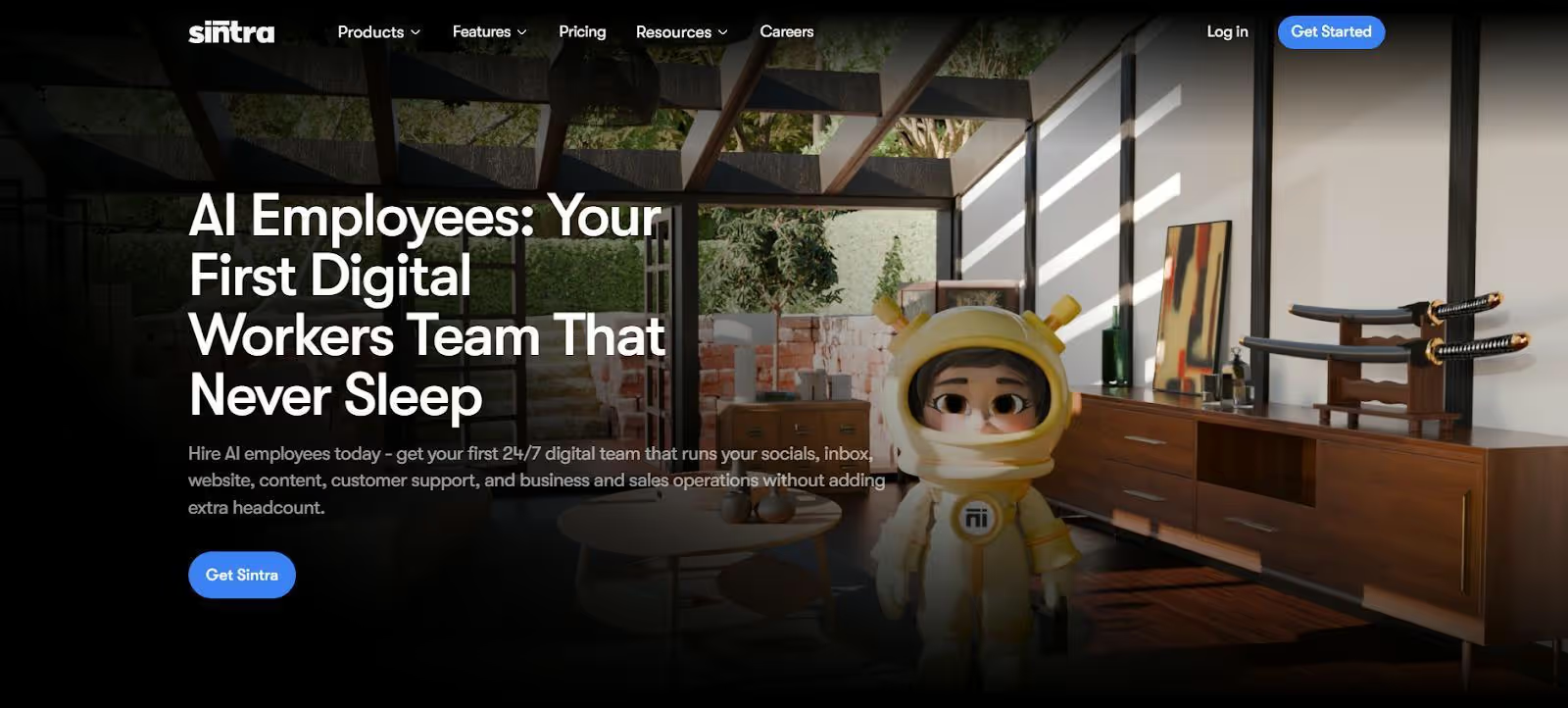
The majority of Motion options attempt to enhance your day planning. Sintra AI takes a different perspective on the problem. It is not meant to streamline your calendar. It is meant to minimize the work that must be put into that calendar in the first place.
Rather than acting as a scheduler, it is a system of role-based AI helpers that take over repetitive tasks across various sections of a business. That includes content development, customer service, internal coordination, and operational processes.
The core of this system is Brain AI, which serves as a common memory layer among all helpers. It also keeps context regarding your business, such as tone, workflows, and tasks in progress, so work does not re-initiate each time you begin something new. It is that continuity that enables the outputs to remain consistent across various functions without manual input.
Key Features
- Sintra AI uses specialized helpers instead of one general assistant, with each focused on a specific function like content, research, or support.
- Soshie, Penn, and Cassie handle core workflows across content creation, structured writing, and customer support with context-aware outputs.
- Buddy supports internal coordination, helping streamline day-to-day operations and team alignment.
- Brain AI acts as a shared memory layer, retaining context across tasks to keep outputs consistent and aligned.
- All helpers operate as a connected system, sharing tasks, context, and outputs instead of working in isolation.
- Integrations bring in data from existing tools, allowing Sintra AI to fit into your workflow rather than replace it.
Comparison to Motion
Motion focuses on scheduling tasks. Sintra focuses on completing them. That difference becomes more noticeable as the volume of work increases. Motion helps you decide when something should happen, but the responsibility for execution still sits with you or your team.
Sintra shifts that responsibility. Instead of optimizing your time around tasks, it reduces the number of tasks that require your time at all. For teams managing multiple workflows, that shift often matters more than scheduling efficiency.
Pricing
Sintra AI has two primary pricing levels. Individual Helper plan costs $39/month (reduced to $16.25/month when billed annually) per one specialized agent. The Sintra X package costs $97/month (reduced to $39.58/month when billed annually) and includes all 12+ AI employees and 250 monthly credits.
2. Reclaim AI: Best for Smart Calendar Optimization
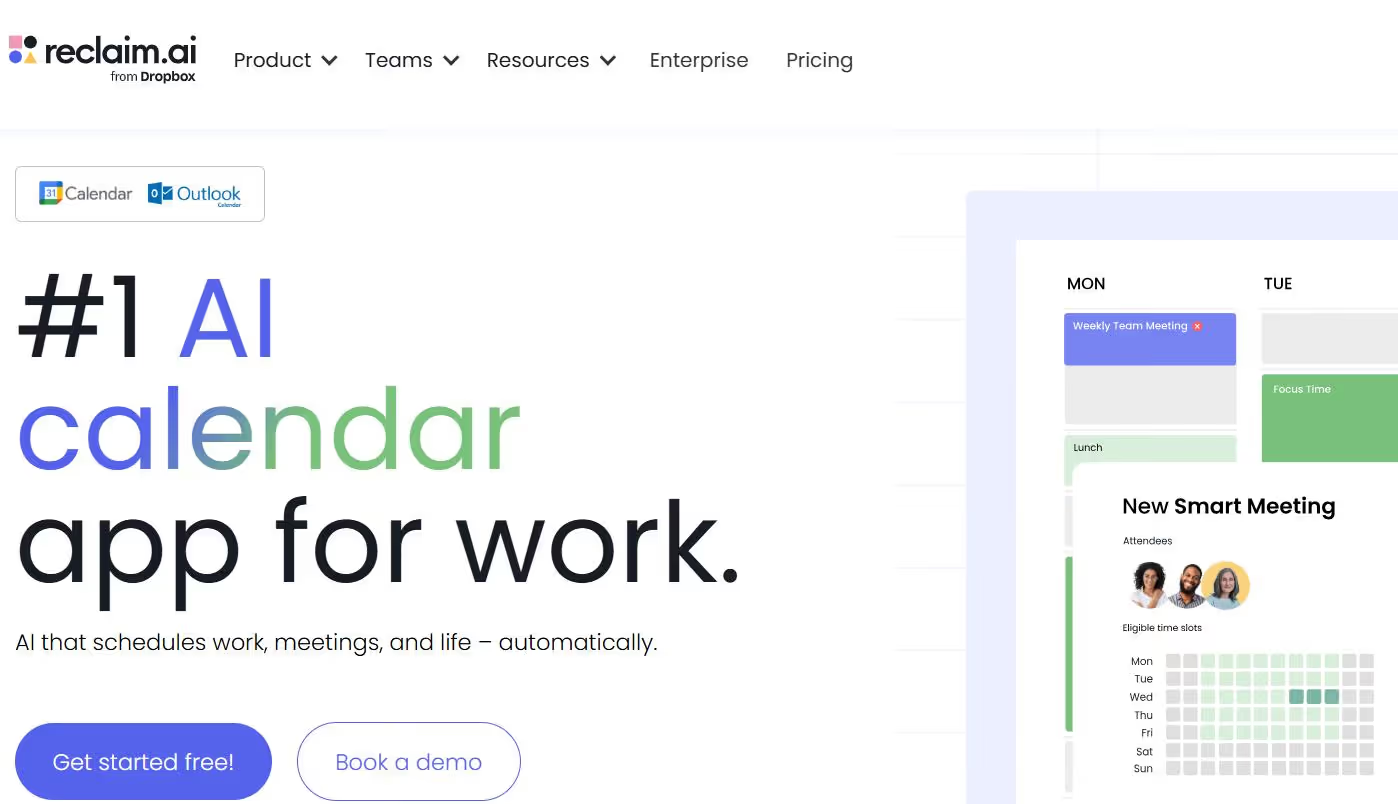
If you are looking for the closest experience to a Motion calendar, Reclaim AI is the way to go. It remains squarely in the scheduling category but introduces an element of flexibility that many users believe Motion lacks.
Reclaim automatically plans your day by scheduling tasks, focus time, and blocking time for personal habits like meals, workouts, or family time. It can better fit users who desire automation without losing control.
Key Features
- Automatically schedules tasks, meetings, and priorities into your calendar
- Blocks time for habits like workouts, meals, and breaks
- Native Google Calendar integration with real-time sync
- Smart rescheduling when conflicts or changes occur
- Priority-based planning that adapts throughout the day
Comparison to Motion
Motion develops a systematic timetable and adheres to it. Reclaim is more adaptive, constantly reorganizing your calendar as priorities change. It is more flexible and balanced, which is why it is more appropriate for users who desire automation without being confined to a strict system.
Pricing
Reclaim AI has a tiered system that can be upgraded to your needs, with a Free Lite plan that is free to anyone. The Starter plan is $8/month, and the Business plan is $12/month per user (annually) to have stronger automation. Bigger organizations can also receive enterprise custom pricing to gain access to advanced security and support.
3. Sunsama: Best for Daily Planning and Focus
Sunsama takes a completely different approach compared to a typical Motion app alternative. It does not try to automate your day. Instead, it helps you plan it manually with the help of AI. The entire experience is built around slowing down just enough to decide what actually matters.
All these features are useful for people who feel overwhelmed by endless task lists or rigid automation. It guides users through daily planning and scheduling to create a sustainable workflow without putting in extra hours and maximize on the available time.
Key Features
- Daily planning workflow with task selection.
- Intentional scheduling by manual time blocking.
- Connections with such tools as Trello, Asana, and Slack.
- Ritual of daily shutdown to check progress and end the day.
- Pay attention to realistic workload planning to avoid burnout.
Comparison to Motion
Motion automates your schedule. Sunsama helps you to put it together. The trade-off is obvious: less automation, more control and awareness. Users who value clarity and balance over speed should look towards Sunsama in the long term.
Pricing
Sunsama provides a free-trial to newcomers. You can test the entire feature set using a 14-day free trial (no credit card needed). Following the trial, the Pro plan costs $20/month when billed on a monthly basis or $16/month when billed on an annual basis.
4. Morgen: Best for Calendar and Task Integration

Morgen is positioned between full automation and manual planning, which many apps like Motion lack. It integrates tasks and calendars into a single system without imposing a strict workflow. It does not take over, but helps you with smart ideas.
This usability is a relief to the audience who already use several tools and like to have everything integrated in a single platform. It connects to more task sources than most tools on this list: Notion, Linear, ClickUp, Todoist, Apple Reminders, Google Tasks, and even Obsidian.
Key Features
- Integrates tasks and calendars.
- Connects to Notion, ClickUp, Asana, and Todoist.
- AI planner proposes prioritized and energy-based scheduling.
- Allows manual time blocking.
- Offline access to continuous planning.
Comparison to Motion
Motion is more focused on automation, whereas Morgen is more focused on flexibility. It gives suggestions without dictating your time. Morgen provides a more balanced option to users who desire a single system without strict automation.
Pricing
Morgen has a co-pilot philosophy. There is no free-forever plan, but you can test all features with a 14-day free trial (no credit card needed). After the trial period, the Pro plan costs $15/month billed annually (or $30/month billed monthly). This tier is open to unlimited calendar integrations, AI-assisted task scheduling, and customized booking links, making it a powerful yet flexible alternative to Motion apps.
5. Akiflow: Best for Fast Task Capture and Scheduling
Akiflow is built for speed. If your day is filled with constant inputs, messages, tasks, and reminders, it focuses on capturing everything quickly and turning it into a structured plan. Unlike most Motion alternative tools, it does not rely heavily on automation.
Instead, it gives you a fast, centralized system to organize and schedule tasks manually. This makes it particularly effective for users who want control but cannot afford the friction of switching between multiple apps throughout the day.
Key Features
- Unified inbox that pulls tasks from multiple tools
- Drag-and-drop scheduling to your calendar.
- Quick task capture and processing keyboard shortcuts.
- Slack, Notion, Gmail, and other integrations.
- Smooth interface that is fast and easy to use.
Comparison to Motion
Scheduling is automated by motion. Akiflow is speed and control-oriented. It eliminates friction in planning without usurping the process. Akiflow is a good alternative to users who like manual planning but would like it to be faster and more efficient.
Pricing
Akiflow is a product that is targeted at power users who value speed, and this is evident in its high cost. Although it does not have a free-forever plan, you can begin with a 7-day free trial to explore its universal inbox and keyboard-driven workflow. They also offer a Believer plan, which offers good discounts on 2-year or 5-year contracts to long-term committed users.
6. SkedPal: Best for AI Time Blocking Flexibility
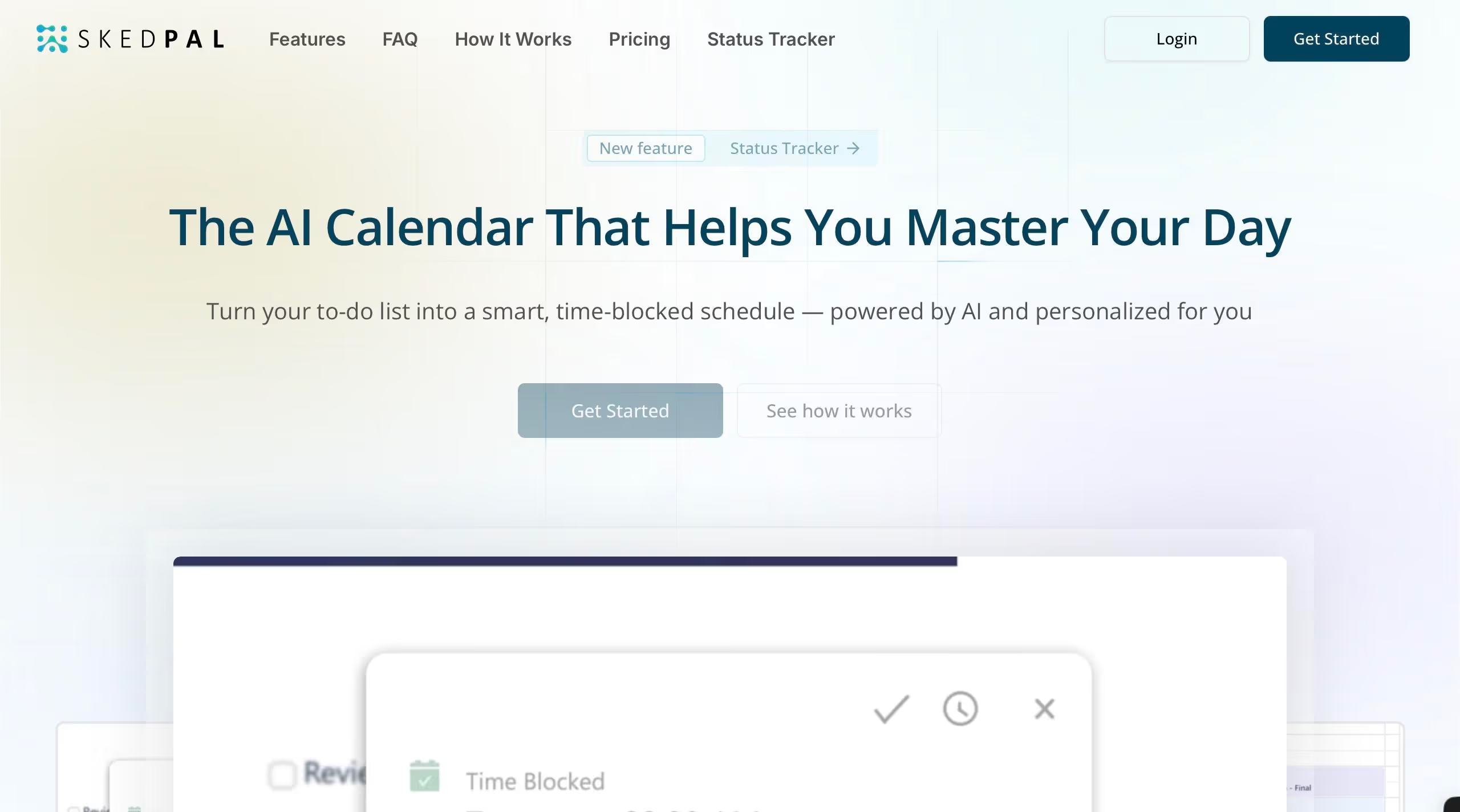
One of the most similar tools to Motion in terms of automation is SkedPal, which is more customizable. Skedpal helps you keep your schedule uncluttered by providing the best calendar management service.
This is especially handy when the user has a complicated schedule or other forms of work that must occur at a certain time. Although it is more complex to set up than simpler Motion alternative tools, the degree of control it offers is much greater.
Key Features
- Priorities and deadline-based dynamic time blocking.
- Time Maps to determine when some types of work should take place.
- Auto-scheduling under pre-established time regulations.
- Prioritization flexibility in various projects.
- Constant adaptation as tasks and availability vary.
Comparison to Motion
Motion is easier to use out of the box. However, SkedPal is easier to manage. It enables you to define the way scheduling functions instead of the default automation. SkedPal is more flexible at the cost of simplicity to users who want a more customized system.
Pricing
SkedPal gives a premium subscription-based pricing model with monthly and annual plans. Pricing of this Motion alternative starts around $14.99 per month if billed annually. On the other hand, it includes full access to features and a free trial available for new users to explore its intelligent scheduling capabilities.
7. Notion AI: Best for All-in-One Workspace + AI

Notion AI is not a direct replacement for Motion Calendar, but it is included in the majority of lists of apps similar to Motion since it addresses a more general issue. It does not just provide you with a scheduling system but a full solution to manage tasks, documents, and workflows.
The problem is not only time planning but also the organization of information and work in various fields for many users. Notion solves that by uniting all of it into one, flexible workspace.
Key Features
- Tasks, notes, and the database system are customizable.
- Google Calendar sync and integrated calendar view.
- AI writing, summarization, and idea generation.
- Teamwork and shared workspaces.
- Flexible structure that adapts to different workflows
Comparison to Motion
Motion offers automation and structured scheduling. Notion provides flexibility and customization. It does not automate your calendar in that same sense, but it provides you with a wider system to handle work outside of scheduling.
Pricing
Notion is based on a tiered model that ranges between personal use and full-scale enterprise operations. The Free plan is strong enough to serve individuals, but teams tend to upgrade to the Plus plan at $10/user/month (billed annually).
Notably, the Business plan will have full AI capabilities, including AI Agents and Ask Notion, by 2026, at $20/user/month (annually). Although there is a small AI trial on lower levels, the $10/month add-on has been mostly superseded by this built-in Business tier, and is the one that teams should use when they want an AI-powered Motion app alternative.
The way we tested these Motion Alternatives.
How We Evaluated These Motion Alternatives
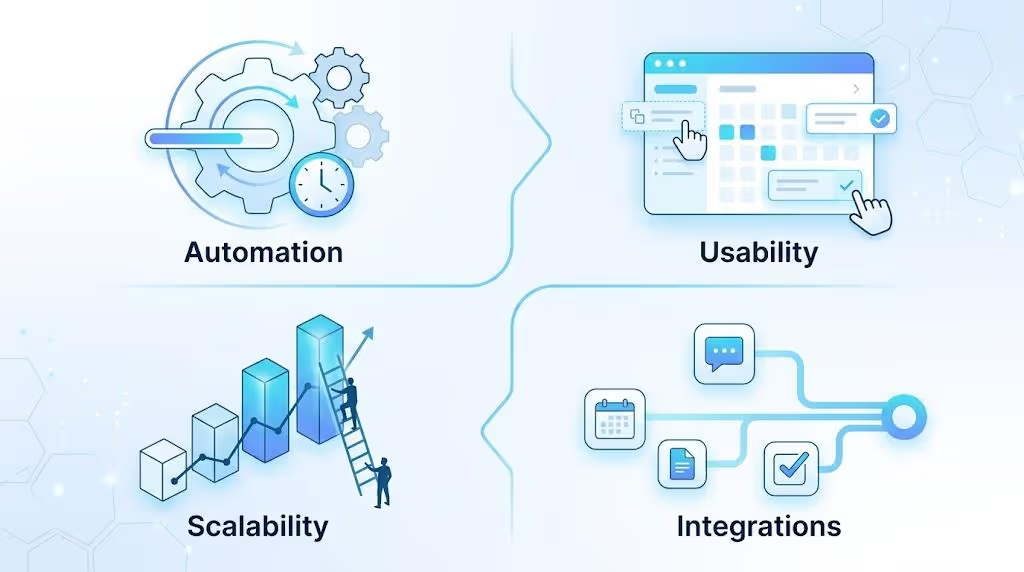
Most comparison guides only consider the listing features. But that is never enough. To overcome this shortcoming, we evaluated each Motion alternative based on how it performs in real scenarios, not ideal ones. That includes situations where plans change, priorities shift, and work does not follow a clean, predictable structure.
We focused on four core areas throughout testing. Automation was the first. Tools like Motion and Reclaim AI perform well here, but flexibility varies significantly between them.
Usability was the second factor. A system that takes too long to configure or requires constant adjustments defeats its own purpose. Some tools offer powerful features but introduce friction that slows users down. Next, we looked for scalability. Many tools work well for individuals but struggle when used across teams. Coordination, visibility, and shared workflows become much more important at that level.
Finally, integrations played a key role in our evaluation. These days, most people do not work with a single tool or application. The ability to connect with calendars, task managers, and communication platforms determines how useful a system is in practice.
Why Most Motion Alternatives Fall Short for Teams
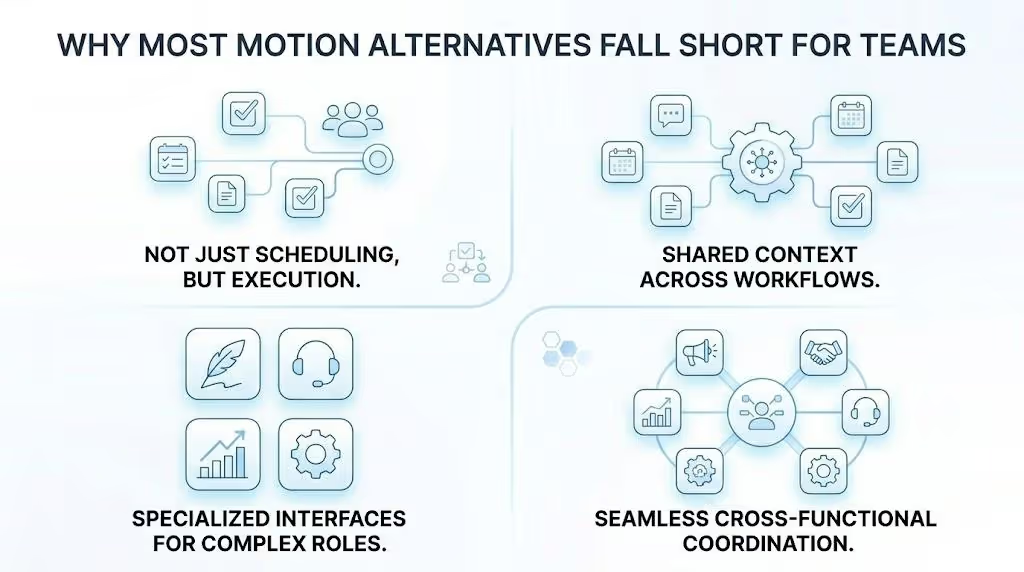
At first glance, many of these tools look similar. They manage tasks, organize calendars, and promise better productivity. But once you start using them in a team setting, the limitations become clear.
Most apps similar to Motion are still designed around individual productivity. They help one person manage their time more effectively, but they do not address how work moves across a team. That gap shows up in several ways.
Scheduling Alone Doesn’t Solve Team Workflows
Scheduling is only one part of the equation. Most tools in this category focus on optimizing your Motion calendar, making sure tasks are placed efficiently throughout the day. That works well for individuals managing their own workload. But teams do not operate that way. The stakes of getting this right are growing - Gartner predicts AI will eliminate 80% of project management tasks by 2030, particularly admin work like data collection and status reporting, and 41% of PM experts already report significant gains from AI tools.
A marketing campaign, for example, is not just a set of scheduled tasks. It involves content creation, approvals, distribution, and follow-ups across multiple people. Scheduling those tasks does not mean they get done. This is where many Motion alternative tools fall short. They help you plan the work, but they do not help you execute it.
No Shared Context Across Tools and Tasks
Another common limitation is the lack of shared context. Most tools treat tasks as isolated items. You schedule them, complete them, and move on. There is no persistent understanding of how those tasks connect to larger goals, brand voice, or ongoing workflows.
This becomes a problem in real-world scenarios. For example, a support team responding to customer queries needs consistent messaging. A marketing team creating content needs alignment with that same messaging. If each task is handled in isolation, inconsistencies start to appear. Many apps like Motion do not address this because they are not designed to retain or use that context.
One Generic System Can’t Handle Specialized Work
Most productivity tools rely on a single interface or assistant. That works for basic planning, but it breaks down when tasks become more specialized.
Writing content, managing customer support, analyzing data, and coordinating operations are fundamentally different types of work. Expecting one system to handle all of them equally well is unrealistic. This is why many Motion alternatives feel limited beyond scheduling. They are designed to organize tasks, not to handle the complexity of different roles within a team.
Limited Support for Cross-Functional Collaboration
Another area of weakness is collaboration. Most of the tools in this space are designed to be used individually, and team features are added afterwards. Consequently, interdepartmental coordination tends to be an afterthought.
The work can be seen, yet the transition between teams is not always seamless. Communication occurs outside the tool; context is lost, and work is fragmented. In the case of expanding teams, this causes friction that cannot be resolved by any scheduling optimization.
Why Sintra AI Is Different From Other Motion Alternatives
The majority of Motion options are attempting to address the same issue: how to manage your time more effectively. Sintra AI approaches a different problem. It is concerned with the way work is performed within a team.
It does not optimize schedules but assists in accomplishing the tasks that would otherwise occupy those schedules. That distinction becomes more important as workflows become more complex and involve multiple people.
It’s Not Just Scheduling, It’s Execution Across Teams
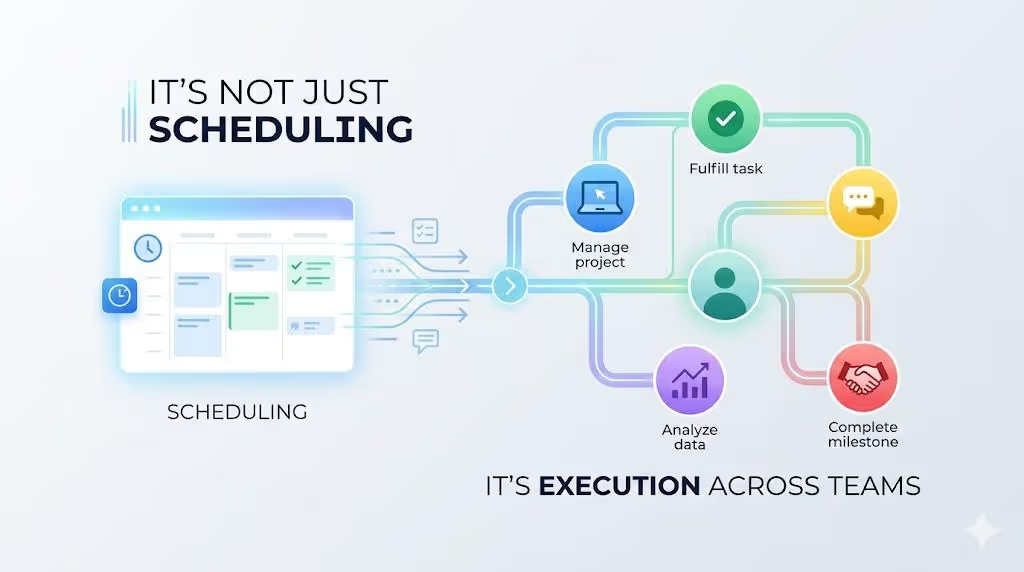
The core difference is simple. Motion and other tools determine when work is to occur. Sintra assists in getting that work done. To illustrate, rather than setting aside time to create marketing content, Sintra can create drafts, optimize messages, and create outputs according to your business situation.
Rather than reserving time to support customers, it can help to create uniform, context-sensitive responses. This changes the position of the user. You shift from performing all tasks independently to checking and directing outputs.
Role-Based AI Helpers Replace Multiple Tools
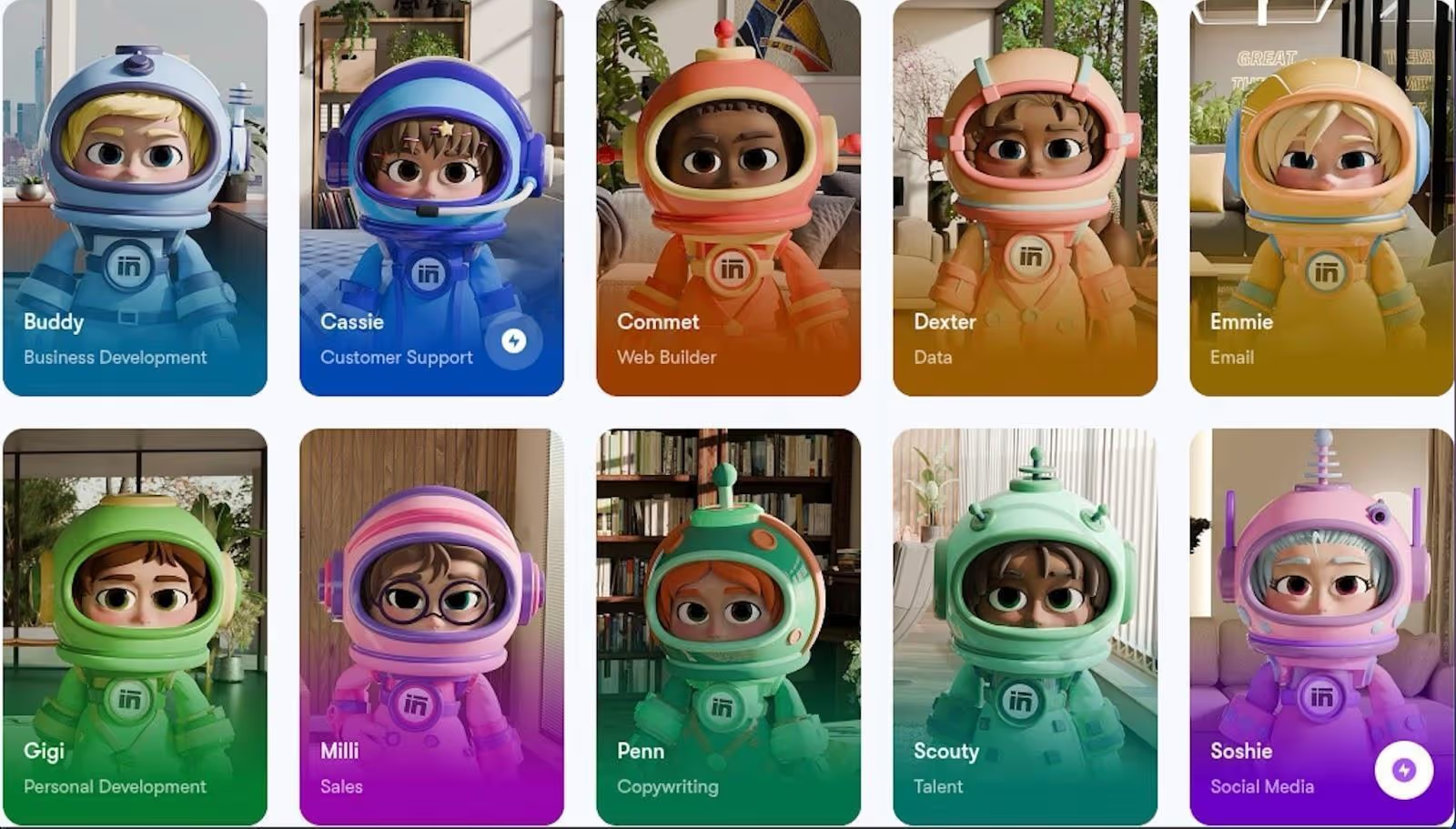
The other major difference is the structure of the system. Sintra does not have one assistant, but rather has specialized helpers. All of them are created to perform a certain kind of work, be it content, support, or internal coordination.
A generic system can give satisfactory results in various tasks, whereas specialized systems are more effective in their field. It is particularly useful when consistency is important. In practice, this means fewer tools and fewer context switches.
Shared “Brain” Keeps Work Consistent Across the Business
The messaging, tone, and workflows can often differ based on the person working on the task. In the long run, that causes misalignment. Sintra solves this with a common system known as Brain AI. This system efficiently maintains context between tasks and helpers. The system does not have to start afresh every time, but rather builds on past interactions. This enables various sections of the business to remain in sync without manual coordination.
Built for Cross-Functional Workflows, Not Just Individual Productivity
The majority of the tools in this category are individual-use oriented. Sintra stands above the pack with a team-oriented design. It facilitates cross-functional workflows, enabling marketing, support, and operations to operate on the same system. Rather than transferring tasks between disconnected tools, all things are done in a common environment. This reduces friction and improves visibility across the organization.
Integrations Turn AI Into a Central Work Hub
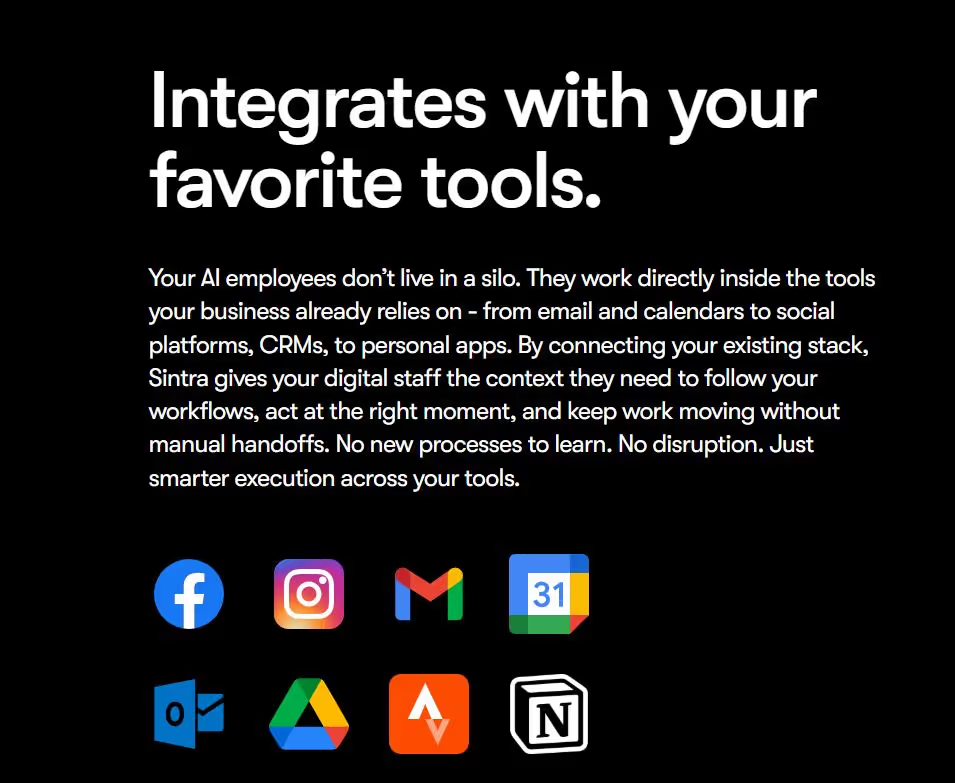
Sintra AI integrates with other systems, such as email, documentation tools, and task managers. These AI integrations enable it to work with your existing workflow instead of having to rebuild it entirely.
The result is a more centralized way of working. You do not have to alternate between tools, but rather handle and perform work through one hub, and AI assists in every step of the process.
Which Motion Alternative Is Right for You?
The most appropriate Motion alternative is based on your working style. When your problem extends beyond scheduling and into the actual work, Sintra AI is the best fit, particularly when it comes to teams that deal with marketing, support, and operations. In case you primarily require smarter scheduling, tools such as Reclaim or SkedPal are more appropriate.
To be more controlled, Morgen or Akiflow provides flexible planning without strict automation. Sunsama is a good choice if you want a mindful workflow. Finally, it all depends on whether you require mere time management or a system that facilitates actual implementation throughout your work.
Ready to Upgrade From Motion?
Motion helps you organize your time. That is valuable, but it is only one part of the equation. As your workload grows, the real challenge becomes execution, getting consistent output across marketing, support, sales, and operations without adding more tools or manual effort. This is where a typical Motion alternative starts to fall short.
Sintra AI moves beyond scheduling and helps teams handle actual work, reducing tool switching, improving consistency, and making workflows easier to scale. If you have outgrown planning alone, the next step is a system that executes with you. Get started with Sintra AI and see the difference in how your work gets done.
Motion Alternatives FAQs
What is the best alternative to Motion in 2026?
The most suitable option will be based on your Motion use case. To schedule and automate the calendar, Reclaim AI is generally regarded as one of the most powerful solutions due to its ability to balance task scheduling with habit tracking and flexibility. In the case of teams, the solution is otherwise. Such tools as Sintra AI are unique as they not only schedule but also assist in performing work in various functions.
Are there free apps like Motion?
Yes, there are a number of apps like Motion that have free plans, but most of them are limited. Reclaim AI has a free plan with simple scheduling. Clockwise also provides a free plan that is dedicated to team calendar coordination. Notion offers a free workspace that can be customized to plan, but it is more of a manual setup than an automated one.
Which Motion alternative is best for teams?
In the case of team settings, the optimal Motion option is based on the most required by the team. When the challenge extends beyond scheduling and into execution in marketing, support, and operations, Sintra AI is the best choice, which integrates planning with real task management.
Do Motion alternatives offer better automation?
Others do, but it is a matter of what you mean by automation. Some of the options are more flexible in terms of scheduling, particularly in terms of adjusting to changes or determining how time is to be distributed during the day. Meanwhile, numerous users are abandoning heavy automation in favor of more controlled systems that emphasize deliberate planning over fully automated schedules.
What should I look for in a Motion alternative?
Begin with the way you like to schedule your time. In case you desire complete automation, seek tools that focus on scheduling. In case you like to be in control, then select systems that allow manual planning with intelligent suggestions. Then, think about the structure of your work. A basic planner can suffice when you are working alone. When you are in a team, seek tools that facilitate teamwork and common ground.
Related articles




.avif)




