


16 Best AI Productivity Tools in 2026 You Must Try


Table of Contents

Artificial intelligence is changing how we approach work. Today, businesses are tempted to use AI productivity tools and automate tasks that used to take up a busy day. Precedence Research estimates that AI in marketing will reach $217 billion by 2034.
But having so many ways to use this technology, it’s hard to identify what suits your specific business needs. For this, here is a quick rundown on the best AI productivity tools by category. So, dive right in.
Best AI Productivity Tools by Category
Here is a categorical order of all the productive AI tools for your business.
- Best for Task and Project Management - Motion
- Chatbots for Daily Work - ChatGPT, Claude-3.5 Sonnet
- Best Business Automation and AI Agents - Sintra
- Marketing and Image Generation - Canva, Midjourney, Gamma
- Intelligent Transcription and Meeting Assistants - Otter, Fireflies
- Reliable Research Assistants - Perplexity, Arc Browser, Humata, Recast
- Collaborative Messaging and Communication - Texts, Missive
- Best Scheduling AI - Reclaim
What Are AI Productivity Tools?
AI productivity tools use artificial intelligence to streamline tasks that professionals do frequently in their capacity. These include automating processes, analyzing data, and assisting business leaders with decision-making.
Companies across industries such as marketing, customer service, and HR employ these productivity tools to declutter their workday. It helps them focus on high-value tasks.
In a modern workflow, these tools,
- Bring structure to complex projects by centralizing projects in a unified place.
- Reduce manual tasks and save time by automating repetitive steps.
- Improve team alignment through shared workspaces with easily accessible information.
- Promote focus by helping professionals stay organized and focused.
- Make workflows measurable by tracking projects, managing tasks, and reducing bottlenecks.
How I Evaluated the AI Productivity Tools?
Let’s address the reality. There is no shortage of AI tools marketed for productivity. It’s not humanly possible to try them all. And, it’s possible to get easily wowed by any new technology. But the truth is not all fancy features are for you.
To choose the best AI tool for productivity, we have carefully used this selection criterion.
Core Functionality
A good AI productivity tool must fulfill some common use cases.
- Task management and scheduling.
- Collaborative research and document editing.
- Resource allocation and meeting coordination.
- Communication and meeting coordination.
Supplementary Standout Features
For a higher ranking, I wanted the productivity software to have supplementary standout features like
- AI-driven analytics and reporting.
- Advanced automation backed by an internal knowledge base.
- Integration with popular work tools.
Usability
User experience matters. An AI organization tool with an intuitive design, a minimal learning curve, and easy navigation is already a winner. If it has cross-device compatibility, that’s a bonus.
Onboarding
Onboarding is a big part of productivity tools designed for companies. Hence, it must include,
- Detailed training material like tutorials, videos, user guides, etc.
- Template libraries for a quick setup.
- Customer service availability and how quickly it responds.
Value for Money
The AI productivity tool must also be reasonably priced according to the features. Some companies include hidden fees, which is a compromise on transparency.
The 16 Best AI Productivity Tools
After evaluating these key considerations, here is the top AI tools list for productivity in 2026. We have categorized them for you to easily find the right fit.
Task and Project Management
AI task management tools empower team managers with easy execution. These collaborative tools help teams get clarity on project goals, optimize processes, and reduce bottlenecks.
Motion - Smart Calendar for Managing Tasks Efficiently
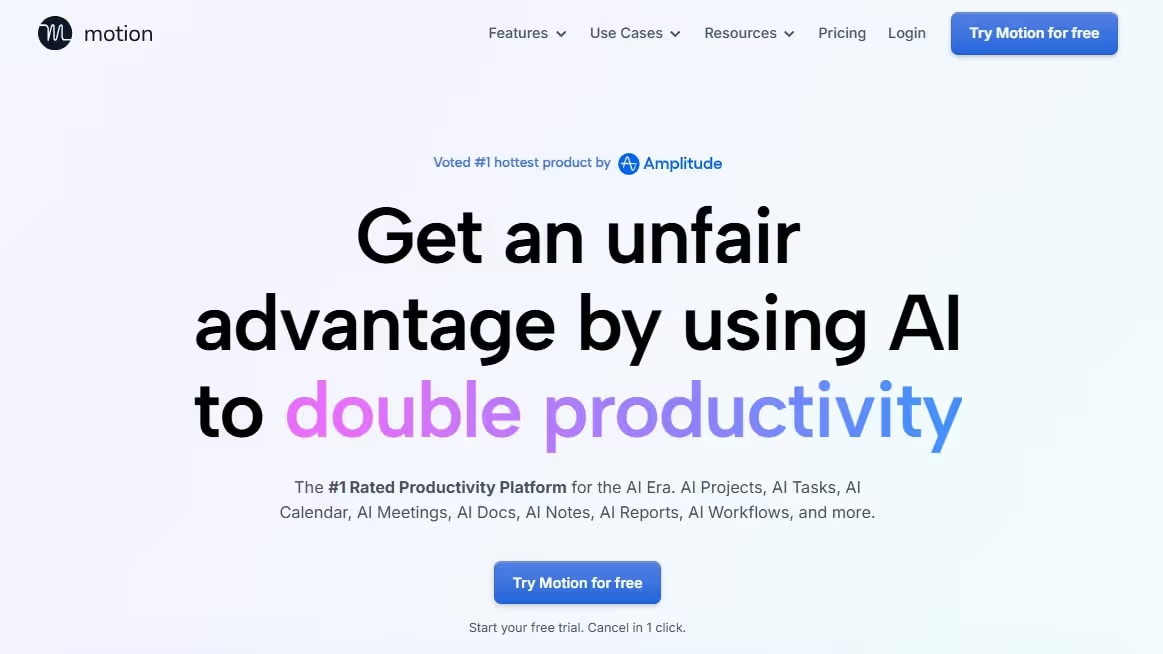
Motion is a smart scheduling platform with strong project management features. Over the years, the company introduced multiple AI employees and supplementary features to help businesses with work automation.
For starters, it has a project and tasks tab for a detailed breakdown of everything your team is up to. Team leads can access assigned tasks, risk management, and similar labels to reduce bottlenecks and speed up the processes.
But that’s not all. Motion’s smart agents plan your day. They optimize schedules, take meeting notes, draft documents, and document all processes to free up space from your busy day.
Standout Features
- Auto-scheduling directly into your calendar based on priorities, deadlines, and availability of the team.
- Voice integration to add tasks while you are on the go.
- Collaborative workspace with features like task assignment, status tracking, progress bars, etc.
- Customizable project templates to help teams plan like professionals.
What I Liked?
- It takes care of the scheduling part and even leaves time for personal commitments.
- Motion easily integrates into your calendar.
- The project management is undoubtedly commendable. Managing teams seems almost intuitive.
What I Disliked?
- Setting up the agents was a tough job, especially if you haven’t already used AI tools.
Motion Pricing
- Free trial available.
- Pro AI Plan: $29 per month, $19 per month for one seat (paid annually).
- Business AI Plan: $49 per month, $29 per month for one seat (paid annually).
Chatbots
AI chatbots use large language models to mimic human conversations and answer queries. A sophisticated AI chatbot offers advanced reasoning and solves mathematical calculations.
ChatGPT - Best for General Routine Tasks
OpenAI’s ChatGPT is inarguably among the older industry leaders. The already growing 800M weekly active users are a testament to its popularity. Mostly, it's popular because of its flexible conversational interface.
The latest GPT-5.1 model is a mix of GPT-4’s fast replies and o3’s advanced reasoning. Let’s say you prompt ChatGPT for non-critical work; it will answer immediately. On the contrary, for a complex query, ChatGPT can automatically switch to deep thinking mode.
But what truly lands it at the top is the online search capabilities. ChatGPT can activate the thinking mode with web search and give you the most detailed answers.
Even better is its deep research mode. It clarifies your needs before research and then takes up to 20 minutes to build an in-depth report with supporting sources, so you can always fact-check.
Standout Features
- Run codes to analyze databases from CSVs, XLSLs, and other structured formats.
- An advanced voice mode that allows users to receive spoken responses.
- A centralized memory that stores useful information for relevant responses.
- Multi-format support for images, videos, screenshots, and lengthy documents.
- Web browsing to look up recent and up-to-date information on the internet.
What I Liked?
- Great for users getting used to creating prompts and working with AI chatbots.
- Capable of a variety of tasks: summarization, brainstorming, drafting emails, and more.
- Integrations are excellent. It gets into the system to take care of your admin tasks.
What I Disliked?
- Sometimes, ChatGPT hallucinates and gives you incorrect responses.
- It does not cite sources in responses. So, you have to be extra careful with the accuracy.
ChatGPT Pricing
- Free version available.
- Go Plan: $8 per month
- Plus Plain: $20 per month
- Pro Plan: $200 per month
- Business Plan: $25 per month for one user (paid annually), $30 per month.
- Contact sales for a custom enterprise plan.
Claude 3.5 Sonnet - Best for Writing and Coding

Anthropic’s Claude is a creative chatbot to code interfaces, write documents, and design games. Unlike others, it has a unique approach to output generation. You tweak your prompts on the left side and see it transformed on the right as you go.
Beyond writing, the highlight of Claude is Claude Code. This is a command-line tool that understands codebases and extends them, all with natural language prompts.
Non-technical users can always substitute it with the Artifact function. It helps you build animations, planners, interactive interfaces, and much more.
With the release of 3.5 Sonnet, Claude is standing firm against ChatGPT. This new update helps Claude boost performance and generate outputs twice as quickly as the previous model.
Standout Features
- Large context windows supporting 200000+ tokens to process extensive documents.
- Code generation and debugging for writing, explaining, and fixing code.
- Artifact creation to produce shareable tools, documents, and visuals.
- File analysis to summarize, extract, and analyze data.
What I Liked?
- Its visualization is commendable, even with complex charts and documents. And, uploading them didn’t take more than a few seconds.
- Artifacts are great for non-technical users. You don’t have to worry about copying and pasting cracked codes.
- The speed also deserves a mention. It’s a lot faster than GPT-4.
What I Disliked?
- It’s not entirely free and feels limiting. You can only use around 12 messages every few hours.
- The artifacts are good from a non-technical perspective, but still in the experimental stage. You may often end up with codes different from the inputs.
Claude Pricing
- Free version available.
- Individual Plan: $17 per month for Pro (paid annually), $100 per month for Max (paid annually).
- Team and Enterprise Plan: $20 per month for a Standard seat, $100 per month for a Premium seat.
Business Automation and AI Agents
PwC survey reports that 79% of businesses are using AI agents to execute actions to a specific objective. These role-based agents are built to understand your business and handle things like market research, social media, and more, with minimal supervision.
Sintra AI - Best All-in-One AI Team for Business Productivity

Sintra.ai is an advanced AI tool for business productivity, built on role-based AI employees and a shared knowledge space.
Beyond automation, the helpers integrate into your workflow and do almost everything for you, from data analysis to generating SEO content strategy and content production. You can also ask its business strategist to give you actionable insights for revenue growth, customer satisfaction, etc.
What differentiates it is the shared knowledge space called Brain AI. This space has all your business data. And, as you interact with the AI helpers, it learns about you and adapts accordingly.
Standout Features
- 12 specialized role-based AI helpers that help you streamline routine business tasks.
- Shared memory, called Brain AI. This memory stores all your business data, goals, objectives, and documents.
- One-click use cases to readily perform a task without lengthy prompts.
- Third-party integrations with popular work platforms, including Google, Slack, Notion, etc.
What I Liked
- Setting up the agents is no hard task. The no-code interface is developed with non-technical users in mind.
- The most impressive part of Sintra is that it does not restrict you. You can manage as many as five businesses here, and you have tons of storage in Brain AI.
- The output from the entire team is consistent, be it the brand messaging, tone, and style.
What I Disliked
- However good it is, Sintra does not support a free version. You need to purchase at least one agent to get started.
Sintra AI Pricing
- 12-month Plan: $15.6 per month
- 3-month Plan: $23.6 per month.
- 1-month Plan: $48.5 per month.
Key Sintra AI Helpers
- Buddy – AI Business Strategist: Meet Buddy - your special AI business strategist from Sintra. It employs advanced analytics in your workflows and suggests actionable insights to drive innovation in your business. Just ask it to analyze your audience, give investor updates, or plan a product launch, and that’s it.
- Milli – AI Sales Manager: This AI sales manager is built to help sales reps with outreach, follow-ups, and client communication. It gets into your sales funnel and narrows down prospects. Once done, it sends personalized messages to score leads withthe most potential. All you need to do is add a few custom instructions, and it will build proposals that match your brand voice.
- Scouty – AI Recruiter: Built with contextual knowledge, this AI recruiter especially contributes to enterprise hiring. Unlike contenders, it does not restrict to talent sourcing and extends to automating tedious tasks like interview planning, interview scheduling, outreach, and more. You can also ask it to generate job descriptions and post them directly to social media platforms.
- Vizzy – AI Assistant for Visual Tasks: Vizzy is your specialized AI virtual assistant. Unlike traditional ones, it is built on a shared centralized knowledge base. With this, it learns about your style, understands your work, and handles the routine tasks eatingup your day.
Marketing and Graphic Design
AI marketing and design tools help businesses craft content and interact with audiences. McKinsey reports that 92% of businesses want to invest in generative AI in the next three years. The reason: A quick solution to produce their marketing assets.
Canva: Best Easy-to-Use Graphic Design Tool for Businesses
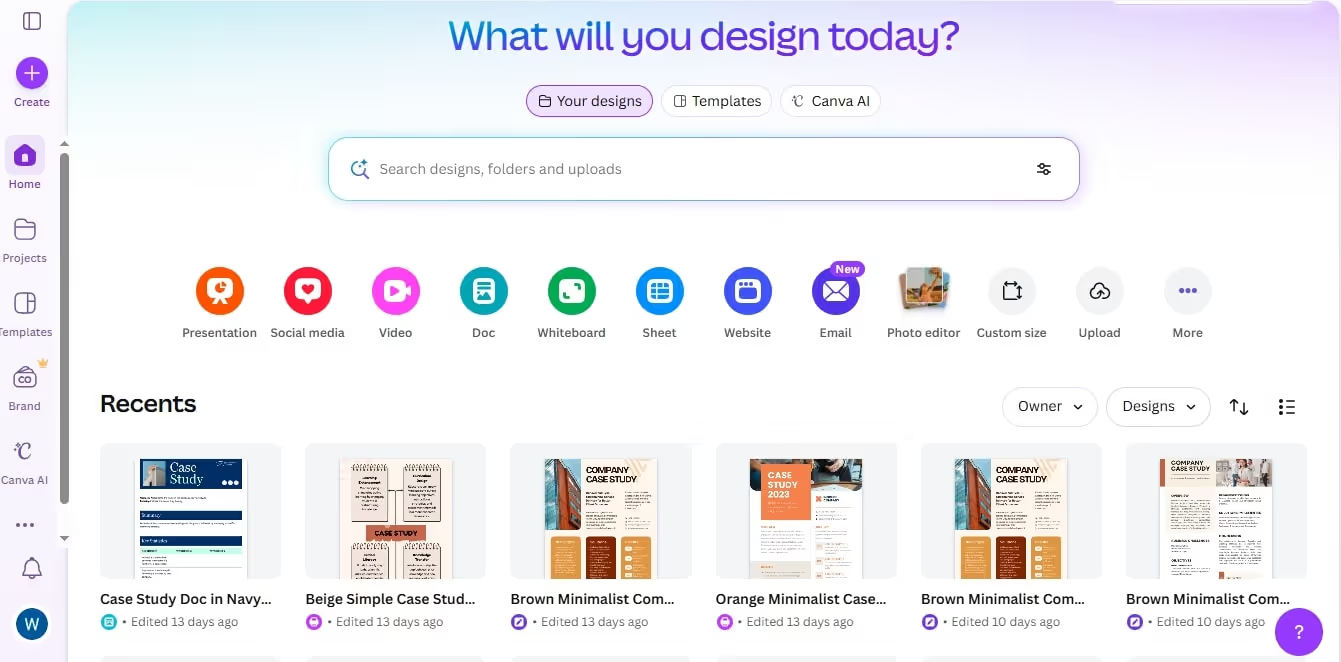
Canva is the renowned design-first AI productivity tool that is empowering businesses to build their marketing assets. Here, non-technical users can craft social media posts, slideshows, infographics, and more.
Now, AI has made it more powerful. You can use it to generate a detailed presentation, fully structured and ready to edit in Canva’s interface.
It does not stop here. Canva’s AI allows generating images and videos with a prompt. It also offers in-context feedback for color changes, text polish, etc to make your design shine.
The interface itself is easy to navigate. Here, you can rearrange layouts, drop in icons, type text, and adjust visual details with drag-and-drop ease. Users can also access the templates library for inspiration and professional-looking designs.
Standout Features
- Magic AI image generator that generates graphics from text prompts.
- Canva shield that uses multi-layered safeguard protection to keep the generated content safe and appropriate.
- Multi-modal input that allows you to use voice, text, and images to communicate.
- Magic Media video creator to generate platform-ready videos with synchronized audio.
What I Liked?
- The convenience is the biggest plus. Even as a non-designer, you can create professional-quality designs on Canva.
- The Magic Switch feature easily adapts to your brand design. The supplementary Magic Write and Magic Eraser also offer in-context feedback for improvements.
- You will love how Canva remembers everything, from your style guides to color preferences and voice. This helps you craft marketing content with minimal hassle.
What I Disliked?
- Though easy, the interface seems a bit cluttered. Too many options and tools can overwhelm new users.
- While the AI tools are helpful, they are not always up to the mark. You will have to do manual adjustments.
Canva Pricing
- Free version available.
- Pro Plan: $120 per person (paid annually), $15 per month.
- Business Plan: $200 per person (paid annually), $20 per month.
- Contact sales for a custom enterprise plan.
Midjourney - Best for Professional-Grade Brand Aesthetics
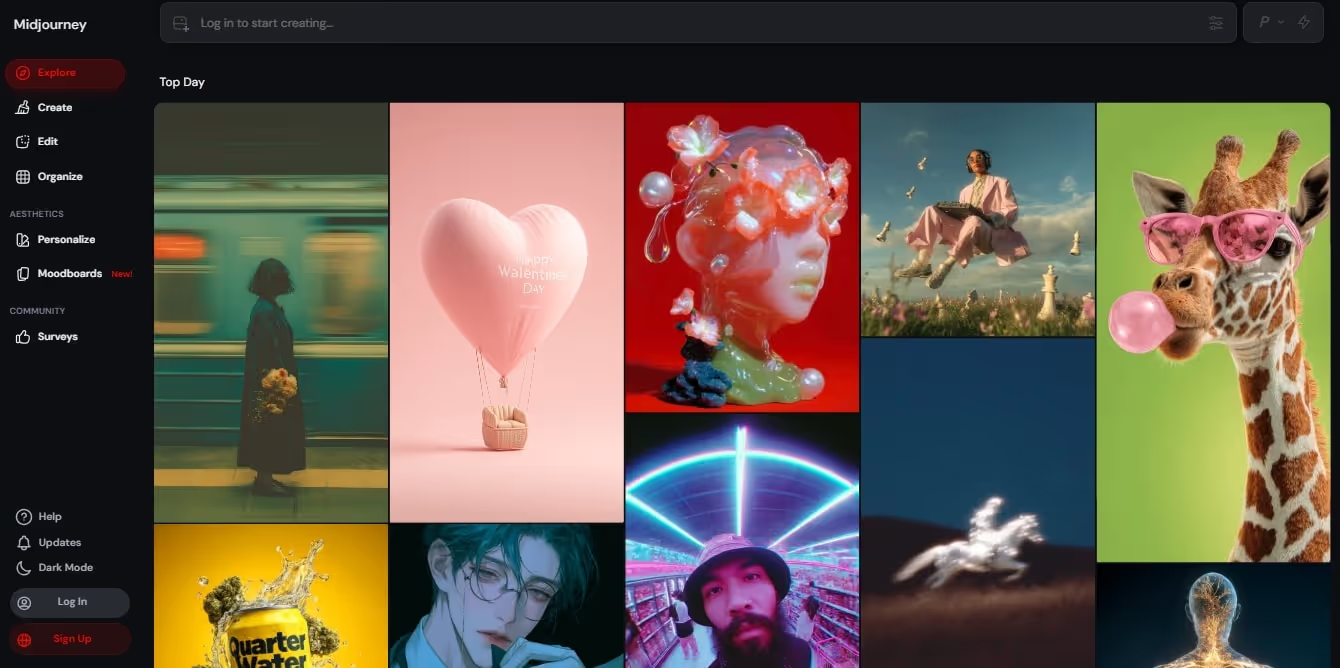
Midjourney is an image-generation tool that works on a text-to-visual model. Marketers appreciate it for its image quality and intricate artistic styles. It’s also among a few design AI productivity tools with upscale capabilities.
Once you enter the prompt on Midjourney, it asks you to choose from several artistic styles, from sketches to paintings. Brands can also produce hyper-realistic visuals with these styles. The best part? It generates multiple variants and lets you tweak the image to your liking.
However, to use this platform, you need to access it via Discord. You can join channels here and interact with the artist community.
Now, with video animation capabilities, marketers are happier. They can now turn a single image into a dynamic 5-minute video, that too with a single prompt.
Standout Features
- Detailed image generation with prompt customization and four variant choices.
- Various artistic styles, including realistic, sketches, and paintings.
- Stealth mode to keep your generated images from other Midjourney members.
- A video generator that turns images into interactive animations.
What I Liked?
- The most impressive feature is the quality of the artwork, even if it is slightly off.
- Plus, it is easy to use, even for non-designers. You get support throughout on how to craft effective prompts.
- The iterative process itself aligns with brand marketing. Generating multiple variants and upsaling existing images helps marketers produce assets.
What I Disliked?
- Despite the stealth mode, people can see your generated images on public platforms. This is an issue if you are trying unique or proprietary designs.
- It is only accessible via Discord. So, there is a learning curve for those not on the platform.
Midjourney Pricing
- Basic Plan: $10 per month, $8 per month (paid annually).
- Standard Plan: $30 per month, $24 per month (paid annually).
- Pro Plan: $60 per month, $48 per month (paid annually).
- Mega Plan: $120 per month, $96 per month (paid annually).
Gamma - Best for Engaging Presentations
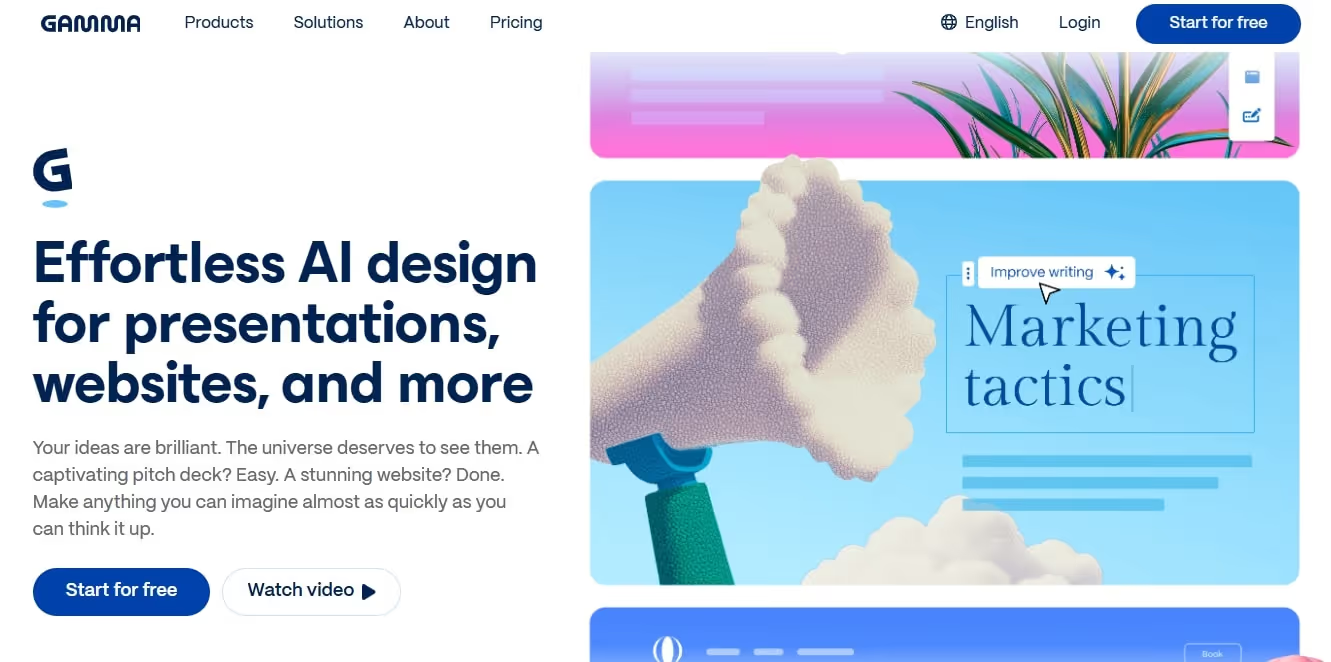
Gamma is your presentation partner for end-moment proposals. Don’t ask people at work or use generic slideshow tools. There is a high chance that you will get an unorganized presentation.
Instead, try Gamma to keep everything visually cohesive. To get started, input your requirements and leave the rest to Gamma. It lets you define your target audience, aspect ratio, and even the tone of the slides.
That’s not it. You can also create web pages and lengthy documents with this design-first productivity tool.
Once done, Gamma allows customization of the theme and regeneration of specific sections within the design. Doing so is easy, even for those not tech-savvy.
Standout Features
- 20+ AI models for the presentation maker to ensure high-quality output.
- 100+ design themes and personalized brand kits.
- Third-party integrations, including Zoom, Adobe, Amazon, and more.
- Multi-format export support as PNG, PPT, PDF, Google Slides, and shareable links.
What I Liked?
- Using Gamma is straightforward. The fact that it produces detailed presentations under a minute says a lot.
- There is scope for customization. You can regenerate specific sections, embed icons, and rewrite content however you like.
- I also appreciate the personalization. It records your preferences for future projects.
What I Disliked?
- Sometimes, Gamma’s content is not apt for complex projects. I find it lacking depth and nuance. So, be ready to fine-tune details, especially about brand messaging.
- It does not have a desktop app. This is not exactly a deal breaker, but you need an internet connection.
Gamma Pricing
- Free version available
- Individual Plan: $12 per month for Plus, $25 per month for Pro, $100 per month for Ultra.
- Team Plan: $20 per month, $240 paid annually.
- Business Plan: $40 per month, $480 paid annually.
Transcription and Meeting Assistants
AI meeting transcription platforms help busy professionals and business leaders understand and follow up on meetings. These tools boast productivity and free up time for more strategic tasks.
Otter - Best for Real-Time Meeting Transcriptions and Summaries
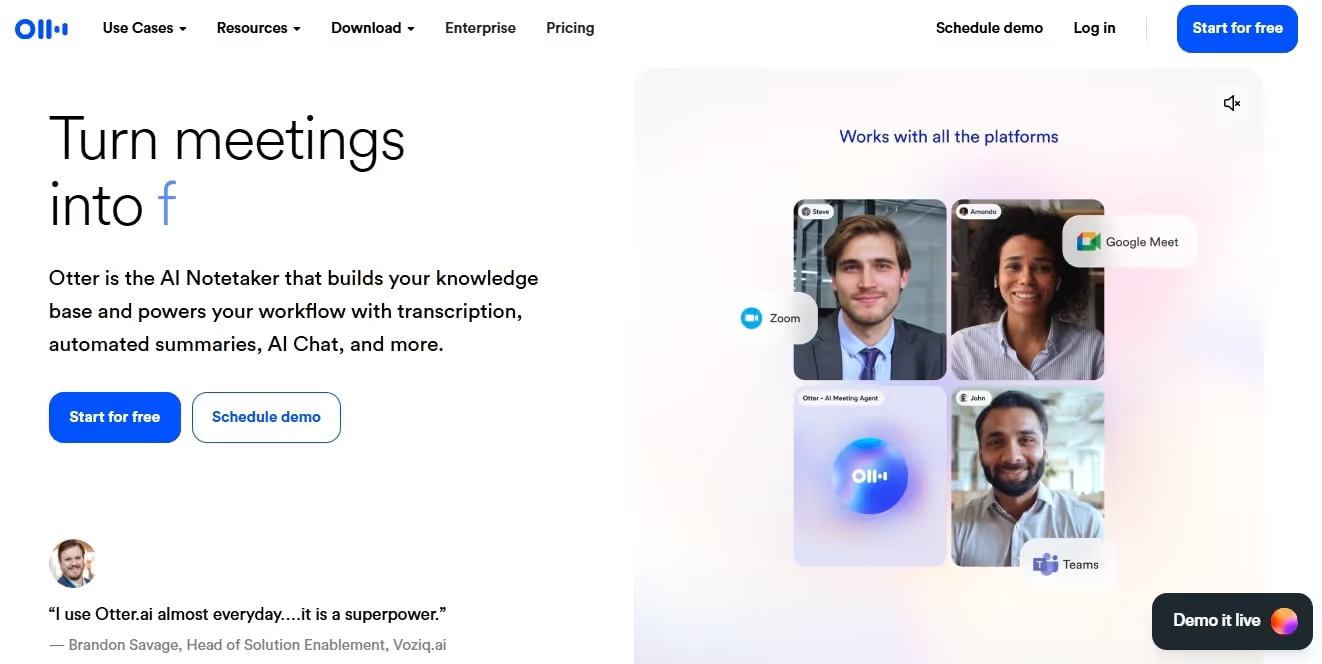
Otter is your go-to meeting partner that transcribes your discussions and summarizes them. I have used it for my client and team meetings. It helped me be present in the moment without worrying about recording everything.
Beyond transcription, it lets you ask questions about the meeting. For instance, you can ask it to track the topics, identify a keyword, and provide details about that keyword, and more. In all cases, I found the responses coherent with the ideas discussed.
But the highlight of Otter is its workspace feature. With this, you can communicate with your team, assign tasks, and monitor progress as you go about a project.
The AI chat allows you to join conversations within projects. Just click the left-side menu and access the chat-based search to get started.
Standout Features
- Real-time AI note taker that captures live conversations and converts them into text.
- An AI summarizer that converts meeting notes into easy-to-digest summaries.
- AI chat for searching queries with voice-activated commands.
- Integrations with Zoom, Google Meet, Microsoft Teams, and more.
What I Liked?
- The accuracy is better than most transcribing tools. And, it can differentiate between voices.
- The summary feature is excellent for busy sales reps. It saves time and helps them review important information in seconds.
- What was also impressive was the tracking function. It records your items, so you don’t miss any details.
What I Disliked?
- While it’s free, Otter has limitations on transcription minutes and features. So, you will eventually need a paid plan.
Otter Pricing
- Free version available.
- Pro Plan: $16.99 per month, $8.33 per month (paid annually).
- Business Plan: $30 per month, $19.99 per month (paid annually).
- Schedule a demo for a custom enterprise plan.
Fireflies.ai - Best for Topic Tracking and Communication
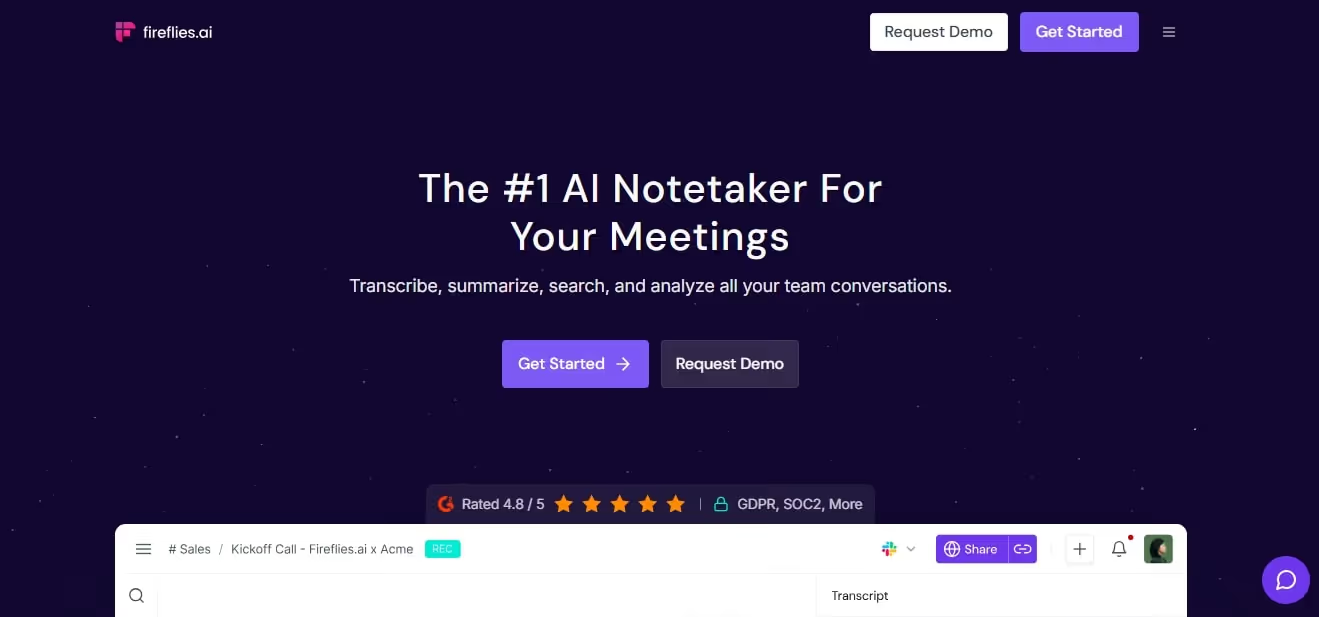
Fireflies is yet another meeting AI tool for productivity. It helps you line up your meetings and keep your calendars organized. Here, you can sort meetings by topic, team, or even a project.
It works by identifying who’s who in the app and transcribing everything that person says during the meeting. The magic happens once the meeting is over. Fireflies’ own bot, Fred, offers a detailed account of everyone in the meeting, important stats, dates, times, and other metrics.
That’s not it. It then uses sentimental analysis to identify the positive and negative aspects of the discussion. You can also employ Fred to track the topics discussed during the meeting and add to the internal memory for future reference.
Have something crucial to communicate to your team? Create a soundbite to add to the clipping of important meeting moments.
Standout Features
- A workspace where team members can share soundbites, comments, and reactions.
- Keyword tracking to extract key insights and important topics from meetings.
- Native integrations, including Google Meet, Trello, HubSpot, Slack, and more.
- A search function to quickly locate a specific meeting note.
What I Liked?
- The automated meeting notes are my favorite. It eliminates the need for manual entries.
- Sales and support teams save a lot of time. They can quickly read the key takeaways from any meeting in minutes.
- Fireflies works with almost all meeting formats - live calls, uploaded recordings, online discussions, etc.
What I Disliked?
- The transcription accuracy is not always the best, especially in noisy meetings or when someone uses jargon.
Fireflies Pricing
- Free version available.
- Pro Plan: $18 per month, $10 per month (billed annually).
- Business Plan: $29 per month, $19 per month (billed annually).
- Enterprise Plan: $39 per month (billed annually).
Research Assistants
AI research assistants empower businesses with data-driven decision-making. These AI productivity tools help you through the painstaking research process, be it for literature review, summarized insights, or more.
Perplexity - Best for Web Search with Citations
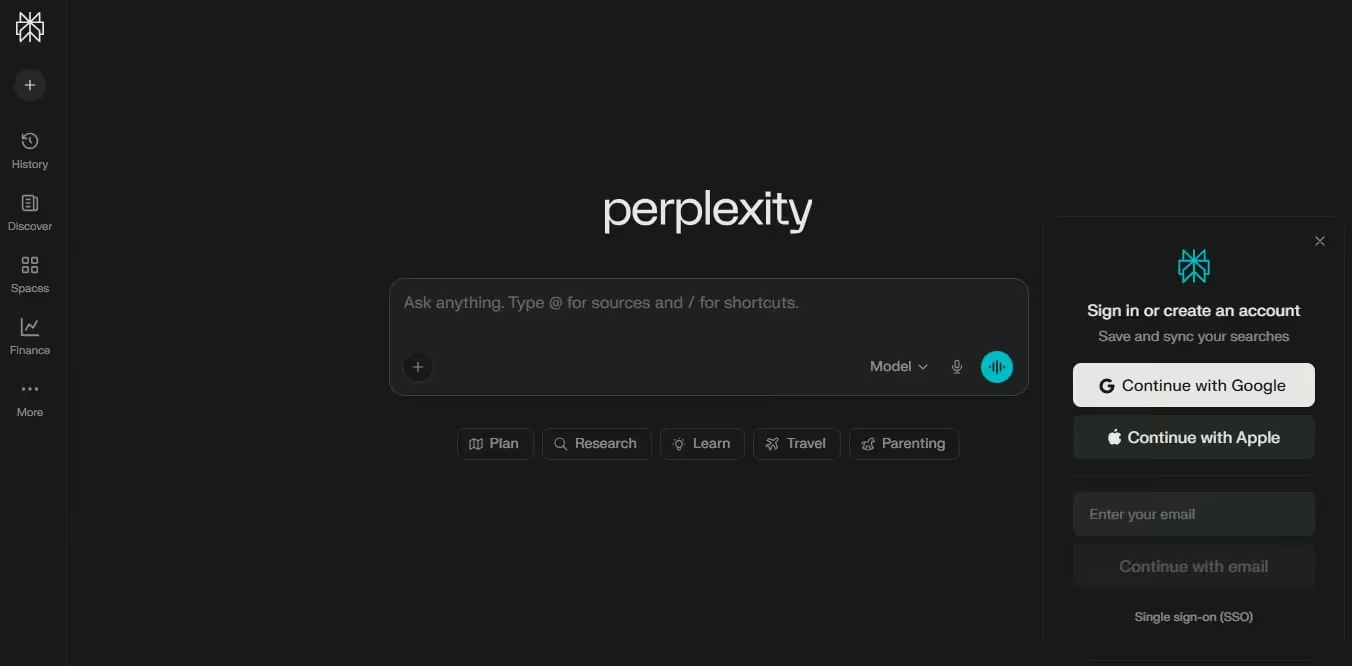
Perplexity is inarguably the most popular web search AI productivity tool, thanks to its quality answers and backed-up sources. Think of it as your personal research assistant.
It uses a combination of AI models, such as Google and Bing, to decide which results are relevant and accurate to your query. The citations are mostly from reputable news outlets, academic journals, and blogs.
Unlike other AI-driven researchers, Perplexity does not get lost in responses. It stays on topic even with several follow-up questions. You can use it with a classic Google search, especially for tricky and complex topics.
With a paid version, you get additional benefits, including the advanced LLM models. So, with GPT-4, Claude-3, and Sonar Large, the accuracy automatically becomes better.
Standout Features
- Live web sourcing with multi-model access (GPT-4 and Claude 3) for accuracy.
- Memory or personal search that allows Perplexity to remember important details in your conversations.
- Internal knowledge search for businesses to integrate their internal files with Perplexity's searching capabilities.
- Image generation that produces custom images from text prompts.
What I Liked?
- Easy to use, even for non-researchers and those who have already tried ChatGPT.
- The biggest differentiator is the citation. This helped me quickly fact-check responses.
- Like ChatGPT, Perplexity thrives on context. The memory function and follow-up recommendations make responses relevant to your searches.
What I Disliked?
- Though efficient, the free version lacks advanced language models, leaving you with responses that lack depth.
Perplexity Pricing
- Free version available.
- Pro Plan: $20 paid monthly, $200 paid annually.
- Enterprise Pro Plan: $40 paid monthly, $400 paid annually.
- Enterprise Max Plan: $325 paid monthly, $3250 paid annually.
Arc Browser - Best Productivity-Focused Browser with AI Capabilities

Arc Browser is an AI-driven browser that hopes to overtake Chrome and other browsers. The company aims to transform how users approach their browsers for searches and queries.
For instance, the team has completely rethought the tab experience for users. It has spaces (more like workspaces) that help you segment tasks, easily organize tabs, and stay focused throughout.
Another impressive thing about Arc Browser is Little Arc. This keeps you away from the sea of tabs that opens from a web page. Instead, when you click Little Arc, its quick view opens links into a full browser experience.
Max, the AI assistant, further helps the browsing experience. It tidies up your downloads and tab titles for easier reading.
Standout Features
- An Easel whiteboard that helps brainstorm new ideas and plan projects.
- A split view that allows users to operate four tabs at a time in the same window.
- A sidebar that is divided into three sections: pinned favorites at the top, saved bookmarks below, and temporary tabs at the bottom.
- Built-in spaces with their own dedicated pinned tabs and bookmarks.
What I Liked?
- I appreciate how easy it is to browse and search on this browser. And, managing tabs is no issue.
- The interface is simple. The tabs are visually clean and sorted into categories.
- The centralized library is another highlight. It lets you access photos, documents, and downloads in one place.
What I Disliked?
- Arc Browser is innovative in approach, but that comes with a learning curve. Understanding vertical sidebar, tabs, and more takes time.
Arc Browser Pricing
Currently free to use.
Humata - Best for Document Analysis

Research is a challenging and lengthy process. It takes days, if not weeks, of reading and analyzing documents. But no more with Humata. It is a research-focused AI productivity tool that helps you interact with your documents.
Let’s say you need to know an answer but don’t have time to read a lengthy document. The solution: upload your file to Humata and ask questions. It will instantly respond.
You can also generate summaries with Humata. It scans the entire document or specific sections and extracts key insights in seconds. While doing so, it makes sure the citations and references remain intact.
Another good thing about Humata is its multi-file analysis. With this, researchers can compare documents and synthesize texts within different files.
Standout Features
- Document Q&A that helps you retrieve specific data from lengthy documents.
- 256-bit encryption and role-based access control for user data protection.
- Embed cited links into your summaries and responses, so you can trace where the information came from.
- PDF AI that summarizes your documents into digestible data chunks.
What I Liked?
- Humata’s summaries and Q&A are best for anyone doing extensive research on market trends, historical data, or trend analysis.
- Its search function also deserves a mention. It lets you retrieve specific data from extensive files almost immediately.
- The citations made it for me. It helped me verify answers and maintain the credibility of the research.
What I Disliked?
- The paid plans are quite expensive, especially for small businesses or individuals restricted by finances.
Humata Pricing
- Free version available.
- Student Plan: $1.99 per month.
- Expert Plan: $9.99 per month.
- Team Plan: $49 per month.
- Contact the sales team for a custom enterprise plan.
Recast - Best for Audio Document Summaries
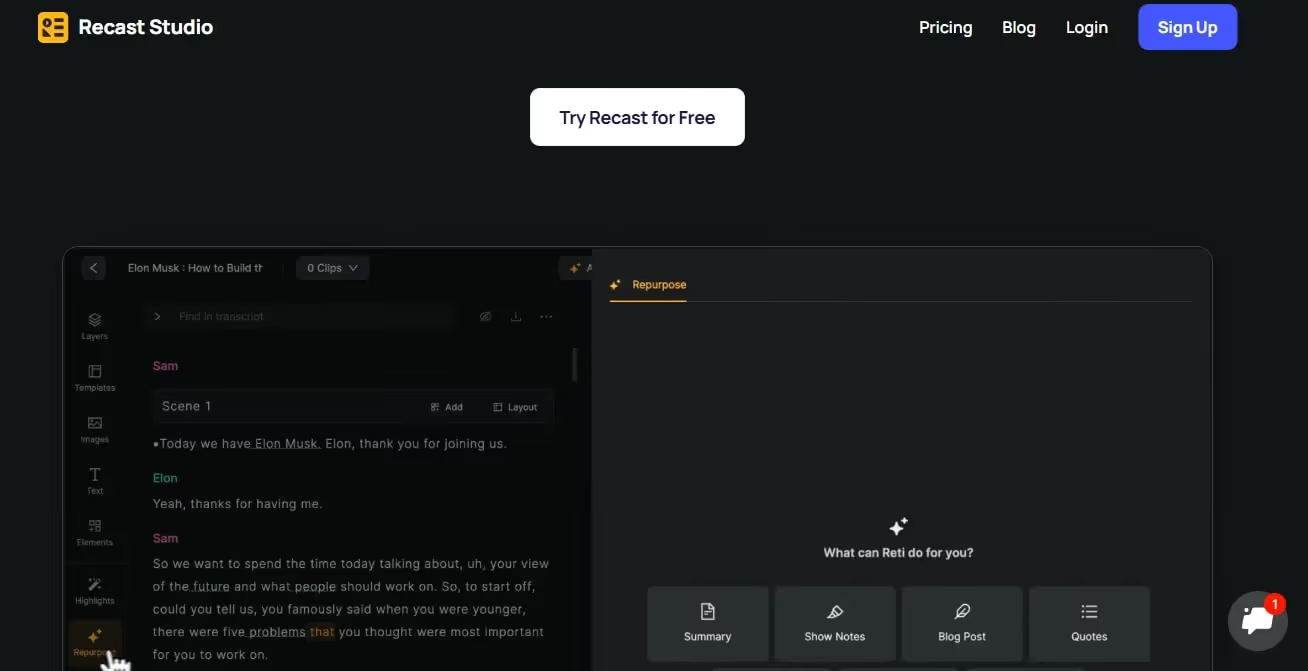
Similar to Humata, Recast turns your files and documents into summaries, but in an audio version. So, it almost feels like you are listening to an interesting podcast.
Once you upload an article, Recast uses NLP and semantic analysis to generate a back-and-forth dialogue between virtual hosts. This way, it is much easier to consume information, and you don’t have to commit to a higher screen time.
Plus, the conversational and explanatory tone empowers deeper understanding and better retention.
Another highlight of Recast is the analytical function. It enables businesses to track their performance from reports and make informed decisions.
Standout Features
- Podcast-style conversational tone that helps listeners better grasp the key points of extensive documents.
- Third-party integrations, including CRM systems, payment gateways, browser extensions, social media sites, etc.
- Customizable chatbot templates for industries like e-commerce, healthcare, and finance.
- An AI summarizer that converts your written text into audio summaries.
What I Liked?
- I really like the conversational style. It makes information more digestible and familiar to the human ear.
- The interface is clean and straightforward. You simply upload articles and leave the rest to the tool.
- Besides voice, you also get a script that makes many things clear.
What I Disliked?
- Occasionally, you may find that the audio does not match the content of the article.
Recast Pricing
- Starter Plan: $12 per month, $120 paid annually.
- Professional Plan: $20 per month, $243 paid annually.
Collaborative Messaging and Communication
AI unified messaging platforms empower businesses and individuals read, manage, and respond to messages from one place. It improves work efficiency and eliminates the need to juggle between apps.
Texts.com - Best All-in-One Privacy-Focused Desktop Messaging

Think of Texts.com as a communication app that brings messages from all popular social media communities and work apps in one place. So, you don’t have to juggle between tabs.
Despite the overwhelming data coming in, the interface feels simple and organized. Here, you can easily search chats and pin important messages.
That’s not it. This agent can also produce chat summaries, draft follow-up responses, and translate messages. This way, busy sales guys don’t have to spend hours communicating. It even lets you schedule messages to be sent later when the recipient is active.
But what makes it different from other messaging platforms is the emphasis on privacy. All messages coming into the platform are end-to-end encrypted and sent directly to your inbox.
Standout Features
- A unified inbox that combines and consolidates messages from almost all popular communication platforms.
- AI-driven chat summaries that help you get a clear idea about what the message is about.
- A simplified, customizable inbox with scheduling capabilities.
- A stealth mode that lets you open and read messages without notifying the sender.
What I Liked?
- Busy sales reps and startups will like having all the messages in one place. It saves them time.
- The supplementary AI assistants add value to the package. It drafts responses and even schedules messages for you, saving a whole lot of effort.
- Data protection adds to the credibility and gives you a sense of peace, especially with sensitive data.
What I Disliked?
- It lacks a mobile app. This can be an inconvenience when you have to open the laptop for every single conversation.
Texts Pricing
- Free version available.
- Essential Plan: $25 per month, $19 per month (paid annually).
- Growth Plan: $99 per month, $85 per month (paid annually).
- Enterprise Plan: $135 per month.
Missive - Best Collaborative Email Productivity Tool
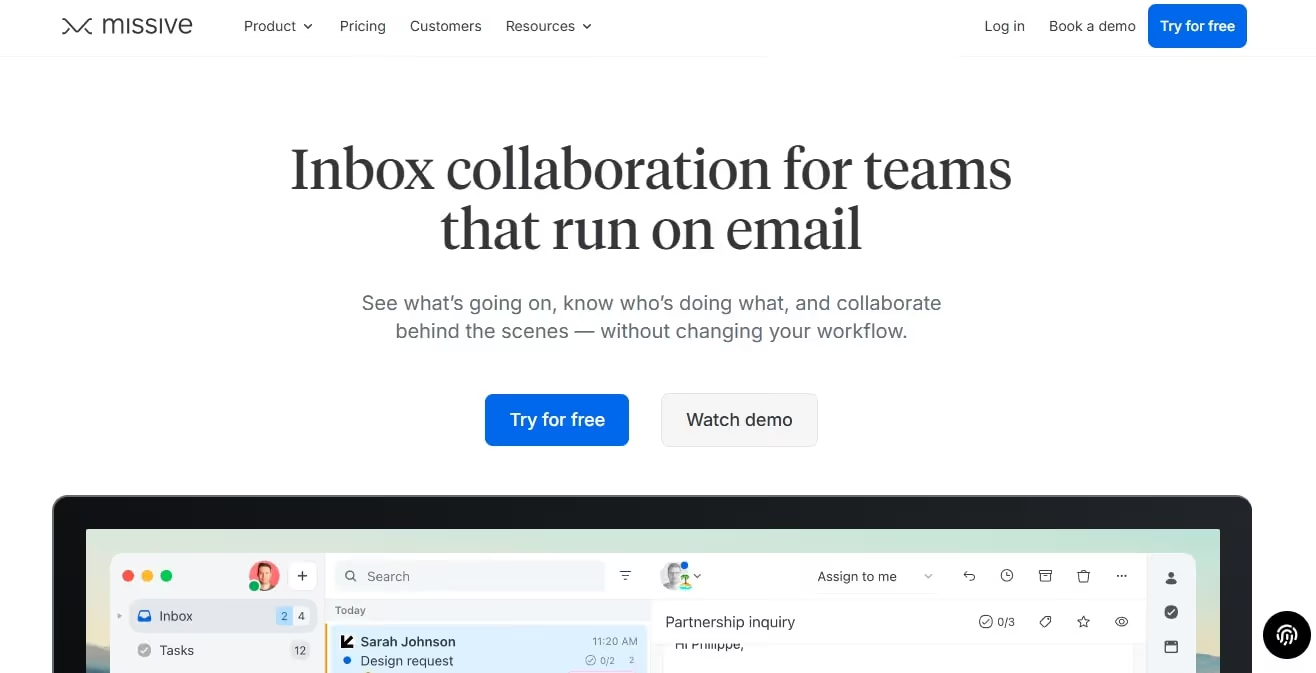
Missive is a collaborative messaging app that brings together all your team emails in one place. Be it internal chats, shared inboxes, or follow-up messages about projects, you can manage it all here. So, you don’t have to follow up on endless threads just for the sake of it.
Similar to Texts, its interface is pretty organized with labels and rules. Labels, like folders, help you categorize emails. And, when combined with rules, you can automate the triggers and speed up processes.
But the highlight of Missive’s shared inbox is the task management function. Beyond organizing and replying to emails, it lets the team lead assign conversations as tasks to other members.
With Missive, you can integrate almost all your email accounts: Apple Mail, Gmail, Outlook, etc.
Standout Features
- A shared team inbox that helps you organize emails and chats in a single place.
- AI-powered email replies that understand your preferences and draft responses accordingly.
- Team chat where you can assign tasks, tag other members, share attachments, and more.
- Built-in analytics that help you measure your team’s productivity and communication habits.
What I Liked?
- It’s great for startups and small teams that need to streamline communication while speeding up decision-making.
- Team leads get the freedom to assign tasks, send attachments, and collaborate on projects. This saves time and effort for endless back-and-forth.
- The AI assistance also deserves a mention. It drafts responses that are consistent with your brand voice.
What I Disliked?
- The initial setup is time-consuming. Be ready to spend hours linking all your accounts and getting everything configured to your liking.
Missive Pricing
- Free version available.
- Starter Plan: $14 per month (paid annually).
- Productive Plan: $24 per month (paid annually).
- Business Plan: $36 per month (paid annually).
- Contact the sales team for custom pricing.
Scheduling
AI scheduling productivity tools help busy people manage their calendars. It sets up meetings, sorts habits, leaves time for personal activities, and more.
Reclaim - Best Calendar Assistant to Protect Your Habits
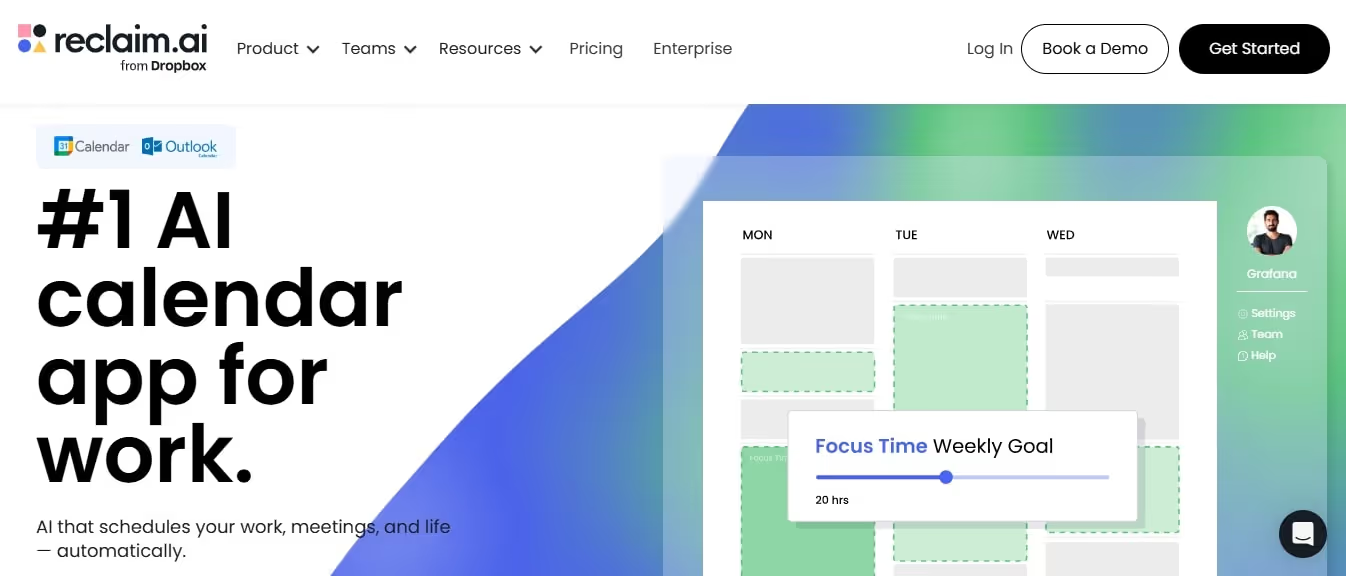
Owned by Dropbox, Reclaim is your AI-powered calendar assistant for building consistency. Whether you are on Google Calendar or Outlook, Recalim works great at protecting your habits and aligning your goals.
To get started, you integrate it into your workflow, set up work hours, weave in your habits, and enable Reclaim AI time defense.
Once done, it asks you to label habits to be “Most Flexible, Let Reclaim Decide, Most Defensive”. This means your me-time would be the same each year, while learning time can be substituted for urgent meetings if any pop up.
All actions are displayed on the Planner screen, making it easy to monitor your entire day.
Standout Features
- A calendar view with built-in lists, including priority habits, open tasks, and low-priority habits.
- Time tracking capability to understand your schedule and adjust if something suddenly pops up.
- Smart 1:1 function that helps you find the optimal time for certain daily habits.
- A long list of integrations with project management tools, communication channels, and work platforms.
What I Liked?
- Reclaim puts in an effort, even when you are not feeling motivated. It suggests optimal timing and gets you back on track.
- As you populate your calendar, this tool starts tracking activities and deadlines. It even saves time for out-of-the-blue activities like last-minute meetings and hangouts.
- The calendar view makes it easy to see what’s left for the day with just a glance.
What I Disliked?
- It’s not a standalone calendar and integrates well with your Google Calendar. But this means you have to go back and forth between the two platforms. It made the process complicated for me.
Reclaim Pricing
- Free version available.
- Starter Plan: $12 per month, $10 per month (paid annually).
- Business Plan: $18 per month, $15 per month (paid annually).
- Enterprise Plan: $22 per month (paid annually), custom available.
When an AI Team Makes More Sense Than Single Tools?
Is a single centralized AI team better than multiple single AI productivity tools? Let’s find out.
The Problem With Stacking Too Many AI Tools
Imagine you are a startup and gradually build a work ecosystem with multiple AI tools. One for copywriting, the other for managing projects, and more. It works great at first.
But, as you populate, the issue begins: fragmentation. The agent that's managing a project knows nothing about behind-the-scenes coding. You're constantly copy pasting information from one tool to another. The productivity gap between fragmented and integrated AI approaches is widening - AI-exposed industries are achieving 3x faster revenue-per-employee growth than the least exposed, and in 2024, the most AI-exposed industry quartile saw 27% productivity growth versus just 9.9% for the least exposed. It’s like colleagues who never talk to each other.
The output: duplicate entries, inconsistent outcomes, context switching, and more. This is not a way to win.
Why Role-Based AI Agents Scale Better
This is where centralized AI teams come in. Such teams consist of specialized role-based AI tools with a shared memory. So, instead of confused professionals, they act like strategists. Here is what it looks like;
- An email drafter with access to all your project goals and past communications.
- A strategist with clarity on project goals and objectives.
- A social media manager who already knows all about your campaign.
The Importance of Shared Knowledge and Brand Memory
The best part about specialized AI teams is the shared knowledge, like Brain AI. Think of it as your work playbook that has all the rules, goals, objectives, and information the colleagues need to know. Hence, each agent performs its duties while keeping the context in mind. This means,
- Informed decision-making
- Consistent brand messaging
- Constant feedback for improvement.
Ready to Build Your AI Team?
There you have it, all about using AI for productivity in 2026. Employing such software in your routine workflow is an excellent idea to save effort and boost performance.
Still confused about which AI tool to choose for business productivity? Try Sintra AI. Its AI team specializes in various domains, so you don’t have to worry about multiple software subscriptions. top 10 ai tools.
So, get started with Sintra today and see if it works for you.
AI Productivity Tools FAQs
What are the best AI productivity tools for business in 2025?
It depends on your requirements. But here are some top AI productivity tools for businesses in 2025: ChatGPT for general routine tasks, Sintra for automation, Otter for transcribing meetings, and Motion for project management.
Are AI productivity tools better than hiring more staff?
AI productivity tools are not a replacement for hiring. Instead, these tools offer an efficient alternative to maximizing the performance of existing staff. You can let them do admin tasks to save time and focus on strategic tasks.
What’s the difference between an AI chatbot and an AI agent?
An AI chatbot is a reactive AI for conversational-style queries. In comparison, an AI agent is a proactive solution for businesses to automate routine tasks, perform complex functions, and execute actions independently.
Can AI productivity tools replace multiple software subscriptions?
Yes, AI productivity tools replace different AI tools subscriptions by bringing various capabilities in one place. You can employ these tools to write, design, analyze, and automate.
Are AI productivity tools safe for business data?
That depends. If an AI for productivity tool is enterprise-grade and governed by a strict usage policy, it is generally considered safe for business use.
Which AI productivity tool is best for small teams or startups?
The best AI productivity tool for small teams and startups combines automation, easy initial setup, and reasonable pricing. In 2026, some popular contenders include Notion, Sintra, and Humata.
Related articles




.avif)




