


Akiflow Alternatives: We Tested the Best 10 Apps in 2026


Table of Contents

Quick Answer: What Are the Best Akiflow Alternatives in 2026?
In 2026, the best Akiflow alternative depends on your skills, the type of work you do, and whether you work solo or in a team. Here are some top alternatives for Akiflow worth trying.
- Motion for AI Automated Scheduling and Task Management.
- Sintra AI for Execution-Focused Project Planning AI Automation.
- Sunsama for Guided, Mindful Daily Planning.
- Notion Calendar for Keyboard-Focused Calendar Management.
- Todoist for Flexible Task Management.
- ClickUp for Team-Supported Project Management.
- Reclaim AI for Balancing Work and Personal Activities.
- Morgen for AI-Driven Task Management.
- TickTick for Cost-Effective Task Management.
- Amazing Marvin for Custom, Science-Backed Time Management.
If you’ve tried Akiflow’s planner, you would know what the hype is about. It brings all your tasks from multiple inboxes into a unified calendar and offers easy keyboard controls.
Understandable! But there is another side to the coin. It lacks important task breakdown features and has limited AI capabilities. So, what may start as daily planning for you turns into mental overload, manual effort, and decision fatigue.
The solution: Akiflow alternatives that go beyond manual planning and tap into business automations. Modern contenders of Akiflow are also not restricted to planning. The technology is catching up with the need - Gartner predicts AI will eliminate 80% of project management tasks by 2030, particularly admin work like data collection and status reporting, and 41% of PM experts already report significant gains from AI tools. Some have specialized AI employees that proactively act on your behalf, plan your day, manage your projects, make decisions, and need no manual input.
So, let’s check out the top ten tested Akiflow alternatives you might like.
Akiflow vs Alternatives: Key Differences at a Glance
The main difference between Akiflow and modern Akiflow alternatives is control vs automated project planning and time blocking. The original tool offers easy yet manual drag-and-drop control and basic AI planning capabilities. Whereas modern alternatives like Motion, Reclaim, and Sintra AI tap into the automation space and build autonomous AI workflows that do not need human supervision.
Here is a side-by-side comparison of Akiflow alternatives and Akiflow at a glance.
Best Akiflow Alternatives in 2026
Check out these top Akiflow alternatives in 2026.
1. Sintra AI for Full Workflow Execution in 2026
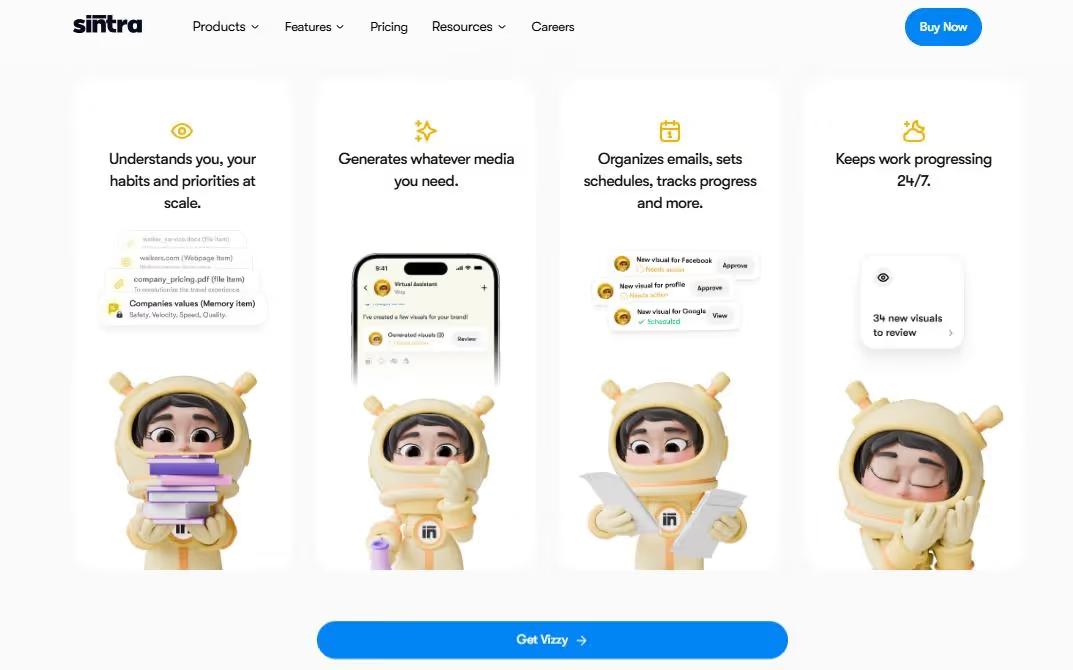
Unlike other Akiflow alternatives that focus on task planning, Sintra AI acts as a full-execution management automation model. Startups, busy professionals, and solopreneurs favor this for its proactive task management.
For starters, Sintra is powered by a specialized AI team of persona-based helpers. You prompt how the project should proceed, and these helpers act on your behalf, from planning to execution.
- Vizzy, the virtual assistant, schedules your meetings, time blocks your workday, finds focus time for specific tasks, and communicates with team members
- Buddy, the business strategist, explores project timelines and turns data into actionable tasks.
- Seoshi, the social media manager, produces content.
- Emmie, the email assistant, summarizes lengthy threads, responds to messages, and retrieves tasks from emails.
But the highlight of this Akiflow competitor is the shared business brain, called Brain AI. It carries context about your business, from brand voice to objectives, audiences, and annoying projects. So, whenever you interact with the AI helpers, they pull the context from this shared space, interpret the prompt, and act without human oversight.
Key Features
- 12 specialized role-based AI agents to automate different parts of your business.
- Brain AI is a centralized business knowledge space that provides the agents with context.
- 90+ one-click use cases that execute repetitive tasks without lengthy prompting.
- Up to five workspaces, each with separately trained agents and Brain AI.
- Third-party integrations with work tools (Google Workspace, Slack, Notion, etc).
Comparison to Akiflow
As compared to Akiflow’s manual drag-and-drop toolkit, Sintra offers a no-code conversational chat setup. Moreover, it goes beyond time blocking and calendar management, tapping into business automation. Philosophy of Sintra is to train persona AI employees and delegate routine tasks to it, whereas Akiflow’s AI mostly focuses on planning your day.
Pricing
Sintra AI has no free version. Its paid subscriptions include a 12-month plan ($15.6 per month), a 3-month plan ($23.60 per month), and a 1-month plan ($48.50 per month).
2. Motion for AI Scheduling Automation
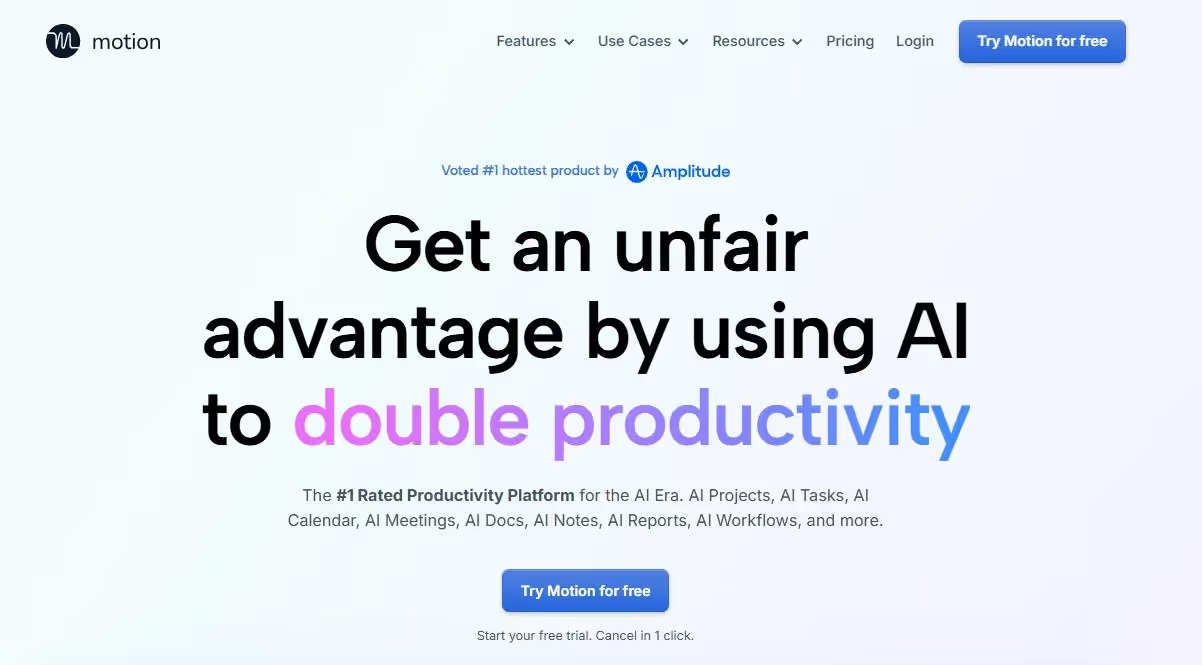
Motion is an advanced productivity calendar that automatically schedules your day by allocating focus time, assigning tasks, and booking meetings. It’s a great Akiflow alternative for power users who want their project manager to automate scheduling so that they can focus on work.
For starters, Motion brings all your project documents and notes into one dashboard. With these details, the AI builds Gantt charts with deadlines, urgency, milestones, and progress bars. A glance at these timelines gives the entire team clarity on how things are moving.
What distinguishes Motion from competitors is its adaptability. Unlike static planners, AI adjusts throughout the day - appointments shifting or tasks taking longer than expected. You can also customize the Motion AI employees to take notes, document procedures, and draft planners.
Key Features
- Project timelines (Kanban and Gantt charts) to track progress, allocate resources, and plan tasks ahead of time.
- Automated calendar capabilities that help managers find focus time, book meetings, and prioritize urgent tasks.
- An AI-powered project generator that breaks down your documents into smaller tasks and subtasks with deadlines.
- A conversational chat interface for queries, project search, and information retrieval.
- An AI-powered notes assistant that takes notes and organizes documents.
Comparison to Akiflow
Unlike Akiflow, which has a drag-and-drop editor for moving tasks and adjusting daily activities, Motion automates daily planning. Think of Motion as your personal assistant that plans your projects and adjusts to your availability, so that you can focus on the work itself. It’s best for executives and managers with unpredictable work routines and no time to plan.
Pricing
Motion AI offers a free trial and paid subscriptions, including Pro AI (starting at $29 per month) and Business AI (starting at $39 per month).
3. Sunsama for Daily Planning Workflows
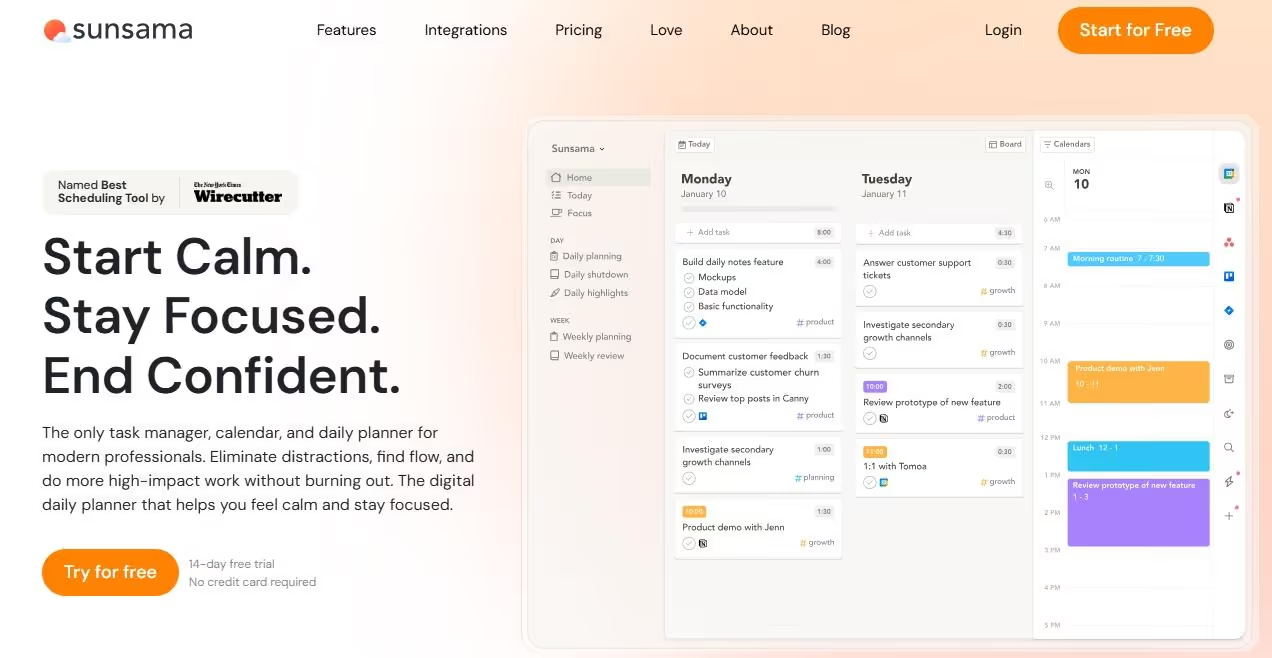
Sunsama is a digital daily planning tool that focuses on mindful scheduling and structured rituals for a balanced work routine. It is developed for professionals facing burnout who want a planner that guides them to setting realistic goals, reviewing workload, and time-blocking their day.
Each day with Sunsama starts with a planning ritual. It gives you around 20 minutes to enter the activities for that day, estimate how long they will take, and allocate the focus time on the calendar. You are free to pull tasks from other channels: Notion, Trello, Gmail, and more.
If you are already using Akiflow, you will find Sunsame similar, thanks to the task consolidation and the drag-and-drop editor. However, this Akiflow alternative goes a step further with a focus mode and weekly planning. These two modes help you zoom in and out however you like.
Key Features
- Email task import that lets you retrieve actionable tasks from Gmail and Outlook conversations.
- A focus mode that lets you reduce distractions and mute apps, so that you put all your effort into the ongoing tasks.
- A minimalist, drag-and-drop editor developed for non-technical professionals.
- Weekly objectives that allow zooming out and reviewing broader work commitments.
- Daily planning and shutdown ritual that reserves 15 to 20 minutes to enter work commitments and review completed work at the start and end of each day.
Comparison to Akiflow
Despite having a similar toolkit, Akiflow and Sunsama have different planning approaches. While Akiflow focuses on speedy task consolidation, Sunsama excels at being more reflective about productivity. Its daily rituals, shutdown modes, and a relaxing design are perfect for busy professionals used to the pen-and-paper method. However, it lacks the AI chatbot, which Akiflow offers.
Pricing
Sunsama offers a 2-week free trial. Alongside, it has a paid Pro Plan (starting at $20 per month) and custom pricing for enterprise.
4. Notion Calendar for All-in-One Workspace Productivity
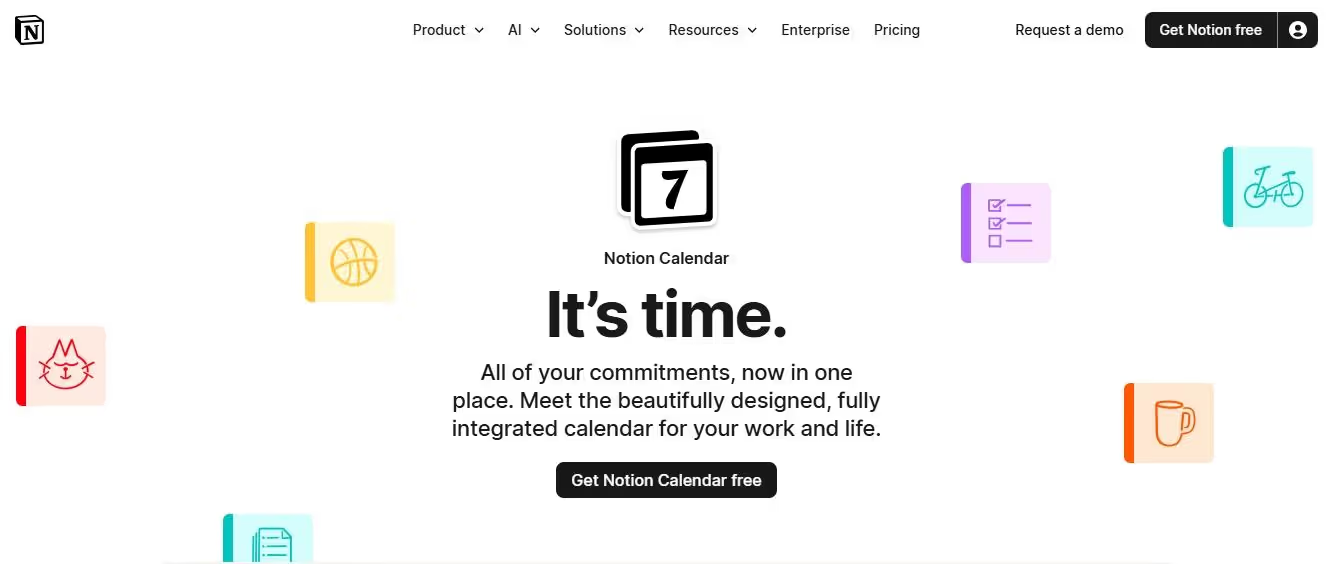
Notion Calendar is a structured and highly interactive calendar app. It's built for teams using Notion as their workspace. With a two-way sync, this Akiflow alternative lets the team connect within the Notion database and external calendars (Google, iCloud, etc) to manage time.
For starters, this Calendar has a built-in scheduling toolkit. With this, you can set up keyboard shortcuts, drag-and-drop tasks, and personalize your scheduling links for convenience. It also helps you allot specific slots for activities and track their progress via timeline views.
Moreover, Notion supports various event types, including out-of-office, focus time, and more. For instance, if you have a personal commitment on Google, this one will show it as busy on your work calendar. Teams can also view these events with week numbers and weekend labels.
Key Features
- Two-way Notion database sync that showcases date-based items as calendar events with deadlines, milestones, and work plans.
- Customizable calendar that allows you to reschedule and update events.
- Built-in time blocking to allocate specific slots to events from the calendar.
- A native scheduling toolkit that allows setting up shortcut keys, scheduling a meeting, and more.
- Cross-platform availability (macOS, Windows, iOS, and Android). Plus, it integrates with external calendars and Notion databases across devices.
Comparison to Akiflow
Akiflow is an all-in-one productivity planner, whereas Notion Calendar acts as a visual calendar for professionals using Notion workspaces. This calendar is designed for context. Its data-based visualization capabilities tell you where your time goes. Plus, its time-blocking methods are limited to Notion-specific tasks, unlike Akiflow, which also accounts for personal slots.
Pricing
Notion offers a free version alongside paid subscriptions, including Plus (starting at $12 per month) and Business ($24 per month).
5. Todoist for Lightweight Task Management
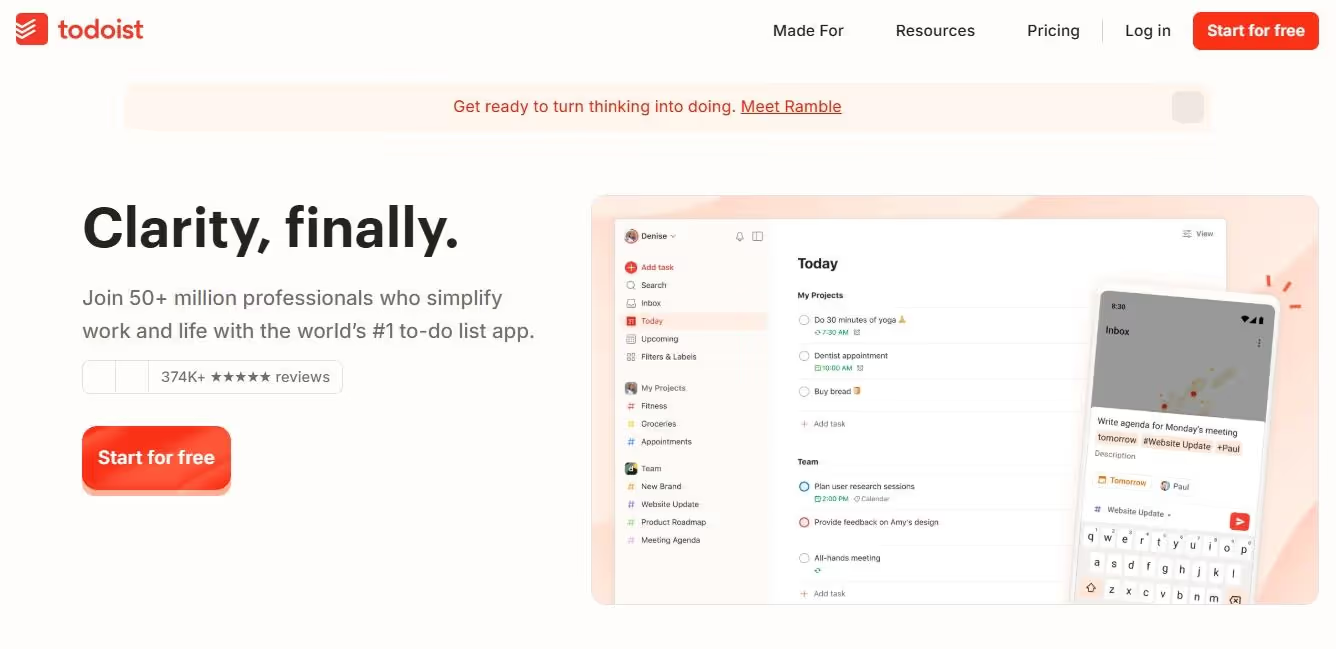
Todoist is a value-for-money, list-based task manager that helps professionals and teams track their progress using to-do lists and deadlines. In contrast to Akiflow’s task planning, Todoist focuses on task capture and execution. Plus, its minimalist UI is for executives wanting clarity over complexity.
For starters, it has a natural language input mechanism. Here, you type your tasks, such as “follow-up on investors meeting every Saturday at 11 am”. And, Todoist will automatically include it in the schedule and set a reminder. Like Akiflow, it can also pull tasks from external channels.
Moreover, with Todoist, you can turn tasks into sorted projects with labels, such as priority levels, deadlines, task hierarchies, and more. This gives teams more control over the structure. Despite these filters, your interface does not feel cluttered.
Key Features
- A natural language input that turns phrases into project calendar views.
- Shared task lists where teams can collaborate, view progress, and adjust structure.
- Custom task labels that help you sort and view activities by priority, projects, and context.
- Project subsections that let you break tasks into sub-tasks for better tracking and execution.
- Cross-platform availability (works across web, mobile, and desktop) and integrates with popular work tools (Gmail, Google Calendar, Slack, etc).
Comparison to Akiflow
Todoist is a cheaper yet functional alternative to Akiflow. It may miss a few features, but the basic functions, such as to-do lists, calendar views, and cross-channel integration, do the job for anyone on a budget. Akiflow is inarguably better if you need help with planning, but Todoist’s project organization capabilities help professionals who prefer clarity in their routine calendar.
Pricing
Todoist offers a free tier and paid subscriptions, including Pro ($5 per month) and Business ($8 per month).
6. ClickUp for Team Productivity
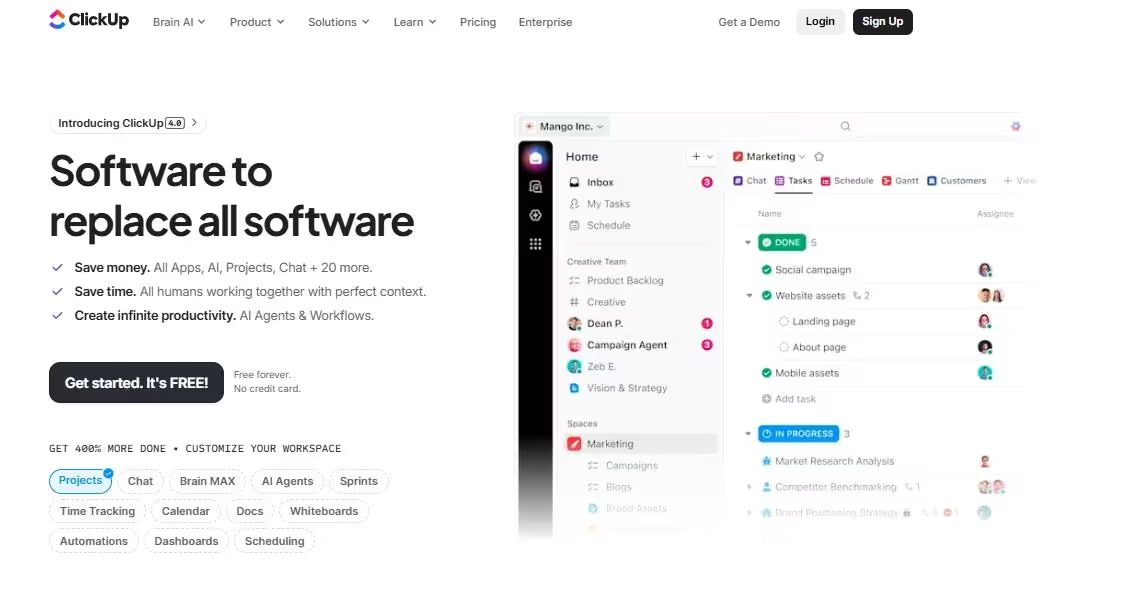
ClickUp is an all-encompassing project management platform with automation and collaboration capabilities. Unlike Akiflow, which helps you plan work daily, ClickUp emphasizes long-term execution. This Akiflow alternative helps power users and busy teams combine all their docs, tasks, chats, and whiteboards in one place.
For starters, ClickUp has a native task management toolkit. This visualizes your projects using Kanban boards, Gantt charts, and timelines. This empowers teams to better comprehend subtasks, dependencies, checklists, and due dates so that nothing falls between the cracks.
Another highlight of using ClickUp is its AI assistance, called ClickUp Brain. It connects all your resources to streamline simple workflows using 50+ automation triggers. For instance, you can ask it to generate a summary or suggest a follow-up action to a sequence.
Key Features
- More than eight project views, including Gantt, timeline, calendar, workload, table, and more.
- Real-time collaborative documents and whiteboards where teams can chat, comment, and brainstorm without any friction.
- Custom dashboards and analytics that track your project’s progress and give you real-time reporting on team performance.
- Advanced task management toolkit, including editable dependencies, custom fields, to-do lists, and sprints for detailed project organization.
- ClickUp Brain to automate routine repetitive tasks.
Comparison to Akiflow
ClickUp has a broader productivity scope, while Akiflow is an expert in task consolidation. While Akiflow is more focused on pulling tasks from multiple channels and integrating them into one calendar, it’s only a small part of ClickUp. So, if you want to tap deeper into AI workflows, advanced task management, and collaboration, this Akiflow alternative might be a better choice.
Pricing
ClickUp offers a free tier for individuals as well as paid plans, including Unlimited ($10 per month) for small teams and Business ($19 per month) for mid-sized businesses.
7. Reclaim AI for Smart Calendar Blocking
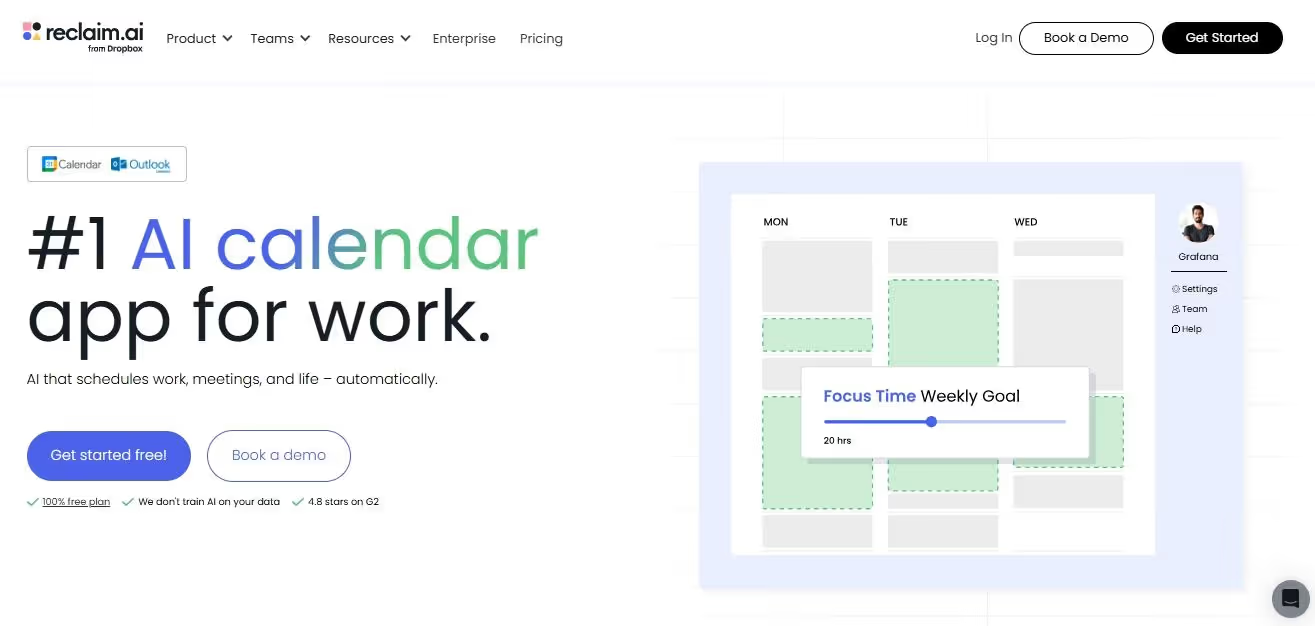
Reclaim AI is an advanced scheduling assistant for professionals to balance their work and personal commitments by blocking time. It allocates slots for private habits, deep work, and routine work events. Anyone who does not want to plan manually can benefit from its AI toolkit.
Similar to Akiflow, Reclaim has a meeting scheduler, and it’s more advanced. Once you connect the tool to your calendar, it automatically evaluates your flexible commitments and rigid habits. If there is a conflict, Reclaim will adjust the schedule to find an optimal time for the meeting.
Reclaim’s planner screen also uses AI algorithms to make tracking easier. With three different lists, including high-priority, low-priority, and flexible tasks, you can better estimate time. Plus, as you add more activities, the tool will check on conflicting deadlines and send reminders.
Key Features
- An AI-powered scheduler that automatically plans slots for priority habits, repetitive tasks, and meetings.
- Buffer times that automatically leave blank time intervals for anything sudden.
- Automated time blocking capabilities that divide your day into personal time, deep work, creative tasks, and professional activities.
- Third-party integrations with popular work tools, including Gmail, Asana, ClickUp, and more.
- Focus time that automatically protects your work blocks on the calendar.
Comparison to Akiflow
Akiflow offers a manual time management editor. However, with Reclaim, AI handles the scheduling. Here, you enter a task, set it as a priority, and the AI finds the best time for it. Its AI model also oversees all calendar tasks and sends reminders, reducing the chances of missing deadlines. Busy professionals favor Reclaim for its focus on balancing work with zero effort.
Pricing
Reclaim AI offers a free Lite version alongside paid subscriptions, including Starter ($12 per month/ seat) and Business ($18 per month/ seat).
8. Morgen for Calendar + Task Sync
Morgen is a visually pleasing, affordable planning tool that brings multiple calendar tasks into a single dashboard. Unlike web planners, it focuses on user security and is compliant with GDPR standards. Simply put, Morgen does not store your data on its server and manages it locally.
To get started, you log into its calendar app. Here, it’s easy to switch between days and weeks. Or, customize views to show weekends, past events, and ongoing tasks. Moreover, you can use its one-click settings to label tags, color-code activities, set reminders, and invite people.
Morgen also offers a task management toolkit. It lets you create to-do lists, break down projects into tasks, and adjust tasks. If you don’t want to go through the hassle, leave the planning to its AI planner. This planner automatically adjusts tasks and meetings for a balanced workday.
Key Features
- An AI-powered meeting scheduler that automatically books your meeting, adds invitation links (Zoom, Google Meet, Teams), and sets reminders.
- Task manager with multiple views and customizable fields.
- An AI planner that automatically places tasks from multiple channels into a single calendar.
- Shared workspace where teams can chat, share resources, and align schedules.
- Morgen Calendar works with Google Calendar, Outlook, and Apple Calendar.
Comparison to Akiflow
Both Akiflow and Morgen are developed to unify calendars and tasks; they are for different people. Think of Morgen as an affordable, more polished alternative for teams that need to visualize their schedules. Plus, unlike Akiflow, which excels at planning rituals, Morgen Calendar focuses on flexible booking and AI scheduling suggestions.
Pricing
Marven offers a 14-day free trial. Alongside, its paid subscriptions start at $30 per month for individuals and $25 per month (each seat) for teams.
9. TickTick for Budget-Friendly Option
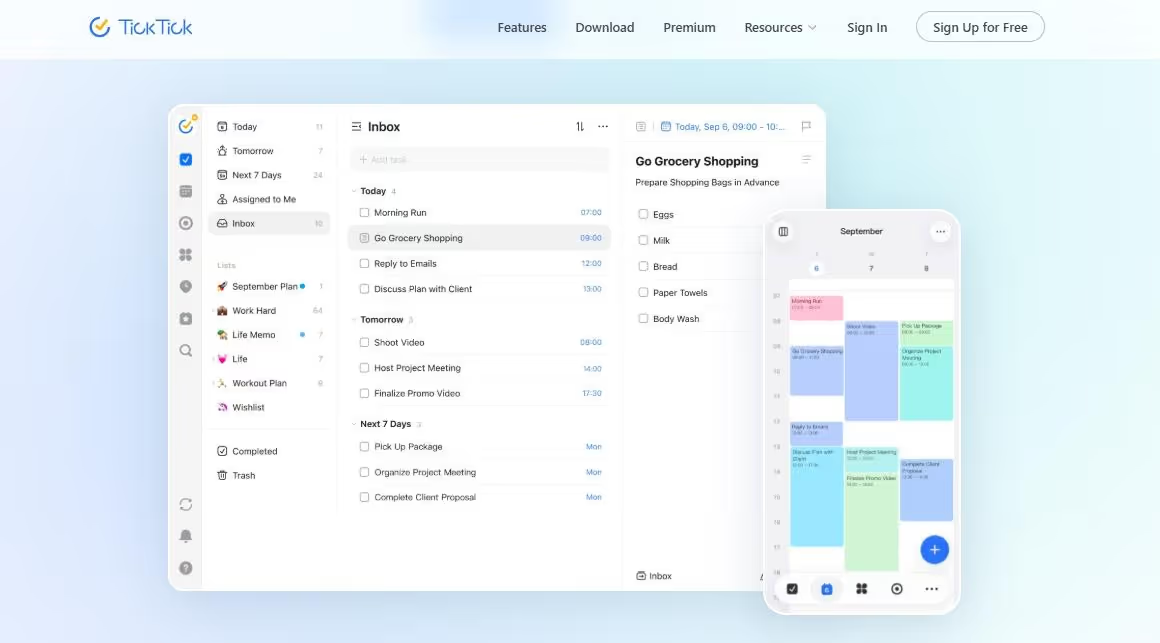
TickTick is a collaborative to-do list task management platform that offers native habit tracking and the Pomodoro technique. Its philosophy: helping users stay consistent with structure and not complexity. As compared to Akiflow, it costs less and takes a flexible approach to planning.
It has a list-based task structure with smart filters, including subtasks, priorities, and repeated tasks. Similar to Todoist, TickTick supports a natural language input mechanism for you to add new events. As for scheduling, you get a basic calendar view but no time blocking.
TickTick has replaced the focus time with a native Pomodoro timer. It has customizable intervals, so you can always decide slots for deep-focus activities without distractions. The only downside was the limited native integrations, and you will have to rely on third-party options.
Key Features
- Voice input for users to add tasks.
- Integrates with emails to convert conversations directly into tasks.
- Smart data parsing that recognizes important tasks from the calendar and sets reminders for deadlines.
- Organizes projects by combining folders, tasks, to-do lists, and check items.
- Pomodoro timer and white noise for focused work sessions with different background sounds.
- Achievement statistics that score your projects based on task completions and delays.
Comparison to Akiflow
Akiflow is an inbox-first productivity tool with time-blocking capability, whereas TickTick focuses on basic task management. It works across devices, supports a native habit tracking mechanism, and creates a focus space for specific activities. The focus is on managing tasks with multiple calendar views with ease, and not consolidating tasks across channels.
Pricing
TickTick offers a free tier and paid subscriptions that start at $3.99 per month or $35.99 annually.
10. Amazing Marvin for Custom Productivity Systems

Anyone dealing with procrastination or ADHD will find Amazing Marvin useful. It is a highly customizable task manager designed to reduce stress through behavioral psychology principles. What distinguishes it from Akiflow is its habit tracking that keeps you consistent.
When you log in, it connects to your calendar tools and visualizes tasks. The good thing? You can change the calendar view from daily to weekly or monthly. Time blocking happens within this view. Simply reserve specific chunks for categories and turn tasks into to-do blocks.
Now the most exciting part: habit tracking. It supports a grading system that monitors your progress and delays. Plus, you can always set reminders on how long one habit takes, or if it's daily, weekly, etc. This, with Pomodoro timers, gives you a focus space to build habits.
Key Features
- 2-way Google calendar sync that visualizes customizable task views (daily, weekly, monthly, etc).
- Habit tracking capabilities that use behavioral psychology to track your progress, set reminders, and build new habits.
- Extensive customization with toggleable plug-ins (over 100 strategies) and multiple calendar views.
- Time blocking that allows you to directly allocate slots for tasks within the calendar.
- Built-in Pomodoro timer that breaks your work into focused intervals within your existing breaks.
Comparison to Akiflow
Though also designed for planning, this Akiflow alternative allows for deep customization. It has a feature-rich toolkit for time-blocking, project management, and scheduling. Unlike Akiflow, its toggleable strategies adapt to your work style. Plus, instead of focus times, you get pomodoro timers and white noises with Amazing Marvin.
Pricing
Amazing Marvin offers a 14-day free trial. With this, its paid subscriptions start at $12 per month.
What Makes a Great Akiflow Alternative in 2026?
We tested our listed Akiflow alternatives using these filters.
Core Functionality
The core functionality of the Akiflow alternative matters. At a minimum, your chosen tool should have the following capabilities.
- Manage existing tasks and add new ones.
- Organize tasks and personal activities by category or in a to-do list format.
- Track deadlines and set reminders
- Visualize tasks (in a calendar format, Kanban, Gantt charts, or timelines).
- Assign tasks and resources to team members.
- Time blocking capabilities for batch activities or specific categories.
- Unified calendar views (daily, weekly, bimonthly, and monthly).
- Built-in analytics and reporting dashboards.
Integration Options
Like Akiflow, your chosen alternative should connect with your existing tech stack, including emails, calendars, and project management tools (Slack, Notion). Better integration scope means no context switching.
Usability
Usability matters a lot. An Akiflow alternative that does not match your skill set is useless. So, you must ensure that the chosen platform has an intuitive, clean interface. Ideally, a drag-and-drop editor or smart keyboard shortcuts work best for task management. Plus, any platform featuring user resources instantly makes it better.
Pricing
Pricing is another key factor in deciding on an Akiflow alternative. The individual pricing is not the issue. The real problem starts when you scale and add seats. So, it’s always better that you evaluate the platform through
- No hidden cost
- Flexible subscription model
- Free tier or free trial available
How to Choose the Right Akiflow Alternative?
An Akiflow alternative does not look the same for everyone. The selection comes down to how you work, what you need help with, and whether you work solo or in teams. So, here is how you should move forward.
Define Your Primary Use Case First
The first step to finding the right Akiflow alternative is identifying why you need one. Is it for time tracking, task management, or all-encompassing daily planning? Many undermine this step. But remember! Not having clarity on your unique needs means constant tool-switching and friction.
Here are a few common use cases professionals consider when considering contenders for Akiflow.
- Workday Planning Rituals: Plan your day from start to end, review tasks, set priorities, attend meetings, etc. For instance, some software excel at “Eat the Frog,” meaning tackling the most important tasks first, while others focus on flexibility or batching minor tasks, and more.
- Time-Blocking and Proactive Scheduling: Importing your daily tasks from your inbox to your calendar, so that you can allot slots to each category of tasks. With most of these platforms, you don’t have to hassle with to-do lists. Instead, the AI schedules all your activities in a calendar view.
- Task and Habit Tracking: Using progress bars and statistics to keep track of your work tasks and personal habits. Such tools are capable of automations, performance analytics, and visual timelines.
- Task Capture: Sorting tasks, identifying bottlenecks, and recording the time spent on them so that the teams have a better idea of the project timeline. Mostly, Akiflow alternatives have manual keyboard shortcuts and drag-and-drop editors for time capturing.
- Task Consolidation: Combining events from multiple calendars into a unified view. These tools give you a visual outlook of time dependencies, milestones, deadlines, and more. Professionals use them to manage projects and personal commitments in one view.
Decide Between Planning vs Execution Tools
Work planning tools like Akiflow combine task management, calendar planning, and linear process automation to help professionals improve focus and reduce manual effort. Such platforms guide busy people in protecting their personal habits, prioritizing work commitments, finding optimal meeting times, and time-blocking important tasks in batches.
Planning a campaign with these tools looks something like this. They check your team calendars and consolidate the tasks in a single view with detailed project timelines. You have customizable dates, dependencies, deadlines, and reminders. Most of these tools have scheduling abilities that automatically check your day and book team meetings.
In comparison, full-execution productivity tools handle the complete project cycle. Typically, they use AI to automate multi-step sequences and not isolated tasks. Most of these platforms run on autonomous agents that interpret your business, understand its context, and streamline multi-step task sequences.
For instance, these dynamic automation solutions can handle the entire campaign cycle without human oversight. The planning assistant is responsible for concept mapping, followed by a scheduling helper who checks everyone’s availability and builds a project calendar. Once done, each task goes to a different agent (blogs to a content writer, visuals to an image generator, etc). Finally, an agent publishes the content and tracks the KPIs for success.
Evaluate Automation and AI Capabilities
Aki by Akiflow is a personal assistant that helps you manage tasks and calendars. It automates repetitive planning tasks, including weekly reviews, task cleanups, reminders, and daily weather checks. Akiflow recently announced that they will be launching trigger-based automations, such as meeting recaps, summaries, and more.
Hence, it’s a prerequisite for your Akiflow alternative to have AI capabilities. But when finding one, don’t look at features. Instead, check how much the chosen platform takes over the manual work.
For starters, basic AI capabilities are all about streamlining predictable, predefined tasks. Common examples of these tasks include updating task status, sending reminders, and pulling information from external calendars. It’s enough for anyone needing simple automation for linear tasks.
However, they don’t necessarily alter how you handle daily planning tasks. Advanced AI goes beyond just rules and focuses on proactive planning. For instance, Reclaim auto-schedules your meetings, adds tasks to your calendar, and changes plans in real time. Such solutions offer better planning without human supervision.
Consider Your Workflow Complexity
Akiflow is built for high-complexity and multi-step, fragmented processes. Its planning toolkit is marketed for business owners and power users who manage multiple projects across platforms. Hence, it’s ideal that you match the platform’s complexity to your workflow.
To judge if your workflows are linear, ask yourself if your routine work handles
- Defined priorities
- Follows a similar path every day
- Requires basic collaboration/ limited integration
- A few projects
Flexible lightweight tools like Todoist and TickTick work best for these simple workflows. They guide you in daily planning (tracking tasks, scheduling activities, protecting habits) with minimal hassle and decision fatigue.
In comparison, complex workflows look something like this.
- Teams working and communicating across departments.
- Multiple projects and task dependencies.
- Frequent priority changes.
- Connection with external work platforms.
If your work has multi-step processes with high complexity, advanced automation tools like ClickUp, Motion, and Sintra AI work best. These tools integrate into your existing tech stack and automate the entire sequence, from planning campaigns to reporting progress and executing tasks.
Think About Team vs Solo Use
Productivity looks different for individuals and teams. For instance, tools focused on personal productivity, like Akiflow, focus on habit tracking, daily planning, important reminders, deep-focus activities, and time blocking. For this, platforms with a clean interface, limited integration options, and reasonable pricing, like Todoist and Amazing Marvin, do better.
In comparison, an Akiflow alternative for team productivity promotes coordination and shared resources. Here, you need to look at features like wide integration options, custom dashboards, project timelines, and AI analytics that work best. Tools like Notion, Motion, ClickUp, and Sintra AI might do well for cross-functional teams.
Why Planning Tools Alone Are No Longer Enough in 2026?
Planning is only a part of managing projects. So, naturally, most Akiflow alternatives are for preparation and not execution. Here is why it might not be the best choice for your workflow.
Task Managers Organize, But Don’t Execute
An average task manager like Akiflow helps you sort tasks, set priorities, and share resources in the team space. Project managers and cross-departmental teams use these visual tools to reduce mental clutter and break down complex projects. This way, you can meet deadlines.
While good at organization, they demand a heavy time investment. Setting them up means manually dragging and dropping tasks, checking availability, and so on. Plus, focusing too much on deadlines results in poor task execution and high stress.
AI Tools Reduce Manual Work
AI-driven Akiflow alternatives (AI chatbots, no-code project managers, schedulers) are great at taking over the repetitive parts of your job. With the free time, you can focus on what matters: communicating and innovating. Plus, AI handling multiple tasks means no human error.
However, these AI contenders act as secondary. Using them involves crafting thoughtful prompts, heavy editing of the output, and always supervising the output. So, while some parts of your work are automated, it creates new tasks, which can be overwhelming for busy people.
Execution Platforms Deliver Real Outcomes
The solution: ideally, your Akiflow alternative should have autonomous execution capabilities. Capable of Robotic Process Automation (RPA), full-execution solutions are proactive and work without human supervision. They require lower maintenance and offer higher efficiency.
Why Sintra AI Stands Out Among Akiflow Alternatives?
Sintra is an advanced business solution built on multi-agentic capabilities. Here is why it might stand out among other planning-focused Akiflow alternatives.
Built Around Roles, Not Tasks
Sintra’s AI helpers are not centered around tasks but rather roles. Instead of conversational chatbots, it has an entire AI team of twelve personas, including an email assistant, a business strategist, and a social media manager, among others.
Think of them as your digital employees capable of executing multiple tasks. So, your personal assistant not only schedules meetings. It
- Understands your personal routine
- Handles your workflow
- Communicates with clients and team members
- Saves time for hobbies
- Turn tasks into manageable actions.
Plus, all these AI persona assistants run without human oversight.
Brain AI Creates Consistency Across Every Workflow
If Sintra’s helpers do not require manual intervention, how do they manage? The answer: through a shared memory called Brain AI. Brain AI is your business’s centralized knowledge that stores all the details, including brand guidelines, objectives, customers, and more.
To get started, you add text, webpages, and files that the AI helpers can access and use as context to execute tasks. The good thing? It does not stop learning. As you interact with the helpers, answer business surveys, and add data, the platform learns and adapts to your style.
Deep Integrations Turn Plans Into Action
Unlike Akiflow, which mostly integrates with task management and scheduling tools (calendars, inboxes, and project management apps), Sintra AI integrations are business-focused. With this, you can easily integrate the AI into your existing tech stack (social media channels, workspaces, CRM, project management tools, and more).
Plus, setting up these third-party AI integrations is effortless. Simply set up your business digital workspace, and log in to your accounts on a tool (Gmail, LinkedIn, Notion, Google Calendar) and leave the rest to the AI helpers.
From Planning to Execution in One System
Unlike other Akiflow alternatives, Sintra is not limited to task management. It actually takes on multi-step, complex end-to-end business processes. Let’s see how it manages projects, from planning to execution.
- You enter the project details in the Brain AI (documents, brand guidelines, task breakdown, email conversations, etc).
- Then, prompt Buddy (the business strategist) to explore ideas for task breakdown, project planning, required resources, and so on.
- Once the action plan is ready, you assign tasks to special helpers. So, Seoshi handles the social media, Emmie oversees the emails, and Gigi books your meetings.
- Finally, validate the AI outputs and set Dexter to track the performance of your project.
Faster Results with Pre-Built Workflows
Don’t have the effort to write detailed prompts? Try one-click use cases from this Akiflow alternative. With these use cases, you can deploy individual AI helpers to execute repetitive tasks. For instance, some use cases for Gigi (personal assistant) include
- Create a personalized daily schedule.
- Manage appointments and resolve conflicts.
- Transcribe meetings and extract key insights from lengthy transcripts.
- Sort messages on emails, set priority items, and respond accordingly.
Ready to Move Beyond Task Management?
There you have it - all about choosing the right Akiflow alternative for your personal or team productivity needs. Remember! A software that matches your skills and workload is always a good start. If you are still confused, get started with Sintra AI. It goes beyond planning and uses a role-based AI team to automate complex, multi-step task sequences without any coding knowledge.
Akiflow Alternatives FAQs
What is the best Akiflow alternative in 2026?
Well, it depends on your unique requirements. For instance, Reclaim AI and Motion are excellent for automated scheduling, with AI automatically filling your calendar. Whereas Sunsama works better for mindful daily planning and manual control, and tools like Motion and Sintra AI offer full-execution AI workflows.
Are there free Akiflow alternatives available?
Yes, of course. Some top free Akiflow alternatives include the free tiers of Todoist for lightweight planning, Morgen for unified calendar consolidation, TickTick for to-do list task tracking, Reclaim AI for auto-scheduling, and Notion Calendar for workspace productivity.
Which Akiflow alternative is best for teams?
The top two Akiflow alternatives for teams are Motion and Sintra AI, thanks to their AI-driven assistance for scheduling, project planning, and execution. Other options include Sunsama for organized planning and Reclaim for project management.
Is there an Akiflow alternative for iOS users?
Definitely! The top Akiflow iOS alternatives are Todoist, with a dedicated iOS app offering multiple calendar views, Morgen having the ability to merge multiple calendars for unified task consolidation, and TickTick for native habit tracking.
What’s the difference between Akiflow and AI productivity tools?
What distinguishes Akiflow from other native-AI productivity tools is the control. Akiflow, with a drag-and-drop task editor and human-in-the-loop command center, lets users plan manually. In comparison, AI productivity tools (Reclaim and Motion) focus on automating parts of your workflows and delegating the decision-making to the smart AI models.
Related articles




.avif)




