AI Workflows Explained

Table of Contents

Employing little AI helpers in your workflow can take the edge off your busy day. AI workflow automations can speed up your routine processes, streamline sales, and predict practical solutions for your business.
Today, around 78% of companies globally use artificial intelligence workflows in their operations. But it's not very simple. Factors like initial investment, user adoption, biases, and knowledge gaps can be a deal breaker.
Confused about whether an AI workflow is the right choice for your business? Learn how AI is transforming SEO, conventional rule-based automation and how you can benefit from them.
What is an AI Workflow Automation?
AI workflow automation refers to the use of artificial intelligence in your work processes to automate and optimize specific day-to-day operations.
Beyond saving time from repetitive operations, AI-enabled workflows help businesses make intelligent decisions. By interpreting and analyzing your business data, these systems can offer real-time customer analytics, aid in strategy, and advise decisions.
For instance, when a person joins your team, these workflow automation processes can help them access the company’s software, allocate login credentials, and update their information in the system.
AI Workflow Automation vs. Traditional Automation
Both the traditional and modern AI workflow automation are developed to improve your productivity and save time. However, their working mechanism are completely different.
Simply put, the traditional automation was more about following rules, meaning having a pre-programmed script. Such systems used structured data in Excel, forms, or spreadsheets. Hence, they are best for repetitive and predictable tasks.
In comparison, AI workflow automation is built to handle complex tasks. Such systems are also trained on unstructured data like emails, audio, imagery, etc. Plus, instead of rules, they follow deep machine learning algorithms to identify patterns and context, and make predictions.
Where AI Automation Fits in Business?
Today, businesses use AI workflow and process automation widely in their processes. Here are some of them.
- HR to hire people, facilitate offboarding paperwork, or offer access to the system during onboarding processes.
- Marketing to produce content, build a strategy, analyze performance, segment the audience, and craft email campaigns.
- Sales operations to analyze CRM data, build customer loyalty, and keep an up-to-date data inventory.
- IT to improve system security, optimize data analysis, etc.
- Customer service through Conversational AI agents and chatbots to handle inquiries, provide instant support, and improve response times.
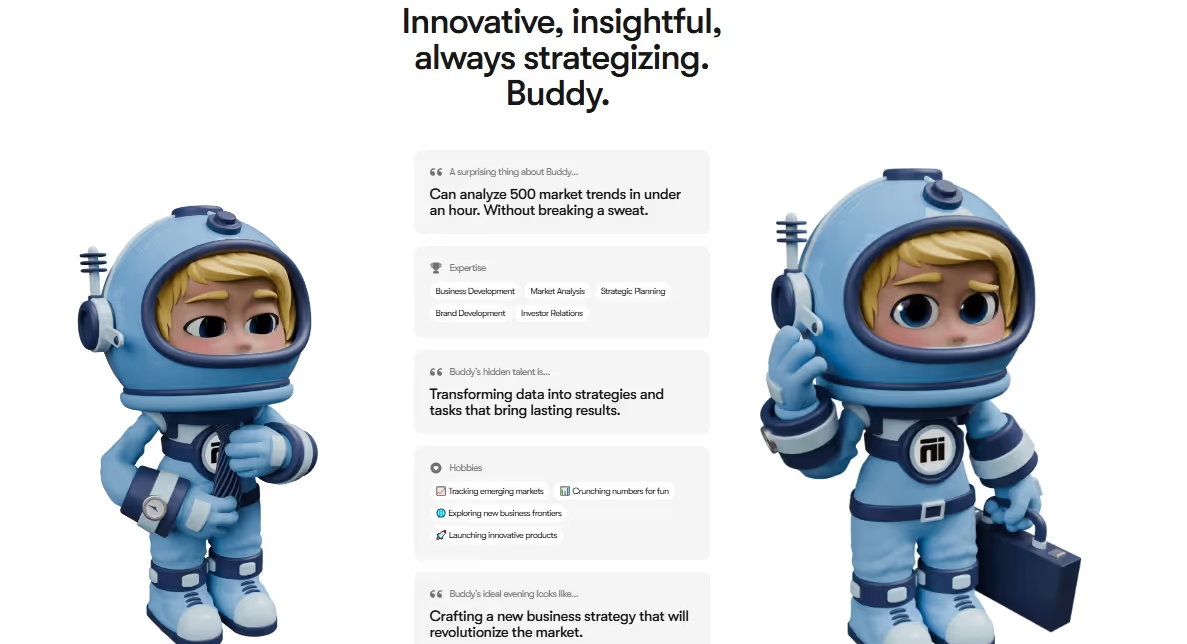
Sintra offers you an all-in-one business automation solution in Buddy. It helps businesses use market trends and customers' data to innovate daily processes. The payoff of getting this right is significant - end-to-end process redesign can speed up decision cycles up to threefold, and one CPG company that integrated its commercial, R&D, production, and procurement processes increased speed to market by 1.5x while lifting pipeline value by 20 percentage points. Be it analyzing audience segments, launching products, or crafting marketing strategies, AI Business strategist can do almost everything.
Core Components of an AI Workflow
An AI workflow is not a random piece of software. Rather, it is a system of interconnected components working in sync. Let’s get to know these components.
Data Preparation
The automation starts with data. Any AI system needs high-quality data to make a decision. Businesses can gather data from various sources, like emails, websites, CRMs, etc.
However, it shouldn’t be raw. You must allocate resources to process, clean, and format data. Doing so would help the AI to better interpret and process it.
AI Models
Once you have the data, the next component is selecting the AI model. Also known as brains, these models are trained to find patterns in the data, make decisions, and predict actions.
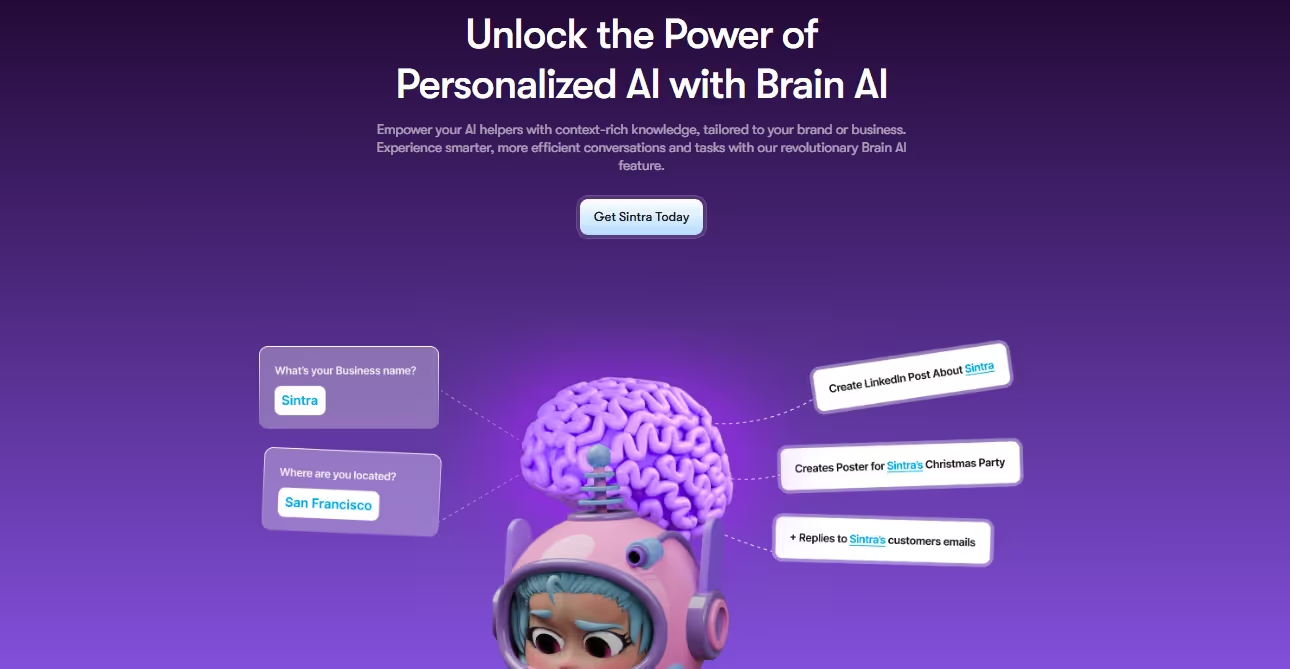
Let’s understand it with Sintra’s Brain AI. It is the knowledge base of your business that learns more about you through personalized interactions. Depending on these constant improvements, the Brain AI trains your digital AI employees for optimized assistance.
NLP
NLP or Natural Language Processing is the translator between the machine and the man. Just think, all your business data is raw and unstructured.
The NLP empowers your workflow to read this data and interpret it. Modern NLP can even understand the sentiments in the human language.
Triggers and Automations
Next come triggers. Think of them like your start button. These are specific events that initiate your workflow automation process. For instance, a customer gets a support ticket through your website.
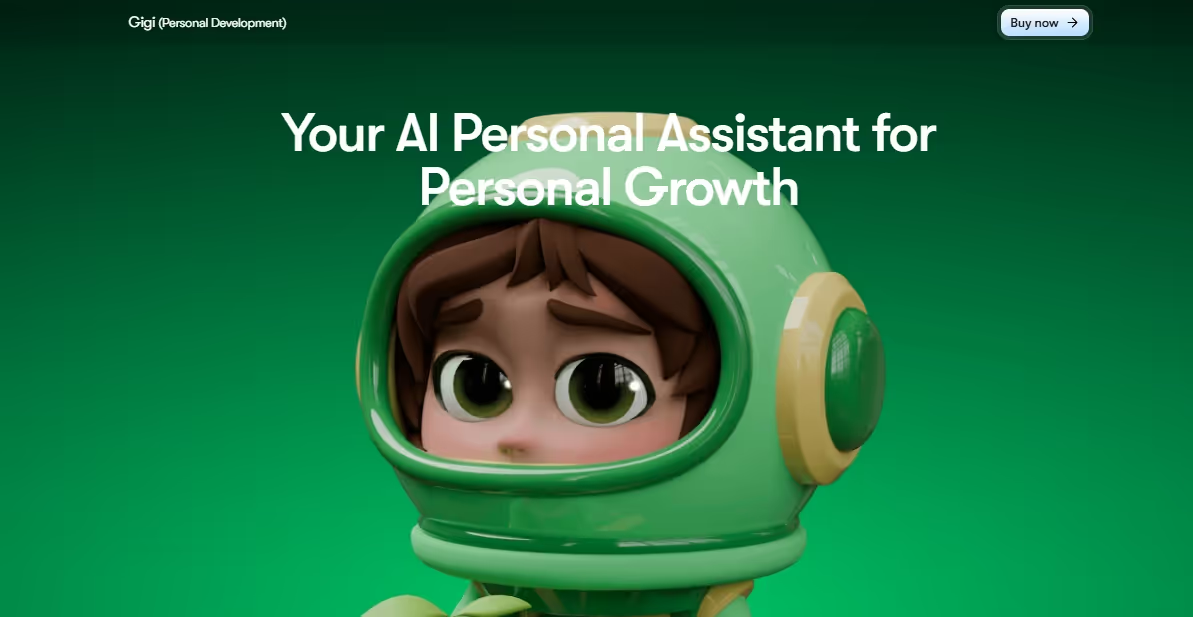
You can employ AI personal assistants like Gigi in your workflow. It uses AI algorithms to understand the urgency of the trigger, depending on your business context.
Workflow Orchestration Engine
After triggers, the system goes to the AI agent orchestration engine. Like a project manager, this engine determines that tasks will be done in what sequence.
It tells each component what task to perform and when. For instance, when a customer initiates a trigger, the workflow orchestration will classify it and direct it to the desired agent.
AI Helpers as Agents
AI agents are your automation employees. These AI workflow tools are tasked to execute a job, such as sending an automated response to the customer.
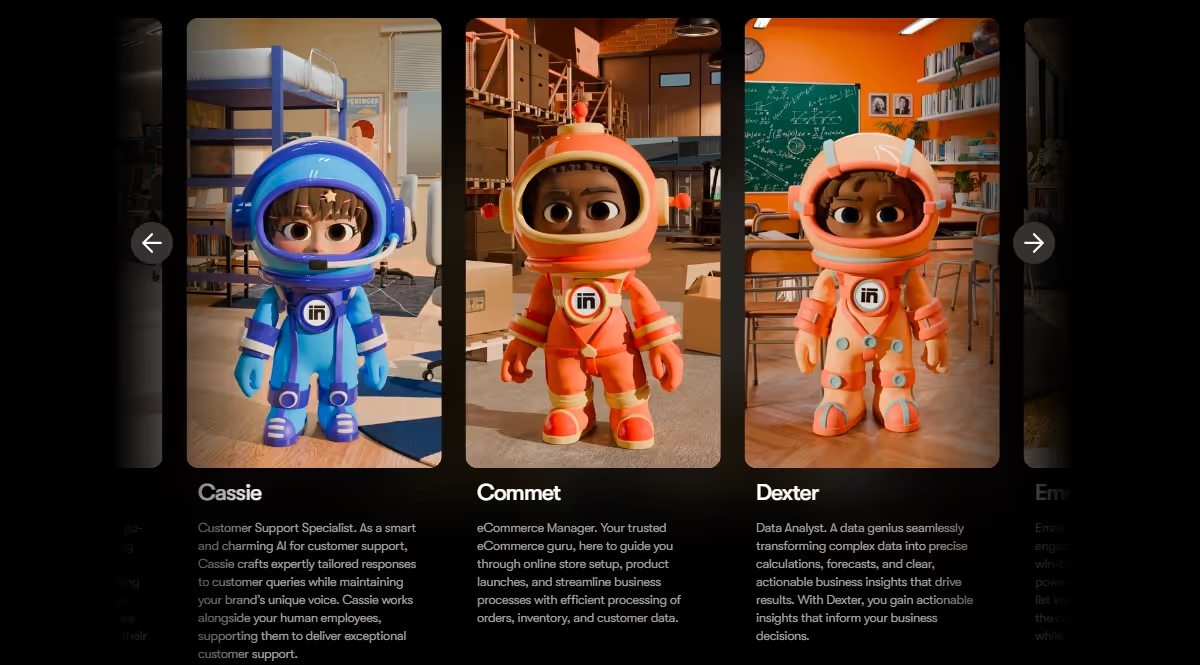
Examples of your AI assistants can be Sintra.ai ‘s role-based helpers like Soshie, an AI social media post generator, Dexter for handling data, and Cassie for customer support.
Building a Workflow with Sintra.ai
Business automation is easier with Sintra.ai, thanks to its 12 specialized AI agents, each with a unique skillset. Let’s see how you can employ this tool for effective AI work management.
- Before you begin, make a workspace on Sintra.ai from the left-side panel. Give it a name and cover photo.
Step 1: Add Business Context
The first step to setting up your workspace is feeding your business data to Sintra.ai. This gives the software enough information for your digital employees to take action. Here is how it goes.
- Once on the workspace, visit the Brain AI from the left-side panel. You are free to train multiple Brain AIs for multiple workspaces.
- Click Answer Questions from the bottom menu to add details about your work. It will ask you some follow-ups to learn more about your objectives and goals with the business.
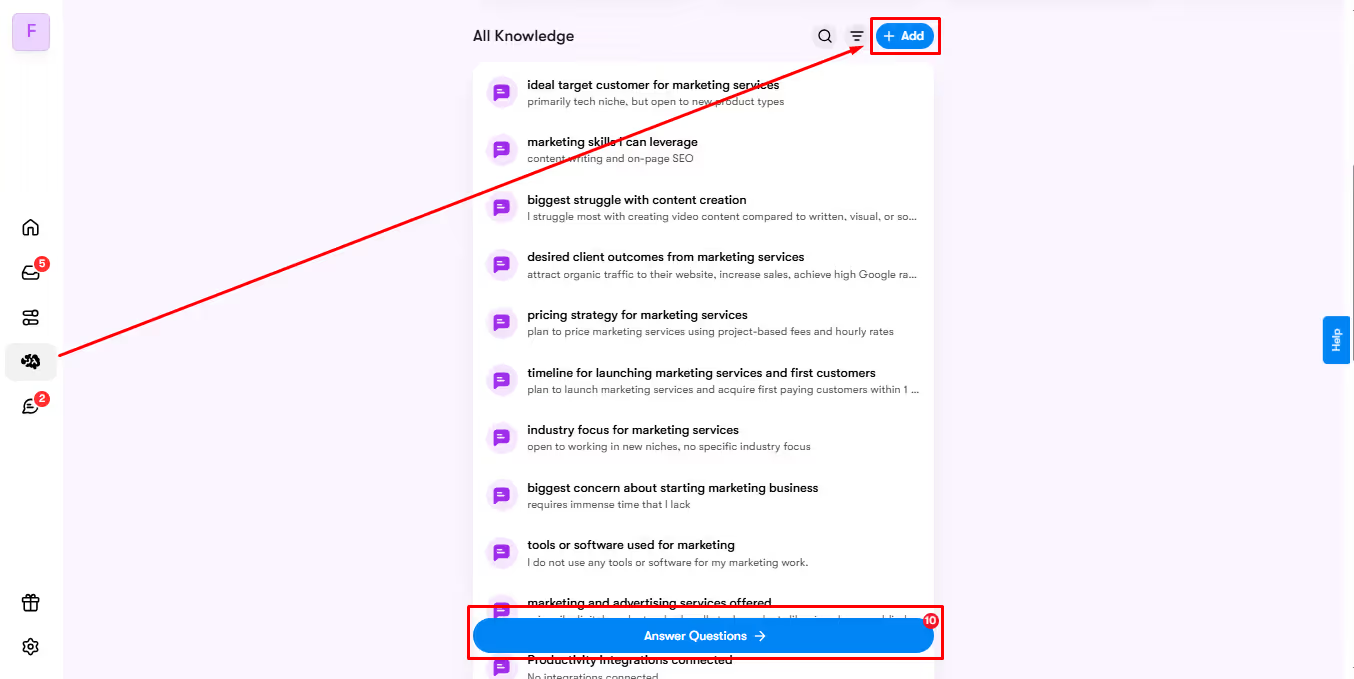
- To add content like documents, website links, and data sheets in your Brain AI, click Add > Files and Media.
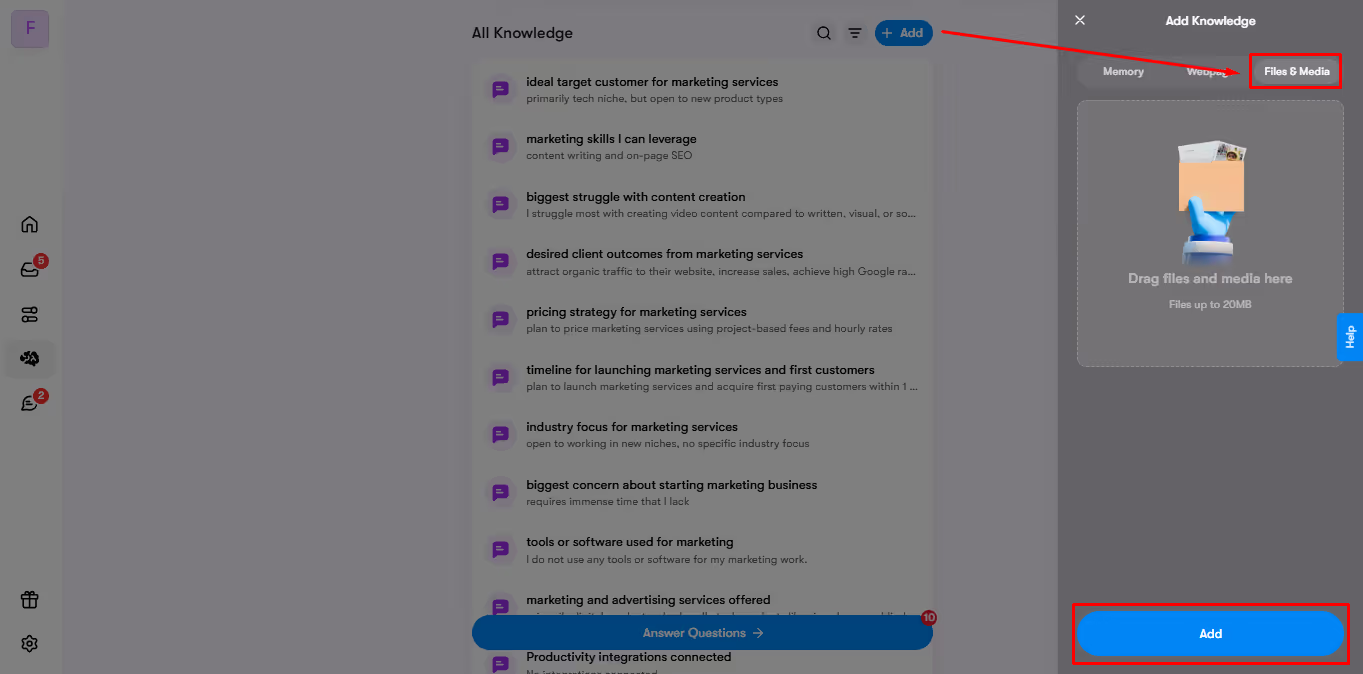
- All the uploaded data will be displayed in the All Knowledge tab in the Brain AI section of your workspace.
Step 2: Choose the Right Helper
Once on the workspace, choose your desired helper for the AI workflows. For instance, you can use Soshie to handle the social media posts or Cassie for customer replies, and more.
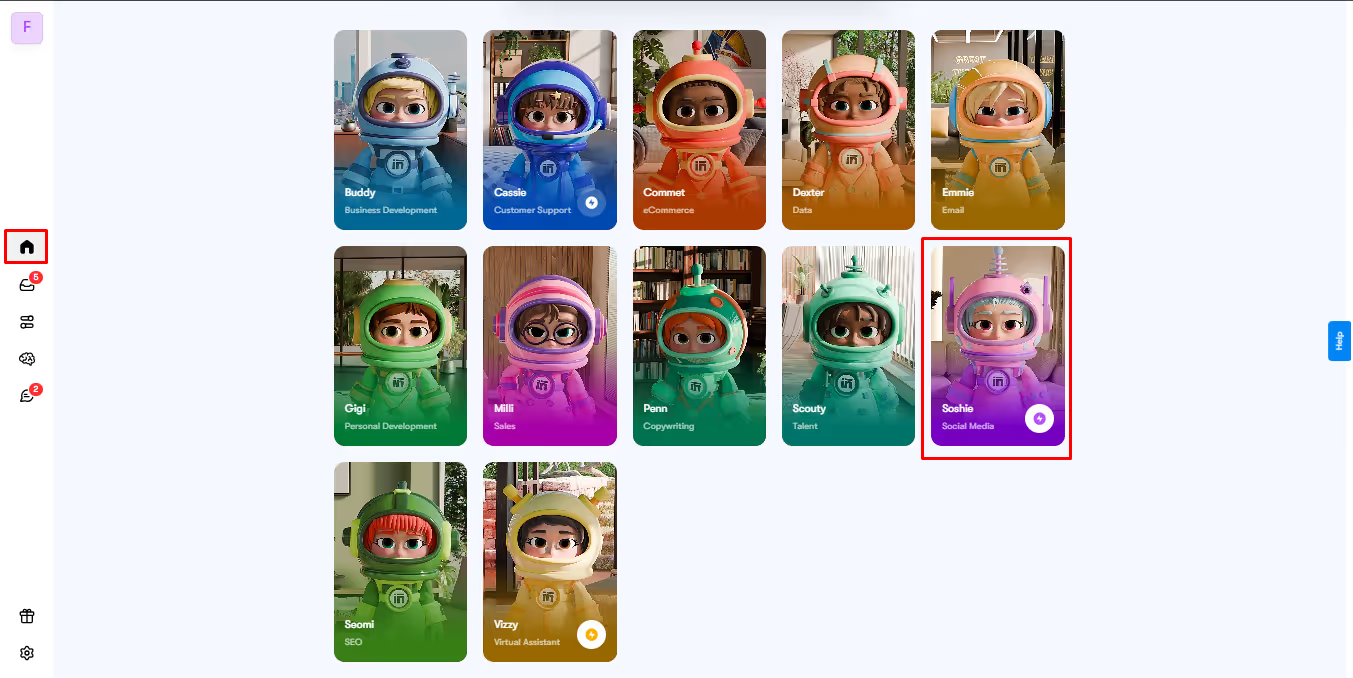
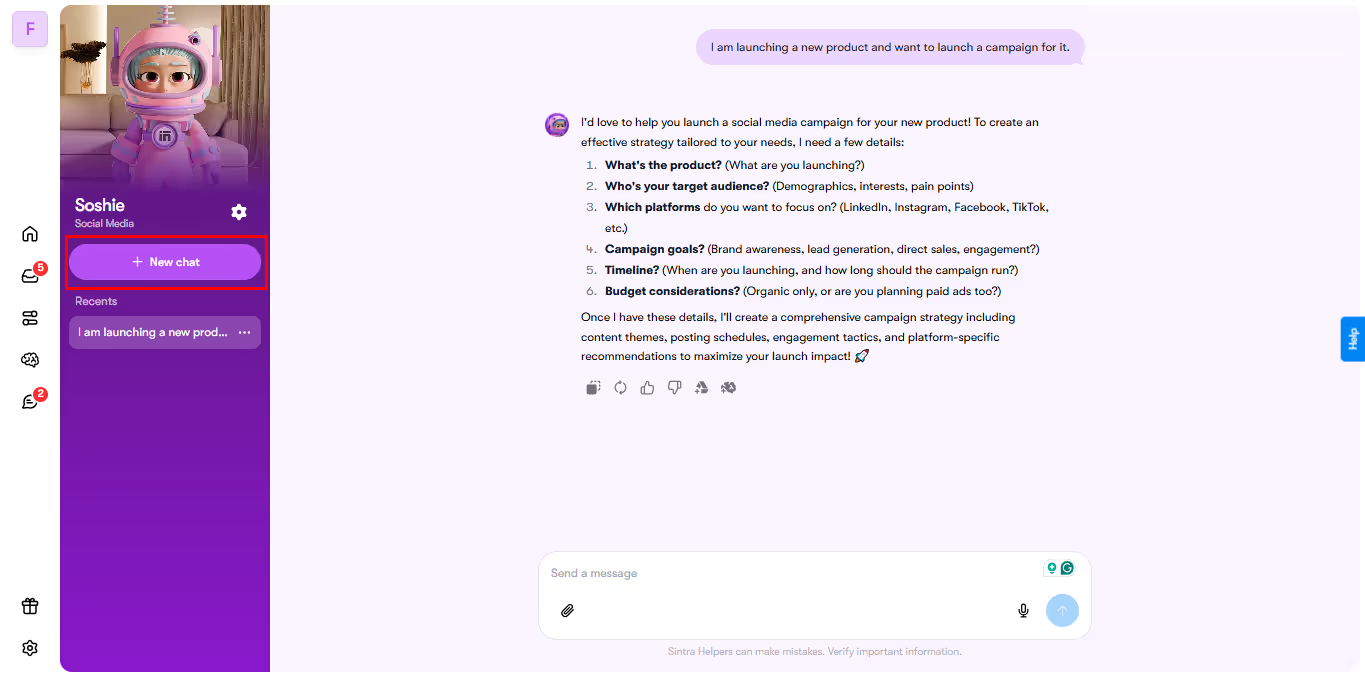
- For instance, you can go to Soshie, the AI social media manager, for content creation.
- Type in your prompt for an image generation and press Enter.
- Once generated, see if it needs any tweaking and type a follow-up prompt until you are satisfied.
Step 3: Try the Power-Up
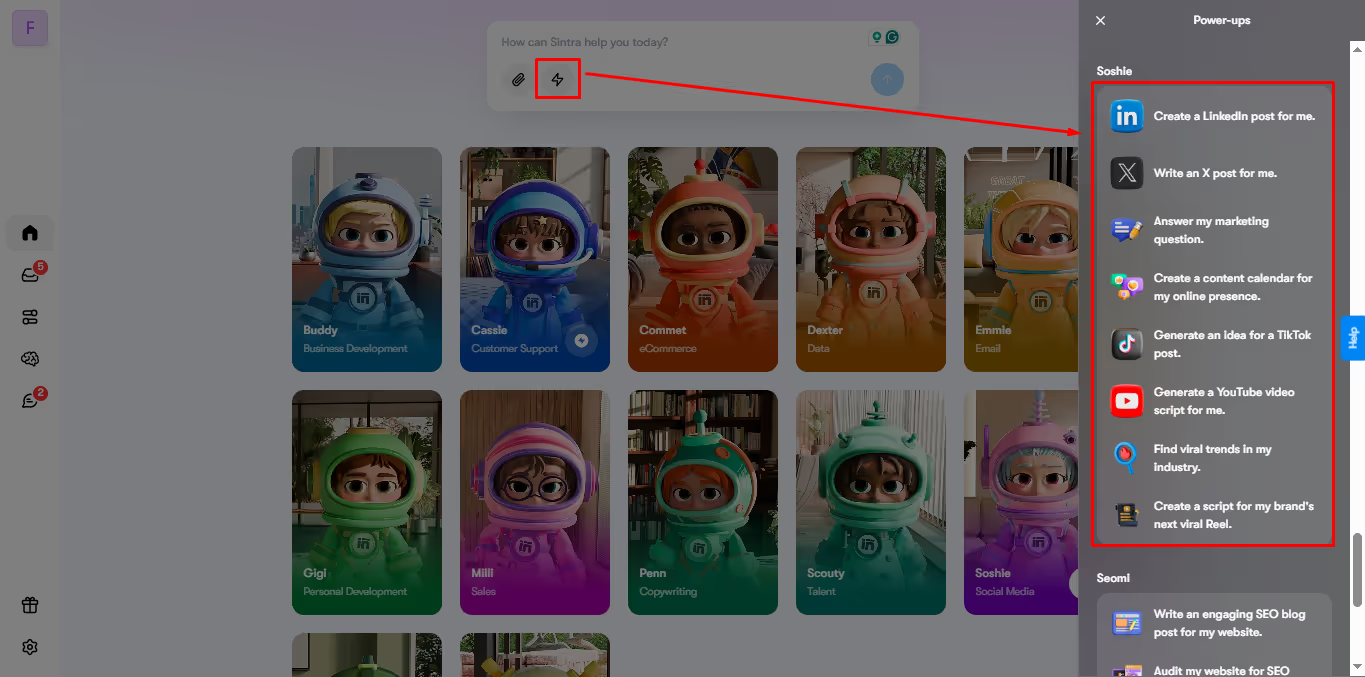
You can also try Power-Ups to perform individual tasks faster. Again, let’s understand this with Soshie.
- Click Power-Ups, and it gives you various templates on how to use this AI agent. For instance, social media strategy, YouTube script writer, etc.
- From here, let’s choose Reels Script Writer.
- Add your prompt under the Theme tab and include some Custom Instructions for accuracy. Once done, click Generate.
Step 4: Connect Integrations
You can also integrate work tools into Sintra for seamless day-to-day tasks.
- Now, visit the Brain AI Integrations from the Brain AI section on the left-side panel.
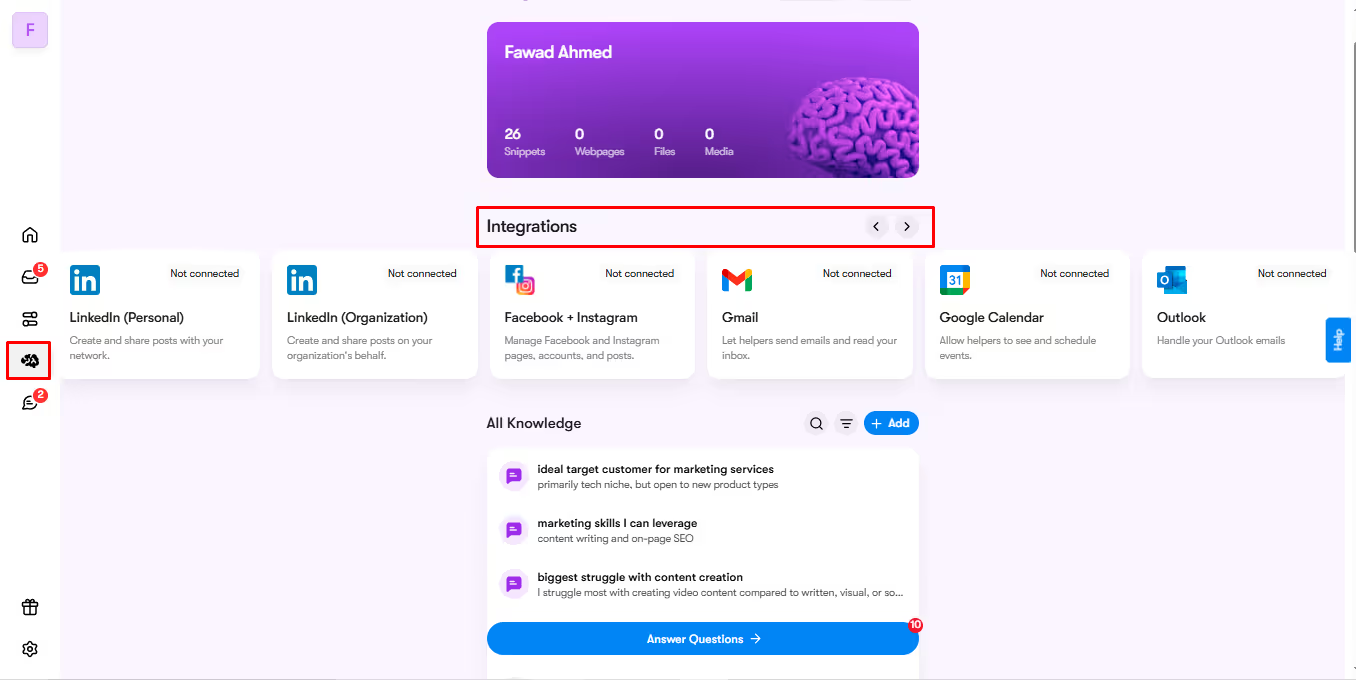
- Swipe right to your desired integration and click Connect.
- Add your business information and follow the instruction prompt. Now, your AI workflow tools can access your emails, social media, and more to optimize suggestions, automate tasks, etc.
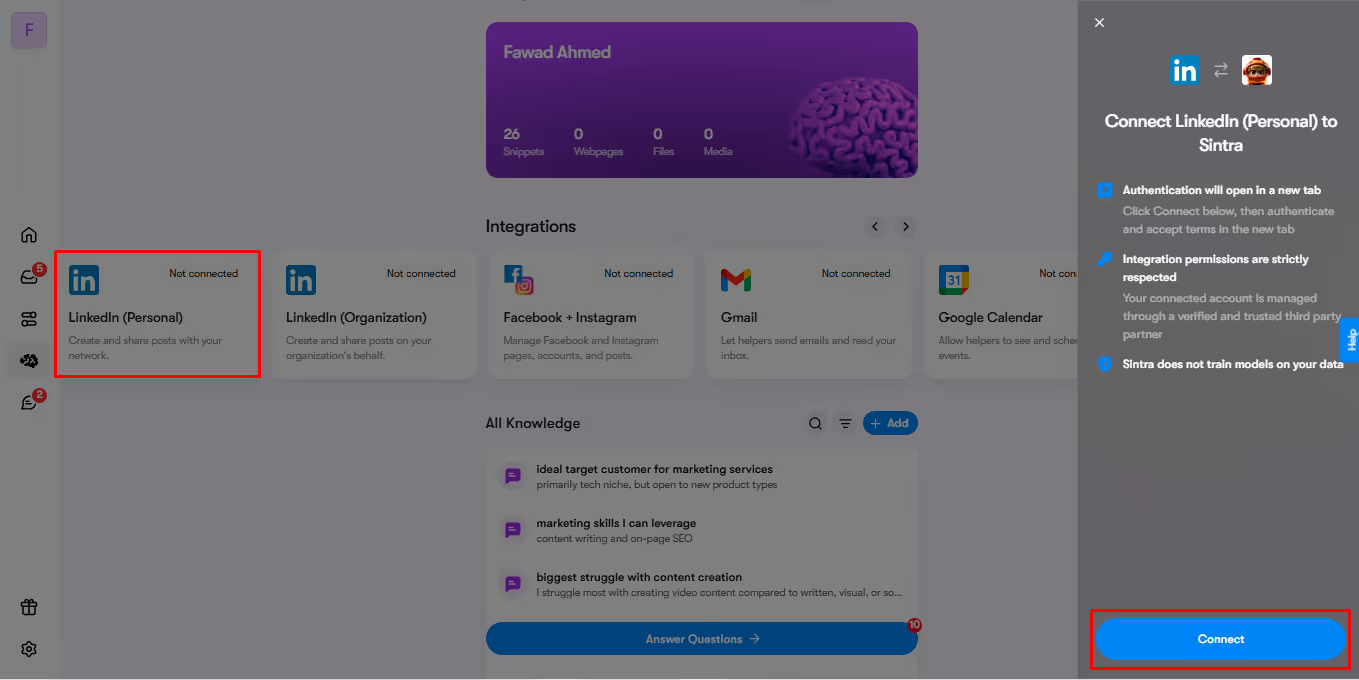
- To use an integration, you simply have to chat with the dedicated helper and ask them to do a task. Let’s say you have a pending email to respond to, ask AI email assistant Emmie to reply with certain things considered, and that’s it.
Real-World AI Workflow Automation Examples with Sintra.ai
AI workflows have completely transformed how businesses operate today. Here are some popular Sintra.ai’s real-world business workflow automation examples across departments.
Marketing Workflow - From Blog to Social Posts
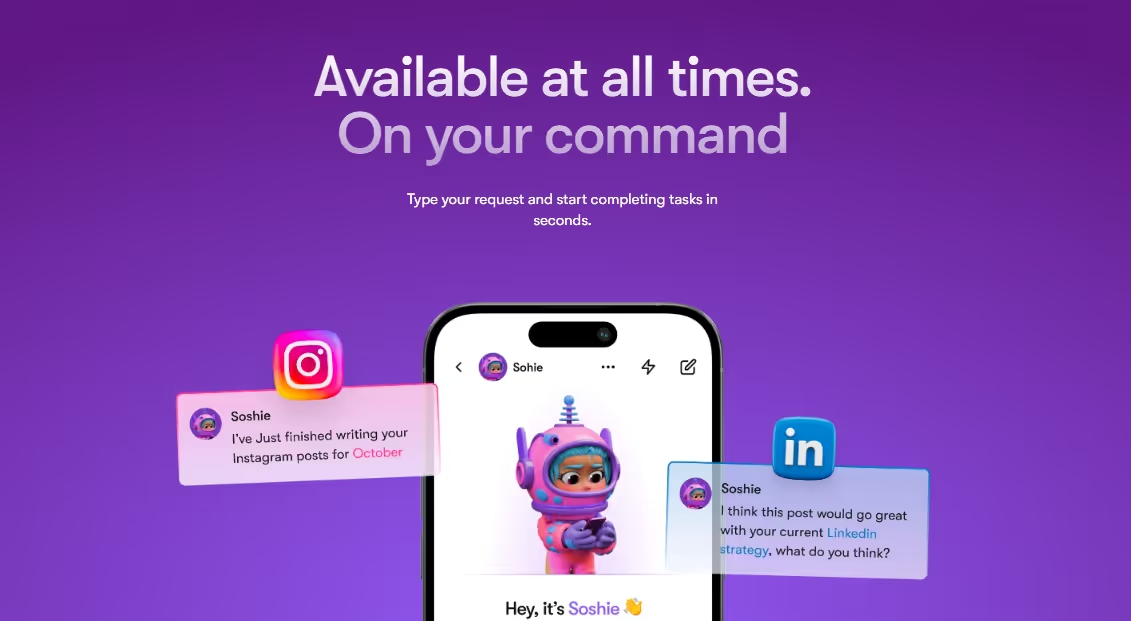
Meet Soshie, your business’s social media manager. It is developed to help you generate content for multiple channels, be it search engines, social media, or emails. You can use the existing templates to strategise social media campaigns in minutes. Plus, the Brain AI makes sure it stays relevant to your brand voice through AI in marketing automation.
Customer Support Workflow - Faster Ticket Responses
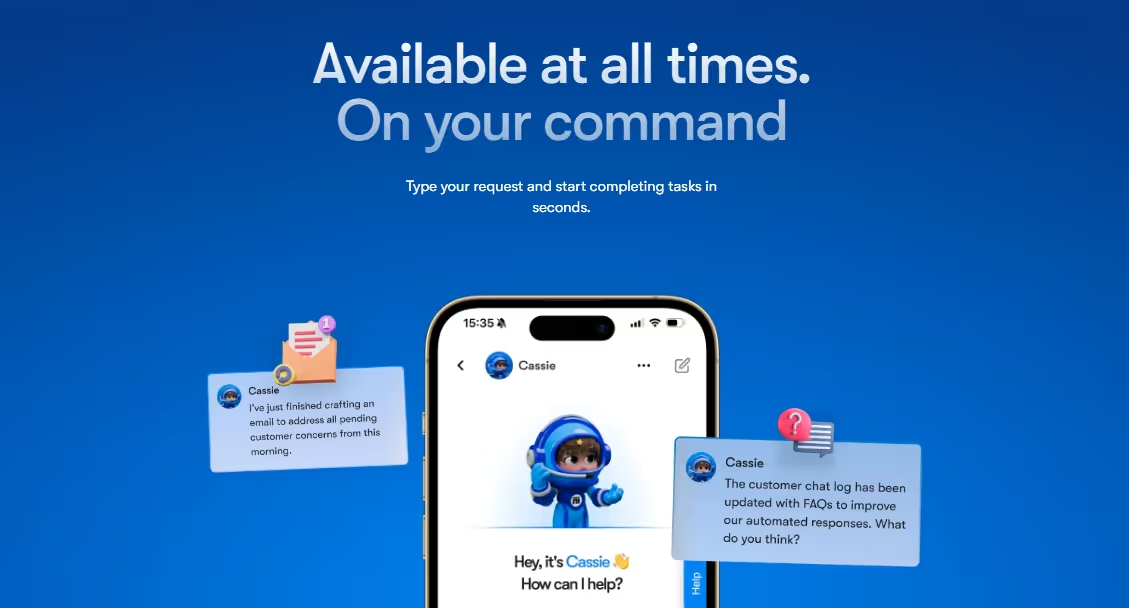
Struggling with lead conversion or customer satisfaction? Presenting your AI customer service assistant Cassie.This AI automation agent takes care of all your customer service concerns, from responding to emails to answering queries and creating product manuals. Integrate it with your company’s Gmail account and leave the rest to Cassie.
Data Analyst - From Advanced Analytics to ROI Calculations
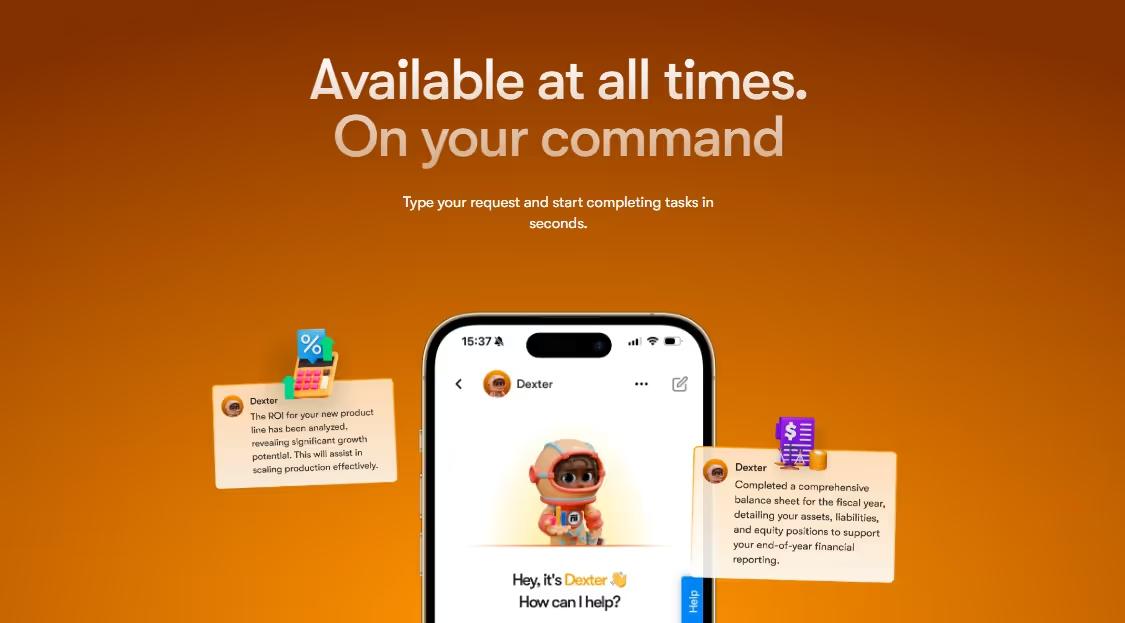
Businesses can only improve with constant feedback and upgradation. Thankfully, Sintra.ai has a solution in Dexter, your personal AI data analyst. It crafts your financial reports, predicts sales, and offers valuable insights into your customer behavior. This AI workflow tool can transform your business data into practical actions that can yield results.
Recruiting Workflow - Candidate Screening
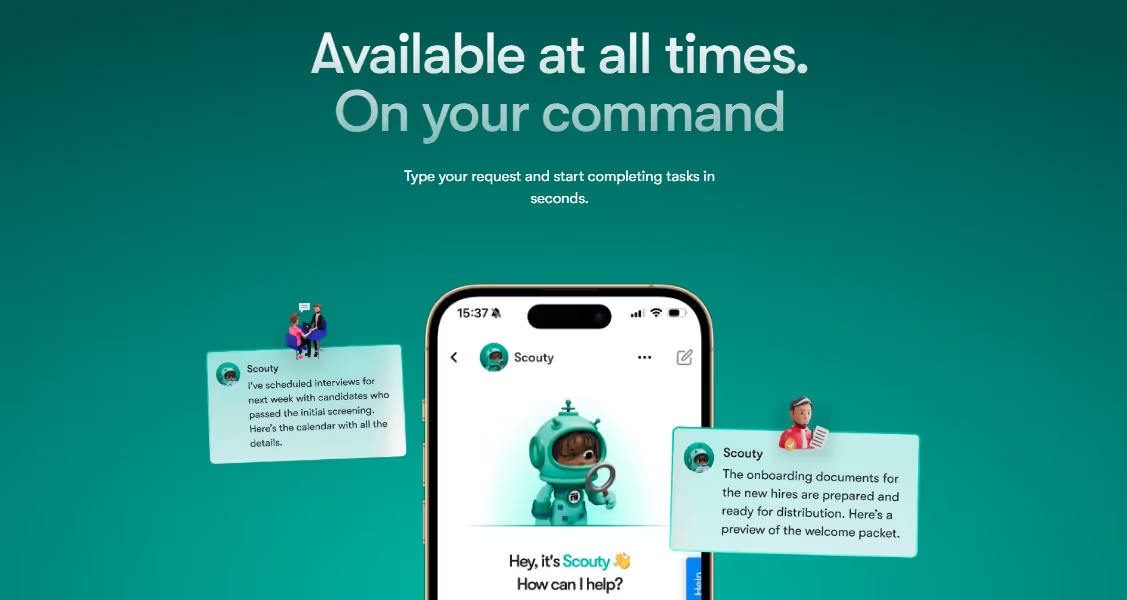
Human resources is yet another area where AI process automation seems essential. It helps in scanning the right people for the job, facilitates the onboarding process, and more. Sintra.ai offers AI recruiter Scouty for this. Beyond just writing a job description, it shortlists thousands of resumes, matches skills with your desired profile, evaluates experience, and allocates scores.
Best Practices for AI Workflow Automation
Adding AI tools to your workflow automation is not as easy as it seems. Here are some things you must consider when starting out with intelligent workflow automations.
- Start Small: If you are just starting, begin with a smaller AI workflow system. Implementing an AI system at scale can be a risky move. You never know how users interact with the system, how the model behaves, and more.
- The Right Automation Tool Matters: Don’t jump to the first solution you see. Identify your weak areas and choose one accordingly. If you are juggling between businesses, tools like Sintra.ai might be right. It helps you create multiple workspaces, each isolated from the other.
- Clean Data is Crucial: Remember! Your model is as good as the data you feed it. So, always start with structured and clean data. I would always recommend Excel sheets with clear labels, as it is easier for AI to interpret and analyze them.
- Always Target High-Impact Areas: Narrow down your workflows that give you the most returns. It can be content generation, an email campaign, or any repetitive task. Automate it, monitor the task, and build on it to your budget.
- Invest in Training: Empower your employees by training them on the AI workflow management systems. Organize workshops and draft a complete management plan.
Ready to Build Your First AI Workflow Automation?
There you have it - all about AI workflow automations. It is here to stay and for a long time. Hence, it’s high time you give it a thought.
However, while doing so, always remember that the right AI workflow tool matters. Prioritize no-code software that allows for maximum evolution. Any tool that continues to learn and integrate with your existing workflow is the right solution.
FAQs
What is an AI workflow in simple terms?
AI workflow refers to the use of intelligent technology in your work processes. It involves automating your business's repetitive tasks, data analysis, content creation, and more. Unlike traditional workflows, it deals with complex problems and predicts trends.
What integrations are available in Sintra.ai?
Numerous. Sintra.ai allows you to integrate popular work tools into your AI workflows, including Google Drive, Gmail, LinkedIn, Microsoft, Notion, social media, and more. All you need to do is select your desired integration and click Connect.
Can I automate social media posting with Sintra?
Yes, of course. Sochie, the social media manager from Sintra.ai, lets you automate your social media postings. Simply connect your business’s social media accounts to Brain AI. Next, create post drafts, review them, and schedule them for later.
How does Brain AI improve workflow consistency?
Brain AI is constantly evolving. It keeps asking you personalized business questions to learn more about your goals and objectives. Hence, whenever you task an agent for a certain job, it responds with tailor-made solutions.
Related articles