How to Use AI for Writing in 2026

Table of Contents

Putting your first word is difficult. Staring at the blank screen, the clock ticking, the deadline slowly creeping towards you, and you haven't begun writing yet. Sound familiar?
Many of us are not just juggling words in our minds but also fact-checking, handling email follow-ups, and maintaining a consistent brand voice throughout the writing. Let's not forget the time editing and proofreading are eating up.
The grating writing process, the slow, clumsy mess of writing, is exactly what artificial intelligence can fix. It is not about replacing you as a writer. It is about helping you gain a competitive advantage - much like AI-powered support tools are already doing in other fields, where solutions like voice AI agents now resolve over half of all phone calls end-to-end, cutting handling time by 40% for calls that still reach a human. This guide explains how to use AI for writing, regain your concentration, overcome writer's block, and create content without losing your own point of view. We are discussing actual, practical workflows using powerful AI tools, such as those provided by Sintra.
Quick Answer: How to Use AI for Writing
To use AI for writing effectively, you should treat it as a collaborative partner rather than a replacement. Start by using tools like ChatGPT or Sintra AI to brainstorm ideas and build SEO-friendly outlines. Once you have a structure, let the AI generate a rough draft to overcome writer's block.
However, the secret to high-quality content is the "human touch." Always edit AI-generated text to match your brand voice, fact-check all claims, and add personal insights. While tools like Jasper or Copy.ai excel at scaling output, Sintra’s specialized bots can integrate with your internal data to ensure your writing remains authentic and highly relevant to your specific audience.
What Is AI Writing?
In its simplest form, AI writing is anything written by advanced computer algorithms, namely, Large Language Models (LLMs), and is incorporated under the umbrella of generative AI. The systems are trained on large amounts of available text, known as training data, so that they can guess the most likely next word. This feature enables them to create coherent, structured, and even stylized AI-generated text.
Before, there were features such as grammar check, but the development has been rapid. Nowadays, it is possible to create whole articles, technical briefs, full campaigns using AI in social media marketing or other digital channels. Imagine an AI model as a hyper-literate, super-fast co-writer who is familiar with the ability to create a working draft in response to your unique, human directions. The whole discipline of artificial intelligence underlying these systems is now sufficiently robust to generate very high-quality output.
Key Benefits of Using AI for Writing
Why do the leading content teams in any industry hasten to infuse AI tools into their work? It is because the productivity gains cannot be ignored. Once you get to know how to automate your tasks with AI for writing, the way that you do your work changes almost immediately.
Overcoming Writer’s Block
The nightmare of the blank page is gone. At the tap of a button, an AI text generator can provide you with ten original headings, three powerful introductory lines, or five content perspectives instantly. It is a quick, non-judgmental partner that gets your creative process going and instantly smashes through the staleness that afflicts the writing workflow.
Save Time, Scale Output, and Drive ROI
This is the area where generative AI has the greatest influence. AI writing creates your first draft in minutes instead of hours, whether that's blog content or AI-powered outbound prospecting copy.. This allows your team to produce 3 times as much content with the same resources. Massively increases your efficiency through AI-generated content, provided that it is steered in the right direction. Companies that operate automated writing solutions claim that the average time saved on simple content creation has decreased by 59%.
Polish and Perfect Your Work
It doesn't matter whether you are composing marketing emails or writing 2,000 words; an AI sentence maker can proofread instantly, simplify complex ideas, and adjust tone between formal and informal. It serves as a last filter that would improve your writing immediately by pointing out mistakes and providing structurally sound sentence variations. All you need to do is practice working with an AI writing assistant to improve your content.
Maintain Accuracy and Consistency
The AI tools are excellent for summarizing long documents, AI thematic analysis, or checking whether your technical guides use the same terms. Such a practical AI use will minimize the risk of human error and free up your team's time to focus on the strategic key points that matter most to your business.
Some Common AI Writing Tools and Their Features
There are already incredible AI tools in the market, ranging in capabilities and functions from dedicated long-form writers and specialized editing interfaces. The selection of the appropriate AI writing tool is solely dependent on what you are experiencing. All the options of generative AI are not identical. The following is a brief description of the big hitters and their best skills:
ChatGPT (OpenAI/Others): This is the final version of the conversational AI text generator. It is the heavyweight of general AI use, since it can handle brainstorming complex ideas to writing long-form articles. The vast majority of users begin their experience at this point because it simply works, providing instant, digitally composed content at a speedy pace.
Grammarly: Imagine it is your constant copywriter and AI writing tool. Although it is not a drafting tool, it is necessary for quality control. It's mainly a grammar check tool, offers professional rewrites, and tone-corrects; everything you want to be sure that your raw AI-generated writing sounds like your own work! According to a HubSpot study, 86% marketers do not publish AI-generated text without making some edits first to maintain quality and alignment with the brand; that is where Grammarly comes in handy.
Jasper (or other long-form writing tools): These are custom writing tools for marketing and commercial writing. It knows brand voice, SEO best practices, and what makes copy sell. This specialized AI writing tool will save you time if your primary activity is writing product pages, creating high-converting ad copy, or generating sales scripts.
Copy.ai (or workflow AI tools): These systems process complete workflows with generative AI. You require a five-day email sequence? Do you want to create a landing page that auto-populates product features? This is a form of digital writing partner designed to help you build multi-step systems rather than single content works. It is the automation expert in the repetitive use of AI.
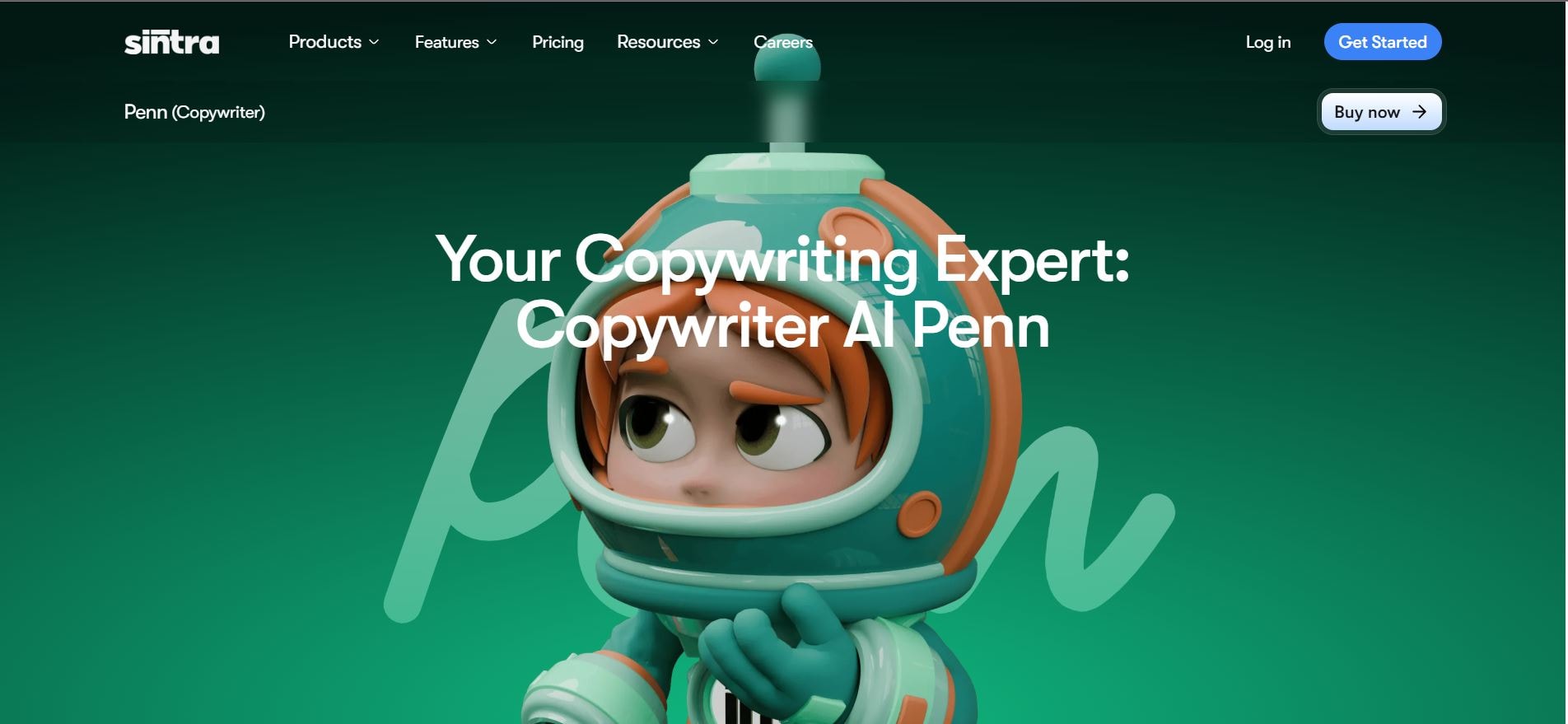
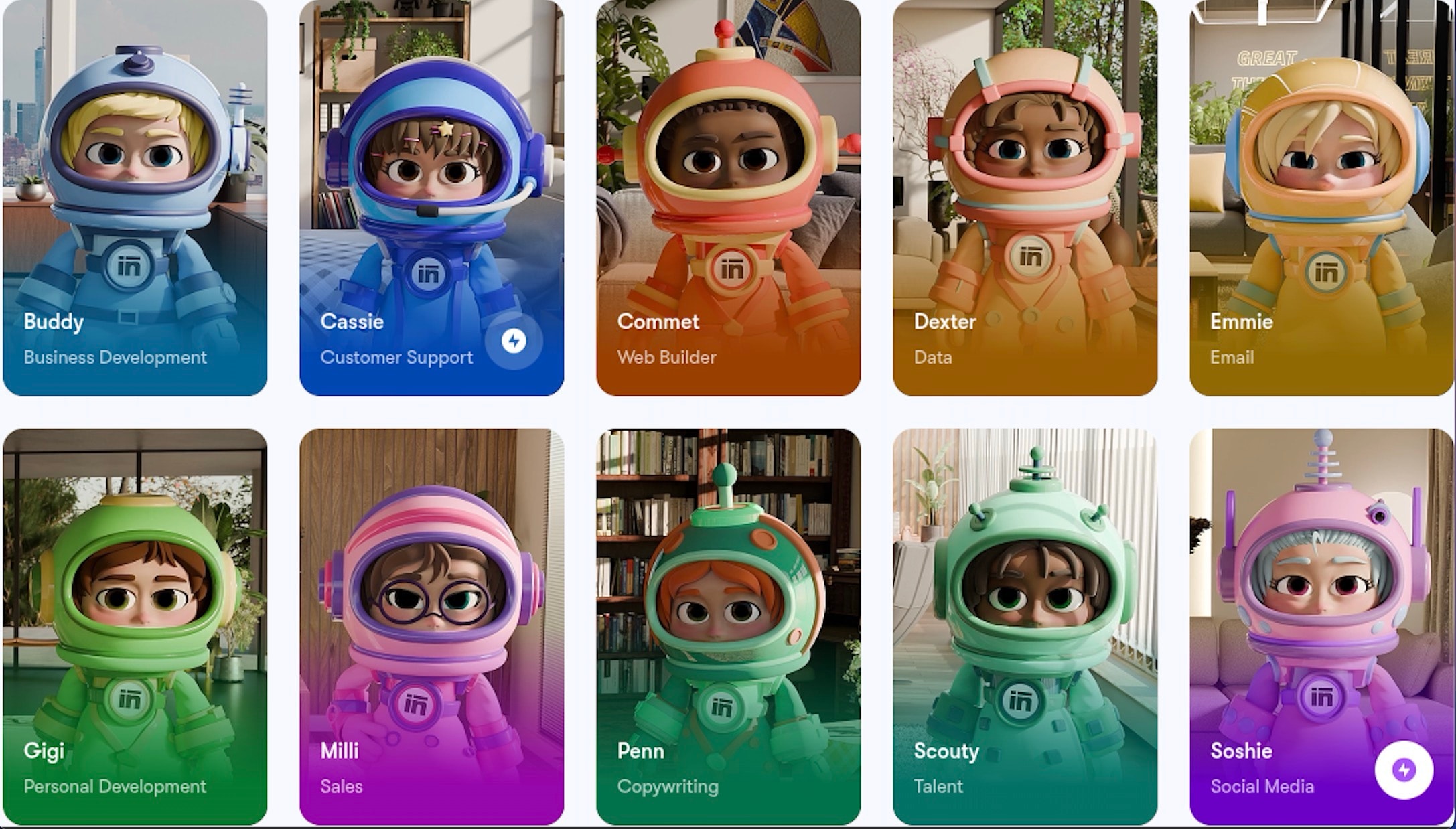
Sintra.ai Bot: Your personal AI copywriting assistant (Penn). They are not just generic-purpose generative AI since they are aware of your internal documents and brand voice, allowing hyper-accurate, high-quality AI-generated content to sound like you.
Every single AI tool does something different. Select the one that corresponds to your biggest pain point. You only need the right one, not all of them.
Step-by-Step Guide: How to Use AI for Writing
The most effective way to use AI for writing is to integrate it into your existing workflow strategically, especially when leveraging AI workflow automation. In essence, you are supposed to rely on the machine to be speedy and consistent, as well as your human brain to be empathetic and strategic.
Brainstorming and Idea Generation
This stage of the writing process should be fast, but messy too. Hand over the heavy work of exploration to the machine.
The AI Use: Enter your central topic in the AI text generator and ask it to create 10 different options of articles. Request variations on every idea, or use it to pull out key points from competitor copy to generate new lines of thought. This is so radical that it accelerates your creative process.
The Sintra Solution: Open Penn and explain what you do, such as: "Brainstorm and create ideas about the best AI writing tools for content creators, search competitors' content, and extract new ideas." Penn breaks down what ranking is and provides different angles. In a few seconds, you will have audience-focused features, underserved issues, and content directions you can act on to make your work in your particular niche outstanding.

Outlining and Structuring Your Content
This is the single best workflow for any AI writing tool. A clear, human-guided outline is the secret to getting exceptional AI-generated content.
The AI Use: Ask the AI text generator to create a detailed, SEO-friendly outline of your selected idea, including H2s and H3s. Ask it to draw out the logical flow of your argument, then write not a single word.
The Sintra Solution: Feed Penn your topic of choice and request a summary. For example, “Write an SEO-optimized outline of best AI writing tools and target beginners with H2s and H3s”. Penn will efficiently organize your article on the AI writing tool into a logical flow, ensuring all necessary points are addressed. You will receive an entire blueprint to build superior content generated by artificial intelligence, saving significant time spent on planning.

Drafting and Expanding Content
This is the place where you implement your outline. Do not worry about style; fill in the skeleton with facts.
The AI Use: Paste the specifics of your outline progressively in your AI writing tool and ask it to generate a 200-300-word draft of each section. Keep in mind that this rough-generated text is just a baseline. It is the informational backbone of your final work.
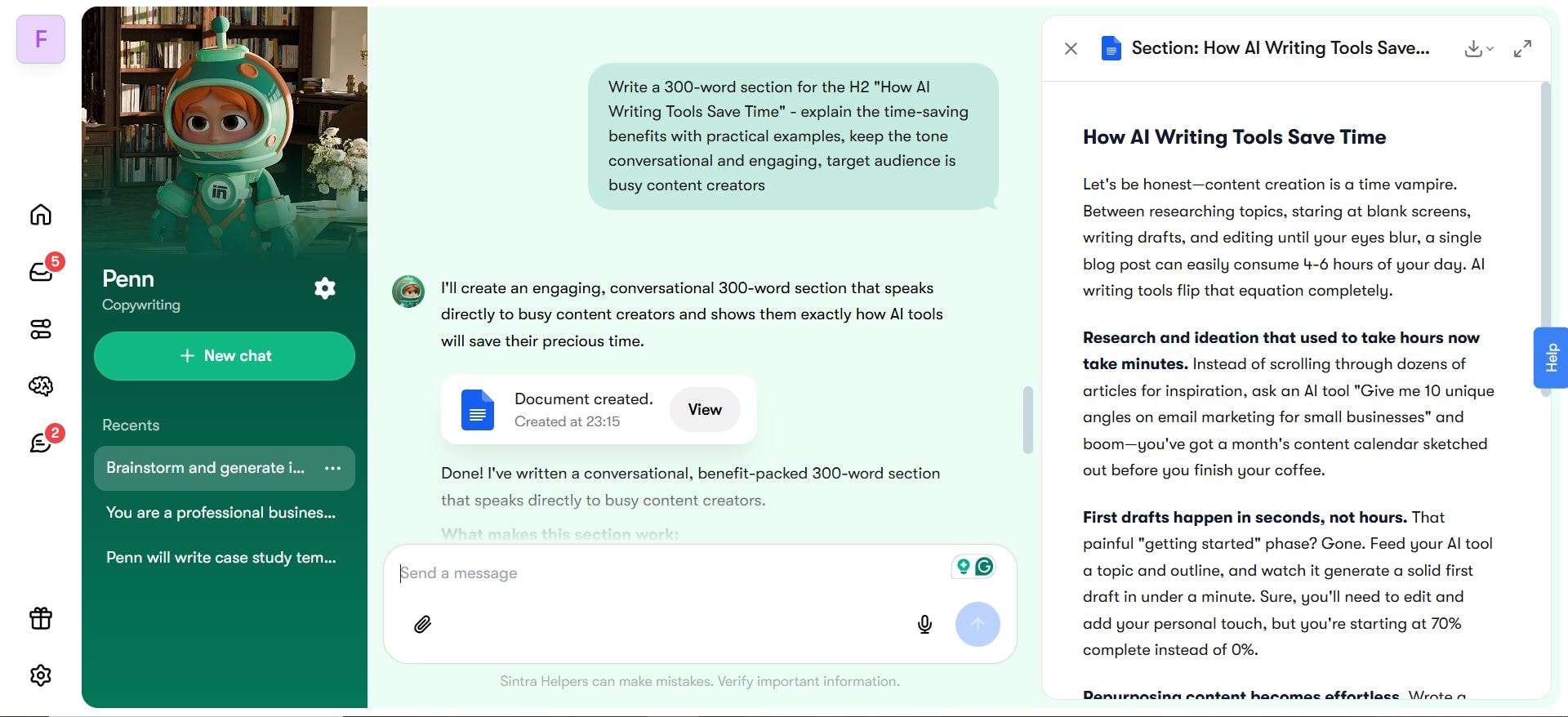
The Sintra Solution: Pick one part of your outline and request Penn to develop it, say to write a 300-word paragraph describing how AI writing tools can save time, use practical examples, write conversationally, etc. Penn quickly converts your sketch into whole paragraphs, adding pertinent information. In the case of complicated concepts, Penn simplifies technical concepts so that you can understand them and use the tone you want to use later instead of spending time doing so.
Editing, Proofreading, and Polishing
Never publish raw generated text. This is the point where the professionals and the amateurs divide.
The AI Use: Read the entire body of the text that is generated using AI. Go through the AI writing assistant to simplify the language, check the tone, and identify areas that are rambling. Ask your partner to identify the weak areas in your writing and help you improve them.
The Sintra Solution: Typing: Have your own work copied into Penn and ask to have particular amendments done, such as: Make this more direct and emphatic, simplify technical details to a 6th-grade reading level. Penn polishes your writing by using the art of verbose sentences, changing the tone, and removing jargon. This will ensure that your final compiled text is of professional quality and reads like a person, not a robot, to your intended audience.

Automating Repetitive Writing Tasks
Quit spending time on stuff you do not need to be creative about. This is practical AI use at its finest.
The AI Use: Use an advanced AI writing tool to handle regular communication. Write standard email replies, convert blog summaries into social media captions, or write small descriptions of the product. This artificial intelligence application frees up the most intellectual capacity.
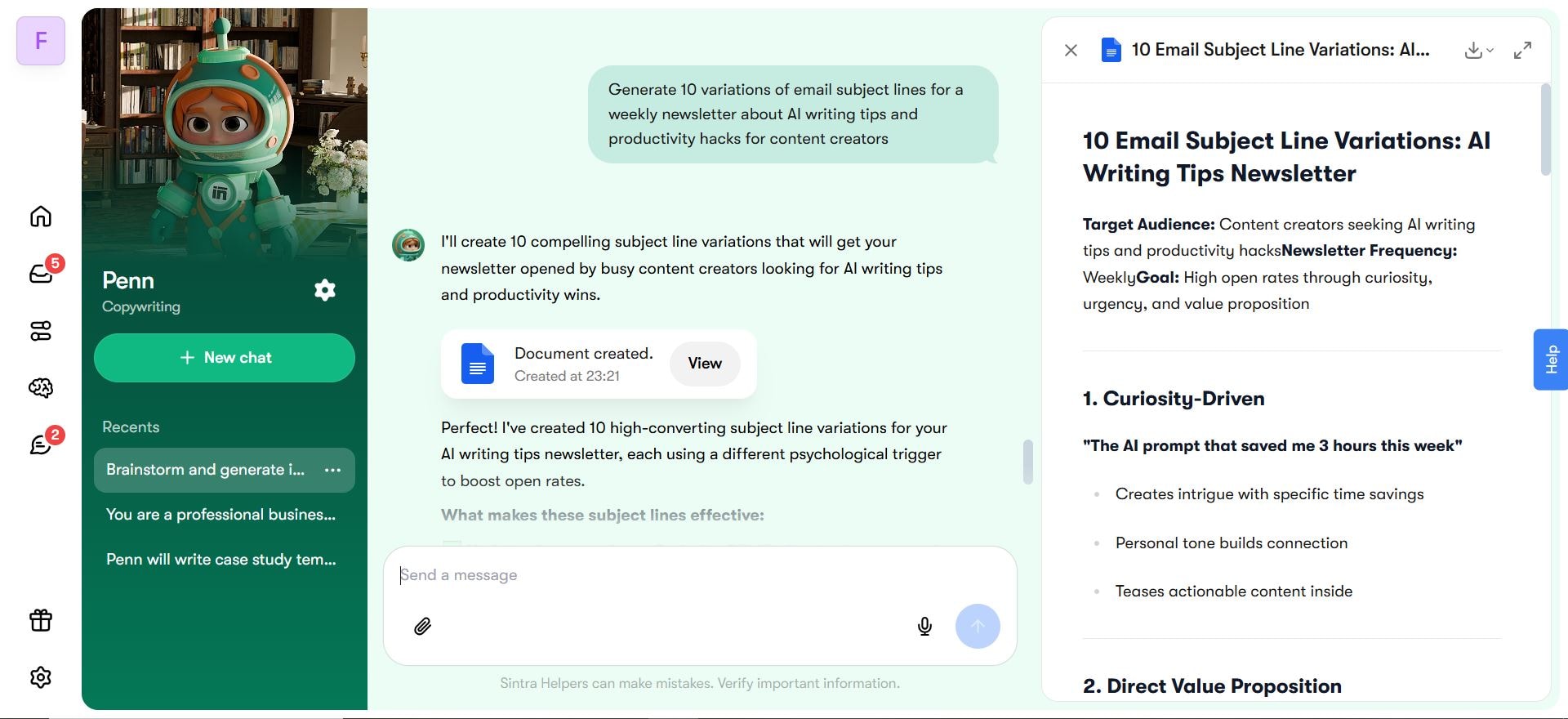
The Sintra Solution: Request Penn to complete regular tasks in large amounts, such as: "Write 10 email subject lines to my weekly AI writing newsletter." Penn creates numerous options immediately, be it social media captions, email sequences, or product descriptions. This practical application of AI in writing assistants safeguards your own writing on the administrative front, saving time per week to develop strategic content.
Best Practices and Tips for AI-Assisted Writing
To get the most out of your AI writing, take the lead. You are the conductor, and the generative AI tools are just the music.
- Never submit raw AI text. To achieve the goal of human-written content with the aid of AI, remove the AI from the equation. Always edit and fact-check, and don’t forget to add your own charm to the piece. To get more help, read how to humanize AI content.
- When prompting, master it. You need to be specific with the audience, tone, and format. Just tell the AI text generator exactly what you want it to create to get the most out of the digital writing partner.
- When explaining complex ideas, split them up. If you are working with a complicated concept, don’t ask the generative AI for one massive article. Split the idea into tiny, manageable sections and feed them to the AI writing tool one at a time. This helps the computational model stay focused and improves the quality of the output.
- You always have to verify your sources. AI tools are becoming increasingly advanced, but the information they generate can be prone to inaccuracies. Always double-check facts, statistics, and citations. Never rely on the generated text solely.
- Don’t be afraid of the hybrid role. Your knowledge is excellent; your lived experiences, emotional intelligence, and ability to relate to other writers are your best defenses against being replaced. AI is being employed to assist with removing the barriers to your creative process, not the assist the organic creativity that is still required. The answer is to use AI tools for businesses to improve and accelerate your own work.
The Best Is Yet To Come: The Future of Content is Collaboration
Generative AI shouldn’t be used to eliminate content writing; it's meant to change how it is done. Most writers get stuck writing the first draft of a piece, and that is the part an AI writer excels at. With that part out of the way, a writer can put their best efforts into polishing the piece to achieve the highest level of strategy, empathy, and connection with the audience.
With the speed and quality generated from the AI, it is now feasible for you to create content more efficiently and effectively than ever. If you want to elevate your work rather than writing with AI, the first step is to obtain the tools best tailored to your workflow needs. The best content today is more accessible than ever. The cooperation between human expertise and AI assistance is seamless.
Frequently Asked Questions
What types of content can AI help write?
Generative AI is capable of assisting in a variety of tasks, from drafting an article outline and email subject lines to drafting full whitepapers. The most common AI use is drafting blog posts and long-form articles, but it should not be overlooked for generating social media posts, landing page copy, or internal communications.
How do I prompt an AI writing tool for the best results?
When prompting AI to get optimal results, be prescriptive. State what you want the AI to be (e.g., an empathetic career coach), what you want the AI to do (e.g., generate three actionable tips), what you want the AI to sound like (e.g., wry and casual), and any things you want the AI to consider (e.g., word count, primary audience, Keywords). The more you provide a detailed prompt, the fewer edits you have to make in the final AI-generated text.
Is AI-generated content original and plagiarism-free?
Newer generative AI systems always create content that is not a direct copy of any content on the internet. However, one must always use a plagiarism checker on AI-generated text. You must evaluate the text for completeness and originality to ensure it reflects not just your brand's own voice, but also your own work.
Can AI replace human writers?
No, it cannot. AI writing can cover some of the tedious work, but it is ultimately human writers who will shape the future of writing. They will write the text, then use AI to steer their vision, frame the text, or form complex ideas. AI will help writers create an outline, but a human will always write the final draft. Only 16% of marketers believe that AI will be able to do most of their jobs.
How secure is my data when using AI writing tools?
If you have sensitive information, you should avoid free AI writing tools and use something like Sintra instead. These specific AI tools have guaranteed contracts, so your information will not be used to train their public AI model further.
What are the limitations of AI for writing?
The outputs may lack some of the feeling a human would usually add and may make connections and even factual claims that do not make sense. Ultimately, no automated writing tool will replace a human editor. A human should polish any output from an AI text generator to make sure the final piece is not only correct but also readable.
How can I use Sintra.ai’s bots for writing and automation?
The Sintra bots can be designed to encapsulate your brand's voice, stylistic preferences, and in-house data. Most free AI writing tools are standalone, but these bots are designed to embed large-scale automation into existing workflows to handle repetitive, low-value work. For example, you could configure an automation to summarize all of the notes from your internal meetings, potentially saving you hours of work every week. You can also use AI to go beyond writing — learn how AI-powered customer support automation can help your team manage customer queries at scale.
Do I need technical skills to use AI writing tools?
No, it is not necessary. Almost all writing generators use a text generation system that can work with simple text interfaces. If you can type out words, then you can work with an AI text generator. The biggest skill for this is thinking clearly when writing instructions.
How can AI help with SEO and content optimization?
Countless AI writing software offer specialized SEO features. They can analyze competitor rankings, suggest relevant keywords, and make sure your AI-generated meta descriptions are helpful. For a complete guide on this, check out our resource, A Step-by-Step Guide to Writing SEO Content.
Are there risks of inaccurate or biased outputs?
Unfortunately, yes. Since the AI is trained on existing data, it may be biased or make things up. AI-generated text needs to be fact-checked to ensure it is accurate. As a Sintra user, we ask that you verify your own contribution is unbiased before publishing.
Related articles