



What an AI Sales Development Representative Is & How It Works

Table of Contents

Your pipeline doesn’t need more tools; it needs more qualified conversations. But your sales reps are buried in prospecting lists, manual follow-ups, and CRM updates that eat up their day before a single call happens.
That's why many teams are turning to AI Sales Development Representatives (AI SDRs). They are intelligent systems that handle early-stage sales work like lead sourcing, personalized outreach, and follow-up automation. The manual burden they replace is significant - 67% of sales pros say reps spend at least 11 hours weekly on research and follow-up, and 63% say more than half their pipeline comes from the phone, making AI the natural evolution of the SDR role.
This guide breaks down the AI SDR meaning, how it works, and where it fits in your sales process.
Quick Definition: What Is an AI Sales Development Representative?
An AI SDR is a software that automates early-stage sales work like prospecting, outreach, follow-ups, and lead qualification.
It acts as a digital version of a sales rep, handling top-of-funnel activity so your team can focus on live conversations and closing deals.
Examples of AI SDRs include tools like Sintra AI’s Milli, which sends personalized messages, follows up automatically, and logs data into your CRM.
AI SDRs don’t replace humans. They handle repetitive, time-consuming tasks while human SDRs focus on discovery, empathy, and closing complex opportunities. The two work best together, AI scales output, and humans build trust.
What Does “SDR” Mean in Sales?
An SDR, or Sales Development Representative, is a member of the sales team focused on generating and qualifying leads. Their job sits at the top of the funnel, where they identify potential customers, start conversations, and pass qualified opportunities to Account Executives (AEs).
In most companies, SDR success is measured by meetings booked, response rate, and qualified pipeline generated. They spend their day researching prospects, sending personalized outreach, following up on interest, and logging every touchpoint into the CRM.
SDRs bridge marketing and sales. They turn inbound interest into qualified leads and create outbound opportunities that feed revenue growth.
What Is an AI SDR?
An AI SDR is software that automates the first steps of your sales process. It helps sales teams find and qualify leads faster by handling repetitive tasks like prospecting, cold outreach, and follow-ups.
Typical tasks include:
- List building: Collects and filters leads that fit your ICP.
- Lead enrichment: Adds details like role, company, and industry.
- Cold outreach: Writes and sends first-contact messages automatically.
- Follow-ups: Send reminders or second messages if no response.
- Qualification: Scores and prioritizes leads based on engagement.
Meeting booking: Schedules calls directly on your calendar. - CRM updates: Logs every interaction automatically.
Some AI SDRs also manage omnichannel communication with email, chat, and social engagement in one workflow. You can explore AI tools like AI Helpers to see how AI SDRs fit into your existing workflow.
How an AI SDR Works?
An AI SDR operates much like a trained digital rep; it listens, learns, and acts based on your sales data and goals. The process starts with your inputs and ends with qualified meetings in your team’s calendar.
Inputs
The AI uses information you provide, such as:
- Ideal Customer Profile (ICP): target industry, company size, and decision-maker roles
- Messaging and assets: approved email templates, product decks, and value propositions
- Data sources: CRM records, lead lists, or visitor tracking tools
Reasoning
Using this data, the AI evaluates and prioritizes leads, identifying patterns and triggers that suggest buying intent, such as repeat site visits or engagement with marketing emails. It adjusts timing, tone, and follow-ups automatically to match the prospect’s behavior.
Outputs
Finally, the AI sends personalized messages, updates lead statuses, and books meetings when interest is confirmed. Everything is logged back into your CRM, ensuring your team has a complete, real-time record of the interaction.
For deeper reasoning and automation, tools like Brain AI help your AI SDR understand brand tone, context, and triggers to make outreach more relevant and human-like.
Personalization With Your Own Knowledge Base
The best AI SDRs work on automated messages that sound like your brand. That’s because they learn directly from your company’s knowledge base.
When you upload materials like product pages, FAQs, customer stories, and tone guidelines, the AI understands your value proposition and how to speak to your ideal customer. This helps the system personalize every email or message in a way that feels human, not robotic.
You can feed your AI SDR with:
- Product and pricing pages for accurate context
- Case studies and testimonials to shape proof points
- ICP details and buyer personas for tone and relevance
- Brand voice guides to match your writing style
Here’s how you might prompt it:
- “Write a short intro email for a marketing manager at a B2B SaaS company using our new analytics tool.”
- “Follow up with a lead who viewed our pricing page but didn’t book a demo.”
Automations, Triggers, and Sequences
An AI SDR acts when the right conditions are met. Automations and triggers turn your outreach strategy into a hands-free system that keeps leads engaged without manual follow-ups.
Common triggers include:
- A prospect visits your pricing or demo page
- Someone downloads a guide or joins your newsletter
- A LinkedIn title or company change matches your ICP
- A lead opens but doesn’t reply to a previous email
When these actions happen, the AI SDR instantly responds. It can send a follow-up, update the lead’s stage in your CRM, or assign the contact to a rep for review.
Example of a simple automation sequence:
- Lead signs up for a newsletter.
- AI SDR waits 24 hours and sends a short introduction email.
- If no reply after three days, it sends a follow-up with a case study.
- Once the lead engages, the AI SDR books a call and logs all activity in the CRM.
AI SDR vs. Human SDR: What’s the Difference?
An AI SDR and a human SDR play different but complementary roles in the sales process. AI SDRs handle repetitive, high-volume tasks like prospecting, follow-ups, CRM updates, and instant responses, ensuring speed and consistency at scale. Human SDRs focus on relationship-building, nuanced discovery, objection handling, and adapting to complex buyer signals. The strongest sales teams combine both, using AI to increase output and efficiency while humans lead the conversations that require empathy, judgment, and trust.
AI SDR vs. Human SDR
When comparing automation to people, the goal is to maintain balance. Understanding the SDR meaning in sales helps clarify how AI fits in. While AI SDRs scale faster and stay consistent, human SDRs bring empathy and judgment to complex conversations.
AI SDRs excel at:
- Reaching more leads in less time
- Sending personalized messages at scale
- Keeping CRM data updated
- Following consistent sequences and triggers
- Responding instantly to buyer actions
Human SDRs excel at:
- Building relationships and trust
- Handling complex discovery calls
- Reading tone, intent, and emotion
- Adapting to objections and unique buyer needs
- Negotiating and managing closing conversations
AI SDRs take care of top-of-funnel work like prospecting, qualification, and meeting scheduling. Human SDRs focus on the nuanced conversations that turn interest into revenue.
Key Benefits of AI SDRs
An AI SDR gives your team more output without adding more headcount. It automates early sales work while improving response time, consistency, and visibility across your pipeline.
- Faster lead response: AI SDRs reply to new leads in seconds, reducing response delays that often cause missed opportunities.
- Higher coverage and scale: They can reach thousands of prospects at once, maintaining quality messaging without extra workload.
- Consistent, on-brand outreach: Every message follows approved templates, tone, and structure, no off-script emails or missed follow-ups.
- Clean CRM data: AI SDRs log every touchpoint automatically, keeping your system accurate and ready for reporting.
- Cost efficiency: They perform the work of multiple SDRs at a fraction of the cost, helping small teams scale faster.
- Always-on availability: AI SDRs work 24/7, engaging prospects in any time zone, ensuring no lead goes unanswered.
AI-driven outreach should still follow best practices for deliverability and compliance. Set limits, use verified domains, and review sequences regularly to maintain performance and brand trust.
Use Cases You Can Launch This Week
You don’t need a full sales overhaul to start using an AI SDR. The best approach is to start small, automate one part of your process, measure the result, then scale. Here are four quick-use cases you can deploy this week to see impact fast:
Outbound: Prospecting, Personalization, and Follow-Ups
An AI SDR can handle the top of your outbound funnel, such as list management and email delivery. It identifies ideal prospects, drafts personalized messages, and runs automatic follow-ups until a reply is received.
Here’s a quick guide:
- Upload your ICP and messaging assets.
- Draft two short, personalized value props.
- Limit sends to 50 emails per day for quality control.
- Run A/B tests on subject lines and track engagement.
- Auto-stop messages once a lead replies.
Example Cold Opener
“Hey {first name}, noticed your team is scaling [specific process]. We’ve helped companies like yours shorten outreach cycles by 40%. Would you like a quick look at how?”
Inbound: Instant Lead Response and Qualification
When inbound leads fill out a form or request a demo, inbound sales AI SDRs can respond instantly, qualify leads, and book calls based on your rules.
Here’s an example inbound workflow:
- Lead submits a demo form
- AI SDR replies instantly with a personalized thank-you message
- It asks one or two qualification questions
- If the lead meets the criteria, it shares your calendar link
- All responses and bookings sync with your CRM
Here’s a sample first reply:
“Hi {first name}, thanks for your interest! Before we schedule, can I ask a quick question about your current setup? That’ll help us tailor your demo.”
You can set up this flow using an AI Business Assistant to handle instant replies and qualification.
Multichannel Nurture: Email + Social Coordination
An AI SDR can combine light social actions with automated emails to keep leads warm. It might view a prospect’s profile, like a post, or send a soft DM before or after an email touchpoint.
Example
AI SDR sends an intro email.
- Waits 48 hours.
- Views the prospect’s LinkedIn profile or engages with a recent post.
- Sends a short follow-up message with value context.
This keeps communication human-like and balanced. With tools like AI Social Media Manager (Soshie), teams can coordinate both channels without manual effort.
E-commerce Example: High-Intent Product Inquiries
For e-commerce and SaaS businesses, AI SDRs can instantly respond to high-intent product questions, share guides, and book demos for premium or enterprise products.
Example Workflow
- A lead asks a pricing question in chat.
- AI SDR checks available data and sends a relevant product guide.
- It qualifies interest based on the query.
- If fit is high, it books a product demo with your sales team.
AI Ecommerce Assistant (Commet) can manage this flow 24/7, ensuring no high-value inquiry goes unanswered.
Step-by-Step AI SDR Implementation Guide
Implementing AI SDRs doesn’t need to be complicated. Follow these steps to launch your first automation safely and scale it as results come in:
Align Goals and KPIs
Define what success looks like before setup. Common goals include shorter response times, more meetings booked, or cleaner CRM data. Keep KPIs measurable and simple.
Load your ICP and Assets into Brain AI
Upload your ideal customer profiles, messaging templates, and case studies into Brain AI. This helps your AI assistant understand who you’re targeting and how to communicate in your brand’s voice.
Set up Sequences and Triggers
Use automation tools to define when and how your AI SDR engages leads. Example: trigger a follow-up when a lead opens two emails or visits your pricing page.
Integrate your Calendar and CRM
Integrate AI SDRs with your CRM and calendar tools so every update, note, and meeting syncs in real time.
Test in a Sandbox
Before going live, test your first workflow on a small list. Review tone, deliverability, and data syncing to avoid early issues.
Go Live with One Segment
Launch your AI SDR with a narrow target audience or region first. Monitor reply rates, lead quality, and conversions before scaling.
Review Weekly and Optimize
Check reports weekly. Adjust subject lines, timing, or triggers based on performance. Small changes can drive major improvements in open and reply rates.
Guardrails: Deliverability, Consent, And Compliance
Even the smartest AI SDR can damage your outreach if not managed responsibly. Good deliverability and compliance protect your domain, brand, and customer trust.
Warm up your domain gradually before scaling send volumes to keep emails out of spam. Follow privacy laws like GDPR, CAN-SPAM, and CCPA, and contact only opted-in or relevant leads. Always include an unsubscribe link and set daily send limits to prevent over-contacting.
Store and process customer data securely, avoid unverified scraping tools, and check bounce rates, opens, and spam reports often. High bounce rates usually signal poor list quality or over-automation.
Tooling and Integrations to Make It Work
An AI SDR performs best when it connects with your existing stack. Integrations keep data accurate and outreach smooth without extra manual work.
Common tools include HubSpot, Salesforce, Gmail, Outlook, Google Calendar, Slack, and Microsoft Teams. When linked, these systems allow your AI SDR to send emails, update contacts, book meetings, and alert reps in real time.
With Sintra's AI integrations, teams can manage all of this from one platform. You can automate outreach, sync data, and track performance without relying on multiple disconnected tools.
Metrics That Prove Your AI SDR Is Working
To measure the real impact of your AI SDR, track performance the same way you would a sales rep. Key metrics to monitor:
- Time-to-first-touch: How quickly the AI responds to new leads.
- Reply rate: The percentage of outreach that receives a response.
- Qualified rate: How many leads convert into sales-qualified opportunities?
- Meetings booked: Total number of demos or discovery calls scheduled.
- Pipeline generated: The value of opportunities created from AI-sourced leads.
- Cost per meeting: Total spend divided by meetings booked.
Review these numbers weekly. A/B test subject lines, follow-up timing, and message tone to improve results. Over time, these reports reveal where automation adds the most value, faster follow-ups, and higher conversions.
Where Sintra AI Fits as an “All-in-One AI SDR” for SMBs?
Sintra AI brings every AI SDR capability into one connected workspace that supports real revenue workflows from the first touch to the booked meeting.
Below is how each part of Sintra’s ecosystem supports the work of an SDR team:
1. Brain AI
Brain AI is your centralized knowledge hub. It learns your product, tone, ICP, and sales playbook so every interaction feels on-brand and informed.
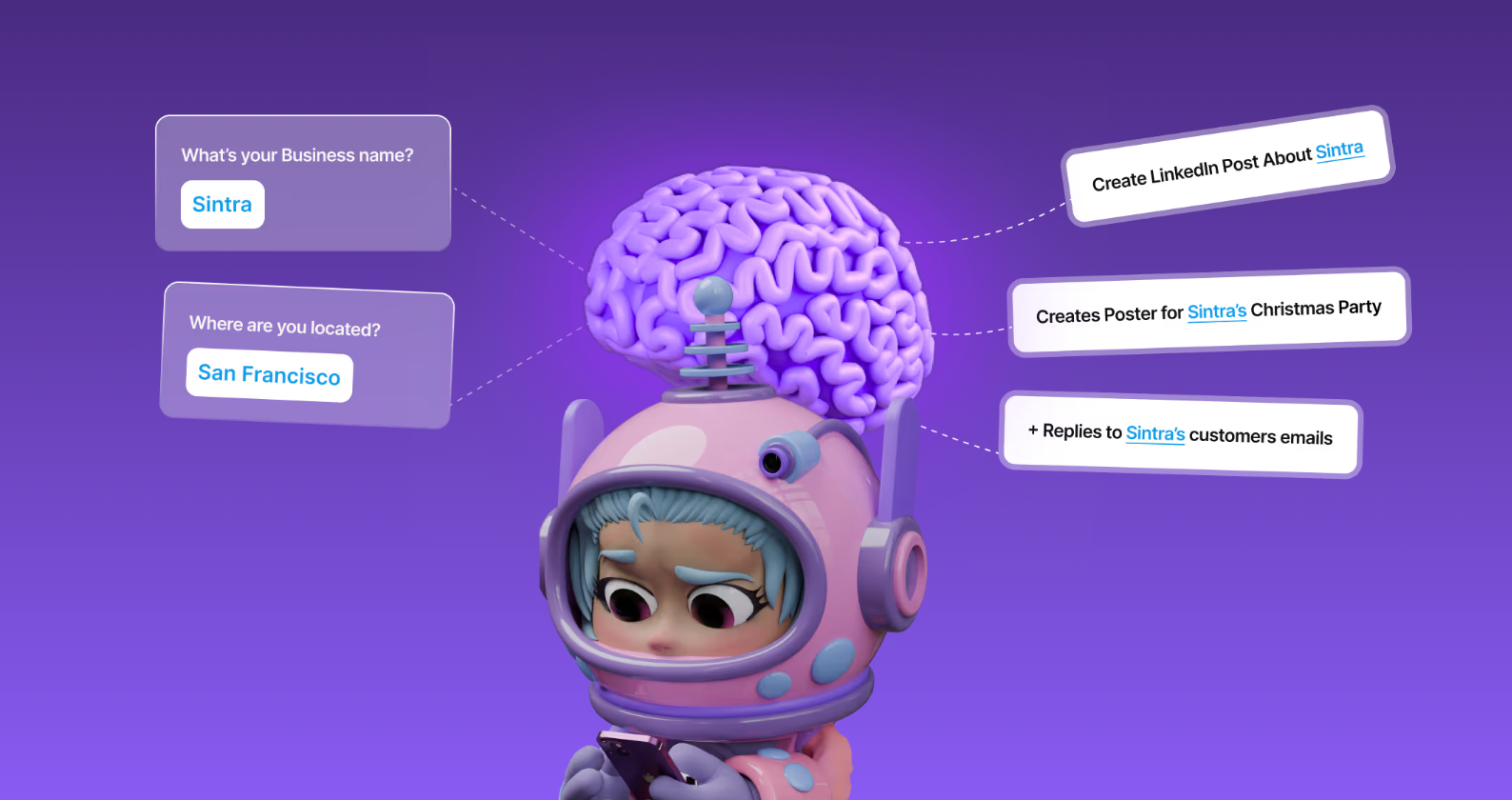
When you upload your assets, like pitch decks, product pages, and case studies, Brain AI trains your SDR helpers to use that information in real time. This keeps every message consistent and aligned with how your company actually sells.
2. Milli - Best for outbound and Prospecting Assistant
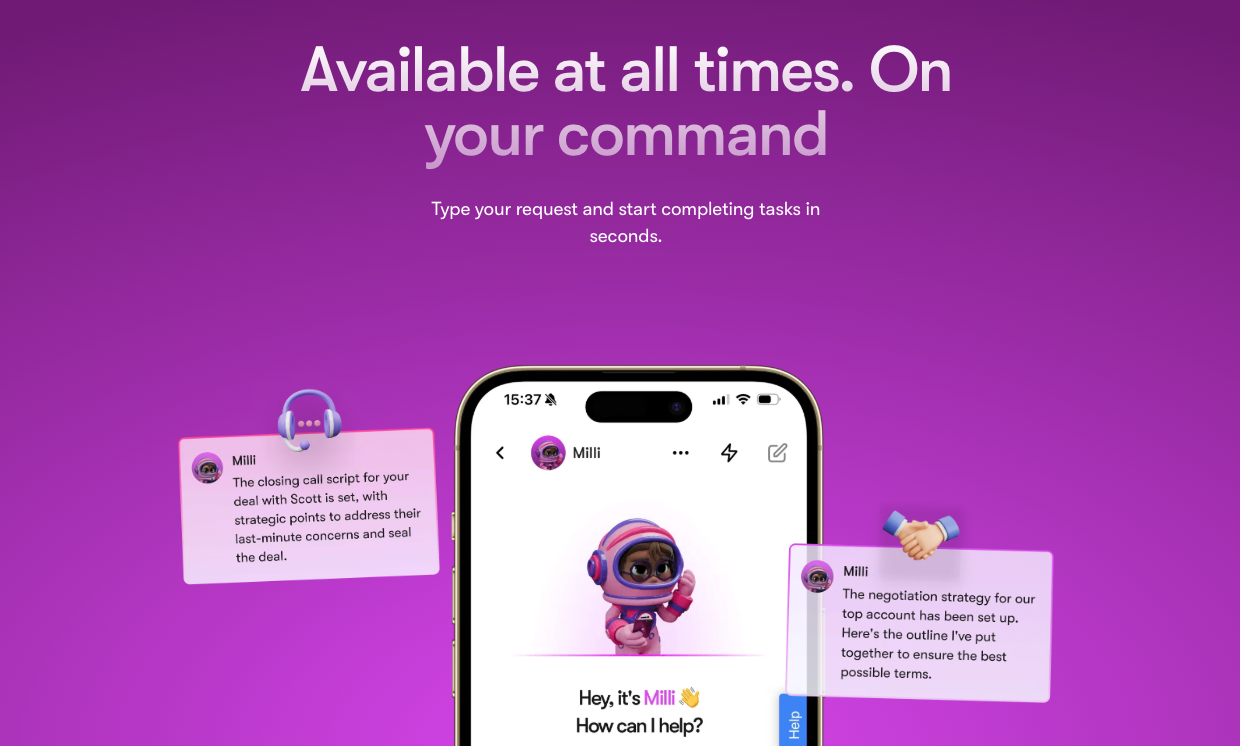
Milli automates top-of-funnel work like lead sourcing, personalized outreach, and follow-ups. Milli identifies high-fit leads based on your ICP, crafts tailored messages, and schedules meetings automatically when a reply comes in.
3. Buddy - Best for Inbound Qualification and Lead Management

Buddy focuses on inbound leads. It replies instantly when someone fills out a form, qualifies them based on your preset rules, and books calls with the right sales rep.
Example
When a visitor downloads a whitepaper or requests a demo, Buddy sends a personalized thank-you, asks one qualification question, and books a meeting if the lead fits your ICP.
4. Soshie - Best For Social and Multichannel Nurture
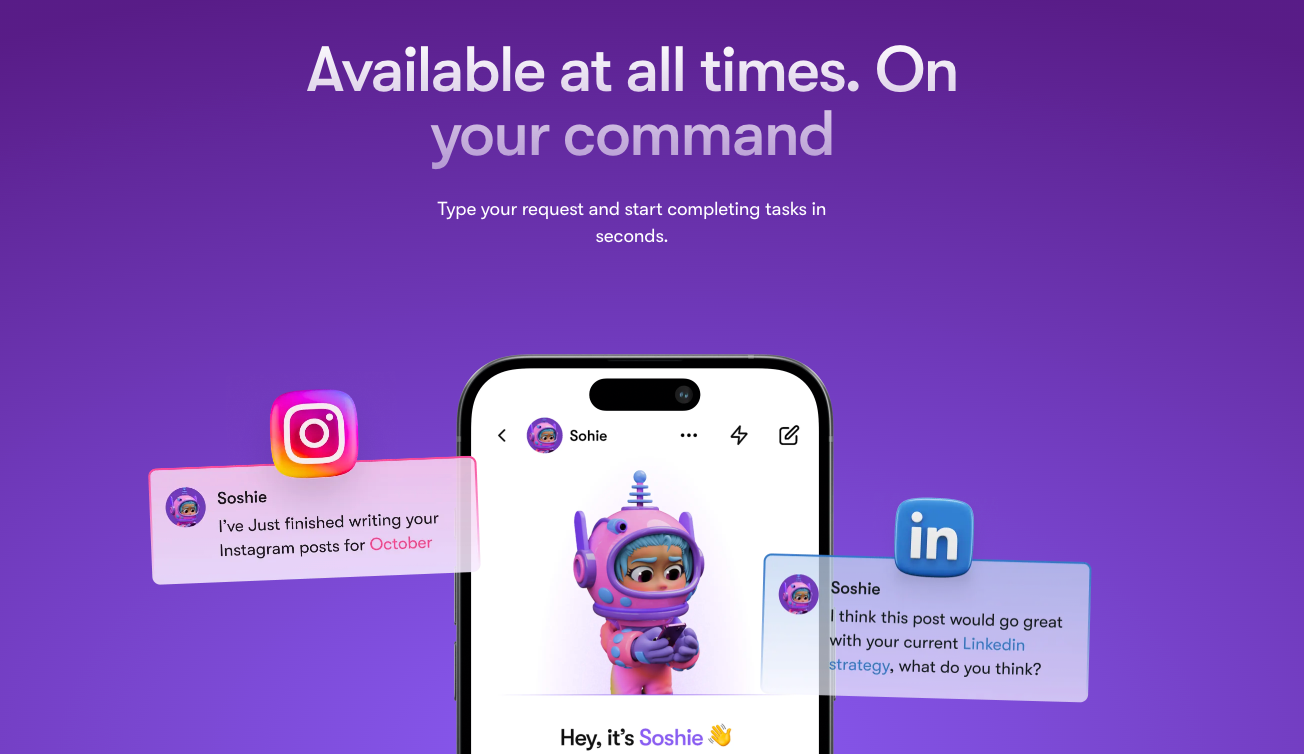
Modern buyers notice LinkedIn touches, comments, and subtle brand signals. Soshie brings this into your AI SDR flow.
Here’s what Soshie handles:
- Light engagement on LinkedIn or other platforms
- Sending soft DMs or connection requests
- Coordinating social activity with email sequences
- Tracking engagement metrics for sales follow-ups
5. Commet - Best For Product and E-commerce Conversations

For companies with self-serve products or ecommerce funnels, Commet acts as your AI SDR for product-related inquiries. It manages incoming product questions, recommends solutions, and routes high-value leads to your sales team.
Here’s what Commet handles:
- Answering product or pricing queries in real time
- Sharing guides or resources automatically
- Qualifying intent before sales handoff
- Booking demos or calls for premium users
Cost and Scalability for Small Teams
Hiring and training a sales development team is costly. Salaries, tools, and onboarding add up fast, especially for startups. An AI SDR powered by Sintra AI delivers the same output at a lower, predictable cost. Key advantages:
- No payroll or training expenses for repetitive SDR tasks
- One subscription covering all outreach and qualification needs
- Flexible pricing for multi-brand or multi-profile teams
- Lower tool and integration costs
As your pipeline grows, you can assign helpers by product, client, or region.
Common AI SDR Pitfalls
Even with the right setup, AI SDRs can fall short if not managed carefully. Here’s how to prevent the most common mistakes and keep performance consistent.
- Poor ICP Definition: A broad Ideal Customer Profile leads to wasted outreach and low-fit leads. Refine targeting by role, company size, and intent signals before launching any campaign.
- Over-Sending Or Spamming: Too many emails too fast can damage your domain reputation. Set daily send limits, warm up new domains, and leave time between follow-ups.
- Weak Or Generic Messaging: Generic outreach lowers engagement and reply rates. Feed Brain AI with your product pages, case studies, and tone guides so messages sound natural and relevant.
- Missing Personalization: AI SDRs need context to communicate effectively. Add variables like industry, company size, or pain points to personalize each sequence.
- Messy CRM Data: Outdated or duplicate records confuse automations and reporting. Clean your CRM regularly and sync updates automatically through integrations.
- Skipping Tests: Running campaigns without testing makes optimization guesswork. Test one element at a time, subject lines, timing, or offers, and adjust based on results.
When managed with these checks, your AI Sales Manager stays accurate, efficient, and aligned with your team’s goals.
The Future of AI Sales Development
Today, AI SDRs automate outreach and qualification, but the next wave will also learn, predict, and adapt in real time. Instead of just sending messages, they’ll understand buyer behavior, predict timing, and adapt tone based on live engagement.
Advances in reasoning models will help SDRs prioritize leads by intent, route them to the right sales rep, and even generate new insights from CRM data.
Expect tighter integration between sales, marketing, and RevOps systems. AI SDRs will become part of a unified workflow that connects prospecting, qualification, and nurturing in one system.
Ready To Get More Qualified Meetings?
Your next qualified meeting shouldn’t depend on how many emails your team can send manually. With an AI SDR, every lead gets a timely, relevant touchpoint while your reps focus on real conversations and closing deals.
Sintra AI makes it easy to start. With Brain AI powering personalization and modular helpers like Milli, Buddy, and Soshie, you can automate prospecting, follow-ups, and lead qualification.
Setup takes minutes, not weeks. Start small, test your first workflow, and see how much time your team can save.
AI SDR FAQs
What is an AI SDR In Simple Terms?
An AI SDR is an AI Sales Development Representative that automates prospecting, outreach, and lead qualification. It finds new leads, sends personalized messages, and books meetings so your sales team can focus on conversations that close deals.
Will AI SDRs Replace Human SDRs?
No. AI SDRs handle repetitive work like research, follow-ups, and scheduling, while human SDRs focus on discovery and building relationships. Together, they make sales teams faster and more efficient.
How Does An AI SDR Personalize Outreach Without Sounding Generic?
An AI SDR uses your brand data, case studies, and tone guidelines to write natural, on-brand messages. With tools like Brain AI, personalization improves over time through real sales interactions.
Can An AI SDR Handle Inbound Leads And Book Meetings Automatically?
Yes. AI SDRs like Buddy can respond instantly to form fills or chat inquiries, qualify leads using your criteria, and book meetings directly on your calendar.
What Are The Best Metrics To Judge AI SDR Performance?
Track time-to-first-touch, reply rate, qualified lead rate, meetings booked, and pipeline generated. These show how well your AI SDR is driving real revenue outcomes.
How Much Does An AI SDR Cost Compared With Hiring?
An AI SDR costs a fraction of a human SDR’s salary. With Sintra’s modular setup, you only pay for the helpers you need, making it ideal for startups and small teams.
What Are The Main Risks Of Using AI SDRs, And How Do I Avoid Them?
The main risks are over-automation and compliance issues. Keep sequences personalized, warm up domains, follow opt-out laws, and review messaging weekly to stay compliant and effective.
How Do I Connect An AI SDR To My CRM And Calendar?
Most AI SDRs integrate directly with tools like HubSpot, Salesforce, Google Calendar, and Outlook. Once connected, all activity, from emails to meetings, syncs automatically.
What’s The Difference Between An AI SDR And An AI Sales Agent?
An AI SDR focuses on top-of-funnel work like outreach and qualification. An AI employee goes further, handling deeper conversations and even parts of the closing process.
Related articles


