12 Top-Rated Generative AI Tools in 2025: Your Expert Guide
.jpg)
Skip ahead
Best Generative AI Tools in 2025: Boost Productivity and Automate Workflows

Finding the right generative AI tool in 2025 is harder than ever. Hundreds of platforms promise faster work, better content, and effortless automation, but only a few actually deliver.
With about 78% of companies now using AI daily, choosing the right tools can be the difference between real productivity and wasted time.
This guide highlights the best generative AI tools that truly work, the ones that save hours, keep your brand consistent, and fit seamlessly into how you already work. Each was tested for output quality, usability, and real business impact.
Table of Contents
What Are Generative AI Tools?
Key Benefits of Using Generative AI Tools
Top Generative AI Tools for 2025
How Sintra.ai’s AI Bots Supercharge Your Workflow
How to Choose the Right Generative AI Tool for Your Needs
Real-World Use Cases: Productivity and Automation with Generative AI
Frequently Asked Questions
What Are Generative AI Tools?
Generative AI tools are software applications that create original content, such as text, images, audio, video, or code, using advanced machine learning models.
These AI tools rely on LLMs and generative systems like diffusion models and transformers. Trained on vast datasets of human-created content, they learn patterns, styles, and structures to produce new, high-quality outputs from simple prompts.
Today, generative AI tools are transforming how people and businesses create and automate content. They make it possible to produce text, visuals, videos, and even code in seconds. It helps teams work faster, reduce manual effort, and focus on higher-value creative and strategic tasks.
Key Benefits of Using Generative AI Tools
Adopting the best generative AI tools can greatly improve how teams work, create, and manage everyday tasks. These solutions help users save time, improve creativity, and increase overall efficiency across different workflows. The following are some key benefits of generative AI tools
1. Save Time and Increase Efficiency
Generative AI automates repetitive work like writing emails, creating content, editing images, or coding. This saves hours every week and helps teams focus on strategic tasks. Businesses use AI automation to scale content production, optimize workflows, and speed up project delivery without increasing staff.
2. Enhance Creativity and Content Quality
With generative AI and design tools, teams can generate new ideas, visuals, or campaign variations in minutes. Marketers, writers, and designers use AI tools like Sintra AI, Jasper, and Canva Magic Studio to create high-quality, brand-aligned content quickly and consistently.
3. Improve Decision-Making and Innovation
Generative AI can process massive datasets and identify useful patterns. This helps businesses make smarter decisions, personalize marketing copies, and design better products. Using AI-driven insights, teams can innovate faster and stay competitive.
4. Cut Costs and Improve Efficiency
By automating marketing production, design, and customer support, many generative AI tools reduce manual labor and operating costs. They also lower the risk of human error and improve workflow consistency. It helps teams get more done with fewer tools.
Top Generative AI Tools for 2025
The following guide lists the best generative AI tools for different needs and tasks, so you can find what fits your work and goals.
Best AI Writing and Content Generation Tools
If you’re looking to automate creative work and scale marketing copy, here are the best generative AI tools for writers and businesses:
1. Penn By Sintra AI

Best For: Content creators, marketers, and businesses who need a dedicated AI writing tool with brand-voice consistency, high-quality output, and support for a wide variety of formats.
Penn is Sintra AI’s dedicated copywriting AI helper that uses advanced generative AI tools to write blogs, ad copy, newsletters, video scripts, and landing-page text with a consistent brand tone.
Penn integrates directly with Sintra’s Brain AI. It allows users to upload company data, brand guidelines, and website information. This enables Penn to craft context-aware and on-brand copy tailored to business needs.
Users can create multiple variations for A/B testing, adjust tone and length, and automate publishing through Sintra’s workflow tools. It’s a valuable tool for writing and an automation solution.
Best Features:
- Generates full-length articles, ads, and product descriptions.
- Produces multiple versions of copy instantly for A/B testing and optimization.
- Integrates with Brain AI to maintain brand voice, tone, and messaging consistency.
- Supports over 100 languages and advanced formatting options.
- Works smoothly across various processes, from idea generation to content delivery.
- Built-in templates and Power-Ups for newsletters, blogs, and promotional content.
- Intuitive, user-friendly interface with a minimal learning curve.
Pricing: Sintra AI costs $97/month and includes Penn, Brain AI, and 12 other generative AI assistants covering writing, design, and workflow automation.
2. Jasper AI

Best For: Marketers, agencies, and content teams that need a professional-grade AI writing tool to generate blogs, marketing copy, landing pages, and social posts at scale while maintaining brand consistency.
Jasper AI is one of the best generative AI tools that helps users produce high-quality writing. It uses LLMs and over 50 ready-to-use templates for ads, emails, blogs, scripts, and social posts. It supports brand voice customization, multi-language output (25+ languages), and integrates with SEO tools like Surfer SEO to optimize content for search. It’s designed to speed up content production, improve workflows, and reduce manual writing time for businesses.
Best Features:
- 50+ templates for blogs, ads, emails, social posts, and marketing materials.
- Brand Voice customization to match tone, style, and messaging.
- Integrated SEO optimization with Surfer SEO.
- Real-time collaboration and project folders for team workflows.
- Multi-language support (25+ languages) and a document-style long-form editor.
- AI-powered copy suggestions to improve clarity, tone, and structure.
Pricing: Jasper AI offers a Pro Plan at $59 per seat per month (billed annually) or $69 when billed monthly. The Creator Plan starts at around $39 per month, while the Business Plan offers custom pricing for larger teams and enterprise use.
3. Copy.ai

Best For: Built for marketers, freelancers, and eCommerce brands that need quick, high-quality short-form content with minimal editing.
Copy.ai is one of the most advanced generative AI tools for marketers and content creators in 2025. Built on GPT-4, it specializes in short-form, high-impact writing for digital marketing and business workarounds.
The platform features over 90+ templates that help users quickly produce text for blogs, emails, product listings, and ad campaigns. It supports brand voice customization, ensuring consistent, engaging marketing copy that aligns with company messaging.
Best Features:
- Over 90 templates for blogs, ads, emails, product pages, and social posts.
- AI-powered workflows and task automation to reduce repetitive writing.
- Brand Voice training to maintain tone and consistency across content.
- Multilingual output (25+ languages) for global teams.
- User-friendly interface with minimal learning curve, ideal for non-technical users.
- Great for marketing campaigns, creative strategies, and quick turnaround projects.
Pricing: Copy.ai offers a Pro Plan at $49/month (annual billing) for up to 5 seats, while a Free Plan provides limited usage for testing.
Best AI Image and Design Tools
Here are the best generative AI tools that simplify image creation and design workflows:
1. Vizzy by Sintra AI

Best For: Built for businesses, marketers, and creators who want brand-consistent visuals and automated design in one generative AI tool.
Vizzy is a multifunctional visual-design assistant built inside Sintra AI. It offers advanced image creation, realistic images, editing, and design automation. Unlike standalone design apps, Vizzy works within Sintra’s ecosystem, connecting creative visuals with workflow management, document automation, and marketing processes.
By supporting NLPs, Vizzy becomes a user-friendly gateway for non-designers and designers alike. It reduces the complexity of high-end image editing tools.
Best Features:
- Generates and enhances visuals, removes backgrounds, improves image quality, and creates custom image assets for blogs, social media, and product listings.
- Supports natural-language prompts and executes them via its “Power-Ups”.
- Multi-format support (1:1, 9:16, 16:9) for blogs, ads, and social platforms.
- User-friendly tool with minimal setup requirements.
- Integrates with the user’s “Brain AI”. It allows uploading of brand assets, website data, and files so that generated visuals match brand tone and business context.
- Covers a wide variety of tasks beyond visuals, e.g., event planning, scheduling, and trip organization. But for your image/design section, you can highlight the image/graphic functionality.
Pricing: Included in the Sintra X bundle at $97/month, which grants access to all Sintra AI assistants (including Vizzy).
2. Midjourney

Best For: Creators, marketers, and businesses who need a powerful AI visuals generator that turns their prompts into high-quality images across diverse styles.
Midjourney is a leading generative AI tool developed by an independent research lab in San Francisco. Using Natural Language Processing (NLP), it converts text descriptions into visually detailed images in multiple artistic styles, from photorealistic renders to cinematic compositions.
It has an active community of over 20 million users across Discord and its web app. Midjourney lets creators easily experiment with prompts, refine results, and produce highly realistic images. It is best for marketing, social media, and other creative projects. Some advanced features include:
Best Features:
- Creates 4 image options from a single text prompt, which you can further refine using regeneration and prompt engineering.
- Offers different working modes, including Fast (quick results), Relax (slower but unlimited), and Stealth (private image creation for professionals).
- Allows custom aspect ratios and high-resolution exports, great for prints, brand visuals, ads, and concept art.
- Works through Discord, with access to plugins for easier workflows.
- Let's you control image style using editing tools, modifiers, and prompt weighting.
- Large community galleries for prompt inspiration and learning.
- Commercial usage rights available (based on your plan).
Pricing: Plans start at $10/month for Basic (~3 GPU hours) and go up to $120/month for higher tiers with more generation time and private creation modes.
3. Canva Magic Studio

Best For: Marketing teams, social-media creators, small businesses, and non-designers who need a consolidated intelligent design toolset to produce visuals, layouts, and content quickly.
Canva Magic Studio is a generative AI tool built into Canva’s design platform. It combines layout generation, image creation, copywriting, animation, and editing tools in one easy-to-use interface. Users can move from idea to publication without switching between apps, using features like text-to-image generation, automatic resizing, and brand-kit integration.
Best Features:
- AI-powered images: from text or reference images (text-to-image)
- Layout automation: convert one design into dozens of platform-specific formats
- Built-in copywriting tools (Magic Write): for social captions, descriptions, and blog intros
- Photo & image editing tools: background removal, object replacement, style tweaks
- Animation and video editing tools: create motion graphics, animate elements, or build short clips
- Brand-kit and team tools: maintain consistent visual identity across assets
- Intuitive drag-and-drop interface: with a low learning curve for non-designers
Pricing: Canva Magic Studio offers a Free plan with limited features. The Pro plan costs about $12.99/month per user (billed annually) for full access to all AI-powered design tools.
Best AI Video and Audio Generation Tools
The following best generative AI tools make producing videos and voiceovers fast and easy:
1. Soshie by Sintra AI

Best For: Teams that need an AI-powered assistant to create video scripts, social posts, and campaign content quickly while integrating with broader content production workflows.
Soshie is Sintra AI’s social media and video content assistant. It is built to create and manage brand-aligned visuals, posts, and videos. Powered by LLMs and insights from proven marketing strategies, it helps users plan, write, and optimize content across platforms like Instagram, LinkedIn, Facebook, and TikTok.
Best Features:
- Creates video scripts, carousels, and short-form video ideas (e.g., TikTok or YouTube Shorts) from text prompts.
- Automates multi-platform posting and scheduling using a built-in content calendar for LinkedIn, Instagram, and Facebook.
- Integrates with Brain AI to produce brand-consistent visuals and captions using company data.
- Detects trending topics and suggests formats for higher reach and engagement.
- Supports multiple languages and handles image, video, and text content for end-to-end campaign production.
- Designed for both individual creators and marketing teams managing high-volume content.
Pricing: Get Sintra AI for $97/month: Access Soshie and many generative AI tools powered by 12+ AI assistants.
2. Synthesia

Best For: Corporate training, marketing teams, and global content creators who require avatar-led videos, multi-language voiceovers, and fast production of explainer or demo videos.
Synthesia is one of the leading generative AI tools for video creation and editing. It allows users to turn written scripts into professional videos with realistic digital avatars and natural voiceovers.
Supporting over 140 languages, it helps teams produce localized content for marketing, training, and internal communication, with little filming or video editing skills required. Users can simply write a script, choose an avatar and voice, apply brand elements, and generate a finished video in minutes.
Best Features:
- Converts text into HD videos using AI avatars and natural speech.
- Supports over 140 languages and accents for global use.
- Allows brand customization with logos, colors, and custom avatars.
- Offers timeline editing and exports in multiple formats (16:9, 9:16).
- Includes team collaboration and branded templates.
Pricing: Paid plans start at approximately US $25/month (for a base plan with limited video minutes) according to recent comparison tables.
3. Murf AI

Best For: Marketers, educators, and creators who need a realistic AI voice generation tool for video narration, e-learning, podcasts, and marketing.
Murf AI is a professional AI-powered voice generator that turns written text into high-quality, human-like voiceovers. It’s used widely for content generation, training videos, and creative projects where natural-sounding speech is essential. Supporting over 120 AI voices in 20+ languages and accents, Murf helps businesses and individuals produce studio-quality audio without recording equipment.
Best Features:
- Generates realistic, human-like voiceovers from text using AI-powered models.
- Library of 120+ voices across multiple languages and accents.
- Full control over tone, pitch, and speed for natural delivery.
- Built-in background music and audio layering tools.
- Supports export in MP3 and WAV formats for professional use.
- Suitable for business strategies and social media content.
Pricing: Murf AI offers a free trial for testing. Paid plans start at $19/month, with higher tiers for team collaboration, longer audio limits, and commercial usage rights.
Best AI Coding and Development Tools
These powerful AI coding and development tools help automate software creation, streamline workflows, and speed up project delivery:
1. GitHub Copilot

Best For: Individual developers and teams that want an AI-powered code assistant embedded into their IDE to speed up code writing, completion, and review.
GitHub Copilot is a leading generative AI tool for software development in 2025. It integrates directly into editors like VS Code, IntelliJ, and Neovim, and uses large language models to provide ‘AI pair programmer’ features. It turns natural-language comments into full code blocks, suggesting completions, refactoring, and even documentation. Here are some of its advanced features:
Best Features:
- Suggests full lines or entire functions based on comments or context in the editor.
- “Copilot Chat” mode for asking questions, debugging, or understanding code blocks.
- Supports multiple languages and frameworks, integrates into major IDEs.
- Offers organization features (team licensing, policy controls, audit logs) for enterprise use.
Pricing: A free tier is available with limited completions for basic use. Paid plans start with the Pro tier at US $10 per month per user for individual use. The Business plan is priced at around $19 per user per month, while the Enterprise plan costs about $39 per user per month.
2. Claude Code by Anthropic

Best For: Developers, engineering teams, and research-oriented workflows that need a deep AI coding assistant with reasoning across codebases, multi-file edits, and integration into terminal or API workflows.
Claude Code leverages Anthropic’s advanced models (Sonnet/Opus) to aid software development beyond autocompletion. It supports multi-file reasoning, code generation, test creation, and debugging. It’s regarded as one of the more advanced AI coding assistants in 2025 for serious development workflows.
Best Features:
- Natural-language prompts to generate, refactor, or explain code across files.
- API and CLI/terminal support, can integrate into development pipelines.
- High-quality model access for complex tasks (e.g., Opus models) and usage control.
- Enterprise-grade features: teams, integration, and high usage limits.
Pricing: A free tier is available for limited usage. Paid plans start with the Pro Plan at around US $17 per month (billed annually), while the Max Plan costs about US $100 per month for heavier usage. API pricing is available for enterprise users.
3. Cursor (AI-powered IDE)

Best For: Full-stack developers and teams handling multi-language projects who want an AI-integrated development environment capable of natural-language coding, project‐wide refactoring, and smart rewriting.
Cursor AI is an advanced AI-powered code editor and standalone IDE built atop the familiar Visual Studio Code interface. It integrates large language models (LLMs) to give developers full-project awareness, support for natural-language prompts (e.g., “Write a login function”), and deep capabilities such as indexing your entire codebase and performing multi-file edits.
Best Features:
- NLPs to generate, modify, or explain code across multiple files.
- Smart rewriting and refactoring for large-scale code updates.
- Codebase indexing and search for quick navigation through project logic.
- Privacy mode ensures sensitive code stays local, protecting intellectual property.
- VS Code–based interface with familiar extensions and easy usability.
- Designed for low-code and AI code-assist workflows to enhance productivity.
Pricing: Cursor offers a Free Plan with basic features. Paid plans include the Pro Plan at $40 per month per user, while advanced Team and Enterprise plans provide collaboration tools and higher API usage limits.
Best AI Chatbots and Virtual Assistants
These AI chatbots and virtual assistants make customer service smarter, faster, and more efficient by automating everyday conversations:
1. Cassie by Sintra AI

Best For: Customer support teams, e-commerce operations, and businesses that need a consistent, brand-aware AI virtual assistant to automate customer chats, emails, and FAQs.
Cassie is an AI-powered customer service specialist built within the Sintra AI suite. She is trained on thousands of real-world customer-support interactions and uses natural language processing (NLP) to deliver human-like responses across chat, email, and support tickets. Cassie integrates with a company’s knowledge base, product manuals, and brand tone to answer questions, draft responses, update FAQs, and handle high-volume queries 24/7.
Best Features:
- Drafts support emails, answers questions, and generates product manuals and FAQs.
- Leverages the “Brain AI” knowledge base, after you upload brand assets, manuals, and past interactions, Cassie aligns responses with your brand tone.
- Provides sentiment analysis to personalise replies and improve customer satisfaction metrics.
- Can process high query volumes (over 1,000 customer questions per hour) while maintaining brand consistency.
Pricing: Cassie comes in a combined pack with 12 other AI Assistants made by Sintra, costing $97/month as a whole.
2. Ada CX AI
Best For: Mid-sized and large enterprises seeking a scalable generative AI tool for automated, multilingual customer service, especially across chat, messaging, and voice channels.

Ada CX AI is an enterprise-grade conversational AI tool focused on customer care. It uses generative AI tools and advanced NLP to support complex multi-step conversations, escalating when necessary to human agents, and integrates smoothly with CRM systems and messaging platforms.
Best Features:
- Conversational engine that handles 24/7 customer interactions in multiple languages.
- Deep integration with CRM, ticketing systems, and live-agent handoff workflows.
- Analytics dashboard for tracking resolution times, satisfaction rate, and chatbot performance.
- Customisable personality and tone to reflect brand voice.
Pricing: Typically custom-quoted based on the number of users.
3. Tidio AI Chatbot
Best For: Small businesses, e-commerce stores, and marketing teams seeking a budget-friendly AI chatbot to support basic customer communication workflows.

Tidio’s AI Chatbot combines script-based rules with AI-powered natural language understanding to automate conversation flows, capture leads, and route support tickets. It offers a simple interface enabling non-technical teams to deploy chatbots quickly across websites and messaging platforms.
Best Features:
- Pre-built templates for FAQs, lead capture, and visitor engagement.
- Integration with e-commerce platforms and messaging apps for sales-support chat flows.
- Multi-channel deployment (web widget, Facebook Messenger, WhatsApp via plugin).
- Affordable pricing tiers and a growth path from basic to premium support.
Pricing: Paid plans start at around US $29/month for small-business usage; a free trial and a limited free plan are available.
How Sintra.ai’s AI Bots Supercharge Your Workflow
Managing multiple apps for writing, visuals, social media, and customer service can slow down any team. Sintra.ai solves this by bringing everything together through its powerful ecosystem of AI-powered assistants. Each is built to automate a different part of your business workflow. Here’s how they work collectively to supercharge your workflow:
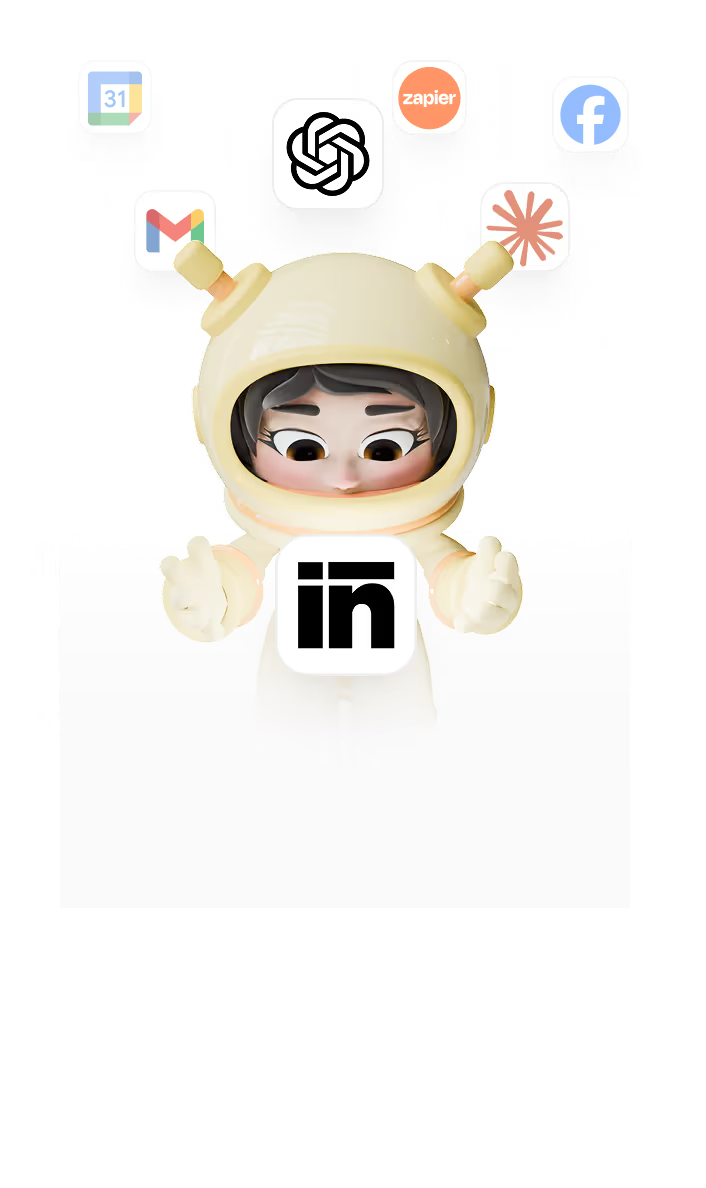
Brain AI Integration

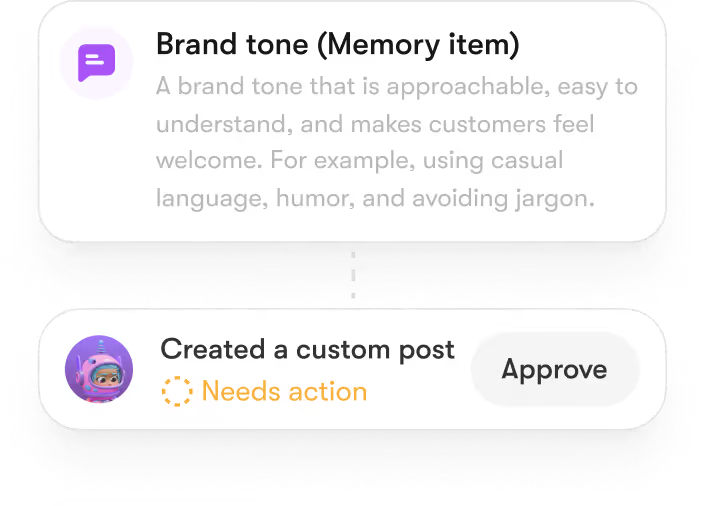
Brain AI is the central hub that powers all Sintra assistants. Businesses can upload brand guidelines, documents, website data, and tone references once, and every assistant accesses this shared intelligence.
This ensures that written content from Penn, visuals from Vizzy, social campaigns from Soshie, and support replies from Cassie all remain consistent and aligned with the company’s identity.
Key Benefits:
- Unified brand tone and style across all outputs.
- Context-aware automation that adapts to business needs.
- Fewer revisions and faster turnaround on creative content.
Power-Ups and Workflow Automation

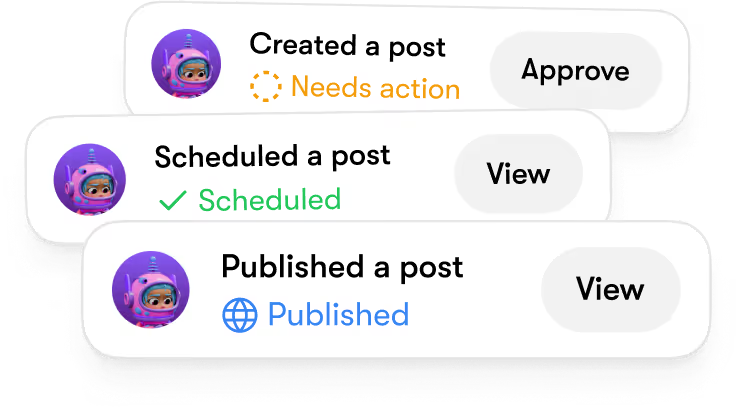
Sintra includes built-in Power-Ups, which are specialized micro-tools that automate specific actions within each assistant. For example, Penn can generate a blog post, Vizzy can create matching visuals, and Soshie can automatically schedule social media posts, all within a single workflow. These actions can be chained together, saving time and reducing manual coordination.
Key Benefits:
- Automates multi-step workflows for marketing and operations.
- Reduces repetitive tasks through pre-built templates.
- Improves productivity across writing, design, and communication.
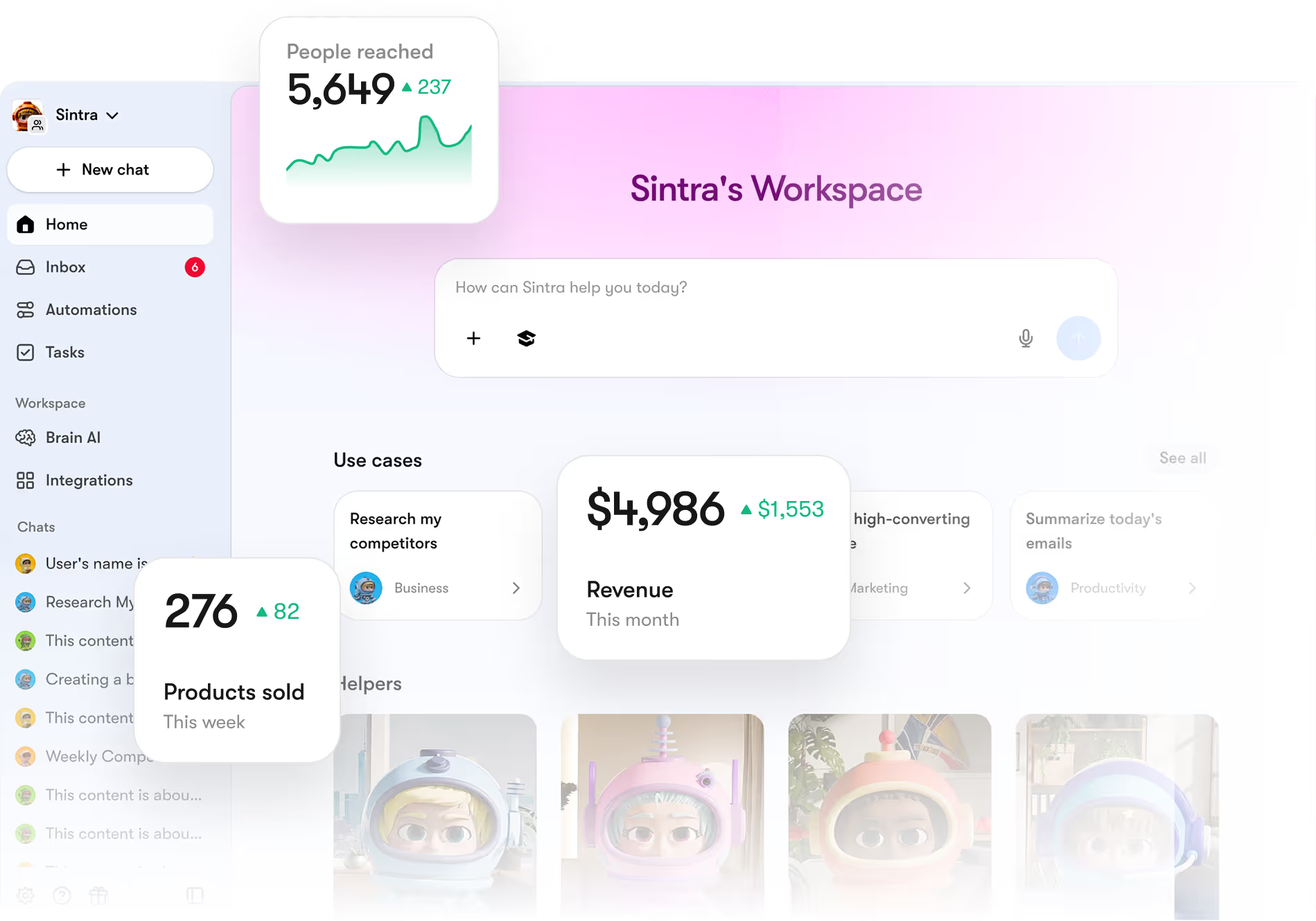
Unified Workspace
All of Sintra’s assistants operate inside a single, easy-to-navigate workspace. Users can switch between writing, visuals, social media, and customer support tasks without juggling multiple tools. This user-friendly interface removes the complexity often found in standalone AI apps and helps teams collaborate in real time.
Key Benefits:
- One dashboard for all assistants.
- Smooth collaboration across departments.
- Simplified management of workflows and automation.
Analytics and Measurable Results
Sintra tracks performance across all assistants, providing clear metrics on productivity, output quality, and time saved. These analytics help businesses measure ROI from automation and identify areas for further optimization.
Key Benefits:
- Quantifiable data on productivity gains.
- Improved decision-making with detailed reports.
- Continuous workflow optimization using AI insights.
How to Choose the Right Generative AI Tool for Your Needs?
Selecting the right generative AI tool depends on your business goals, technical needs, and long-term strategy.
Define Your Business Goals
Start by identifying the specific problems you want to solve.
Are you looking to automate content production, streamline image generation, or enhance customer engagement?
Outline your objectives, such as saving time, improving productivity, or reducing costs, and use these goals as benchmarks when comparing tools.
Evaluate Ease of Use
Choose a platform with an intuitive interface and simple usability. Your team should be able to start using it quickly without extensive training. A user-friendly design ensures smoother adoption and faster ROI, especially for marketing, design, and support teams.
Check Integration Capabilities
A good generative AI tool should fit smoothly into your existing tech stack. Look for integrations with your CRM, CMS, or project management systems. Strong integration prevents data silos and allows AI automation to improve existing workflows instead of complicating them.
Review Key Features and Performance
Focus on what the tool does best. Some excel in AI writing and content generation, others in image creation, video editing, or workflow automation. Look for essential features such as:
- Multi-format and multi-language support
- Brand voice customization
- Collaboration and team access
- Scalability for larger workloads
Compare Pricing and Value
Pricing models vary; some charge per user, others per output or API call. Compare the cost against your projected use and evaluate long-term ROI. Consider whether higher-tier plans offer advanced features like automation or analytics that justify the investment.
Prioritize Data Security and Scalability
Make sure the platform complies with relevant data protection standards and offers secure storage. For businesses handling sensitive data, this is critical. Also, confirm whether the AI tool can scale with your rapid growth, adding users, projects, or automation capacity as needed.
Test Before You Commit
Run a short pilot with your team using real tasks. Track performance metrics like time saved, content quality, and accuracy. Use these insights to decide if the tool truly aligns with your business processes and productivity goals.
Real-World Use Cases: Productivity and Automation with Generative AI
Across industries, companies use AI-powered tools to automate repetitive work, improve creativity, and accelerate workflow automation. Here are real-world examples showing how generative AI tools enhance productivity and business growth:
Content Creation and Marketing Automation
Marketing and creative teams are using AI writing tools and image-generating platforms to produce blogs, ad copy, and visuals in minutes.
For example, global eCommerce brands now generate thousands of product descriptions or social media posts automatically, cutting production time by up to 80%. Similarly, AI image generation tools like Vizzy and Midjourney help create campaign-ready visuals without manual design work.
Key Results:
- Faster content turnaround
- Consistent brand tone across channels
- Scalable marketing campaigns
- Lower creative and production costs
Customer Service and Virtual Assistants
Businesses are integrating AI chatbots and virtual assistants to automate customer communication. Banking, telecom, and retail companies deploy AI-powered agents that handle queries, process support tickets, and provide 24/7 service. AI tools help brands deliver fast, consistent, and on-brand responses while reducing the workload on human agents.
Key Results:
- 24/7 automated support
- Shorter response times
- Reduced human error
- Improved customer satisfaction
Workflow and Process Automation
Generative AI tools are also transforming internal business processes. Teams use AI coding assistants and document automation tools to write code, generate reports, and summarize documents. For instance, companies using AI-powered coding platforms like GitHub, Copilot, or Cursor have reported up to 50% faster development cycles and reduced manual review time.
Key Results:
- Increased team productivity
- Fewer repetitive manual tasks
- Improved project delivery
- Better resource allocation
Data-Driven Creativity and Decision-Making
Design, media, and marketing teams now rely on AI design tools and content generation models to test new creative ideas and analyze performance data. By combining AI automation with analytics, teams can quickly identify what type of content or design performs best, improving ROI on campaigns.
Key Results:
- Faster creative testing
- Data-backed design decisions
- Improved content performance
Frequently Asked Questions
What are the main benefits of using generative AI tools in business?
The main benefits of using generative AI tools in business include faster task automation, improved productivity, and lower costs. These AI-powered tools help automate writing, design, coding, and customer support. They allow teams to focus on strategic work. They also improve accuracy, maintain brand consistency, and scale workflows efficiently across departments.
What are the top generative AI tools for content creation, images, and coding?
The top generative AI tools in 2025 include Sintra AI (Penn), Jasper AI, and Copy.ai for content production; Sintra AI (Vizzy), Canva Magic Studio, and Midjourney for design; Sintra AI (Soshie), Synthesia, and Murf AI for video and audio; and Sintra AI (Dev Assistant), GitHub Copilot, and Cursor IDE for coding. These AI-powered tools use advanced models to create content, visuals, and code efficiently, improving business productivity.
How can Sintra.ai’s AI bots help automate my business workflows?
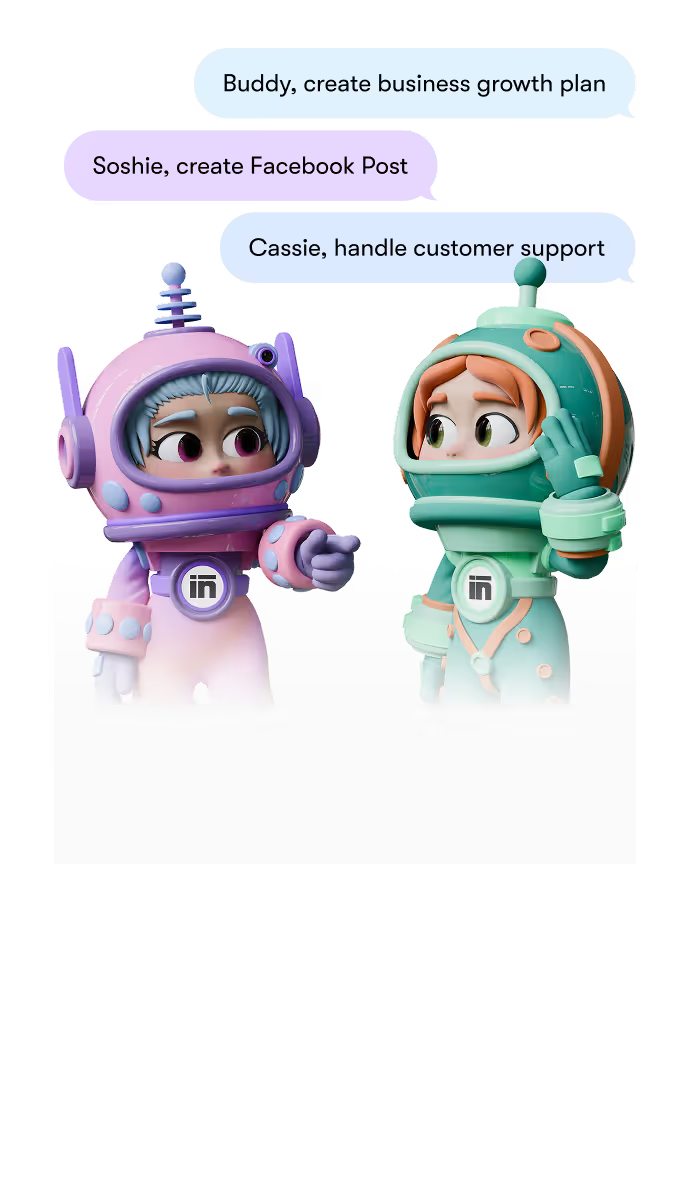
Sintra.ai’s AI bots automate workflows by managing writing, design, marketing, and customer service tasks in one platform. Penn creates blogs and copy, Vizzy designs visuals, Soshie manages social media, and Cassie handles customer communication. Together with Sintra’s 12+ AI assistants, all connected through Brain AI, they use your brand data to deliver consistent, automated results that save time and increase efficiency.


.jpg)
.jpg)
.jpg)