



14 Best AI Assistants for Marketers

Table of Contents

TL;DR – Best AI Assistants for Marketers (Shortlist)
These tools help professionals work faster and stay organized.
- Sintra AI – automation & workflows
- ChatGPT – general-purpose assistant
- Google Gemini – Google ecosystem
- Claude – writing & deep work
- Lindy – task automation & scheduling.
The best AI assistants in 2026 are Sintra.ai, ChatGPT, Gemini, Claude, and Lindy, which help professionals work faster and stay organized. These tools handle scheduling, writing, note-taking, and reporting, reducing repetitive tasks and saving time.
Marketers and teams lose hours switching between tools or managing routine work. AI solves this by planning campaigns, summarizing content, drafting emails, and connecting with apps like Google or Slack. The productivity gains are among the highest reported by any function - 85% of IT workers at AI-using organizations report faster issue resolution, and 85% of marketing and product users report faster campaign execution.
AI is essential for improving productivity and supporting better decisions. This guide reviews the top AI assistants for 2026, their core features, and how Sintra.ai helps businesses automate tasks and manage work efficiently.
What Is an AI Assistant?
An AI assistant is a software application that uses artificial intelligence to help handle tasks and automate workflows. It understands natural language, learns from user input, and performs actions like scheduling meetings, drafting messages, or organizing projects.
These assistants use machine learning to understand commands and provide accurate responses. They can summarize reports, generate content, create reminders, and integrate with other tools for a seamless work experience.
Common types include:
- Chat-based assistants for writing, research, and communication
- Workflow automation tools that connect apps and automate actions
- Voice assistants like Siri and Alexa for quick commands
- Specialized AI bots such as Sintra.ai’s helpers for SEO, outreach, and content creation
AI assistants are now key to how businesses and professionals work. They simplify challenging tasks, reduce tool switching, and help teams focus on strategy instead of manual effort.
Key Benefits of Using AI Assistants
AI make daily work faster and easier. They automate tasks, speed things up, and reduce mental load for individuals and teams.
Time Savings and Efficiency
AI handle repetitive tasks like scheduling, note-taking, and research. This lets you focus on work that requires strategy and creativity instead of admin tasks.
Better Decision-Making
They process large amounts of data and provide quick insights. Marketers can analyze campaign results or trends instantly with an AI marketing assistant, instead of spending hours reviewing reports.
Reduced Context Switching
Switching between multiple tools wastes time. AI assistants connect with apps like Slack, Gmail, or Notion, helping you manage everything from one place.
Improved Accuracy
AI reduces human error in reports, emails, and data entry. It ensures consistency in tone, formatting, and information.
Scalability for Teams
As companies grow, tasks multiply. AI scale with your team, automating workflows, tracking performance, and supporting multiple users at once.
AI assistants act as reliable co-workers that simplify operations, improve accuracy, and keep work moving efficiently.
How to Choose the Right AI Assistant for Your Needs?
Choosing the right AI assistant starts with understanding your goals. Every tool offers different strengths, so you need one that fits your daily work and long-term strategy.
Define Your Core Needs
Identify what you want the AI assistant to handle. Some professionals need help with writing and communication, while others want to automate scheduling, manage data, or improve project tracking. Knowing your primary pain points makes selection easier.
Match Capabilities to Use Cases
Look for features that align with how you work.
- If you manage teams, focus on assistants that automate meetings and task coordination.
- For marketing, choose assistants who help with research, content planning, or analytics.
- For operations, prioritize workflow automation and performance tracking.
The best choice is one that solves your daily challenges without adding new complexity.
Evaluate Integration and Flexibility
AI work best when they fit naturally into your existing system. Choose tools that connect with apps like Google, Slack, Notion, or Trello. Strong integration prevents workflow disruptions and helps automation run smoothly.
Review Security and Data Practices
Data protection is critical. Always check how the assistant handles user information. Look for encryption, access controls, and transparent data policies. Business users should confirm compliance with standards like GDPR or SOC 2.
Assess Scalability and Support
If you work in a growing team, make sure the tool can handle more users and data over time. Read user reviews, explore documentation, and test the responsiveness of support. An assistant who’s reliable and well-supported is easier to adopt company-wide.
The right AI agent should fit your workflow, respect your data, and help you get measurable results. A thoughtful choice now saves time and ensures smoother automation later.
Top AI Assistants in 2026: Features & Comparisons
In 2026, the best AI bots include intelligence, personalization, and reliability, turning hours of manual hassle into minutes of automation.
From personal productivity to enterprise operations, these assistants adapt to different industries and goals. Some specialize in writing or research, while others focus on meetings, scheduling, or CRM management.
Here are the top AI assistants for 2026, evaluated for their usability, automation capabilities, integration support, and real-world performance:
1. Sintra.ai – Best for AI-Powered Business Automation
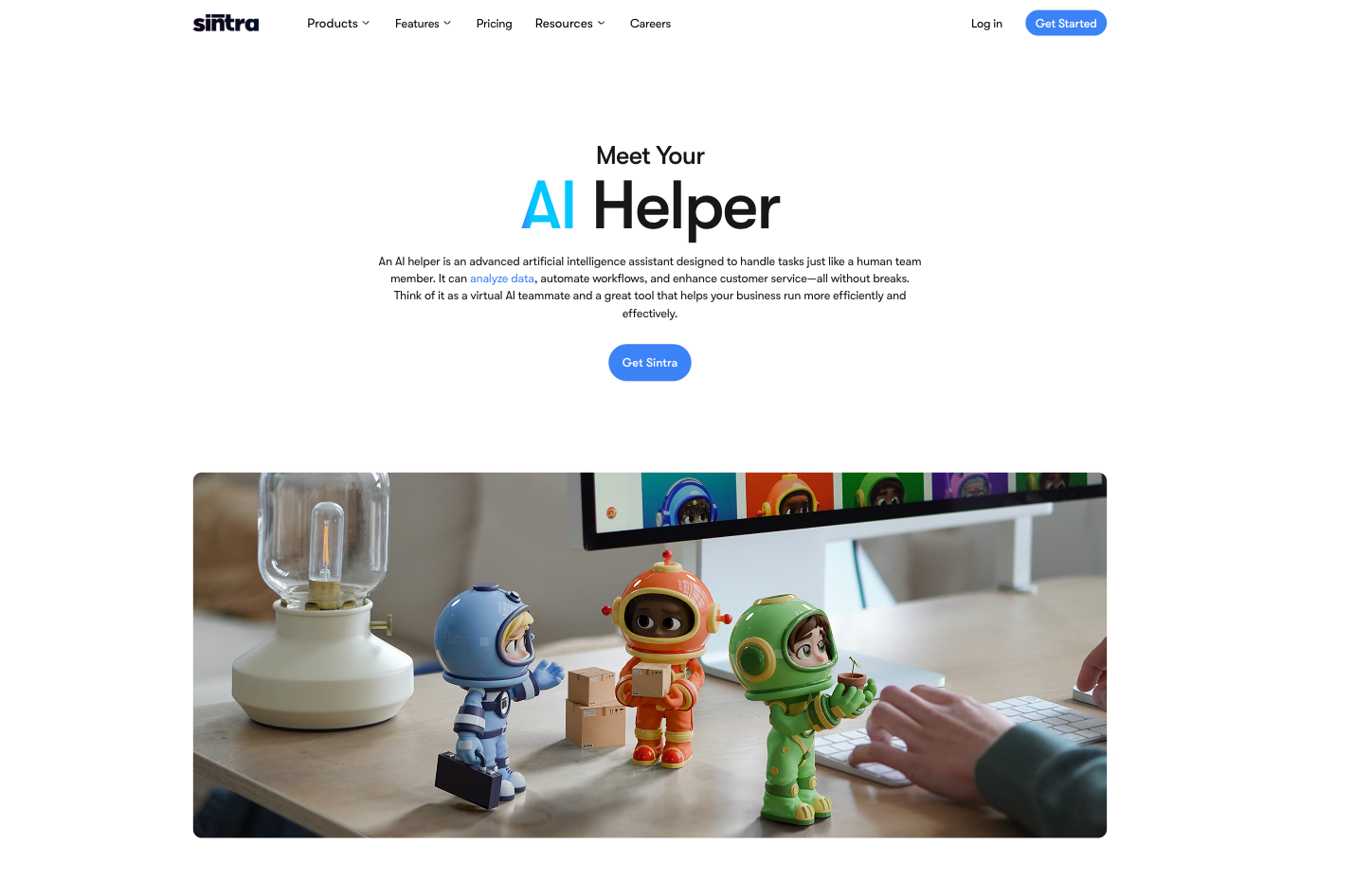
Our platform gives teams more than one generic AI assistant. It gives them a full set of specialized AI helpers built for marketing, sales, content, support, and daily business work.
Each helper works like a focused AI employee with a clear role. They help automate repetitive tasks, create content, support outreach, and keep work moving faster while your team stays in control of the strategy.
- AI marketing manager handles everything social media related - from content to scheduling.
- AI SEO assistant handles SEO audits, keyword clustering, and on-page recommendations.
- AI copywriter generates optimized, on-brand content at scale.
- AI data analyst acts as a data analyst, tracking rankings and performance metrics.
- AI virtual assistant handles all your business administrative tasks
- AI business assistant manages outreach and CRM workflows, ensuring smooth communication and lead tracking.
The goal is simple: give businesses AI support that feels useful, structured, and easy to apply in real workflows.
Pricing
Sintra.ai offers flexible pricing based on business size and automation needs. Plans start at around $49 per month, with scalable options for advanced users and teams.
2. ChatGPT – Best AI Assistant for Writing, Research, and Productivity

ChatGPT remains one of the most versatile AI assistants and productivity applications for both individuals and small teams. It uses natural language processing to help users handle tasks, brainstorm ideas, and produce emails, blog posts, and reports.
Strengths
- Easy-to-use, perfect for marketers, writers, and managers.
- Helps reduce tool switching by managing multiple projects in one workspace.
- Connects with Google, Slack, and Microsoft Office
- Delivers real-time answers and data-backed insights for smarter decisions.
Weakness
- Needs human review for tone and accuracy in professional writing.
- Some advanced features, like document memory and integrations, require upgrades.
Pricing
ChatGPT offers a free trial with core capabilities and a Plus plan ($20/month) for GPT-4 access, faster results, and improved accuracy.
3. Gemini – Best AI Assistant for Google Workspace and Research Automation
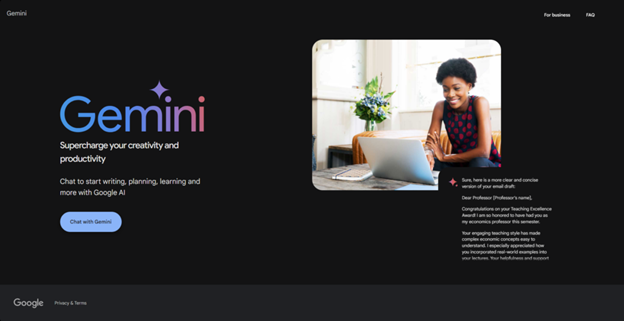
Gemini is Google’s advanced AI assistant built directly into Google. It makes it ideal for professionals who rely on tools like Google Docs, Google Calendar, and Drive.
Designed to improve productivity and reduce administrative work, Gemini helps users with note-taking, meeting prep, and creating tasks without leaving their favorite Google tools.
Here are some use cases:
- Generate notes, summaries, and follow-ups inside Google Docs or Gmail.
- Automate task management and scheduling.
- Analyze management data, summarize spreadsheets, or suggest next steps in Google Sheets.
- Assist teams with emails, presentation outlines, or content briefs.
Strengths
- Deep integration with Google tools makes it easy to use across daily routines.
- Offers quick answers and context-based suggestions.
- Ideal for professionals looking to streamline complex workflows within their digital marketing or operations stack.
- Helps users optimize time by automating small tasks like scheduling, reminders, and research.
Weakness
- Most powerful within Google’s ecosystem; limited use for teams working on other platforms.
- Some advanced features require organizational setup and a payment plan.
Pricing
Gemini offers a free trial for basic users and premium plans starting at $19/month for business accounts with access to AI features, analytics, and data-driven insights.
4. Claude – Best AI Assistant for Handling Complex Documents and Safe Collaboration
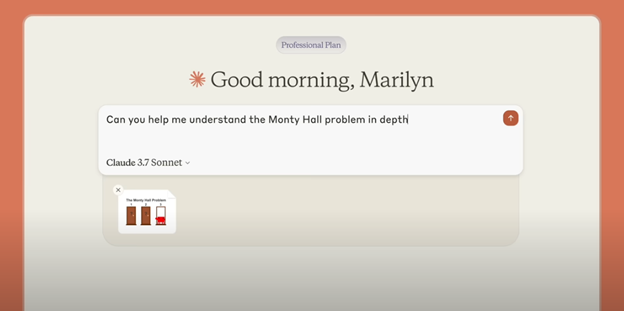
Claude, developed by Anthropic, is an AI assistant designed for professionals who deal with complex tasks like long-form content, research, and data-heavy management. It excels at reading, summarizing, and analyzing large documents while maintaining strong privacy and security controls.
Strengths
- Handles extensive text inputs, ideal for reading or analyzing long PDFs or datasets.
- Useful for teams that need to process large volumes of information quickly without losing context.
- Compatible with Drive, Microsoft, and other apps, allowing collaboration.
Weakness
- Interface can feel more technical compared to simpler productivity tools.
- Currently limited integrations with calendar or voice-driven assistants.
Pricing
Claude offers a free plan with basic document handling and a Pro plan ($20/month) that unlocks extended file size limits, faster processing, and priority access to the latest model updates.
5. Lindy – Best AI Assistant for Workflow Automation and Team Productivity

Lindy is an AI assistant built for professionals who need better workflow automation across multiple apps. It acts as a smart digital coordinator that connects your tools and automates repetitive tasks.
Strengths
- Designed for teams managing complex jobs that need consistent automation.
- Works well with Slack, Asana, and Notion for seamless collaboration.
- Helps small teams and startups manage time and improve productivity by automating daily tasks.
Weakness
- Setup requires some customization before automation runs smoothly.
- The free plan has limited integrations; payment plans unlock advanced scheduling and other features.
Pricing
Lindy offers a free trial with basic automation and paid plans starting at $25/month for more integrations, unlimited task automation, and advanced reporting.
6. Saner.AI – Best AI Assistant for Note-Taking and Focus Productivity
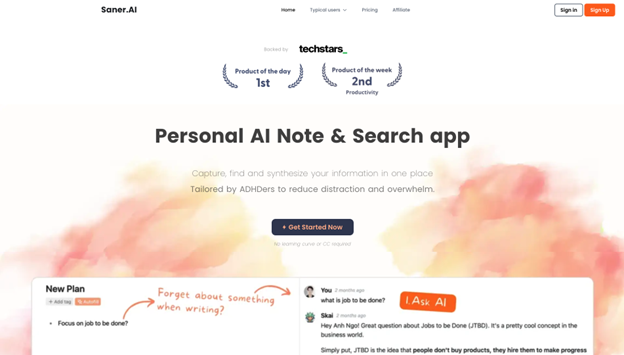
Saner.AI is an AI note and search app that combines note-taking, task management, and focus time features in one productivity application. It’s designed for users who juggle multiple routine tasks and need help staying organized without context switching.
Strengths
- Ideal for professionals and small teams managing multiple projects and information streams.
- Offers smart recommendations that help users focus on what matters and complete tasks efficiently.
- Integrates with Google Drive, Slack, and other apps for smooth data access and automation.
- Built-in summarization and voice notes improve workflow speed and reduce administrative work
Weakness
- While excellent for individual productivity, collaboration tools are limited in the free plan.
- Some advanced features, like complex workflows and analytics, are available only in the subscription plan.
Pricing
Saner.AI offers a free tier for personal use and premium plans starting at $10/month, which include extended note storage, enhanced integrations, and quick answers powered by its AI engine.
Other Notable AI Assistants
While the top tools lead in automation and management, there are several specialized AI assistants that enhance productivity across different workflows and industries.
Reclaim
Reclaim is a calendar-based AI assistant that automatically blocks time for your most important tasks, meetings, and focus time. It helps professionals reclaim their day by preventing overscheduling and optimizing events for better balance.
Motion
Motion uses AI to automate project management and scheduling. It creates smart to-do lists and adjusts events dynamically based on priorities, allowing teams to manage complicated workflows without manual planning.
Copilot (Microsoft)
Microsoft Copilot integrates AI into Microsoft apps like Word, Excel, and Outlook. It helps write, analyze, and summarize emails, and automate repetitive, tedious tasks, making it one of the most practical assistants for enterprises.
Siri & Alexa
Siri and Alexa remain powerful voice-based AI assistants for managing everyday tasks. They excel in controlling smart devices, scheduling reminders, and providing answers through natural voice interaction.
Otter & Fireflies
Otter and Fireflies automate meeting minutes and transcriptions. They record, transcribe, and summarize discussions in real time, helping teams take notes and follow up easily.
GitHub Copilot
GitHub Copilot is a coding-focused AI assistant that helps developers fine-tune and generate code efficiently. It offers suggestions, detects bugs, and simplifies complex tasks for engineers working on large projects.
These assistants extend the power of AI into niche areas like voice, transcription, development, and time optimization.
How Sintra.ai’s AI Bots Can Transform Your Workflow
Sintra's AI team aren't just simple AI assistants. It’s a complete ecosystem of AI agents built to automate everyday tasks, manage workflows, and team performance across business functions.
Each bot is designed to handle a specific area of productivity, combining automation and data intelligence to help small teams and growing companies scale faster with fewer manual processes.
Seomi – The AI SEO Expert
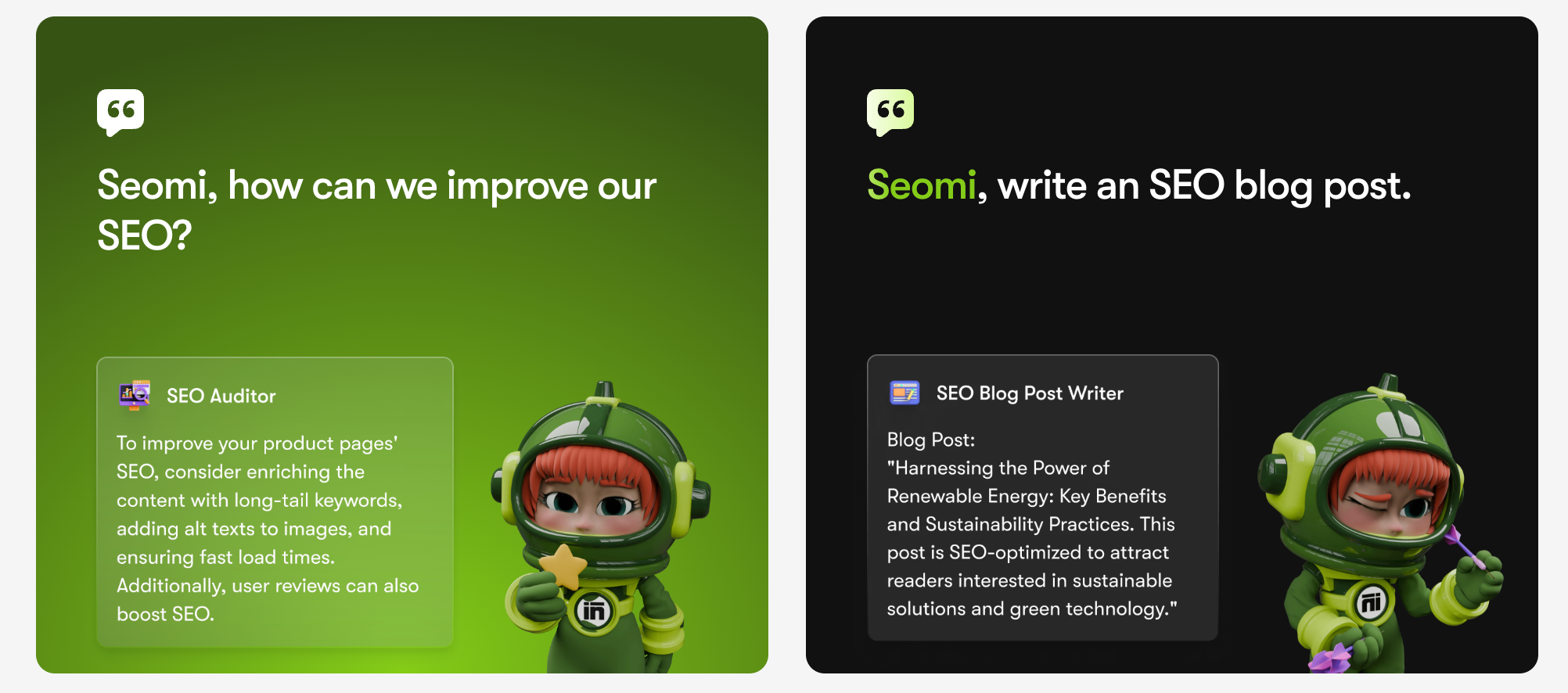
Seomi helps marketers speed things up by automating SEO tasks like audits, keyword clustering, and on-page optimization. It scans your site, identifies gaps, and recommends guided actions for better visibility across search engines.
Penn – The AI Copywriter
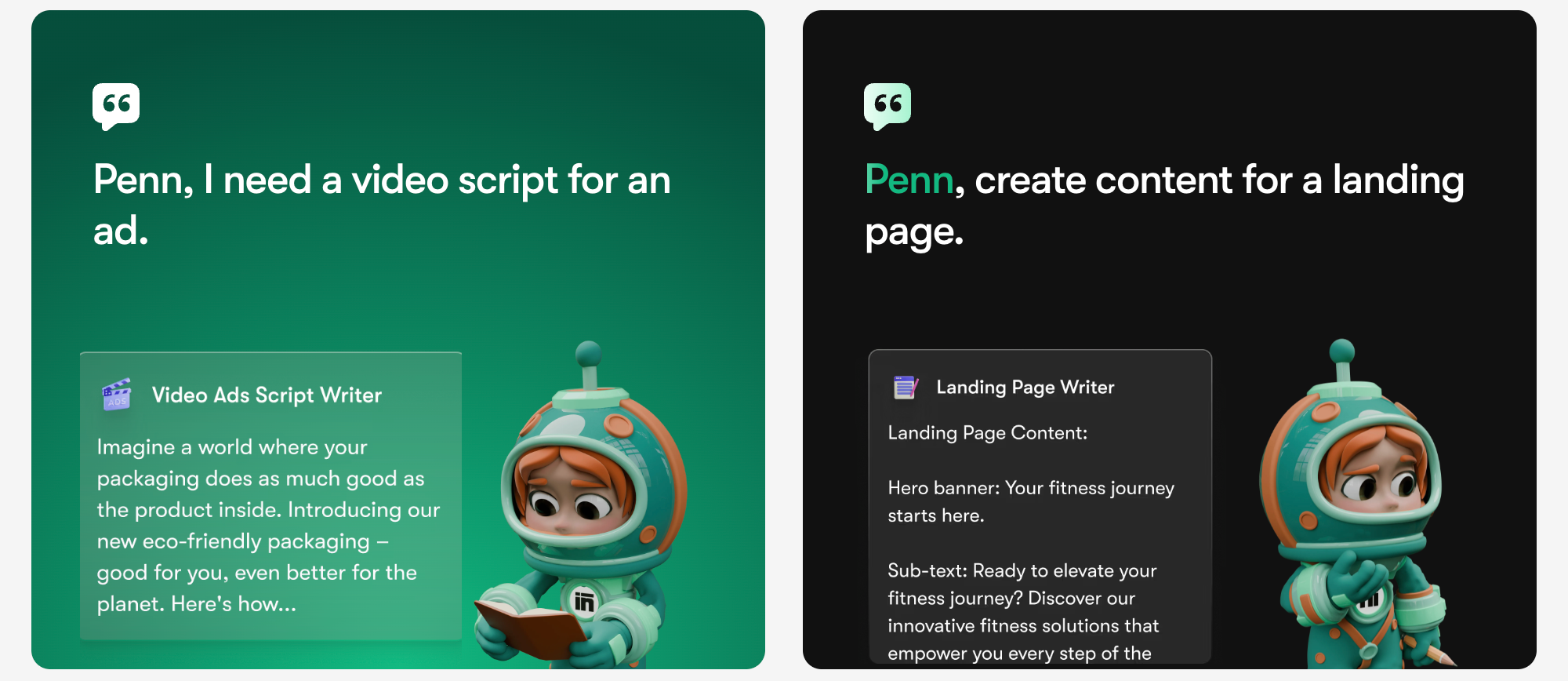
Penn simplifies draft content creation for blogs, emails, and landing pages. It uses natural language generation to produce accurate, brand-aligned writing while helping teams reduce editing cycles and stay consistent.
Dexter – The AI Data Analyst
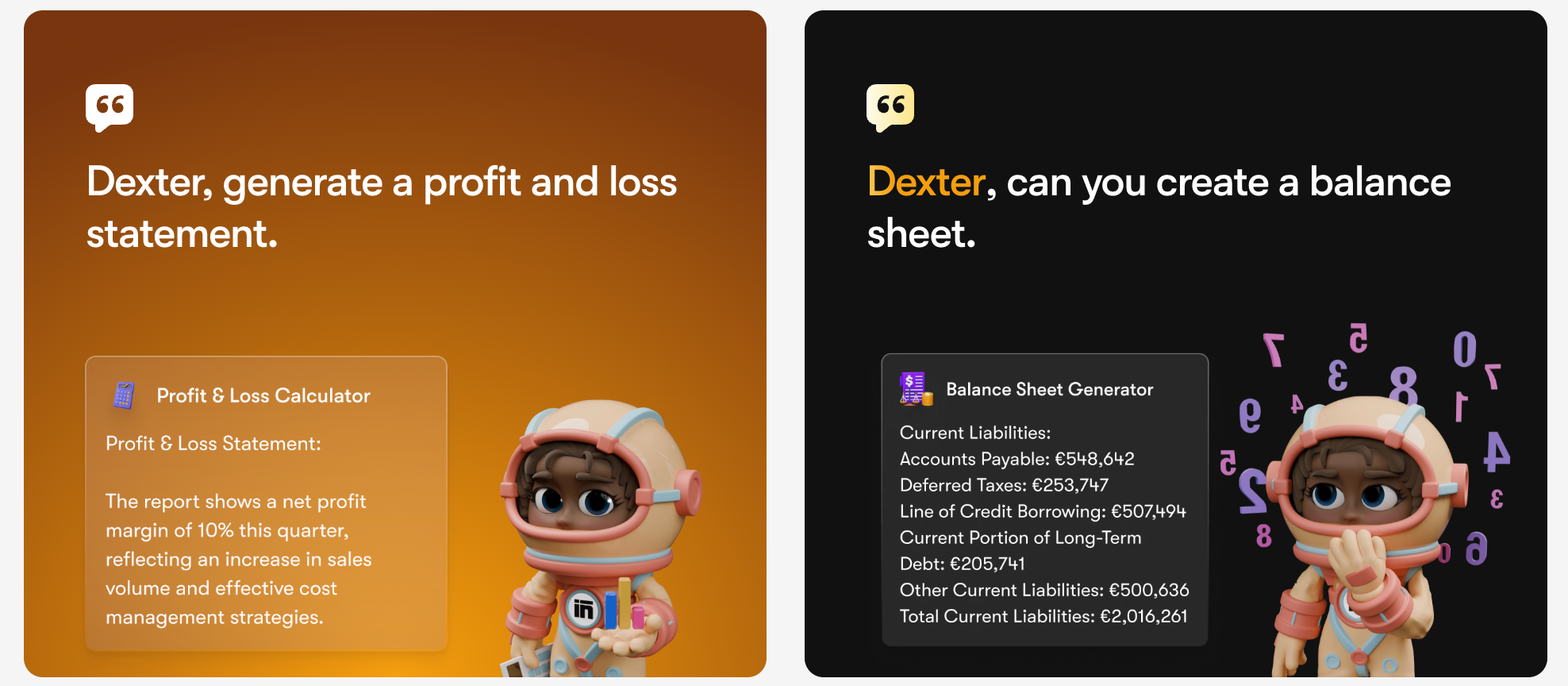
Dexter interprets campaign data, website analytics, and project management reports to deliver answers and actionable insights. It eliminates the need for complex spreadsheets and provides a clearer view of business performance.
Buddy – The AI Business Assistant
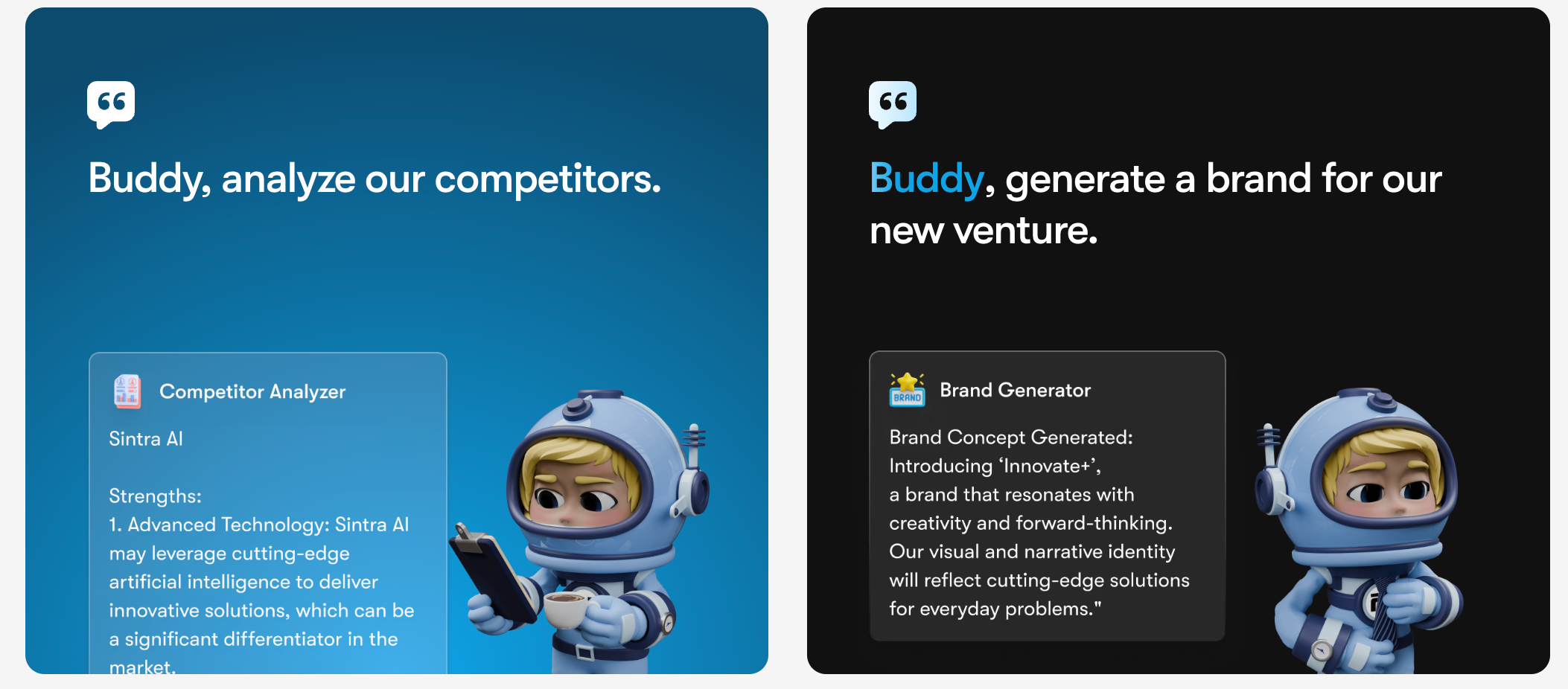
Buddy manages events, meeting coordination, and action items. It syncs with Office, ensuring you never miss important meetings or deadlines.
Soshie – The AI Social Media Manager
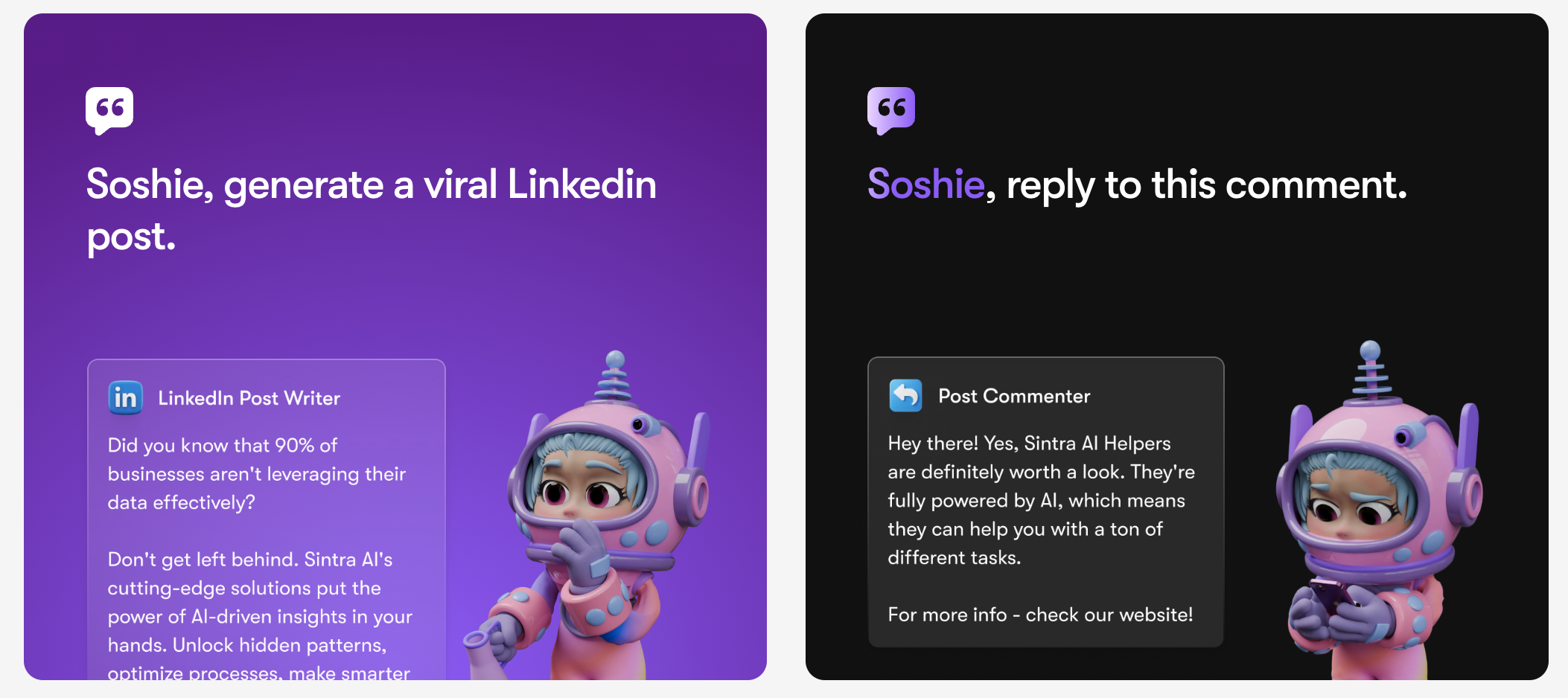
Soshie automates content scheduling and engagement across platforms. It drafts captions, monitors performance, and maintains consistent posting routines, reducing context switching between multiple apps.
Commet – The AI Ecommerce Assistant
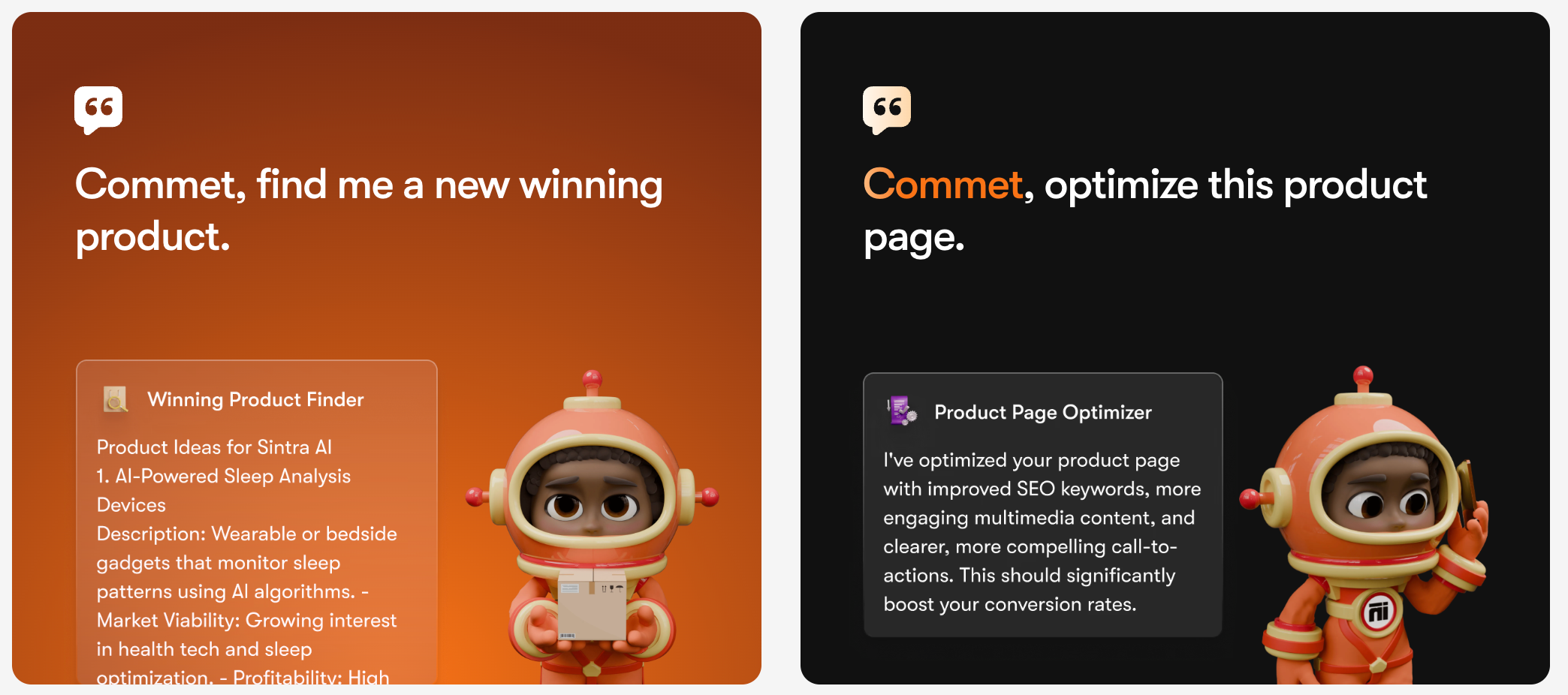
Commet helps manage customer interactions and product queries in real time. It supports note-taking, writing emails, and personalized follow-ups, allowing online stores to improve response rates and conversions.
Unlike most AI assistant tools, Sintra.ai integrates deeply across business operations like SEO optimization, content writing, analytics, and outreach.
Real-World Use Cases: AI Assistants in Action
AI assistants are now core productivity tools that help teams manage tasks, reduce routine tasks, and keep focus during difficult workflows. Here are some real-world use cases:
Marketing Teams for Streamlining Campaigns
Marketing teams use AI to automate project management, content creation, and campaign reporting. Tools like Penn and Dexter help marketers write content, summarize performance data, and identify opportunities faster.
Teams can:
- Create blog posts and emails using natural language prompts.
- Automate follow-ups, social media scheduling, and keyword tracking.
- Use AI tools to extract key insights and generate actionable notes from meetings.
The result is less context switching and more focus on creative and strategic work. AI-powered writing, planning, and reporting help teams fast-track the process while improving content consistency.
Sales and Outreach for Smarter Follow-Ups
Sales teams depend on AI to handle repetitive daily tasks like meeting prep, scheduling, and drafting emails. Assistants such as Buddy automate events in Calendar, summarize client discussions, and send reminders for pending deals.
These assistants:
- Analyze call notes to create actionable tasks for sales reps.
- Draft personalized follow-ups based on meeting outcomes.
- Sync data across CRM tools and Google for visibility.
AI adoption helps sales teams reduce administrative load and focus on relationship building. Instead of spending hours writing follow-ups, they can engage with more leads and close faster.
SEO and Content Teams for Optimizing Performance
For SEO and content teams, AI tools like Seomi automate keyword clustering, audits, and on-page optimization. They help small teams manage difficult tasks like content mapping, internal linking, and competitor tracking.
Teams use these assistants to:
- Identify broken links, missing schema, and performance issues.
- Generate keyword ideas and track search rankings in real time.
- Fine-tune content using AI recommendations and actionable insights.
This level of automation replaces manual work with data-backed actions. By pairing AI assistants with expert review, SEO teams improve accuracy and efficiency without losing brand control.
Operations and Productivity for Coordinating Workflows
Operations and productivity teams rely on AI assistants like Lindy, Reclaim, and Motion to keep workflows aligned. These digital tools, powered by AI, automate schedules, optimize time, and track progress across teams.
Key functions include:
- Automating task management based on priorities and deadlines.
- Coordinating schedules across Google apps.
- Generating summaries and next steps from meeting notes.
By automating routine coordination, these assistants allow managers to focus on process improvement instead of constant oversight. They transform meetings, emails, and to-dos into structured, schedule-driven workflows.
Customer Support and Service for Faster Responses
Customer support teams use assistants like Commet, Fireflies, and Otter to automate note-taking, summarize documents, and provide quick answers during interactions.
Assistants:
- Record and summarize calls for quick reference.
- Draft replies based on AI tools trained on customer tone and FAQs.
- Track support trends using predictive analytics for better planning.
AI assistants now act as intelligent collaborators that bridge automation and human decision-making. They help teams across functions stay focused and manage growing workloads without losing quality or accuracy.
Give Your Marketing Team AI Support
Marketing moves faster when planning, writing, email, SEO, and reporting work together. Use Sintra AI to support campaign work with role-based helpers that keep your marketing tasks organized and moving. Don't wait - start now!
Frequently Asked Questions
How do I choose the best AI assistant for my workflow?
Identify your main goals and tasks first. Choose an AI for SEO daily tasks that supports your needs, such as task management, scheduling, or content drafting. Check for compatibility with tools like Google apps or your CRM to ensure smooth integration.
Are AI assistants safe and secure to use?
Most typical AI tools use encryption and access controls to keep data safe. Choose platforms with two-factor authentication and transparent data policies. Avoid entering confidential or sensitive information into public AI systems.
Can AI assistants integrate with my existing tools?
Yes. The best assistants connect with Slack, Notion, and other productivity apps. They sync calendar events, automate reminders, and manage meeting notes so you can work without switching platforms.
What are the best free AI assistants in 2026?
Popular options include ChatGPT, Gemini, Lindy, and Saner.AI. Each offers a free plan suitable for automating daily tasks and optimizing time. For advanced analytics and integrations, subscriptions provide extra features.
Is Sintra.ai better than other AI assistants?
Yes. Sintra.ai brings together specialized AI bots like Seomi, Penn, Dexter, and Buddy, each built for a specific role such as SEO, writing, or analytics. This makes it a complete digital tool that replaces multiple apps while improving productivity across teams.
Related articles







Copyright © 2026 PlayOS, Inc. All rights reserved