


Using AI in Email Marketing

Table of Contents

Email teams face rising demands with less time. You’re expected to personalize, test, and report fast, while keeping lists clean and campaigns on brand.
Most AI tools for emails sound smart but miss context. They write decent copy that fails to convert. What works is using AI in email marketing as a teammate, one trained on your data, goals, and brand voice. The revenue upside of getting it right is substantial - AI-enabled triggered emails typically generate 10x more revenue per email than batch-and-blast sends, and AI-powered hyper-personalization is on track to make mass blasting obsolete.
This guide is for growth marketers, CRM leads, and lifecycle teams using AI-powered email marketing to scale output and improve ROI. Learn how to automate routine work, personalize at scale, and send personalized emails with AI.
Quick Answer: What's AI in Email Marketing
AI in email marketing helps teams plan, write, and start email campaigns using real data. It combines automation and machine learning to improve how messages are created, targeted, and delivered.
- AI in email marketing uses machine learning to study audience behavior and make faster, data-based decisions.
- It helps marketing teams scale personalization, testing, and performance without extra manual work.
- AI tools find high-performing segments, create relevant content, and choose the best time to send.
- A simple way to start is using an AI assistant to write email subject lines and then A/B test results.
- Human review keeps content accurate, on-brand, and compliant with privacy rules.
Why Use AI for Email Marketing Now?
Over 60% of marketers use AI in their email workflows, and those applying AI-driven segmentation see up to 29% higher engagement. Inboxes are crowded, and AI helpers helps teams act on data faster and with more precision.
Key gains from using AI for email marketing:
- Speed: Automates writing, testing, and scheduling for faster execution.
- Scale: Personalizes content for large audiences without manual effort.
- Insight: Finds engagement patterns and predicts what will perform best.
- Optimization: Learns from results to improve future campaigns.
AI still has limits. It cannot grasp brand tone or emotional context, and it depends on clean, structured data. That makes human review essential for accuracy, compliance, and message quality.
Used effectively, human hands can focus on strategy while AI handles execution and analysis.
Foundation First: Data, Consent, and Brand Context
Before using AI, the foundation must be accurate. AI tools perform best when your data, permissions, and brand assets are complete and up to date. Here is how you can build that foundation:
- Remove duplicates, inactive contacts, and invalid email addresses.
- Confirm that every contact has documented consent.
- Standardize fields like name, company, and behavior data for consistency.
- Upload brand guidelines, tone examples, and approved language into your AI workspace.
- Add sample email marketing campaigns or high-performing emails to train AI on your voice.
- Review privacy settings and ensure compliance with GDPR or regional laws.
A strong foundation helps AI for emails generate accurate, compliant, and on-brand results from day one.
Types of AI Used in Email Marketing
AI in email marketing is powered by a few core technologies that work together to improve planning, personalization, and performance. Machine learning analyzes engagement patterns to predict what will work, such as send time, cadence, and which segments are most likely to convert. Natural language processing helps AI understand intent and generate subject lines, CTAs, and copy that match audience context. Automation systems then use these insights to trigger workflows like welcome sequences, cart recovery, and re-engagement based on real behavior. When paired with a shared brand workspace and clean data, these AI systems produce faster output without losing consistency or compliance.
Core AI Email Marketing Strategies
The most effective AI email marketing strategies combine automation with strong brand context and human review. Use AI to speed up copy creation, generate variations for testing, and personalize content at scale based on lifecycle stage and behavioral signals. Apply AI-driven segmentation to send the right message to the right group, then use send-time optimization and fatigue controls to avoid over-mailing. Finally, run continuous testing, subject lines first, then content blocks, then offers, and let the results guide future campaigns. When these strategies run inside a repeatable workflow with clear QA guardrails, AI becomes a reliable execution layer that improves ROI over time.
AI-Powered Email Copywriting That Converts
AI copywriters speeds up writing, but conversion depends on precise inputs. Give context and direction; let AI handle structure and variation. Here’s a prompt framework you can use:
- “Write five catchy subject lines under 50 characters that match [brand tone] and aim to increase [open rate or clicks].”
- Write three short email body options for [audience] promoting [offer]. Keep sentences brief and on-brand.”
- “Suggest five CTAs for [goal: sign up, download, book demo]. Keep each under six words.”
- “Create two alternate versions focusing on different benefits or emotions while keeping tone consistent.”
Here’s a quick checklist to check before sending:
- Tone matches brand voice
- Claims are accurate and compliant
- No private data included
- CTA fits the goal
- Copy is mobile-friendly
Used correctly, AI to write email copy reduces production time while keeping messaging clear and consistent.
Audience Segmentation and Personalization at Scale
In email marketing with AI, these tools group contacts by lifecycle stage, intent, and behavior, then deliver the most relevant message to each group automatically. Here’s how to segment with AI:
- Lifecycle: Identify where each contact is (new lead, active customer, or inactive user) and adjust message goals for each.
- Intent: Use browsing data, form fills, or product views to gauge buying interest and tailor content accordingly.
- Behavior: Track opens, clicks, and conversions to trigger follow-ups or re-engagement messages at the right time.
Simple Matrix Example
This “next best message” logic helps you send content that fits where each contact is in their journey.
Send-Time Optimization, Cadence, and Fatigue Control
In machine learning email marketing, timing is everything. AI models analyze engagement history, time zones, and device usage to choose when each subscriber is most likely to open and click.
Machine learning also adjusts frequency based on user behavior. Active readers may get more updates, while disengaged contacts receive fewer. This prevents fatigue and keeps engagement steady.
A simple “cool-down” rule works well: if a contact ignores three consecutive emails, pause sends for seven days, then re-engage with a lighter message or new offer.
AI-Powered Testing: From A/B to Multi-Variant and Contextual
In AI email campaigns, machine learning runs and analyzes tests automatically to find what works best. Use a simple testing ladder:
- Test subject lines first to identify which themes get more opens.
- Then test content blocks to learn which layout or tone keeps readers engaged.
- Finally, test offers to see which messages convert most effectively.
AI picks winners based on engagement data, but you should always review results before scaling. Avoid overfitting by testing with new segments and updating inputs regularly.
Automation and Power-Ups for Hands-Off Workflows
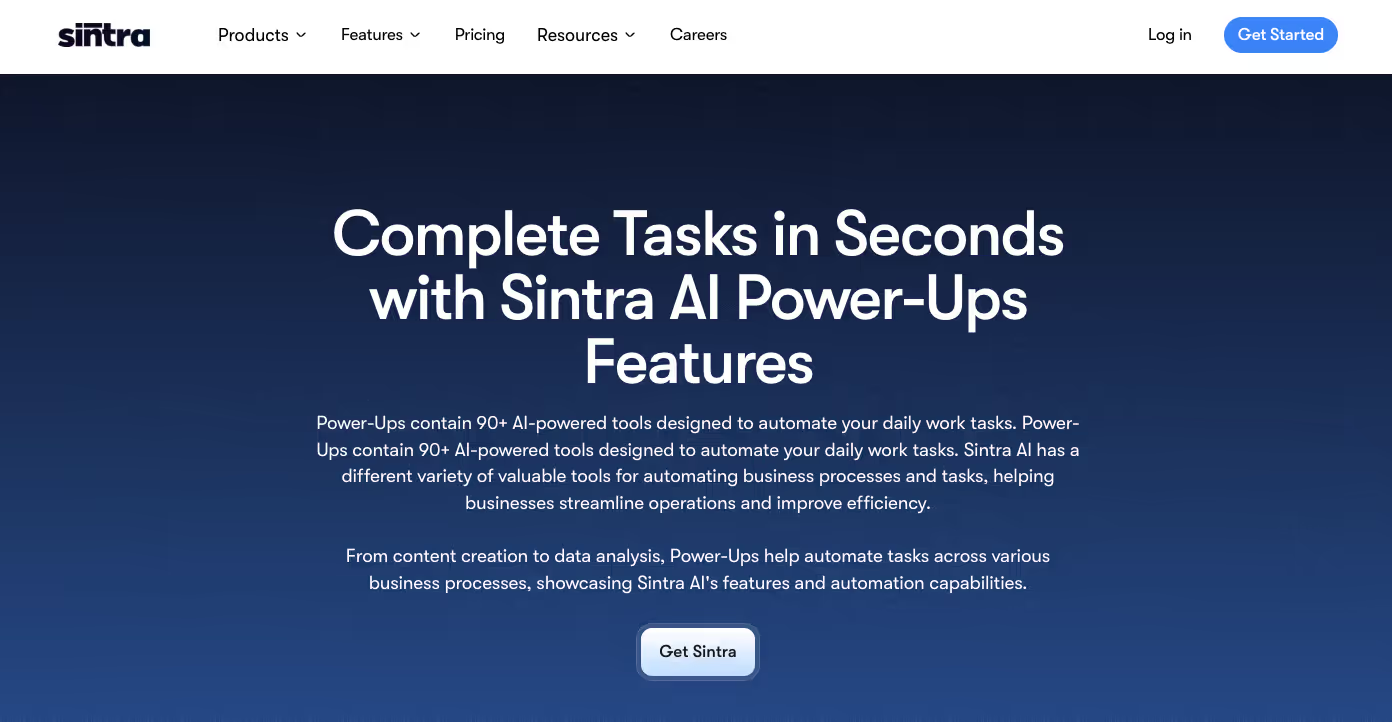
Sintra's AI integrations connect tools and actions, making workflows faster and easier to manage. They handle replies, follow-ups, and triggered sends without manual input.
Here’s how AI-powered email marketing automation works in practice:
- Welcome sequence: Send a tailored onboarding email when someone signs up, followed by helpful next steps.
- Cart recovery: Detect when a user abandons checkout and send a reminder with the saved cart or a limited-time offer.
- Re-engagement: Spot inactive contacts and send a short message with a clear call to return or unsubscribe.
Orchestrating Work Across an AI Team
In AI and email marketing, helpers work best when they share the same data and brand context. Each one handles a focused task that connects to the others.
- The copy helper writes subject lines, email bodies, and CTAs using shared brand tone and goals.
- The support helper manages replies and follow-ups with a consistent tone.
- The strategy helper reviews results and suggests next steps.
- All helpers use one shared workspace with brand assets and audience data to stay aligned.
- Final QA checks tone, accuracy, and compliance before scheduling.
When connected through shared context, your AI team works as a single system that is consistent and easy to manage.
Tool Spotlight – Emmie: AI Email Marketing Assistant

Emmie is an AI email assistant built for crafting effective email marketing automations. It automates campaign drafting, audience targeting, and response handling using data from past campaigns. Here are some use cases:
- Draft complete email sequences, including welcomes, cart reminders, and re-engagement flows.
- Generates segmentation prompts to target audiences by lifecycle or behavior.
- Builds support reply macros for consistent responses to customer messages.
- Optimizes timing and copy using engagement data to improve open and conversion rates.
Emmie integrates with Sintra’s Power-Ups and Brain AI, allowing teams to automate workflows while maintaining brand consistency and compliance.
Budgeting, Pricing, and Proving ROI
The value of AI email marketing depends on measurable savings and conversion lift. A simple ROI model helps you evaluate impact:
ROI Formula
Time saved + Conversion lift − Subscription cost = Net ROI
Example
- 20 hours saved monthly ($800 value)
- 15% lift in conversions ($1,200 value)
- $200 monthly subscription cost
ROI: ($800 + $1,200) − $200 = $1,800 gain per month
You can estimate based on your team’s size and campaign volume using our pricing. Start small, measure results, and scale as ROI grows.
Guardrails: Quality, Bias, and Compliance
In artificial intelligence email marketing, speed means nothing without control. A simple QA process prevents errors and protects your brand.
QA Checklist
- Facts and data are verified.
- Tone matches brand voice.
- Brand terms and claims are accurate.
- Emails meet accessibility standards.
- Unsubscribe links are visible and functional.
- Data is handled according to privacy laws.
Follow this list for every campaign before scheduling. Consistency and review keep automation reliable and compliant.
Step-by-Step Starter Plan for Using AI in Email Marketing
To start with AI for emails, build gradually and measure results at each stage.
- Day 1 – Setup: Connect tools, import contact data, and upload brand guidelines.
- Week 2 – First Tests: Use AI for subject lines and short copy. Track open and click rates.
- Month 2 – Automations: Launch simple workflows like welcome and re-engagement sequences. Measure time saved.
- Month 3 – Scale: Expand to segmentation, testing, and performance optimization. Track conversion lift and ROI.
Each step builds confidence and data for smarter automation at scale.
Case Snapshot – From Manual to AI-Assisted Email
Client: Simply Precious Hands
Industry: Health and wellness services
Goal: Reduce manual email tasks and improve campaign consistency

Before Using AI
The team at Simply Precious Hands spent 5–10 hours each week managing manual email tasks. Every campaign required list updates, one-off messages, and manual follow-ups. Missed sends and inconsistent communication made it hard to maintain customer engagement or scale outreach.
After Implementing AI
Using email marketing with AI, the business uploaded its brand tone, contact data, and campaign goals into Sintra’s platform. Automated workflows replaced manual processes:
- A welcome series introduced new clients automatically.
- Behavior-based triggers sent timely follow-ups and reminders.
- AI segmentation ensured each message matched audience intent.
The result: consistent communication, stronger engagement, and 5–10 hours saved weekly, time the team now uses to grow the business.
Ready to Get Started with AI Email Marketing?

AI in email marketing helps you work faster, personalize messages, and improve testing without extra effort.
Load your brand tone, data, and goals into the platform. Then let specialized helpers write, segment, and test your campaigns. Each task runs with context, giving you consistent, accurate results.
Start small and measure results as you go. Get started with Sintra and see how AI makes email marketing simpler and more effective from the first campaign.
Using AI in Email Marketing FAQs
Can AI write my emails end-to-end, or do I still need a human editor?
AI can write complete emails, but human review is essential. Editors check tone, accuracy, and compliance before sending. This balance ensures every message sounds authentic and aligns with brand standards.
What are the risks of AI-generated email content?
The main risks include factual errors, off-brand tone, and privacy issues if data is misused. Use approved datasets, review all outputs, and maintain control over final approval to avoid these problems.
How can AI improve testing and optimization in email campaigns?
AI runs multiple versions of subject lines, content, and offers at once. It tracks engagement data, identifies the top performers, and applies those insights to future campaigns automatically.
Can AI integrate with existing email or CRM platforms?
Yes. Most AI in email marketing tools connect directly with platforms like HubSpot, Mailchimp, and Salesforce. This allows data sync, automated workflows, and faster reporting without switching systems.
Related articles


.avif)




