



Best AI Assistant in 2026: We Tested & Ranked the Top 8


Table of Contents

TL;DR - Best AI Assistants
Here's our shortlist across business, personal, and voice needs:
- Sintra AI – Best for business automation with role-based AI assistants and shared company memory.
- Notion AI – Best for notes, docs, knowledge management, and workspace search.
- ChatGPT – Best for writing, research, brainstorming, coding, and everyday productivity.
- Microsoft Copilot – Best for teams working inside Microsoft 365.
- Google Assistant – Best for voice commands, smart devices, reminders, and quick search.
Juggling between meetings, tight deadlines, unread email threads, and recurring reminders can be overwhelming. Thankfully, AI assistants can do the heavy lifting for you. These AI-driven tools automate complex tasks, boost productivity, and save your focus for what’s important.
These benefits have completely changed how businesses see work. A Harvard Business School study of 758 BCG consultants found that workers using GPT-4 completed 12.2% more tasks, 25.1% faster, with 40% better quality, with the biggest gains among less experienced workers. Today, the AI assistant market is projected to grow to $83.66 billion by 2030.
But the problem is: not all AI assistants are meant for you. Some are developed for business execution, while others are for personal productivity. Here is a quick rundown of the top 8 AI assistants in 2026, so you can make an informed decision.
The Best AI Assistants at a Glance
Here is a list of AI assistants you must try in 2026. So who is the best assistant? For business, Sintra AI leads, though the right pick depends on your needs.
| Tool | Best For | Standout Feature | Who Is It For? | Pricing | Platform Availability |
|---|---|---|---|---|---|
| Sintra AI | Agent-based business-focused automation assistants | A centralized memory that acts as context for specialized assistants across interactions. | Solopreneurs, small businesses, and project management teams that need to automate dynamic workflows. | No free plan; paid plans start at $15.60 per month. | Web, iOS, Android |
| Notion | Note-taking and document management | Deep, context-driven assistance directly inside the workspace. | Individuals and teams already using Notion as their main workspace. | Free plan available; paid plans start from $10 per month | Desktop, mobile, web, Linux |
| ChatGPT | Brainstorming, writing, and search queries | Advanced reasoning and autonomous agent capabilities for task completion. | Solopreneurs, marketers, and content creators who need help with idea generation. | Free plan available; paid plans start from $20 per month | Web, iOS, Android, macOS, Windows |
| Microsoft Copilot | Automation of repetitive work tasks (email, writing, scheduling) | Native integration inside the Microsoft 365 work ecosystem. | Professionals and enterprises using Microsoft 365 apps that need AI document assistance. | Free plan available; paid plans start from $18 per month | Microsoft 365 ecosystem, Windows, mobile, desktop |
| Google Assistant | Scheduling, reminders, and sending emails | Conversational dialogue with deep Google ecosystem integration. | Android users and smart home enthusiasts using the Google ecosystem. | Free to use; hardware may add to the cost | Android phones, tablets, iOS, Android TV, Google Nest |
| Amazon Alexa+ | Smart home management and basic calendar tasks | Strong third-party compatibility for smart home automation. | Prime users who want hands-free smart home control. | Free for Amazon users; otherwise $19.99 per month | Cloud-based, web, mobile apps, Amazon devices |
| Reclaim | Protecting focus time and personal habits | Smart management of recurring work and personal events. | Professionals and teams juggling meetings, deadlines, and personal priorities. | Free plan available; paid plans start from $10 per month | Google Calendar and Microsoft Outlook |
| Motion AI | AI-powered project management | AI scheduling that automatically optimizes projects and tasks. | Project managers and remote teams overwhelmed by task planning. | Free plan available; paid plans start from $29 per month | Web, iOS, Android, calendar integrations |
How We Tested and Ranked These AI Assistants?
Adding an AI assistant to your workflow for the sake of it does nothing. This is why you should be thorough in selecting these tools. For starters, a good AI-powered assistant helps you be productive throughout your workday while reducing the cognitive load. Below are the top AI assistants ranked by how they performed in our hands-on tests.
To help you choose, we came up with this selection criteria and tested each assistant against it.
- AI Specialization - Core functionality, such as code generation, AI scheduling, document management, email drafting, smart home control, and project management.
- Ease of Deployment and Management - No-code tools with intuitive dashboards, conversational interface, and guided onboarding.
- Contextual Understanding - How accurate is your AI assistant at understanding and processing user queries? Whether it comes with a centralized business knowledge space like Brain AI.
- Workflow Impact - Does your AI tool enhance or disrupt the routine development and growth work patterns? How much overhead is required to get value from your assistant?
- Customization and Scalability - Tools with a scalable structure and ones that allow personalization to your specific requirements.
- Automation Capabilities - Options that can streamline routine, repetitive, and time-consuming tasks.
- Consistency over Time - Does your AI assistant perform the same across multiple sessions?
8 Best AI Assistants for 2026
Sintra AI (Web)
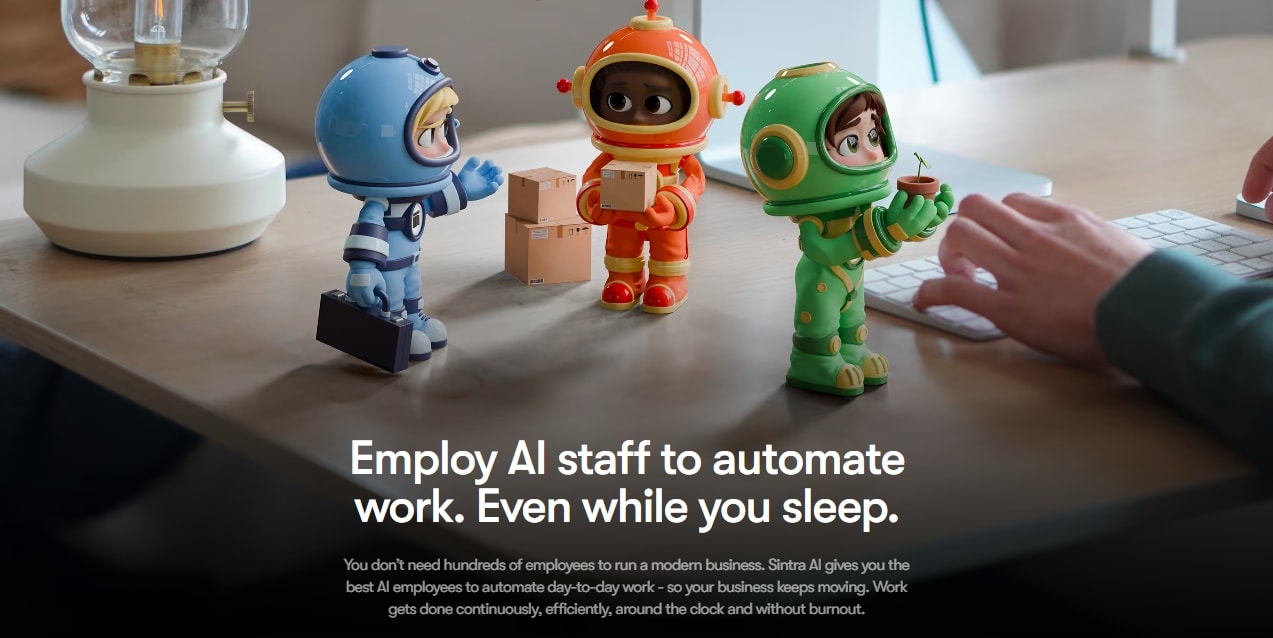
Our platform gives you a full AI team, not just one general chatbot. Each helper is built for a clear business role, so you can move faster across daily work.
Some of the key AI assistants include:
Each one works like a focused AI employee for its area. One can help with planning, another with content, another with social posts, and another with customer replies.
The main advantage is Brain AI. It stores your brand voice, files, customer details, goals, and past instructions, so each assistant works from the same business context.
That means you can use Sintra to plan work, create content, manage social posts, support customers, and reduce repetitive tasks without briefing a new tool every time.
Key Features
- 90+ use cases across domains that perform tasks directly from the chat interface without lengthy prompts.
- Supports over 100 languages, making it accessible for global teams and international customers.
- No-code conversational interface for non-technical users and smooth onboarding.
- Up to five workspaces, each customizable for your business.
- Third-party integrations, including Google Workspace, Calendars, social apps, work platforms, and more.
- A knowledge hub that stores our brand guidelines, custom instructions, documents, and customers’ data.
Pricing
Sintra’s pricing starts at $15.60 per month, offering 12 helpers, 250 credits, and 15+ integrations. Find out more about subscriptions for individuals and businesses from here.
Notion AI (Web)
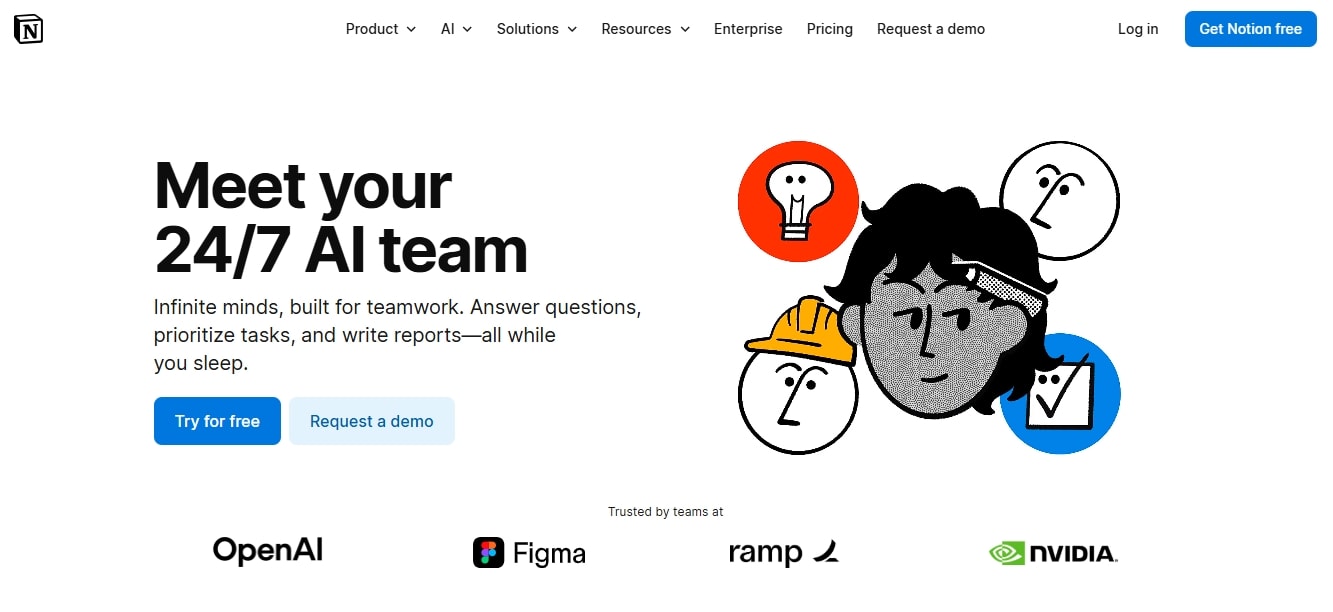
Notion AI is built for managers who want AI help across databases, documents, and notes. So, you don’t have to juggle between tools. This AI personal assistant helps teams summarize, repurpose, and brainstorm from your notes.
Unlike traditional AI notetakers, Notion is built on your business knowledge base and cares about the context. You can even narrow down specific docs, team conversations, and connected tools (Drive, Slack, etc.) to pull the context.
Let’s say you attended a project management workshop and asked Notion to summarize something specific, like the importance of risk management. It won’t just search keywords. Rather, it scans the entire page and your workspace to get the context and deliver a relevant response.
In the package, you also get a workspace-wide AI chat that uses GPT-4 and Claude to respond to queries. Accompanied by pre-built custom templates, the first step becomes effortless. Simply ask the chat to help you plan, find a suitable notes layout, and that’s it.
Key Features
- Enterprise search that connects all your company’s tools into one search interface with NLP capabilities.
- Notion Calendar that combines multiple calendars to manage time and activities.
- Third-party integrations, including Slack, Asana, Jira, and Google Drive.
- Custom databases that help you organize data into subtasks, deadlines, dependencies, and other custom properties.
- AI-driven agent search to generate content, make edits, and answer questions (regarding projects) across workspaces.
- AI-powered meeting assistance that helps you record, transcribe, and summarize meetings.
Pricing
Notion offers a free plan for individuals with limited file uploads and page history. The paid prices include Plus, Business, and Enterprise, starting at $10 per month.
ChatGPT (Web, iOS, Android)
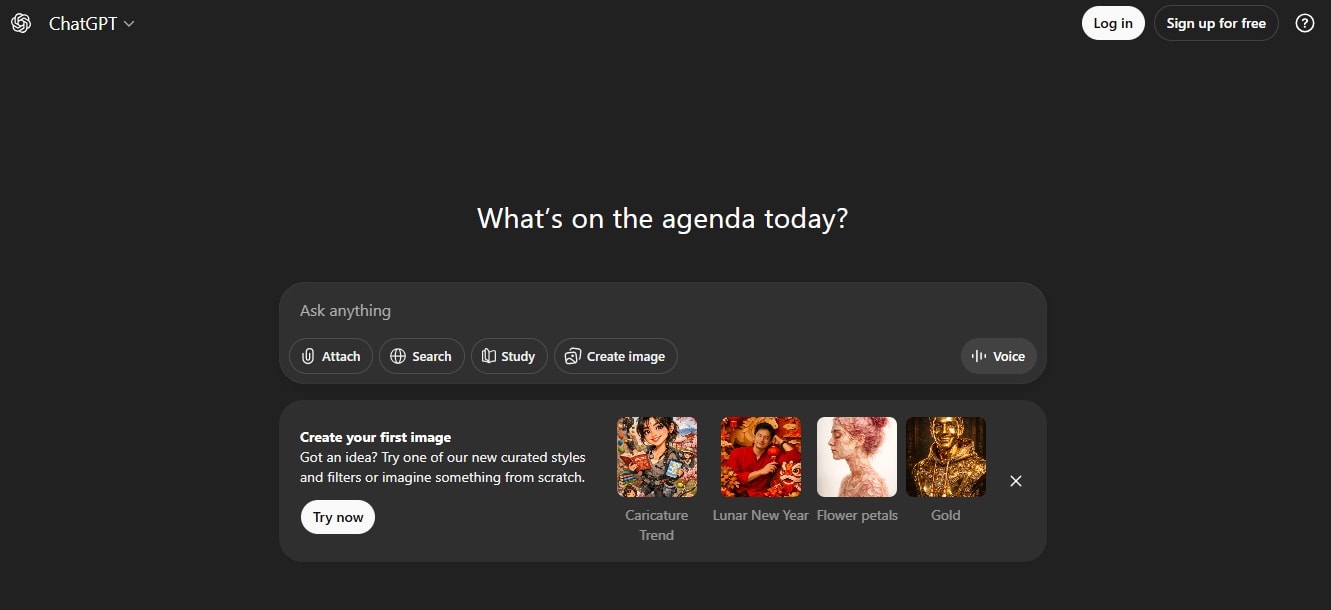
From OpenAI, ChatGPT is an advanced AI assistant that uses Natural Language Processing to mimic human conversations and get work done faster. Many corporate and creative teams treat it as their creative partner for routine tasks: writing, summarization, brainstorming, coding, and planning.
The newest version, GPT-4.0, is faster and better at handling multimodal conversations. You simply type a query, and this phone AI assistant will respond via text, audio, visuals, and even video accordingly
The highlight of the new GPT version is the combination of o-series models it consciously uses to respond to your query. Simply put, it acts like a real agentic assistant that decides when to use the right tool, be it file details, image generator, or deep search, based on the prompt.
Moreover, the voice capabilities have also improved significantly. It can now hold real-time, natural-sounding conversations with tone and sentiments. If you use the AI assistant app regularly, it will update your preferences in its memory for personalised suggestions.
Key Features
- Generative capabilities that assist you with email drafts, reports, summarization, data analysis, brainstorming, and ideation.
- Voice mode, with which you can enjoy a natural, personalized conversation.
- Multimodal capabilities that understand and process videos, images, text, and audio.
- Web browsing that helps you search for recent, relevant, and up-to-date information from the internet.
- Deep search and multi-step search help you research topics in depth.
- Enhanced memory that stores useful user information and preferences for relevant and tailored responses in the future.
Pricing
The ChatGPT free plan offers you access to GPT-4o with basic features. The Plus plan with image generation and higher usage caps starts from $20 per month. The business plan starts from $30 per month.
Microsoft Copilot (Web, Windows)
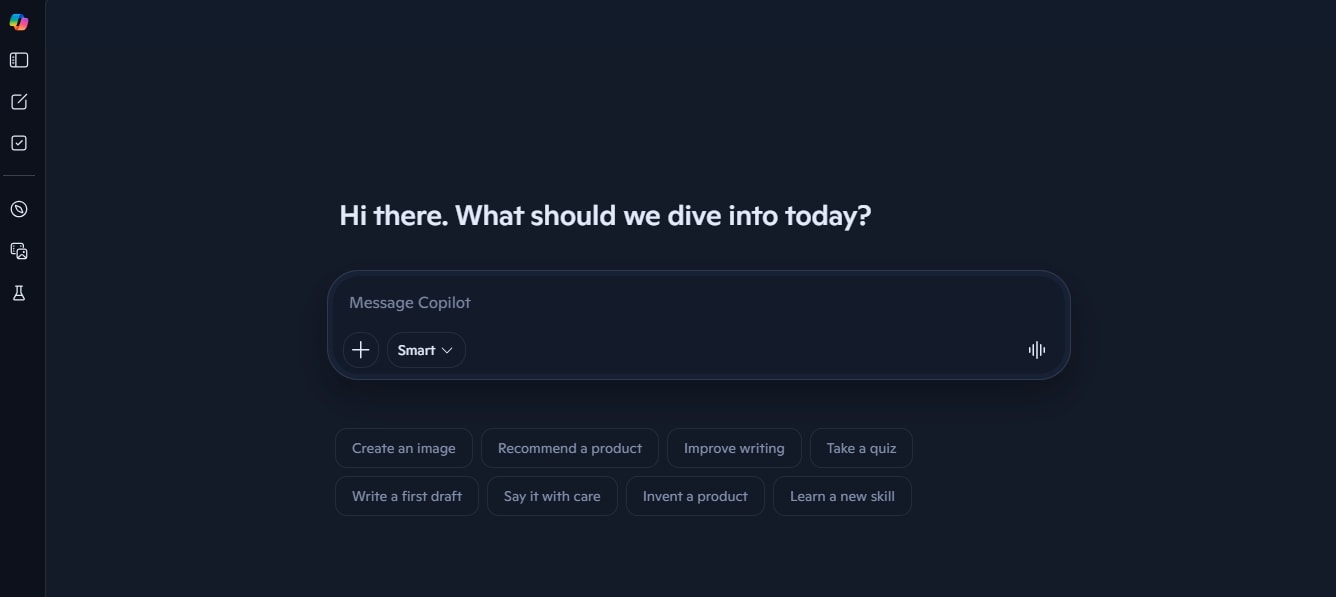
Microsoft Copilot is best for users who work within the Microsoft 365 ecosystem and require frictionless contextual assistance across its applications. This AI assistant gets into your calendar, Excel files, and Word documents to help you work faster and stay organized.
CoPilot is trained on powerful LLMs from OpenAI and Bing web-scraping data to produce accurate and relevant results. Unlike traditional conversational assistants, this AI learns from your interactions. So, even without an updated model, it understands your patterns, learn your preferences, and becomes more relevant.
Similar to ChatGPT, this AI-powered assistant has a user-friendly conversational chat interface. For productivity, you can use it to draft emails, summarize content, and sort Excel files. And, its LLMs are capable of retrieving context from lengthy documents.
While it lives inside your 365 apps, you can still integrate it into several external tools, such as Salesforce and Asana, to facilitate complex workflows
Key Features
- AI-powered content generation, data visualization, data analysis, brainstorming, and summarization.
- Built-in integration with MS 365 apps, including Word, Excel, PowerPoint, Windows, Teams, and Outlook.
- It can pull context from emails, calendars, and other MS files.
- Real-time collaboration in work mode (across Teams and Outlook) with intelligent suggestions.
- Microsoft Teams integration for meeting management, including recording, transcribing, and collaboration.
- Enterprise-grade security built on Microsoft cloud infrastructure.
Pricing
Aside from the free version, Microsoft Copilot offers various subscriptions for individuals, businesses, and enterprises, starting at $18 per month. The Copilot Studio with custom agents starts from $200 per month.
Google Assistant (Mobile, Smart Devices)
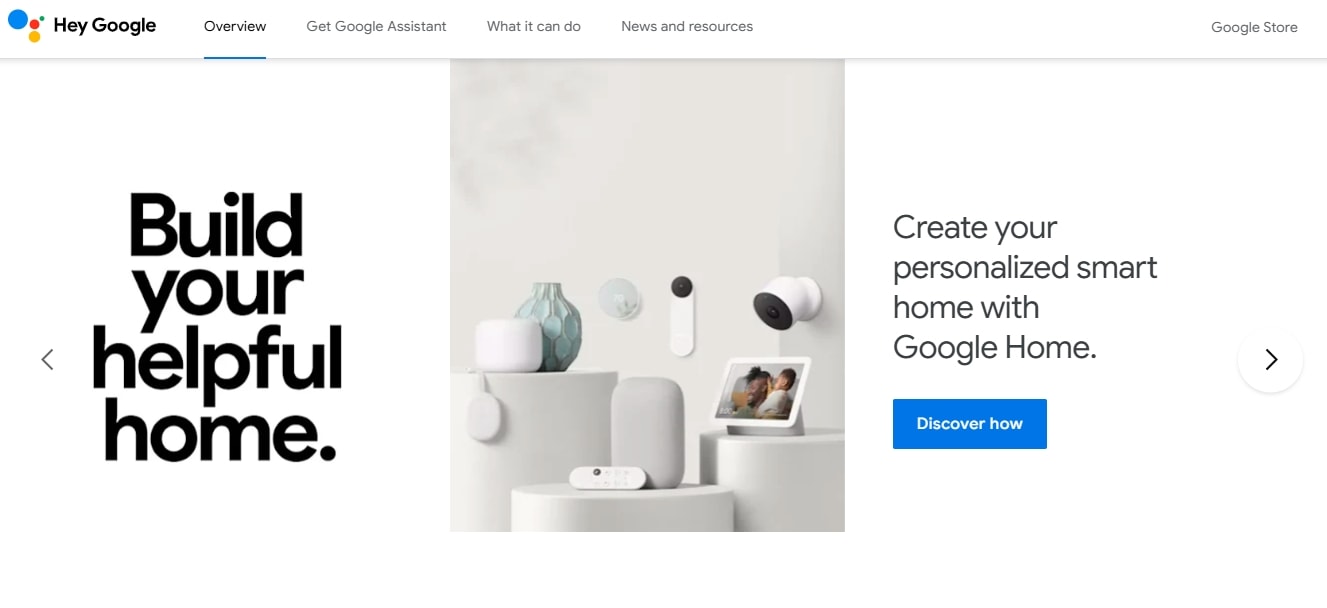
Google Assistant is an advanced task-oriented voice assistant AI that automates and simplifies multi-step complex commands, including home control and mobile voice interactions. It can set reminders, understand user queries via NLP, and control your phone settings. But more than that, you can get it to read your article, screen calls, plan meetings, and more.
What makes it stand out is its comprehension. Google Assistant accurately understands queries, even with background noise. You will find that most responses are aligned with the question’s context, and sometimes, they often provide additional information.
You will also find the assistant faster than Siri and Alexa. Simple tasks, such as opening apps or setting reminders, only take a few seconds. However, it’s important to consider that it's not for lengthy, multi-turn commands, given that it’s not entirely built for complex business automation.
Experts believe that Gemini will eventually replace the Assistant as the default on Android devices. It is already being integrated into Google Nest for a more personalized and conversational experience. So, Google Gemini would be a recommended choice for users deeply integrated into the Google ecosystem, as it works with Gmail, Calendar, and Drive.
Key Features
- AI-driven consumer voice search for weather, sports, general knowledge, finance, calculations, conversions, etc.
- Daily reminders and alarms with calendar management.
- Smart home automation, including a thermostat, light control, and security cameras.
- Hands-free communication that allows users to make calls, read messages, and control Android apps.
- Automated tasks and to-do lists to keep you organized throughout.
Pricing
Google Assistant is free to use on your phones, tablets, and smart speakers. However, if you want to include hardware with the package, the GoogleNest Mini starts at around $60.
Amazon Alexa (Smart Devices)
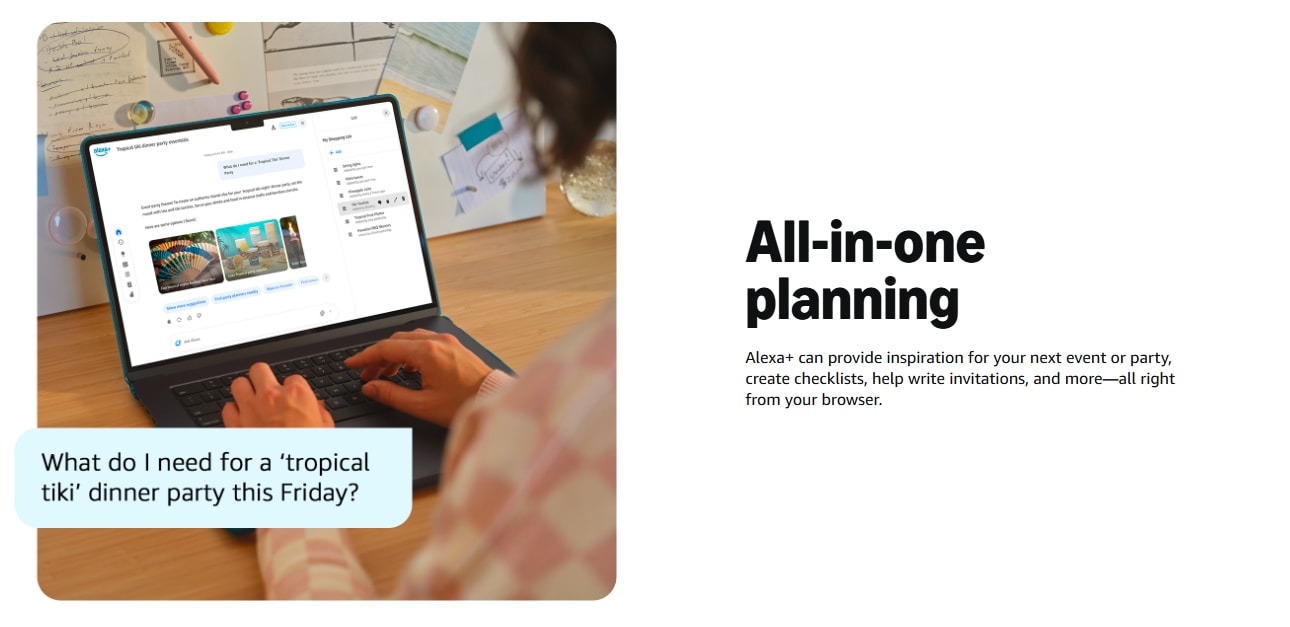
Amazon Alexa is yet another task-oriented consumer voice assistant, designed for smart home control and work automations. The new upgrade, Alexa+, offers human-like conversational interactions. For now, it’s freely accessible for all Prime members and Alexa users.
Unlike previous models, Alexa+ is a much better conversationalist, thanks to its eight adult voices, including the original Alexa. Even with complex questions, it answers quickly. So, no more hmm sounds. It can also retrieve details from past conversations and calendars almost immediately.
Another good thing about Alexa is its contextual reminders. Beyond standard notifications, it can trigger alarms for a specific time, date, and action. Let’s say you have a favorite series coming up tomorrow. You can ask Alexa to set a recurring notification about the show every to hours and stop only when you acknowledge the message.
The Alexa+ also has great potential for delivering news. Amazon has partnered with 200+ news outlets, including the Washington Post and Reuters. So, it can easily tailor a news package just how you like it, with political headlines, sports tournaments, and daily metro briefings.
Key Features
- Automated playlist creation with custom themes, moods, artists, and genres.
- A memory that updates with previous interactions and preferences.
- Smart home control with device monitoring (ring devices, thermostats, lights, etc).
- External integrations with OpenTable, Ticketmaster, Uber, DoorDash, and FireTV for reservations, entertainment, and fitness.
- Reminders imported from emails and calendars.
- Scheduling capabilities that generate color-coded calendars to manage routine activities.
Pricing
Alexa+ is free to Prime members and Echo device owners. For everyone else, a subscription fee of $19.99 applies every month.
Reclaim AI (Web)
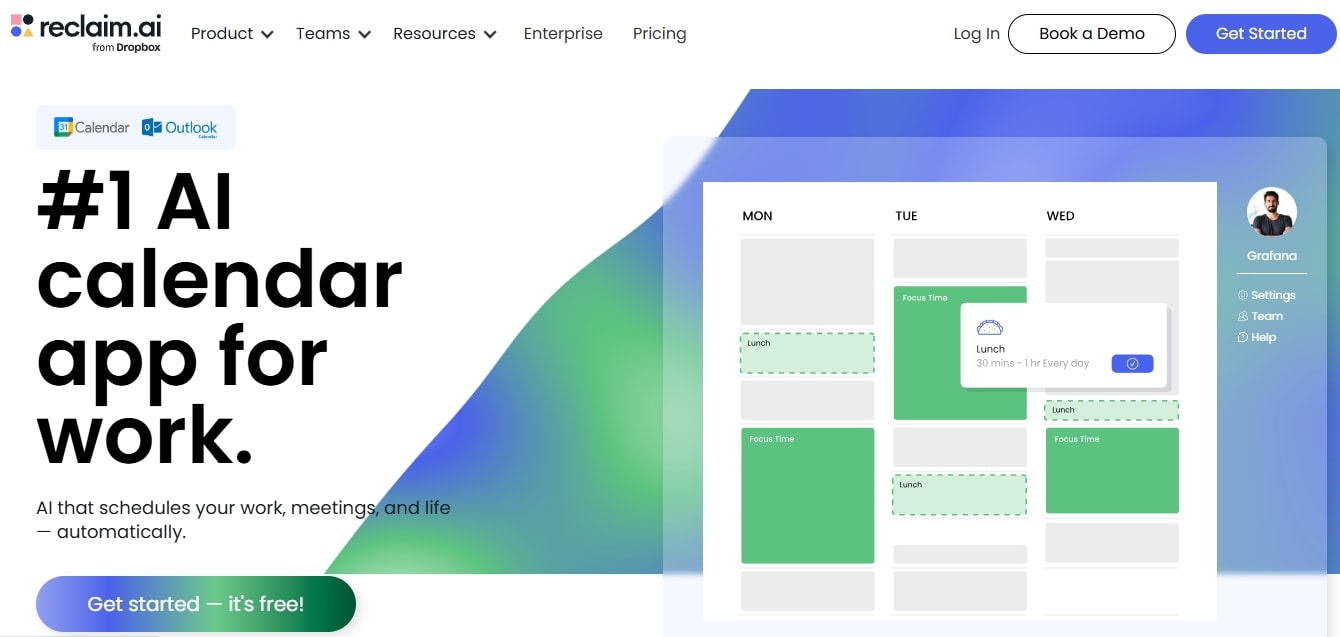
Struggling to keep up with your habits with time constraints? Try Reclaim AI. It is an advanced AI scheduling assistant that helps you balance your professional workday and personal life by planning effectively. You can use Reclaim AI with both Google Calendar and Outlook (beta).
To get started, you integrate it with the Calendar and set up things like your working hours and routine habits. Then, you dictate AI Time Defense to prioritize your to-do list. With this feature, you have the freedom to rank habits as Most Flexible, Let Reclaim Decide, and Most Defensive.
Let’s say you have an urgent meeting coming up. It will readjust habits (such as learning) to make space without interfering with the rigid morning routine.
That’s not it. Tracking your day on Reclaim is equally easy, all thanks to the Planner screen. It displays three lists, including high-priority habits, low-priority tasks, and open activities. So, with just a glance, you know what is going on. The best part? As the display populates, this AI scheduler keeps an eye on the deadlines and sends you frequent reminders.
Key Features
- AI-powered auto-scheduling functionality for important habits, meetings, tasks, and focus time.
- Automated time blocking that protects your focus time and habits within your existing calendar events.
- Smart meetings that help you allocate the best time to connect every week across your teams’ calendars.
- Calendar sync to protect your personal and work events to prevent double-booking.
- Buffer time that automatically protects breaks throughout your day.
- Personal time tracking that analyzes your weekly productivity across activities (meetings, focus time, free time, etc).
Pricing
Reclaim offers a free version for one user, one week of scheduling link, and one habit. The paid subscriptions are available for individuals, businesses, and enterprises, starting at $10 per month.
Motion (Web, Desktop, Mobile)
Motion is a productivity calendar that helps you manage projects effectively. Over time, this AI scheduling assistant has expanded to include advanced tools such as AI employees and a collaborative workspace.
For starters, it has all the good project management capabilities. The display has a projects and tasks tab that breaks down everything for your team, from assigned tasks to conversations and deadlines. You also get a risk management tab with labels that update as you progress with the tasks. This way, your day is built on maximum clarity without any effort.
But the highlight of Motion is its AI employees, designed to automate routine tasks, so your team can focus on growth. You can ask these agents to take meeting notes, document standard procedures, draft planners, and more. This way, everyone stays on the same page.
Though it takes time to adapt to these employees, the payoff is significant. The more you interact with them, the more precise and relevant it gets. At some time, these employees won’t even require human supervision, which is great for small teams.
Key Features
- AI calendar capabilities that automatically schedule tasks, meetings, and breaks based on your availability and priorities.
- A meeting assistant that joins, records, summarizes, and transcribes meetings for you.
- Built-in project management toolkit that allows you to automatically generate project plans, optimize resource usage, and rearrange timelines.
- A conversational chat interface that helps you search conversations, projects, tasks, and more within workspaces.
- An AI Gantt chart that visualizes projects over time with labels, dependencies, milestones, deadlines, etc.
- An AI docs assistant that helps you write and organize documents faster.
Pricing
Aside from the free version, Motion offers varying subscriptions for solo professionals, small teams, and enterprises, starting at $29 per month.
Best AI Assistant for Notes and Knowledge Management
A quality AI assistant for knowledge management combines natural language processing and semantic search to answer questions, produce accurate transcriptions, and extract key information from text.
Notion AI (Web) for Automated Notes Management
Notion AI is an advanced personal AI assistant that helps you think bigger and spark your creativity, without compromising on speed. Unlike automation-focused VAs, Notion takes care of your notes management. It reads docs, writes fresh content, makes notes, transcribes meetings, and sorts documents, all with minimal effort.
- Best For: Solopreneurs, marketers, and small teams already using Notion workspace to manage their routine note-taking.
Best AI Voice Assistants
Most AI-driven tools have voice assistants in some way or other. However, they don’t necessarily qualify as a true voice assistant. That applies to the eight AI assistants mentioned above. Some of them focus on text, while others focus on automations or specialized tasks.
To be known as a true artificial intelligence voice assistant, the agent must employ NLP and speech recognition to understand, interpret, and respond to human speech. These tools help you get hands-free help in your day-to-day life.
| AI Voice Assistant | Platform Availability | Voice Accuracy | Ecosystem Integration | Contextual Understanding | Response Time | Multi-Step Command Handling |
|---|---|---|---|---|---|---|
| Google Assistant | Android, iOS | Excellent | Smart home IoT, Android apps, and entertainment channels | Intermediate | Instantaneous | Intermediate |
| Amazon Alexa | Cloud-based, primarily on Amazon-branded devices | Better | Smart home IoT, cloud services, and third-party hardware (TV, wearables, etc.) | Basic | Fast | Basic |
| ChatGPT | Desktop, smartphones | Excellent | In-app ecosystem (Spotify, Canva, Zillow), deep platform integrations (Microsoft, Salesforce), and third-party plug-ins | Advanced | Average, delayed in some cases | Advanced |
Google Assistant (Android, Smart Devices) for Context Awareness and Information Retrieval
Google Assistant outshines its consumer voice assistant AI competitors, thanks to its accuracy and context understanding. It uses NLP to interpret and respond to multi-step complex commands almost instantaneously. Google Assistant also excels at retrieving information from the Google search database. The only downside: your interactions go through the Google infrastructure at the cost of privacy.
- Best For: Casual and productivity-focused users who want voice-activated help with context-driven daily tasks, such as home device control, reminders, scheduling, etc.
Amazon Alexa (Echo Devices, Smart Home) for Hands-Free Assistance
Amazon Alexa, especially the updated Plus version, is a top-tier smart home AI voice assistant. It offers great voice recognition, hands-free assistance, wide compatibility, and personalized use. Compared to predecessors, Alexa+ has an enhanced memory that stores your past interactions and helps you with complex tasks, such as meal planning and reservations.
However, recurring complaints about the device always listening to users have caused a dip in its reliability, especially among professionals.
- Best For: Casual home owners seeking affordable voice-activated tools for smart home automation and entertainment.
ChatGPT (Voice Mode – Mobile App) for Nuanced Conversations
ChatGPT takes the prize for its contextual awareness and emotional nuances. The GPT-4o model mimics human tone and pauses to help you with tasks, such as brainstorming, idea generation, and planning. Though it's better for two-way dialogue, this AI assistant app can also retrieve information from the web. That said, it cannot directly control devices like Alexa or Google Assistant.
- Best For: Busy professionals seeking hands-free assistants and individuals who like to think aloud.
Best AI Assistant for Scheduling and Productivity
Productivity-focused AI assistants help you optimize time and resource allocation so that you can balance work and personal life. These tools focus on automating repetitive tasks and managing calendars (scheduling meetings, prioritizing habits, and meeting deadlines). This is why productivity assistants are ideal for individuals craving structure in their routine.
While selecting these AI assistants, you must put them to the test in real scenarios and track your progress. How effective are they in implementing time-blocking strategies? Did they reduce the cognitive workload? How accurately did they manage your calendar activities?
Reclaim AI (Web) for Protecting Your Habits and Focus
Reclaim helps you manage a workday while protecting personal habits. This AI scheduling assistant works in the background by automatically reshuffling conflicting events, preventing interruptions, and prioritizing tasks. While it saves you from constant manual calendar updates, over-reliance on this AI may result in missed tasks or inaccurate data.
- Best For: Professionals and project managers struggling with multiple priorities and time management for strategic tasks.
Motion (Web, Desktop, Mobile) for AI-Assisted Project Management
Motion is your AI scheduler, but better with project management capabilities. It helps you manage teams, optimize resource allocations, meet deadlines, and adapt to sudden changes, all with minimal effort. This project manager reduces managers’ decision fatigue by guiding them to the next step with planned actions.
- Best For: Business owners and project managers who want AI assistance in automating task management and reducing erratic workflows.
When to Choose a Scheduling AI vs. a Full AI Assistant?
Scheduling assistants offer varying levels of support, from acting as a basic AI meeting scheduling assistant, to being an entire project management package. Having this many options can easily puzzle the mind. If you are struggling with the same, here is a checklist to help you decide.
Scheduling AI
AI-specialized scheduling tools excel in situations where the scope is narrowed to meeting and calendar management. Here, the goal should be specific, such as reducing the back-and-forth of scheduling meetings, protecting your focus time, etc.
Here is the selection criteria to check whether you need a specialized AI scheduler.
- Scheduling is for your individual calendar.
- Your workflow fits within calendar tools, such as reminders, time differences, etc.
- You are a small team of 5 to 10 people.
- Scheduling meetings does not always require a condition (for instance, only schedule if the lead score is greater than 7).
AI Assistant
In contrast, broader AI assistants become mandatory for businesses where scheduling is a crucial part of a multi-chain workflow. Unlike traditional scheduling assistants, these tools act as independent agents. These agents not only book meetings but also trigger actions, such as quality leads before scheduling, update CRM after the meeting, etc.
To see whether you need a broader AI scheduling app, check out this criterion.
- Once the meeting is scheduled, it must be entered into the CRM.
- Scheduling a meeting should follow a step-by-step process as dictated by the business.
- You need to set up follow-up sequences after the meeting.
- The business has multiple departments demanding auto-scheduling without human supervision.
Best AI Assistant by Use Case
Different jobs call for different assistants. Here is the best AI assistant for each common use case in 2026:
- Best overall for business. Sintra AI, with role-based AI helpers and shared Brain AI memory.
- Best for personal productivity and daily life. ChatGPT and Notion AI.
- Best AI voice assistant. Google Assistant and Amazon Alexa, plus ChatGPT voice mode for natural conversations.
- Best free, no subscription. Google Assistant and Amazon Alexa on their devices; ChatGPT and Microsoft Copilot both have free tiers.
- Best for scheduling and calendars. Reclaim AI and Motion.
- Best for notes and knowledge management. Notion AI.
- Best for Microsoft 365 teams. Microsoft Copilot.
- Best desktop AI assistant. Microsoft Copilot and Motion.
AI Personal Assistants vs. AI Virtual Assistants for Business
What is an AI assistant? In short, it is software that understands natural language and carries out tasks for you, from answering questions to running full workflows. Contrary to popular opinion, AI virtual assistants and AI personal assistants are not the same, despite people using them interchangeably. For starters, the most apparent difference is:
- AI personal assistants: for individual productivity.
- AI virtual assistants: for structured business-focused task execution.
The way AI personal assistants approach automations is flexible. For instance, these assistants can transcribe meetings, draft documents, brainstorm ideas, and sort information. So, while they are speeding up the processes, you are in charge of setting the direction and using their capabilities to your benefit.
In comparison, AI virtual assistants are trained on domain-specific roles. These agentic AI helpers are built to bring structure to your business execution with clearly defined functions. For instance, the sales assistant follows predefined workflows. A customer enters a query, the assistant pulls information from the business document, and responds accordingly.
Here is a checklist to differentiate between them.
| Factor | AI Virtual Assistants | AI Personal Assistants |
|---|---|---|
| Responsibility Scope | Individual productivity tasks | Routine business operations |
| Automation Depth | Flexible, lighter | Rigid, structured |
| Scalability | Best for solo users and small teams | Best for complex organizational tasks |
| Integrations | Apps supporting individual productivity | Enterprise-focused platforms including CRM systems, email platforms, etc. |
Sintra AI - Business-Focused AI Virtual Assistant for Structure
Sintra, as an advanced business platform, employs specialized role-based assistants to help you through complex, creative, and empathetic tasks. This can be customer service, strategic sales planning, content generation, and more.
Each assistant within Sintra’s AI team specializes in a domain (such as marketing, customer support, SEO) and is trained on a business knowledge base, called Brain AI. By pulling context from this knowledge base, these assistants perform clearly defined responsibilities, act on pre-set business rules, and maintain consistent brand messaging across.
For instance, the AI business strategist combines data from other assistants, such as email strategist, social media manager, and customer support, to derive actionable insights. Based on these insights, it can offer smart operational suggestions to keep your business decisions informed.
Notion AI - AI Personal Assistant for Individual Productivity
Opposite to Sintra, Notion AI is a personal assistant developed to help with individual productivity. It uses NLP to draft content, summarize extensive files, and brainstorm ideas directly within your workspace.
Unlike agentic virtual assistants that are structured and independent of human supervision, Notion is flexible in approach. With its adaptable assistance, users can shape their own workflow.
Let’s say you are a creative writer in a small marketing team using Notion as your content calendar. It’s entirely up to you how to employ it: to draft a blog, summarize research notes, or brainstorm ideas. This is why Notion works best for professionals keen to experiment with AI use in their routine work.
How to Choose the Right AI Assistant for Your Needs?
Finding the right AI assistants means keeping an eye on some fundamentals.
Integration with Existing Systems
One of the crucial factors of your AI assistant is how easily it integrates into your current operational stack. Typically, growing businesses demand assistants that natively connect to CRMs, work platforms, and enterprise-focused tools. In comparison, solopreneurs and creators would rather go for personal assistants who help them coordinate between productivity tools, including calendars, workspaces, and more.
Core Functionality and Domain Expertise
The core functionality of your AI assistant also matters a lot, especially when you have tons of options to choose from. Here are some common capabilities you can choose from.
- AI data analyst – Analyze documents, spreadsheets, visuals, etc, and generate detailed reports.
- AI recruiter – Schedule meetings, conduct interviews, and set follow-up reminders.
- AI sales manager – Handle lead qualification, automate personalized follow-ups, support customers, and generate personalized user-focused content.
- AI SEO agent – Generate proposals, marketing assets, and copy with up-to-date SEO protocols.
- E-commerce AI agent – Manage inventories, generate product descriptions, forecast sales, and strategize to maximize conversions.
- AI Email assistant – Sort messages, empty your inbox faster, flag urgent emails, and draft replies.
Security and Compliance
AI assistants' data collection can lead to the exposure of sensitive personal and professional information. Hence, security becomes mandatory, which is why assistants that are compliant with business-grade encryption and data-protection protocols are a must. When choosing one, make sure to look for global standards, including GDPR, HIPAA, and SOC2.
Who Should Consider Using an AI Assistant Tool?
There is no one-size-fits-all option with AI-powered assistants. For instance, a busy executive would prefer an AI personal scheduling assistant, whereas a growing team would like an agentic virtual assistant.
Don’t know which one fits your work needs? Here are some common uses of AI assistant tools and who they benefit.
Small and Mid-Sized Business Teams
As businesses expand, the gap between pending activities and people to do them widens. AI virtual assistants are exactly developed to bridge this gap.
AI-powered assistants take ownership of routine workflows to help growing businesses reduce cognitive load. For instance, AI excels at processing large datasets and detecting bottlenecks for informed decision-making. So, what a single specialized assistant can do would require three to five permanent employees.
Some common workflows where small to mid-sized businesses can employ AI assistants include,
- Content Production - research trending topics, generate blog posts, repurpose existing content, and schedule publications.
- Customer Support - update FAQs, answer queries 24/7, produce user guides.
- Lead Management - Capture inbound leads, qualify against pre-decided criteria, and personalize follow-ups.
- Operational Management - monitor inventories, process payments, update records, etc.
Solo Founders and Creators
Asana’s Anatomy of Work Index revealed that 60% of a person’s work is spent on work about work and not on skilled activities. This means repetitive tasks like drafting, researching, and coordinating are eating up their day. And that’s crucial when you’re a one-man army.
Thankfully, AI productivity assistants help to save this time by taking over the cognitive load. This way, creators and solopreneurs can protect their focus and make efforts to grow their business. And, AI assistants are cheaper than hiring human administrators.
Here are some common tasks you can delegate to AI personal assistants.
- Writing - email drafting, transcribing meetings, generating reports, etc.
- Research - competitor analysis, performance metric analysis, trending topic exploration.
- Brainstorming - identifying content gaps, planning marketing campaigns, maximizing revenue.
- Time Management - prioritizing tasks, retrieving information, tracking routine activities, and implementing time-blocking activities.
Operations and Productivity-Focused Professionals
Busy professionals employ AI scheduling assistants and work automation tools to coordinate better across never-ending meetings, complex projects, and tight deadlines.
These tools offer varying levels of assistance, from simple reservations to fully autonomous calendar management. Here are some common categories of AI productivity-focused tools.
- AI Scheduling Assistants - manage recurring and upcoming calendar events to reduce coordination stress.
- Booking Assistants - schedule meetings according to your availability.
- Calendar Optimization Tools - manage high-priority tasks, personal activities, and flexible slots to protect your focus time and balance.
- Email-Based Assistants - automate email drafting and replies to prevent back-and-forth.
Modern businesses prefer all-in-one scheduling plus project management platforms to simplify cross-functional processes and teams’ scheduling requirements.
Why Sintra AI Is the Best AI Assistant for Your Business?
Sintra AI is undoubtedly a strong contender for businesses shifting toward structured workflow execution. Built on an AI team of specialized employees and a dedicated knowledge base, it does more than conversations and reacting to prompts.
Think of these assistants as fully autonomous role-based AI employees, trained on pre-defined business rules and custom instructions. Each assistant specializes in different domains, such as customer communication, operational coordination, content production, and more.
Instead of treating conversation in isolation, Sintra’s assistants build a system layer that automates repetitive tasks. This way, a writer becomes an operational layer that automates relevant tasks while keeping cross-agent communication and consistency intact.
In practice, this coordination translates into productivity at scale. So, be it email responses, sales follow-ups, CRM data entry, or content production in bulk, all you need is a prompt.
Ready to Scale With AI Employees?
AI assistants are an excellent way to reduce cognitive overload and protect your focus for what is important: strategic planning and business growth. However, randomly picking one might not be the best strategy. To make the most of your AI assistants, understand the different types of assistants available, make a checklist of your requirements, compare, and decide.
Still not sure where to start? Go for Sintra AI. Its AI employees are more than conversational chatbots. Specialized in business domains, these AI employees help you build structured automation to help your business run smoothly. What’s better is that these employees learns from interactions to improve over time.
So, get started today with Sintra AI and see if it is any better.
AI Assistant FAQs
Which AI assistant is the best in 2026?
The selection of the best AI assistant in 2026 depends on your needs. For instance, the best personal AI in 2026 includes ChatGPT, Claude, and Gemini for context-driven writing and deep reasoning. Whereas Sintra and Motion AI excel at automating routine business tasks.
What is the difference between an AI personal assistant and an AI virtual assistant?
While both AI personal assistants and AI virtual assistants are designed to boost productivity, they differ in scope. AI personal assistants are developed for individual isolated activities (writing, drafting, etc) where the user demands workflow flexibility. In comparison, VAs work toward structured workflows, beneficial for business execution.
Are AI assistants safe for business use?
AI assistants compliant with standard data protection protocols and enterprise-grade security are safe for business use. Some common protocols include GDPR, SOC2, and HIPAA.
Can AI assistants replace human employees?
While AI assistants are great at assisting human reps, they do not completely replace them. In some industries, such as customer service, data entry, and content production, AI assistants work better than others with minimal human intervention. That said, AI assistants still struggle with unique, creative, or complex strategic tasks that require human intuition.
Which AI assistant is free and doesn't require a subscription?
Google Assistant and Amazon Alexa are free on their supported devices, and ChatGPT and Microsoft Copilot both have capable free tiers. Notion AI, Sintra AI, Reclaim AI, and Motion are paid, though several offer free trials or limited free plans. For a genuinely free daily assistant, start with ChatGPT or Google Assistant.
What are the best AI personal assistants for small businesses?
Some top AI personal assistants for small businesses include Reclaim, Notion, and Motion for note management, scheduling capabilities, and task management.
Do AI voice assistants work for business automation?
Yes, some AI voice assistants help businesses automate routine operations. Some key areas where voice-activated assistants work best include customer interactions, internal IT helpdesks, and transcriptions.
Related articles






Copyright © 2026 PlayOS, Inc. All rights reserved