AI in CRM: How It Works, Benefits & Where to Start


Table of Contents

Quick Answer: How AI in CRM Works?
AI in CRM ensures that customer data turns into action. It automatically manages follow-ups, generates call summaries, flags at-risk deals, and sends reminders, reducing administrative workload and allowing teams to focus on customer engagement. The CRM maintains the relationship record. AI drives the execution.
Traditional CRM software is built to store customer information, not to act on it. Follow-ups are missed, deals stall, and activity logs stay incomplete because execution still depends on manual effort from already overloaded teams.
AI in CRM closes this gap by turning data into action. It drafts follow-up emails, flags stalled opportunities, updates records, and sends reminders automatically, helping teams move deals forward without extra administrative work.
The impact is already clear. Around 65% of businesses now use CRM platforms with generative AI, and organizations that adopt it are 83% more likely to exceed sales targets, while 41% report cost reductions after implementation. For teams aiming to achieve similar results, understanding how AI in CRM works is the natural starting point.
This guide explains how AI in CRM works, the benefits it delivers, and how to begin implementing it.
What Is AI in CRM?
AI in CRM uses artificial intelligence inside a CRM system to analyze data, make decisions, and take action automatically.
In traditional customer relationship management software, the system works like a database. It stores contacts, tracks deals, and records activity. But people still decide what to do next and manually perform most tasks.
AI in CRM changes this. The system no longer just stores data. It evaluates, spots patterns, and decides what to do next. It can prioritize leads, flag stalled deals, draft follow-ups, and update records on its own.
How AI in CRM Actually Works?
AI continuously analyzes CRM activity and turns it into actions in real time, without requiring manual effort. This works through AI memory, which retains context from past interactions and behavioral patterns. The impact on sales performance is measurable - AI-driven forecasting models have lifted forecast accuracy by up to 25% and sales productivity by 15%, and 75% of sales organizations now use AI in some form, with 60% planning to grow that investment in the next year. Instead of treating each activity as isolated, AI connects past data with current activity. Below is how this works step by step.
AI Ingests CRM Signals, Not Just Fields
Traditional CRM platforms rely on structured fields such as contact name, deal stage, and last activity date. AI goes beyond these fields. It processes emails, chat messages, call transcripts, support tickets, and deal history to understand what is happening inside each relationship.
A deal marked "active" offers limited insight. A pattern of unanswered emails or declining engagement signals risk. AI detects these signals because it evaluates behavior and communication, not just labeled fields.
Additionally, AI uses natural language processing and machine learning to make sense of this data. This gives it a broader view than standard CRM fields alone.
Context Understanding Replaces Rule-Based Automation
CRM automation follows fixed if-then rules. If a deal sits in one stage too long, the system sends a reminder, regardless of what is actually happening. AI works differently. It looks at the full situation and decides what makes sense.
A deal delayed by active negotiations is treated differently from one where the buyer has gone quiet. AI understands this difference and adjusts its response. However, rule-based automation follows pre-defined triggers only.
AI Determines the Next Best Action
After reviewing the relationship, AI decides what to do next. This could mean drafting a follow-up, flagging a deal, or generating a call summary. The decision is based on context and history, not a fixed workflow. AI picks the action most likely to move the deals forward.
AI Executes CRM Tasks Automatically
AI does more than suggest actions. It handles them. It automates data entry, lead scoring, and follow-up reminders. This is what separates AI CRM software tools from platforms that only show insights. Routine work gets done without manual effort.
AI Improves Over Time Through Memory and Feedback
AI gets more accurate the more it is used. It learns communication styles, customer behavior, and timing. As relationships evolve, AI adjusts its messaging. A follow-up early in a sales cycle differs from one in a long-term account, and AI accounts for that difference through retained context.
Benefits of AI in CRM for Sales, Support, and Operations
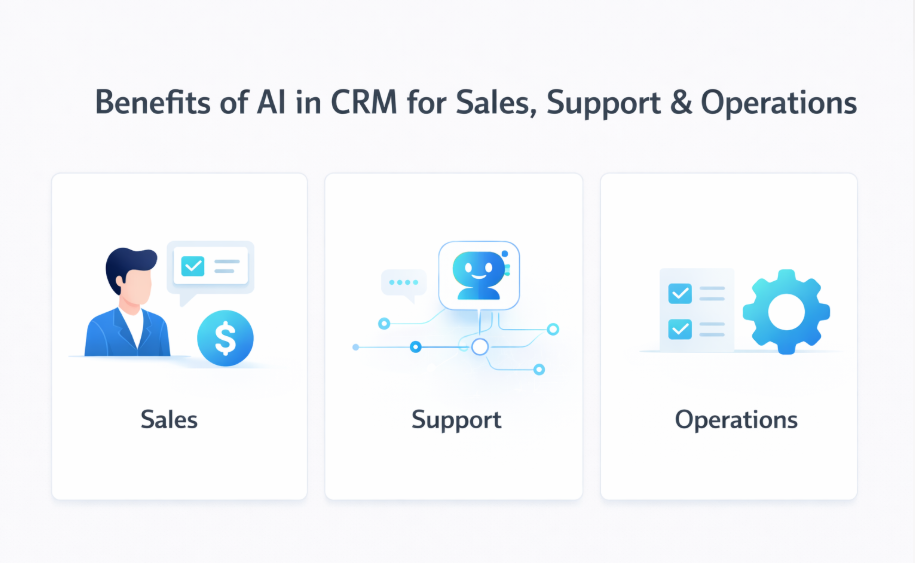
The value of AI in CRM comes from execution. Most organizations already have the data they need. The gap is follow-through. AI converts stored information into action across sales, support, and operations.
Stronger Follow-Ups and Deal Progress for Sales
Sales teams lose momentum when follow-ups are late, and calls go unrecorded. AI drafts follow-up emails, flags inactive deals, and turns call recordings into CRM notes. It also ranks leads by engagement, so reps focus on the right prospects. With less time spent on updates, reps move deals faster. AI can also improve forecasting by pulling from historical data.
Faster and More Consistent Support
Support quality drops when workloads grow, or customer history is missing. AI summarizes conversations, keeps interaction records clean, and ensures responses match past resolutions.
It handles routine questions through chatbots, routes cases automatically, and covers support outside business hours. It also tracks recurring issues and reads sentiment to guide responses. Teams spend more time solving problems and less time writing notes.
Reduced Manual Work in Operations
Operations teams handle much of the administrative work in CRM, including updating records, sending reminders, and generating reports. AI can automate these tasks by managing data entry, cleaning, enrichment, and routine updates. Reminders trigger automatically, and reports generate without manual compilation.
Better Alignment Across Teams
Teams fall out of sync when information is incomplete or outdated. AI for CRM keeps summaries consistent, surfaces the right insights, and triggers actions reliably. When every team uses the same current data, coordination improves, and the customer experience stays consistent.
Enhanced Personalization and Customer Engagement
AI reviews behavior, interaction history, and preferences to recommend relevant products or services. It segments customers based on engagement across touchpoints, helping marketing teams run more targeted campaigns.
Moreover, it can generate personalized content, support campaign planning, and spot gaps in the customer journey. This allows marketing teams to create more targeted campaigns and deliver communication that reflects where each lead or customer stands.
Popular AI-Powered CRM Platforms
Choosing the right AI-powered CRM platform depends on your organization's size, industry, and specific needs. Here are some of the leading AI CRM platforms that integrate AI capabilities to improve functionality:
- Sintra is an AI platform with specialized assistants built for different business functions. All assistants use a shared knowledge base called Brain AI to understand your business context. Cassie, the support assistant, drafts replies, summarizes conversations, and helps manage customer communication. Each assistant is designed around a specific role to reduce repetitive work.
- Salesforce uses Einstein AI for insights, predictions, and automation across sales, marketing, and support. Einstein is built into the platform and covers a wide range of analytics and automation features.
- HubSpot combines AI automation, marketing tools, and sales intelligence in one platform. Its AI toolset, Breeze, is built into the marketing, service, and sales products. It generates content, automates workflows, and surfaces business insights.
- Zoho CRM offers advanced AI capabilities, making it a great option for small and mid-sized businesses. Zoho's AI assistant, Zia, provides predictive analytics, workflow automation, and intelligent recommendations at a competitive price point.
- Monday CRM offers advanced AI features alongside a simple, visual interface. The platform's flexibility allows teams to customize workflows while leveraging AI for automation and insights.
- Freshsales uses an AI engine, Freddy AI, to enhance customer engagement, automate workflows, and improve sales processes. Freshsales is particularly strong in contact management and email tracking with AI-driven lead scoring.
- Pipedrive is a sales-focused, AI-powered CRM software that helps teams with visual sales pipelines that improve deal conversions. Its straightforward approach makes it ideal for sales teams that want AI assistance without complexity.
- Creatio allows businesses to build custom workflows and sales processes without technical expertise. The platform combines CRM, business process management, and AI in a low-code environment.
- ClickUp combines project management and CRM in one place. AI automation helps teams manage sales and customer relationships. It works well for teams that need project tracking and CRM without switching tools.
Role-Based AI Assistants for CRM Functions
AI works best in CRM when it is built around roles. Role-based assistants use function-specific context, which makes actions more accurate.
Why CRM Work Is Role-Specific
Sales, support, marketing, and operations use CRM data for different decisions. Sales manages the pipeline and follow-ups. Support focuses on case history and resolution. Marketing works from segmentation and lifecycle signals. And, operations monitors performance and risk.
Each function has different goals. A generic AI layer treats them all the same, which reduces accuracy. Role-based AI is built around each team's responsibilities, so its outputs are directly relevant.
Sales-Focused AI in CRM
AI sales CRM operates directly within the pipeline. It reviews deal history, communication threads, and stage changes to draft follow-ups that reflect the current situation. It flags stalled deals, assists with objection handling, generates call summaries, and keeps records updated automatically.
This reduces administrative work and keeps sales activity aligned with the context.
Support-Focused AI in CRM
Support AI analyzes ticket history and prior resolutions to maintain consistency. It summarizes ongoing issues, identifies repeat cases, and ensures responses reflect previous interactions.
It also converts recurring problems into structured CRM insights, giving operations visibility into patterns that require attention.
Marketing and Outreach AI in CRM
Marketing artificial intelligence CRM uses customer data to segment contacts based on behavior and lifecycle stage. It drafts outreach that reflects where each contact stands, keeping communication relevant and timely.
Personalization is driven by CRM context rather than static lists, which improves consistency across campaigns.
Strategy and Operations AI for Oversight
Operations and leadership require a broad view of pipeline health, risk trends, and performance gaps. AI built for this function analyzes CRM activity across teams and surfaces issues that require attention.
Instead of relying solely on dashboards, teams receive prioritized insights based on live CRM data.
Why Role-Based AI Improves Execution
Role-based AI aligns actions with the responsibilities of each team. Context determines relevance. When AI understands the function it supports, outputs are more precise, and execution is more consistent.
AI-Powered CRM Without Heavy Setup or Training
Traditional CRM automation takes time to set up. Teams build workflows, map fields, and test sequences before anything works. When processes change, the workflows need rebuilding. This slows adoption.
AI-driven CRM reduces this dependency on predefined rules. Instead of configuring workflows in advance, AI evaluates live activity and determines appropriate actions. Value appears without extensive setup.
This matters most for startups and small teams. CRM systems can feel heavy early on. AI employees lower that barrier. It handles follow-ups, summaries, and reminders from day one. As the business grows, the system grows with it.
Instead of hiring additional staff or building complex automation, teams can deploy AI assistants to manage CRM execution across sales, support, and operations.
AI That Learns Your CRM Context Over Time
CRM systems hold a lot of data. But data alone does not drive decisions. Without context, each interaction is treated as new. AI builds memory over time. It learns from past interactions and uses that history to guide what happens next. In CRM, that memory is what makes execution reliable.
Why CRM Context Matters
Dashboards show pipeline movement and response rates. They do not explain why a deal stalled or why a customer went quiet. That requires context. Context includes relationship history, communication tone, and past outcomes. AI that uses this information makes better decisions than one relying on surface-level signals alone.
How AI Builds Memory
AI builds memory by studying outcomes. It tracks which follow-ups get replies, which deals close, and how customers move through each stage. This learning is not fixed. When behavior shifts, AI adjusts its timing and messaging to match.
Maintaining Tone and Relationship Continuity
AI also helps keep communication consistent. It learns how your team writes and adjusts drafted messages to match. Long-term customers need a different tone than new prospects. AI picks up on this and adapts without being told each time.
Learning Across the Customer Lifecycle
Customer relationships move through stages like acquisition, onboarding, retention, and re-engagement. AI that learns across these stages applies the right context at each step. This awareness builds from history, not a single interaction. The more it learns, the better it executes.
Why Context-Aware AI Improves Execution
AI without memory starts fresh every time. AI with memory uses the full history of the relationship. This leads to more accurate actions, better communication, and CRM execution that scales.
Common Challenges When Implementing AI in CRM
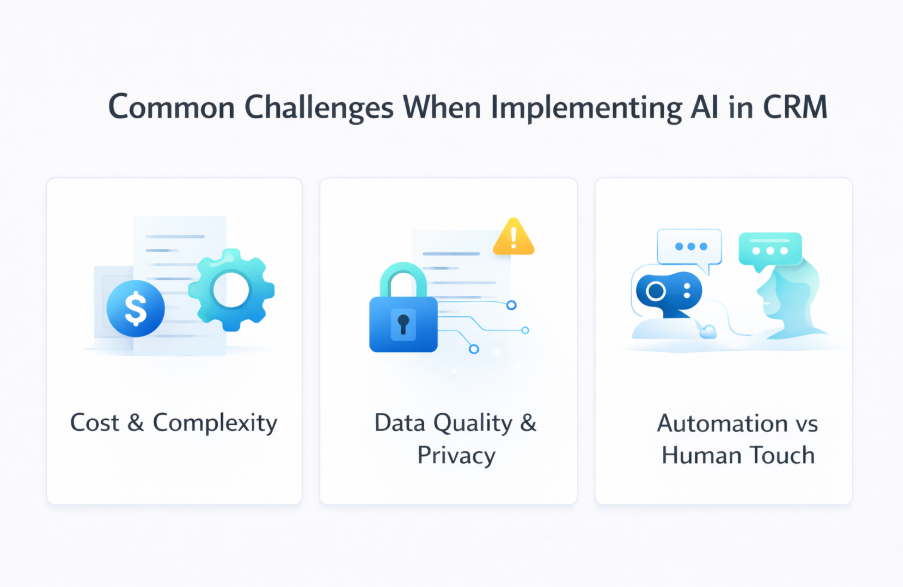
AI has clear advantages in CRM, but implementation comes with challenges teams should plan for.
Cost and Complexity
Setting up AI in a CRM takes time and money. Organizations need to budget not only for the software itself but also for integration, training, and potential customization.
Data Quality and Privacy Concerns
Data quality and availability are critical challenges for AI models in CRM systems, as poor data can lead to ineffective AI performance. Without clean, accurate data, AI systems cannot deliver reliable insights or recommendations. Cybersecurity is a significant concern when implementing AI in CRM, as it involves handling sensitive customer data.
Balancing Automation with Human Touch
Too much automation can frustrate customers. Efficiency matters, but people still want human interaction. This is especially true for complex or sensitive issues. AI should support your team, not replace the human side of communication.
Maintaining Quality and Consistency
AI outputs need regular review. Many teams lack a process for this. Without oversight, AI-generated content can drift from brand standards or miss compliance requirements. Build a review process from the start.
Where to Start With AI in CRM?
AI adoption does not need to start as a big project. Find one task that keeps failing. Fix it, prove the value, and build from there.
Start With Tasks That Break Most Often
Common CRM gaps include missed follow-ups, incomplete call notes, and stalled deals that go unnoticed. These are routine, repetitive tasks that depend on manual effort. They are also strong starting points for AI because they are structured and time-sensitive; automation delivers immediate and measurable improvement.
Strategic Planning and Goal Alignment
Start with a clear plan. Identify your goals and pain points before choosing a platform. Make sure your data is clean, and your privacy measures are in place. Poor data leads to poor AI output. Fixing this before implementation saves problems later.
Focus on Execution Before Adding Features
Execution issues are often addressed by adding new CRM features or integrations. In many cases, the problem is inconsistent use of existing capabilities. AI strengthens execution first. More consistent follow-ups, cleaner records, and reliable updates often resolve perceived system gaps without additional infrastructure.
Begin With One Role
Rolling out AI across all teams at once increases complexity. Start with one function and one clear problem. Sales follow-ups or support summaries are common entry points because results are easy to measure.
Test Before Full Deployment
Run a pilot before rolling out fully. It helps you spot issues early, gather feedback, and refine the setup before it goes live across the team.
Allow Time for Learning
AI improves as it processes real interactions. Early use allows the system to learn communication patterns, customer behavior, and workflow norms. Scaling too quickly limits this learning. A short period of focused deployment produces stronger long-term results.
Monitor and Iterate
Track performance after launch. Look at efficiency gains and customer satisfaction. Use that data to adjust your approach as you go.
Expand Gradually
Once AI works well in one area and teams trust it, expansion is straightforward. Add another role or extend it across more of the customer lifecycle. Start with the most critical functions and grow from there. Gradual rollout builds confidence and improves results over time.
Ready to Get More Value From Your CRM?
Your CRM already holds the data like contacts, deal history, conversations, and activity records. The problem is not information but execution. When follow-ups are missed, notes go unwritten, and deals stall without anyone noticing, adding more features will not help. What you need is a layer that handles routine tasks automatically, in the background.
Sintra delivers that layer. It connects directly to your CRM, requires no complex onboarding or workflow setup, and begins managing follow-ups, summaries, and updates immediately.
Get started with Sintra and activate the full operational value of your CRM data.
AI in CRM FAQs
What does AI in CRM actually do?
AI in CRM looks at customer data, decides what needs to happen, and implements it. It drafts follow-ups, logs call summaries, updates records, flags at-risk deals, and sends reminders. It turns data into action.
Is AI CRM replacing traditional CRM software?
No. AI does not replace CRM systems. It works alongside them. The CRM remains the system of record for customer data, while AI adds a decision and execution layer on top of that data.
How is AI-powered CRM different from CRM automation?
Traditional CRM automation relies on predefined rules, such as triggering an email after a set number of days. AI-powered CRM evaluates context, behavior, and history before deciding what action makes sense. It adapts to changing situations instead of following fixed conditions.
Can small teams benefit from AI in CRM?
Yes. Small and lean teams often see the greatest impact because AI reduces manual workload. It handles follow-ups, summaries, and updates that would otherwise require additional headcount, allowing teams to operate more efficiently.
What CRM tasks should AI handle first?
AI should begin with repetitive, time-sensitive tasks that frequently break down. Common starting points include follow-ups, call summaries, record updates, and stalled deal detection. These tasks deliver quick, measurable improvements.
How secure is AI when working with CRM data?
Security depends on the provider. Enterprise-grade AI CRM systems use encryption, access controls, and compliance standards similar to modern SaaS platforms. Organizations should review data handling practices, hosting standards, and regulatory compliance before deployment.
Related articles