


10 Effective Business Process Automation Examples

Table of Contents

Quick Answer: What Are Business Process Automation Examples?
Business process automation examples are workflows where software handles repetitive tasks automatically instead of requiring manual work from employees. These automations help businesses save time, reduce errors, and keep operations running more efficiently.
Common business process automation and AI automation examples include:
- Sending follow-up emails after a lead fills out a form
- Scoring leads based on customer behavior
- Generating reports from multiple data sources
- Routing support tickets to the correct department
- Scheduling and publishing social media content
In simple terms, if a task follows the same process every time, there’s a good chance it can be automated. The goal of automation is to reduce repetitive work so teams can focus on tasks that require strategy, creativity, and decision-making.
Nearly 88% of organizations now use AI in at least one business function, as companies look for faster ways to improve efficiency, reduce manual work, and scale operations.
Running a business today means competing against teams that automate repetitive tasks, respond faster, and operate more efficiently. Business process automation, or BPA, helps companies remove the manual work that slows teams down and replace it with systems that run consistently in the background.
In this article, we’ll break down 10 real business process automation examples to show where automation creates the biggest impact and how AI-driven workflows are changing the way modern businesses operate. If you're exploring what an AI team could look like inside your business, these BPA examples are a strong place to start.
Why Businesses Are Turning to Automation
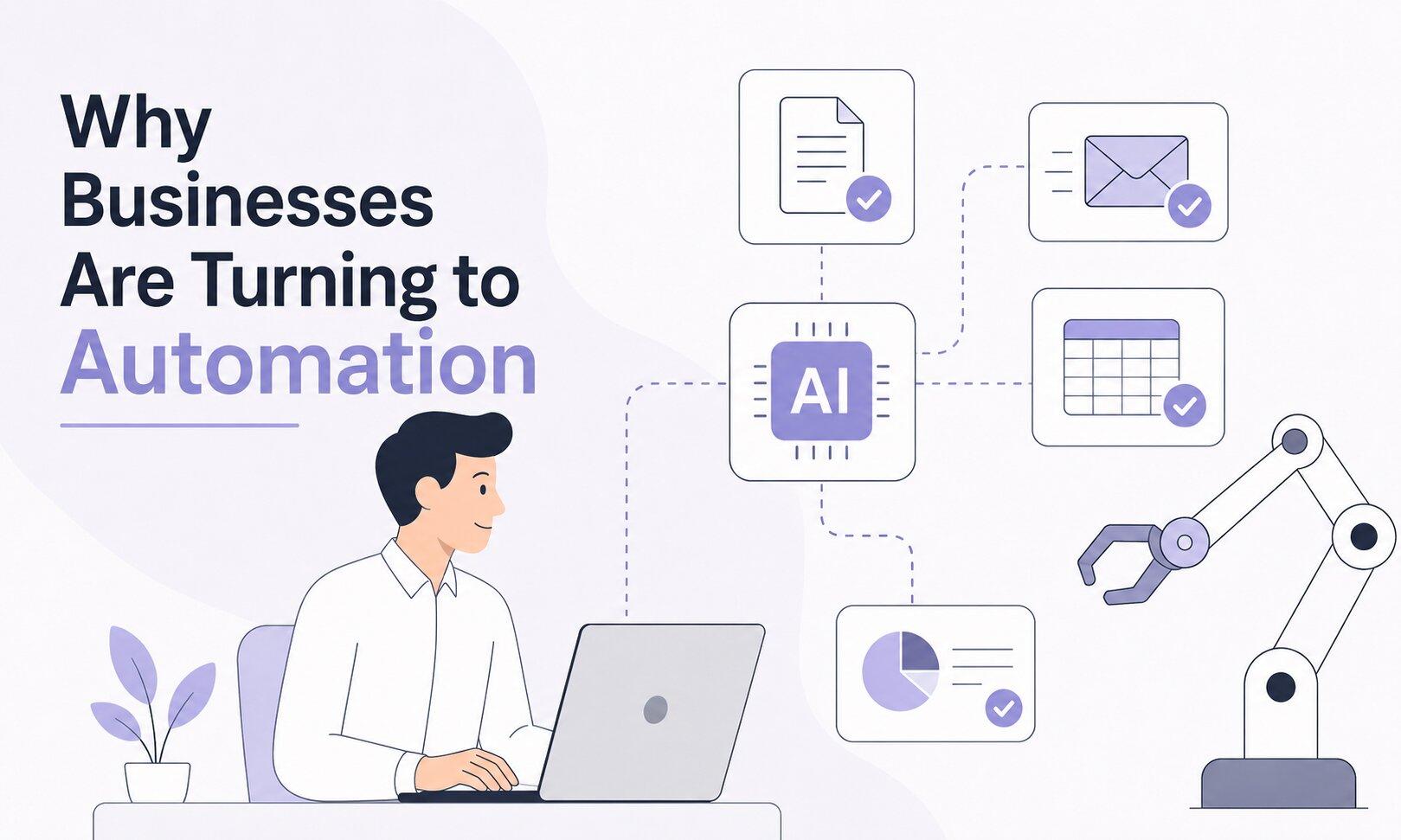
About 80% of businesses are now accelerating process automation as companies look for faster ways to reduce repetitive work and improve efficiency.
The biggest reason is workload.
Many teams spend hours every week updating spreadsheets, moving data between tools, sending follow-ups, and building reports manually. Automation handles those repetitive tasks automatically, giving employees more time to focus on strategy, customer relationships, and higher-value work.
Nearly 90% of employees report higher job satisfaction because automation allows them to focus more on meaningful and strategic tasks instead of repetitive admin work.
Cost savings are another major factor, especially when it comes to automation for small businesses. Businesses using BPA often reduce operational costs by automating routine work, reducing errors, and improving efficiency across teams.
AI has also made automation far more useful than older rule-based systems. Traditional automation tools could only follow fixed instructions. Today, businesses are deploying AI systems that can manage multi-step workflows, make decisions based on context, and operate with minimal manual oversight.
1. Social Media Scheduling and Content Automation
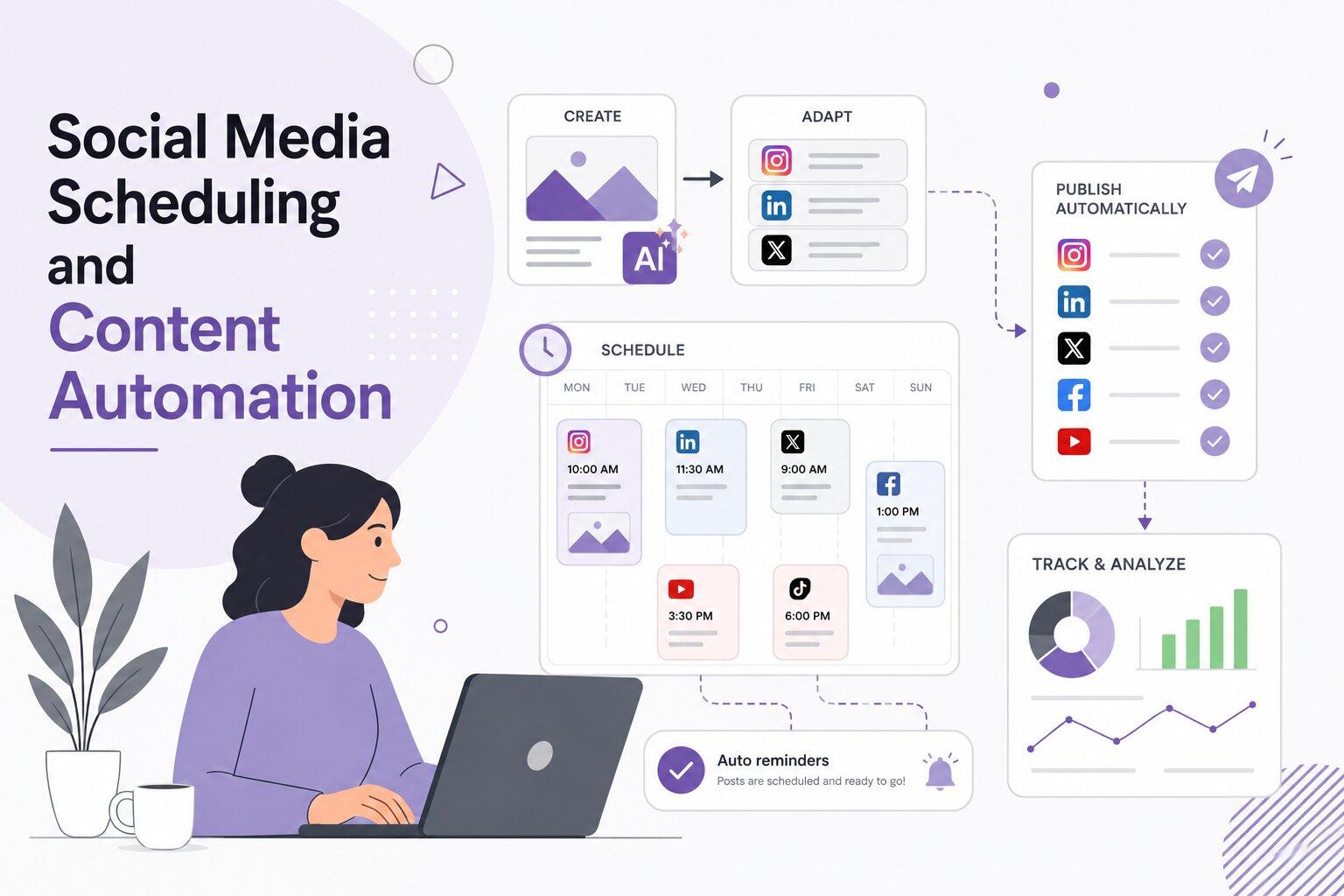
Managing social media manually across multiple platforms quickly becomes time-consuming, especially for small teams. Content automation helps businesses plan, schedule, and publish content more efficiently without needing daily manual work.
With modern automation tools, businesses can create content once and automatically adapt it for different platforms. AI tools can generate platform-specific captions, resize visuals for different formats, schedule posts ahead of time, and maintain a consistent posting calendar from a single workflow.
For example, a small e-commerce brand running Instagram, LinkedIn, and X might use an AI social media manager to generate post variations, schedule content across all platforms, and track engagement in one place. Instead of posting manually every day, the team can review and approve content in batches while spending more time on strategy, campaigns, and customer engagement.
This approach has become extremely common. Many marketing teams now automate social media posting in some form, largely because it saves time, improves consistency, and makes it easier to scale content production across multiple channels.
2. Automated Lead Generation and Qualification

Lead generation is one of the most valuable areas to automate because the manual process takes up an enormous amount of time. Sales teams often spend hours chasing cold leads, entering contact data into CRMs, and following up too late after someone shows interest. Automation changes the entire process.
An AI business assistant can manage the full lead pipeline, from capturing new leads to qualifying prospects and routing them to the right salesperson automatically.
Capturing Leads Automatically Across Channels
Every interaction with your business can become a lead capture opportunity, including website forms, landing pages, social media ads, chatbot conversations, and webinar registrations. Automation connects all of these channels into one system.
When someone fills out a form or finishes a chatbot conversation, their information is automatically logged, tagged, and added to your CRM without manual data entry.
This matters because lead response time has a huge impact on conversions. The faster someone receives a response, the more likely they are to become a customer. Automation makes that response immediate.
AI-Powered Lead Scoring and Qualification
Not every lead deserves the same level of attention. An AI business assistant can evaluate incoming leads based on factors like company size, website behavior, email engagement, and how closely they match your ideal customer profile.
High-quality leads can be prioritized and sent directly to sales teams, while lower-intent leads can enter longer nurture campaigns. This helps sales reps focus on prospects that are more likely to convert.
Automated Follow-Ups and Nurturing
After a lead is captured, automation keeps communication moving automatically.
Automated email marketing systems can send personalized messages based on customer behavior, including welcome emails, demo invitations, follow-ups, and abandoned cart reminders. Over time, these automated touchpoints help nurture leads and move them closer to a buying decision without requiring constant manual follow-up from your team.
Example: Inbound Lead Handling on Autopilot
A visitor lands on your website, reads a few pages, and fills out a contact form. Within seconds, they receive a personalized response.
In the background, the system has already scored the lead, tagged them based on industry or company size, added them to an email sequence, and notified the right salesperson. By the time a sales rep gets involved, the lead is already organized, prioritized, and partially nurtured.
3. Email Outreach and Follow-Up Sequences
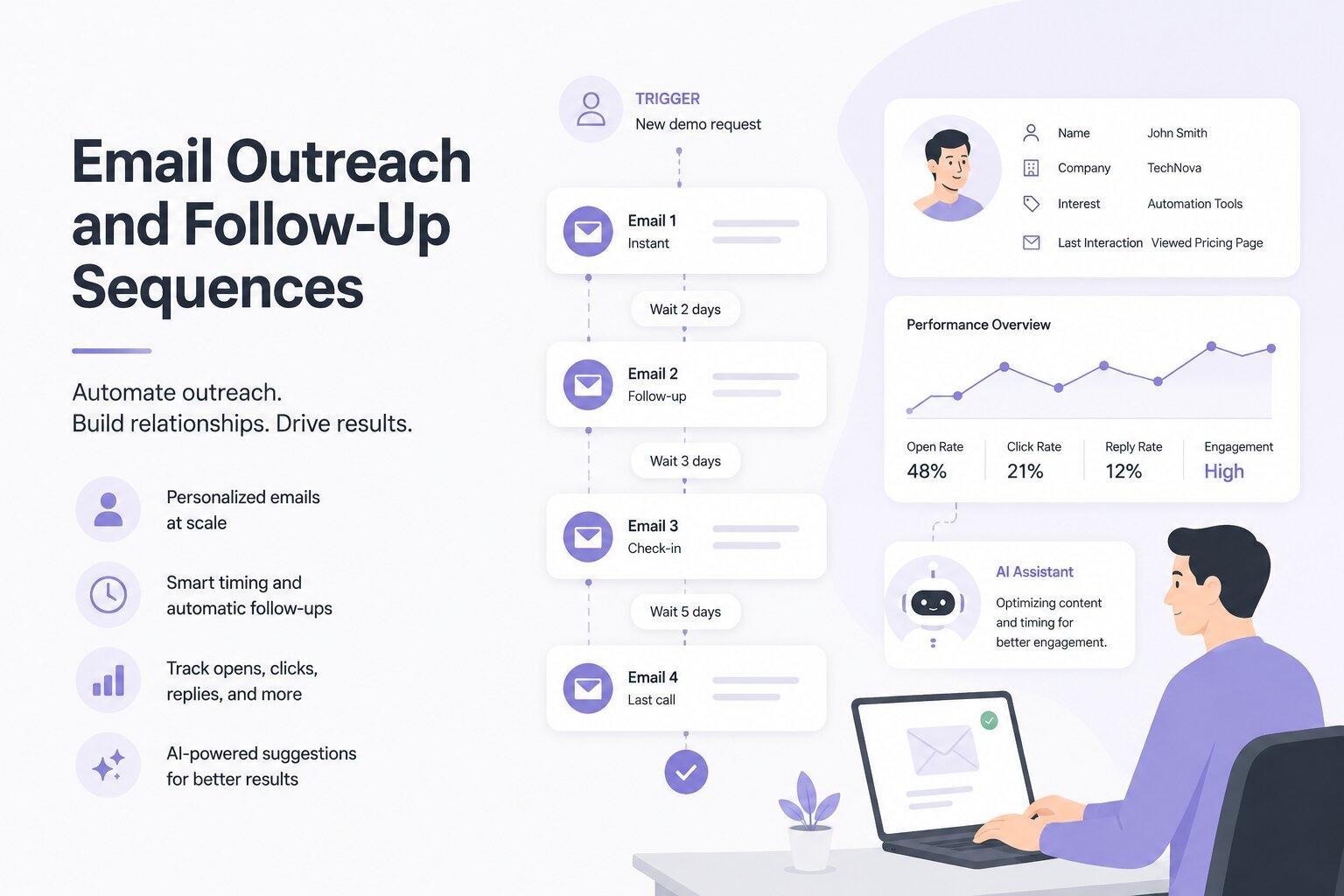
Email remains one of the highest-ROI marketing channels, but consistency is what makes it effective. Manual outreach often breaks down because follow-ups get missed, replies come too late, and personalizing emails at scale becomes difficult for busy teams.
Automation solves that problem by keeping outreach running automatically. When a trigger happens, such as a form submission, demo request, trial signup, or product purchase, an email sequence can start instantly.
Each email can be timed, personalized, and tracked automatically using customer data like:
- Name
- Company
- Product interest
- Previous interactions
Businesses can also monitor open rates, clicks, replies, and engagement in real time to improve performance over time.
An AI email assistant can take this even further by generating personalized email copy, adjusting subject lines for better deliverability, and recommending sequence improvements based on engagement data. This allows businesses to run outreach that feels personal and relevant without requiring someone to manually write and send every email.
4. Customer Support Automation
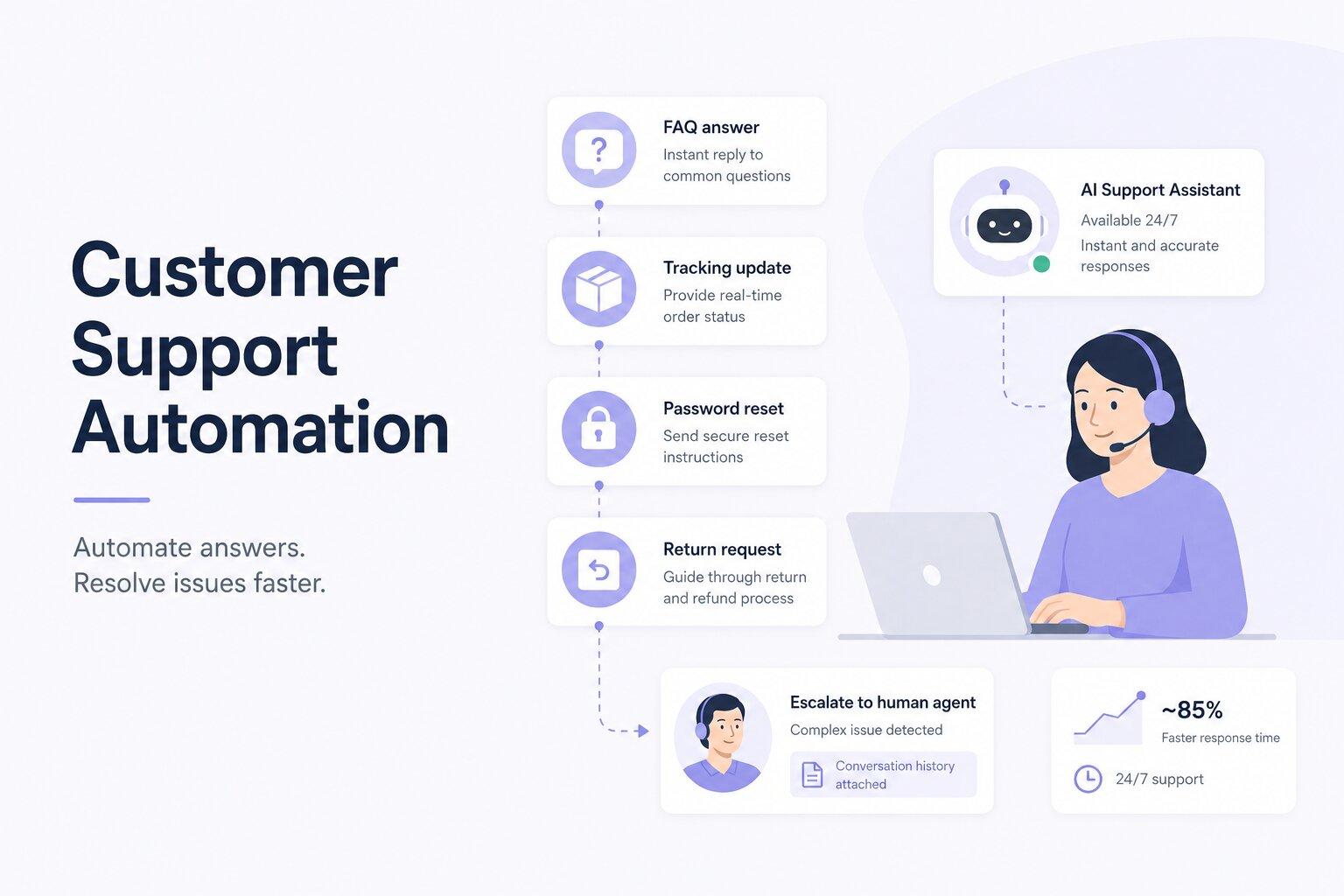
Customer support can quickly become difficult to manage as ticket volume grows. Teams have to answer repetitive questions, handle order updates, process returns, and resolve customer issues, often leading to slower response times when done manually.
Automation helps handle many of these requests automatically. AI chatbots and support workflows can answer common questions, provide tracking updates, reset passwords, process returns, and handle basic troubleshooting 24/7.
More complex issues can still be routed to a support agent with the conversation history and customer details already attached, helping teams resolve issues faster.
For example, if a customer asks about a delayed delivery late at night, the system can instantly pull tracking information and send an update automatically. If the issue needs human support, it can create a ticket, summarize the conversation, and route it to the correct team member.
An AI customer service agent makes this level of support possible even for businesses with smaller teams. Automation can significantly reduce response times while improving customer satisfaction through faster and more consistent support.
5. Data Collection and Reporting Automation
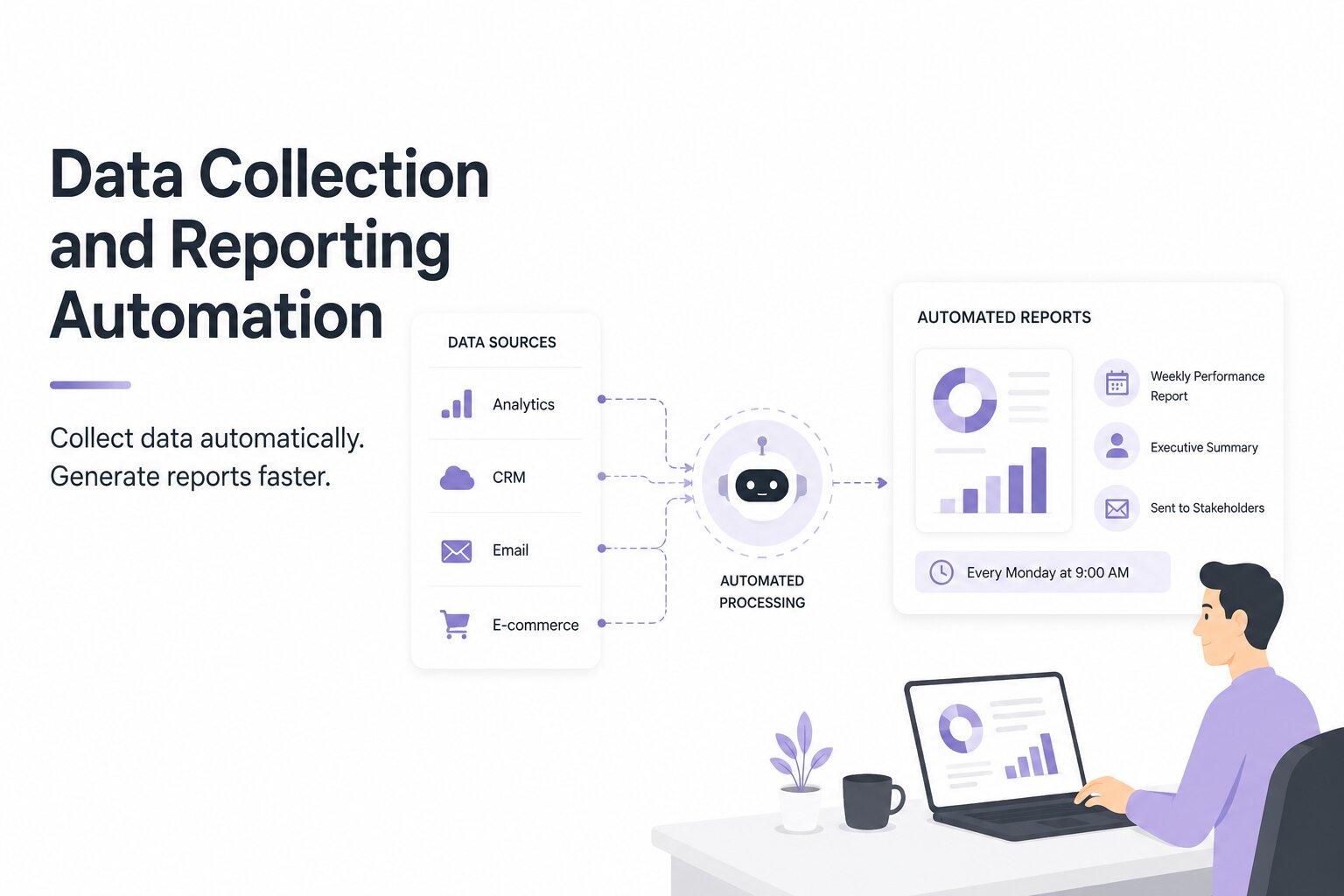
Manual reporting is one of the biggest hidden time drains in business operations. Teams often have to pull data from analytics tools, CRMs, ad dashboards, and spreadsheets, then organize and format everything manually every week or month. The process is repetitive, time-consuming, and prone to mistakes.
Automation replaces most of that workflow. With an AI for data analysis, data can be collected, processed, and delivered automatically without manual reporting work.
Automating Data Collection Across Multiple Sources
Most businesses rely on data spread across multiple platforms like Google Analytics, CRM software, email marketing tools, ad dashboards, and accounting systems. Automation connects these tools through integrations and pulls the data into one centralized system automatically.
This keeps reports updated with current data instead of relying on outdated exports or manual updates.
Real-Time Dashboards and Automated Reporting
Once data flows in automatically, dashboards update in real time. Businesses can track revenue, lead volume, conversion rates, campaign performance, or support trends without manually building reports.
Automated reports can also be scheduled to send weekly or monthly summaries to stakeholders without requiring someone to assemble them manually each time.
Improving Accuracy and Saving Time With Automation
Manual reporting often leads to spreadsheet errors, broken formulas, copy-paste mistakes, and outdated numbers. Automation reduces many of these issues by keeping reporting workflows consistent and automatic.
The time savings also add up quickly. Work that once took hours every month can happen automatically in the background, allowing teams to spend more time acting on insights instead of compiling reports.
6. SEO and Content Optimization Automation
SEO is an ongoing process. Businesses need to track keyword rankings, monitor competitors, audit pages, identify optimization opportunities, and update content regularly. Managing all of that manually takes a huge amount of time.
Automation helps handle much of the repetitive work in the background. Keyword tracking can run automatically, content audits can flag pages losing traffic, and automated alerts can notify teams when rankings drop or technical issues appear.
AI-powered tools can also analyze top-ranking competitors and identify gaps in your content strategy, helping businesses spot opportunities faster.
For teams publishing content regularly, an AI SEO agent can assist with on-page optimization by reviewing keyword usage, readability, internal linking, headings, and metadata. Instead of manually auditing every article, teams can quickly identify improvements and optimize content more efficiently.
This makes it easier for smaller teams to manage SEO at scale and compete with businesses that have larger marketing departments.
7. Sales Pipeline and CRM Automation

A CRM is only useful when the data inside it stays accurate and updated. The problem is that many sales teams still rely on reps to manually log calls, update deal stages, and move contacts through the pipeline. In reality, that data often becomes incomplete or outdated.
Sales pipeline automation helps keep the CRM updated automatically based on customer activity and behavior.
For example:
- A prospect opens a proposal email, and the deal stage updates automatically
- A demo gets booked, and reminder emails are triggered
- A contract sits unsigned for several days, and a follow-up task is created automatically
This reduces manual admin work and keeps the sales pipeline moving without constant manual updates.
An AI sales agent can take this further by identifying deals that may be slowing down, suggesting next steps for sales reps, and helping teams prioritize the highest-value opportunities.
For example, a SaaS company could automate its free trial funnel so that when a user reaches day seven without upgrading, the system automatically sends a case study and an invitation to book a demo call. If the user books the call, the CRM updates the deal stage automatically. If they don’t, the nurture sequence continues without manual follow-up.
The result is a cleaner CRM, more consistent follow-ups, and more time for sales teams to focus on closing deals instead of managing admin work.
8. Internal Task and Workflow Management
Even with strong teams and good tools, internal operations can become disorganized as businesses grow. Tasks get missed, approvals get delayed, and teams spend too much time chasing updates across Slack, email, and project management tools.
Automation helps keep internal workflows moving without constant manual coordination.
Automating Task Assignment and Ownership
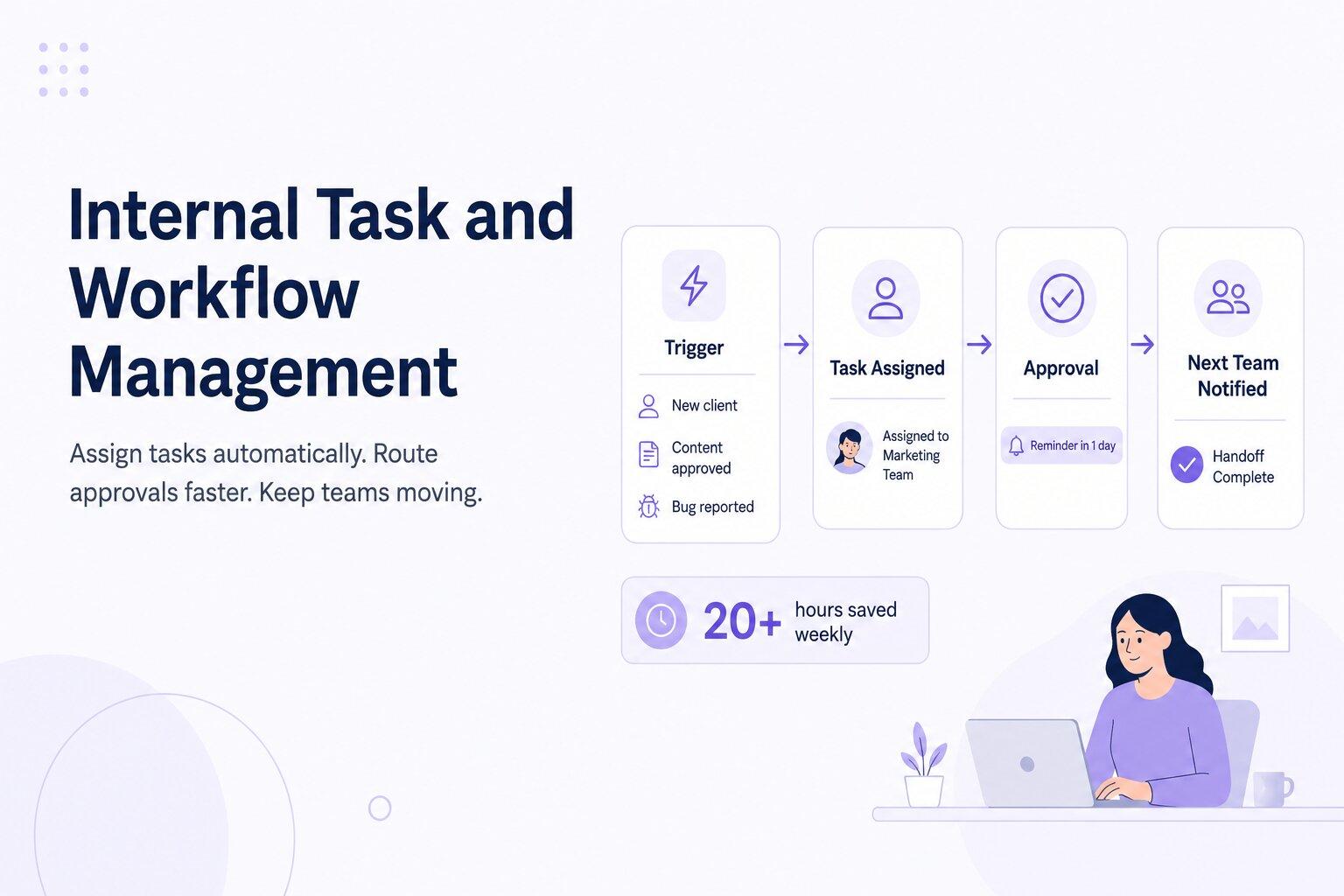
When a trigger happens, such as onboarding a new client, approving content, or reporting a bug, automation can instantly create and assign tasks to the right team member based on predefined rules.
Instead of managers manually delegating work, the correct person gets notified automatically, along with the context they need to take action quickly.
Streamlining Approvals and Internal Processes
Approval workflows are another common bottleneck. Content approvals, budget requests, or internal reviews can easily sit unnoticed for days when handled manually.
Automation creates structured workflows where requests are automatically routed to the correct approver, deadlines are assigned, and reminder notifications are sent if no action is taken. This helps teams make decisions faster and prevents tasks from getting lost.
Reducing Team Friction With Automated Workflows
One of the biggest benefits of workflow automation is reducing coordination overhead between teams.
For example, when a designer finishes a task, the development team can automatically receive the next assignment. Once development is complete, QA can be notified instantly without anyone manually updating statuses or sending messages.
Employees save an average of 20+ hours weekly by automating time-draining tasks like status updates, task coordination, and information gathering.
9. Financial Processes and Invoice Automation
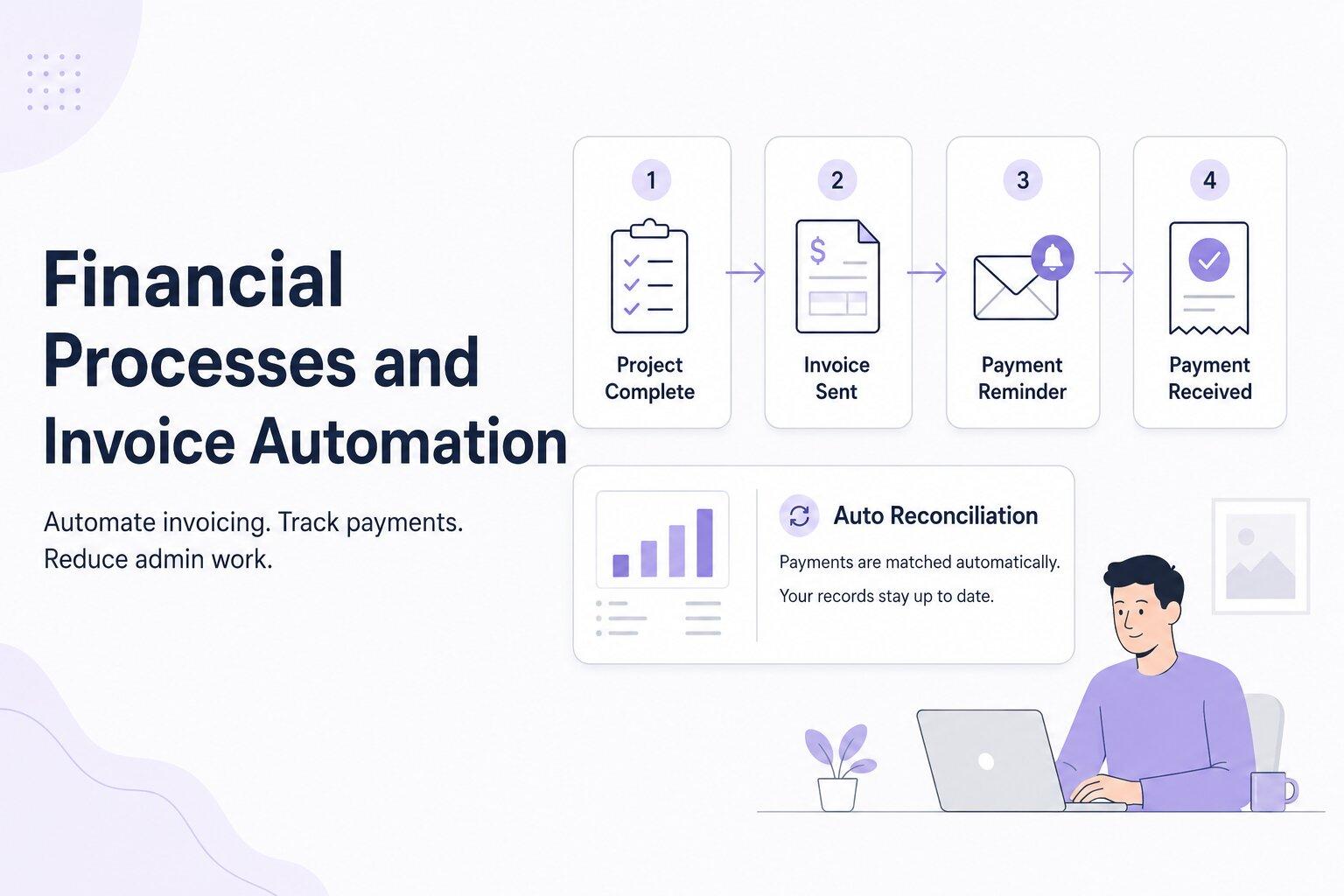
Finance teams deal with many repetitive tasks that follow the same process every time, making them ideal for automation. This includes invoicing, expense tracking, payment reminders, reconciliation, and financial reporting.
Automation helps businesses handle these workflows faster while reducing manual errors.
For example, when a project is marked complete in a project management tool, the system can automatically generate and send an invoice to the client. If payment is not received by the due date, reminder emails can be sent automatically without anyone manually tracking outstanding invoices.
Once payment is received, the system can log the transaction, update financial records, and reconcile the payment automatically.
This type of automation has become increasingly common. Many finance teams now use automated invoice and accounts payable workflows to speed up processing, improve payment tracking, and reduce manual admin work.
For small businesses especially, financial automation can save significant time while reducing the risk of missed invoices, delayed follow-ups, or reporting mistakes.
10. Knowledge Management and Centralized AI Systems
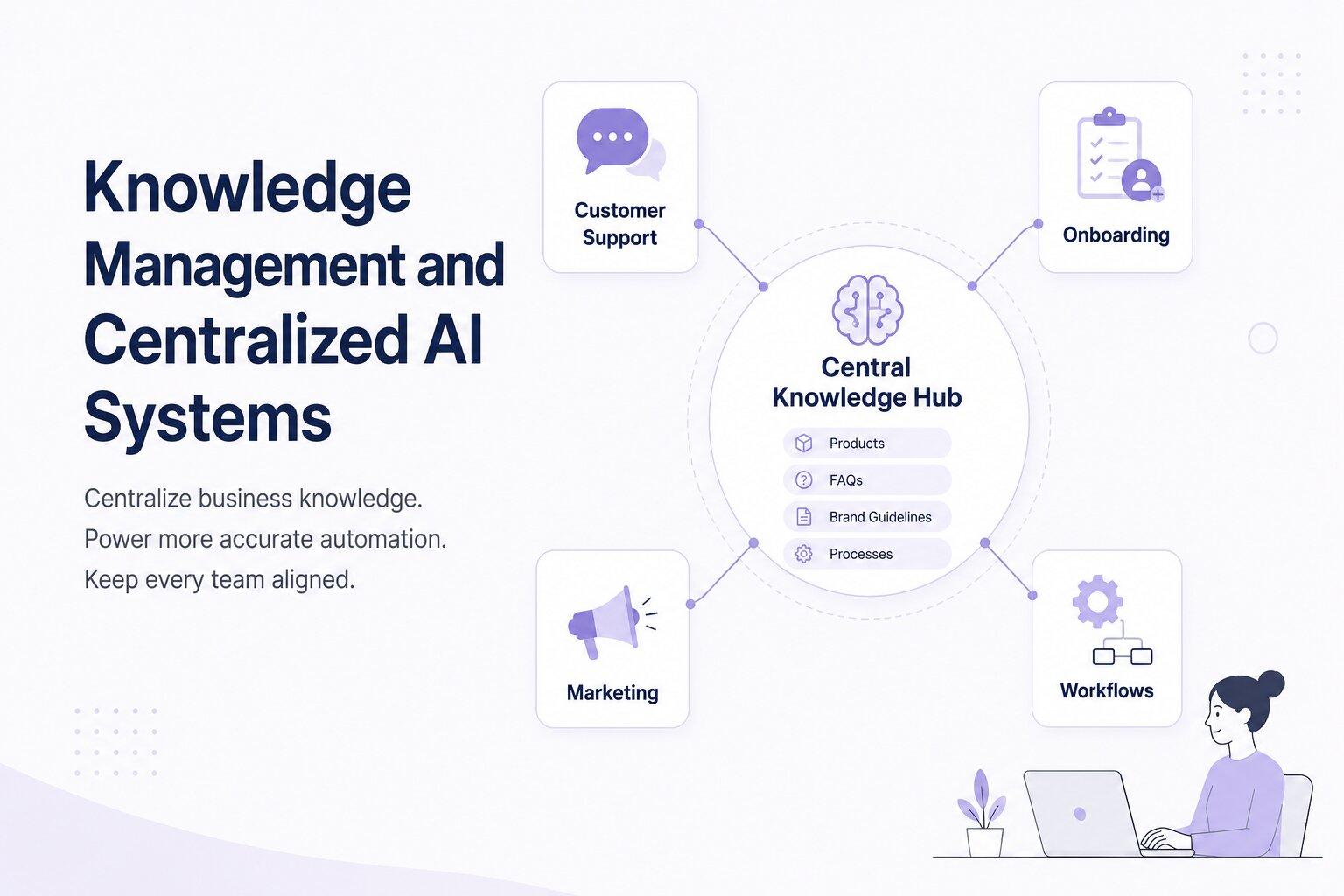
Automation only works well when the system has access to accurate and organized information. If business data is outdated, inconsistent, or spread across different tools, automation becomes unreliable, no matter how advanced the AI is.
Centralized knowledge management solves this by keeping important business information in one structured system. This can include products, internal processes, customer information, brand guidelines, FAQs, and company workflows. When everything is centralized, automated systems can pull from the same source consistently.
That means customer support responses stay accurate, onboarding workflows stay updated, and marketing automation reflects current messaging and offers.
This is where contextual AI becomes especially valuable. Instead of producing generic outputs, AI systems can use business-specific context to generate responses and actions that are more accurate, relevant, and aligned with how the business actually operates.
Within Sintra, Brain AI acts as this centralized knowledge layer. It stores business context and feeds that information into different AI workflows, helping automation systems produce more consistent and business-specific outputs across teams.
How to Choose the Right Business Automation Tools
The number of automation tools on the market can quickly become overwhelming. Many businesses end up using several disconnected tools that each solve one problem while creating new integration issues, extra costs, and more operational complexity.
Start With Your Business Needs and Processes
Before choosing any tool, start by looking at your current workflows. Identify where repetitive work happens, where delays occur, and where tasks regularly get missed.
For example, if leads are not being followed up quickly enough, lead automation should be the priority. If reporting takes hours every month, reporting automation will likely create a bigger impact first.
The goal is to solve operational bottlenecks, not collect more software.
Avoid Tool Overload — Why Unified Platforms Win
Using too many separate tools often creates more complexity over time. Every additional platform introduces another login, another integration, another subscription cost, and another possible point of failure.
That’s one reason many businesses prefer unified business process automation solutions that combine multiple workflows in one system instead of patching together several disconnected tools.
For smaller businesses and growing teams, unified platforms are often easier to manage, scale, and maintain. If your team constantly switches between multiple tools to complete a single workflow, it may be a sign that your system is becoming too fragmented.
Platforms built around AI employees take this approach further by combining marketing, sales, support, SEO, operations, and workflow automation into one connected system instead of separating them across multiple tools.
Look for AI-Powered Automation Capabilities
Not all automation tools work the same way. Traditional rule-based automation can only follow predefined instructions and often breaks when something unexpected happens.
AI for business automation is far more flexible. It can understand context, adapt to changing inputs, personalize outputs, and improve over time using business data.
When evaluating automation tools, it’s important to look beyond simple triggers and workflows and focus on systems that can actively assist with decision-making, optimization, and execution.
Ready to Automate Your Business Processes?
The businesses growing fastest today are not always the ones with the biggest teams. In many cases, they’re the ones running the most efficient systems behind the scenes.
Automation allows businesses to handle repetitive work, follow-ups, reporting, customer support, and operational tasks without everything depending on manual effort. Instead of spending time managing workflows every day, teams can focus more on growth, strategy, and customer relationships.
Sintra AI brings these workflows together into one connected platform. From lead generation and email outreach to customer support, SEO, reporting, and operations, its network of AI employees helps automate the work that normally slows teams down.
Powered by Brain AI, Sintra’s centralized knowledge system keeps every workflow aligned with your business context, messaging, and processes so automation stays accurate and consistent across teams.
If you’re looking to build a business that operates faster, scales more efficiently, and spends less time on repetitive work, get started with Sintra AI today!
Business Process Automation FAQs
What is a simple example of business process automation?
One of the simplest examples is automated email follow-ups. When someone fills out a form on your website, the system can instantly send a welcome email. If the person doesn’t reply or take action after a few days, a follow-up email can be sent automatically. The entire process runs in the background without someone on your team manually tracking or sending emails.
How does AI improve business process automation?
Traditional automation follows fixed rules. For example, if a form is submitted, an email gets sent. AI-powered automation goes further by adding context and decision-making. It can score leads based on behavior, personalize responses, generate content, identify patterns, and adapt workflows based on real data. This makes AI automation more flexible and reliable, especially for workflows that involve changing inputs or customer behavior.
What processes should small businesses automate first?
Small businesses should usually start with repetitive and time-sensitive tasks that take up daily operational time. Lead follow-ups, email sequences, social media scheduling, customer support responses, and invoice generation are often some of the best starting points because they create immediate time savings and operational improvements. A good rule is to automate the tasks that consume the most manual effort without requiring constant human decision-making.
Are automation tools expensive for small businesses?
Automation tools now exist at many different pricing levels, including options built specifically for small businesses. In many cases, the time saved, reduced manual errors, and faster customer response times quickly outweigh the software cost. Using one connected platform is also often more cost-effective than paying for several separate tools with overlapping functions.
What is the difference between automation and AI automation?
Standard automation follows predefined instructions and workflows. For example, a trigger causes a specific action to happen automatically. AI automation adds adaptability to that process. Instead of only following fixed rules, AI can analyze inputs, personalize outputs, generate responses, and make decisions based on context and data. The main difference is flexibility. Traditional automation struggles when situations change, while AI-powered automation can adjust and improve over time.
Related articles




.avif)




