


Your How-to Guide to Project Calendars


Table of Contents

Quick Answer: What Is a Project Calendar?
A project calendar is a visual representation of your project’s timeline showing when tasks, deadlines, and key milestones happen. It gives you a bird's-eye view of your project, from start to end, so you can track everything going on. Project managers use this scheduling tool to keep the teams aligned, stay informed, and satisfy stakeholders throughout.
Whether a startup or a large enterprise, using a project calendar is mandatory, as it
- Keeps everyone on the same page across departments.
- Improves time management and resource allocation.
- Promotes communication between team members and with stakeholders.
- Eliminates the constant worry about what comes next.
Planning a project is not a walk in the park. It involves juggling thousands of tasks simultaneously, from meeting deadlines to managing team members and allocating resources. When everything needs your attention, missing out becomes inevitable. But project calendars solve this issue. The most advanced tools take it further - AI-powered scheduling platforms use ML, NLP, and analytics to automate prioritization, detect conflicts, and dynamically reschedule, with studies showing measurably more balanced schedules and reduced planning time.
A project calendar tells you “when” something in your project happens. Modern teams use this scheduling tool beyond just tracking dates. They see project calendars as a living roadmap that helps you adapt to unexpected changes and deliver well. Let’s get into all the knitty-gritty of project calendars.
What Is the Difference Between a Project Schedule and a Project Calendar?
There is a subtle distinction between a project planning calendar and a project schedule. A project schedule specifies what happens and when (specifics, such as durations, dependencies, etc). In comparison, the calendar is a date-based system that defines when these activities will take place.
Let’s say a marketing team is preparing for a product launch. The schedule chronology might include: rehearsals (9 am), press briefing (11 am), keynotes (1 pm), etc. For the same event, the calendar will include the following elements: teaser campaign (starting November 1), Email promotions (November 20), main event (Black Friday), etc.
Let’s get into the details and understand this difference, so you can plan better.
Project Schedule
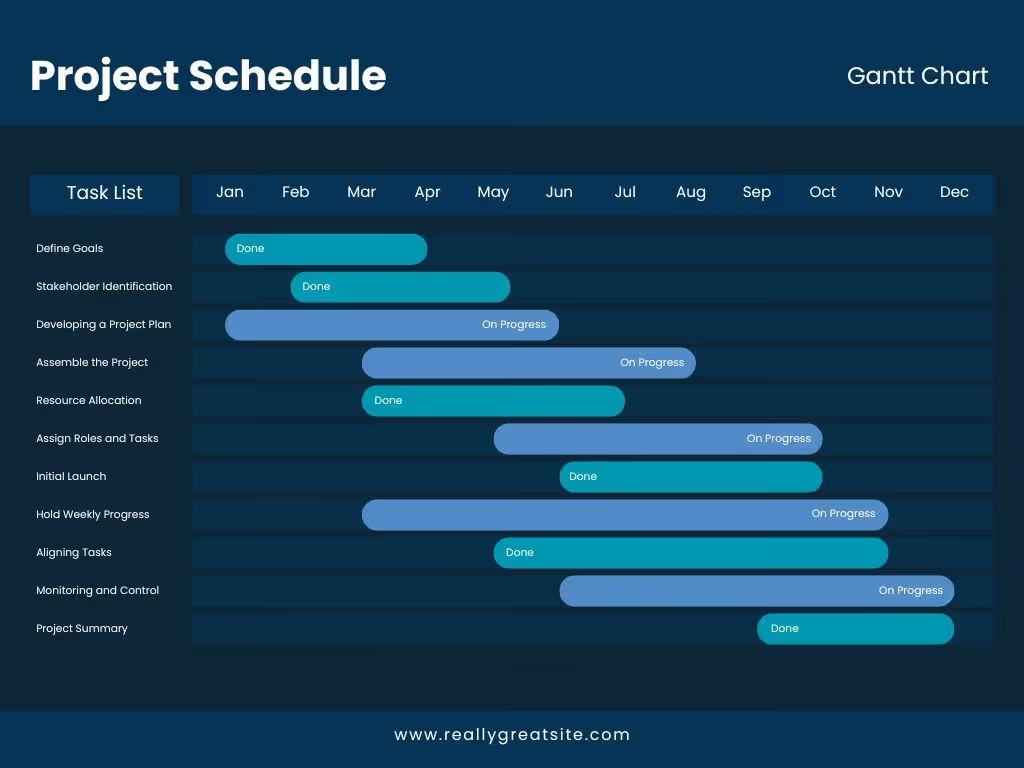
Project scheduling is the planning process of defining, organizing, and sequencing the project activities. Here, you assign the required resources and map dependencies. It’s more than a basic project plan calendar and includes the entire journey from start to finish.
Teams use project schedules to allocate time and resources effectively, identify risky situations, and keep the stakeholders informed. Here are a few components that make a project schedule.
- Task Organization: to arrange all project activities in a chronological or logical sequence.
- Resource Allocation to identify what equipment and budget are allocated for tasks.
- Timeline Creation to set realistic start and end dates for individual activities, including buffer times for sudden delays.
- Dependency Mapping to understand which tasks are interdependent and must be completed before others begin.
- Progress Tracking to monitor how work is progressing against the planned timeline.
Project schedules have different forms, depending on the project’s priorities.
- Gantt Charts: A visual timeline listing tasks horizontally against time, along with milestones, dependencies, dates, and more.
- Network Diagrams: A diagramming tool to showcase task dependencies and critical paths (such as activity-on-node).
- Milestone Charts: Charts highlighting major achievements within the project timeline.
Project Calendar
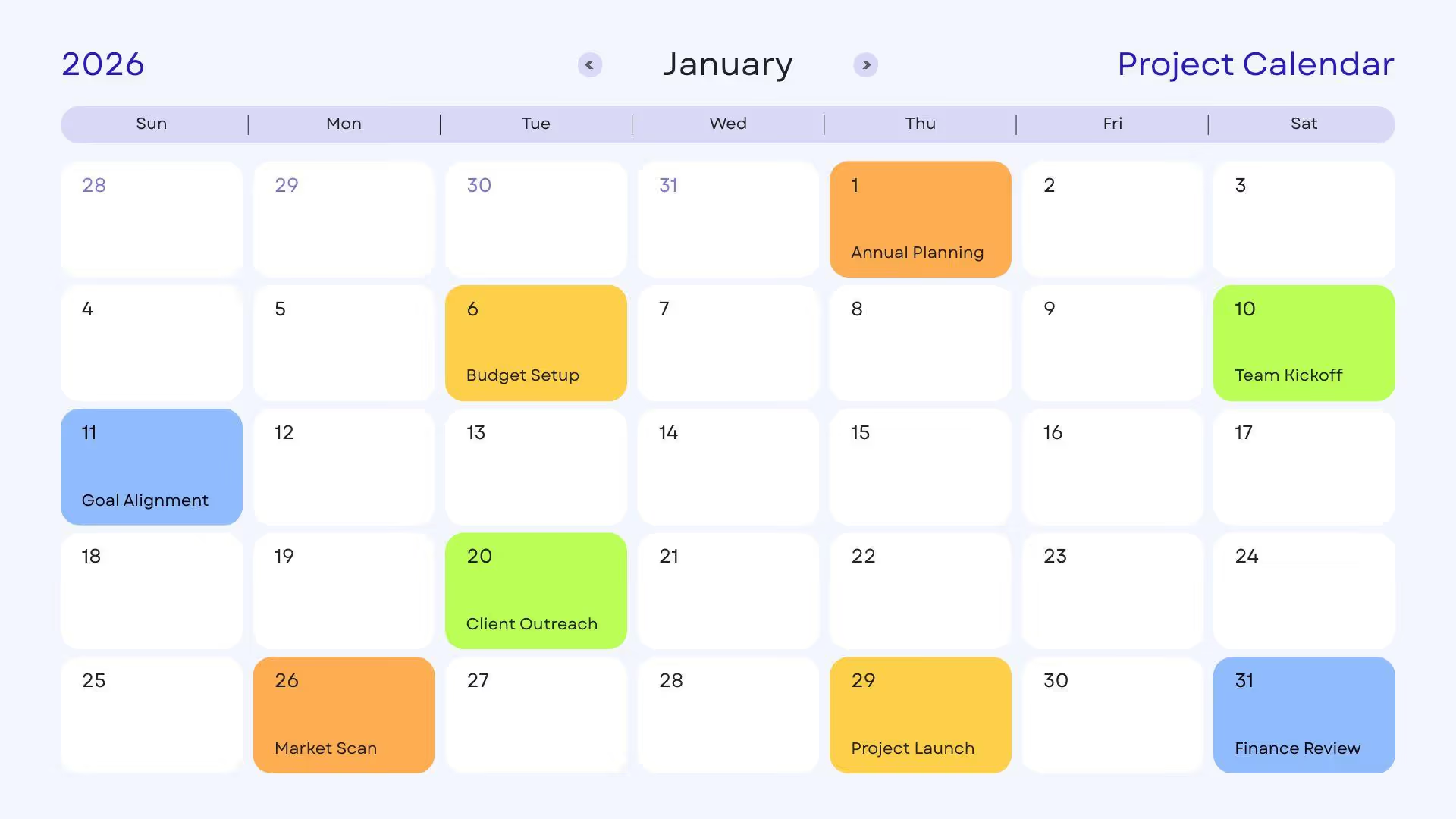
The project calendar is a visual guide that identifies working days, shifts, deadlines, key dates, and other timeline elements. Think of it as your operational playbook that tells when employees can work, business hours, specific shifts, deadlines, and milestones.
For instance, if you are a worker who needs to check the staff availability for a specific task, the calendar is the right tool. Unlike project schedules, calendars are not flexible to the project execution. Here’s what a typical team project calendar looks like.
- Deadlines to ensure the team comes up with deliverables by the due date.
- Working/ Non-Working Days to determine what needs to be done when.
- Shifts to identify what tasks are reserved for the night or day shift.
- Milestones to showcase important goals and objectives in the project.
- Task Assignment to demonstrate who’s assigned a specific task and what their responsibilities are.
The Different Types of Project Calendars (and How to Use Them)
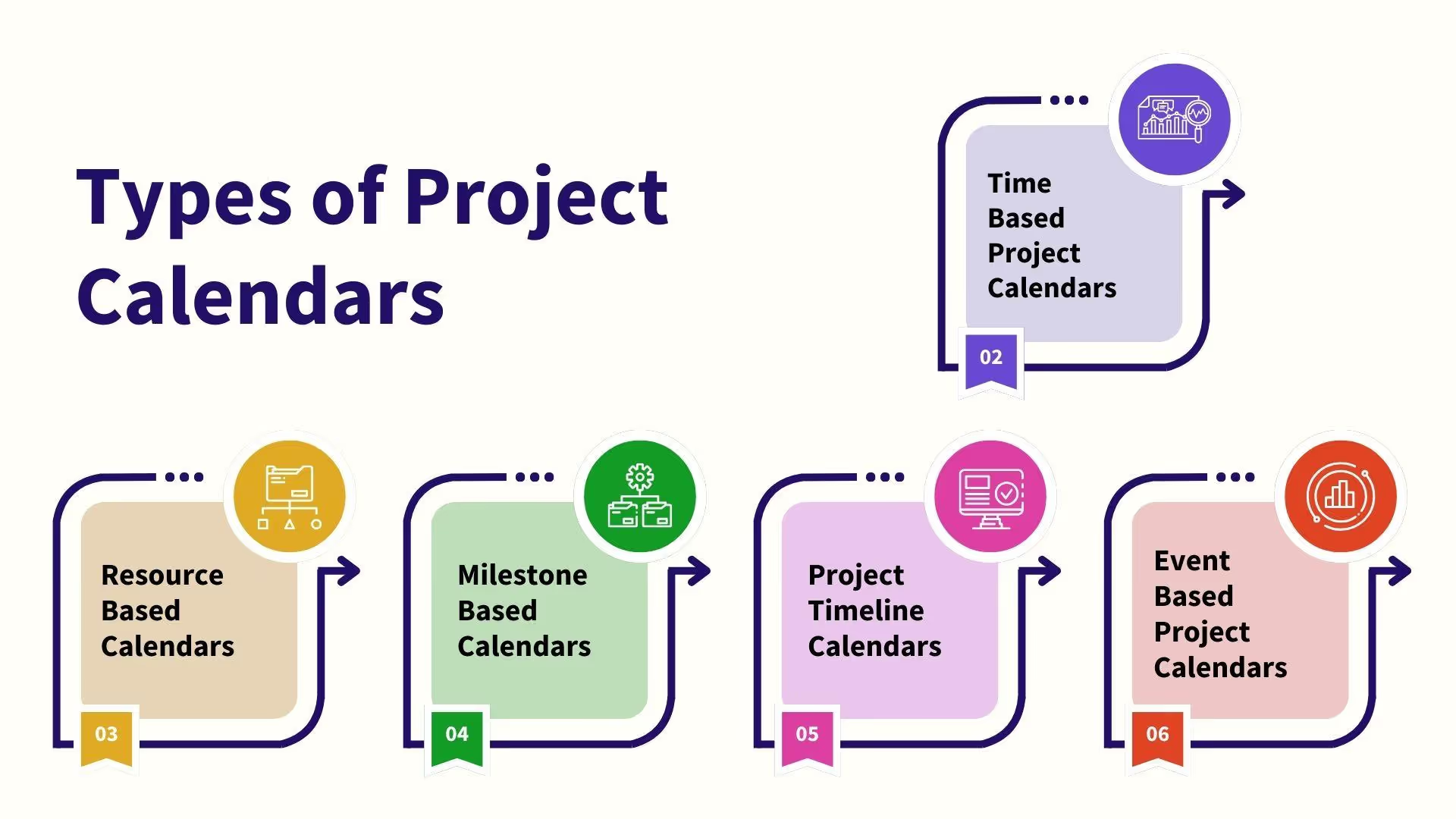
Project calendars are not one-size-fits-all. For every part of your business, there is a separate project calendar category. Managers set them individually or combine different aspects to fit their project needs.
Here are some common project calendar examples to help you make informed decisions.
Task-Based Calendars
Task-based calendar for project management focuses on specific tasks outside working time, and their details (such as deadlines and dependencies). Unlike general calendars that assign default working hours to project-related activities, these task-based calendars apply to individual tasks and their unique requirements (weekends, 24/7 operations).
Managers use color-coded categories and labels to highlight high, medium, and low-priority tasks in these task-based calendars. This way, the team remains on one page about what’s more important. These calendars are also an excellent way to break down tasks into digestible sub-tasks, which can then be scheduled individually.
Key elements of task calendars include,
- Task scheduling that lets you assign specific dates and times for tasks.
- Reminders to notify of upcoming deadlines.
- Recurring tasks that help you automate the scheduling of repetitive activities.
- Color-coded categories to prioritize tasks and activities.
Best For: Teams and managers needing flexibility to manage multiple moving tasks within a project, instead of just broader deadlines.
Resource Calendars
A resource calendar project management shows when resources such as people, facilities, and equipment are available to work on the tasks. You will find important details in resource calendars, including working days, buffer time, planned leaves, and more. This visibility helps project managers develop realistic plans that account for the team’s availability.
Let’s say your team is developing a new product, but the key designer is on holiday during a crucial stage of production. The calendar will highlight this conflict. So, the manager can review it and adjust the activities accordingly. This calendar also helps with multiple overlapping projects that are naturally prone to scheduling conflicts.
The following are key elements of a resource-based team project calendar.
- Resource information, detailing everything from team members to equipment and facilities.
- Availability schedules across working hours, holidays, and non-working days for individual resources.
- Project details, such as commitments or reservations regarding specific tasks or activities.
- Real-time adjustments and updates to availability due to unexpected situations, like sick leaves, system malfunctions, etc.
Best For: Complex workload distribution in teams where tasks are spread across the departments (manufacturing, design, planning, marketing, etc). These calendars help avoid bottlenecks and optimize resource allocation.
Milestone Calendar
A milestone calendar or chart is a visual timeline that focuses on critical checkpoints and achievements in your project. Unlike traditional schedules that list down every task, these charts only highlight big wins, so you have a clear idea of the progress. Think of them as communication tools to keep the stakeholders updated without needing to go into details.
Let’s say a startup business is developing new products. Milestone calendars can highlight critical dates, such as regulatory approvals, production completions, product launches, and more. Once these key moments are separated from the noise, teams have a clear shared definition of success and delivery timeline.
Here is what a typical milestone project plan calendar looks like.
- Scope with clearly stated project goals so everyone can track success.
- Key milestones to signify progress or completion of an essential deliverable within the project.
- Logical activity sequencing to make sure all milestones follow a clear path.
- Realistic deadlines for individual milestones.
- Accountability icons that assign a person to each milestone.
Best For: Teams dealing with complex, multi-phase projects with distinct stages and cross-departmental initiatives with in-depth task lists. Milestones offers a common language for employees to navigate each other’s daily workflows and transition to the next step.
Project Timeline Calendar
A project timeline is a visual representation of your project’s task sequences, milestones, durations, and deadlines within the calendar. It is your time-based roadmap that guides project teams from start to finish. It helps you set expectations, monitor progress, and maintain accountability. This way, the team is aligned on deadlines and free from delays.
Gantt charts are the most commonly used type of project timeline calendar. It uses horizontal bars to plot tasks along a timeline, with durations, start and end dates, dependencies, and milestones. These chart-based project planning calendars are best for complex projects with multiple interdependent tasks having overlapping dependencies.
The following are the key elements of a project planning timeline calendar.
- Project goals and objectives with measurable results and steps to achieve them.
- Tasks breakdown and sequencing, each with a manageable unit of work and a clear purpose.
- Time estimates (start and end dates) and realistic deadlines.
- Milestones and key deliverables showing big wins in the project timeline.
- Resource allocation, including members, equipment, and budget.
- Review tabs for regular updates to keep the stakeholders in the loop.
Best For: Project managers and teams dealing with time-sensitive and complex projects where tasks and sprints are planned over a set period. The detailed high-level overview helps teams align their goals and enable progress tracking.
Event Calendar
The event calendar represents a significant event (meeting, webinar, or community event) related to your project. For instance, if you are running a marketing conference for a product launch, you would need a calendar to manage it. These calendars give you a structured overview of the event, replacing scattered spreadsheets, endless emails, and sticky notes.
Through these calendars, managers are sending out clear agendas within the invitations. This way, the participants also prepare well. Businesses also use event calendars to schedule post-event reviews and debriefs to note the lessons learned for future projects. Simply put, these calendars become the single truth for teams, improving visibility and reducing confusion.
Here are some common elements of a typical event-based project calendar.
- Event details, including title, date and time, location, and description.
- Registration or ticketing information to verify the invitation.
- Digital ones include search functionality, mobile-friendly design, and real-time collaboration features.
How to Create a Project Calendar Step by Step?
You can create a realistic project calendar in minutes with the right project management tools. Here is a quick rundown of how to use AI helpers and working calendars to achieve this.
Step 1: Define the Goal and Scope
Imagine your family is gathering to celebrate, and you are making pasta. It seems like a quick job. But there’s much more.
You prefer homemade bread from your grandmother’s recipe. The vegetables need to be fresh, from the farmer’s market, open only on weekends. The paste needs to be a specific shape. See! The details have made what seemed quick more complex and time-consuming.
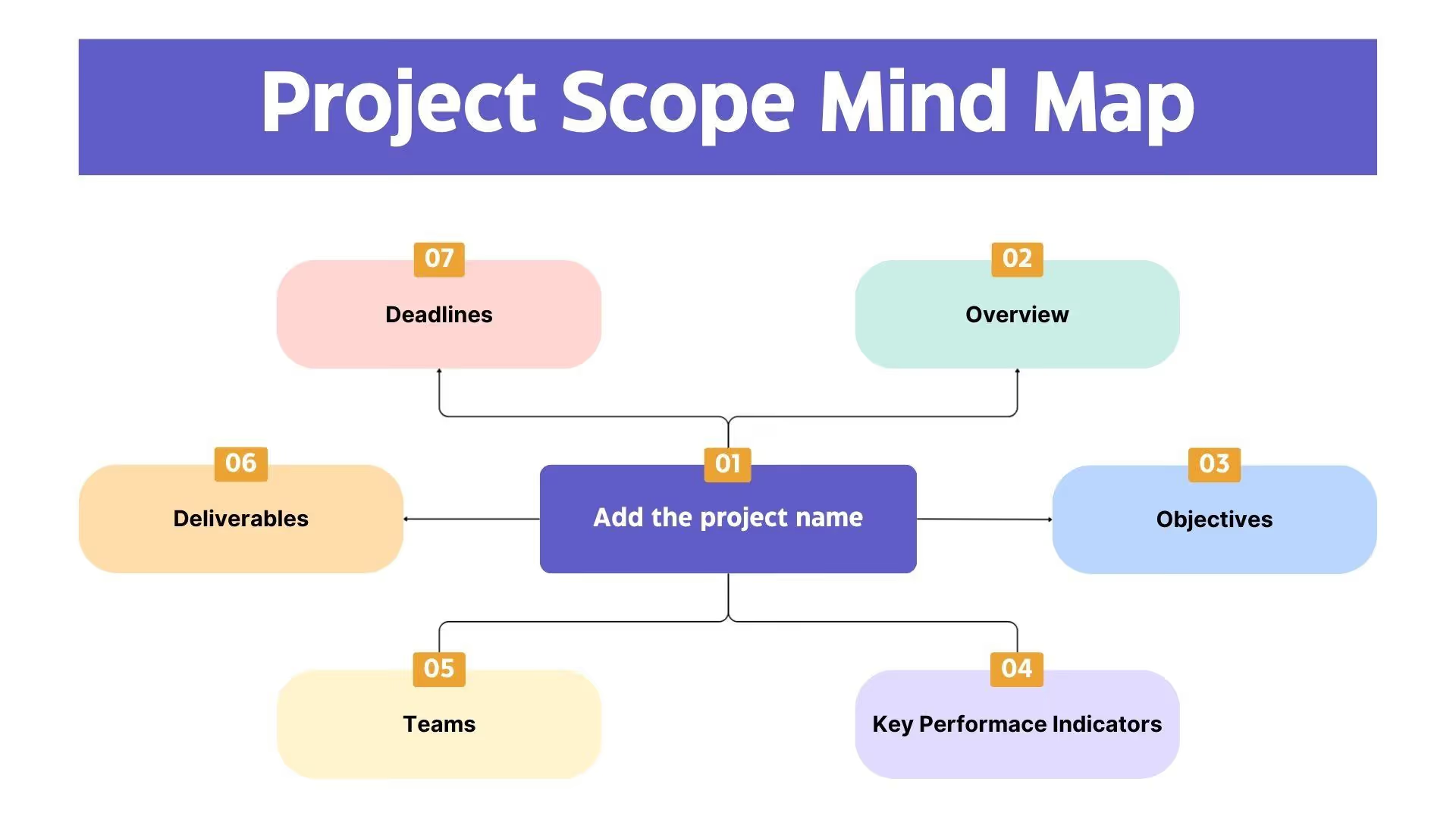
Project calendars work just like this. Launching a marketing campaign might appear simple. But details such as the underlying tasks, duration, resources, and the client’s requirements make up the scope of your project. By identifying this scope, you can create a useful and realistic project timeline.
Gather your team, brainstorm key aspects of your project plan calendar, and clearly define the scope.
- Goals: What do you aim to achieve with the project?
- KPIs: Goals must be measurable via key performance indicators (reducing project overrun cost, cutting status meeting time, improving cross-departmental coordination, etc).
- Deliverables: The output of your project.
- Tasks and Activities: What are the steps you must take to produce the desired deliverables?
- Constraints: What limitations are you working with? Members’ availability, time constraints, budget issues, etc.
Once brainstorming is complete, create a project scope statement. This will be your team’s source of truth, a playbook to abide by. With this, your team can better focus on crucial details.
Step 2: Break Goals Into Tasks, Milestones, and Responsibilities
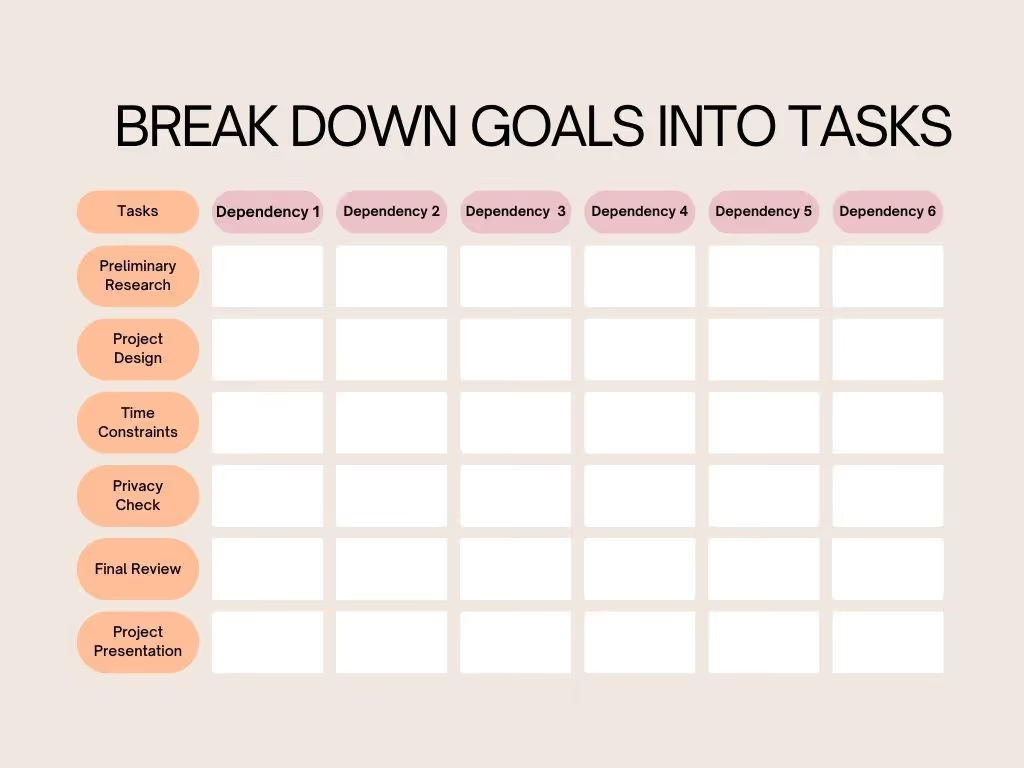
The project management calendar should not revolve around the start and end dates. You must break the desired goals into activities after carrying out discussions with the team. Remember! The tasks should be specific, realistic, measurable, and contribute to the goals.
Technically, this step is called WBS or Work Breakdown Structure. WBS involves disintegrating the project into digestible deliverables and carefully crafting tasks to achieve them. Once you have a list of tasks, the manager assigns a task owner to each task to improve accountability.
Let’s apply this to our pasta project. The end goal is fresh pasta made using the grandmother’s recipe. But there are several deliverables in between, including
- Deliverable 1: Vegetables from the farmer’s market.
- Deliverable 2: The grandmother’s recipe.
- Deliverable 3: A specific-shaped dough
You can now plot the tasks required to achieve these individual deliverables. For instance, to complete deliverable 1 (vegetables from the farmer’s market), here are the tasks,
- Agree on which vegetables to choose.
- Find the market’s time and location.
- Drive to the market.
- Purchasing the vegetables.
- Returning home.
Thankfully, Sintra’s role-based AI employees have simplified the work breakdown structure. These employees share a centralized knowledge base, called Brain AI, that stores all your project details (scope, purpose, goals, etc).
Once done, these digital employees use the details as context to analyze your goals, identify steps, and structure them into subtasks. The best part: you can prompt the AI to split these tasks across departments for better visibility and structure.
Step 3: Assign Time Estimates and Deadlines

We’ve successfully outlined the deliverables and tasks. But there’s more: estimating time for each task and setting realistic deadlines.
Begin by reviewing the team project calendar and estimating the time required. You do not have to be perfect. Just be realistic.
- Pro Tip: To improve accuracy, always use AI-generated PERT (Program Evaluation and Review Technique) analysis. This helps you identify critical tasks, uncertainties, and dependencies to manage time more effectively. Plus, no human errors.
Now that you have the time estimates ready, arrange them in chronological order. For this, you must be clear about task and resource dependencies. Simply put, these are the tasks and resources that cannot occur simultaneously. For instance, you cannot shape the pasta until you’ve kneaded the dough.
Finally, set deadlines in your project management calendar. While doing so, it’s important to leave buffer spaces for unexpected delays. AI agents are always better at reducing oversight errors.
Step 4: Populate Your Project Management Calendar Tool

It’s time to add all planned details to a working calendar tool of your choice.
There are numerous popular project management calendar tools (Asana, ClickUp, Trello) to choose from. These platforms help you populate the calendars, track progress, and collaborate in real time. However, each has a different toolkit, so you must choose one that fits your unique requirements.
For instance, Excel is a widely familiar tool that teams and individuals from all kinds of backgrounds use to organize information. Asana is best known for structured project tracking with visual timelines, progress bars, and carefully crafted task assignments. In comparison, Trello helps managers with visual planning via Gantt charts and Kanban boards. Once the tool is selected, transfer your planned work, including
- Milestones
- Tasks and sub-tasks
- Dependencies and resources
- Due dates
However, you do not have to do all the work manually. Your virtual business AI assistant from Sintra does it for you. You can ask it to write task descriptions, perform PERT analysis, identify bottlenecks, set milestones, allocate due dates, and more. As we’ve already done this in previous steps, we’ll proceed and import them to the desired tool.
That’s it. Your project calendar is all set. Ask your team to join and collaborate in real time.
3 Ways to Find Hidden Time in Your Calendar
Struggling to manage time and meet deadlines? Here are three ways from our side to help you find hidden time in your project manager's calendar.
1. Prioritize With the Eisenhower Matrix
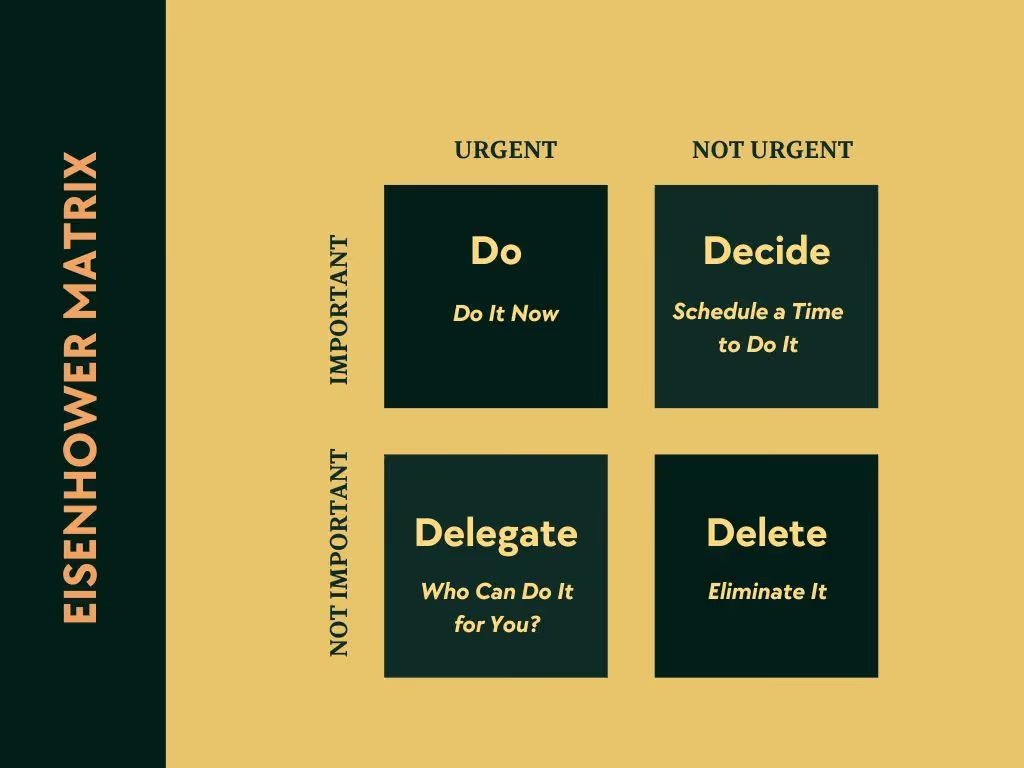
The Eisenhower matrix is a 2-by-2 visual tool that helps you plot tasks based on urgency and importance. With this technique, you can eliminate the noise and prioritize tasks. Here is how it goes.
- Quadrant 1 (Urgent and Important): These are the tasks that require immediate attention. For instance, a crucial milestone deadline you must meet, or it can negatively impact your project’s performance.
- Quadrant 2 (Important but Not Urgent): These are the tasks that you should prioritize planning for, such as an upcoming business meeting or marketing strategy. Such tasks do not need to be done right now and can be scheduled for a later date.
- Quadrant 3 (Urgent but Not Important): These tasks appear urgent but don’t really count as important or valued. For instance, constantly checking your email or responding to clients who are taking more time than it is worth.
- Quadrant 4 (Neither Urgent Nor Important): These tasks are complete distractions. You must avoid them to get clarity. Examples include excessive social media browsing or unnecessary research that wastes your time and gets nothing done.
Pro Tip: Train your team on the Eisenhower matrix. It can help them differentiate what’s important from what’s urgent, and what’s just wasting resources. Give them ownership of the delegated task and monitor progress. It works regardless of the way you work.
2. Try Time Blocking and Task Batching
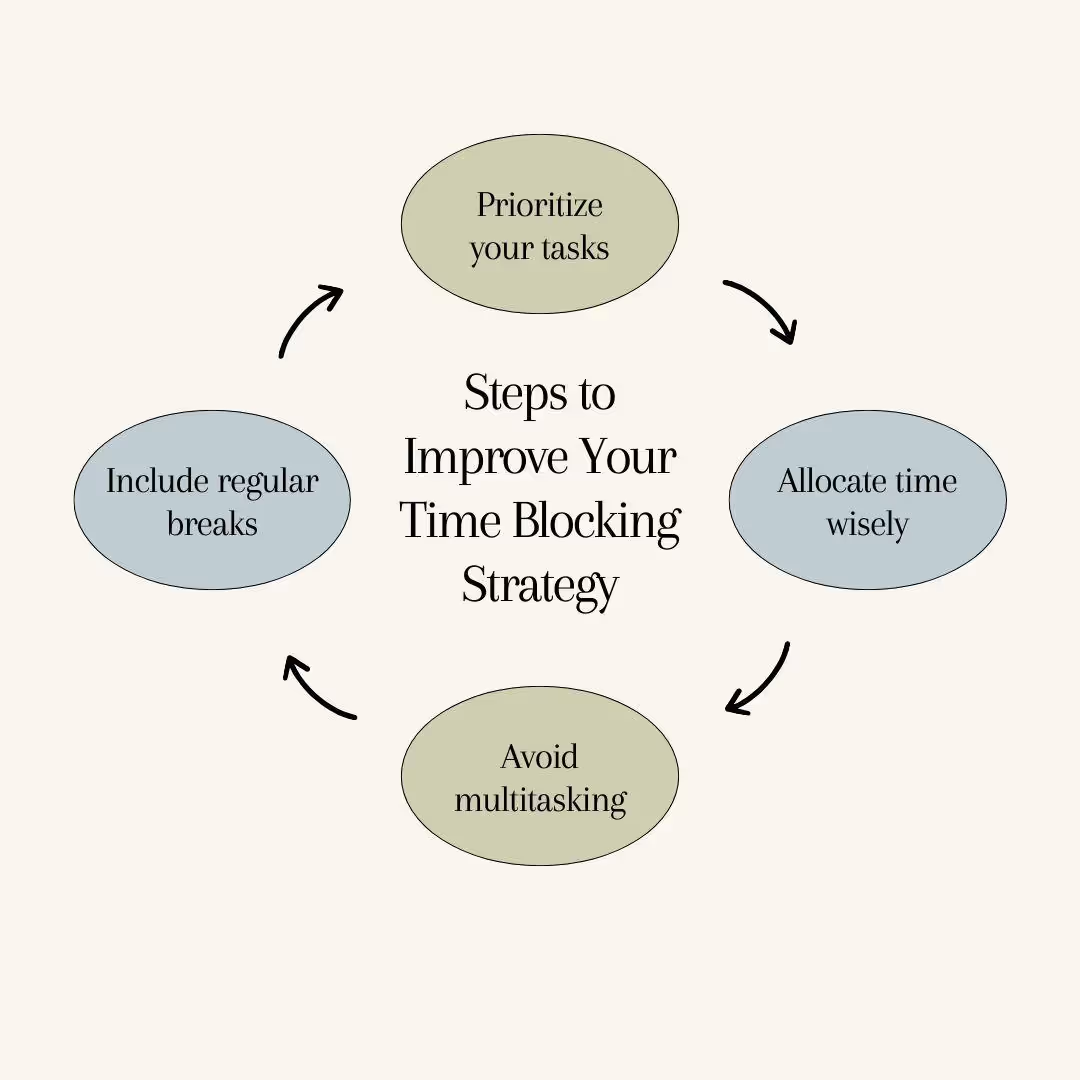
Time blocking refers to a productivity technique that divides your workday into dedicated time slots for individual tasks. Time batching is another productivity tactic that allows you to group similar, low-effort tasks and do them together in one go.
Once you combine both, the productivity multiplies and you no longer have to catch up on to-do lists throughout the day. Here is what it looks like in a realistic workflow.
- Group Similar Tasks: Categorize routine activities, such as attending meetings, creating content, and responding to clients’ queries.
- Create Time Blocks: Allocate a time block to each category. For instance, 9 am to 12 pm should be blocked for content creation.
- Match Tasks to Energy Levels: Leave high-focus tasks during your unique peak energy hours (early in the morning, late at night).
- Allocate Buffers: Include breaks in between to prevent burnout.
Imagine you are a writer. The manager tasked you with client meetings, research work, outline drafting, and writing in one week. The problem: each activity demands different skills, and switching between them causes fatigue and mental stress. To avoid this, you must block time for meetings and research on day one. Next, you leave creative days for writing.
3. Automate the Rest
Now that you have identified high-concentration, high-priority tasks on your project calendar, all that’s left are repetitive tasks that are probably eating most of your day. This can be scheduling meetings, posting on social media, documenting reports, and more.
To free up this space from your routine, automate using AI. AI-powered automations streamline routine business tasks, improve productivity, reduce manual errors, and help your brand grow.
Let’s take the example of an AI sales manager. It can take the stress out of your lead qualification by analyzing behavioral and demographic data. Businesses use sales support automations to engage visitors via content, conduct personalized outreach calls, and forecast sales across platforms. It saves time and helps human employees focus on growing revenue.
Why the Best Project Management Calendar Is Backed by AI?
Most project management calendars are static, fixed documents. These tools can help you schedule tasks, but they only show your plan at a single point in time, unable to adapt to changing circumstances. And, this is stopping your team from reaching its potential. If you are still at this stage, it’s time to switch to living execution-ready calendars.
Wondering how? The answer: AI. AI-supported role-based agents from Sintra automatically maintain your calendars. It helps you optimize resource allocation, identify bottlenecks, locate time estimates, and adapt to your team’s work style. Here’s what goes behind the scenes.
- AI predictive analytics uses historical project data to forecast time estimates, resources, people, and finances.
- Automated scheduling helps managers find optimal times for buffers, team discussions, and creative tasks.
- AI-driven candidate screening to find the right talent for the job based on skill sets, qualifications, and availability.
- Automated information and context sharing across departments (marketing, sales, operations) using centralized business memory.
The result: Sintra helps you create a dynamic calendar that not only schedules but also helps you with smarter suggestions, better visibility, and no oversight errors.
Ready to Turn Your Project Calendar Into an Execution System?
AI-driven project calendars are an excellent way to stay focused and gain visibility with minimal effort. But don’t choose randomly.
AI solutions like Sintra AI that understand your business, its goals, and customer base help you plan more effectively. It uses your brand information as context, historical projects as learning, and automations as error-free suggestions. What you get is a clear, structured plan that keeps your team aligned and focused.
So, get started with Sintra and see how it works for you.
Project Calendar FAQs
What is a project calendar in project management?
A project calendar is a planning tool that helps you plot “when” something happens in a project, including days, hours, and shifts. A typical project calendar includes timelines, milestones, deadlines, and task dependencies to help the team with visibility.
How do you create a project calendar step by step?
To create a project calendar, begin by defining the project scope (goals, objectives, measurable success indicators). Once done, you break down the goals into tasks, allocate resources, and set deadlines.
What is the best project management calendar tool?
The best project management tool depends on your unique requirements. For instance, Asana is a good choice if you require cross-team collaboration, while Trello is preferred for visual scheduling, and ClickUp for custom Gantt charts.
What is the difference between a project plan and a project calendar?
A project plan is a document that details your project, including the strategy, scope, goals, and resources. In comparison, the project calendar is a scheduling tool that helps you build a timeline representing when tasks occur, their dependencies, and milestones.
Are project calendars necessary for small teams?
Whether you are a small team or a big enterprise, project calendars are mandatory. These scheduling tools help you gain visibility on what’s going on in the project, track progress, and achieve deliverables within time.
Related articles






.avif)




