7 Best Reclaim.ai Alternatives We Tested in 2026

.avif)
Table of Contents

Quick Answer: What Is the Best Reclaim.ai Alternative?
The best Reclaim.ai alternatives are Sintra AI, Motion, Morgen, Akiflow, and Notion AI.
- Sintra AI goes beyond simple task scheduling and supports full workflow execution across multiple business functions. Sintra’s AI team ensures users can not only optimize and manage their calendars but also integrate them seamlessly into broader business workflows.
- Motion helps users plan their day automatically instead of manually organizing tasks and calendar blocks. Compared to Reclaim, Motion is more of an all-in-one productivity platform that goes beyond calendar optimization and habit scheduling.
- For teams that deal with heavy meeting loads and need uninterrupted focus time, Morgen is a strong Reclaim AI alternative. It helps teams automatically organize meetings, coordinate schedules, and protect shared focus time for everyone.
Reclaim.ai is an AI-powered calendar assistant that continuously optimizes schedules for individuals and teams. Its integration with popular calendar platforms like Google and Outlook helps users maintain productivity while keeping their schedules realistic and manageable. The broader shift toward AI-powered project management is accelerating - Gartner predicts AI will eliminate 80% of PM tasks by 2030, particularly admin work like data collection and status reporting, and 41% of PM experts already report significant gains from AI tools. Rather than functioning as a static calendar, Reclaim.ai creates a living schedule that adapts automatically to changing goals, habits, and tasks.
However, despite Reclaim’s strengths, some users prefer deeper project management capabilities, better AI automation, more integrations, or a simpler interface. This leads many to search for reliable Reclaim.ai alternatives.
Automated scheduling
In this article, we evaluated the best Reclaim.ai alternatives, including advanced tools that offer AI employees, through hands-on testing and real productivity scenarios. The platforms on this list are powerful options for users looking to automate scheduling, protect focus time, and better manage their calendars.
Best Reclaim.ai Alternatives: At-a-Glance Comparison
With so many tools available, choosing the best Reclaim alternative can be challenging. Here’s a quick breakdown of the tools we tested and how they compare to Reclaim.ai.
The 7 Best Reclaim.ai Alternatives Compared
Reclaim AI focuses on automatically scheduling tasks from platforms like Asana, Todoist, and Jira, but its core strength lies in habit scheduling. While this makes it useful for personal productivity, many users need tools with broader workflow automation, deeper collaboration features, or more advanced scheduling flexibility.
Keeping Reclaim’s limitations in mind, we tested and compared the top Reclaim.ai alternatives based on scheduling capabilities, automation quality, integrations, ease of use, and scalability for both individuals and teams.
These 7 platforms stood out in our hands-on testing as the best alternatives for users seeking more than traditional calendar optimization.
1. Sintra AI – Best for Full Workflow Execution Beyond Scheduling

Sintra AI is a top Reclaim.ai alternative for users who want more than just calendar optimization. While Reclaim.ai focuses on scheduling tasks and habit management, Sintra supports full workflow execution across multiple business functions, including marketing, support, and operations.
Sintra’s standout feature is its role-based AI helpers, which can handle tasks, optimize processes, and automate projects with minimal human intervention. Another highlight is its AI-powered Brain feature, which remembers context across workflows, creating a level of continuity and efficiency that Reclaim.ai simply doesn’t offer.
Key Features
- Role-based helpers
- Shared memory
- Automated workflow execution
- Multi-department support
- Integrates with popular tools like Google Calendar and Outlook
Who Should Choose Sintra
Sintra is best suited for teams and businesses looking to end-to-end automation across departments, rather than just calendar management. It is ideal for organizations that want to streamline workflows, improve collaboration, and automate repetitive tasks beyond scheduling.
Sintra AI vs. Reclaim.ai
Reclaim is designed to automate tasks, habits, and meetings to optimize work-life balance. Sintra AI goes further by expanding into full workflow automation, task execution, and cross-team collaboration.
Starting Price
Sintra AI follows a SaaS-based pricing model, with paid plans starting from $15.60/month.
2. Motion – Best for AI Calendar and Task Automation
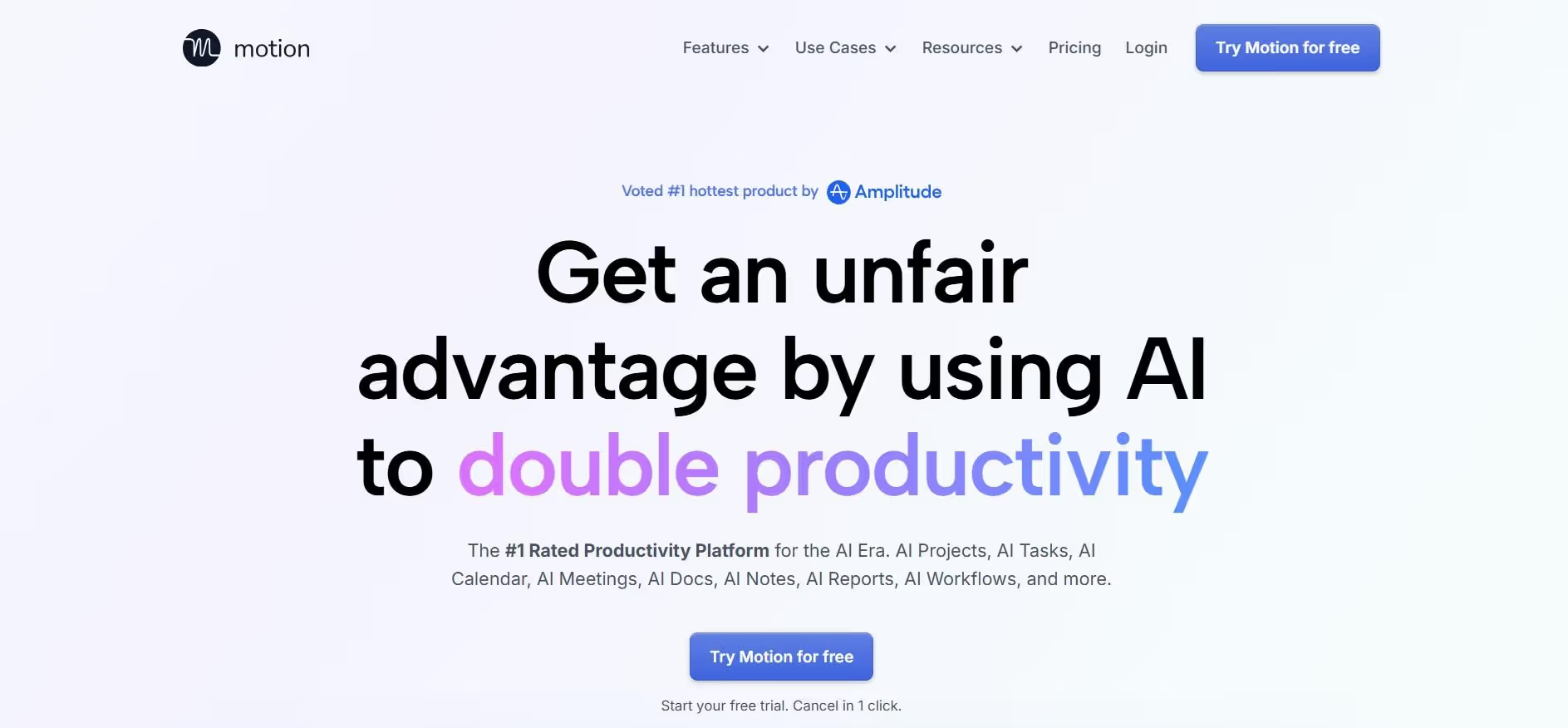
Motion is an all-in-one time management tool that helps users better manage their time, tasks, and workflows. Compared to Reclaim.ai, Motion is a more advanced scheduling engine with stronger automation capabilities. It uses AI to analyze tasks and events while automating repetitive processes like time blocking and task prioritization.
While Motion is a strong Reclaim alternative, some users may find its AI auto-scheduling inflexible, especially if they prefer to control task prioritization manually. The platform also has a steeper learning curve, which can make it harder for teams to adopt quickly and use its automation features effectively.
Key Features
- AI-powered auto-scheduling
- Automatic task prioritization
- Dynamic daily planning
- Meeting scheduling and booking links
- Project and task management tools
Who Should Choose Motion
Motion excels at auto-scheduling and task prioritization, making it perfect for professionals and teams managing multiple deadlines, meetings, and changing priorities.
Motion vs. Reclaim.ai
Motion is designed for users who prefer aggressive automation, while Reclaim AI is more focused on individual time management. Motion offers a more advanced scheduling system that automatically prioritizes tasks, adjusts workloads, and rebuilds schedules in real time, whereas Reclaim focuses on optimizing calendars and routines.
Starting Price
Motion’s individual plans start at $29/month, while teams and organizations can access the platform starting at $19/seat/month. Each paid plan includes a 7-day free trial, allowing users to test the platform before purchasing.
3. Morgen – Best for AI Task Scheduling
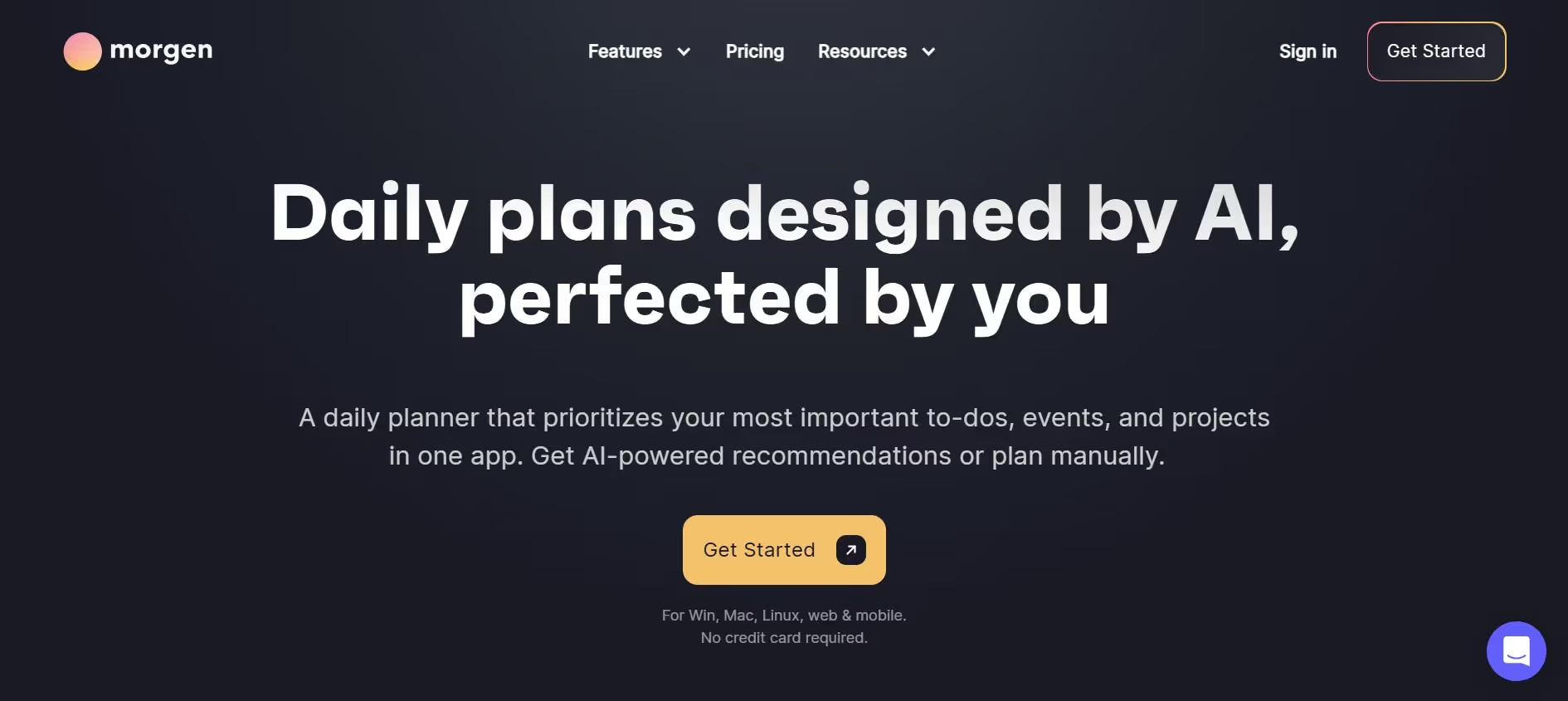
Morgen is a task and calendar management platform that consolidates tasks and calendars into one view. Users can sync multiple calendars—including Google, Microsoft, Apple, and Fastmail—and manage everything from a unified dashboard. Morgen also offers deep task integrations with various task management tools, allowing for bi-directional task syncing.
Morgen’s standout feature is its AI Planner, which helps users plan their day intentionally rather than relying on full automation. Morgen uses a frame-based planning system to create smart time containers for specific work types. Instead of reacting to tasks and meetings, users can schedule them using smart blocks, buffers, and focus time.
The AI Planner reviews tasks, availability, and energy preferences before proposing an optimized daily schedule, giving users the benefits of AI scheduling without sacrificing control. Morgen also allows users to create customizable booking pages for meetings, integrating with platforms like Zoom and Google Meet.
Key Features
- Intentional planning and scheduling
- Buffer and travel time automation
- Mono-tasking for better focus
- Integrates with popular calendars and task managers
- Available on mobile
Who Should Choose Morgen
Morgen is ideal for professionals managing multiple calendars, tasks, and deadlines. Morgen's AI Planner suggests schedules but requires user approval, providing more control compared to Reclaim AI's automation. Therefore, it is best for individuals who want AI recommendations they can review and approve, instead of fully automated scheduling.
Morgen vs. Reclaim.ai
Reclaim AI is often criticized for its lack of mobile app support, making it less flexible for on-the-go scheduling. Morgen is available on iOS and Android, making it useful for users who prefer cross-device consistency. Morgen also offers more integrations than Reclaim AI and allows for greater customization of features.
Starting Price
Morgen's pricing starts at $25/seat/month for teams, while individual plans start at $30/month. Every plan includes a 14-day trial with full access to Morgen's features.
4. Sunsama – Best for Daily Planning and Focus
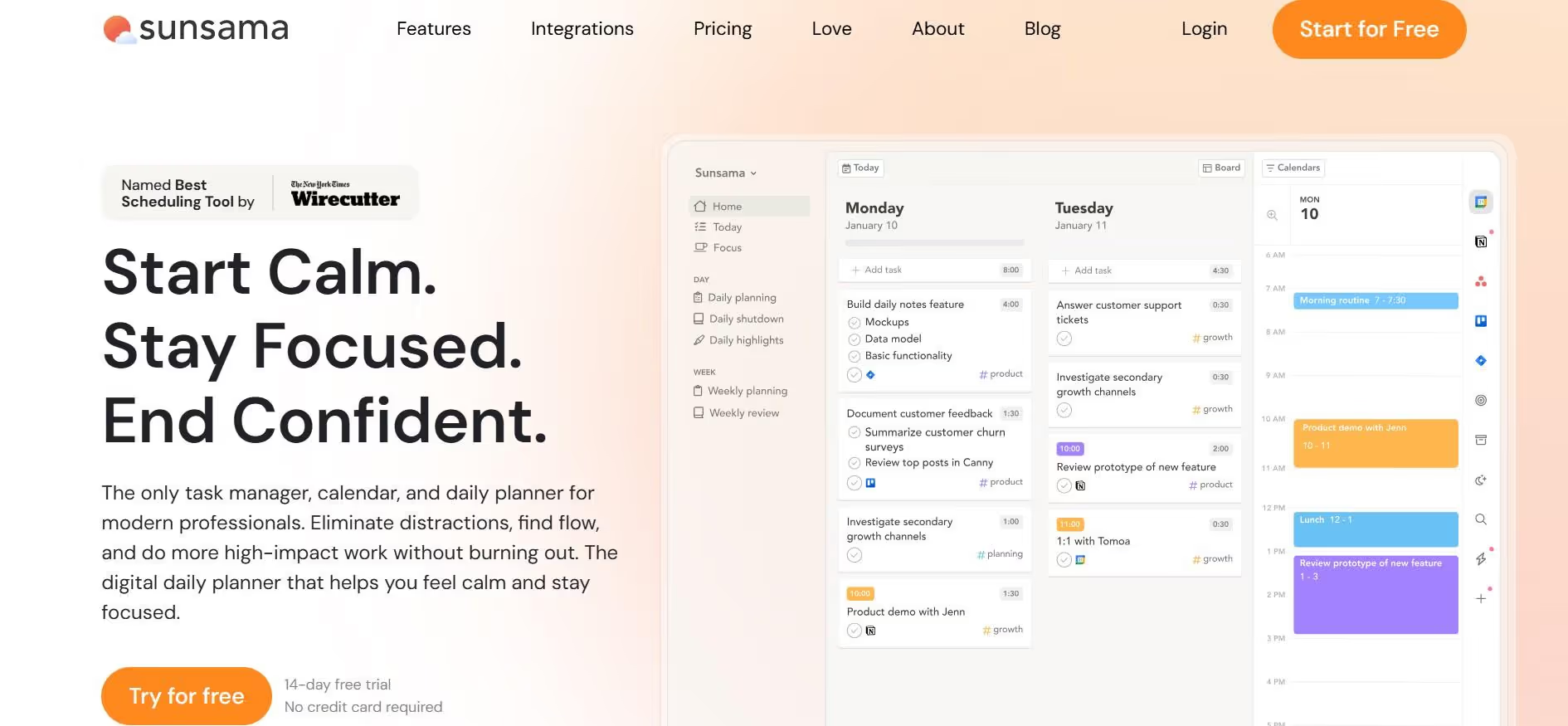
Sunsama is a strong Reclaim.ai alternative, especially for users who prefer intentional planning over automated scheduling. Unlike Reclaim, which automatically schedules tasks, habits, and meetings around your calendar, Sunsama emphasizes mindful daily planning and guided workflows for reviewing work and setting priorities.
The platform takes a more hands-on approach, giving users greater control over their daily workflows and planning rituals. Sunsama also guides users through structured morning planning and evening reflection, reinforcing its focus on discipline and intentionality rather than automation.
While these features make Sunsama unique, they also position it as a planning workspace with less AI scheduling and fewer dynamic calendar adjustments than Reclaim.ai.
Key Features
- Guided daily planning
- Time-blocking and calendar integration
- Workflow planning and management across multiple tools
- Task classification for personal and work tasks
Who Should Choose Sunsama
Sunsama is ideal for busy professionals who want to mindfully and manually plan their day. It works best for users who prefer more control over scheduling and want to build structured daily planning habits without relying heavily on automation.
Sunsama vs. Reclaim.ai
Sunsama and Reclaim follow different approaches to productivity management. Reclaim.ai excels in AI-powered calendar automation and automatic schedule adjustments. In contrast, Sunsama is designed for users who want to intentionally plan their day, manually organize workloads, and follow structured planning and shutdown routines.
Starting Price
Sunsama's pricing starts at $20/month and includes a 14-day free trial with full feature access.
5. Akiflow – Best for Task Aggregation Across Tools
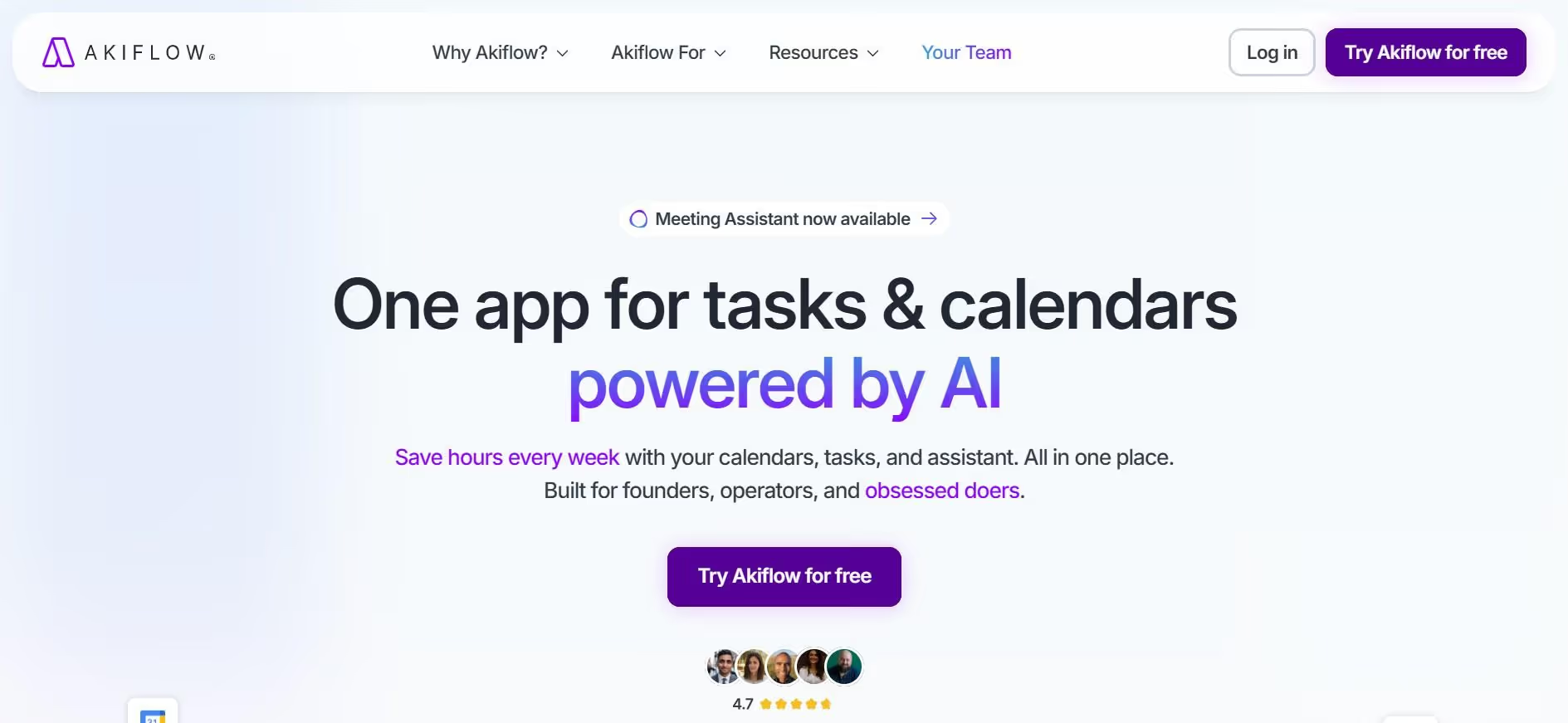
Akiflow is a productivity tool that helps users plan their schedules across multiple channels through a unified dashboard. Akiflow consolidates tasks from various tools, such as Todoist, Notion, Slack, and ClickUp, into one command center for manual time blocking. By pulling tasks from different apps into a structured view, Akiflow allows users to organize and plan their day manually.
What makes Akiflow stand out is its focus on helping users decide what to work on and then commit those tasks to their calendar. Instead of relying on full auto-scheduling, Akiflow gives control back to users, allowing them to protect deep work and reduce reactive task switching.
However, Akiflow’s commitment to personalized time-blocking may feel excessive for users who simply want a lightweight to-do list app.
Key Features
- Unified task inbox across multiple tools
- Calendar and time-blocking management
- Integrates with popular productivity apps
- Meeting scheduling and task prioritization
Who Should Choose Akiflow
Akiflow is a great choice for professionals and teams who manage tasks across multiple apps and want one centralized place to organize everything. It works best for users who value visibility and control over full AI scheduling.
Akiflow vs. Reclaim.ai
While Reclaim provides a centralized planner for viewing synced tasks and calendar events, its core focus remains automated scheduling rather than unified task aggregation across multiple tools. Akiflow, on the other hand, emphasizes task centralization and unified productivity management.
Starting Price
Akiflow's pricing starts at $19/month and includes a 7-day free trial.
6. Notion AI – Best for All-in-One Workspace + AI
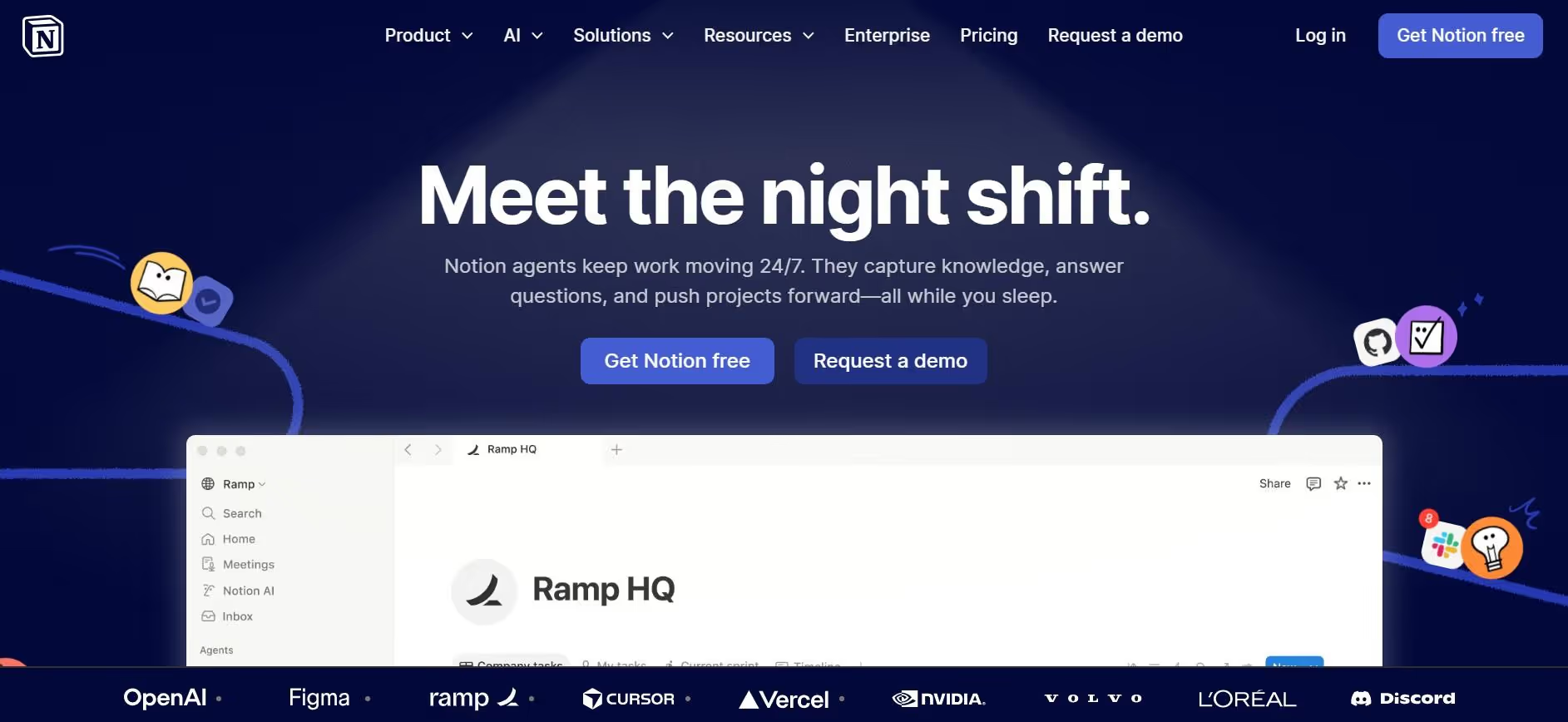
Notion AI is a powerful productivity platform for storing databases, notes, and documents. One of its companion tools, Notion Calendar, serves as a good Reclaim.ai alternative by integrating closely with Notion documents to help users schedule meetings, manage events, and collaborate on upcoming plans.
While Reclaim is a dedicated scheduling tool, Notion AI functions more as an all-in-one flexible workspace powered by AI. It works well for shared knowledge management, project documentation, and team planning.
However, its scheduling capabilities are more limited than Reclaim.ai’s dedicated automation features, and much of its calendar functionality depends on the broader Notion ecosystem. Additionally, many users find Notion has a steep learning curve, and its reliance on manual setup can feel overwhelming for beginners.
Key Features
- Project and task management
- Consolidated databases
- Custom workflows and templates
- Team workspace collaboration
Who Should Choose Notion AI
Notion AI is ideal for teams that want a flexible workspace for managing projects, documentation, and team collaboration. It works best for businesses that need broader workflow management beyond simple scheduling.
Notion AI vs. Reclaim.ai
Reclaim focuses on AI scheduling and time-blocking, automating habits, tasks, and meetings on top of Google Calendar. Notion, on the other hand, is primarily a knowledge base and all-in-one workspace. It helps teams organize projects, documents, and tasks with highly customizable management features.
Notion supports manual time blocking through Notion Calendar, while Reclaim layers over Google Calendar and offers automatic time blocking.
Starting Price
Notion offers a free tier that includes access to Notion Calendar. Paid plans start at $10/member/month.
7. Trevor AI – Best for Time Blocking Simplicity
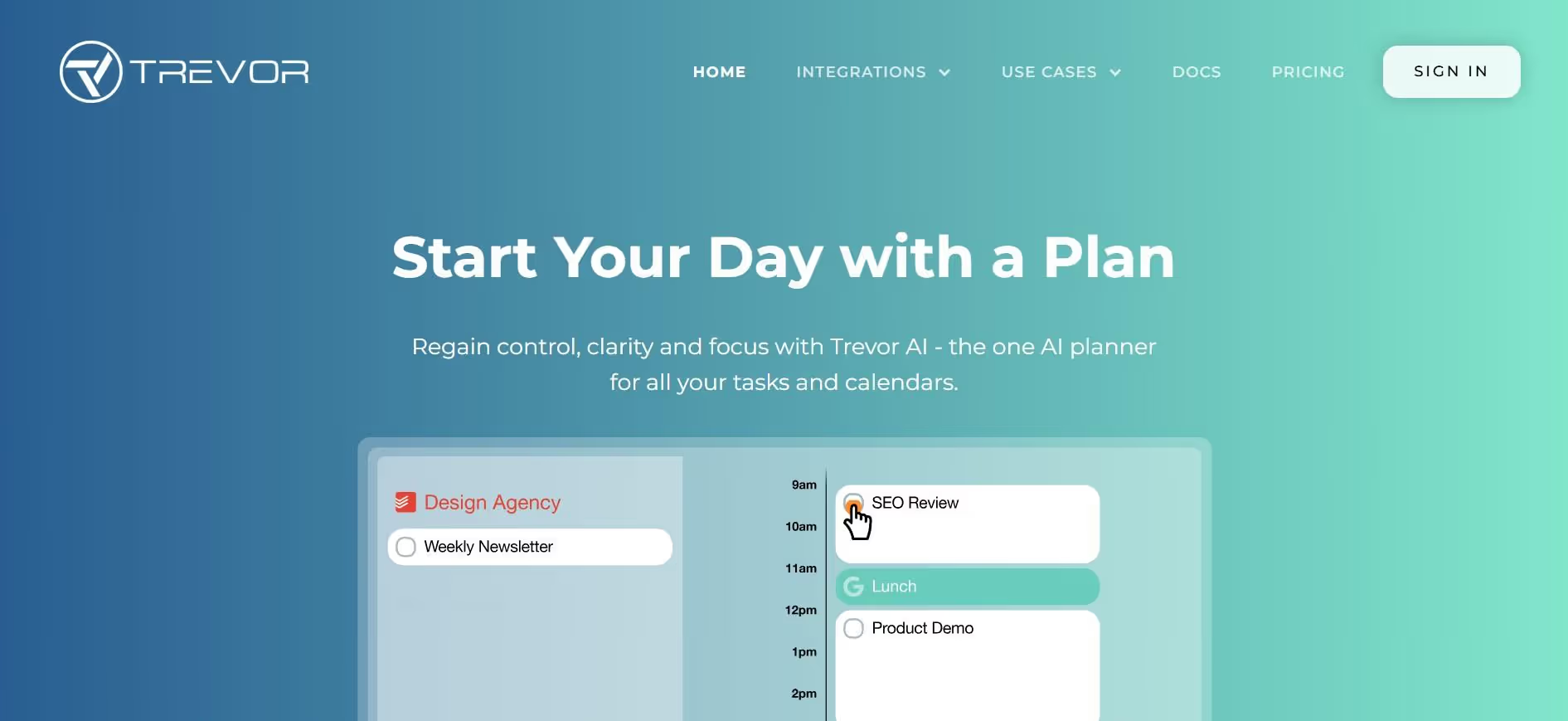
Trevor AI is a simple, more manual alternative to Reclaim.ai. It is built for users who prefer simplicity and control over fully automated scheduling.
While Reclaim heavily relies on AI to automate tasks and calendar planning, Trevor AI focuses on lightweight time-blocking and task organization with smart scheduling assistance. It integrates with popular calendar and productivity apps like Google Calendar, Asana, and Slack to help users manage tasks efficiently without overwhelming automation.
While Trevor AI offers an intuitive approach to time-blocking and task planning, it lacks the depth, advanced automation, and broader integrations of more robust Reclaim.ai alternatives like Sintra AI and Morgen.
Key Features
- Drag-and-drop time blocking
- Task prioritization and daily planning
- Integration with popular calendar apps (Google Calendar, Outlook)
- Simple, intuitive interface for fast planning
Who Should Choose Trevor AI
Trevor AI is ideal for freelancers and small teams juggling multiple tasks each day. Its no-frills approach makes it a strong choice for users who prefer more control and simplicity over heavy AI-driven automation.
Trevor AI vs. Reclaim.ai
Reclaim focuses on automating schedules, dynamically adjusting tasks, and optimizing calendars for improved time management. Trevor AI takes a simpler approach by emphasizing manual time-blocking and lightweight scheduling assistance. While Trevor offers greater control, it does not match Reclaim.ai’s automation depth or advanced smart scheduling capabilities.
Starting Price
Trevor AI offers a free tier that includes a smart planner, unlimited task scheduling, and AI scheduling suggestions. Paid plans start at $5/month.
How We Evaluated These Reclaim.ai Alternatives
The only way to truly assess a tool’s capabilities is by using it in real-world scenarios. To ensure our list of Reclaim.ai alternatives was accurate and trustworthy, we used a hands-on approach to test each tool across practical productivity and team workflows. Instead of relying solely on feature lists and polished demos, we evaluated how each platform performed in everyday work environments.
Our testing focused on the following criteria:
- Usability: We assessed how intuitive each platform was to set up, learn, and use for both individuals and teams. Simpler tools are easier to adopt and use to their full potential, especially for non-technical teams.
- Automation Depth: We reviewed each tool’s scheduling intelligence, AI recommendation capabilities, and workflow automation flexibility. Different individuals, teams, and organizations require varying levels of automation depth.
- Integrations: We examined compatibility with popular calendars, task managers, and workplace productivity apps. A tool that seamlessly integrates with existing tech stacks improves time-to-value.
- Scalability: We evaluated how well each platform supports growing teams and increasingly complex business needs. Scalable tools reduce the need to switch platforms as a business expands.
- Real-World Performance: We tested how effectively each tool handled daily tasks like meeting coordination, time blocking, workload planning, and cross-team scheduling.
By analyzing each platform in realistic daily scenarios, we were able to identify the best alternatives for this Reclaim.ai review. Our list includes a mix of tools that cater to users with different productivity needs.
How to Choose the Best Reclaim.ai Alternative
Reclaim AI is particularly popular among users who want to defend their focus time and automatically schedule habits across their workday. But if you're wondering which of the above Reclaim AI alternatives can provide more value, this guide will walk you through everything you need to consider before selecting one.
Define Your Primary Use Case First
Before you start exploring tools, understand the core problem you're dealing with in your work routine. Are you struggling with scheduling, task automation, or complete workflow execution?
Different platforms focus on different problems—some specialize in AI-powered calendar management, while others support broader productivity or business automation. The right Reclaim AI alternative depends on what you need most.
For example, if your biggest challenge is task prioritization, Motion may be a better fit. But if you need workflow automation beyond calendar management, Sintra AI offers more advanced capabilities.
Evaluate Scheduling vs Workflow Execution
Professionals who need task automation, delegation, or cross-team coordination can still benefit from a simple scheduling tool like Akiflow. But if your team requires project and workflow automation and execution, you’ll need more advanced tools like Sintra AI.
When it comes to scheduling, some tools go a step further. Reclaim AI schedules based on calendar availability, treating all available time equally without considering cognitive capacity. In contrast, capacity-aware scheduling tools consider cognitive load and energy levels when planning tasks. This allows capacity-aware scheduling tools to help users manage their energy and cognitive load, not just their time.
For example, tools like Rivva provide energy-based scheduling, using data from wearables to forecast productivity peaks. Depending on your needs, individuals and teams can then choose the best approach—whether simple scheduling or full workflow execution.
Look at Automation Depth and Flexibility
Many users seek alternatives to Reclaim due to its rigid automation and limited flexibility in planning. If you want more control over your schedules, consider tools like Sunsama or Trevor AI, which focus on simple AI-assisted time-blocking while offering greater flexibility.
For teams that need fully automated workflows, it’s important to assess each tool’s automation depth. Platforms like Motion and Sintra AI can handle end-to-end task execution, scheduling, and cross-team coordination, offering much deeper automation. Ultimately, the best choice depends on how much manual input you want to reduce and what your productivity goals are.
Consider Integrations With Your Existing Tools
Professionals require scheduling tools that can integrate with multiple calendars and task management systems for a seamless workflow. Reclaim AI integrates with various tools like Slack, Zoom, and Google Meet to enhance its scheduling capabilities.
Deep integrations with Google Calendar, Notion, Outlook, Slack, Asana, and other productivity tools ensure that tasks, meetings, and deadlines stay in sync across platforms.
If tools are disconnected, users must manually update schedules, watch for duplicate tasks, and constantly switch apps. This reduces efficiency and increases the risk of errors. When evaluating Reclaim alternatives, check how well each tool connects with your existing tech stack. Strong integration depth not only saves time but also ensures accuracy in task workflows.
Think About Team Size and Scalability
Reclaim AI operates on a freemium model with four main pricing tiers, starting with a free Lite plan and scaling up to Enterprise at $18 per user monthly. Reclaim.ai pricing escalates quickly for teams, especially compared to some alternatives.
When evaluating Reclaim.ai alternatives, consider your team’s size and the tool’s long-term scalability. Individuals and small teams may only need basic scheduling and task management, which tools like Notion Calendar can handle.
However, as small teams grow, their needs become more complex. Therefore, choose a Reclaim alternative that can scale alongside your business.
Balance Simplicity vs Power
One of the biggest dilemmas for professionals is deciding between a simple scheduling tool that offers more control and an advanced platform that leverages the full power of AI. The right choice ultimately depends on what matters more to you—simplicity or automation capabilities. Ideally, you should choose a tool that balances both while aligning with your goals.
For example, many professionals seek mobile-friendly scheduling solutions that allow for quick task capture and adjustments while on the move. Since Reclaim AI is primarily designed for desktop use, it can create friction for users who frequently switch between devices. For these users, Reclaim alternatives with mobile apps may be a better fit.
Additionally, mobile scheduling solutions should prioritize user autonomy and flexibility, allowing users to manage their time effectively without rigid automation. This helps create the right balance between ease of use and AI-powered functionality.
Who Should Consider Using a Reclaim.ai Alternative
McKinsey estimates that 60-70% of employees' time is spent on tasks that can be automated with AI tools. The statistics refer mostly to repetitive tasks such as administrative and coordination work. This is why scheduling tools like Reclaim.ai are popular among professionals. However, some users often look for alternatives to Reclaim AI due to its limitations in mobile functionality and task management capabilities.
If you’re currently using Reclaim AI and wondering whether it’s time to switch to a more powerful alternative, this guide is for you.
Teams That Need More Than Calendar Optimization
Reclaim is great for planning when work should be done, but it cannot execute those tasks automatically. Teams managing complex business projects and recurring operational tasks often require tools that help complete work, not just plan it.
For example, if your team regularly assigns tasks across departments, manages client projects, runs marketing campaigns, or coordinates multi-step approval processes, Reclaim may feel limiting. Teams in these situations can benefit from more advanced platforms that support workflow automation beyond scheduling.
Founders and Operators Managing Multiple Tools
Professionals often juggle multiple platforms to manage calendars, tasks, projects, communication, and team workflows. Constant switching between tools can lead to inefficiencies, slow down decision-making, and make it harder for teams to stay organized.
For example, a startup founder may use Google Calendar for meetings, Asana for project tracking, Slack for team communication, and Notion for documentation. While Reclaim can integrate with some of these tools, it cannot consolidate them into one workspace. Founders still need to switch between platforms to manage execution.
If your team works across multiple platforms, a Reclaim alternative that integrates with several apps and automates workflows across them may be a better choice.
Users Who Want Automation Beyond Time Blocking
Reclaim automates calendar planning, but it still relies on users to manually handle task execution, delegation, and workflow management after the schedule is created. This may not be enough for teams looking for tools that actively help complete work, not just plan when it gets done.
For example, a marketing manager may schedule time for campaign planning in Reclaim. However, they still need to manually assign tasks to team members, follow up with creatives, and track progress across different tools. This creates a gap between planning and execution.
Professionals can bridge this gap by choosing fully automated solutions that go beyond simple scheduling and time-blocking, offering deeper workflow automation and task execution capabilities.
Growing Teams That Need Scalable Systems
As teams grow, so do their collaboration requirements. Scaling organizations need shared context, strong collaboration, and systems that can evolve with increasing workload and complexity. Although Reclaim helps teams stay organized and on schedule, it falls short when they need deeper coordination across projects and departments.
Fragmented workflows can slow teams down and make workflows inefficient over time. That's why many Reclaim users eventually look for more scalable alternatives that provide shared workflows, centralized communication, and better alignment across teams.
Individuals Seeking Simpler or More Flexible Tools
Reclaim is a powerful automated scheduling system. However, many individuals prefer simpler or more flexible tools that give them greater control over their schedules. Some users may find Reclaim limiting when it comes to manual scheduling and flexible adjustments, making a lightweight tool a better fit for their needs.
For example, a freelance content writer managing a few client projects might not need AI-driven scheduling. Instead, they may prefer a simple time-blocking tool where they can adjust priorities and actively plan their day. In such cases, more flexible Reclaim alternatives can provide a better balance of control, simplicity, and ease of use.
Why Sintra AI Is the Best Reclaim.ai Alternative
Reclaim AI is a solid scheduling tool, but it doesn't support complete workflow automation and execution. It also lacks native mobile apps, which creates friction for users needing quick task capture on the go. Many tools that compete with Reclaim offer AI-powered scheduling capabilities. However, Sintra AI redefines the category by enabling full workflow execution.
Let's consider a few reasons why Sintra is the best Reclaim.ai alternative today.
It Goes Beyond Scheduling Into Execution
Reclaim AI focuses on optimizing time by scheduling tasks, habits, and meetings around your calendar. While this helps teams stay organized, it doesn’t assist them in executing those tasks in any way.
Sintra AI goes beyond scheduling by helping users actually complete work through automation. It begins by consolidating tasks into a single workspace, planning and optimizing work schedules, and then executing tasks across marketing, support, and other operations.
Sintra AI takes task planning and calendar optimization to the next level by turning to-do lists into executed work.
Role-Based AI Helpers Replace Multiple Tools
Teams often rely on multiple tools to manage different business functions. Reclaim only caters to one of those functions: task scheduling. Sintra, on the other hand, provides role-based AI helpers that automate not just work calendars, but workflows across multiple departments.
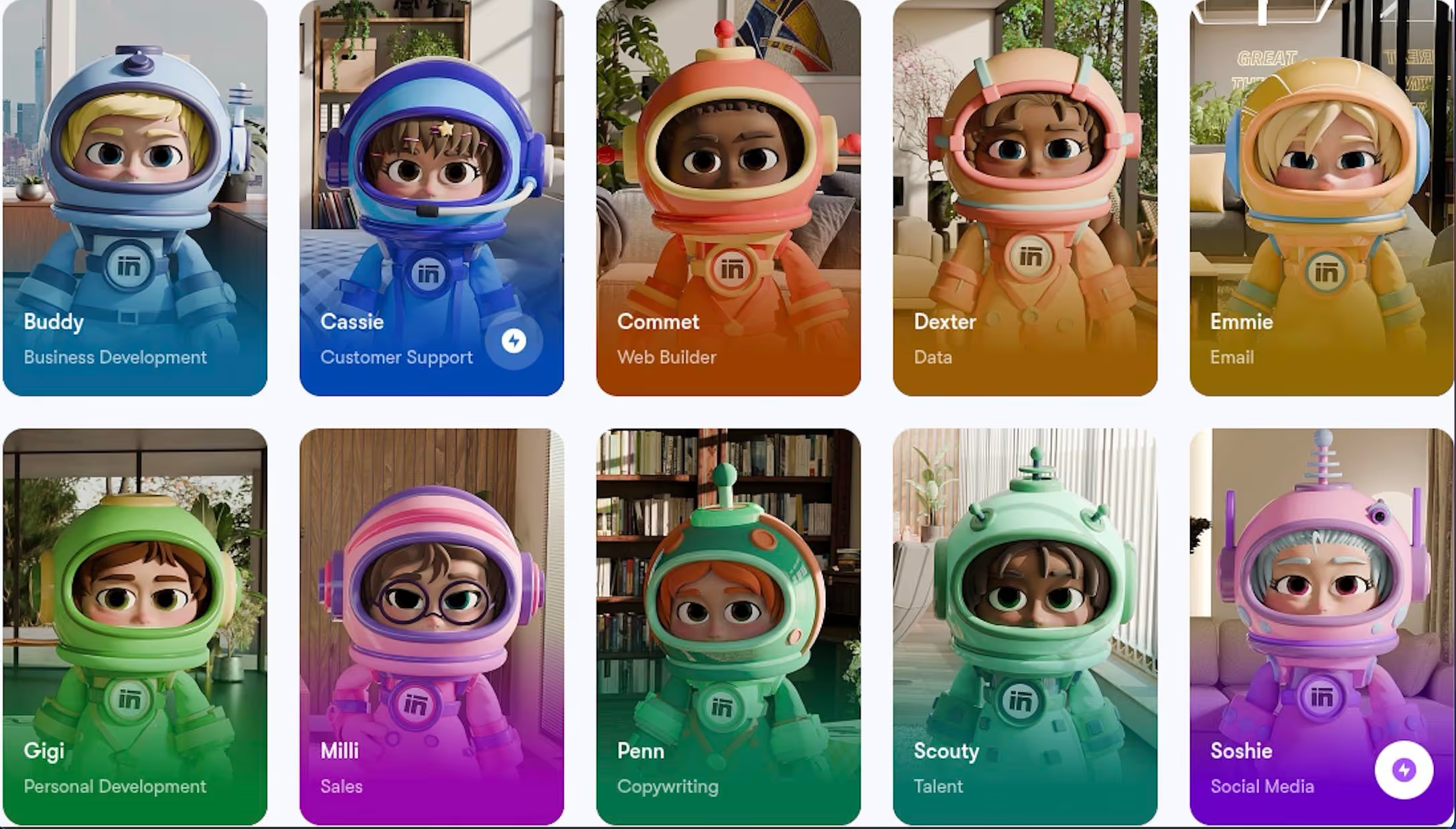
For example, Sintra’s AI helper Soshie can manage your social media across channels. Penn acts as an expert copywriter, generating content for websites, blog posts, and social media. While Soshie and Penn handle your digital presence, Cassie supports your clients through customer service, allowing you to focus on strategic decisions with Buddy, Sintra’s business strategy assistant.
In short, Sintra reduces the need for separate SaaS tools across departments by allowing users to manage multiple workflows through one platform.
Shared Memory With Brain AI Creates Consistency
One of Sintra’s most attractive features is Brain AI, a shared memory system that allows all AI helpers to retain and access information about your business. Brain AI ensures every response stays consistent with your brand voice, preferences, business goals, and past instructions. The more you work with Sintra’s helpers, the better the results become over time.
Reclaim lacks this type of shared memory or persistent context. It focuses only on scheduling tasks without retaining business-specific knowledge. This gives Sintra AI a significant advantage over Reclaim, making it especially useful for teams that need automation with memory across workflows.
Built for Teams, Not Just Individual Productivity
Teams can use Reclaim for task scheduling, but it is mainly designed for individuals or teams within a single department. If you want multiple teams to collaborate on tasks through a single platform, Reclaim is not the best fit.
That is where an advanced collaboration and automation tool like Sintra AI can make a difference. Sintra supports multiple departments by helping teams coordinate workflows, automate tasks, and stay aligned across shared business operations. It is more than a calendar management tool—it is a complete workflow solution.
Consolidates Workflows Into One System
Sintra AI reduces tool fragmentation by bringing marketing, support, and operations into one unified platform. Being able to access and manage tasks across the organization through a single system keeps workflows centralized and improves efficiency.
Unified workflows and strong AI integrations also reduce software costs, since businesses no longer need separate tools for each department.
Ready to Replace Scheduling Tools With Real Execution?
AI-powered scheduling boosts productivity, but complete workflow automation improves overall efficiency and time-to-value. So instead of choosing a tool that only plans your work, pick one that helps you complete it automatically.
Sintra AI is the next step for anyone looking for more powerful Reclaim.ai alternatives. Get started with Sintra AI and move beyond time management into true workflow automation.
Reclaim.ai Alternatives FAQs
What is the best Reclaim.ai alternative in 2026?
The best Reclaim.ai alternatives in 2026 depend on your needs. If you need strong AI scheduling capabilities, tools like Motion, Akiflow, and Morgen are great choices. However, if you want a more advanced tool that goes beyond scheduling and into actual work execution, Sintra AI is a stronger Reclaim alternative for you.
Are there free Reclaim.ai alternatives available?
Yes. Several Reclaim.ai alternatives offer free plans, including Notion, Trevor AI, ClickUp, and Calendly. These typically include basic scheduling, task management, or booking features, but advanced automation is usually paid.
How does Sintra AI compare to Reclaim.ai?
Reclaim focuses on optimizing time by scheduling tasks, habits, and meetings around your calendar. While this helps teams stay organized, it doesn’t assist them in executing those tasks in any way. Sintra AI goes beyond scheduling by helping users actually complete work through automation. It begins by consolidating tasks into a single workspace, planning and optimizing work schedules, and then executing tasks across marketing, support, and other operations.
Which Reclaim alternative is best for teams?
Teams can benefit from a Reclaim alternative that supports collaboration and shared workflows. A tool like Sintra AI would work better than Reclaim when multiple departments need coordination beyond scheduling.
Do Reclaim.ai alternatives offer better integrations?
Yes. Many Reclaim.ai alternatives, like Sintra AI, offer better integrations with tools like Slack, email platforms, CRMs, and project management systems. Sintra also unifies multiple workflows into a single system instead of relying on external integrations.
Related articles